JavaScript Coding Editor & IDE
ダウンロード: App Store

このページはアプリまたはその開発者の公式ページではなく、情報提供および論評を目的として作成された独立した編集出版物です。明示的に別段の記載がない限り、アプリおよびその開発者は、MWM、Apple、Google Play、アプリのパブリッシャー、またはアプリの開発者と提携、承認、後援、認可、またはその他の公式的な関係はなく、このページのいかなる内容も、アプリがMWMのサービスを使用して開発されたことを意味するものではありません。すべての商標、ロゴ、スクリーンショット、その他のコンテンツはそれぞれの所有者の財産です。

ロゴ: JavaScript Coding Editor & IDE
ダウンロード: App Store

JavaScript Coding Editor & IDE

iPhoneまたはiPadをプロフェッショナルなワークステーションに変えましょう。TypeScriptをコンパイルし、Node.jsを100%オフラインで実行し、AIアシスタントでバグを修正します—通勤者、学生、そして限界なくコーディングするプロの開発者のために設計されています。

主要数値

ダウンロード

79K+

ユーザー評価

4.7/5

評価数

0

開発元

Cloudbit d.o.o.

カテゴリ

Developer Tools

対応言語

6

最新バージョン

1.8.18

サイズ

186.3 MB

リリース日

2022年11月9日
機能

プロフェッショナルコーディング、解き放つ

JavaScriptとTypeScriptのための最も強力なモバイルIDE。電話またはタブレットでプログレードのツールを使用して、練習、プロトタイピング、構築を行います。

オフラインNode.jsランタイム

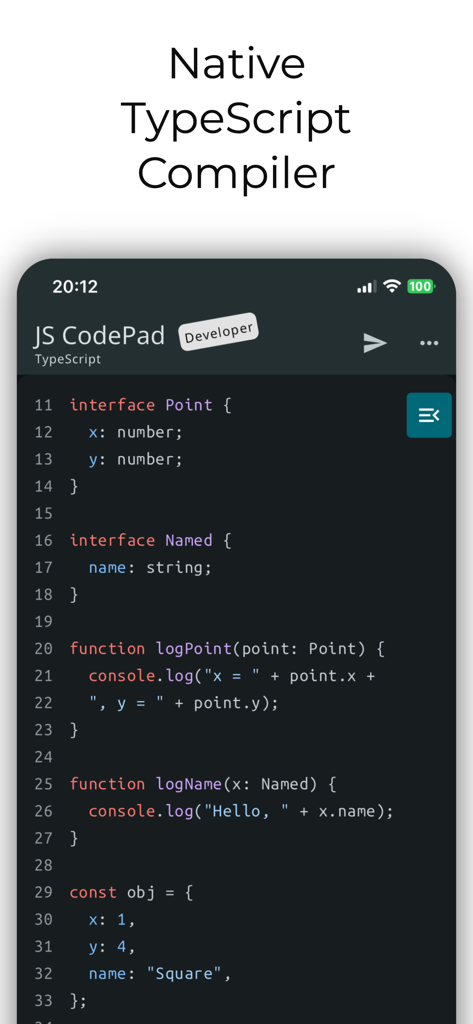
JavaScriptまたはTypeScriptをどこでもコンパイルして実行します。コア開発ワークフローにはインターネットやサーバーは必要ありません。

スマートAIコードアシスタント

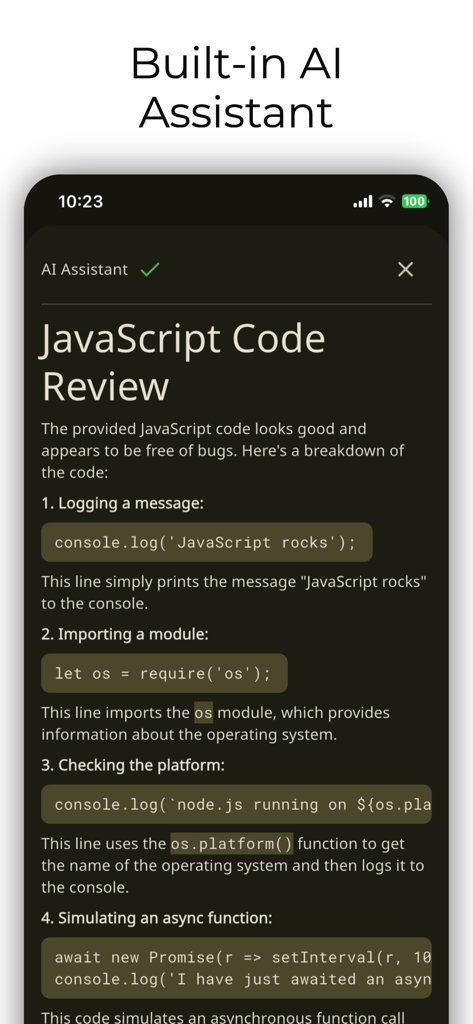
AI駆動のエラー解決、コードリファクタリング、複雑なロジックの即時説明により、より速くデバッグします。

以下のスクリーンショットと説明は、アプリの公式ストアリスティングから直接取得されたものであり、アプリ開発者の所有物です。

アプリストア

スクリーンショット
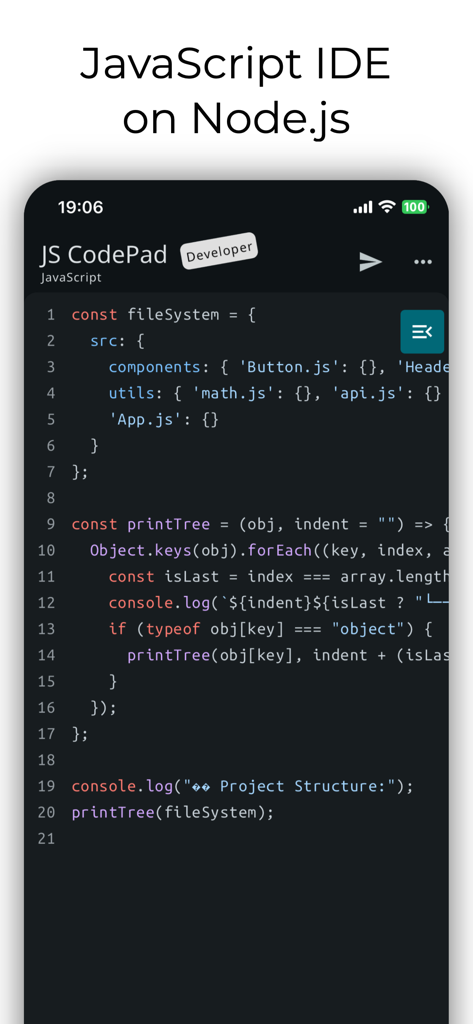
JavaScript Coding Editor & IDE - モバイル開発用のJavaScript IDEおよびコードエディタインターフェイス
モバイル開発用のJavaScript IDEおよびコードエディタインターフェイス

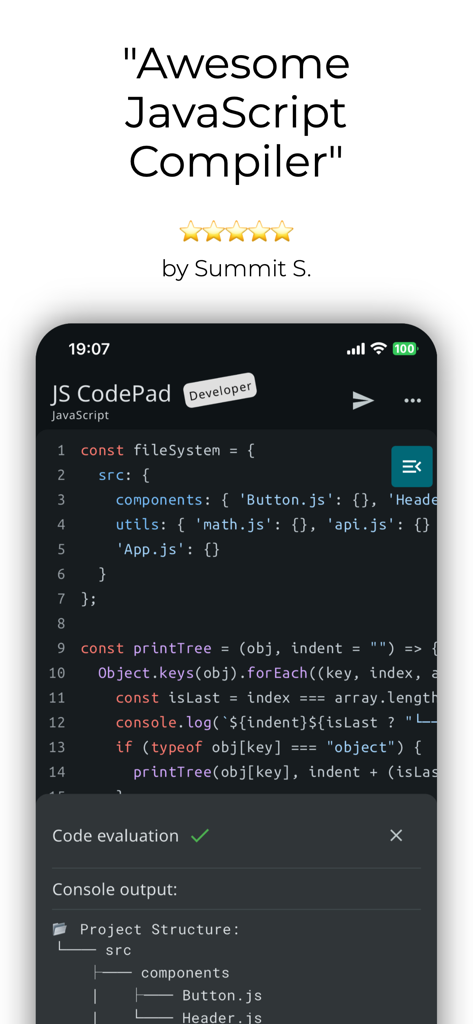
JavaScript Coding Editor & IDE - コードエディタと5つ星レビューを備えたJavaScript CodePadモバイルアプリインターフェイス
コードエディタと5つ星レビューを備えたJavaScript CodePadモバイルアプリインターフェイス

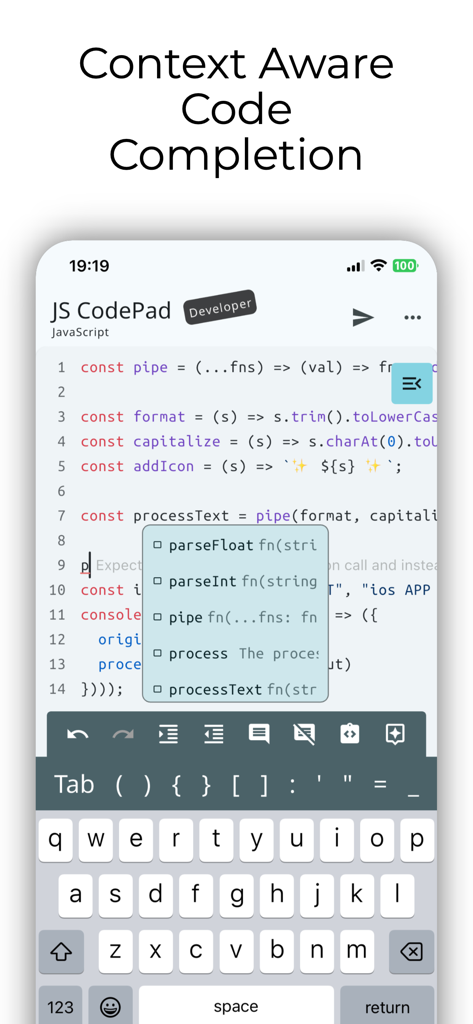
JavaScript Coding Editor & IDE - コンテキストを認識したコード補完とオートコンプリートの提案を表示するモバイルJavaScript IDE
コンテキストを認識したコード補完とオートコンプリートの提案を表示するモバイルJavaScript IDE

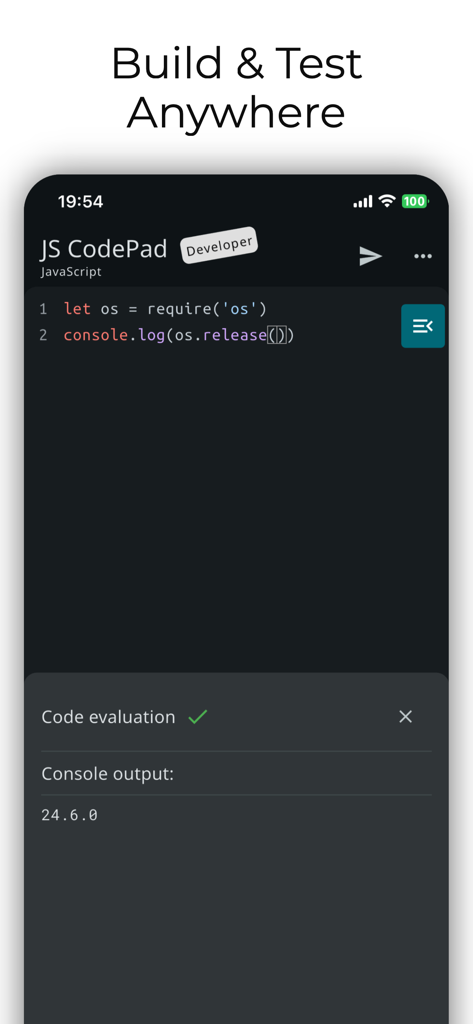
JavaScript Coding Editor & IDE - ダークモードとコンソール出力を備えたiPhone上のJavaScript IDEおよびコードエディタモバイルアプリケーションインターフェイス
ダークモードとコンソール出力を備えたiPhone上のJavaScript IDEおよびコードエディタモバイルアプリケーションインターフェイス

JavaScript Coding Editor & IDE - JSスニペットのコードレビューを提供するAIアシスタントを表示するJavaScriptモバイルIDE
JSスニペットのコードレビューを提供するAIアシスタントを表示するJavaScriptモバイルIDE

JavaScript Coding Editor & IDE - ネイティブコンパイラ機能によるTypeScriptコード編集を表示するJS CodePadのモバイルインターフェイス
ネイティブコンパイラ機能によるTypeScriptコード編集を表示するJS CodePadのモバイルインターフェイス

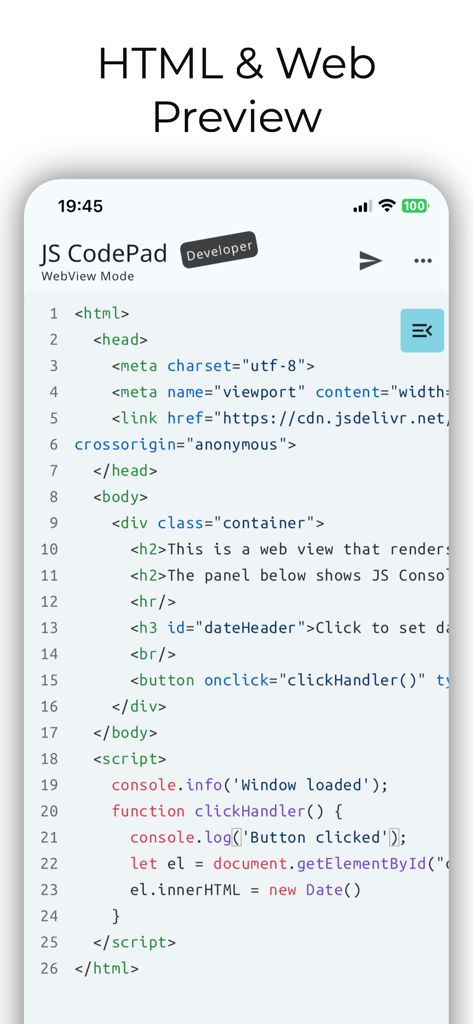
JavaScript Coding Editor & IDE - Web開発プレビュー用のHTMLおよびJavaScriptコードを表示するJS CodePadモバイルアプリのスクリーンショット
Web開発プレビュー用のHTMLおよびJavaScriptコードを表示するJS CodePadモバイルアプリのスクリーンショット

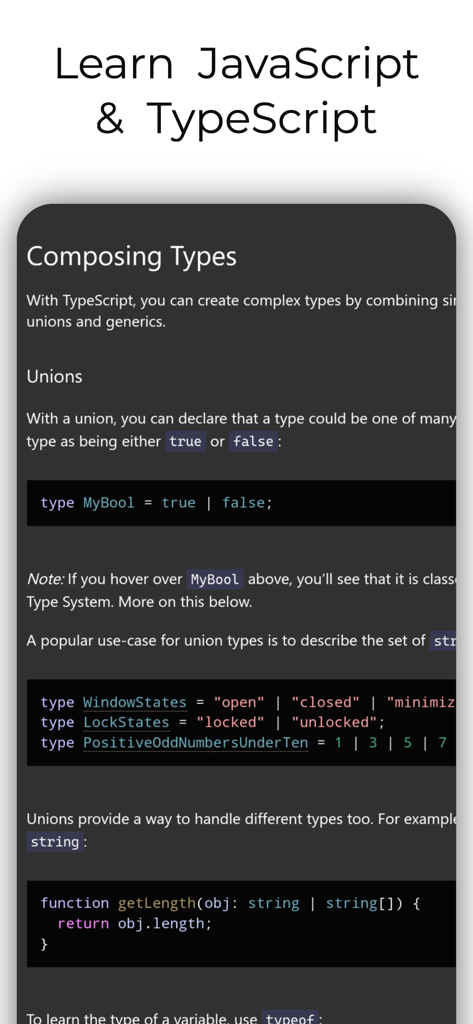
JavaScript Coding Editor & IDE - コーディングエディタアプリでの型の合成と和集合を説明するTypeScriptチュートリアルページのスクリーンショット

コーディングエディタアプリでの型の合成と和集合を説明するTypeScriptチュートリアルページのスクリーンショット

説明

Run JavaScript and TypeScript on Node.js anywhere—100% Offline. The most powerful mobile IDE for JS and TS.  Features a built-in compiler, console, and DOM WebView. No server, no internet, no limits. Whether you are a professional developer, a student, or a hobbyist, JavaScript CodePad will help you practice and improve your coding skills anytime, anywhere. Built in tsc compiler transpiles your TypeScript code to JavaScript offline. Use the WebView mode to access the built-in Web Browser Window and DOM interface. Combine HTML, CSS, and JavaScript and learn building Web apps. Organise your code into modules and run multiple JS files using Node.js as a runtime (Internet connection required). You can run, execute, and evaluate JS code and programs from this app. Lightweight app with full JavaScript syntax highlighting, code completion and editor actions like undo, redo, comment lines, and indent selection to enhance your developer productivity. Enhanced productivity with live JS and TS code analysis as you type. Catch errors before you run the code. Built-in AI Assistant, whenever you get an error in your code, AI can suggest how to resolve it. AI Assistant can also refactor your code, clean it up, check it for bugs, write comments and documentation strings or just explain it. Blazing fast, all single script and Web View code is ran directly on the embedded node.js runtime or built in Web browser. Enhance your programming and JavaScript skills by solving built-in coding problems. Learn JavaScript with the MDN tutorial. Become a JavaScript coding master. Learn TypeScript with the official TypeScript handbook. Test your JavaScript and TypeScript knowledge, the app will tell you if you are writing valid JavaScript. With JavaScript CodePad, you can: - Write and execute JavaScript code with syntax highlighting and auto-indentation. - Run and compile TypeScript code and scripts - Test and debug your code with the built-in console and error messages. - Share and load your code snippets for later use - Customised keyboard with special keys and shortcuts for JavaScript and TypeScript - Code completion - Code formatting - Code linting - Solve built-in coding challenges - Access JavaScript and TypeScript tutorial and library reference from the app - Learn new concepts and techniques - Write HTML, CSS and JS code and run it in a built-in WebView - Run multiple JS files Download it today and unleash your creativity with the most popular programming language in the world. Note that certain features like Code completion, WebView mode and project mode require paid Developer upgrade.

Download

ダウンロード: App Store

このページはアプリまたはその開発者の公式ページではなく、情報提供および論評を目的として作成された独立した編集出版物です。明示的に別段の記載がない限り、アプリおよびその開発者は、MWM、Apple、Google Play、アプリのパブリッシャー、またはアプリの開発者と提携、承認、後援、認可、またはその他の公式的な関係はなく、このページのいかなる内容も、アプリがMWMのサービスを使用して開発されたことを意味するものではありません。すべての商標、ロゴ、スクリーンショット、その他のコンテンツはそれぞれの所有者の財産です。









