JSON Editor Mobile
JSON Editor Mobile
ダウンロード: App Store

このページはアプリまたはその開発者の公式ページではなく、情報提供および論評を目的として作成された独立した編集出版物です。明示的に別段の記載がない限り、アプリおよびその開発者は、MWM、Apple、Google Play、アプリのパブリッシャー、またはアプリの開発者と提携、承認、後援、認可、またはその他の公式的な関係はなく、このページのいかなる内容も、アプリがMWMのサービスを使用して開発されたことを意味するものではありません。すべての商標、ロゴ、スクリーンショット、その他のコンテンツはそれぞれの所有者の財産です。


ロゴ: JSON Editor Mobile
ダウンロード: App Store

JSON Editor Mobile

直感的なアウトラインモード、スマートな検証、Gitフレンドリーな編集でデータをマスターしましょう。ワークフローを損なうことなく、外出先でコードを視覚化、編集、修正する必要がある開発者のために構築されました。

主要数値

ダウンロード

18K+

ユーザー評価

4.1/5

評価数

0

開発元

VDT LABS S.R.L.

カテゴリ

Developer Tools

対応言語

1

最新バージョン

1.3

サイズ

10.5 MB

リリース日

2024年4月30日
機能

外出先でのプロフェッショナルJSON編集

生のテキストとの格闘はやめましょう。精度、速度、クリーンなワークフローのために設計された、開発者ファーストのモバイルIDEでデータ構造をマスターしましょう。

構造優先アウトラインモード

タッチ操作に最適化されたツリービューで、複雑にネストされたオブジェクトをナビゲートおよび操作します。モバイルでのテキスト選択のフラストレーションなしに、アイテムを追加、並べ替え、または編集できます。

Gitフレンドリーなスマート編集

バージョン管理のために設計されています。アプリは最小限のファイル変更を行い、リポジトリの差分がクリーンで次のプルリクエストに関連性があることを保証します。

以下のスクリーンショットと説明は、アプリの公式ストアリスティングから直接取得されたものであり、アプリ開発者の所有物です。

アプリストア

スクリーンショット
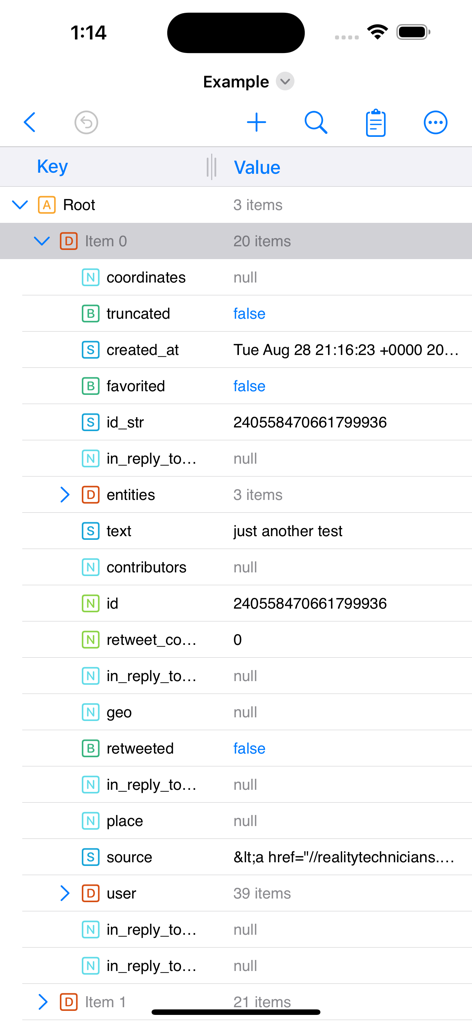
JSON Editor Mobile - JSON Editor Mobileアプリのインターフェースのスクリーンショット。アウトラインモードでネストされたツリー構造のデータを、キーと値の列とともに表示しています。
JSON Editor Mobileアプリのインターフェースのスクリーンショット。アウトラインモードでネストされたツリー構造のデータを、キーと値の列とともに表示しています。

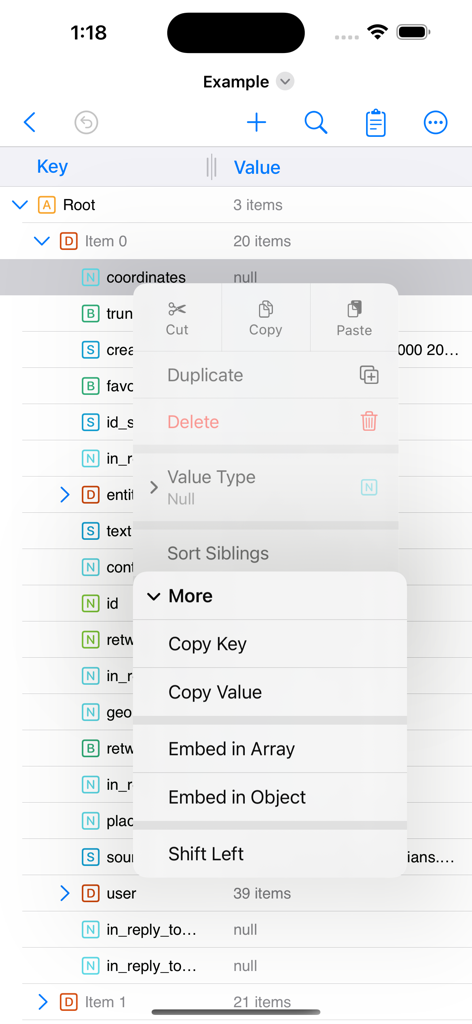
JSON Editor Mobile - JSON Editor Mobileアプリのインターフェース。アウトラインツリービューと、データ操作のための開かれたコンテキストメニューを表示しています。
JSON Editor Mobileアプリのインターフェース。アウトラインツリービューと、データ操作のための開かれたコンテキストメニューを表示しています。

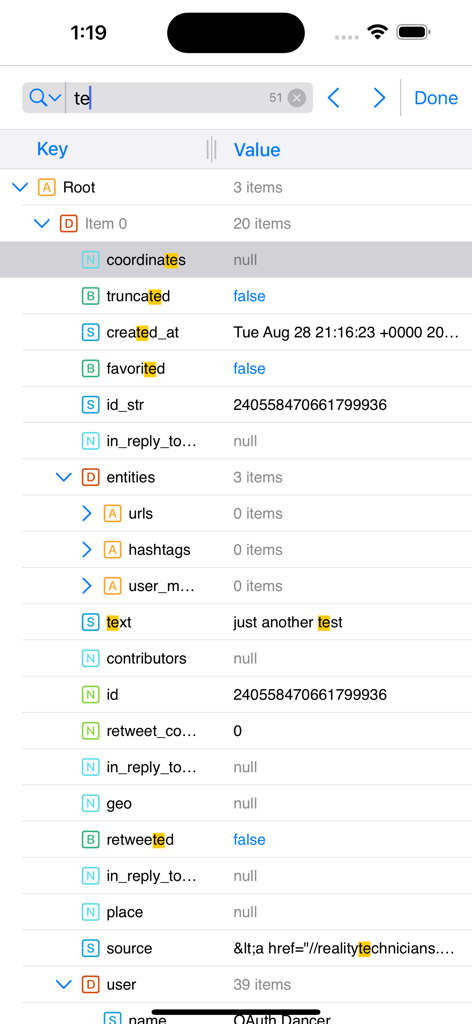
JSON Editor Mobile - JSON Editor Mobileインターフェース。アウトラインモードでハイライトされた検索結果を表示しています。
JSON Editor Mobileインターフェース。アウトラインモードでハイライトされた検索結果を表示しています。

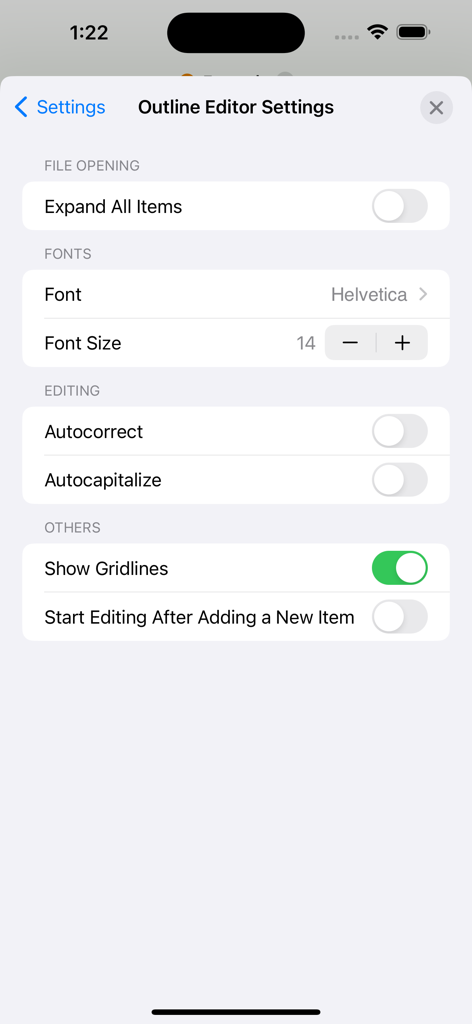
JSON Editor Mobile - JSON Editor Mobileのアウトラインエディター設定画面。フォントと編集のカスタマイズオプションを表示しています。
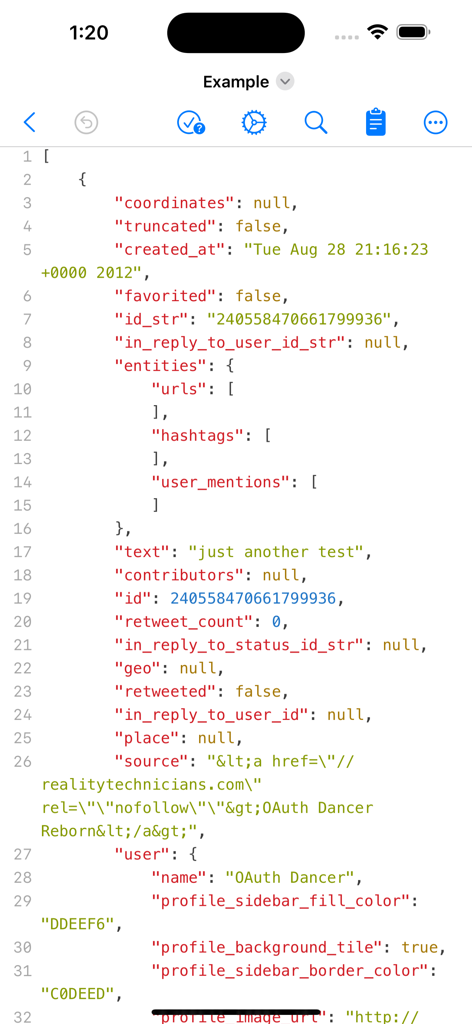
JSON Editor Mobileのアウトラインエディター設定画面。フォントと編集のカスタマイズオプションを表示しています。

JSON Editor Mobile - JSONエディターのテキストモードでのモバイルインターフェース。構文ハイライトと行番号が表示されています。
JSONエディターのテキストモードでのモバイルインターフェース。構文ハイライトと行番号が表示されています。

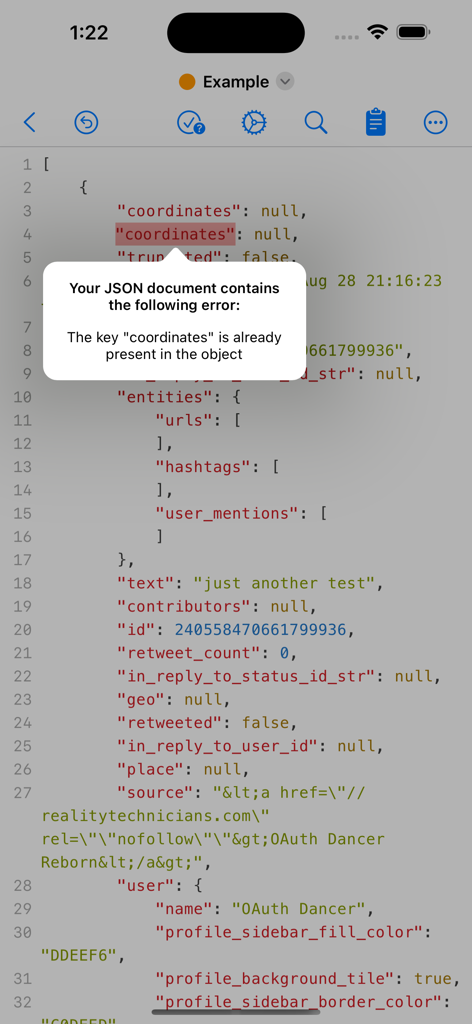
JSON Editor Mobile - JSON Editor Mobileが、コードドキュメント内の重複キーに対する検証エラーアラートを表示しています。
JSON Editor Mobileが、コードドキュメント内の重複キーに対する検証エラーアラートを表示しています。

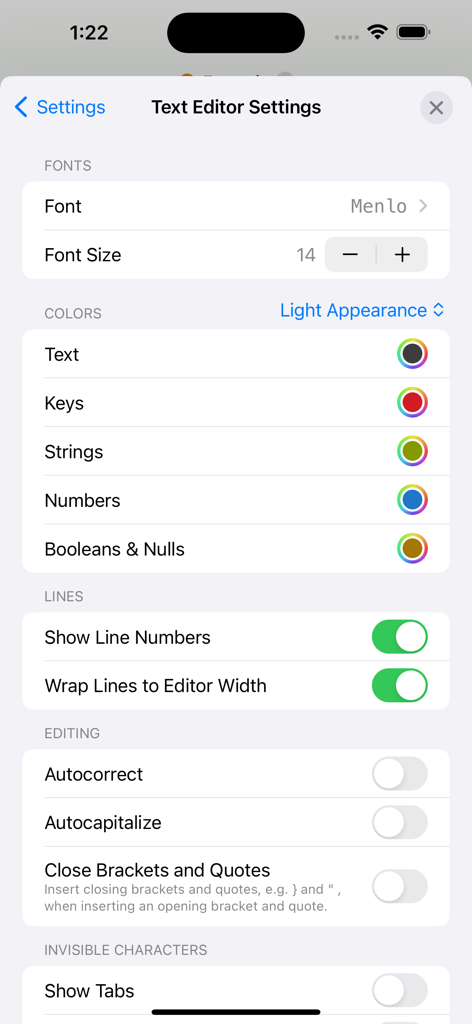
JSON Editor Mobile - JSON Editor Mobileのテキストエディター設定画面。フォントと色のカスタマイズオプションを表示しています。

JSON Editor Mobileのテキストエディター設定画面。フォントと色のカスタマイズオプションを表示しています。

説明

JSON Editor is a beautiful viewer and editor for JSON data. It allows you to create, visualize, modify, validate, format and save your JSON documents. The app has the smarts needed to make the minimum changes when editing a file, even in the "outline" mode. This is especially useful when you keep the files in a repository, because only the relevant changes will be shown when diff-ing the edited files. MAJOR FEATURES • View and edit your JSON documents in "outline" (aka "tree") or "text" modes • The "outline" mode offers a great and error proof way to manipulate your JSON, by allowing you to easily add, reorder, delete, copy & paste the items • The "text" mode offers a quick way to interact with the raw text which makes up the JSON and to investigate invalid JSONs OUTLINE MODE • Perform standard operations: cut, copy, paste, delete, reorder • Edit keys & values • Sort sibling items or the children of a parent item • Sort the entire JSON by tapping the "Key" or "Value" columns • Auto-detect if the document is human readable or compact, and preserve this format • Find & Replace - configure where the Find (and replace) will take place: in "Key" column or "Value" column or both. • Duplicate items • Change font & font size for better readability • Undo & redo • More customization options available in "More ->Settings -> Outline Editor" TEXT MODE • Syntax coloring, auto-indentation and line numbers • Customize the syntax colors, both for the light and dark appearances • Validate the JSON document • Highlight of the validation errors, along with a description of them • Make the JSON document human readable or compact, even if it is not entirely valid • Find & Replace • Change font & font size for better readability • Undo & redo • More customization options available in "More -> Settings -> Text Editor" IMPORTANT: JSON Editor is available as free to download, but a few features are disabled by default: Save documents, Find & Replace, Sort. In order to get the most out of the app, and to enable the aforementioned features, "Premium" is recommended to be purchased ("Premium" is a one-time in-app purchase).

Download

ダウンロード: App Store

このページはアプリまたはその開発者の公式ページではなく、情報提供および論評を目的として作成された独立した編集出版物です。明示的に別段の記載がない限り、アプリおよびその開発者は、MWM、Apple、Google Play、アプリのパブリッシャー、またはアプリの開発者と提携、承認、後援、認可、またはその他の公式的な関係はなく、このページのいかなる内容も、アプリがMWMのサービスを使用して開発されたことを意味するものではありません。すべての商標、ロゴ、スクリーンショット、その他のコンテンツはそれぞれの所有者の財産です。








