
このページはアプリまたはその開発者の公式ページではなく、情報提供および論評を目的として作成された独立した編集出版物です。明示的に別段の記載がない限り、アプリおよびその開発者は、MWM、Apple、Google Play、アプリのパブリッシャー、またはアプリの開発者と提携、承認、後援、認可、またはその他の公式的な関係はなく、このページのいかなる内容も、アプリがMWMのサービスを使用して開発されたことを意味するものではありません。すべての商標、ロゴ、スクリーンショット、その他のコンテンツはそれぞれの所有者の財産です。


Just Press Record
タップ一つ、あるいはSiriコマンドだけで、アイデア、会議、思い出を瞬時に記録。音声を検索可能なテキストへ簡単に変換し、iPhone、iPad、Mac、Apple Watch間で録音を同期します。
ダウンロード
664K+ユーザー評価
評価数
5K+開発元
カテゴリ
Utilities対応言語
13最新バージョン
50.3サイズ
8.1 MBリリース日
2015年9月21日すべてを記録し、どこでも思い出す
プロフェッショナルやクリエイターのための究極のプロオーディオツール。瞬時に録音、手軽に文字起こし、Appleエコシステム全体で同期。
ワンタップで瞬時にキャプチャ
Apple WatchのコンプリケーションやSiriコマンドから録音を開始。ハンズフリーでプロ級のオーディオを録音する最速の方法です。
検索可能なインテリジェンス
30以上の言語で録音を自動文字起こし。キーワードで履歴を検索し、数時間の音声を即座に活用可能なデータへと変換します。
よくある質問
について知っておくべきこと Just Press Record
Just Press Recordとは何ですか?また、どのデバイスに対応していますか?
Just Press Recordは、ワンタップで録音、文字起こし、iCloud同期ができる究極のオーディオレコーダーです。iPhone、iPad、Mac、Apple Watchに対応しており、重要な瞬間を捉えることができます。
Just Press Recordは音声を文字起こししますか?また、何言語に対応していますか?
はい、Just Press Recordは音声を検索可能なテキストに変換します。文字起こしには30以上の言語に対応しており、デバイスの言語設定とは独立しています。また、音声再生と同期したテキストハイライトも含まれています。
Just Press Recordは複数のAppleデバイス間で録音を同期しますか?
はい、Just Press RecordはiCloud同期を提供しています。iCloud Driveに保存された録音は、すべてのデバイス間で自動的に同期され、iPhone、iPad、Mac、Apple Watchからアクセスできます。
Just Press RecordでApple Watchで独立して録音できますか?
はい、Just Press Recordでは、iPhoneがなくてもApple Watchで独立して録音できます。録音された音声は後で文字起こしやiCloud同期のためにiPhoneに自動的に転送されます。
Just Press Recordは音声編集機能を提供していますか?
はい、Just Press Recordは音声編集機能を提供しています。ユーザーは波形表示で音声を視覚化し、アプリ内で不要な部分を正確にカットして録音を微調整できます。
Just Press Recordアプリ内で文字起こしされたテキストを編集できますか?
はい、ユーザーはJust Press Recordアプリ内で文字起こしされたテキストを編集できます。誤りを修正したり、文字起こしに新しいテキストを追加したりして、正確性と完全性を確保できます。
Just Press Recordは電話の通話や他のアプリケーションの音声を録音しますか?
いいえ、Just Press Recordは電話の通話や他のアプリケーションの音声を録音しません。これは、アプリの重要な注意事項セクションで明示的に記載されている制限事項です。
Just Press Recordは外部マイクや高品質な音声録音に対応していますか?
はい、Just Press RecordはLightningポート経由で高品質な外部マイクに対応しており、カスタマイズ可能な音声設定を提供しています。WAV、AIF、M4A形式で最大96kHz / 24ビットの高品質な音声を録音します。
Just Press Recordでハンズフリーで録音を開始できますか?
はい、ユーザーはSiriを使用して完全にハンズフリーで新しい録音を開始できます。その他の便利なオプションとして、ロック画面、コントロールセンター、またはショートカットから開始することもできます。
以下のスクリーンショットと説明は、アプリの公式ストアリスティングから直接取得されたものであり、アプリ開発者の所有物です。
アプリストア
スクリーンショット
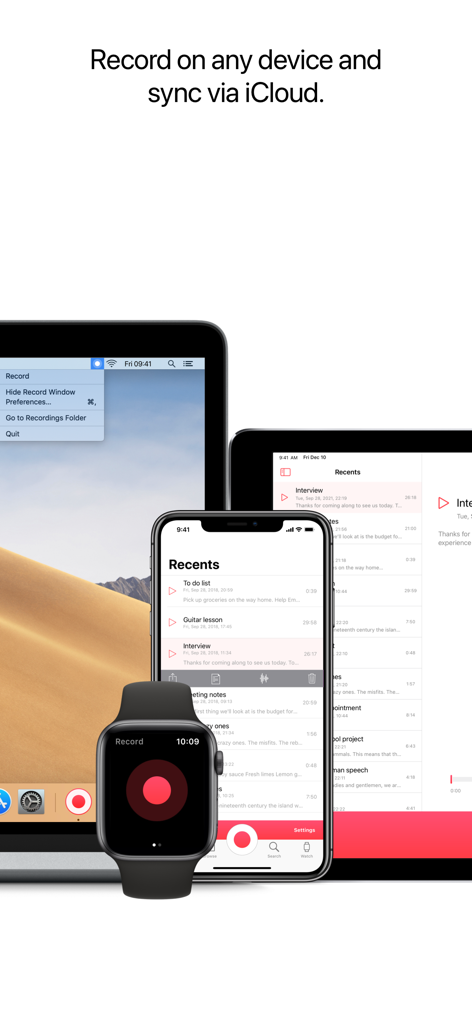
iCloud同期機能を表示するApple Watch、iPhone、iPad、Mac上のJust Press Recordアプリのインターフェース。
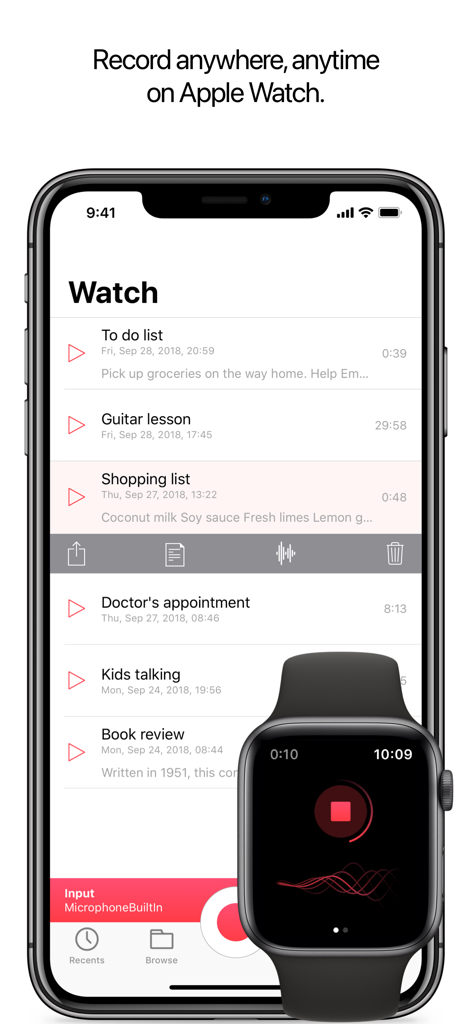
録音中のApple Watchと同期された録音リストを表示するiPhone上のJust Press Recordアプリのインターフェース。
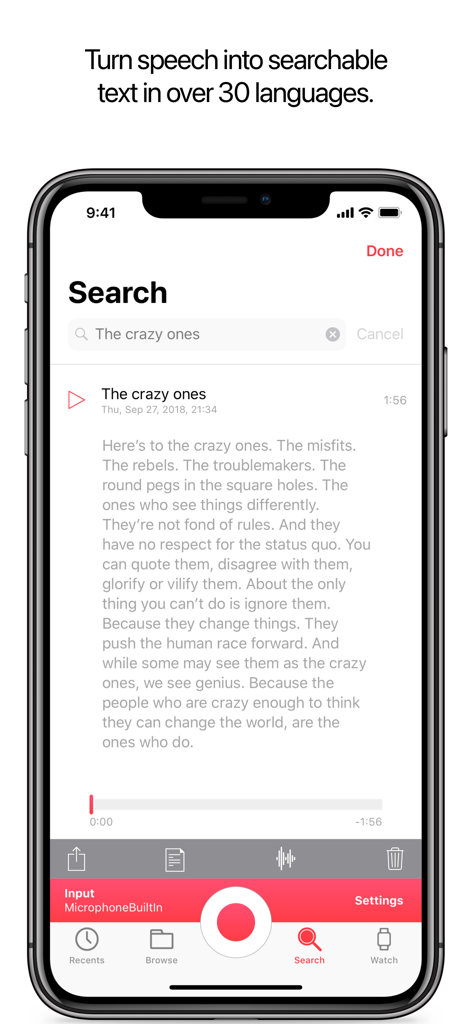
iPhoneで検索可能な音声文字起こしを表示するJust Press Recordアプリ。
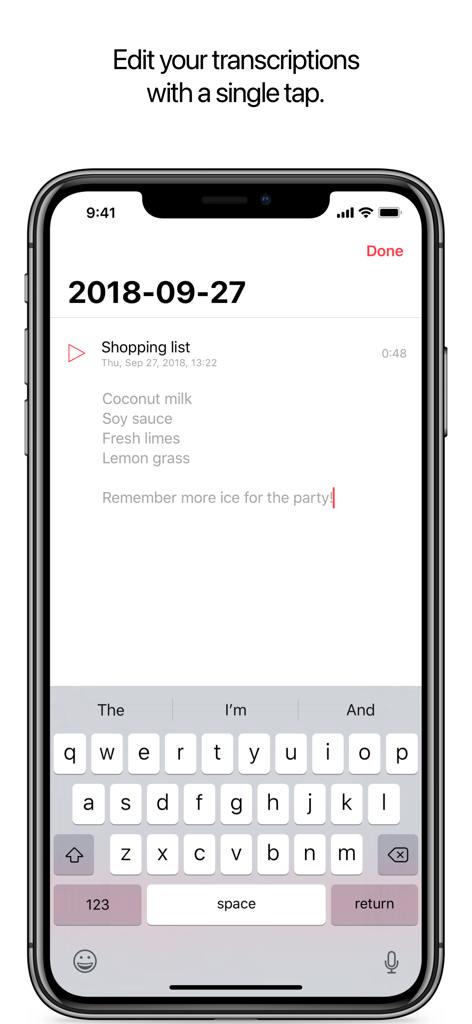
キーボードで編集中の文字起こしされた買い物リストを表示するJust Press RecordのiPhoneインターフェース。
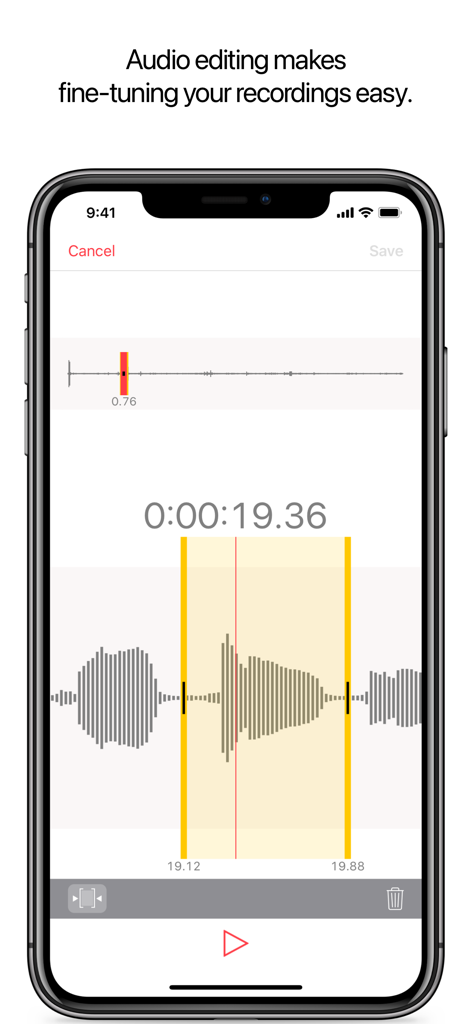
Just Press Recordアプリで録音をトリミングするための波形ビューを備えたオーディオ編集インターフェースを表示するiPhoneの画面。
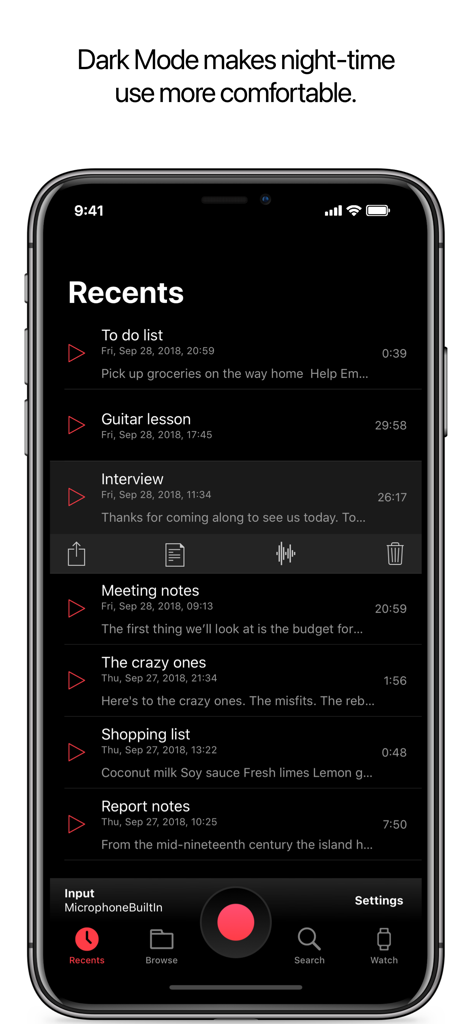
最近の音声録音リストを表示するダークモード機能付きのiPhone上のJust Press Recordモバイルアプリのインターフェース。
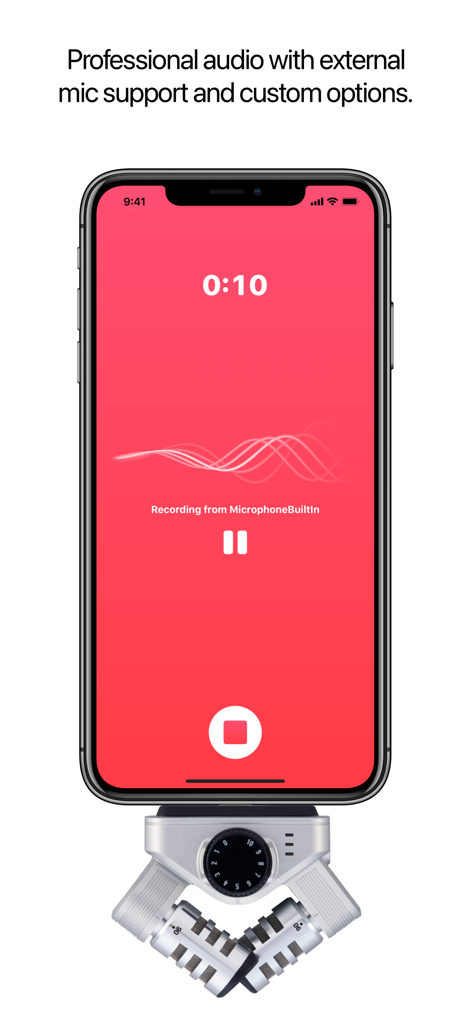
プロ仕様の外部マイクに接続されたiPhone上のJust Press Recordアプリのインターフェース。
説明
Download
類似アプリ
似た機能とユーザー体験を持つアプリ

Plaud: AI Note Taker
PLAUD LLC

Notee: AI Note Taker
GM UniverseApps Limited

클로바노트 - 음성 그 이상의 기록
NAVER Corp.

录音专家-专业录音转文字助手
Chongqing Yeyuegua Technology Co., Ltd

听脑AI - 实时录音转文字总结助手
Shanghai Xiuyu Network Technology Co., Ltd

Granola - AI Meeting Notes
Granola inc

Transkriptor - Speech to Text
Textintel FZE

Minutes: AI Meeting Note Taker
Minutes AI, LLC

Fireflies: AI notetaker
FIREFLIES.AI CORP.
このページはアプリまたはその開発者の公式ページではなく、情報提供および論評を目的として作成された独立した編集出版物です。明示的に別段の記載がない限り、アプリおよびその開発者は、MWM、Apple、Google Play、アプリのパブリッシャー、またはアプリの開発者と提携、承認、後援、認可、またはその他の公式的な関係はなく、このページのいかなる内容も、アプリがMWMのサービスを使用して開発されたことを意味するものではありません。すべての商標、ロゴ、スクリーンショット、その他のコンテンツはそれぞれの所有者の財産です。