
このページはアプリまたはその開発者の公式ページではなく、情報提供および論評を目的として作成された独立した編集出版物です。明示的に別段の記載がない限り、アプリおよびその開発者は、MWM、Apple、Google Play、アプリのパブリッシャー、またはアプリの開発者と提携、承認、後援、認可、またはその他の公式的な関係はなく、このページのいかなる内容も、アプリがMWMのサービスを使用して開発されたことを意味するものではありません。すべての商標、ロゴ、スクリーンショット、その他のコンテンツはそれぞれの所有者の財産です。


Keeper Password Manager
デジタルライフを完全に掌握し、サイバー脅威を過去のものとするための絶対的な力を手に入れることができます。
ダウンロード
2.5M+ユーザー評価
評価数
354.0K開発元
カテゴリ
Productivity対応言語
20最新バージョン
17.8.0サイズ
155.3 MBリリース日
2019年2月12日テックアナリストの視点から、主要なデジタルセキュリティと利便性向上機能に焦点を当てて評価します。
Keeper Password Manager: 包括的セキュリティ機能分析
ゼロ知識アーキテクチャと高強度暗号化
ユーザーのデータは、ゼロ知識セキュリティモデルとAES-256ビット暗号化によって最高レベルで保護され、データ漏洩やサイバー攻撃から守られます。
Dark Web監視(BreachWatch)
Dark Webを常時監視し、ユーザーのアカウント情報やパスワードが漏洩した場合に即座に通知するため、迅速な対応が可能となります。
強力なパスワード生成と安全な保管
強力でランダムなパスワードとパスフレーズを生成し、暗号化されたデジタルボルトに安全に保管することで、ユーザーは複雑なパスワード管理から解放されます。
パスキーと2FAコードの統合管理
パスキーと二段階認証(2FA)コードをアプリ内に保存・管理し、あらゆるウェブサイトやアプリでのワンタップログインと認証を可能にします。
自動入力と全デバイス間同期
保存されたログイン情報や個人データを、あらゆるウェブサイトやアプリで自動入力し、電話、タブレット、コンピューター間でシームレスに同期します。
多様な情報タイプの安全な保管
パスワードだけでなく、支払いカード、ファイル、運転免許証、銀行口座情報など、ユーザーのあらゆる機密情報を安全に保管できます。
安全な情報共有機能
他のKeeperユーザーや、一時的な共有リンクを通じてアプリを持たない家族、友人、同僚とも、認証情報やファイルを安全に共有することが可能です。
生体認証による迅速なアクセス
指紋認証や顔認証を利用して、デジタルボルトに迅速かつ安全にアクセスできるため、ユーザーは手間なくセキュリティを維持できます。
多要素認証(MFA)のサポート
Google Authenticator、YubiKeyなどの様々な多要素認証方法をサポートしており、ユーザーのデジタルボルトへのセキュリティを強化します。
複数アカウントの簡単な切り替え
個人用とビジネス用のアカウントを簡単に切り替えることができ、ユーザーは異なるデジタルライフを効率的に管理できます。
よくある質問
について知っておくべきこと Keeper Password Manager
What is Keeper Password Manager?
Keeper Password Manager is an app that secures passwords, passkeys, and 2FA codes using AES-256 encryption. It generates strong passwords, autofills logins, syncs across devices, and monitors the Dark Web for breaches.
Does Keeper Password Manager generate strong passwords?
Yes, Keeper Password Manager includes a built-in password generator that creates strong, random passwords and passphrases. It allows customization for length, characters, numbers, and symbols.
Can Keeper Password Manager autofill passwords?
Yes, Keeper Password Manager autofills login credentials across mobile apps and browsers. It uses KeeperFill, which can be authenticated with fingerprint or Face ID for secure access.
Is Keeper Password Manager secure?
Yes, Keeper Password Manager is highly secure, utilizing patented zero-knowledge security, AES-256-bit encryption, and PBKDF2 technology. It is SOC-2, ISO 27001, ISO 27017, ISO 20718, FedRAMP, and StateRAMP certified.
Can I store passkeys with Keeper Password Manager?
Yes, Keeper Password Manager allows users to save and sync passkeys, along with passwords and 2FA codes. These can be accessed from any device and are stored in an encrypted digital vault.
Does Keeper Password Manager offer two-factor authentication (2FA) support?
Yes, Keeper Password Manager supports two-factor authentication (2FA) for vault access and stores/protects TOTP codes for autofilling into other sites. It also supports security keys like YubiKey.
Can Keeper Password Manager monitor for data breaches?
Yes, Keeper Password Manager includes BreachWatch, which monitors the Dark Web for breached accounts and passwords. It notifies users immediately if their information is exposed, enabling quick action.
What record types can Keeper Password Manager store?
Keeper Password Manager stores various record types, including login credentials, payment cards, addresses, bank accounts, secure files, notes, photos, driver's licenses, passports, and SSH keys.
Can I share passwords securely using Keeper Password Manager?
Yes, Keeper Password Manager enables secure sharing of credentials with other Keeper users or via a "One-Time Share" link for non-users. Users can define permissions like edit or view access.
Can I sync my Keeper vault across multiple devices?
Yes, Keeper Password Manager syncs your encrypted digital vault across all your phones, tablets, and computers. This ensures consistent access to your passwords and data.
以下のスクリーンショットと説明は、アプリの公式ストアリスティングから直接取得されたものであり、アプリ開発者の所有物です。
アプリストア
スクリーンショット
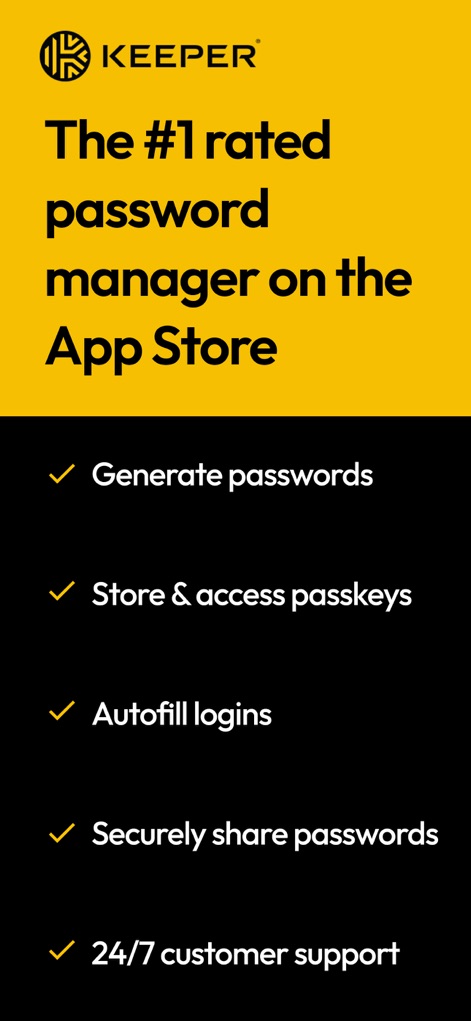
このアプリはApp Storeで高い評価を得ており、ユーザーはパスワードの生成とパスキーの安全な保存ができます。
信頼のパスワード管理
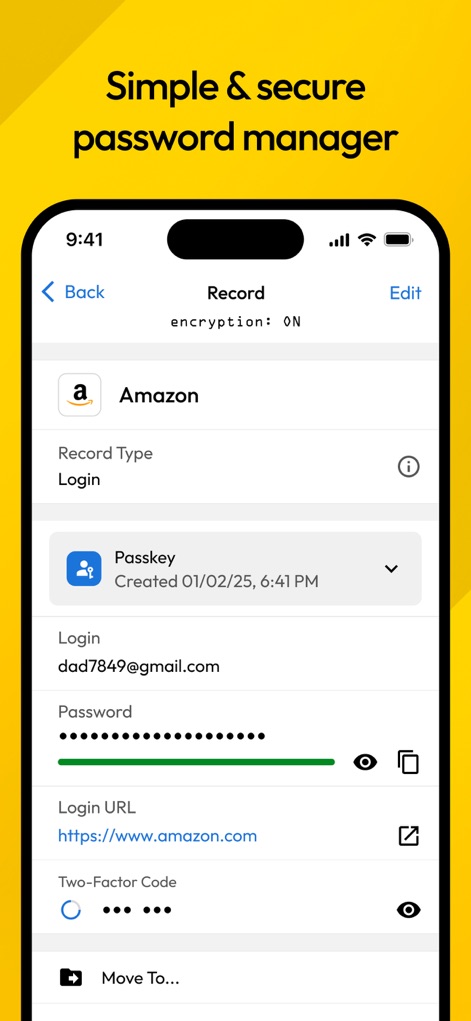
このスクリーンショットは、Amazonのログイン情報が表示されたレコード画面を示しており、パスキーと隠されたパスワードフィールドを確認できます。
シンプルな安全管理
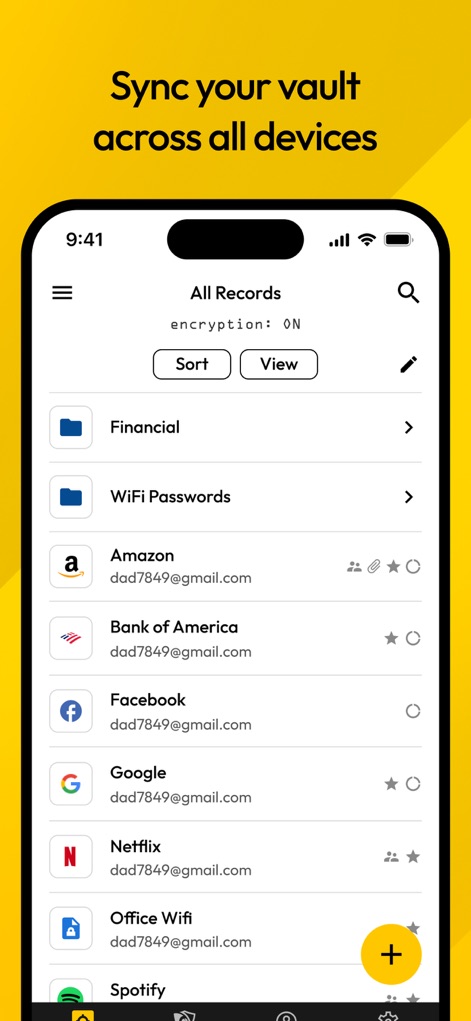
この画面では、ユーザーの全てのレコードが一覧表示されており、FinancialやWiFi Passwordsといったカテゴリでパスワードが整理されているのが確認できます。
デバイス間で同期
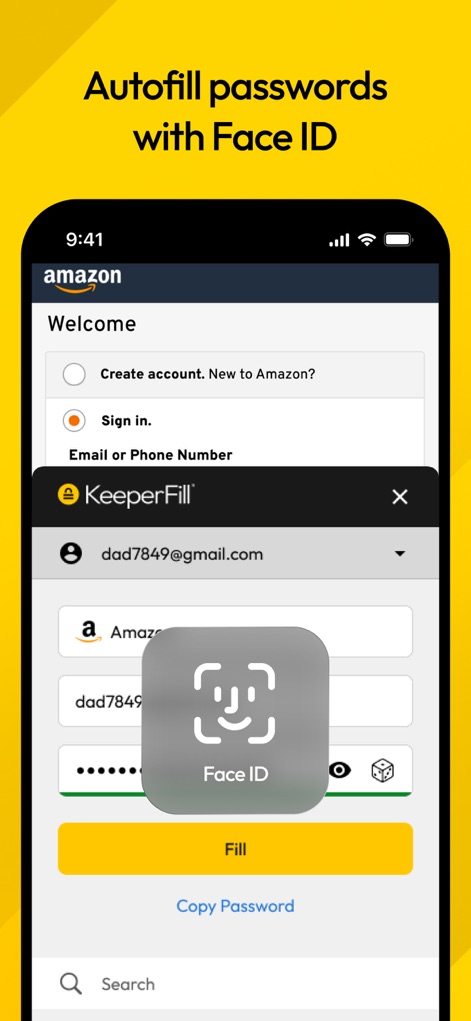
このアプリはFace IDを利用したパスワードの自動入力を可能にし、KeeperFillのポップアップが表示され、安全なログインをサポートします。
Face IDで自動入力
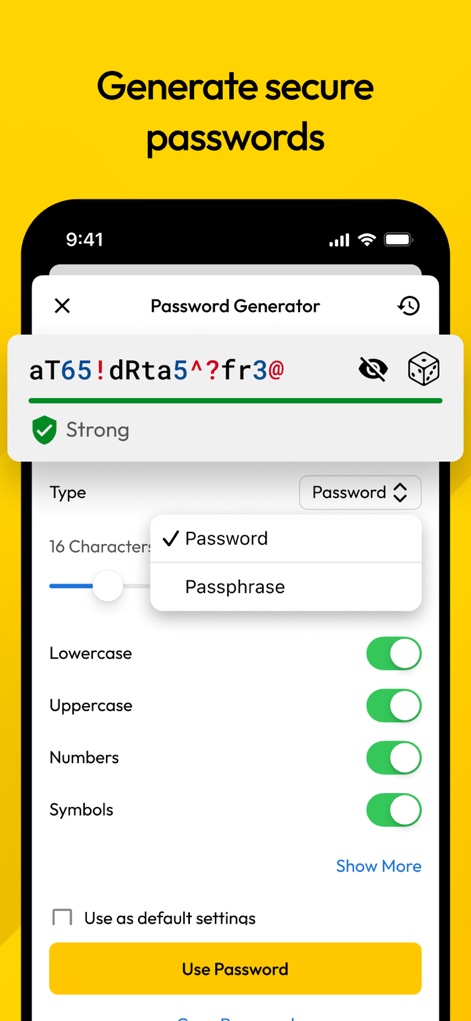
このツールは強力なパスワードを自動生成し、ユーザーはパスワードとパスフレーズのタイプを選択したり、含める文字の種類を設定できます。
強力なパスワード生成
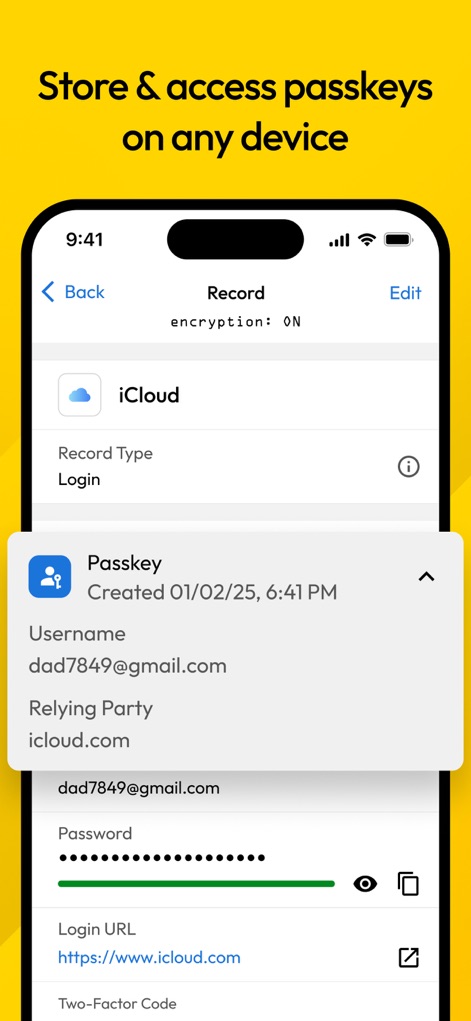
このスクリーンショットはiCloudのパスキーレコードを示しており、ユーザー名とパスワード情報、さらにはパスキーの作成日時が表示されています。
パスキーを保存・アクセス
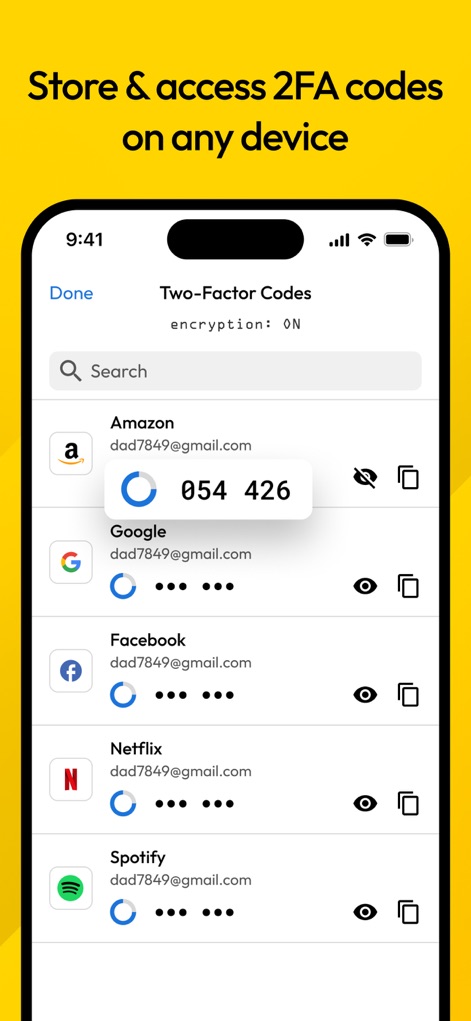
この画面では、複数のサービスに対する二段階認証コードが一覧表示されており、ユーザーは各コードを検索して迅速に確認できます。
2FAコードを管理
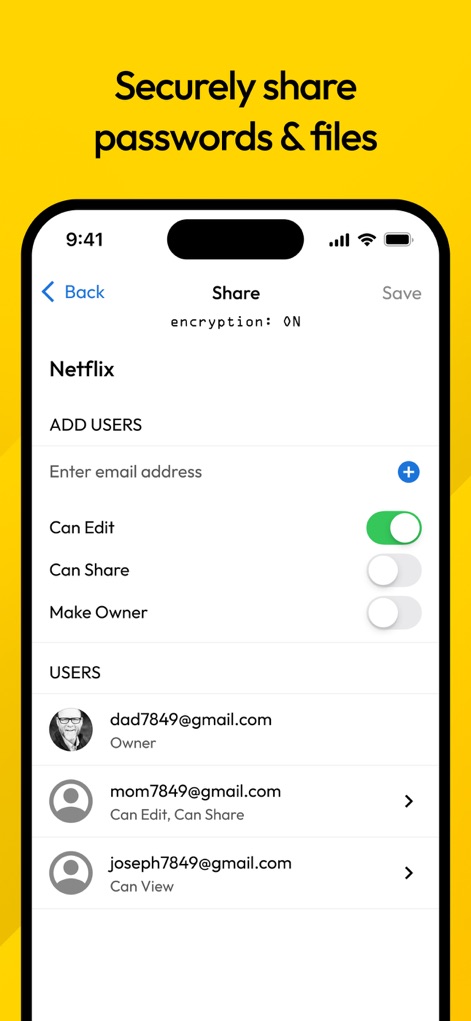
このアプリはNetflixのログイン情報を安全に共有する画面を表示しており、ユーザーは共有相手の追加や、編集・共有権限の管理が可能です。
安全な共有機能
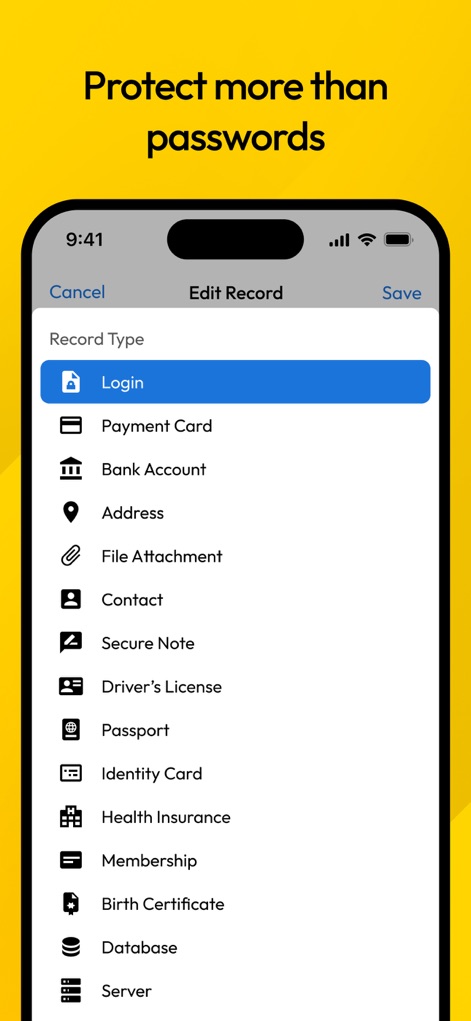
このスクリーンショットは、ログイン情報だけでなく、クレジットカードや銀行口座情報、住所など、多岐にわたるレコードタイプを保護できることを示しています。
パスワード以上の保護
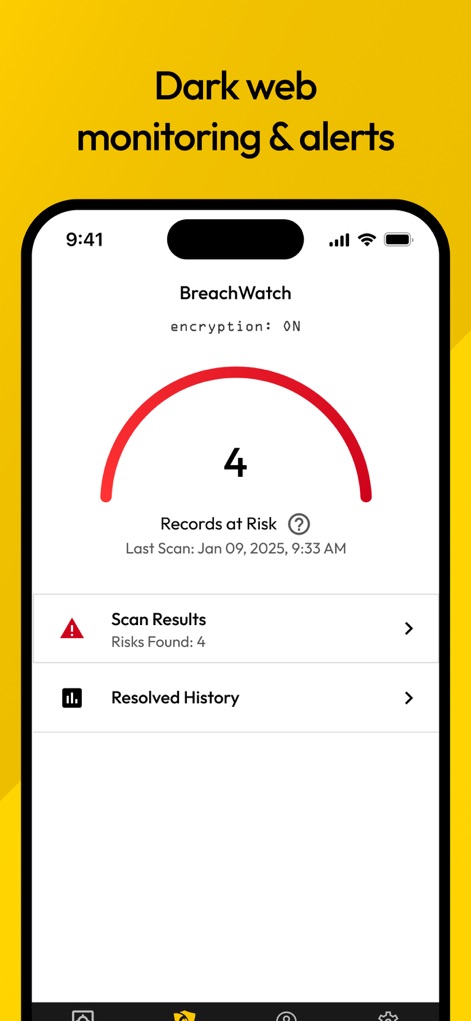
このアプリはBreachWatch機能を通じてダークウェブを監視し、危険にさらされているレコード数と過去のスキャン結果をユーザーに提示します。
ダークウェブ監視
説明
Download
類似アプリ
似た機能とユーザー体験を持つアプリ

Proton Pass - Password Manager
Proton AG

Dashlane Password Manager
Dashlane

Password Manager - mSecure
mSeven Software, LLC

Kepttor Password Manager
MACREL SRL SEMPLIFICATA

DataVault Manager - Encrypted
MIKHAIL SHERSHNEV

Authenticator ·
SMM service, s.r.o.

Bitwarden Password Manager
Bitwarden Inc

Authenticator App ⁸
AGILE CODE LIMITED

Authenticator App ℗
RHO DEVELOPERS LLC
このページはアプリまたはその開発者の公式ページではなく、情報提供および論評を目的として作成された独立した編集出版物です。明示的に別段の記載がない限り、アプリおよびその開発者は、MWM、Apple、Google Play、アプリのパブリッシャー、またはアプリの開発者と提携、承認、後援、認可、またはその他の公式的な関係はなく、このページのいかなる内容も、アプリがMWMのサービスを使用して開発されたことを意味するものではありません。すべての商標、ロゴ、スクリーンショット、その他のコンテンツはそれぞれの所有者の財産です。