Korean Handwriting Board
ダウンロード: App Store

このページはアプリまたはその開発者の公式ページではなく、情報提供および論評を目的として作成された独立した編集出版物です。明示的に別段の記載がない限り、アプリおよびその開発者は、MWM、Apple、Google Play、アプリのパブリッシャー、またはアプリの開発者と提携、承認、後援、認可、またはその他の公式的な関係はなく、このページのいかなる内容も、アプリがMWMのサービスを使用して開発されたことを意味するものではありません。すべての商標、ロゴ、スクリーンショット、その他のコンテンツはそれぞれの所有者の財産です。

ロゴ: Korean Handwriting Board
ダウンロード: App Store

Korean Handwriting Board

複雑なキーボードレイアウトはもう不要。指やApple Pencilで楽に文字を描き、瞬時に発音を聞き、書き心地をカスタマイズして、より直感的に学習・コミュニケーションしましょう。

主要数値

ダウンロード

6K+

ユーザー評価

4.8/5

評価数

0

開発元

倩喜 阮

カテゴリ

Utilities

対応言語

5

最新バージョン

1.1

サイズ

61.7 MB

リリース日

2022年1月3日
機能

韓国語を自然に書く

複雑なキーボードレイアウトはスキップ。指やApple Pencilで直感的に文字を入力し、読み上げを聞き、ボードをスタイルに合わせてカスタマイズしましょう。

インテリジェントなストローク認識

キーではなく文字に集中しましょう。当社のスマートエンジンは、たとえ文字が完璧でなくても、走り書きの韓国語、記号、英語の文字を正確に認識します。

リアルタイム音声フィードバック

書いている間に発音をマスターしましょう。高音の読み上げ機能により、書き込んだ内容を調整可能な速度で読み上げ、学習効果を高めます。

以下のスクリーンショットと説明は、アプリの公式ストアリスティングから直接取得されたものであり、アプリ開発者の所有物です。

アプリストア

スクリーンショット
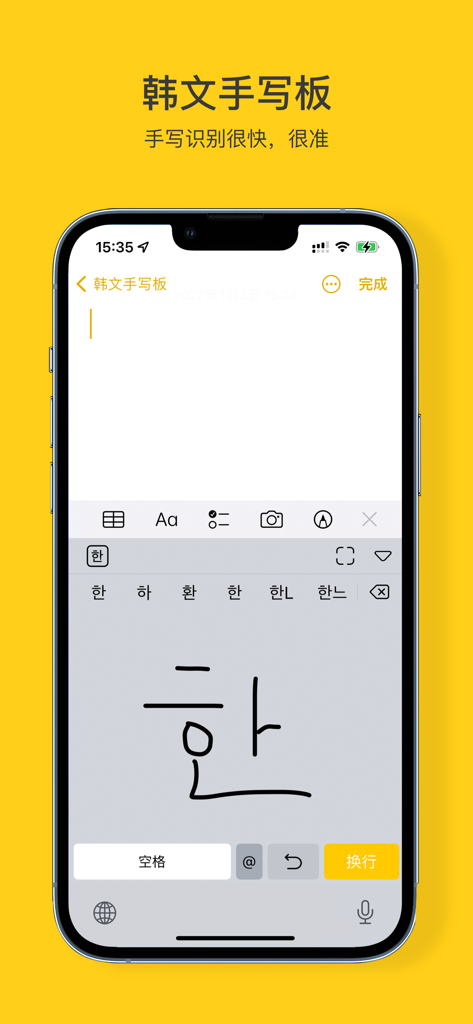
Korean Handwriting Board - ユーザーが韓国語の文字「han」を描き、その上に文字の候補が表示されている韓国語手書きボードアプリが表示されたスマートフォンのディスプレイ。
ユーザーが韓国語の文字「han」を描き、その上に文字の候補が表示されている韓国語手書きボードアプリが表示されたスマートフォンのディスプレイ。

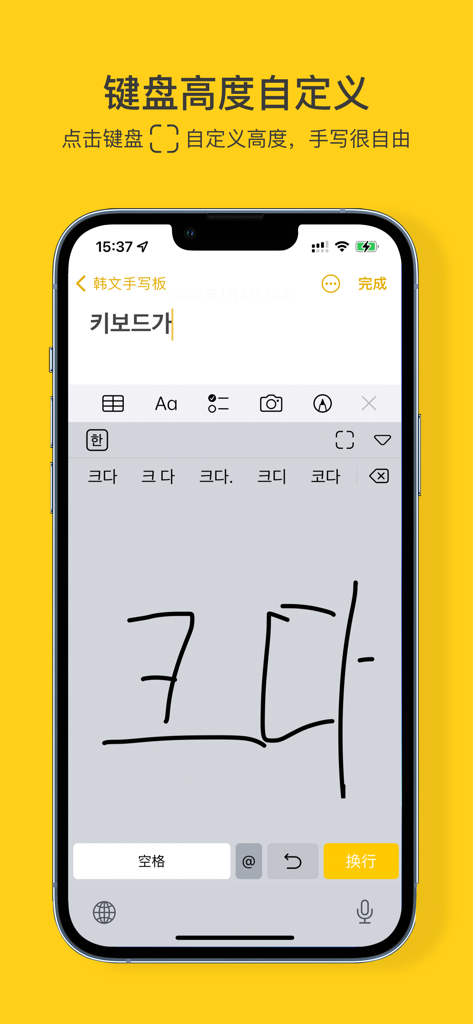
Korean Handwriting Board - 手書きの韓国語の文字とキーボードの高さカスタマイズ設定が表示された韓国語手書きボードアプリのインターフェースを表示する携帯電話。
手書きの韓国語の文字とキーボードの高さカスタマイズ設定が表示された韓国語手書きボードアプリのインターフェースを表示する携帯電話。

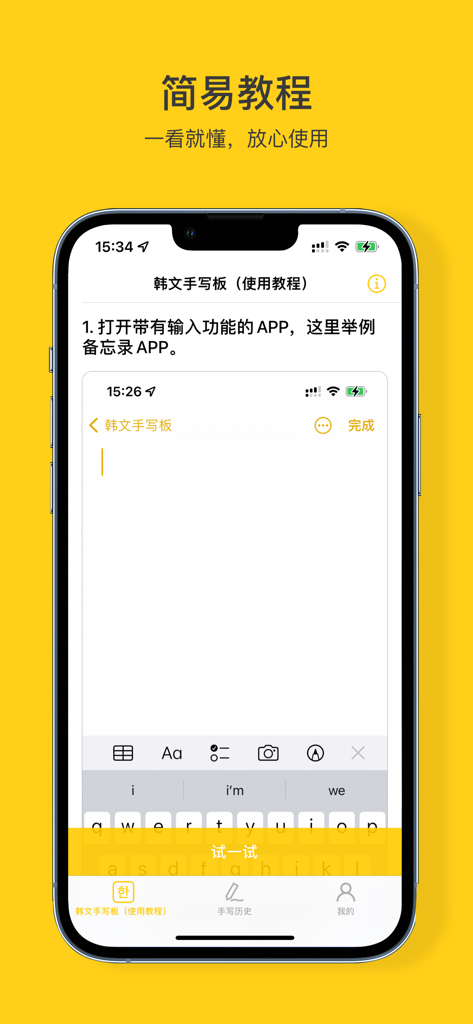
Korean Handwriting Board - 韓国語手書きボードアプリのセットアップガイドのステップバイステップチュートリアルを表示するiPhone画面。
韓国語手書きボードアプリのセットアップガイドのステップバイステップチュートリアルを表示するiPhone画面。

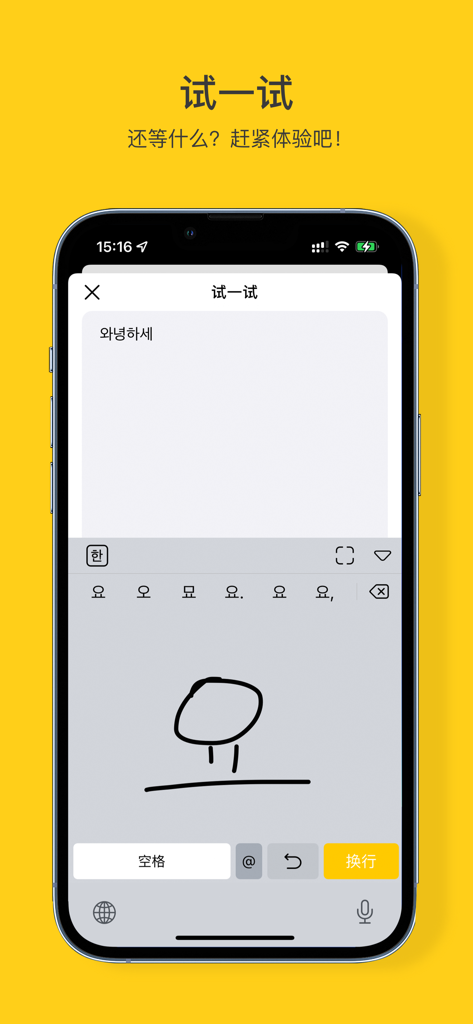
Korean Handwriting Board - 韓国語の文字の手書き入力を表示するスマートフォンの画面。

韓国語の文字の手書き入力を表示するスマートフォンの画面。

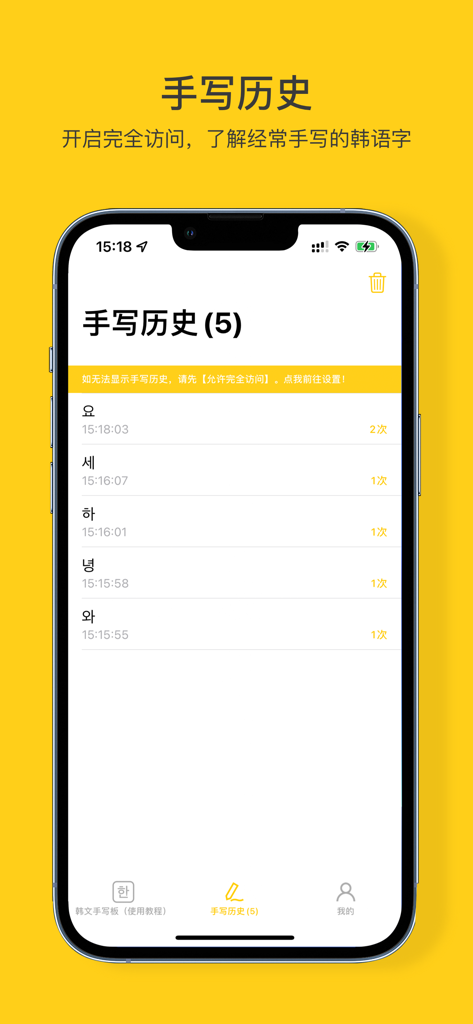
Korean Handwriting Board - 最近書かれた韓国語の文字とその使用頻度を表示する手書き履歴画面。

最近書かれた韓国語の文字とその使用頻度を表示する手書き履歴画面。

説明

Korean Handwriting Board: an input method for handwritten Korean characters = = = Product Features = = = 【Accurate recognition】A large thesaurus, which can be accurately recognized even if it is scribbled 【Recognition PLUS】Arabic numerals, symbols and English 26 letters are OK! 【High Pitched Reading Handwritten Content】It can read handwritten content and support speed adjustment. (go to my - Settings - Sound - read handwritten content, and you can start using it) 【Brush color customization】Choose any color you want! 【Custom brush thickness】If you want to define how thin and thick the brush is, just drag and drop it! 【Keyboard height customization】Large screen handwriting is very free 【Stable input】Continuous optimization to ensure stability 【Handwriting history】View frequently handwritten Korean characters 【Hav a try】Combine with the tutorial to practice quickly 【Offline use】Without networking, the operation is very natural 【Theme following】Dark and light color mode of appearance following system 【Tip 1】How to enable Korean handwriting keyboard? Step 1: After installation, enter system settings -> General -> Keyboard -> Add a new keyboard -> Third-party keyboard, Select KOBoard -> KOBoard -> Turn on full access (You can view your handwriting history and use the optional key) -> Finish Step 2: Open any input box -> Long press the earth key to select 【KOBoard】 【Tip 2】How to view handwriting history and use the optional key? Enter system settings -> General -> Keyboard -> KOBoard -> Enable full access 【Tip 3】How to customize the height of the keyboard? Open any input box -> set the keyboard to KOBoard keyboard -> Click the「」button in the upper right corner of the keyboard to adjust 【Tip 4】If downloaded the KOBoard app and can't find the KOBoard, please restart the associated app or restart the device! (or update the latest stable IOS system) = = = Thanks = = = Thank you. Your support (five-star praise) will make us do better!!

Download

ダウンロード: App Store

このページはアプリまたはその開発者の公式ページではなく、情報提供および論評を目的として作成された独立した編集出版物です。明示的に別段の記載がない限り、アプリおよびその開発者は、MWM、Apple、Google Play、アプリのパブリッシャー、またはアプリの開発者と提携、承認、後援、認可、またはその他の公式的な関係はなく、このページのいかなる内容も、アプリがMWMのサービスを使用して開発されたことを意味するものではありません。すべての商標、ロゴ、スクリーンショット、その他のコンテンツはそれぞれの所有者の財産です。