LadderTouch
LadderTouch
ダウンロード: App Store

このページはアプリまたはその開発者の公式ページではなく、情報提供および論評を目的として作成された独立した編集出版物です。明示的に別段の記載がない限り、アプリおよびその開発者は、MWM、Apple、Google Play、アプリのパブリッシャー、またはアプリの開発者と提携、承認、後援、認可、またはその他の公式的な関係はなく、このページのいかなる内容も、アプリがMWMのサービスを使用して開発されたことを意味するものではありません。すべての商標、ロゴ、スクリーンショット、その他のコンテンツはそれぞれの所有者の財産です。
ロゴ: LadderTouch
ダウンロード: App Store

LadderTouch

どこでも産業オートメーションを練習できます。エンジニアや技術者向けに設計された直感的なタッチインターフェースで、ラダーロジック回路を構築、テスト、マスターしましょう。

主要数値

ダウンロード

58K+

ユーザー評価

4.5/5

評価数

300

開発元

Motonari Hibi

カテゴリ

Developer Tools

対応言語

2

最新バージョン

2.1.4

サイズ

6.2 MB

リリース日

2010年10月30日
機能

オートメーションの言語をマスターする

理論と産業のギャップを埋めます。LadderTouchは、高価なハードウェアを必要とせずにPLCラダーロジックを設計、シミュレート、マスターするためのポータブルで触覚的な環境を提供します。

触覚的なロジック設計

回路を構築する最も直感的な方法を体験してください。線を引き、セルをタップして要素を追加し、複雑な産業プログラミングをハンズオンのジェスチャーベースの体験に変えます。

リアルタイムの視覚的フィードバック

推測はやめて、学びましょう。当社のカラーコーディングシステムは、完了するとロジックパスを緑色に、不正な場合は赤色にハイライトし、ロジックを即座にデバッグおよび改良できます。

以下のスクリーンショットと説明は、アプリの公式ストアリスティングから直接取得されたものであり、アプリ開発者の所有物です。

アプリストア

スクリーンショット
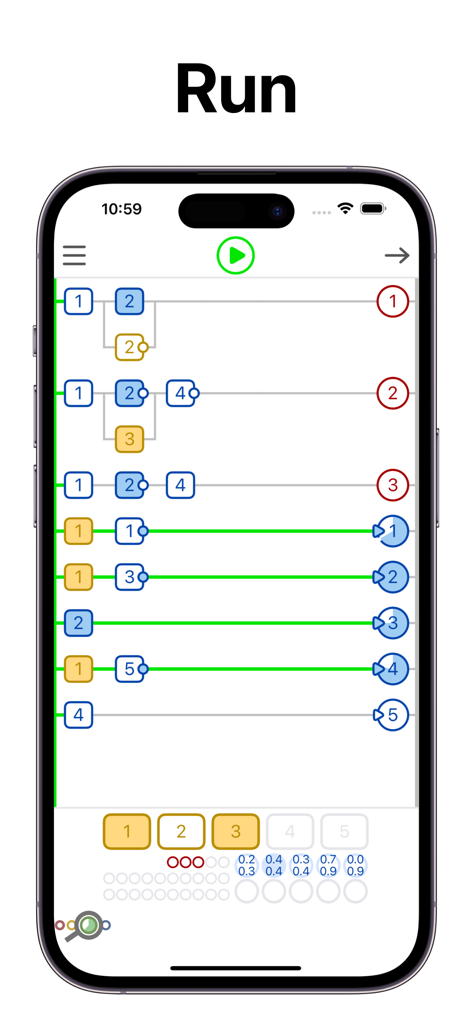
LadderTouch - 実行中のPLCラダーロジックシミュレーションを示すLadderTouchアプリのスクリーンショット
実行中のPLCラダーロジックシミュレーションを示すLadderTouchアプリのスクリーンショット

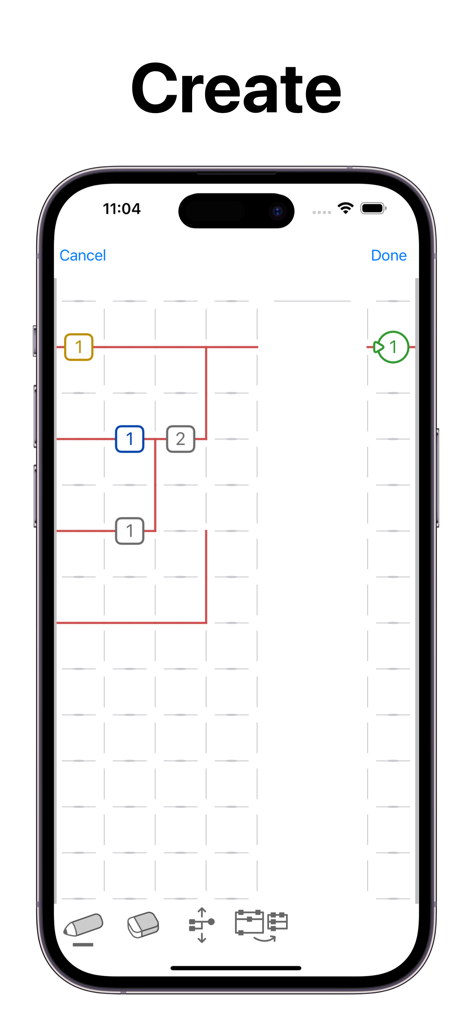
LadderTouch - モバイルデバイスでラダーロジック図が作成されている様子を示すLadderTouchアプリのインターフェイス
モバイルデバイスでラダーロジック図が作成されている様子を示すLadderTouchアプリのインターフェイス

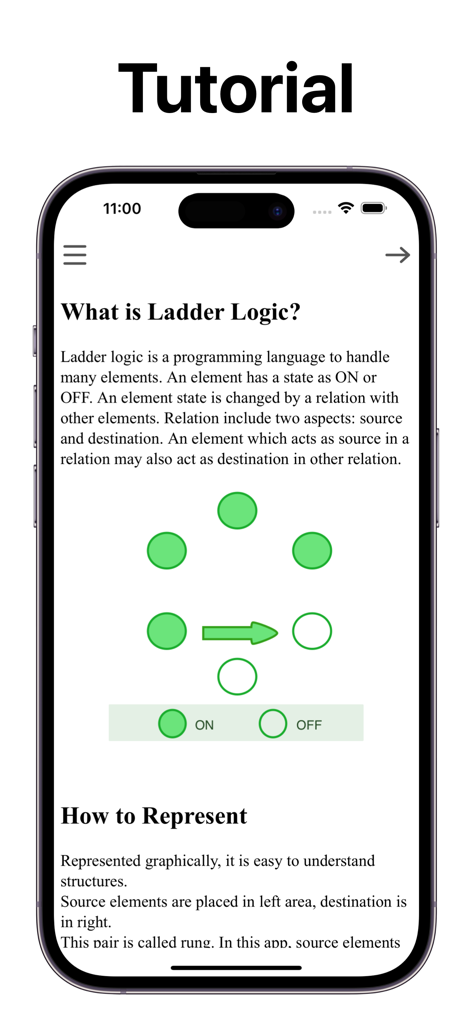
LadderTouch - LadderTouchアプリのチュートリアルでは、ラダーロジックの基本とONおよびOFF状態のグラフィカル表現について説明しています
LadderTouchアプリのチュートリアルでは、ラダーロジックの基本とONおよびOFF状態のグラフィカル表現について説明しています

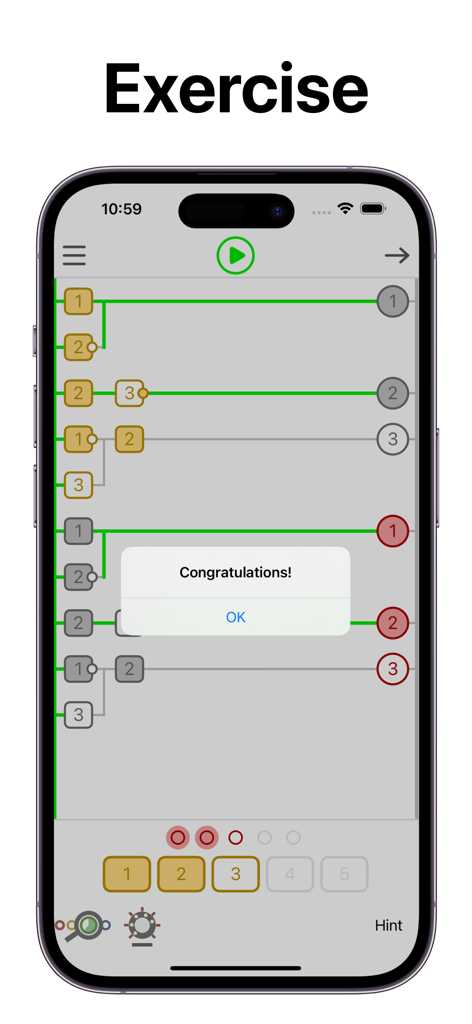
LadderTouch - LadderTouchアプリ内でのラダーロジック演習の成功を祝うメッセージ
LadderTouchアプリ内でのラダーロジック演習の成功を祝うメッセージ

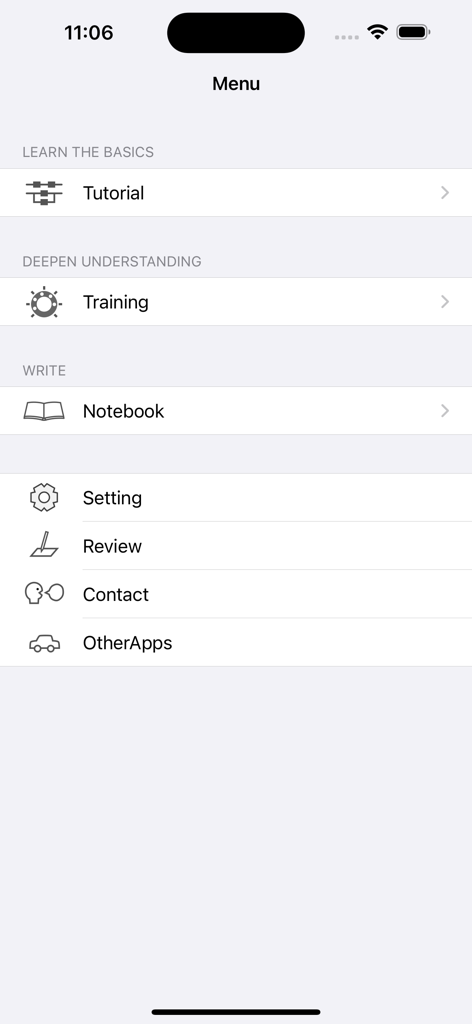
LadderTouch - LadderTouchアプリのメインメニュー。チュートリアルトレーニングとラダーロジック学習用のノートブックのオプションが表示されています
LadderTouchアプリのメインメニュー。チュートリアルトレーニングとラダーロジック学習用のノートブックのオプションが表示されています

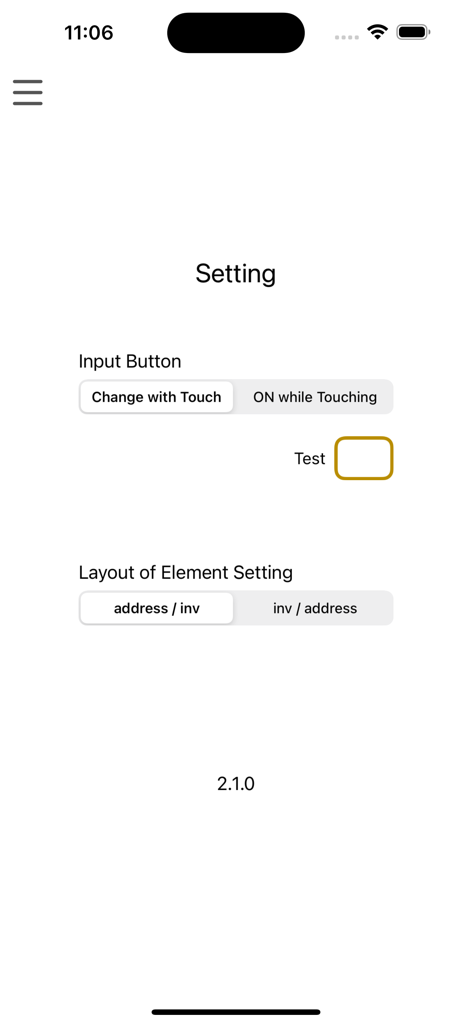
LadderTouch - LadderTouch PLCロジックシミュレーターアプリの設定メニュー。入力ボタンと要素レイアウトの設定オプションが表示されています

LadderTouch PLCロジックシミュレーターアプリの設定メニュー。入力ボタンと要素レイアウトの設定オプションが表示されています

説明

LadderTouch is an app to learn the basics of ladder logic, which is a graphical programming language. This app has three functions. You can learn about that mechanism by executing some of the prepared samples. You can check your understanding with questions. In addition, you can create and execute your own ladder. Ladder functions of the timer, counter, and logical inverse are provided. The user interface is designed to be easy to operate. The lines are written by tracing the screen. You can set an element by tapping a cell at which you want to add it. ---------------ELEMENTS--------------- Input(yellow) Up to 5 elements. You can control the input signal by tapping the buttons at the bottom of the display. Virtual output(red) Up to 5 elements. Internal memory(gray) Up to 20 elements. Virtual output(red) and internal memory(gray) are the same for logical behavior. But the difference is in usage. The virtual output is the last element in the ladder logic chain. The Internal memory is for the processing element of the ladder logic chain. These are an imitation of the actual ladder logic with the output devices. Timer(blue) Up to 5 elements. The timer can be set from 0.1 seconds to 10.0 seconds. The setting unit is 0.1 second. The timer works only 'on delay'. This app does not include 'off delay'. On Delay. ---++++++++++ source -------++++++ destination Off Delay. +++---------- source ++++++++----- destination + ON - OFF Time flows from left to right Counter(green) Up to 5 elements. You can set from 1 to 50. There is no counter reset element in this app. Many other ladder logic software has it. The way to reset the counter is to stop running the ladder. All elements can be inverse in the source area. However, timers and counters cannot do it in the destination area. It is difficult to understand the inverse logic of a timer and counter in the destination area. ---------------EDIT--------------- You can edit ladders only with the paid version. How to write elements or lines Select the pencil icon. To add an element: Tap where you want to set the element and select the element. To draw a line: Draw where you want to write a line. How to delete elements or lines Select the eraser icon. Tap where you want to delete the element. How to scroll Select the scroll icon, then you can scroll. How to remove useless spaces Select the order icon. Tap order icon to remove useless spaces. Line color Green with complete ladder logic. Red with something wrong. --------------Other-------------- There is no function that connects to outer devices.

Download

ダウンロード: App Store

このページはアプリまたはその開発者の公式ページではなく、情報提供および論評を目的として作成された独立した編集出版物です。明示的に別段の記載がない限り、アプリおよびその開発者は、MWM、Apple、Google Play、アプリのパブリッシャー、またはアプリの開発者と提携、承認、後援、認可、またはその他の公式的な関係はなく、このページのいかなる内容も、アプリがMWMのサービスを使用して開発されたことを意味するものではありません。すべての商標、ロゴ、スクリーンショット、その他のコンテンツはそれぞれの所有者の財産です。









