Lao Keyboard: Translator
ダウンロード: App Store

このページはアプリまたはその開発者の公式ページではなく、情報提供および論評を目的として作成された独立した編集出版物です。明示的に別段の記載がない限り、アプリおよびその開発者は、MWM、Apple、Google Play、アプリのパブリッシャー、またはアプリの開発者と提携、承認、後援、認可、またはその他の公式的な関係はなく、このページのいかなる内容も、アプリがMWMのサービスを使用して開発されたことを意味するものではありません。すべての商標、ロゴ、スクリーンショット、その他のコンテンツはそれぞれの所有者の財産です。

ロゴ: Lao Keyboard: Translator
ダウンロード: App Store

Lao Keyboard: Translator

ラオスコミュニティのための究極のキーボード拡張機能。スマートな自動提案、インスタント翻訳、そしてあなたのユニークなアイデンティティを反映する完全にカスタマイズ可能なテーマを使用して、家族や友人とソーシャルメディアでつながりましょう。

主要数値

ダウンロード

1000

ユーザー評価

1.0/5

評価数

0

開発元

Rushikesh Trivedi

カテゴリ

Utilities

対応言語

1

最新バージョン

1.1.4

サイズ

29.0 MB

リリース日

2022年2月1日
機能

自信を持ってラオス語でコミュニケーション

スマートな入力アシスタンス、インスタント翻訳、そして無限のビジュアルカスタマイズを備えた、現代のラオス系ディアスポラのために設計されたオールインワンキーボード拡張機能。

スマートスクリプト予測

スクリプトの習得にまだ苦労している場合でも、あなたの意図を認識するインテリジェントな自動提案エンジンで、より速く、より正確に入力しましょう。

アプリ内翻訳

言語間のギャップを瞬時に埋めましょう。お気に入りのソーシャルおよびメッセージングアプリ内で直接、ラオス語のテキストを任意の言語に翻訳しましょう。

以下のスクリーンショットと説明は、アプリの公式ストアリスティングから直接取得されたものであり、アプリ開発者の所有物です。

アプリストア

スクリーンショット
Lao Keyboard: Translator - ラオス文字のキーボードアイコンとiPhoneを特徴とするラオス語キーボード翻訳アプリのスプラッシュスクリーン
ラオス文字のキーボードアイコンとiPhoneを特徴とするラオス語キーボード翻訳アプリのスプラッシュスクリーン

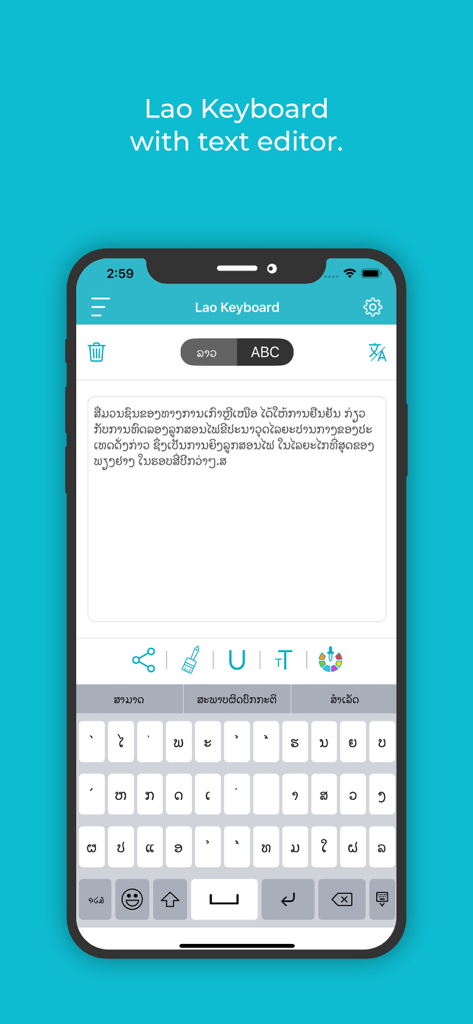
Lao Keyboard: Translator - ラオス文字のテキストエディタとキーボードを表示するラオス語キーボードアプリのインターフェース
ラオス文字のテキストエディタとキーボードを表示するラオス語キーボードアプリのインターフェース

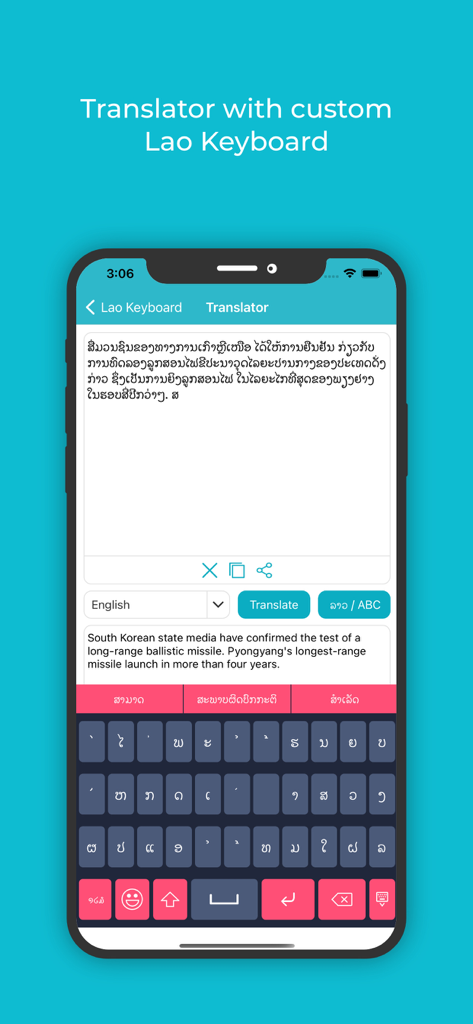
Lao Keyboard: Translator - ラオス文字の翻訳とカスタムキーボードを示すラオス語キーボードと翻訳アプリのインターフェース
ラオス文字の翻訳とカスタムキーボードを示すラオス語キーボードと翻訳アプリのインターフェース

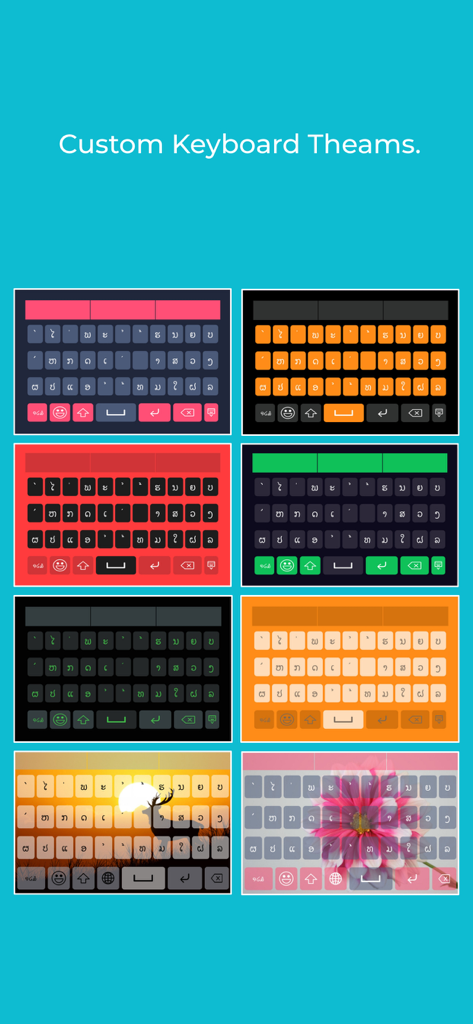
Lao Keyboard: Translator - ラオス語キーボードアプリのさまざまなカラフルなカスタムキーボードテーマと背景スキン
ラオス語キーボードアプリのさまざまなカラフルなカスタムキーボードテーマと背景スキン

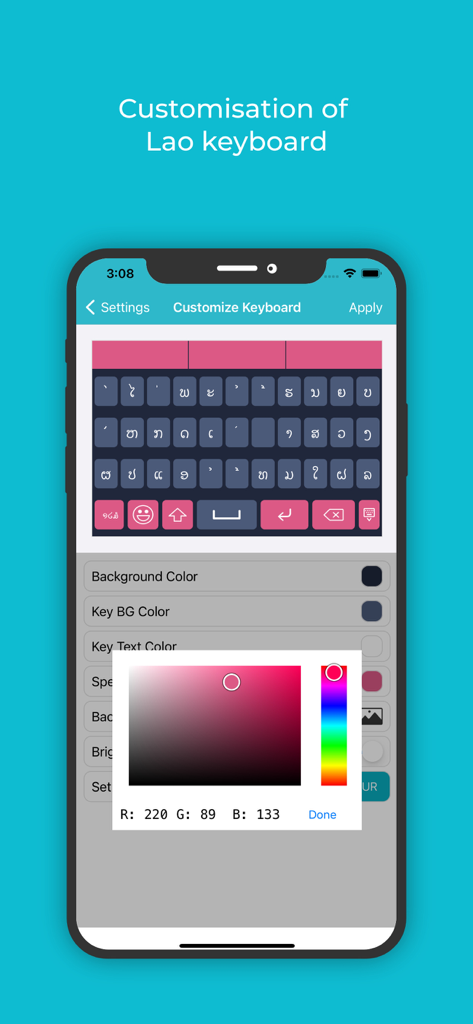
Lao Keyboard: Translator - テーマと背景用のピンクのカラーピッカーを含むカスタマイズ設定を表示するラオス語キーボードアプリのスクリーンショット
テーマと背景用のピンクのカラーピッカーを含むカスタマイズ設定を表示するラオス語キーボードアプリのスクリーンショット

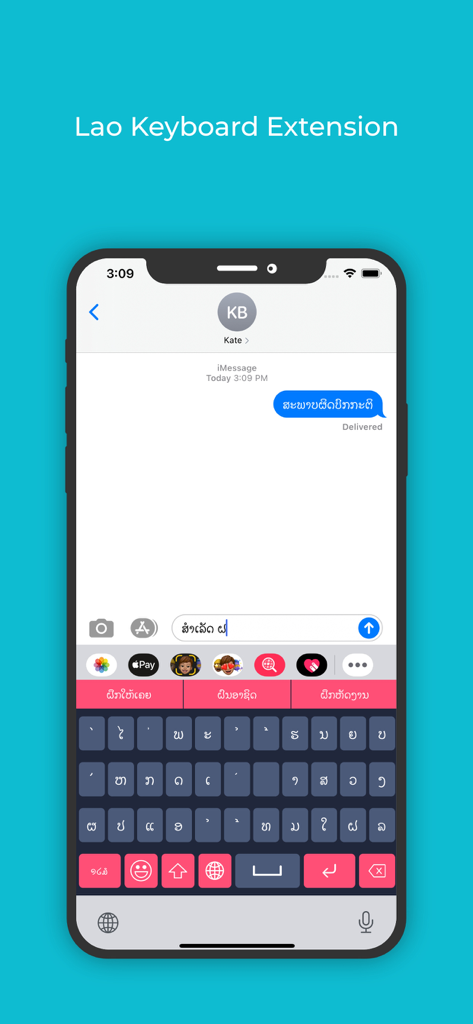
Lao Keyboard: Translator - iPhoneのメッセージングアプリで使用されているラオス語キーボード拡張機能
iPhoneのメッセージングアプリで使用されているラオス語キーボード拡張機能

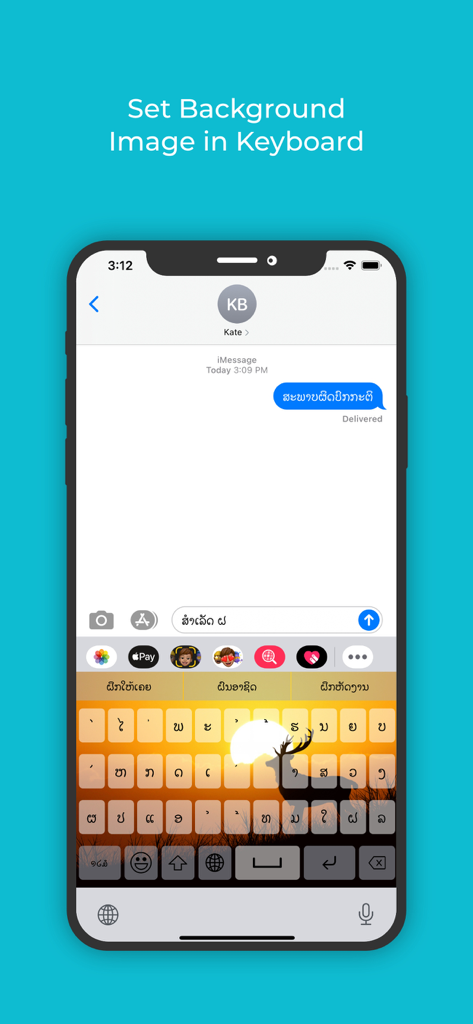
Lao Keyboard: Translator - ラオス文字のラオス語キーボードインターフェースに、カスタムの夕暮れと鹿の背景画像を表示

ラオス文字のラオス語キーボードインターフェースに、カスタムの夕暮れと鹿の背景画像を表示

説明

**** Lao Keyboard and Translator ***** If you want to write something in Lao, but have still not mastered the language, use this Lao keyboard and translator, the best Lao keyboard and translator for iOS. You can easily write and if there is any mistake, or you are not able to recall some particular word that would fit, it offers an auto suggestion very quickly, and more importantly very precisely. Even if you are an expert at Lao language, you can use this Lao keyboard and translator iOS that has a multitude of features and functionalities to make your message appealing to the eye and compelling to the mind of the reader. This best Lao Keyboard And Translator for iOS has been researched very well, so whatever word you intend to write, it picks it up without offering irrelevant word suggestions. This is the reason that makes it the best Lao Keyboard And Translator for iOS users. Next, once you write in Lao, you can translate the text to any language of the world just by a few clicks. So you can compare your content both in intent and syntax with other languages easily. Complete your Lao writing tasks very easily with this Lao keyboard and Translator for iOS. Change font colors, keyboard skins, background images and what not. This Lao Keyboard And Translator is all yours to explore. App Features • Easily write messages in Lao language with the Lao keyboard for iOS. • Changing the font, the colour, underlining features inbuilt in this Lao keyboard iOS. • Directly share messages or delete them with the best Lao Keyboard And Translator for iOS as you’d like. • Keypress sound functionality and vibration functionality to make tying feel fun. • Change colours for the Background colour, Key background colour, Keyboard text colour, Suggestion box colour etc, so that typing does not seem boring and monotonous with this Lao keyboard for iOS. • With the Lao keyboard for iOS, you can even set your own image in the background. • If you do not wish to spend a lot of time in the setup, use the default theme that comes in built in the best Lao Keyboard and Translator for iOS. • A colour picker allows you to pick any colour of your choice. • You can also pick out from the many available themes for the keyboard. • Another important feature in the Lao keyboard and Translator, and one that makes this the best Lao keyboard and Translator for iOS is its adaptability with apps. Use the keyboard extension feature to type Lao directly into any app. • If you later wish to translate your Lao message to any other language, you can easily do so as there are a number of languages already pre-installed in this Lao keyboard and Translator with iOS software. How To Use • Once the software for this best Lao keyboard and Translator for iOS is installed, you can use the enable extension feature in this app, to sync it with any other app where you want to start writing Lao. • Now use the apps background and theme settings to customise before you start typing, or go with the default theme in the best Lao Keyboard for iOS. • Once you start typing, you can underline, colour or change the font of any letter to emphasise or de-emphasise it in this best Lao Keyboard And Translator for iOS. • Once you’re done with your writing in Lao, you can use the translator feature in the best Lao Keyboard And Translator for iOS to convert the text into any other language as well.

Download

ダウンロード: App Store

このページはアプリまたはその開発者の公式ページではなく、情報提供および論評を目的として作成された独立した編集出版物です。明示的に別段の記載がない限り、アプリおよびその開発者は、MWM、Apple、Google Play、アプリのパブリッシャー、またはアプリの開発者と提携、承認、後援、認可、またはその他の公式的な関係はなく、このページのいかなる内容も、アプリがMWMのサービスを使用して開発されたことを意味するものではありません。すべての商標、ロゴ、スクリーンショット、その他のコンテンツはそれぞれの所有者の財産です。








