Lift Assist – Training Log
ダウンロード: App Store

このページはアプリまたはその開発者の公式ページではなく、情報提供および論評を目的として作成された独立した編集出版物です。明示的に別段の記載がない限り、アプリおよびその開発者は、MWM、Apple、Google Play、アプリのパブリッシャー、またはアプリの開発者と提携、承認、後援、認可、またはその他の公式的な関係はなく、このページのいかなる内容も、アプリがMWMのサービスを使用して開発されたことを意味するものではありません。すべての商標、ロゴ、スクリーンショット、その他のコンテンツはそれぞれの所有者の財産です。


ロゴ: Lift Assist – Training Log
ダウンロード: App Store

Lift Assist – Training Log

手間を省き、トレーニングに集中しましょう。RPEを記録し、ジムでの計算を自動化し、アカウント不要の高速ログで進捗を可視化しましょう。

主要数値

ダウンロード

1K+

ユーザー評価

5.0/5

評価数

0

開発元

Fresh Take

カテゴリ

Health & Fitness

対応言語

1

最新バージョン

1.1.1

サイズ

13.4 MB

リリース日

2023年4月25日
機能

データ重視のアスリートのために構築

無駄な機能、アカウント、 distractions はありません。外科的な精度で、最もハードなセッションを処理できるように設計された高性能トレーニングログを体験してください。

ゼロ・フリクション・ロギング

煩雑なセットアップはスキップ。速度に最適化されたインターフェースで、数秒でセットを記録できるため、画面ではなくリフトに集中できます。

プロフェッショナルなジム計算

高度なプログレッシブ・オーバーロードのために設計された、自動ウォームアップ・ジェネレーター、1RM計算機、RPEトラッキングで、精神的な疲労を排除します。

以下のスクリーンショットと説明は、アプリの公式ストアリスティングから直接取得されたものであり、アプリ開発者の所有物です。

アプリストア

スクリーンショット
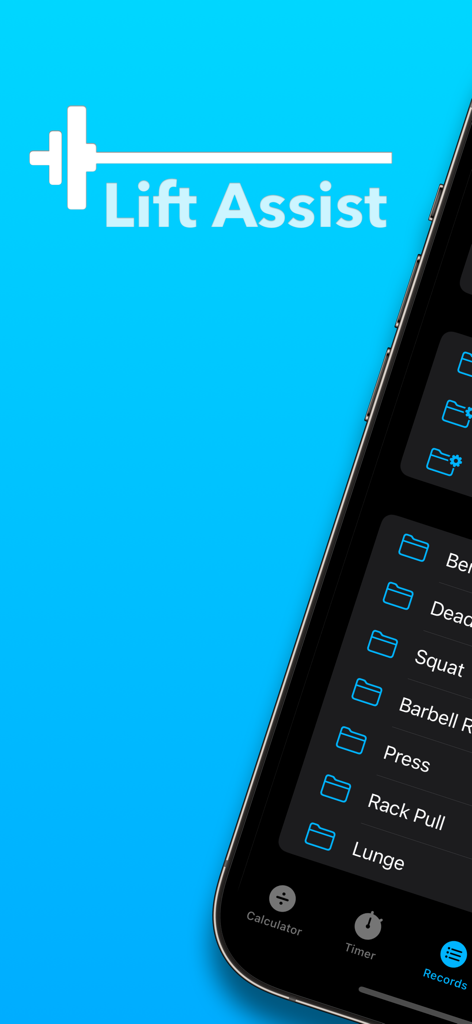
Lift Assist – Training Log - Lift Assistアプリのインターフェース。ワークアウト記録とエクササイズフォルダがiPhoneに表示されている様子
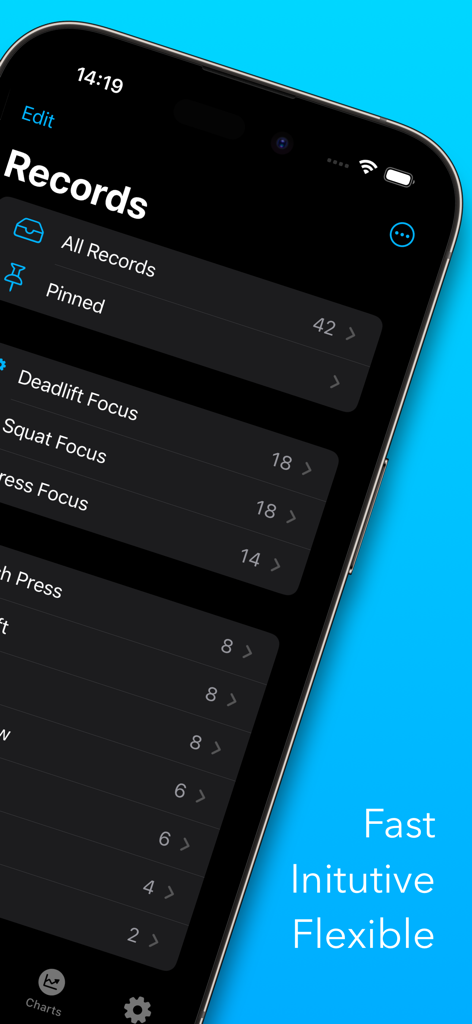
Lift Assistアプリのインターフェース。ワークアウト記録とエクササイズフォルダがiPhoneに表示されている様子

Lift Assist – Training Log - iPhone画面。Lift Assistトレーニングログアプリ内の記録とフォルダがダークモードで表示されている様子
iPhone画面。Lift Assistトレーニングログアプリ内の記録とフォルダがダークモードで表示されている様子

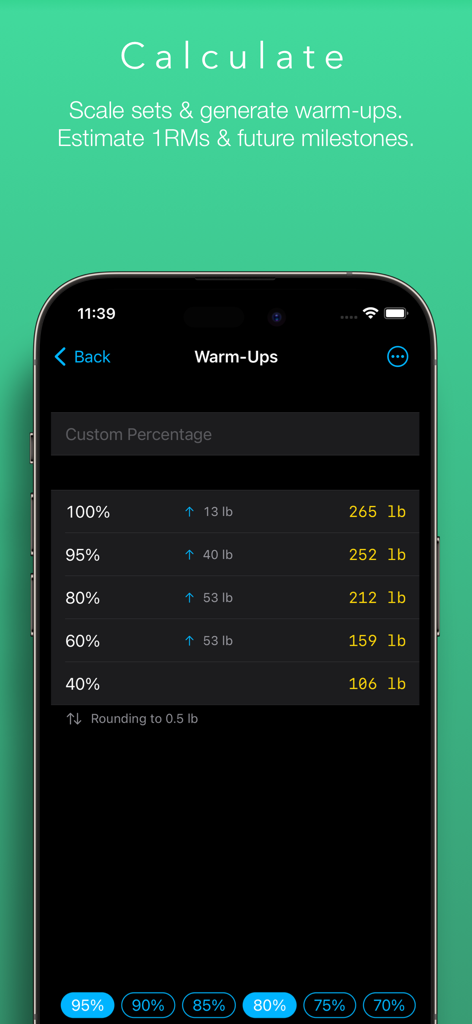
Lift Assist – Training Log - Lift Assistアプリのウォームアップ計算機画面。体重パーセンテージと計算された体重(ポンド)が表示されている様子
Lift Assistアプリのウォームアップ計算機画面。体重パーセンテージと計算された体重(ポンド)が表示されている様子

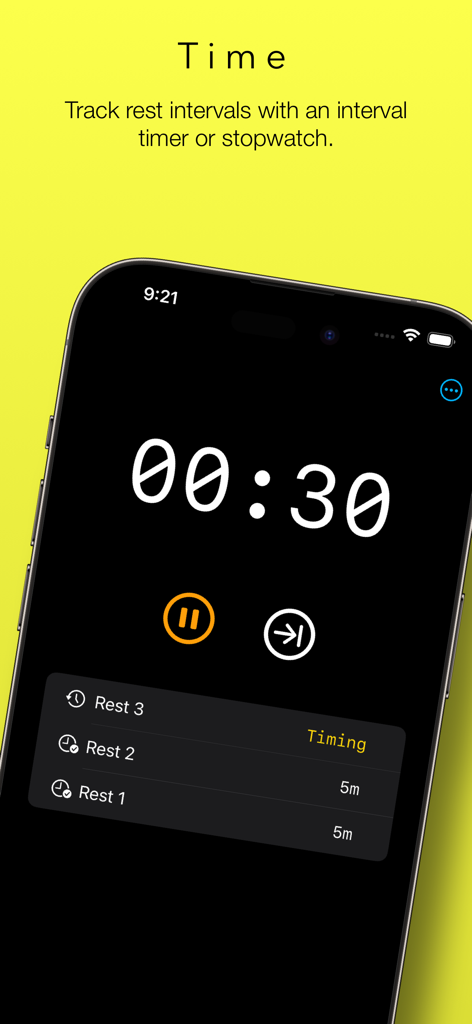
Lift Assist – Training Log - Lift Assistアプリのスクリーンショット。カウントダウンと以前の休憩間隔のリストが表示されたワークアウト休憩タイマーが表示されている様子
Lift Assistアプリのスクリーンショット。カウントダウンと以前の休憩間隔のリストが表示されたワークアウト休憩タイマーが表示されている様子

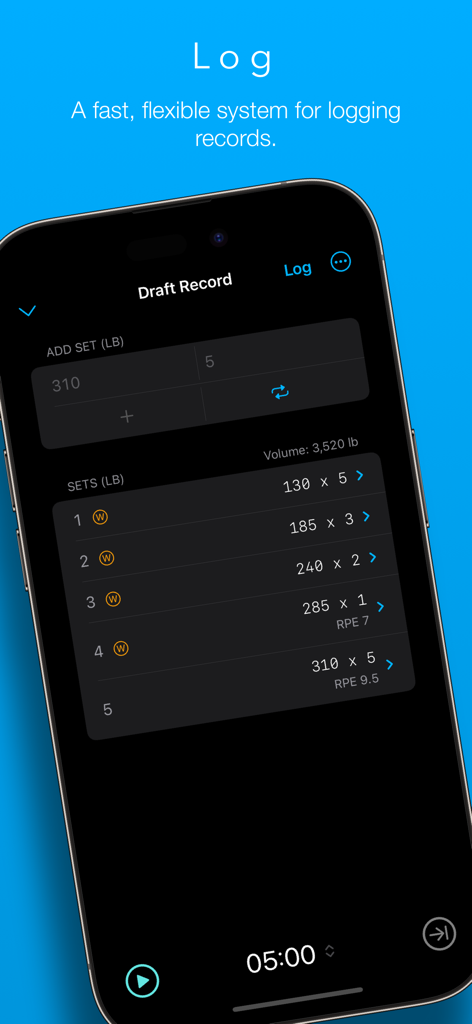
Lift Assist – Training Log - Lift Assistアプリのインターフェース。ダークモード画面で、セット、ウェイト、RPE値が表示されたワークアウトログが表示されている様子
Lift Assistアプリのインターフェース。ダークモード画面で、セット、ウェイト、RPE値が表示されたワークアウトログが表示されている様子

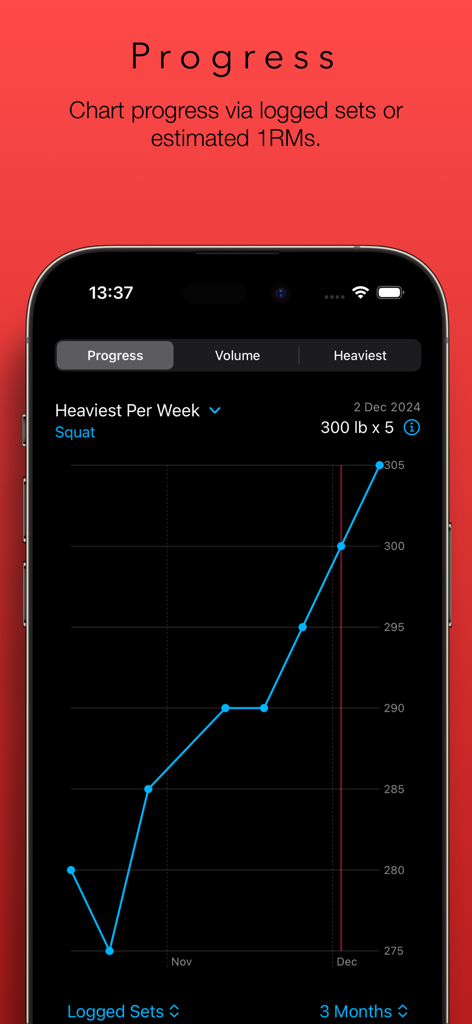
Lift Assist – Training Log - Lift Assistアプリの折れ線グラフ。3ヶ月間の週ごとの最も重いスクワット重量を追跡している様子
Lift Assistアプリの折れ線グラフ。3ヶ月間の週ごとの最も重いスクワット重量を追跡している様子

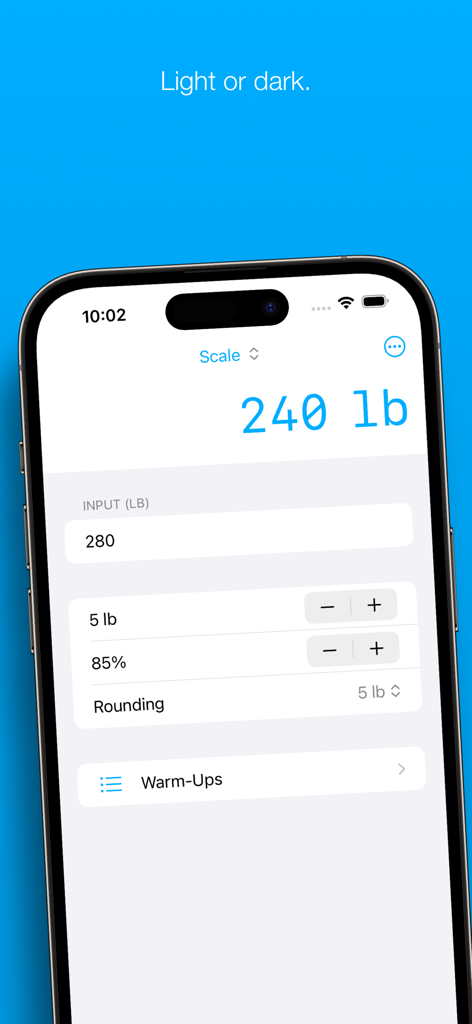
Lift Assist – Training Log - Lift Assistアプリのインターフェース。ウェイトスケーリング計算機ツールが表示されている様子
Lift Assistアプリのインターフェース。ウェイトスケーリング計算機ツールが表示されている様子

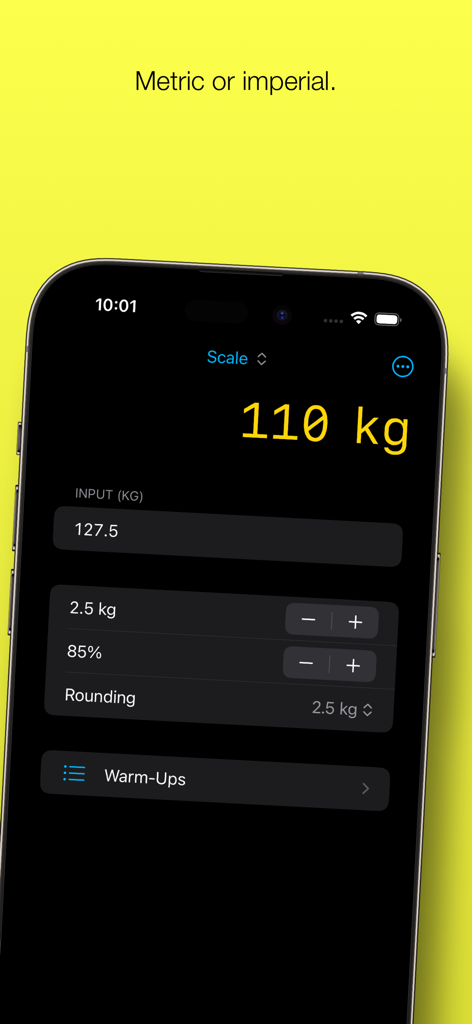
Lift Assist – Training Log - Lift Assistアプリのインターフェース。キログラム単位のウェイトスケーリング計算機が表示されている様子

Lift Assistアプリのインターフェース。キログラム単位のウェイトスケーリング計算機が表示されている様子

説明

Lift Assist is a user-friendly weight lifting app that combines a flexible training log with some handy tools, such as a rest timer and calculators for generating warm-ups and estimating 1RMs. Whether you're into Olympic lifting, powerlifting, bodybuilding or simply love lifting weights, Lift Assist can help you get the most out of your workouts. FEATURES – Fast and flexible training log – Scale work sets – Generate warm-ups on the fly – Estimate 1RMs – Forecast future milestones – Rest timer with interval or stopwatch operation – Charts for PRs, volume and progress timelines – Metric and imperial units – Share sheet for exporting top sets – Cloud storage – Light and dark modes TRAINING LOG Lift Assist has been designed with speed and flexibility in mind. There’s no need to waste time creating a user account or building and maintaining complex workout plans. Simply add a folder for the lift you wish to track and start logging immediately. (Hint: Hit the Repeat button to record sets across in a flash.) Want to dig deeper? For each set, you can add a category (e.g. warm-up or back-off) and a Rate of Perceived Effort (RPE). For each record, you can add notes and a URL (e.g. a link to a video). There are even options to include an estimated 1RM and bodyweight ratio calculated from your top set. (Hint: Long-press the + button to quickly select a category for the set.) CHARTS The Progress chart provides a sleek timeline of progress made for each lift. This chart emphasises the trend over time. Reviewing the last three months? You’ll see your heaviest lifts for each week. Reviewing the last year? You’ll see your heaviest lift for each month. Reviewing the last five years? The trend will still be clear. Sometimes you can get a better picture of your progress by comparing estimated 1RMs. You can do that too. This is great when following programs that vary rep ranges and intensities over long periods of time. The Heaviest chart displays PRs for the selected timeframe, either as logged sets or estimated 1RMs. The Volume chart displays the volume of each lift for the selected timeframe, either by reps or weight. This can provide valuable insight when assessing your workout program. CALCULATORS The principal calculator provides a convenient way to scale an input weight by a selected percentage, increment/decrement by small plates and round the output to a selected value. This is ideal for calculating top sets based on previous PRs, but it’s also great for calculating back-off sets and de-loads on the fly. Once you’ve calculated your top set, it’s a cinch to produce a list of warm-ups by selecting from a list of common percentages. Lift Assist displays the weight increments between each warm-up set to help you optimise your routine for your condition on the day. Want to get really precise? You can enter your own custom percentages, too. (Hint: Can’t find any small plates? Swipe the warm-up rows to round up or down to the nearest 5 kg / 10 lb.) The 1RM calculator contains seven different formulas, rounding options and will even provide an estimated body weight ratio if provided with a body weight. (Hint: You can use the output of the 1RM calculator to scale weights based on an estimated 1RM, which is great for programs such as 5/3/1.) The Milestone Calculator helps you to plan for your next PR. Input the number of expected increments between two dates, and it will show you the expected weight you’ll be lifting. Enter in your target weight, and it will display the approximate date of your next PR attempt. REST TIMER Lift Assist’s rest timer helps you time and count rests between lifts. You can use this as an interval timer or stopwatch, or switch between the two. Ever lost count of which set you were on? Let the rest timer keep you on track. FEEDBACK For support and feedback, drop us a line at feedback@freshtake.design. And don’t hesitate to send any requests for new features – this is only version 1.0!

Download

ダウンロード: App Store

このページはアプリまたはその開発者の公式ページではなく、情報提供および論評を目的として作成された独立した編集出版物です。明示的に別段の記載がない限り、アプリおよびその開発者は、MWM、Apple、Google Play、アプリのパブリッシャー、またはアプリの開発者と提携、承認、後援、認可、またはその他の公式的な関係はなく、このページのいかなる内容も、アプリがMWMのサービスを使用して開発されたことを意味するものではありません。すべての商標、ロゴ、スクリーンショット、その他のコンテンツはそれぞれの所有者の財産です。








