Light Captain - DMX Controller
ダウンロード: App Store

このページはアプリまたはその開発者の公式ページではなく、情報提供および論評を目的として作成された独立した編集出版物です。明示的に別段の記載がない限り、アプリおよびその開発者は、MWM、Apple、Google Play、アプリのパブリッシャー、またはアプリの開発者と提携、承認、後援、認可、またはその他の公式的な関係はなく、このページのいかなる内容も、アプリがMWMのサービスを使用して開発されたことを意味するものではありません。すべての商標、ロゴ、スクリーンショット、その他のコンテンツはそれぞれの所有者の財産です。

ロゴ: Light Captain - DMX Controller
ダウンロード: App Store

Light Captain - DMX Controller

iPadをパワフルな照明コンソールに変えましょう。エネルギッシュなモバイルDJセットから複雑な劇場キューまで、直感的でプログレードのDMXプログラミングですべてのショーをマスターしましょう。

主要数値

ダウンロード

2K+

ユーザー評価

3.9/5

評価数

0

開発元

Steinigke Showtechnic GmbH

カテゴリ

Utilities

対応言語

1

最新バージョン

1.3.6

サイズ

25.2 MB

リリース日

2022年5月25日
機能

すべてのステージに対応するプロフェッショナルコントロール

重いハードウェアはもう必要ありません。モバイルDJ、劇場技術者、会場オーナーのいずれであっても、Light CaptainはiPadに最適化された強力で論理ベースのDMXインターフェイスを提供します。

モバイルファーストのプロフェッショナルワークフロー

重さ20kgのコンソールはもう必要ありません。「バックパックにオフィス」を詰め込むプロのためにデザインされたポータブルインターフェイスで、フロアを歩き回りながらリアルタイムで照明角度を調整できます。

高度な劇場&キューロジック

正確なフェード時間とシーケンシャルキューで複雑なパフォーマンスを実行し、コミュニティステージやイベント会場にハイエンドの劇場コントロールをもたらします。

以下のスクリーンショットと説明は、アプリの公式ストアリスティングから直接取得されたものであり、アプリ開発者の所有物です。

アプリストア

スクリーンショット
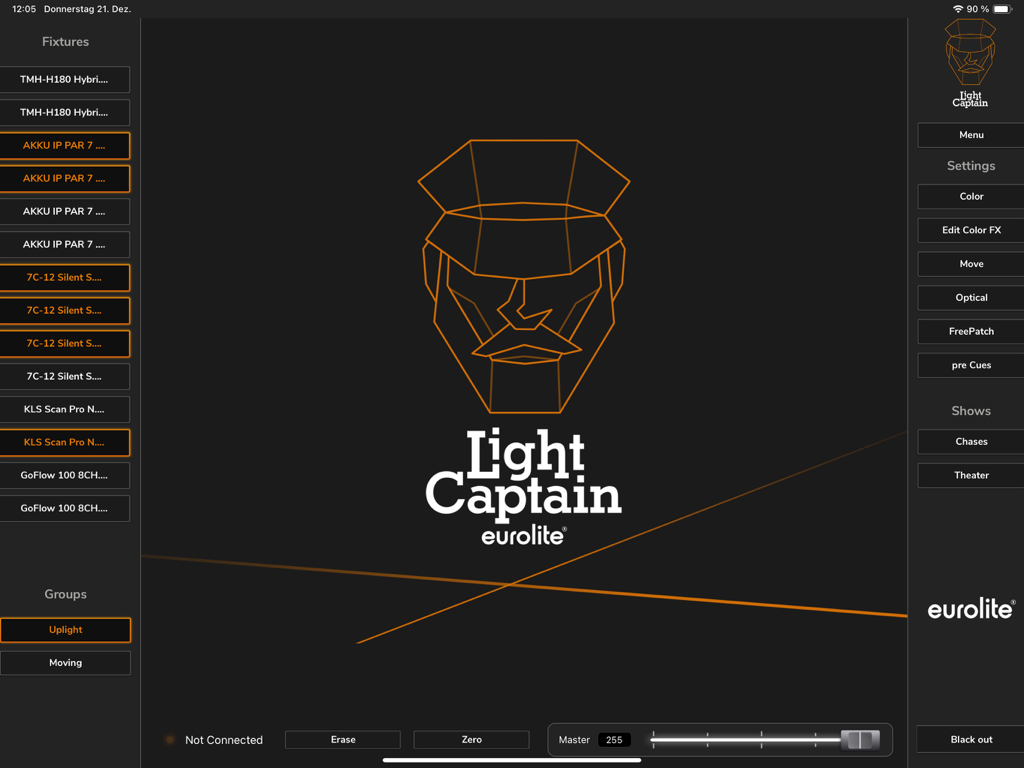
Light Captain - DMX Controller - iPad上のLight Captain DMXコントローラーアプリのメインダッシュボード。照明器具リストとコントロール設定を表示。
iPad上のLight Captain DMXコントローラーアプリのメインダッシュボード。照明器具リストとコントロール設定を表示。

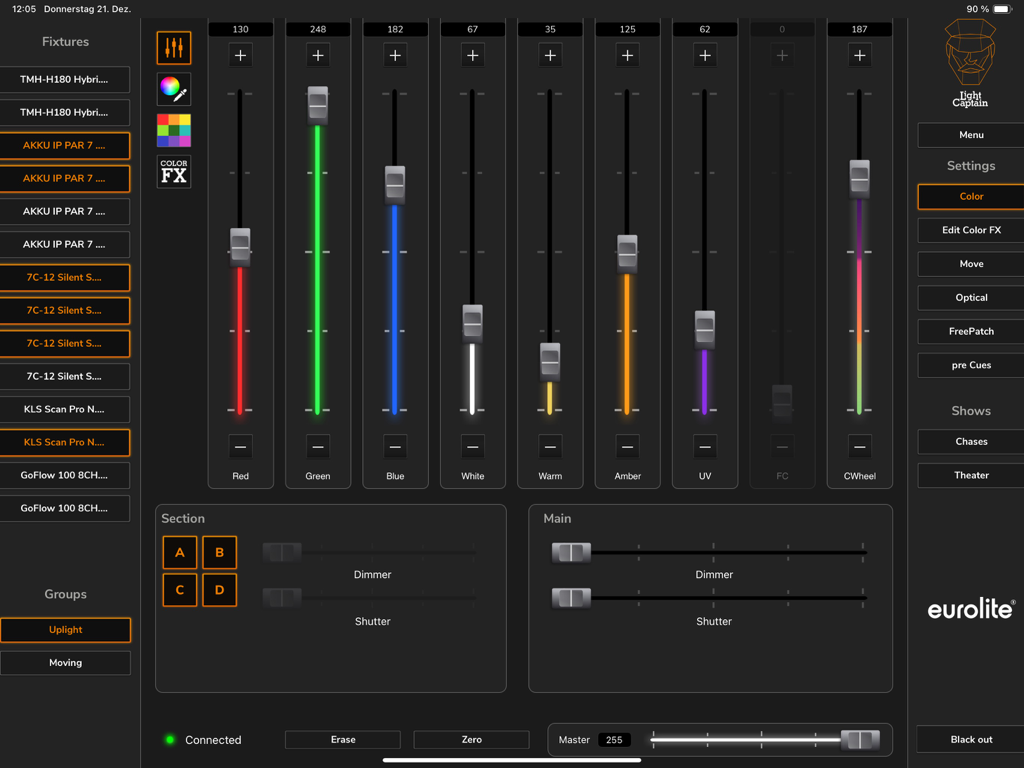
Light Captain - DMX Controller - iPad上のLight Captainアプリインターフェイス。プロのDMX照明用のカラーフェーダーと器具コントロールを表示。
iPad上のLight Captainアプリインターフェイス。プロのDMX照明用のカラーフェーダーと器具コントロールを表示。

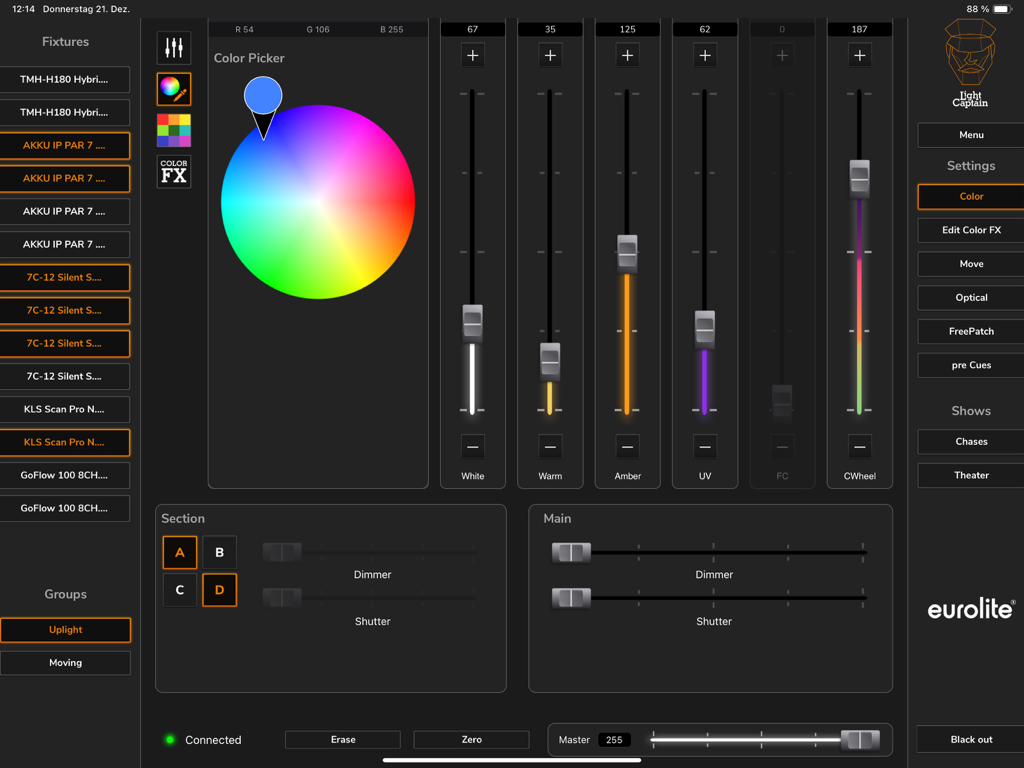
Light Captain - DMX Controller - iPad上のプロフェッショナルLight Captain DMXコントローラーiPadアプリインターフェイス。カラーピッカーと器具コントロールフェーダーを表示。
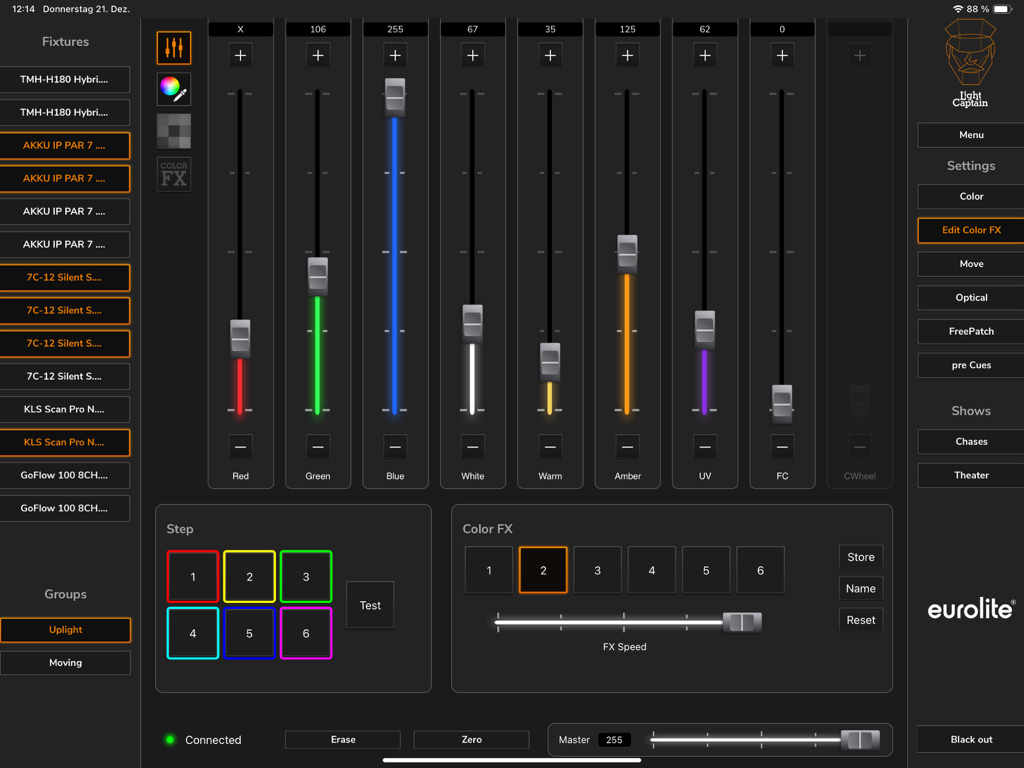
iPad上のプロフェッショナルLight Captain DMXコントローラーiPadアプリインターフェイス。カラーピッカーと器具コントロールフェーダーを表示。

Light Captain - DMX Controller - iPad上のLight Captain DMXアプリのインターフェイス。カラーミキシングフェーダーとエフェクトコントロールを表示。
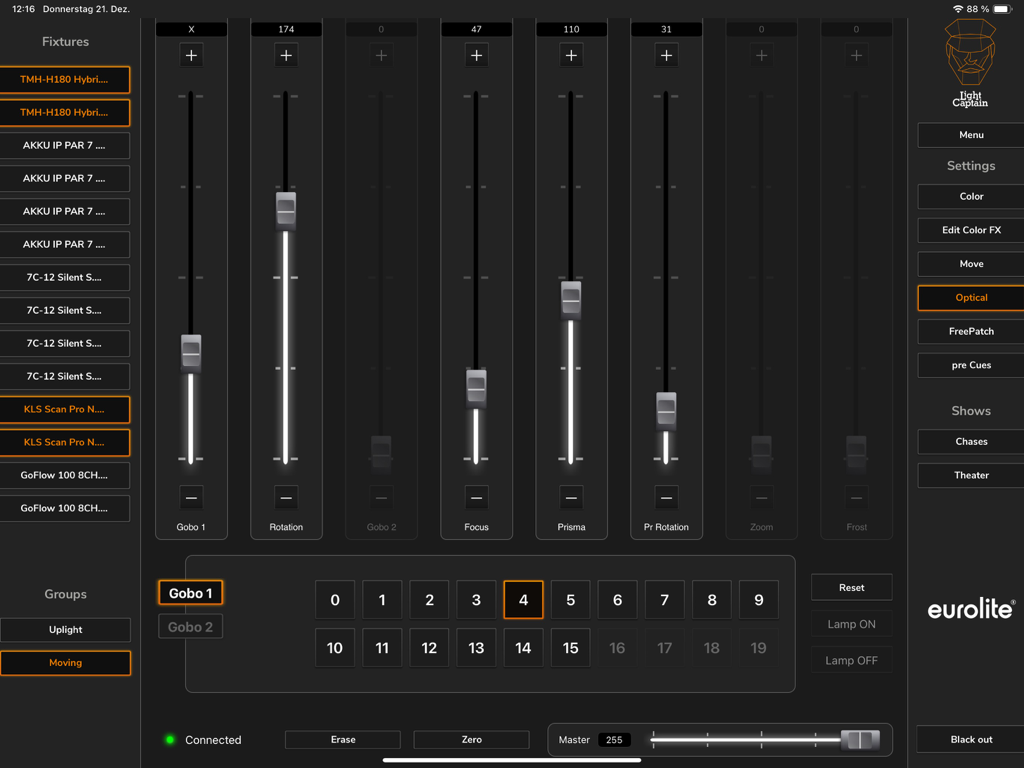
iPad上のLight Captain DMXアプリのインターフェイス。カラーミキシングフェーダーとエフェクトコントロールを表示。

Light Captain - DMX Controller - Light Captain DMXコントローラーのiPadインターフェイス。ゴーボ、フォーカス、プリズムコントロールを含む照明器具の光学設定を表示。
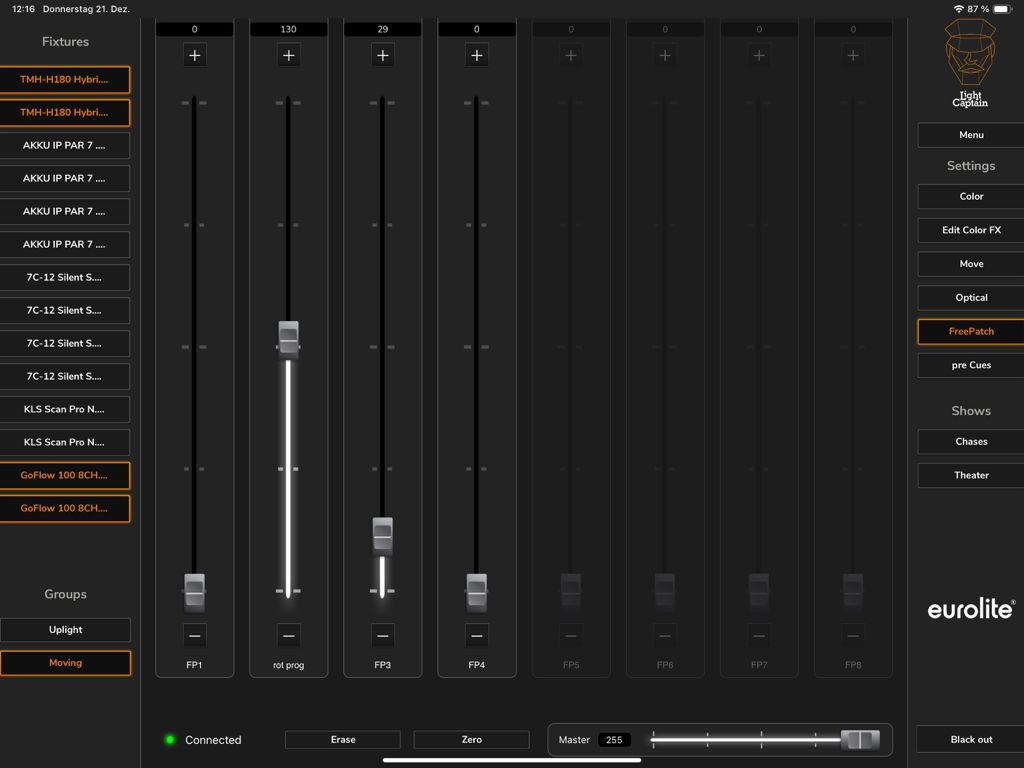
Light Captain DMXコントローラーのiPadインターフェイス。ゴーボ、フォーカス、プリズムコントロールを含む照明器具の光学設定を表示。

Light Captain - DMX Controller - Light Captain DMXコントローラーアプリのiPadインターフェイス。調整可能な垂直フェーダーと器具リストを備えたFreePatchセクションを表示。
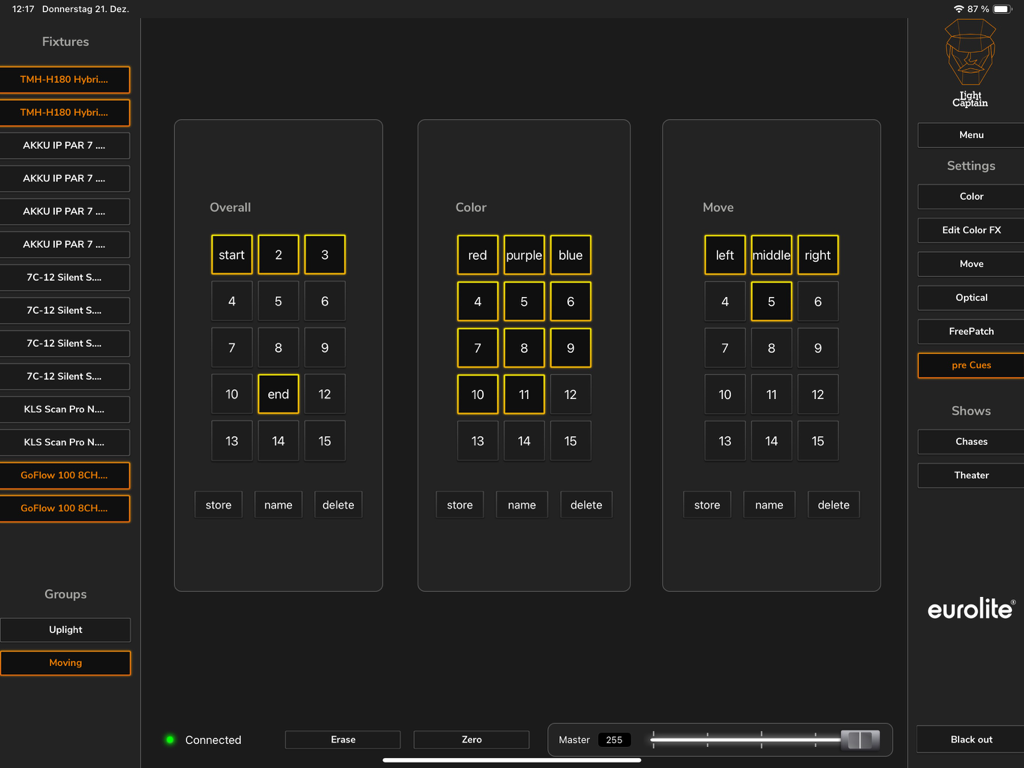
Light Captain DMXコントローラーアプリのiPadインターフェイス。調整可能な垂直フェーダーと器具リストを備えたFreePatchセクションを表示。

Light Captain - DMX Controller - カラーとムーブメント設定用のプリキュー画面を表示するLight Captain DMXコントローラーiPadインターフェイス。
カラーとムーブメント設定用のプリキュー画面を表示するLight Captain DMXコントローラーiPadインターフェイス。

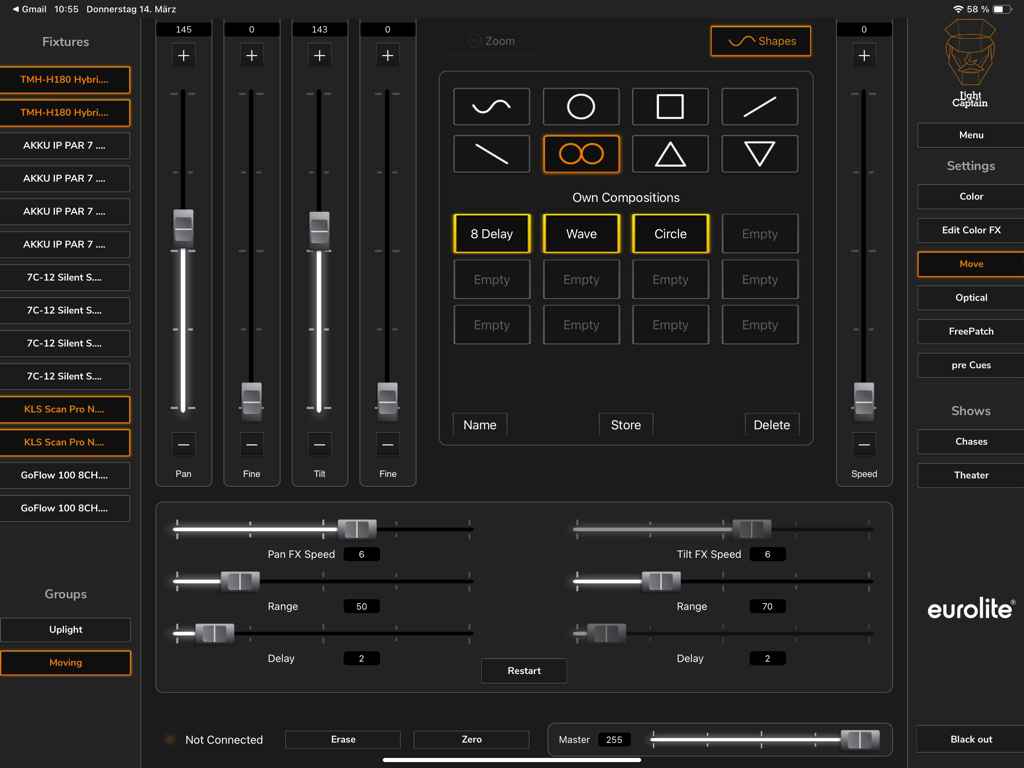
Light Captain - DMX Controller - Light Captain DMXアプリのムービングライトコントロールインターフェイス。パンチルトとモーションシェイプを表示。
Light Captain DMXアプリのムービングライトコントロールインターフェイス。パンチルトとモーションシェイプを表示。

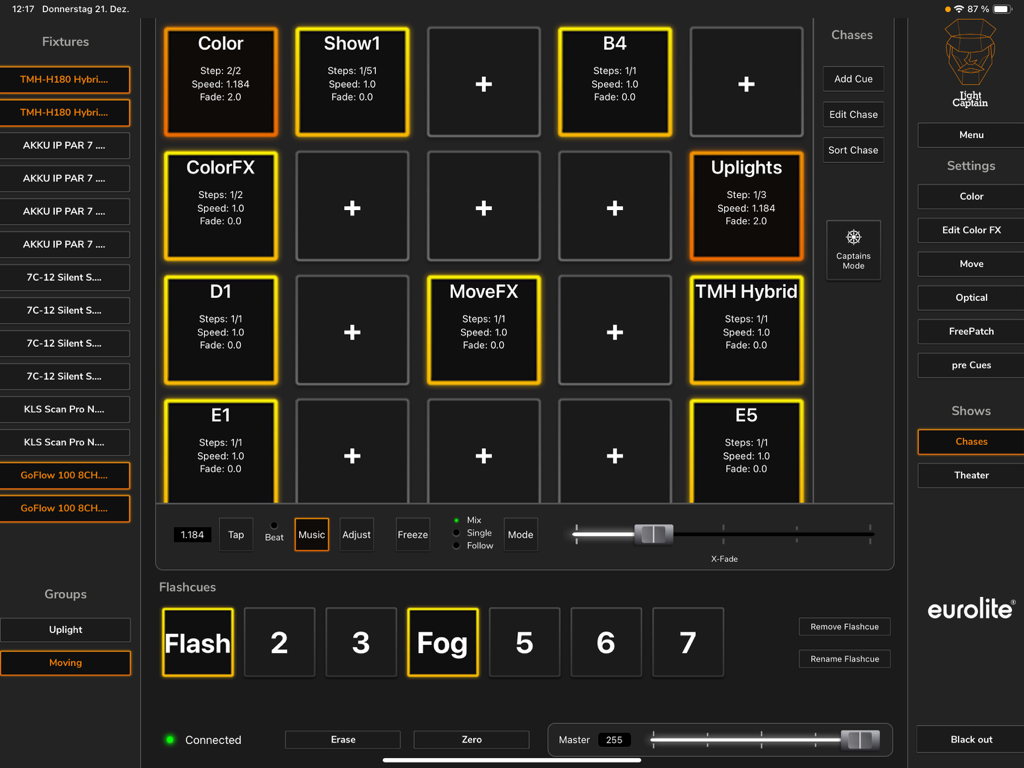
Light Captain - DMX Controller - Light Captain iPadアプリインターフェイス。チェイスプリセットと器具コントロールを備えたDMX照明コントロールダッシュボードを表示。
Light Captain iPadアプリインターフェイス。チェイスプリセットと器具コントロールを備えたDMX照明コントロールダッシュボードを表示。

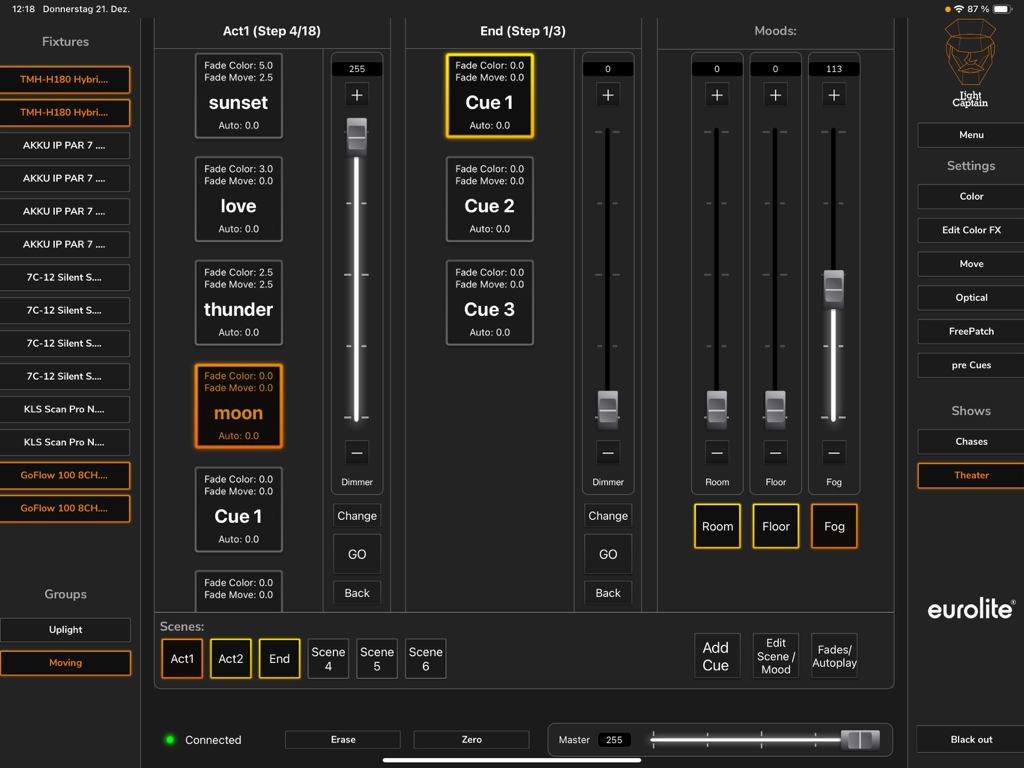
Light Captain - DMX Controller - ライトキューとフェーダーを示すLight Captainアプリのシアターモードインターフェイス

ライトキューとフェーダーを示すLight Captainアプリのシアターモードインターフェイス

説明

This lighting control app for DMX devices leaves nothing to be desired: it is just as suitable for party use as for concert or theater performance. The app is aimed at both beginners, who are taking their first DMX steps, and demanding users. Therefore, the app is very clearly and logically structured, so that even inexperienced users can quickly find their way around. At the same time, Light Captain offers many solutions that also make the work of professionals easier and enable more complex lighting situations. The app is suitable for all types of spotlights: White light spotlights, colorful LED spotlights, compact lighting systems of all kinds, lighting effects, or moving lights. Even the DMX protocols of show lasers or multi-effects can be mapped. To operate the app as a lighting controller, the Eurolite freeDMX interface is required. For beginners and professionals: In the first section (Chases), users who want to use different lighting scenes and chases for parties or concerts will feel most comfortable. Chases can be controlled either by adjusting the speed or by music control. Advanced users will prefer the second section, which also allows individual programming of cues and scenes with individual fade times. A password-protected mode allows operators to recall and adjust lights only, but not change programs or shows. Light Captain is therefore also suitable for installations and clubs where the lights are pre-programmed and need to be operated by different people without sources of error. Programming: A large and constantly growing library of fixtures already offers many models pre-programmed. Creating other fixtures is just as easy. For professional requirements, values can also be restricted or default values assigned and the individual positions of the color and gobo wheels can be defined. "Lamp on/off" commands for discharge lamps are also easy to assign and recall later. Control: Light Captain can inherently control four color segments on each fixture, each with up to 8 basic colors. No matter if KLS system, LED bar with 4 segments, or wash light with four rings, everything can be easily created and adjusted. For color effects, there is a separate effect section with 6 pre-programmed effects, which can also be modified in the expansion stages. For moving lights, there is a 16bit capable control. In addition to positioning, there is an effects unit that can be used to create motion effects quickly and effectively. Another control level is used to adjust gobos, prisms, zoom, focus, etc. Eight Freepatch controls can be freely assigned. Even complex multi-effects or show lasers can be sensibly created here. Frequently used settings can be stored on pre-cues and called up again and again. There are 15 general memory locations, 15 memory locations that store color values, and 15 memory locations that store position values. Theater mode (only available in the Full version) allows you to control your lights in programmed shows and performances. It allows you to save scenes in a specific order and then have them play during the performance.

Download

ダウンロード: App Store

このページはアプリまたはその開発者の公式ページではなく、情報提供および論評を目的として作成された独立した編集出版物です。明示的に別段の記載がない限り、アプリおよびその開発者は、MWM、Apple、Google Play、アプリのパブリッシャー、またはアプリの開発者と提携、承認、後援、認可、またはその他の公式的な関係はなく、このページのいかなる内容も、アプリがMWMのサービスを使用して開発されたことを意味するものではありません。すべての商標、ロゴ、スクリーンショット、その他のコンテンツはそれぞれの所有者の財産です。








