
このページはアプリまたはその開発者の公式ページではなく、情報提供および論評を目的として作成された独立した編集出版物です。明示的に別段の記載がない限り、アプリおよびその開発者は、MWM、Apple、Google Play、アプリのパブリッシャー、またはアプリの開発者と提携、承認、後援、認可、またはその他の公式的な関係はなく、このページのいかなる内容も、アプリがMWMのサービスを使用して開発されたことを意味するものではありません。すべての商標、ロゴ、スクリーンショット、その他のコンテンツはそれぞれの所有者の財産です。


Lightspeed Scanner (X)
スマートフォンを強力なバーコードリーダーとモバイルレジに変えましょう。カタログ管理、リアルタイムの棚卸し、売り場のどこからでも顧客への販売が可能です。
ダウンロード
34K+ユーザー評価
評価数
1K+開発元
カテゴリ
Business対応言語
3最新バージョン
7.8.1サイズ
111.9 MBリリース日
2016年5月19日スマホから小売業務を効率化
Lightspeed Retailに最適なコンパニオンアプリ。業務の停滞を解消し、ハードウェアコストを削減。顧客にシームレスなショッピング体験を提供します。
手間のかからない棚卸し
高価なハンディターミナルは不要です。スマホのカメラで商品をスキャンし、棚卸しや仕入先への発注を数秒で完了できます。
モバイルチェックアウトと接客
在庫状況を即座に確認し、Tap to Payで店内のどこでも会計が可能。ポップアップストアやレジ待ちの解消に最適です。
よくある質問
について知っておくべきこと Lightspeed Scanner (X)
Lightspeed Scannerとは何ですか。また、どのように機能しますか?
Lightspeed Scannerは、Lightspeed Retail (X-Series) POSのモバイルコンパニオンアプリです。デバイスのカメラをバーコードリーダーに変え、ユーザーはモバイルフォンから製品カタログの管理、顧客への販売、在庫の処理を行うことができます。
Lightspeed Scannerはモバイル決済の受け付けに対応していますか?
はい、Lightspeed Scannerではユーザーは支払いを受け付けることができます。Lightspeed Paymentsユーザー向けのTap to Pay for iPhone、後払い販売、または店舗レジでの販売完了のために販売を一時保存する機能に対応しています。
Lightspeed Scannerを使用してLightspeed Retailで製品を追加または編集するにはどうすればよいですか?
はい、Lightspeed Scannerでは製品を直接追加または編集できます。アプリ内で製品名、説明、価格、SKUコード、場所、製品画像を記録でき、これらはLightspeed Retailカタログと同期されます。
Lightspeed Scannerは製品の現在の在庫レベルを提供しますか?
はい、Lightspeed Scannerは現在の在庫レベルを含む製品情報を表示します。ユーザーは複数の店舗の在庫詳細を表示でき、店舗スタッフがフロアで迅速に在庫状況を確認できます。
Lightspeed Scannerは在庫管理と棚卸しを促進しますか?
はい、Lightspeed Scannerは完全棚卸しと部分棚卸しに対応しています。ユーザーは発注書の作成、店舗間移動の管理、在庫の受け入れ、在庫調整の記録をアプリから直接行うことができ、正確な管理が可能です。
どのような種類のバーコードリーダーがLightspeed Scannerと互換性がありますか?
Lightspeed Scannerはデバイスのカメラをバーコードリーダーとして使用します。さらに、赤外線バーコードリーダーを好むユーザーは、SocketバーコードリーダーをLightspeed Scannerアプリに直接接続して、機能を強化できます。
Lightspeed Scannerは注文のピッキング、梱包、出荷を支援できますか?
はい、Lightspeed Scannerはモバイル注文管理を簡素化します。スタッフは電話を使用して効率的に注文をピッキング、梱包、出荷できるため、ピッキングプロセス全体で追加のハードウェアは不要です。
Lightspeed ScannerはLightspeed Retail POSシステムとどのようにデータを同期しますか?
はい、Lightspeed ScannerはLightspeed Retail POSシステムと直接同期します。アプリ内で行われたすべての操作は、WiFiまたはモバイルネットワーク接続経由でPOSシステムに即座に表示され、リアルタイムの更新が保証されます。
以下のスクリーンショットと説明は、アプリの公式ストアリスティングから直接取得されたものであり、アプリ開発者の所有物です。
アプリストア
スクリーンショット
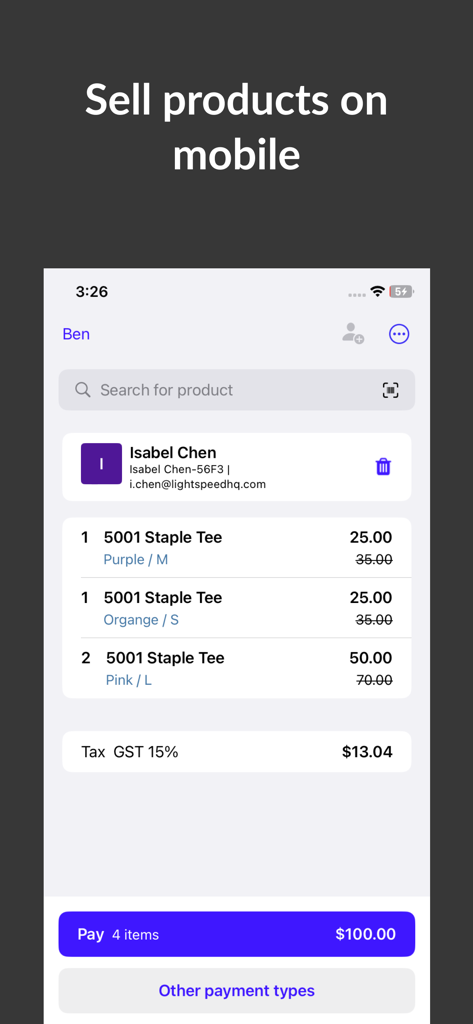
Isabel Chenという顧客の商品リストを表示しているLightspeed Scannerアプリのモバイルチェックアウト画面
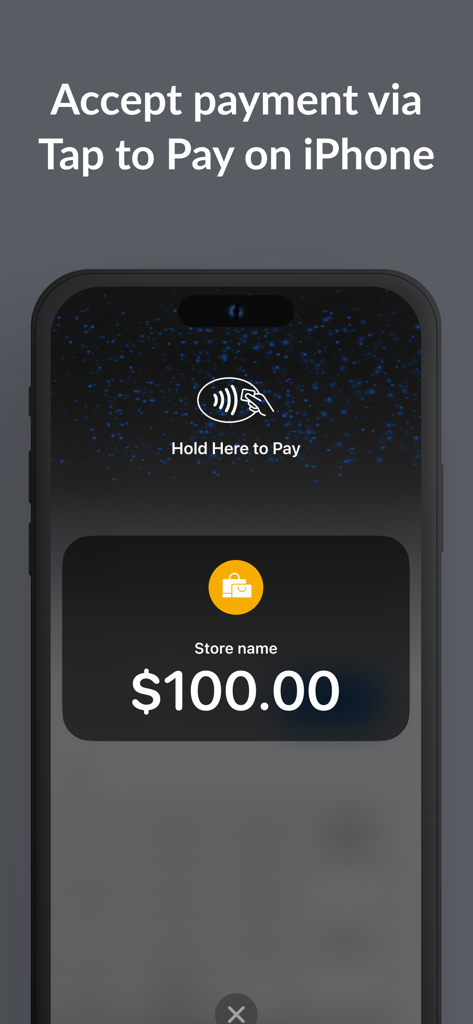
小売店での支払いにiPhoneのTap to Pay機能を使用しているLightspeed Scannerアプリのインターフェース
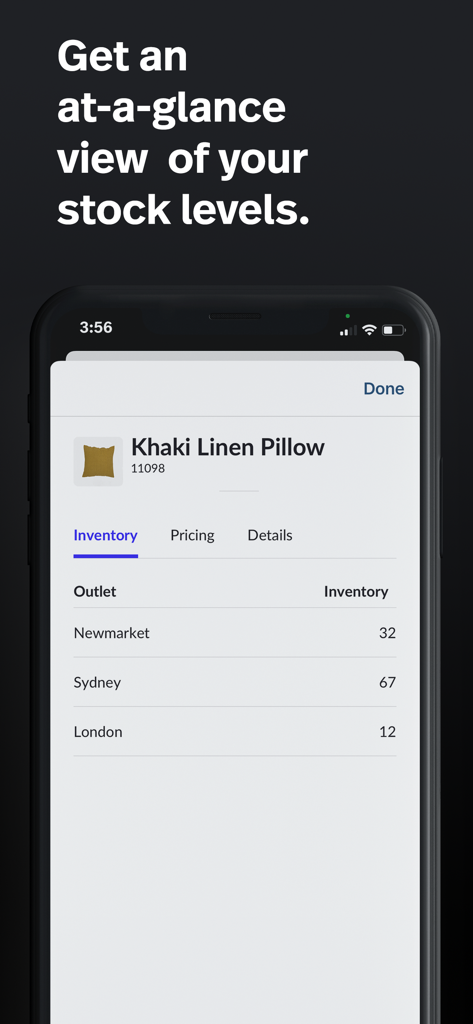
異なる店舗間の商品のリアルタイム在庫レベルを表示しているLightspeed Scannerアプリのインターフェース
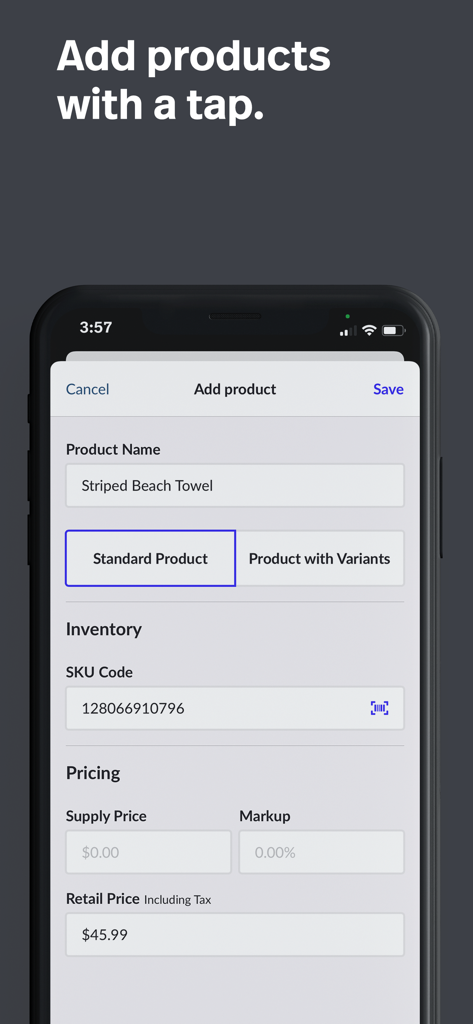
在庫と価格の入力フィールドが表示されているLightspeed Scannerアプリの商品追加画面
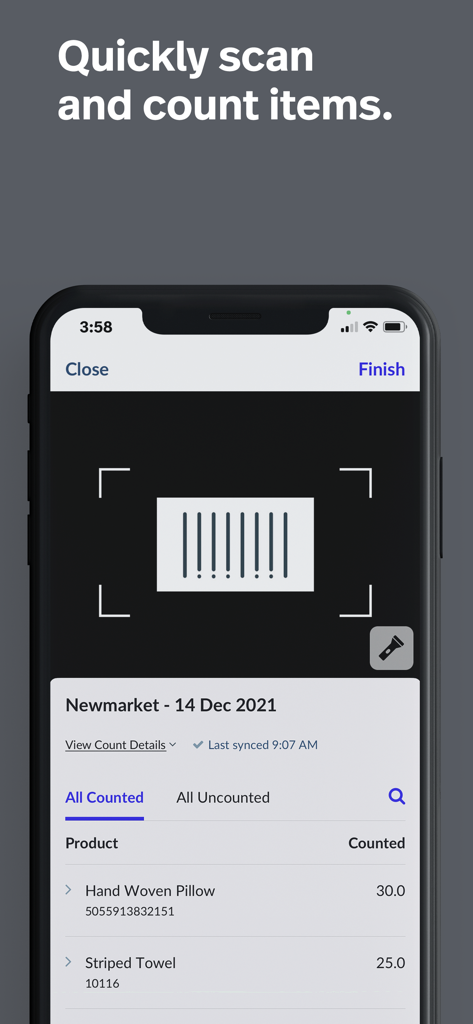
バーコードスキャナーと、枕やタオルなどの棚卸し済み商品リストが表示されているLightspeed Scannerアプリのモバイルインターフェース
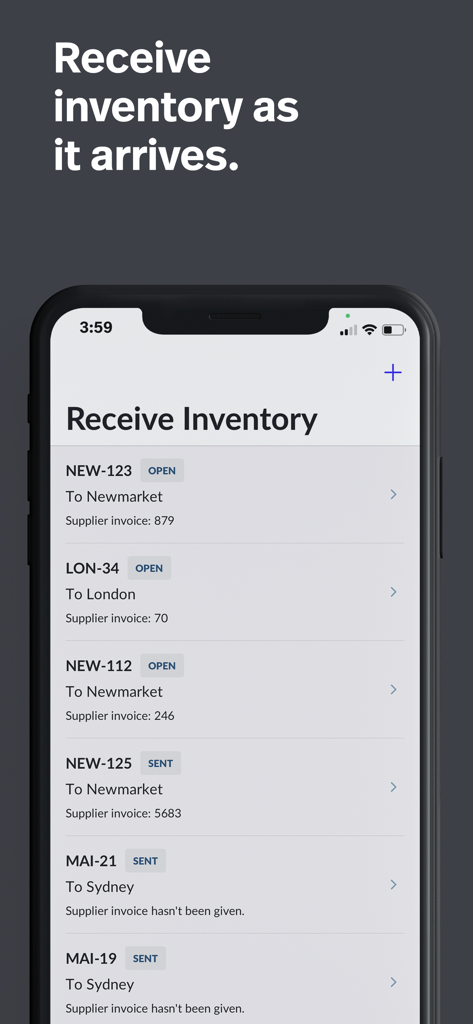
異なる小売店舗への入荷予定リストを表示しているLightspeed Scannerアプリのインターフェース
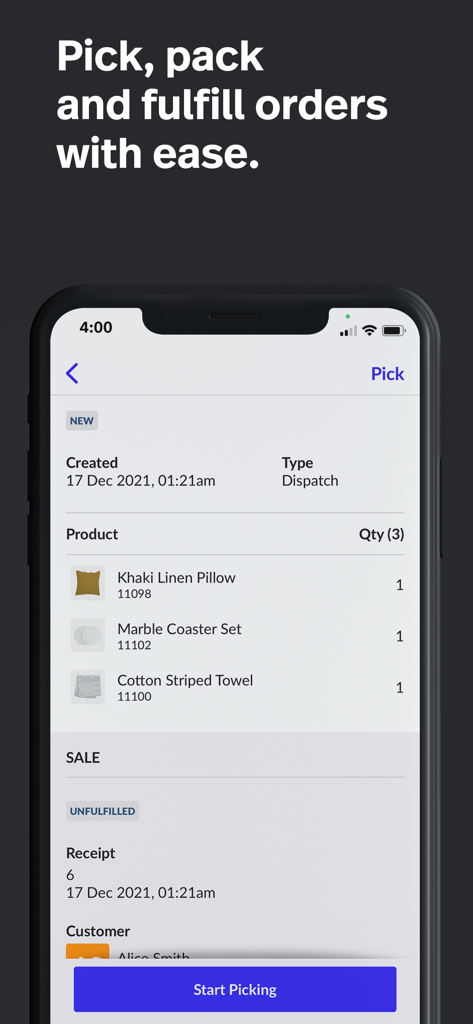
商品のピッキングとフルフィルメント画面を表示しているLightspeed Scannerモバイルアプリのインターフェース
説明
Download
類似アプリ
同じカテゴリのトップランクアプリ

Microsoft Teams
Microsoft Corporation

Zoom Workplace
Zoom Communications, Inc.

WhatsApp Business
WhatsApp Inc.

Indeed Job Search
Indeed Inc.

LinkedIn: Network & Job Finder
LinkedIn Corporation

Adobe Acrobat Reader: Sign PDF
Adobe Inc.

WeCom-Work Communication&Tools
Tencent Technology (Shenzhen) Company Limited

BOSS直聘-招聘求职找工作神器
Beijing China Product Bo Farce Network Technology Co., Ltd.

DingDing - Redefine Work in AI
DingTalk Technology Co., Ltd.
このページはアプリまたはその開発者の公式ページではなく、情報提供および論評を目的として作成された独立した編集出版物です。明示的に別段の記載がない限り、アプリおよびその開発者は、MWM、Apple、Google Play、アプリのパブリッシャー、またはアプリの開発者と提携、承認、後援、認可、またはその他の公式的な関係はなく、このページのいかなる内容も、アプリがMWMのサービスを使用して開発されたことを意味するものではありません。すべての商標、ロゴ、スクリーンショット、その他のコンテンツはそれぞれの所有者の財産です。