Linearity Move Motion Graphics
ダウンロード: App Store

このページはアプリまたはその開発者の公式ページではなく、情報提供および論評を目的として作成された独立した編集出版物です。明示的に別段の記載がない限り、アプリおよびその開発者は、MWM、Apple、Google Play、アプリのパブリッシャー、またはアプリの開発者と提携、承認、後援、認可、またはその他の公式的な関係はなく、このページのいかなる内容も、アプリがMWMのサービスを使用して開発されたことを意味するものではありません。すべての商標、ロゴ、スクリーンショット、その他のコンテンツはそれぞれの所有者の財産です。


ロゴ: Linearity Move Motion Graphics
ダウンロード: App Store

Linearity Move Motion Graphics

静止デザインをダイナミックなストーリーに変換する最も直感的な方法。Figmaからシームレスにインポートし、シェイプを簡単にモーフィングし、iPadとMacでハイエンドなアニメーションを作成しましょう。

主要数値

ダウンロード

200K+

ユーザー評価

4.3/5

評価数

600

開発元

Linearity GmbH

カテゴリ

Graphics & Design

対応言語

13

最新バージョン

6.5.0

サイズ

587.1 MB

リリース日

2024年1月15日
機能

インスピレーションのスピードでアニメーション

Linearity Moveは、静止デザインとダイナミックなストーリーテリングのギャップを埋め、 steepな学習曲線なしでプロレベルのモーションツールを提供します。

モーフィングによるインスタントモーション

面倒なキーフレーム設定はスキップ。ワンクリックでシェイプやレイヤーを流れるようなアニメーションに自動変換します。

シームレスなデザイン統合

Figma、Illustrator、Sketchファイルを、すべてのレイヤーを維持したままインポート。プロジェクトの再構築をやめ、アニメーションを始めましょう。

以下のスクリーンショットと説明は、アプリの公式ストアリスティングから直接取得されたものであり、アプリ開発者の所有物です。

アプリストア

スクリーンショット
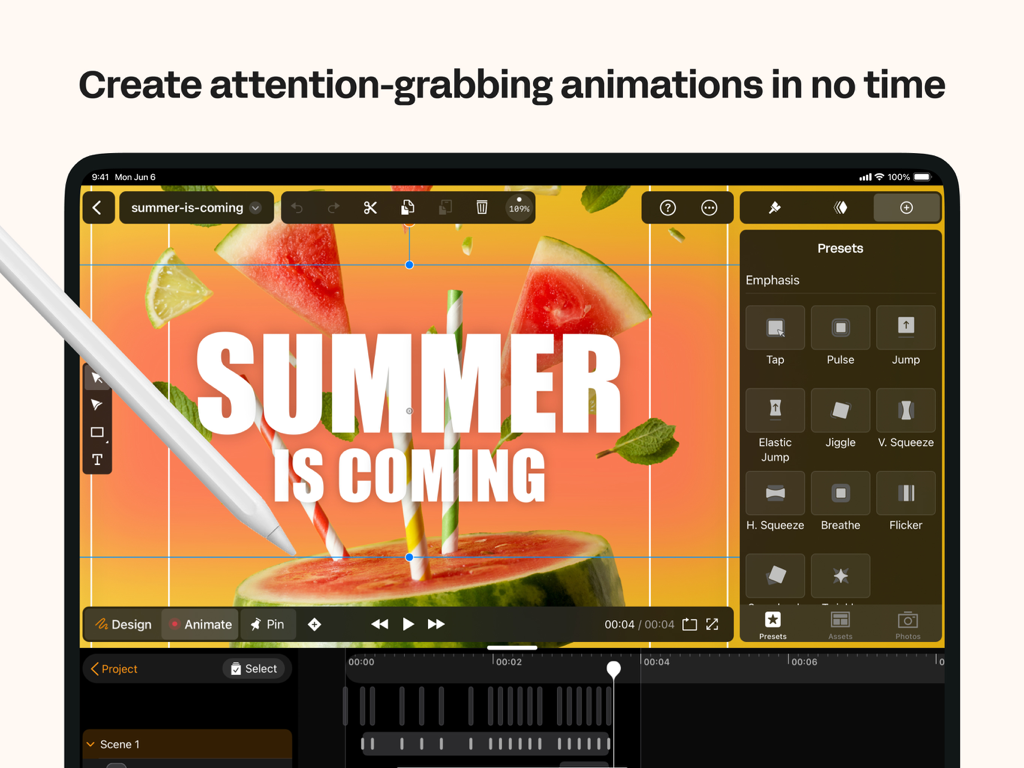
Linearity Move Motion Graphics - Linearity Move iPadアプリのインターフェース。夏のプロジェクト向けのモーション・グラフィックス・プリセットを表示。
Linearity Move iPadアプリのインターフェース。夏のプロジェクト向けのモーション・グラフィックス・プリセットを表示。

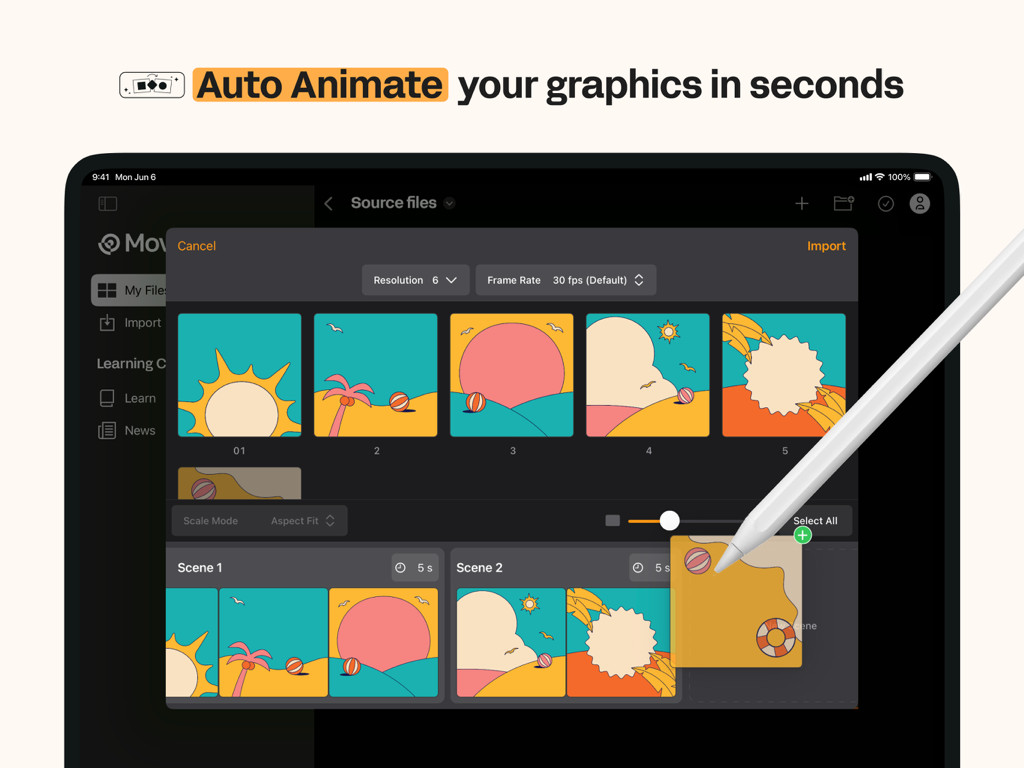
Linearity Move Motion Graphics - Linearity Move iPadインターフェース。モーショングラフィックスの自動アニメート機能を表示。
Linearity Move iPadインターフェース。モーショングラフィックスの自動アニメート機能を表示。

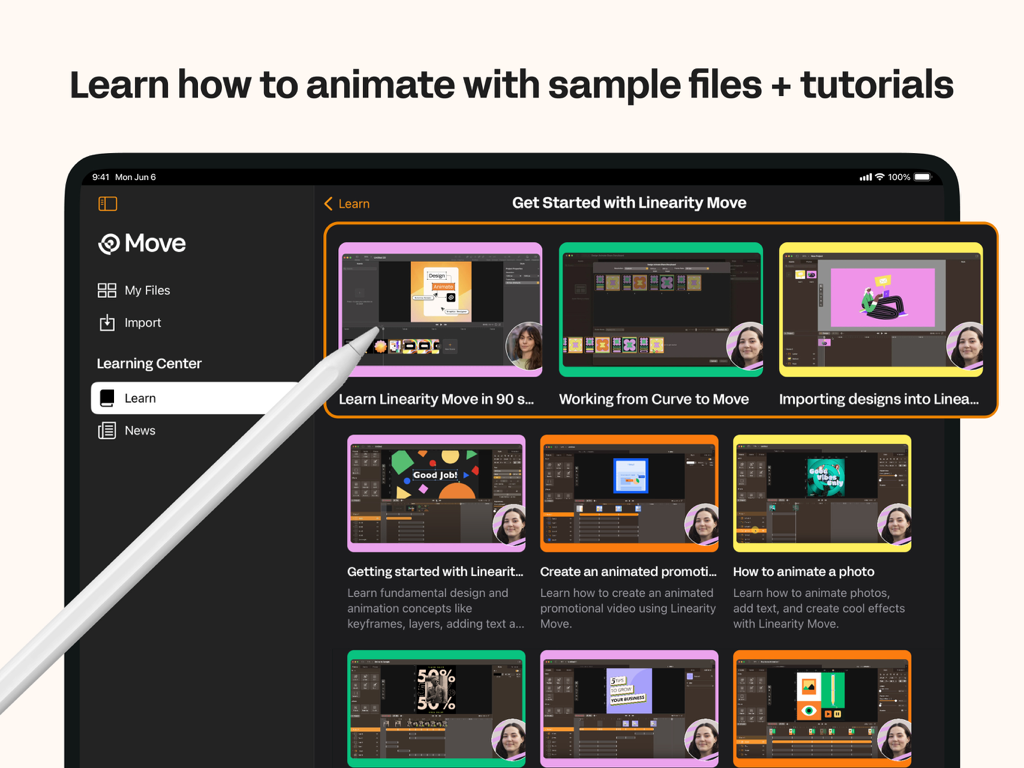
Linearity Move Motion Graphics - iPad画面にLinearity Moveラーニングセンターが表示され、様々アニメーションのビデオチュートリアルが掲載されています。
iPad画面にLinearity Moveラーニングセンターが表示され、様々アニメーションのビデオチュートリアルが掲載されています。

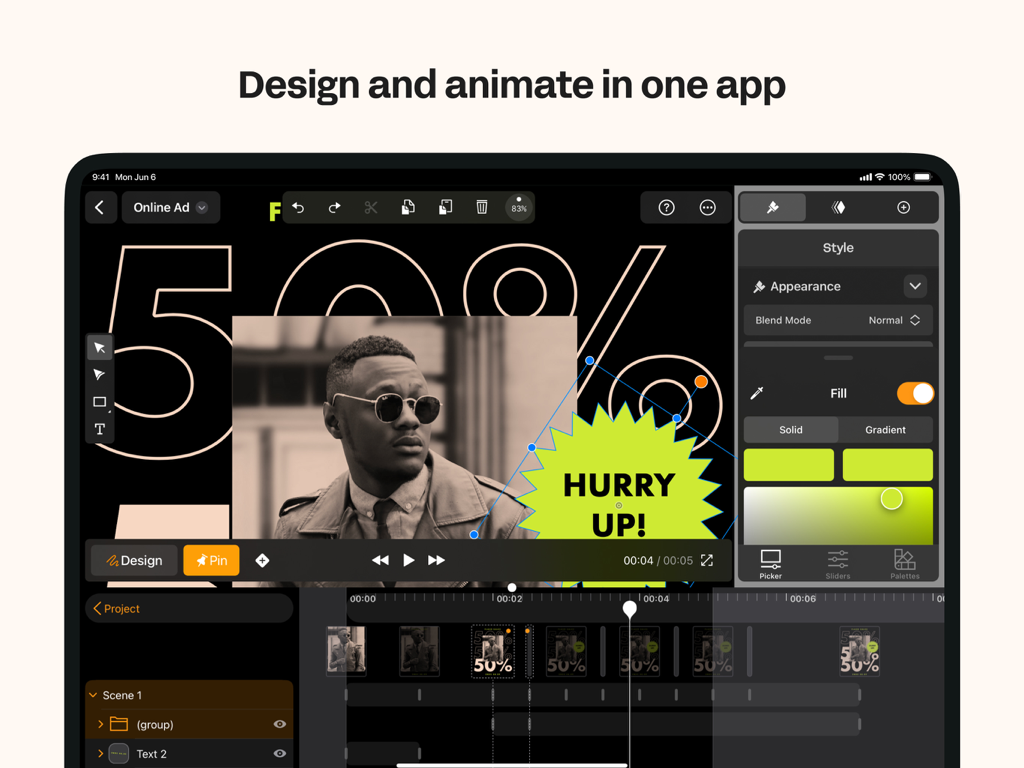
Linearity Move Motion Graphics - Linearity Move iPadアプリのインターフェース。ソーシャルメディアグラフィックスのデザインとアニメーションツールを表示。
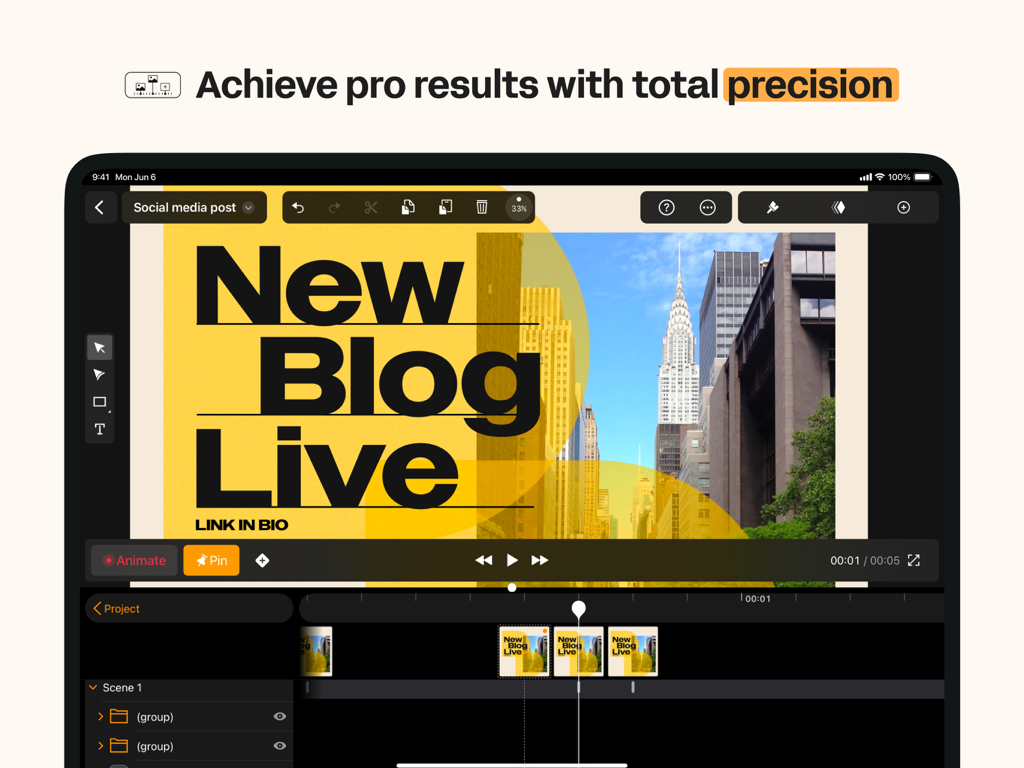
Linearity Move iPadアプリのインターフェース。ソーシャルメディアグラフィックスのデザインとアニメーションツールを表示。

Linearity Move Motion Graphics - Linearity Move iPadアプリのインターフェース。ビデオタイムラインを持つプロフェッショナルなモーショングラフィックスアニメーションを表示。
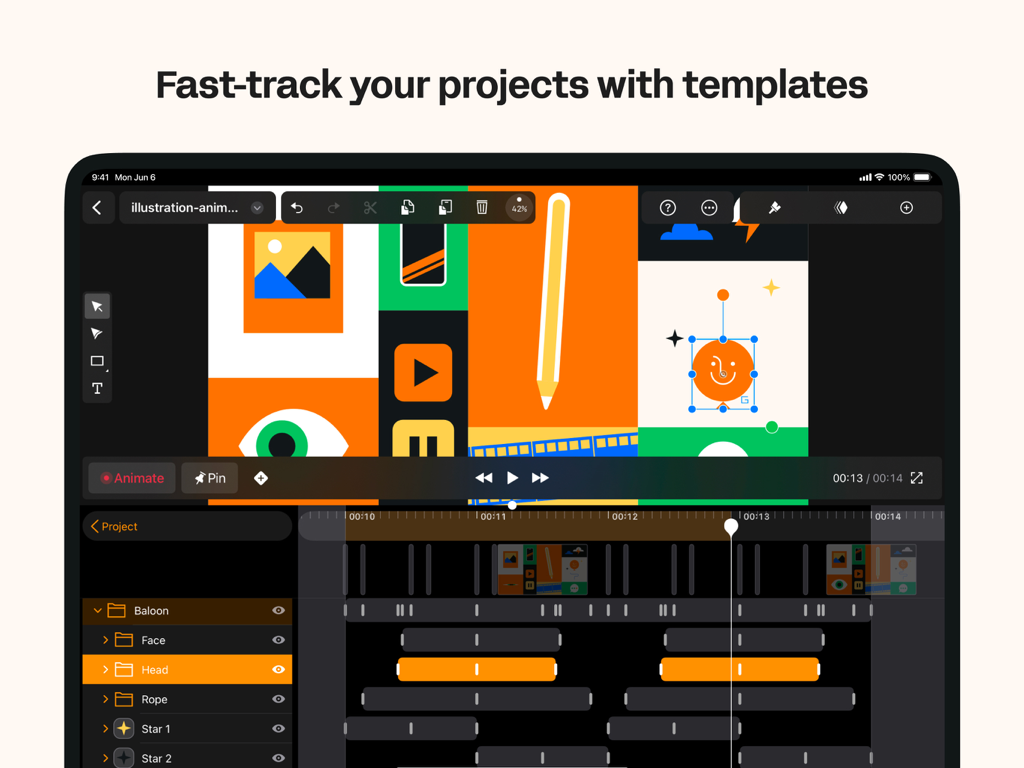
Linearity Move iPadアプリのインターフェース。ビデオタイムラインを持つプロフェッショナルなモーショングラフィックスアニメーションを表示。

Linearity Move Motion Graphics - Linearity Move iPadのアニメーションインターフェース。グラフィックデザインテンプレートとモーションタイムラインを表示。
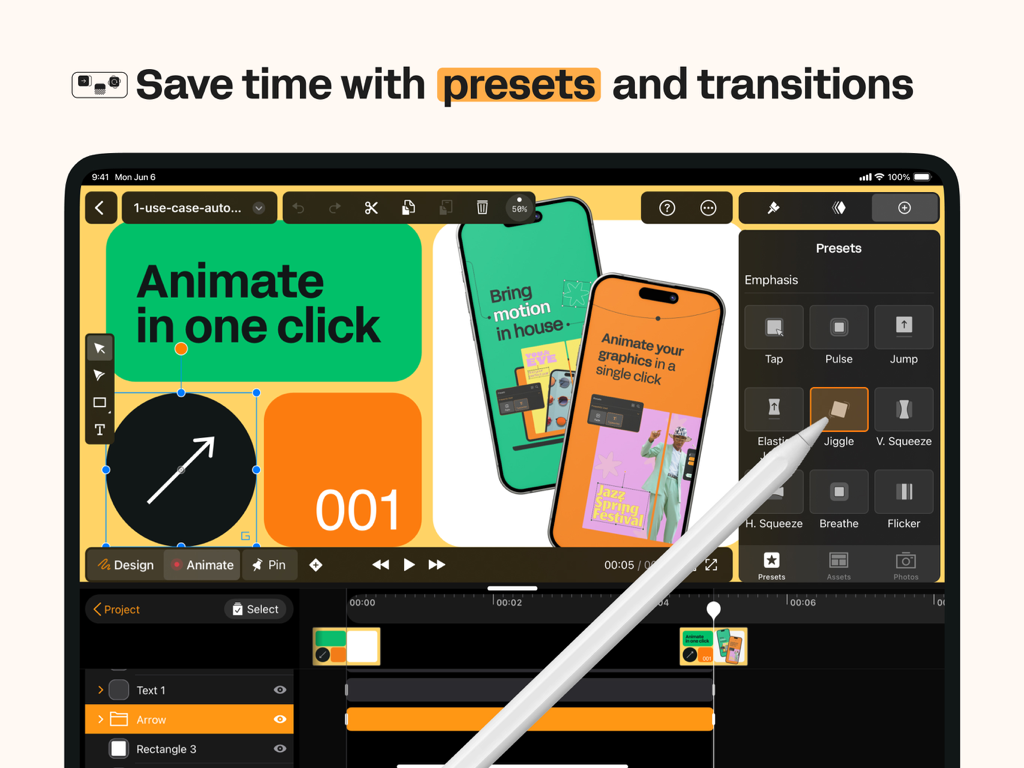
Linearity Move iPadのアニメーションインターフェース。グラフィックデザインテンプレートとモーションタイムラインを表示。

Linearity Move Motion Graphics - Linearity Move iPadアプリのインターフェース。モーショングラフィックスアニメーションプリセットを表示。
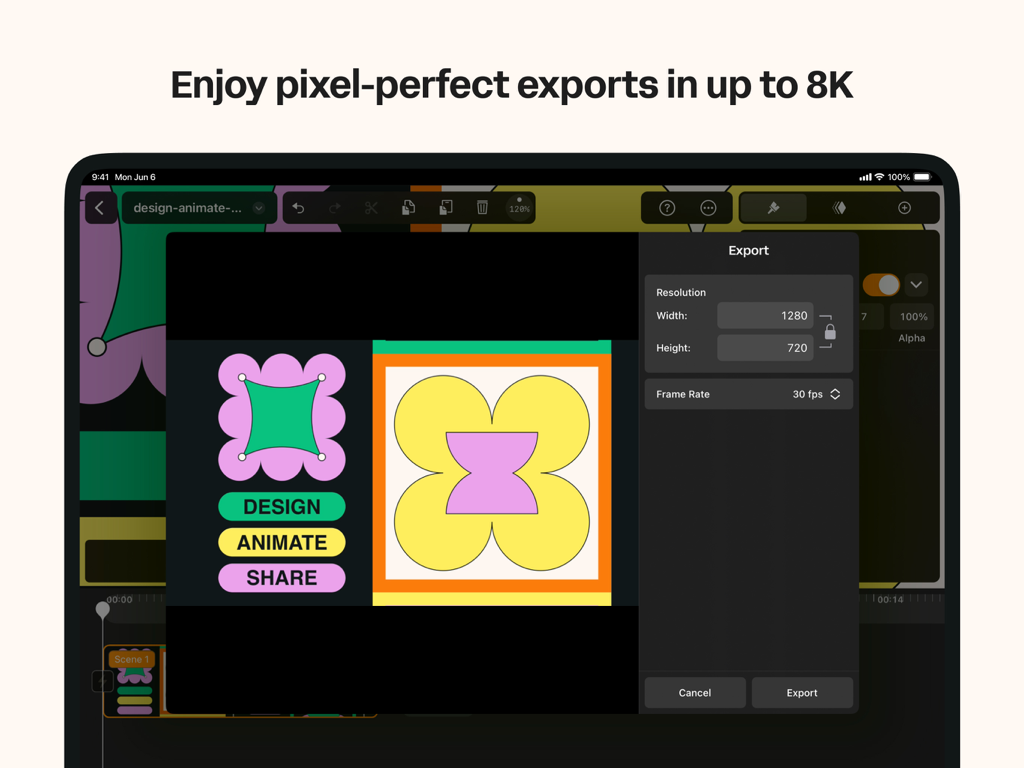
Linearity Move iPadアプリのインターフェース。モーショングラフィックスアニメーションプリセットを表示。

Linearity Move Motion Graphics - iPad上のLinearity Moveのエクスポートメニュー。高品質モーショングラフィックスのための解像度とフレームレート設定を表示。
iPad上のLinearity Moveのエクスポートメニュー。高品質モーショングラフィックスのための解像度とフレームレート設定を表示。

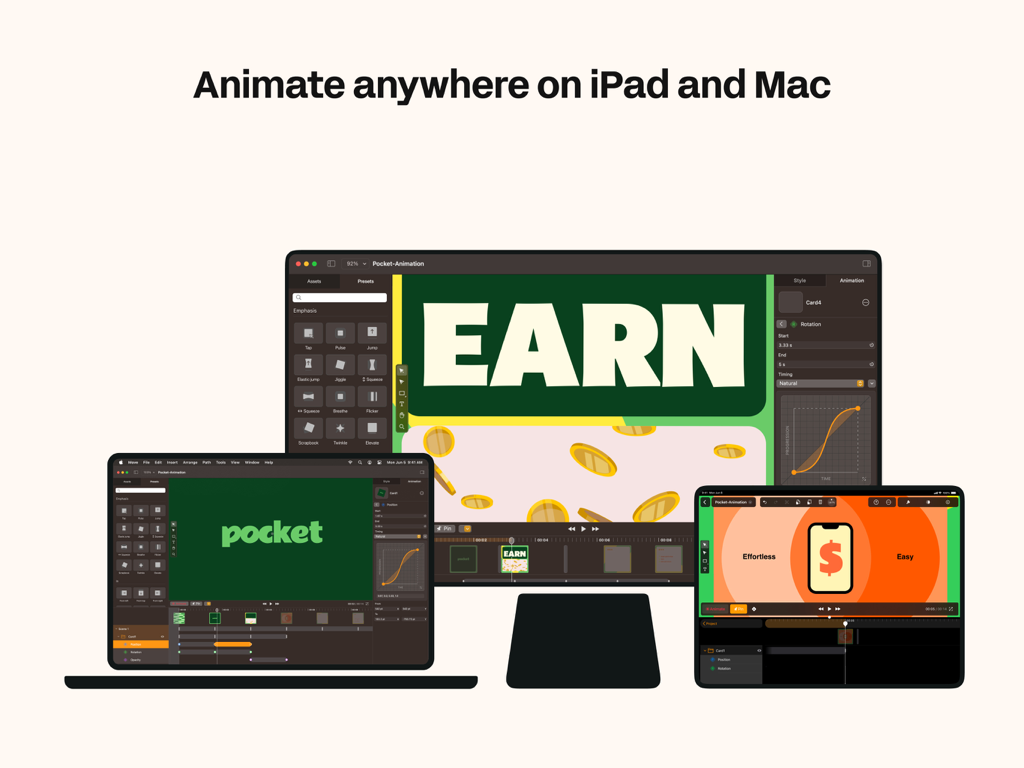
Linearity Move Motion Graphics - MacBook、iPad、デスクトップモニターに表示されたLinearity Moveアニメーションソフトウェアのインターフェース。
MacBook、iPad、デスクトップモニターに表示されたLinearity Moveアニメーションソフトウェアのインターフェース。

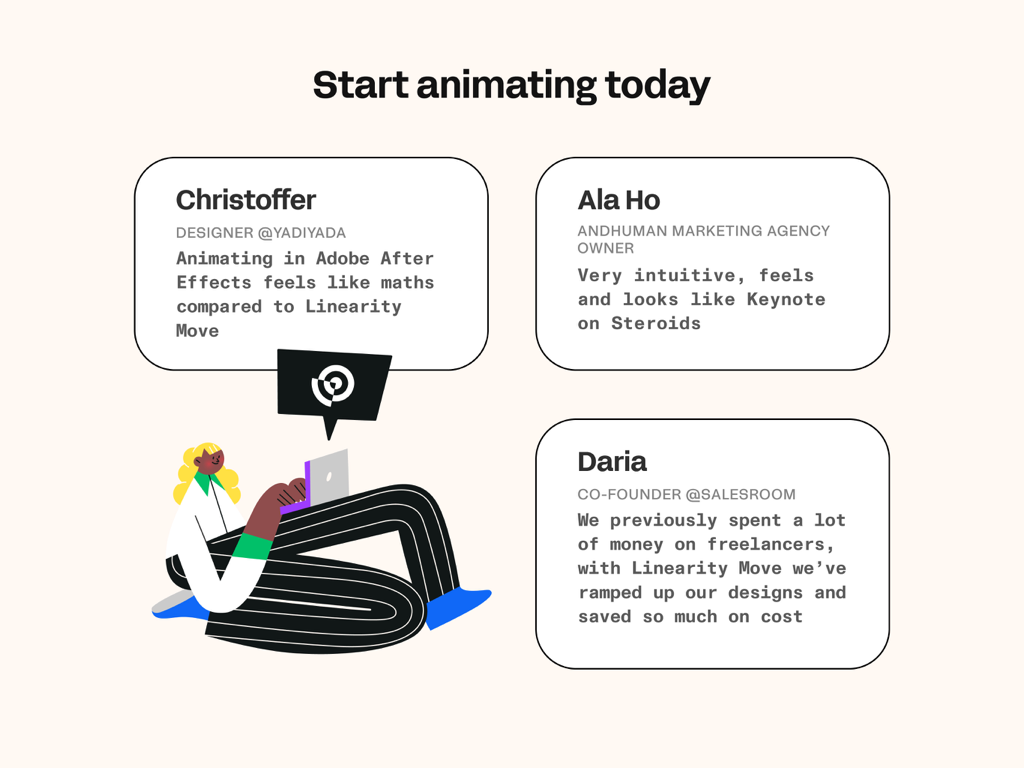
Linearity Move Motion Graphics - Linearity Moveモーショングラフィックスアプリのユーザーレビュー

Linearity Moveモーショングラフィックスアプリのユーザーレビュー

説明

Bring your ideas to life with motion graphics designed for modern creatives. Linearity Move for iPad and Mac transforms static visuals into dynamic animations — fast, intuitive, and built for designers, marketers, and anyone who wants to tell stories through motion. Whether you’re animating brand visuals, social media assets, explainer videos, or logo reveals, Move gives you all the tools you need to design, animate, and export professional-quality motion graphics — all in one app. Create motion graphics effortlessly Design isn’t static anymore. With Linearity Move, you can turn vector art, illustrations, or text into expressive animations in just a few steps. Start with artwork from Figma, Adobe Illustrator, Sketch, or Linearity Curve, and Move keeps all your layers and groups intact — giving you total control over every element in motion. Animate with precision From simple fades to complex morphs, Move gives you powerful motion design controls that feel intuitive. Morphing: Instantly transform one shape into another for seamless logo or icon animations. Pinning: Anchor start and end points to create fluid, natural movement. Custom timing curves: Shape acceleration and easing with Bézier controls for a polished, cinematic feel. Real-time keyframing: Every tweak updates automatically — no need for complex timeline management. You can even add images, videos, and audio to your projects to create rich, multimedia motion pieces. One interface for design and animation Linearity Move unifies design and animation in one clean workspace. Switch between Design mode to edit shapes, nodes, and text, and Animate mode to craft motion with precise control. No need to jump between separate design and video apps — everything happens in one intuitive interface optimized for touch and desktop. Built for professionals — accessible to everyone Linearity Move brings the power of motion graphics to designers of all levels. Whether you’re a marketing creative, illustrator, or motion designer, Move helps you animate faster without sacrificing quality. You don’t need to master complex timelines — the app makes animation approachable while keeping professional depth for advanced users. Templates and rapid prototyping Need to get started quickly? Choose from ready-made templates for social media stories, ads, product demos, logo animations, and more. Each template is fully editable, so you can adapt it to your brand and publish in minutes. High-quality exports for every platform Deliver motion graphics that look crisp everywhere. Export your work in MP4, MOV, or GIF formats, up to 8K resolution, ready for social media, video production, or digital signage. Your animations stay sharp, scalable, and professional across all screen sizes. Seamless sync and collaboration Your projects are always with you. Start animating on your Mac, then continue on iPad with identical tools and synced progress through your Linearity account. Collaborate with teammates or switch devices mid-project without missing a frame. Who it’s for • Motion designers: Build and refine professional-grade animations faster than ever. • Graphic designers & illustrators: Add motion to your vector artwork and brand visuals with zero learning curve. • Marketing teams & agencies: Produce attention-grabbing motion content in-house, from ad creatives to social stories. • Beginners & students: Learn motion design fundamentals through intuitive tools and step-by-step templates.

Download

ダウンロード: App Store

このページはアプリまたはその開発者の公式ページではなく、情報提供および論評を目的として作成された独立した編集出版物です。明示的に別段の記載がない限り、アプリおよびその開発者は、MWM、Apple、Google Play、アプリのパブリッシャー、またはアプリの開発者と提携、承認、後援、認可、またはその他の公式的な関係はなく、このページのいかなる内容も、アプリがMWMのサービスを使用して開発されたことを意味するものではありません。すべての商標、ロゴ、スクリーンショット、その他のコンテンツはそれぞれの所有者の財産です。







