Link Opener: Save All URLs

Link Opener: Save All URLs

ダウンロード: App Store
ロゴ: Link Opener: Save All URLs

Link Opener: あらゆるリンクを即座に適切なアプリで開く

手間のかかるモバイルブラウザで時間を無駄にするのはやめましょう。URLを自動的に検出し、保存し、ネイティブアプリで直接起動して、より速く、スムーズなモバイル体験を実現します。

ダウンロード: App Store

開発元

QUANTUM4U LAB PRIVATE LIMITED

カテゴリ

Utilities

ダウンロード

300

ユーザー評価

1.0/5

評価数

0

対応言語

8

効率を実際に確認する

このインターフェースを利用する 300 人のユーザー.

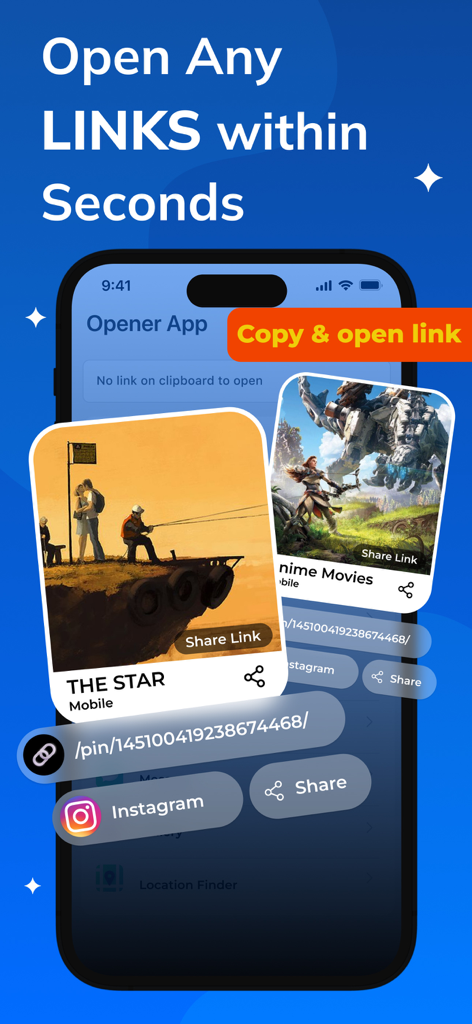
Link Openerアプリのインターフェースで、Instagramのようなネイティブアプリでリンクを開く方法を示しています
Link Openerアプリのインターフェースで、Instagramのようなネイティブアプリでリンクを開く方法を示しています

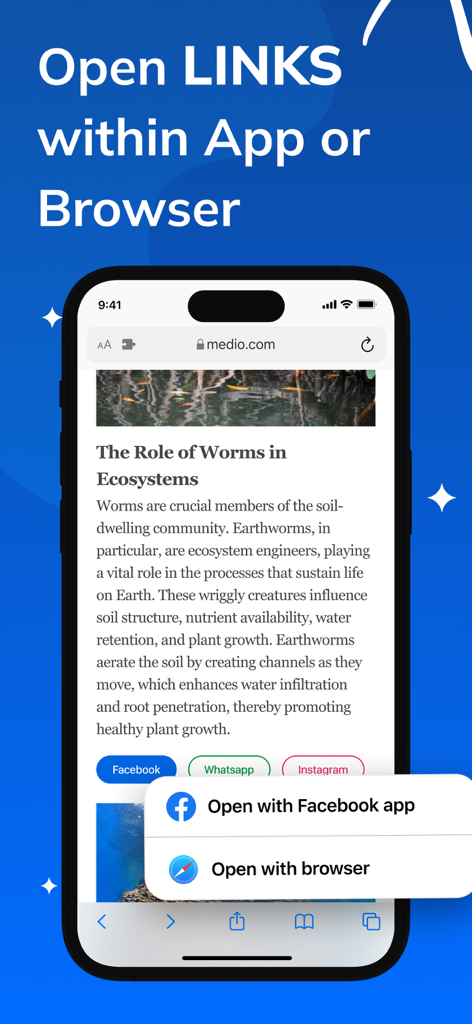
Link Openerアプリのインターフェースで、WebサイトのリンクをネイティブアプリケーションまたはWebブラウザで開く選択肢を示しています。
Link Openerアプリのインターフェースで、WebサイトのリンクをネイティブアプリケーションまたはWebブラウザで開く選択肢を示しています。

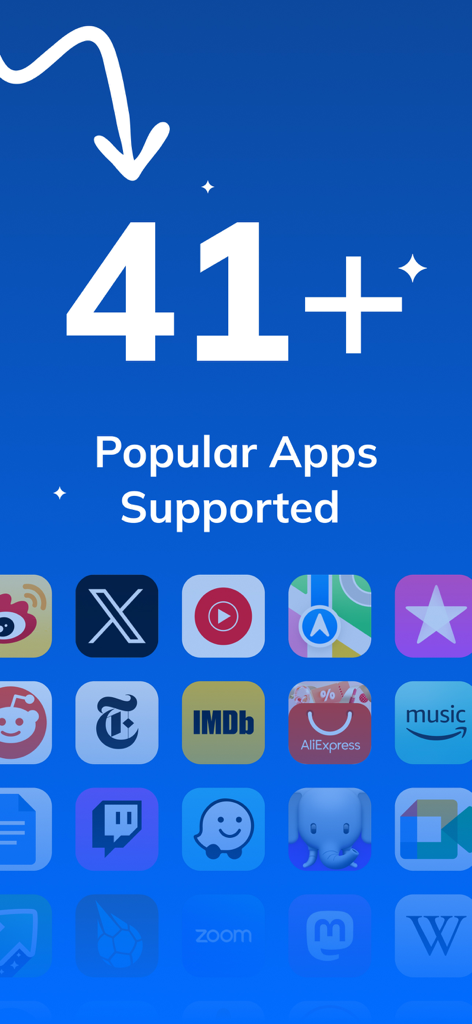
Link OpenerがYouTube、X、Redditのアイコンとともに41以上の人気アプリをサポートしていることを示す画面。
Link OpenerがYouTube、X、Redditのアイコンとともに41以上の人気アプリをサポートしていることを示す画面。

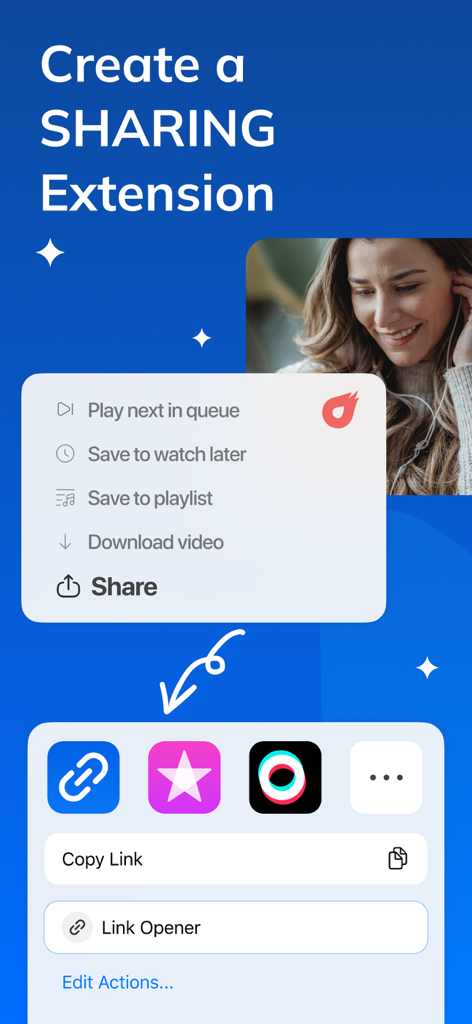
iOS共有シート内でLink Opener共有拡張機能を使用してURLを保存および開く方法を示すスクリーンショット。
iOS共有シート内でLink Opener共有拡張機能を使用してURLを保存および開く方法を示すスクリーンショット。

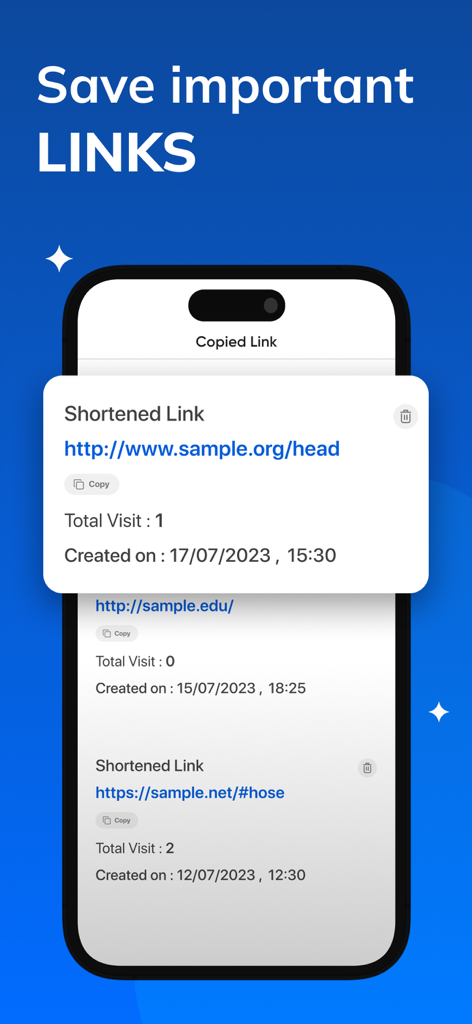
訪問回数と作成日とともに保存されたURLのリストを示すLink Openerアプリのインターフェース。
訪問回数と作成日とともに保存されたURLのリストを示すLink Openerアプリのインターフェース。

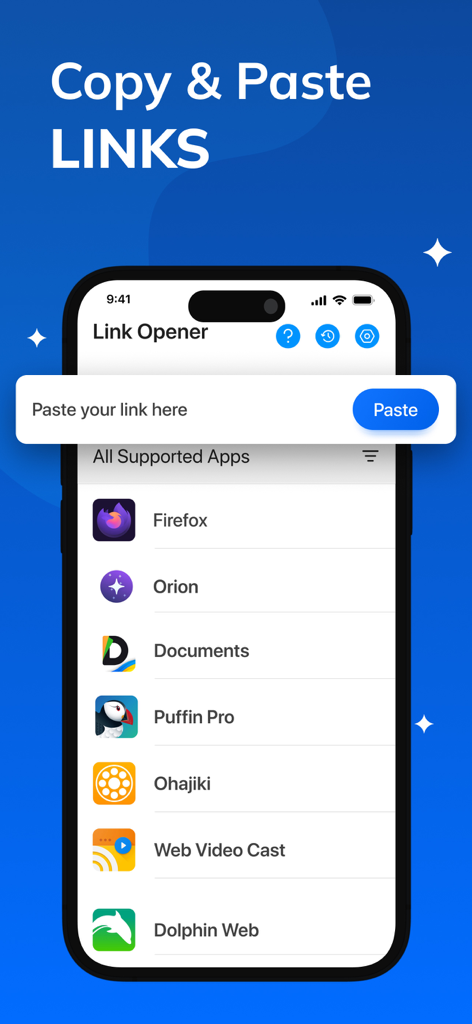
FirefoxやDolphin Webを含むサポートされているブラウザアプリのリストとリンクペーストフィールドを示すLink Openerアプリの画面。

FirefoxやDolphin Webを含むサポートされているブラウザアプリのリストとリンクペーストフィールドを示すLink Openerアプリの画面。

モバイルワークフローをマスターする

このアプリを際立たせるツール、 300 人のユーザーが選択.

🚀

インスタントネイティブランチャー

手間のかかるモバイルWebビューをスキップします。YouTube、Reddit、Spotifyのリンクをネイティブアプリで直接開いて、最も速く、最も応答性の高い体験を実現します。

📂

あなたのパーソナルリンク保管庫

素晴らしい発見を二度と失うことはありません。開いたすべてのリンクは、クリーンで検索可能なマネージャーに自動的に保存され、デジタルライフの整理されたライブラリを作成します。

🛡️

手間なしのプライバシー

トラッキングなしで究極の効率を体験してください。サインアップなし、ログインなし、データ共有なし—安全でプライベートな方法で、お気に入りのアプリをナビゲートするだけです。

💡

カスタムアプリの選択

リンクを開くアプリをカスタマイズします。どのURLがどのアプリで開くべきかを定義して、ワークフローをさらにパーソナライズします。

⚙️

高度な設定

リンクを開く方法を正確に制御します。リダイレクト、デフォルトアプリ、および共有拡張機能の動作を微調整して、Link Openerをあなたのニーズに合わせます。

🔗

共有拡張機能

どこからでもリンクをキャプチャします。iOSの共有シートから直接Link Openerを使用すると、開いているリンクを簡単に保存および管理できます。

アプリについて

について知っておくべきこと Link Opener: Save All URLs.

説明

Link Opener – Instantly Open & Save Any Link in Its Native App Tired of copying and pasting links just to open them in the right app? Want a seamless, one-click experience for launching links exactly where they belong—like a tweet in the Twitter app or a video in YouTube? Introducing Link Opener, the smart and secure tool that makes navigating digital content easier, faster, and more intuitive than ever before. Whether it’s a news article, a video, a location, or a social media post, Link Opener ensures you get the best experience possible by opening each link directly in its native application. No more unnecessary browser redirects or delays. Just tap and go. Why Choose Link Opener? Link Opener is designed to save your time and make your browsing experience smoother by intelligently handling the links you interact with every day. Instead of opening a link in a generic browser window or asking you what to do each time, Link Opener smartly recognizes the content and sends you directly to the app it belongs to. Key Features: Instant Opening Skip the browser and open links instantly in their native apps with a single tap. Whether it’s Instagram, Facebook, Reddit, or Spotify—Link Opener knows where your content belongs. Save links with links manager All links you open are saved in the app, so that next time you forget the link, you can directly open from here. Don’t be afraid of losing any links Universal Clipboard Detection Just copy a link from anywhere, and Link Opener will immediately detect it and prompt you to open it in the right app—no need to manually paste or search. Smart Redirect Link Opener isn’t limited to URLs. It understands the content you’re engaging with. Open locations in Maps, videos in streaming apps, songs in music apps, and much more with just one action. Security First Every link is processed with your privacy in mind. Link Opener ensures that redirections are secure and safe—no tracking, no data selling, just fast and private access to your favorite content. Customizable Behavior Want some links to open in the browser and others in apps? You decide. Link Opener lets you configure which links should be handled by which apps, giving you full control over your browsing preferences. No Sign-Up Needed Start using Link Opener immediately. No account creation, no login, and no unnecessary permissions. It’s a plug-and-play experience right from the moment you install it. Ideal for Everyday Use Whether you’re a student managing research links, a professional dealing with multiple content platforms, or someone who frequently switches between apps—Link Opener simplifies the way you navigate content. Some of the data we collect : Device-specific information such as device model, OS version being used. This provides knowledge of how our application is being used so we can improve the user experience and the app itself. We collect anonymized data such as statistics, analytics, insights about your activity in order to provide you a reliable and high-quality experience. Payment data & an optional Email (if using paid Services). Premium plans: Length & Price Monthly: $6.99 Yearly: $24.99 Subscription Info: - The user can cancel his/her subscription at any time by going into iTunes and App Store Apple ID Settings. - All prices include applicable local sales taxes. - Payment will be charged to your iTunes Account after confirmation of purchase. - Subscription automatically renews at least 24-hours before the end of the current period. - The user's account will be charged for renewal within 24-hours before the end of the current period. Privacy Policy & Terms of Use - Privacy Policy: https://quantum4u.in/web/linkopener/privacy-policy Terms of Use: https://quantum4u.in/web/linkopener/tandc EULA: https://quantum4u.in/web/linkopener/eula

最新バージョン

4.0

サイズ

69.8 MB

リリース日

2023年8月25日

ブラウザの手間をなくす準備はできましたか?

ワークフローを簡素化し、あらゆるリンクを本来あるべき場所で開きます。インスタントなネイティブアプリリダイレクトと安全なリンク管理で時間を節約する何千人ものパワーユーザーに参加しましょう—サインアップ不要です。

ダウンロード: App Store

App information, icons, screenshots, and descriptions displayed on this page are sourced from the Apple App Store and are the property of their respective developers. Download estimates and rankings are based on MWM's proprietary models and may not reflect actual figures. This page is provided for informational and analytical purposes only.

Believe this page infringes your intellectual property? File a dispute