Live Editor for Mermaid Charts

Live Editor for Mermaid Charts

ダウンロード: App Store
ロゴ: Live Editor for Mermaid Charts

Mermaidチャート用ライブエディタ:コードとしてのダイアグラム、どこでも

開発者およびアーキテクト向けの究極のモバイルワークスペース。リアルタイムプレビュー、完全な構文ハイライト、100%オフラインプライバシーで、プロフェッショナルなダイアグラムを作成、プレビュー、エクスポートします。

ダウンロード: App Store

開発元

TERMUX LIMITED LIABILITY COMPANY

カテゴリ

Developer Tools

ダウンロード

300

ユーザー評価

1.0/5

評価数

0

対応言語

1

ロジックを視覚化する

このインターフェースを利用する 300 人のユーザー.

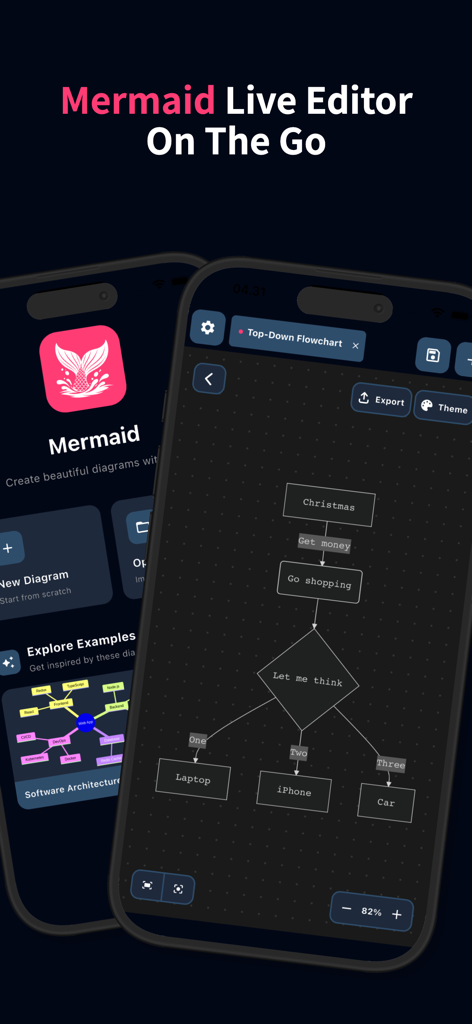
Mermaidライブエディタアプリのインターフェイス。モバイルデバイスにフローチャートダイアグラムが表示されています。
Mermaidライブエディタアプリのインターフェイス。モバイルデバイスにフローチャートダイアグラムが表示されています。

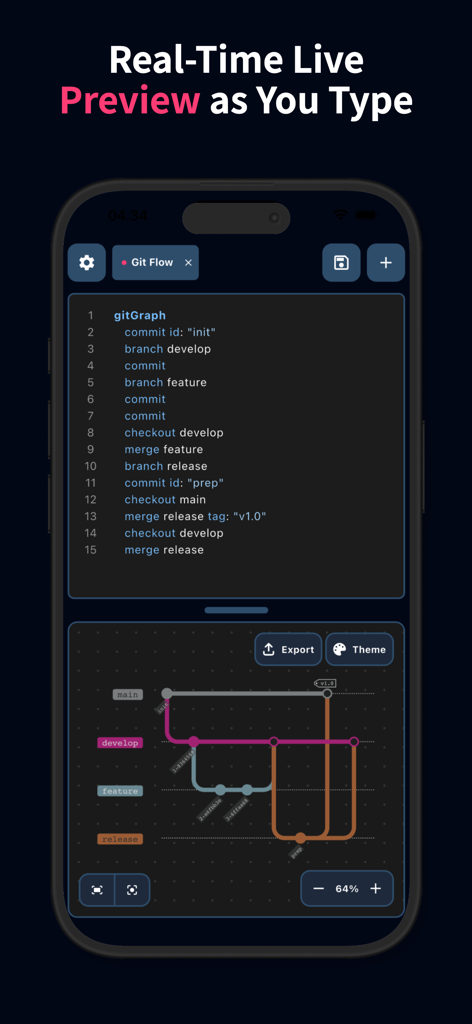
Mermaid Chartsモバイルアプリで編集中のGitフローダイアグラムのリアルタイムライブプレビュー
Mermaid Chartsモバイルアプリで編集中のGitフローダイアグラムのリアルタイムライブプレビュー

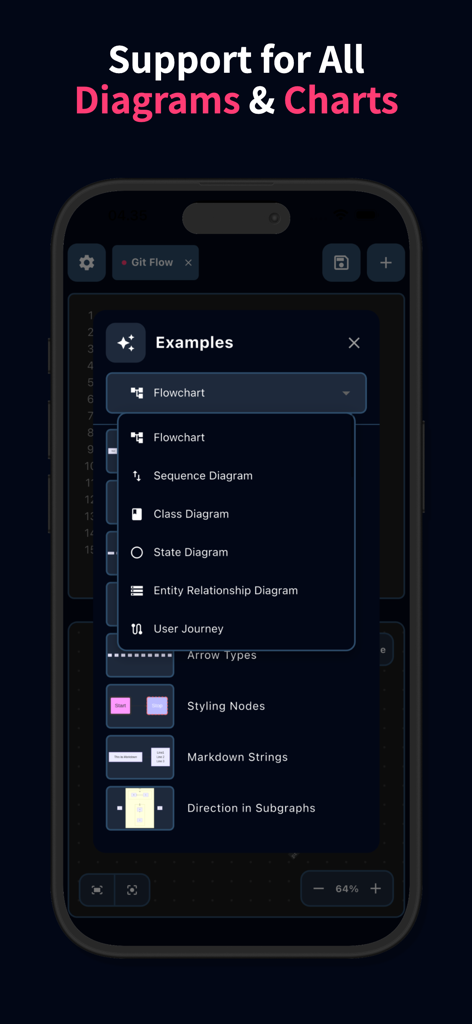
フローチャート、シーケンスダイアグラム、クラスダイアグラムなどのMermaidダイアグラムタイプのリストを表示するモバイルインターフェイス。
フローチャート、シーケンスダイアグラム、クラスダイアグラムなどのMermaidダイアグラムタイプのリストを表示するモバイルインターフェイス。

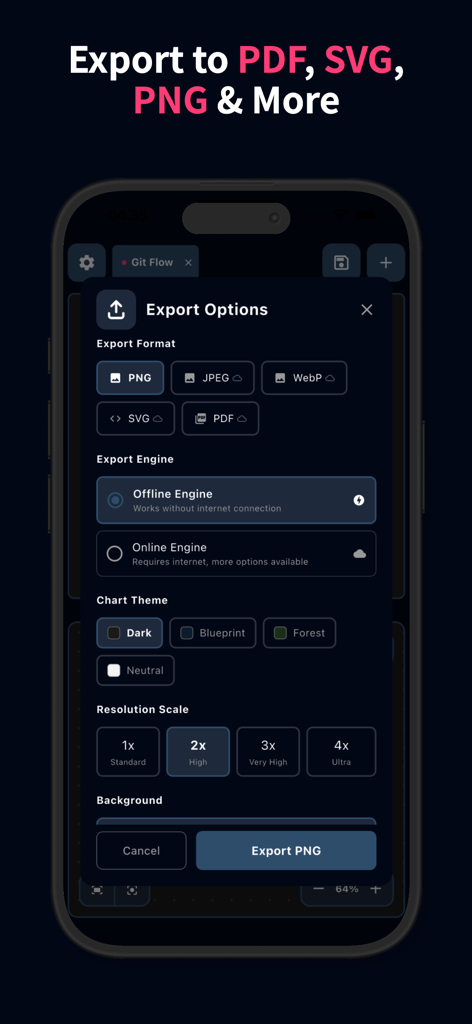
フォーマット選択、オフラインエンジン、解像度スケーリングを含むMermaidダイアグラムのエクスポートオプションを表示するインターフェイス。
フォーマット選択、オフラインエンジン、解像度スケーリングを含むMermaidダイアグラムのエクスポートオプションを表示するインターフェイス。

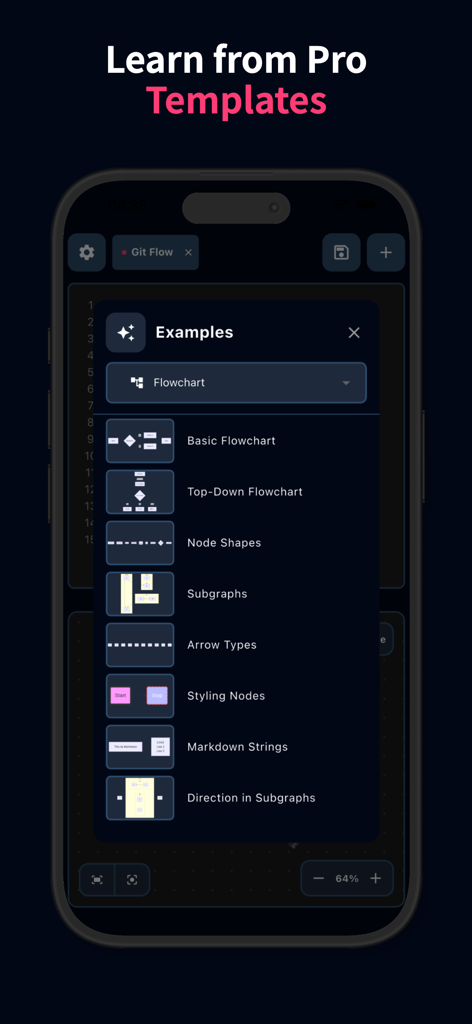
Mermaid Chartsモバイルアプリのライブエディタにあるプロフェッショナルなフローチャートテンプレートのメニュー
Mermaid Chartsモバイルアプリのライブエディタにあるプロフェッショナルなフローチャートテンプレートのメニュー

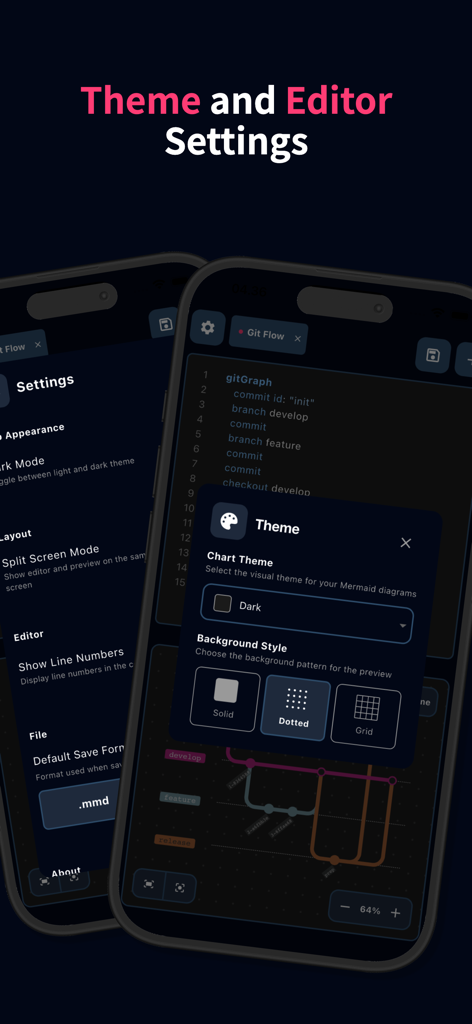
ダークモードや背景スタイルなど、Mermaidチャートのテーマとエディタ設定を表示するインターフェイス
ダークモードや背景スタイルなど、Mermaidチャートのテーマとエディタ設定を表示するインターフェイス

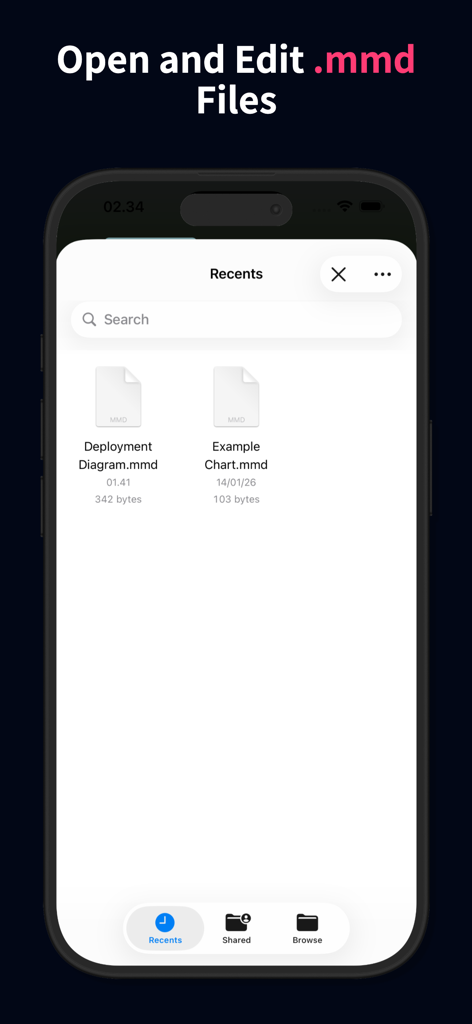
Mermaidチャートエディタでmmdファイルを開いたり編集したりするためのモバイルアプリインターフェイス

Mermaidチャートエディタでmmdファイルを開いたり編集したりするためのモバイルアプリインターフェイス

究極の「コードとしてのダイアグラム」モバイルワークスペース

このアプリを際立たせるツール、 300 人のユーザーが選択.

インスタントライブレンダリング

流動的でリアルタイムなフィードバックと構文ハイライトのために設計された高性能エディタで、同時にコードと視覚化を行います。

🛡️

プライバシー中心&オフライン

ローカル処理と完全なオフラインサポートにより、独自のアーキテクチャを安全に保ちます—データがデバイスから離れることはありません。

🚀

シームレスな開発ワークフロー

.mmdファイルを直接管理し、高解像度のSVGまたはPDFをエクスポートして、Gitまたはドキュメンテーションスタックに完全に統合します。

アプリについて

について知っておくべきこと Live Editor for Mermaid Charts.

説明

Bring your ideas to life with the power of Mermaid Chart Editor - anytime, anywhere. Whether you are a developer mapping out system architecture, a student visualizing logic, or a project manager building Gantt charts, Mermaid Chart Editor is the ultimate mobile workspace for Mermaid diagrams. No more waiting to get back to your desk; write code and visualize complex charts directly on your phone with a seamless, high-performance editor. Key Features: - Real-Time Live Preview: See your diagrams take shape as you type. Our split-screen or toggle view ensures your visual logic matches your code instantly. - Full Syntax Highlighting: Write clean, readable code with an editor designed specifically for Mermaid syntax. - Support for All Chart Types: Flowchart, Sequence Diagram, Class Diagram, State Diagram, Entity Relationship Diagram, User Journey, Gantt, Pie Chart, Quadrant Chart, Requirement Diagram, GitGraph Diagram, C4 Diagram, Mindmap, Timeline, Zenuml, Sankey, XYChart Diagram, Block Diagram, Packet Diagram, Kanban Diagram, Architecture Diagram, Radar Diagram, Treemap Diagram. - Learn & Template Gallery: New to Mermaid? Browse our library of examples to learn the syntax and kickstart your projects with one tap. - Powerful File Management: Open, edit, and save .mmd files directly. Keep your workflow consistent across your mobile and desktop environments. - Professional Exports: Share your work in high resolution. Export your diagrams in PNG, JPEG, WebP, SVG, or PDF formats. - Offline Mode Support: No internet? No problem. Generate and preview diagrams locally without needing a network connection. Why Choose Mermaid Chart Editor? - Speed: Light-weight and optimized for mobile performance. - Versatility: Perfect for documentation, software design, and business presentations. - Privacy: Your data stays on your device. Turn complex thoughts into beautiful diagrams with Mermaid Chart Editor. Download now and start creating!

最新バージョン

1.0.1

サイズ

32.9 MB

リリース日

2026年1月28日

コードとしてのアーキテクチャ、どこでも準備完了

デスクに戻るのを待つのはやめましょう。Mermaidチャート向けの究極のモバイルワークスペースをダウンロードし、リアルタイムプレビュー、完全なオフラインプライバシー、プロレベルのエクスポートでロジックのマッピングを開始してください。

ダウンロード: App Store

App information, icons, screenshots, and descriptions displayed on this page are sourced from the Apple App Store and are the property of their respective developers. Download estimates and rankings are based on MWM's proprietary models and may not reflect actual figures. This page is provided for informational and analytical purposes only.

Believe this page infringes your intellectual property? File a dispute