Locker: Hidden Photo Vault
ダウンロード: App Store

このページはアプリまたはその開発者の公式ページではなく、情報提供および論評を目的として作成された独立した編集出版物です。明示的に別段の記載がない限り、アプリおよびその開発者は、MWM、Apple、Google Play、アプリのパブリッシャー、またはアプリの開発者と提携、承認、後援、認可、またはその他の公式的な関係はなく、このページのいかなる内容も、アプリがMWMのサービスを使用して開発されたことを意味するものではありません。すべての商標、ロゴ、スクリーンショット、その他のコンテンツはそれぞれの所有者の財産です。

ロゴ: Locker: Hidden Photo Vault
ダウンロード: App Store

Locker: Hidden Photo Vault

誤ってスワイプしてしまう心配はもういりません。最も機密性の高い写真、動画、メモ、アプリのリンクをFaceID保護の背後に安全に保管します。ステルスモードを使用して、アプリのアイコンを電卓やタイマーのように偽装し、究極のデジタル要塞を築きましょう。

主要数値

ダウンロード

4M+

ユーザー評価

4.2/5

評価数

11K+

開発元

Relentless Consulting, Inc

カテゴリ

Utilities

対応言語

21

最新バージョン

4.1.2

サイズ

42.3 MB

リリース日

2017年7月24日
機能

一見無害な見た目で、完全なプライバシーを

最も個人的なコンテンツのための究極の保管庫。生体認証保護とデジタル主権のために設計された巧妙なカモフラージュで、写真、アプリ、メモを保護します。

ソーシャルカモフラージュ

保管庫を無害な電卓やタイマーのように偽装して、詮索好きな目からホーム画面を遠ざけ、ありうる言い逃れを可能にします。

生体認証ロックダウン

「誤ってスワイプ」の不安を解消します。FaceIDまたはTouchIDを使用して、デバイス上に残る二次認証レイヤーでプライベートメディアを保護します。

以下のスクリーンショットと説明は、アプリの公式ストアリスティングから直接取得されたものであり、アプリ開発者の所有物です。

アプリストア

スクリーンショット
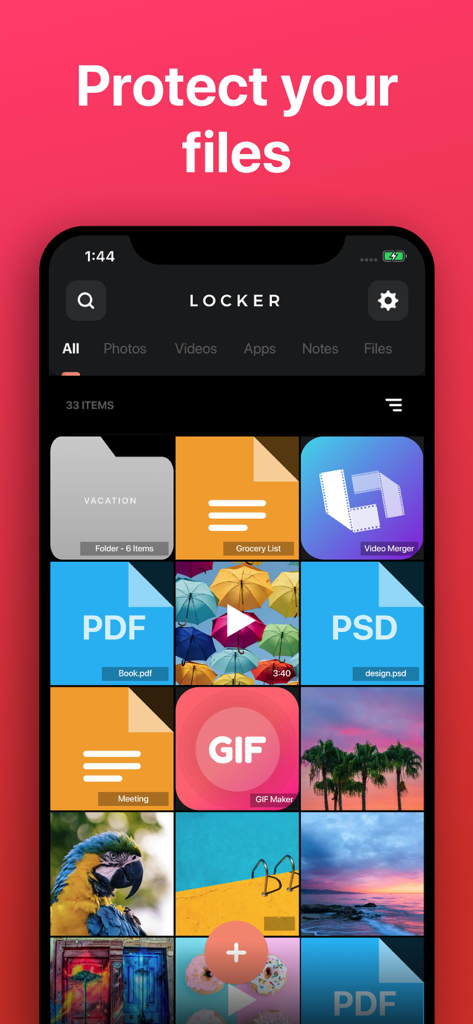
Locker: Hidden Photo Vault - 保護された写真、PDFドキュメント、プライベートメモのグリッドが表示されているLockerアプリのインターフェース
保護された写真、PDFドキュメント、プライベートメモのグリッドが表示されているLockerアプリのインターフェース

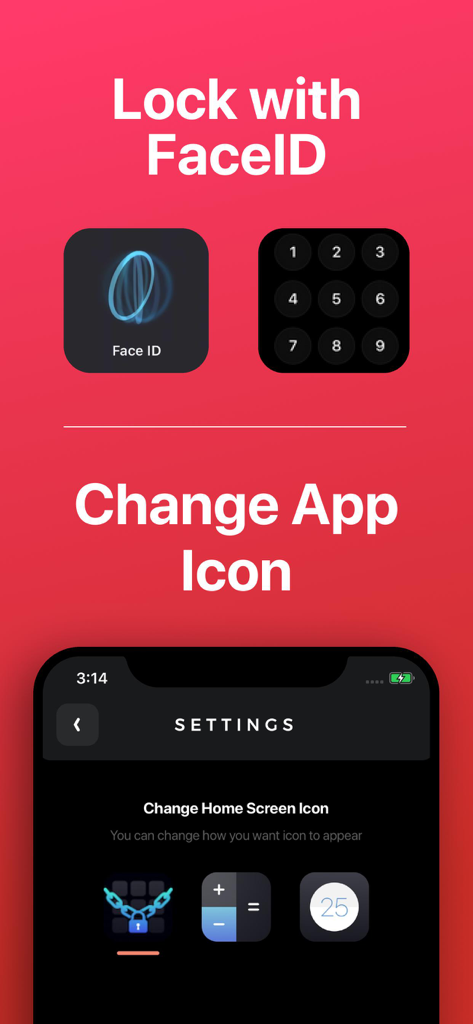
Locker: Hidden Photo Vault - FaceIDセキュリティオプションと、プライバシーのためにアプリのアイコンを電卓に変更する設定が表示されているLockerアプリのインターフェース

FaceIDセキュリティオプションと、プライバシーのためにアプリのアイコンを電卓に変更する設定が表示されているLockerアプリのインターフェース
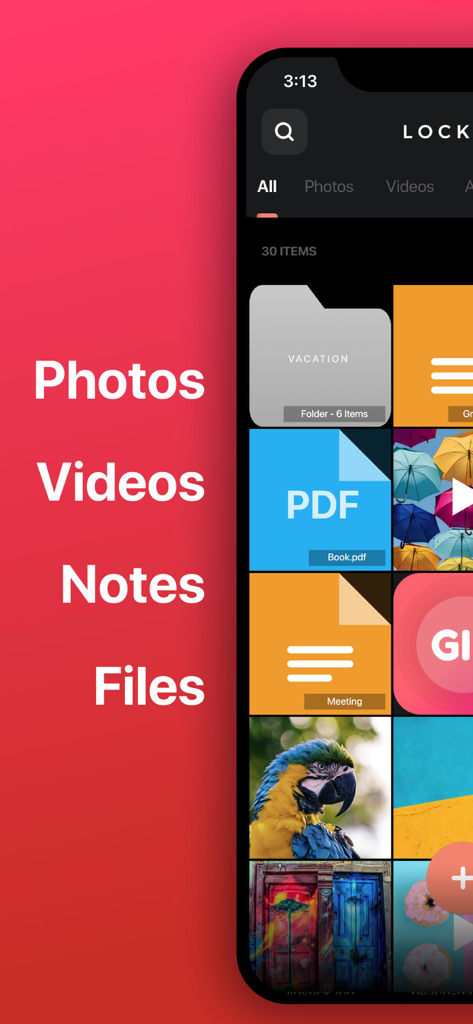
Locker: Hidden Photo Vault - 安全な保管庫内の整理されたプライベートフォルダ、PDFファイル、メモ、写真が表示されているLockerアプリのインターフェース
安全な保管庫内の整理されたプライベートフォルダ、PDFファイル、メモ、写真が表示されているLockerアプリのインターフェース

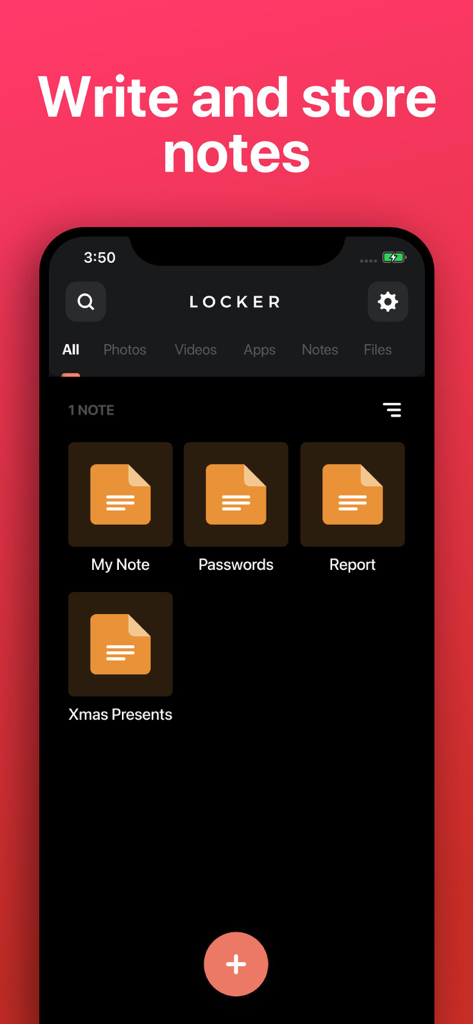
Locker: Hidden Photo Vault - プライベートノートの作成と保存のためのインターフェースが表示されているLockerアプリのスクリーンショット。

プライベートノートの作成と保存のためのインターフェースが表示されているLockerアプリのスクリーンショット。

説明

Store your Photos, Videos, Notes, Files and App Links behind FaceID/TouchID protection! • Change Locker’s app icon to a calculator or timer! • Set up FaceID, TouchID, or PIN protection to access your Locker! • Store any type of file! Protect your: • Photos & Videos: Store photos and videos in your Locker rather than your Photos library • Notes: Write private notes directly inside the Locker app! • Files: Store any file inside your Locker where only YOU can access! • App links: Add app links to Locker, so you can remove them from your home screen while still easily accessing them. NOTE: Apps cannot be removed from your device's "App Library", so there is no way to completely password-protect an app. Note: You will not be able to access your Locker if you choose not to set up FaceID / TouchID and you forget your PIN. We are not responsible for lost files and we cannot remove information or apps from other areas of your device. If app is deleted, or device is lost/broken, you files will not be recoverable except if you have a previous backup of your device. Files are only stored on your device, are never stored on our servers and are not accessible by Locker developers. This app includes an optional auto-renewable subscription (Premium Pass): Premium Pass beings with a free trial period, then an auto-renewable monthly subscription when trial ends. Payment will be charged to your Apple account at confirmation of purchase and will automatically renew (at the duration/price selected) unless auto-renew is turned off at least 24 hrs before the end of the current period. Account will be charged for renewal within 24-hours prior to the end of the current period. Current subscription may not be cancelled during the active subscription period; however, you can manage your subscription and/or turn off auto-renewal by visiting your Apple Account Settings after purchase. Any unused portion of the free initial period will be forfeited when you purchase a subscription. Privacy Policy: https://float.support/locker/privacy Terms of Use: https://float.support/locker/terms

Download

ダウンロード: App Store

このページはアプリまたはその開発者の公式ページではなく、情報提供および論評を目的として作成された独立した編集出版物です。明示的に別段の記載がない限り、アプリおよびその開発者は、MWM、Apple、Google Play、アプリのパブリッシャー、またはアプリの開発者と提携、承認、後援、認可、またはその他の公式的な関係はなく、このページのいかなる内容も、アプリがMWMのサービスを使用して開発されたことを意味するものではありません。すべての商標、ロゴ、スクリーンショット、その他のコンテンツはそれぞれの所有者の財産です。







