LogicalArt - Logic Gate Sim
ダウンロード: App Store

このページはアプリまたはその開発者の公式ページではなく、情報提供および論評を目的として作成された独立した編集出版物です。明示的に別段の記載がない限り、アプリおよびその開発者は、MWM、Apple、Google Play、アプリのパブリッシャー、またはアプリの開発者と提携、承認、後援、認可、またはその他の公式的な関係はなく、このページのいかなる内容も、アプリがMWMのサービスを使用して開発されたことを意味するものではありません。すべての商標、ロゴ、スクリーンショット、その他のコンテンツはそれぞれの所有者の財産です。

ロゴ: LogicalArt - Logic Gate Sim
ダウンロード: App Store

LogicalArt - Logic Gate Sim

直感的なビジュアルシミュレーターで複雑な回路やカスタムチップを構築し、デジタル論理をマスターしましょう。はんだ付け不要で、コンピューティングの基礎を理解したい学生やエンジニアに最適です。

主要数値

ダウンロード

2K+

ユーザー評価

2.5/5

評価数

0

開発元

CrazyLazy OU

カテゴリ

Education

対応言語

4

最新バージョン

1.18.0

サイズ

13.3 MB

リリース日

2020年12月3日
機能

コンピューティングアーキテクチャをマスターする

直感的なビジュアルエディターで複雑なデジタル回路を設計、シミュレート、パッケージ化しましょう。ブレッドボードの煩雑さなしに、ソフトウェアとハードウェアのギャップを埋めます。

触覚的な回路設計

指先やApple Pencilで論理ネットワークを構築・テストしましょう。散らかった物理コンポーネントに代わる、シームレスでリスクのないサンドボックスを体験してください。

モジュラーチップパッケージング

抽象化が容易に。カスタム論理設計を再利用可能なチップにパッケージ化し、基本的なゲートから複雑なCPUまで、プロフェッショナルグレードの明瞭さで移行しましょう。

以下のスクリーンショットと説明は、アプリの公式ストアリスティングから直接取得されたものであり、アプリ開発者の所有物です。

アプリストア

スクリーンショット
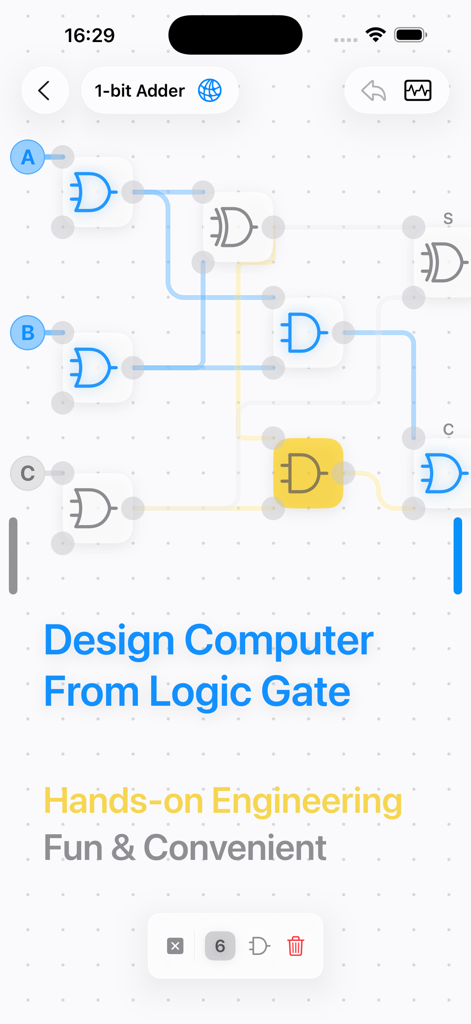
LogicalArt - Logic Gate Sim - LogicalArtアプリのインターフェイス。1ビット加算器用の論理ゲート回路設計が表示されています。
LogicalArtアプリのインターフェイス。1ビット加算器用の論理ゲート回路設計が表示されています。

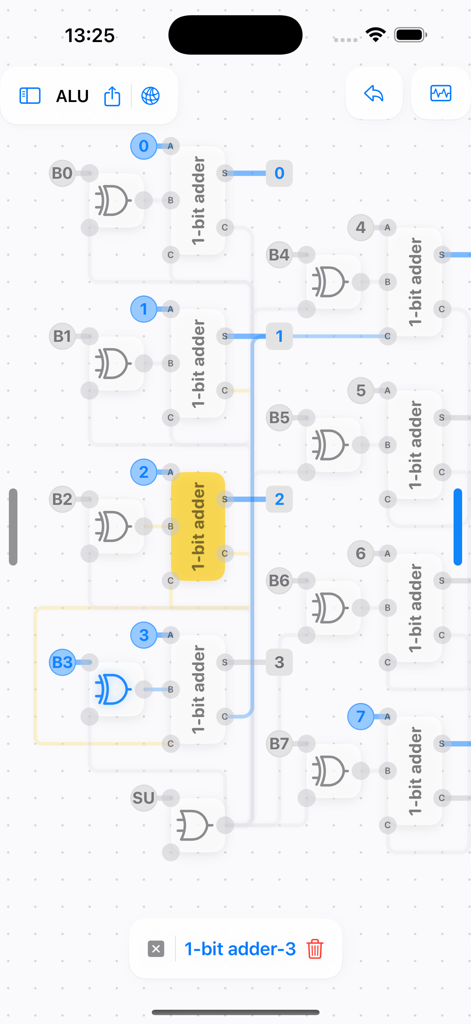
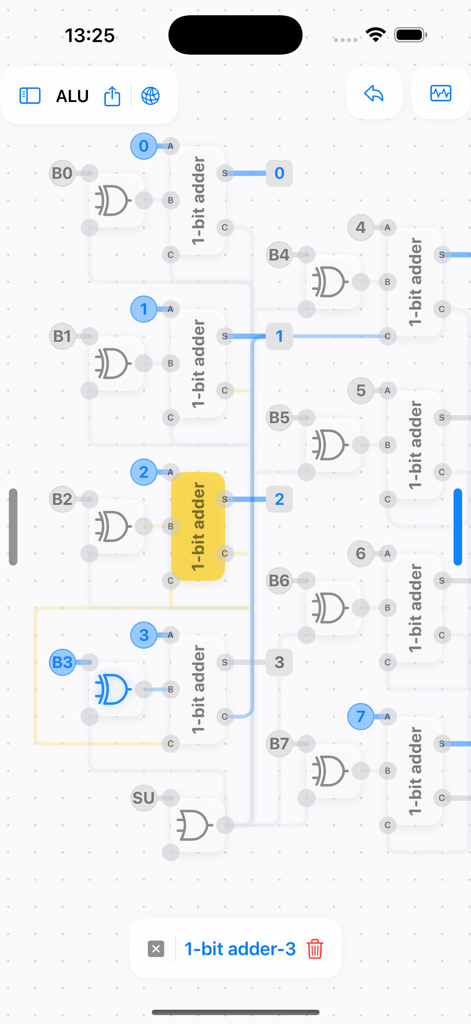
LogicalArt - Logic Gate Sim - 算術論理演算ユニット(ALU)のデジタル回路図。論理ゲートシミュレーター内の複数の1ビット加算器が表示されています。
算術論理演算ユニット(ALU)のデジタル回路図。論理ゲートシミュレーター内の複数の1ビット加算器が表示されています。

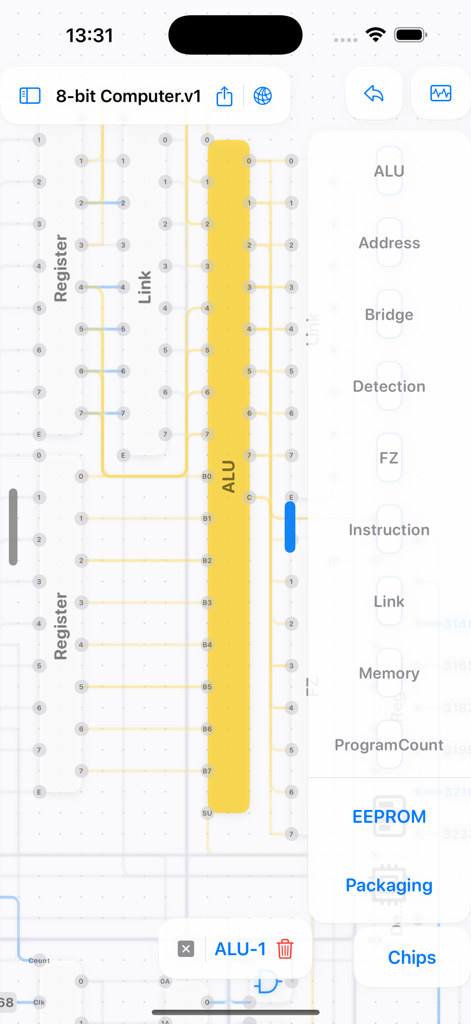
LogicalArt - Logic Gate Sim - LogicalArtアプリのインターフェイス。ALUとレジスタコンポーネントを備えた8ビットコンピュータの回路設計が表示されています。
LogicalArtアプリのインターフェイス。ALUとレジスタコンポーネントを備えた8ビットコンピュータの回路設計が表示されています。

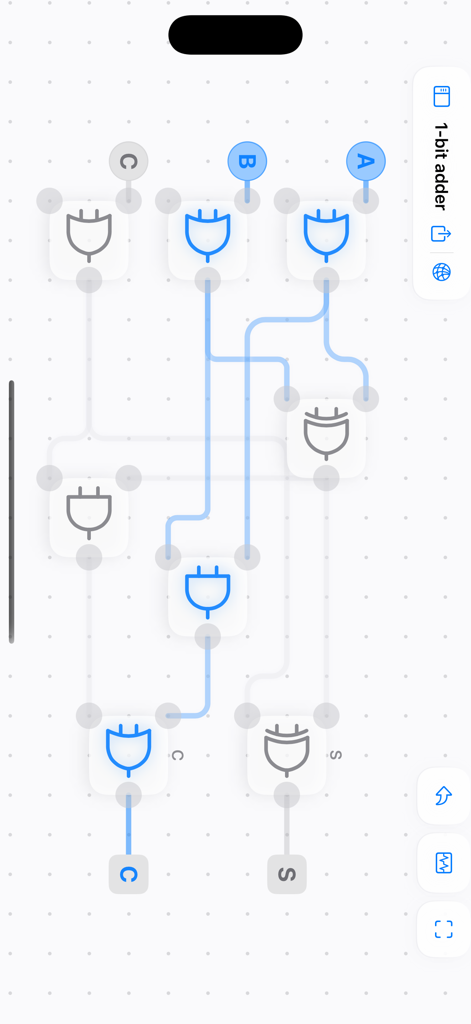
LogicalArt - Logic Gate Sim - LogicalArtアプリの論理ゲートを使用した1ビット加算器回路設計。

LogicalArtアプリの論理ゲートを使用した1ビット加算器回路設計。
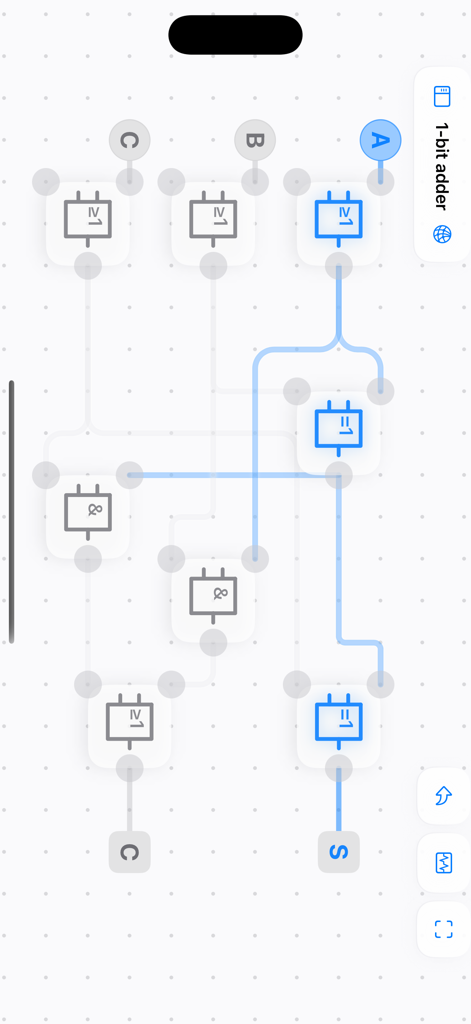
LogicalArt - Logic Gate Sim - LogicalArtアプリ。1ビット加算器の回路設計が表示されています。

LogicalArtアプリ。1ビット加算器の回路設計が表示されています。
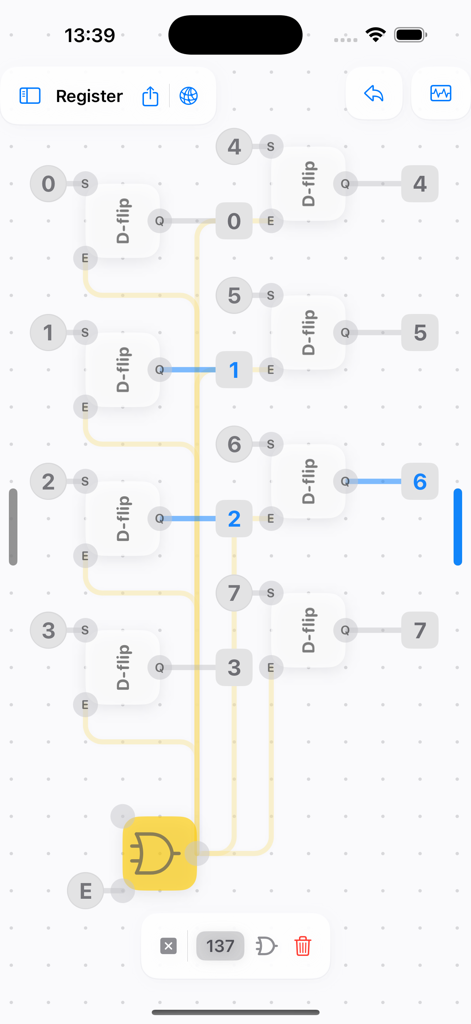
LogicalArt - Logic Gate Sim - Dフリップフロップと論理ゲートを備えたデジタルレジスタ回路設計を表示するモバイルインターフェイス。
Dフリップフロップと論理ゲートを備えたデジタルレジスタ回路設計を表示するモバイルインターフェイス。

LogicalArt - Logic Gate Sim - グリッド背景に接続された1ビット加算器と論理ゲートの詳細なALUデジタル論理回路シミュレーション。
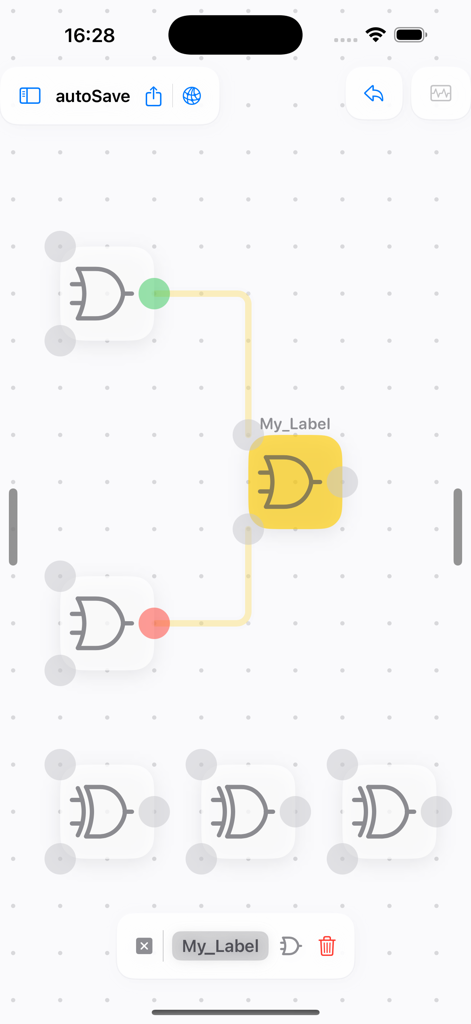
グリッド背景に接続された1ビット加算器と論理ゲートの詳細なALUデジタル論理回路シミュレーション。

LogicalArt - Logic Gate Sim - グリッド上に接続されたORゲートとXORゲートを示すデジタル論理ゲートシミュレーターインターフェイス。
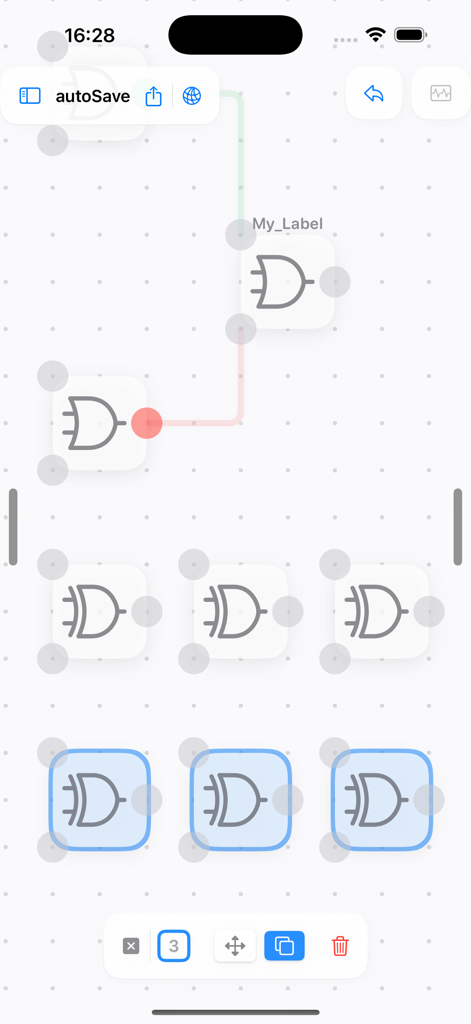
グリッド上に接続されたORゲートとXORゲートを示すデジタル論理ゲートシミュレーターインターフェイス。

LogicalArt - Logic Gate Sim - グリッド背景上の信号線で接続された複数の論理ゲートを示す、LogicalArtのデジタル回路設計インターフェイス。

グリッド背景上の信号線で接続された複数の論理ゲートを示す、LogicalArtのデジタル回路設計インターフェイス。

説明

If you've ever wondered why the first calculating machines were built using gears and connecting rods, and how computers work, this app will allow you to build a Turing-complete computer using just four basic logic gates, or design any functions you like. This app focuses on easy interaction design and user-friendly diagram representation. Thanks to the built-in frequency generator and number display, you can concentrate on designing your circuits. You can draw, analyse and simplify logic gate networks with ease, without the need for soldering or dismantling breadboards. Ultimately, it provides a clear circuit diagram in schematic format. This allows you to see each connection and how the logic gate have changed. You can then reuse your design by packaging it as a chip. You can start with the basic logic gate (NOT, AND, OR and XOR) and work up to chips with specific functions such as D-flip, JK-flip, Full Adder, Program Counter, Register, Bridge and Memory. Then assemble them into a complete computer through the bridge. This app natively supports multiple platforms, including iOS, iPadOS and macOS. There are also features that allow you to discover more circuits and share your designs with others, beyond the design itself. This is for you if you're a software engineer or developer looking to gain a deeper understanding of computer systems beyond assembly, or if you're interested in state machines or computer theory, such as finite automata. Build, connect and understand — don't be afraid of Verilog! Whether you are in high school, college or university, this is for you! You may need to understand how semiconductors and transistors work, and how a logic gate are built from it. You can visit https://logicart.crazylazy.xyz/computer for more info. ● Why I Built This App I used to wonder how electronics did their computing until I learned about transistors and understood the physical process of switching them on or off. I taught myself the basics of computer science and became a software engineer. I was inspired to do so after watching Ben Eater's 'Building an 8-bit breadboard computer' video. If the tool had been more inviting and easier to understand, I might have started my journey earlier and not had to try multiple times. - Have fun creating circuits with your fingertips! - I'd love to hear how you use this application so I can continue to improve it and add more features.

Download

ダウンロード: App Store

このページはアプリまたはその開発者の公式ページではなく、情報提供および論評を目的として作成された独立した編集出版物です。明示的に別段の記載がない限り、アプリおよびその開発者は、MWM、Apple、Google Play、アプリのパブリッシャー、またはアプリの開発者と提携、承認、後援、認可、またはその他の公式的な関係はなく、このページのいかなる内容も、アプリがMWMのサービスを使用して開発されたことを意味するものではありません。すべての商標、ロゴ、スクリーンショット、その他のコンテンツはそれぞれの所有者の財産です。








