Magic Remote Control WebOS TV
ダウンロード: App Store

このページはアプリまたはその開発者の公式ページではなく、情報提供および論評を目的として作成された独立した編集出版物です。明示的に別段の記載がない限り、アプリおよびその開発者は、MWM、Apple、Google Play、アプリのパブリッシャー、またはアプリの開発者と提携、承認、後援、認可、またはその他の公式的な関係はなく、このページのいかなる内容も、アプリがMWMのサービスを使用して開発されたことを意味するものではありません。すべての商標、ロゴ、スクリーンショット、その他のコンテンツはそれぞれの所有者の財産です。


ロゴ: Magic Remote Control WebOS TV
ダウンロード: App Store

Magic Remote Control WebOS TV

面倒なボタン操作やリモコンの紛失に悩むのはもう終わり。高速キーボード、スムーズなタッチパッド、Siri音声コマンドで、WebOSテレビの操作、移動、制御を楽に行いましょう。

主要数値

ダウンロード

630K+

ユーザー評価

4.7/5

評価数

10K+

開発元

MeisterApps BV

カテゴリ

Utilities

対応言語

17

最新バージョン

1.3.7

サイズ

64.0 MB

リリース日

2022年11月9日
機能

スマートテレビを究極にアップグレード

リモコンを探し回ったり、画面上での入力を遅くしたりするのはもうやめましょう。iPhoneを、現代のストリーミング時代のために設計された高速ナビゲーションハブに変えましょう。

驚異的な高速キーボード

文字を一つずつクリックする面倒はスキップ。スマホのネイティブキーボードを使って、数秒で映画、番組、アプリを検索しましょう。

Siriとのシームレスな統合

指一本動かさずにテレビを操作。Siri音声コマンドを使って、iPhoneまたはApple Watchから直接、音量、電源、再生を管理しましょう。

以下のスクリーンショットと説明は、アプリの公式ストアリスティングから直接取得されたものであり、アプリ開発者の所有物です。

アプリストア

スクリーンショット
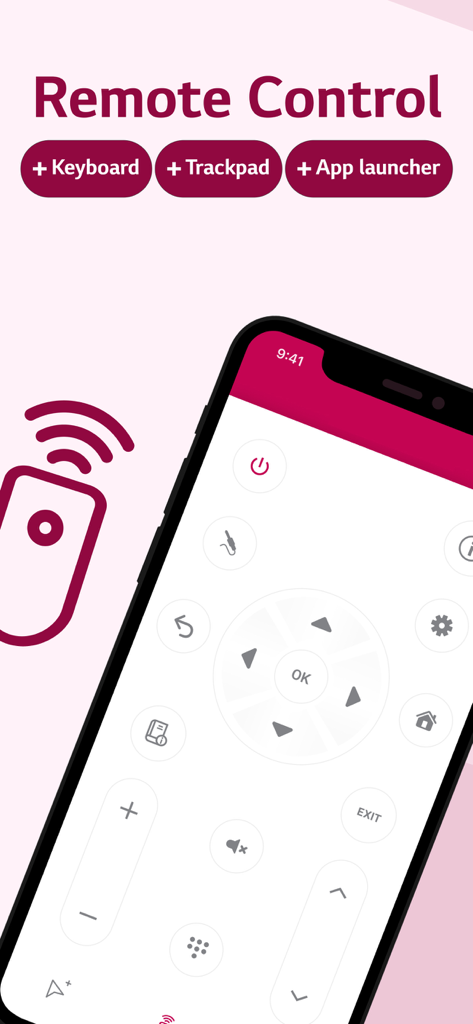
Magic Remote Control WebOS TV - iPhone画面にWebOS TV用Magic Remote Controlアプリが表示され、デジタルリモートインターフェースが特徴です。
iPhone画面にWebOS TV用Magic Remote Controlアプリが表示され、デジタルリモートインターフェースが特徴です。

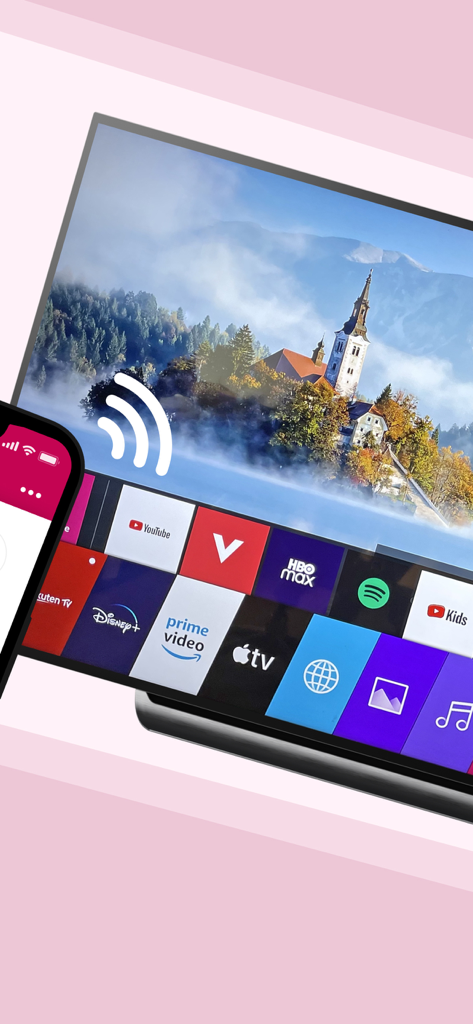
Magic Remote Control WebOS TV - iPhoneがWebOSスマートテレビにワイヤレスで接続され、ストリーミングアプリのメニューが表示されています。
iPhoneがWebOSスマートテレビにワイヤレスで接続され、ストリーミングアプリのメニューが表示されています。

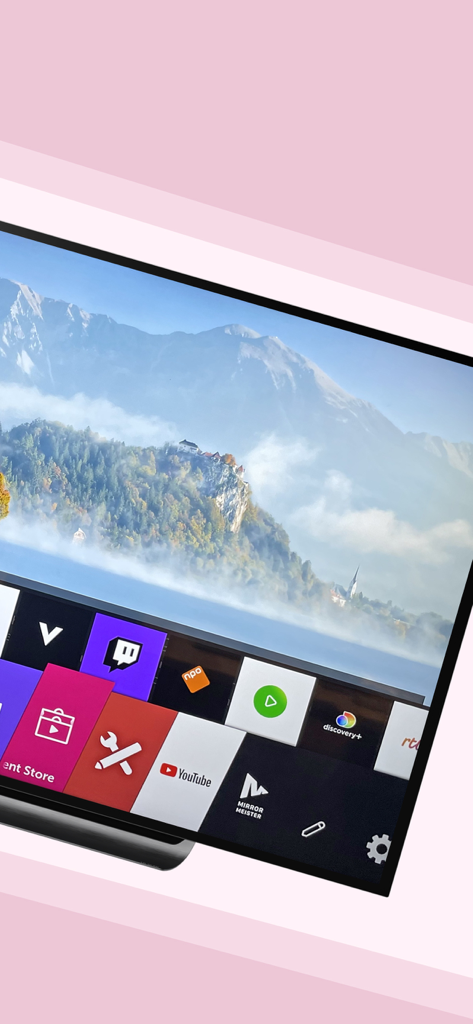
Magic Remote Control WebOS TV - YouTubeやTwitchなどのストリーミングアプリのメニューと山の風景が表示されたスマートTV画面。
YouTubeやTwitchなどのストリーミングアプリのメニューと山の風景が表示されたスマートTV画面。

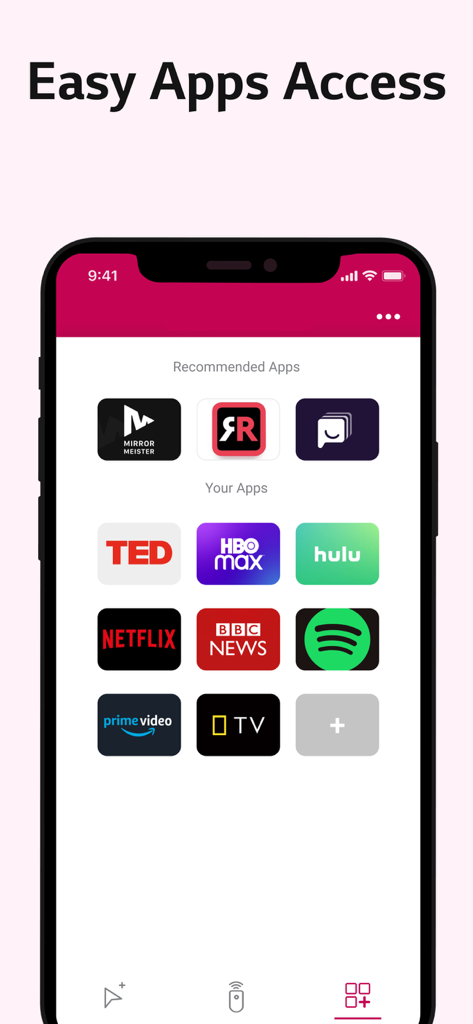
Magic Remote Control WebOS TV - Netflix、Hulu、HBO Maxなどのストリーミングサービスへのクイックアクセスショートカットを示すMagic Remote Controlアプリのスクリーンショット。
Netflix、Hulu、HBO Maxなどのストリーミングサービスへのクイックアクセスショートカットを示すMagic Remote Controlアプリのスクリーンショット。

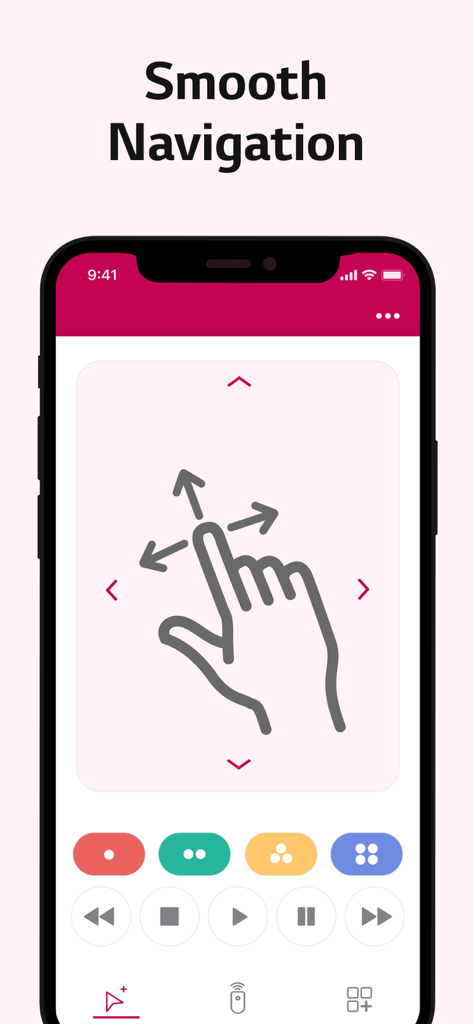
Magic Remote Control WebOS TV - 方向性スワイプアイコンでスムーズなTVナビゲーションのための大きなタッチパッドを示すiPhoneインターフェース。
方向性スワイプアイコンでスムーズなTVナビゲーションのための大きなタッチパッドを示すiPhoneインターフェース。

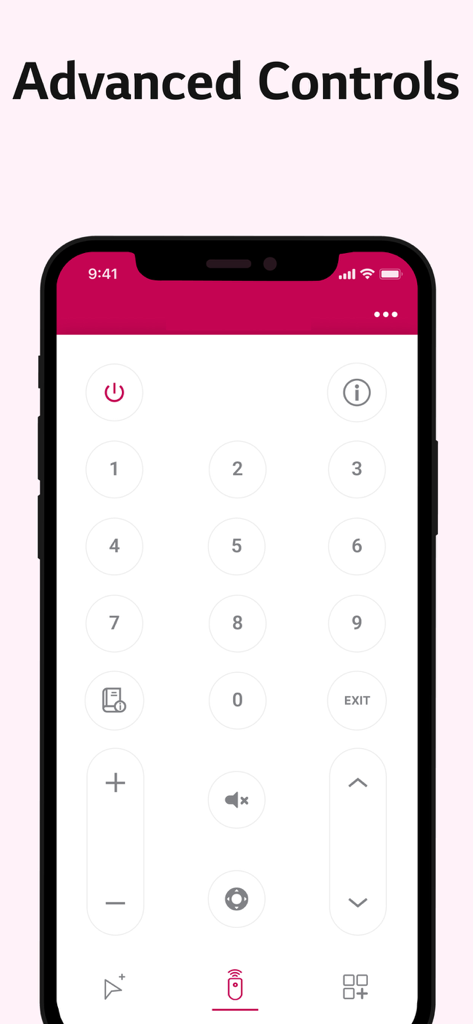
Magic Remote Control WebOS TV - WebOS TV用のテンキーと音量コントロールを備えたデジタルTVリモコンを表示するiPhoneインターフェース。
WebOS TV用のテンキーと音量コントロールを備えたデジタルTVリモコンを表示するiPhoneインターフェース。

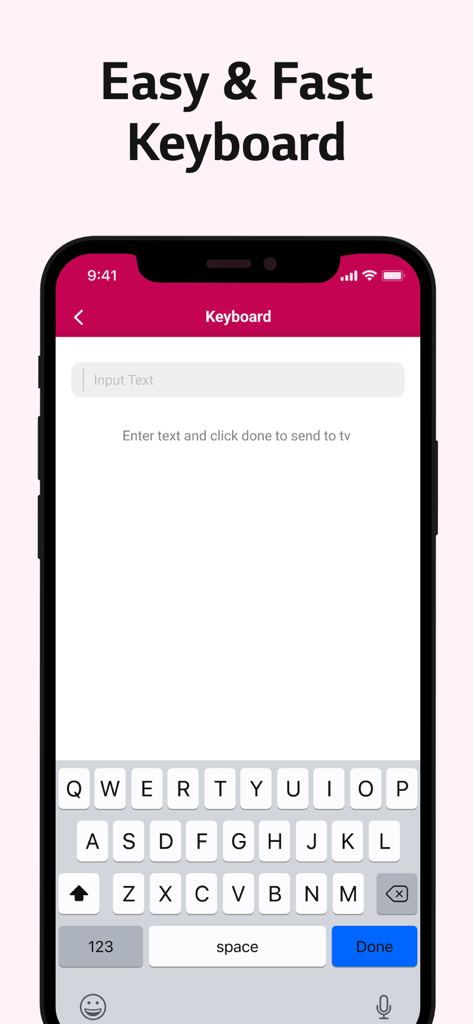
Magic Remote Control WebOS TV - Magic Remote Controlアプリ用の簡単で高速なキーボードインターフェース。
Magic Remote Controlアプリ用の簡単で高速なキーボードインターフェース。

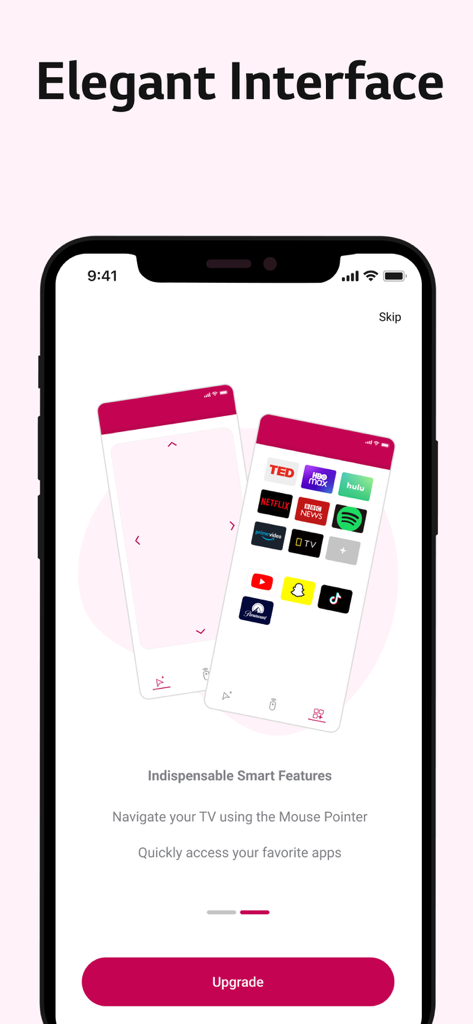
Magic Remote Control WebOS TV - iPhoneディスプレイに、タッチパッドとクイックアプリアクセスを備えた、WebOS TV用Magic Remote Controlアプリのエレガントなインターフェースが表示されています。
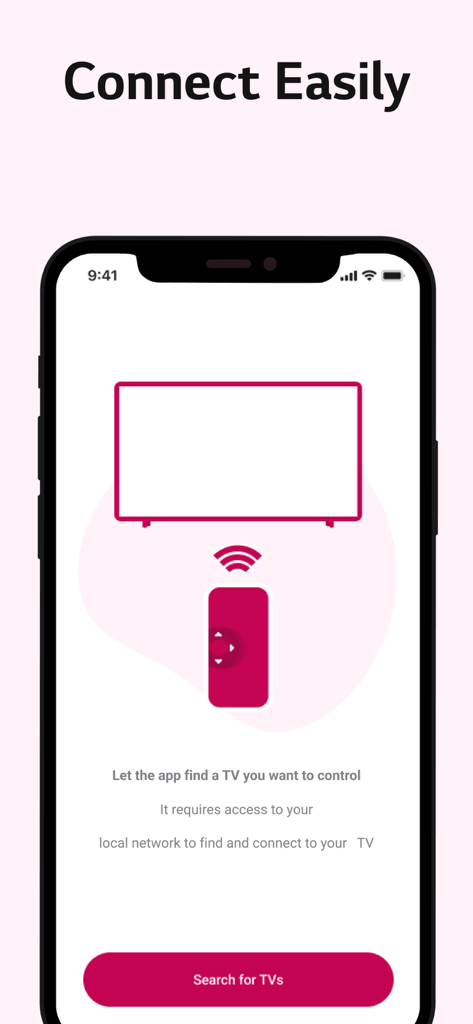
iPhoneディスプレイに、タッチパッドとクイックアプリアクセスを備えた、WebOS TV用Magic Remote Controlアプリのエレガントなインターフェースが表示されています。

Magic Remote Control WebOS TV - Wi-Fi経由でiPhoneをスマートTVに接続する方法を示すMagic Remote Controlアプリのセットアップ画面。
Wi-Fi経由でiPhoneをスマートTVに接続する方法を示すMagic Remote Controlアプリのセットアップ画面。

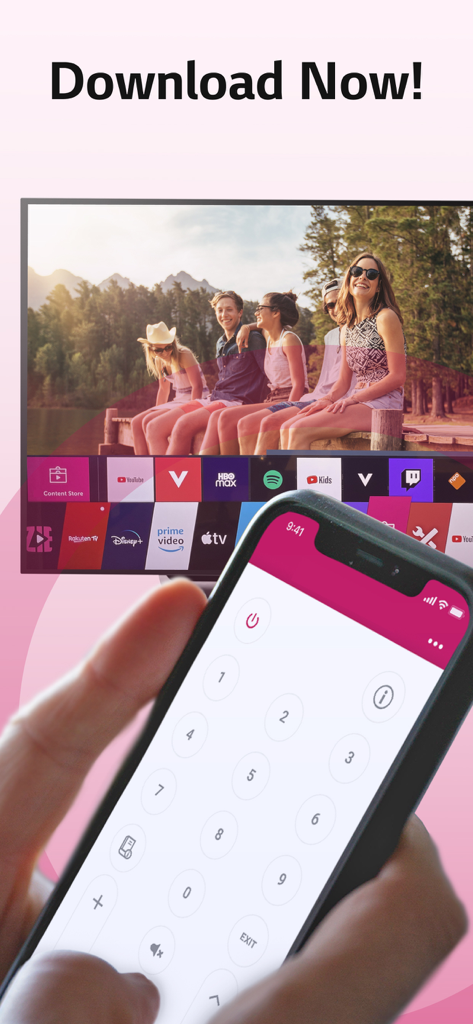
Magic Remote Control WebOS TV - WebOSスマートTVインターフェースを操作するためにMagic Remote Controlアプリを使用しているiPhoneを持つ手。

WebOSスマートTVインターフェースを操作するためにMagic Remote Controlアプリを使用しているiPhoneを持つ手。

説明

This #1 remote app allows you to easily control your WebOS or Netcast TV with your phone instead of using your physical, clunky remote. Easily use the keyboard on your phone/tablet, so you don’t have to scroll through letters to find something on your TV. Or, swipe over the touchpad to search things on tv. FEATURES: ■ Easy & fast keyboard to facilitate searches. ■ A large touchpad for quick navigation. ■ Netcast & WebOS support: The app works on all TVs. ■ Auto detect smart TV on the same WIFI network. ■ Side button volume control: Quickly increase or decrease the volume. ■ Siri Command: Control your tv with voice-commands. ■ PIN code Camera OCR: Easily scan the requested pin on your tv. ■ TV Toast Message: Type a message, send it to TV and surprise others. ■ Random Channel Picker: Uninspired? Let the app pick a channel for you. ■ Launch channels & apps direct from app. ■ Power on/off. ■ Switch channels up/down. ■ Adjust volume up/down. ■ Mute/ unmute. ■ TV Calendar Message: Display reminders on TV. ■ Turn TV into a fireplace, fish-tank or famous paintings. ADVANTAGES: - Easy browsing - Fast search - No more lost remotes - Save time - Best signal (wifi is stronger than infrared) - Latest technology - No more fighting over the remote control - Your phone/tablet controls everything - No more changing your TV remote’s battery *** Take a subscription to get all features and to remove ads *** REQUIREMENTS: 1) TV 2) WiFi 3) iPhone or iPad UNLIMITED ACCESS PRO SUBSCRIPTION: You need a subscription for unlimited access to all features without advertising and interruptions. Payment will be charged to iTunes Account at confirmation of purchase. Subscription automatically renews unless auto-renew is turned off at least 24-hours before the end of the current period. The account will be charged for renewal within 24-hours before the end of the current period and identify the cost of the renewal. Subscriptions may be managed by the user and auto-renewal may be turned off by going to the user's Account Settings after purchase. Any unused portion of a free trial period, if offered, will be forfeited when the user purchases a subscription to that publication, where applicable. - Terms of use: https://meisterapps.net/newsroom/meisterapps-terms-of-use-app-store - Privacy policy: https://meisterapps.net/newsroom/privacy-policy-app-store/ SUPPORT: Please contact us (by sending a log) if you have issues using the app. We do our very best to make you happy. You can use the feedback-form in the app to send us feedback of any kind, we take every single one into consideration. We are here to help you. Please visit our website for more information: https://meisterapps.net

Download

ダウンロード: App Store

このページはアプリまたはその開発者の公式ページではなく、情報提供および論評を目的として作成された独立した編集出版物です。明示的に別段の記載がない限り、アプリおよびその開発者は、MWM、Apple、Google Play、アプリのパブリッシャー、またはアプリの開発者と提携、承認、後援、認可、またはその他の公式的な関係はなく、このページのいかなる内容も、アプリがMWMのサービスを使用して開発されたことを意味するものではありません。すべての商標、ロゴ、スクリーンショット、その他のコンテンツはそれぞれの所有者の財産です。








