Manikin
Manikin
ダウンロード: App Store

このページはアプリまたはその開発者の公式ページではなく、情報提供および論評を目的として作成された独立した編集出版物です。明示的に別段の記載がない限り、アプリおよびその開発者は、MWM、Apple、Google Play、アプリのパブリッシャー、またはアプリの開発者と提携、承認、後援、認可、またはその他の公式的な関係はなく、このページのいかなる内容も、アプリがMWMのサービスを使用して開発されたことを意味するものではありません。すべての商標、ロゴ、スクリーンショット、その他のコンテンツはそれぞれの所有者の財産です。


ロゴ: Manikin
ダウンロード: App Store

Manikin

直感的な3Dモデルで、解剖学、遠近法、ライティングをマスターしましょう。数秒でキャラクターにポーズをつけ、背景なしのスクリーンショットをProcreate、Photoshop、またはお気に入りの描画アプリに直接書き出せます。

主要数値

ダウンロード

650K+

ユーザー評価

4.6/5

評価数

4K+

開発元

UNSH VOF

カテゴリ

Utilities

対応言語

32

最新バージョン

2.4.5

サイズ

222.4 MB

リリース日

2019年1月10日
機能

あらゆるポーズと遠近法をマスター

推測はやめて、創作を始めましょう。Manikinは、解剖学、ライティング、構図を1つの直感的なアプリでマスターするために必要な、プロ仕様の3Dリファレンスを提供します。

直感的な3D解剖学

複雑な短縮法を簡単にマスター。シンプルで流れるような操作でモデルにポーズをつけ、スケッチに最適な解剖学的リファレンスを手に入れましょう。

ダイナミックなライトスタジオ

調整可能な4つの光源でムードと奥行きを可視化。影がどこに落ちるかを正確に把握し、雰囲気のあるレンダリングの質を高めます。

以下のスクリーンショットと説明は、アプリの公式ストアリスティングから直接取得されたものであり、アプリ開発者の所有物です。

アプリストア

スクリーンショット
Manikin - 解剖学リファレンス用の骨格と人物の3Dモデルが表示されたManikinアプリのインターフェース
解剖学リファレンス用の骨格と人物の3Dモデルが表示されたManikinアプリのインターフェース

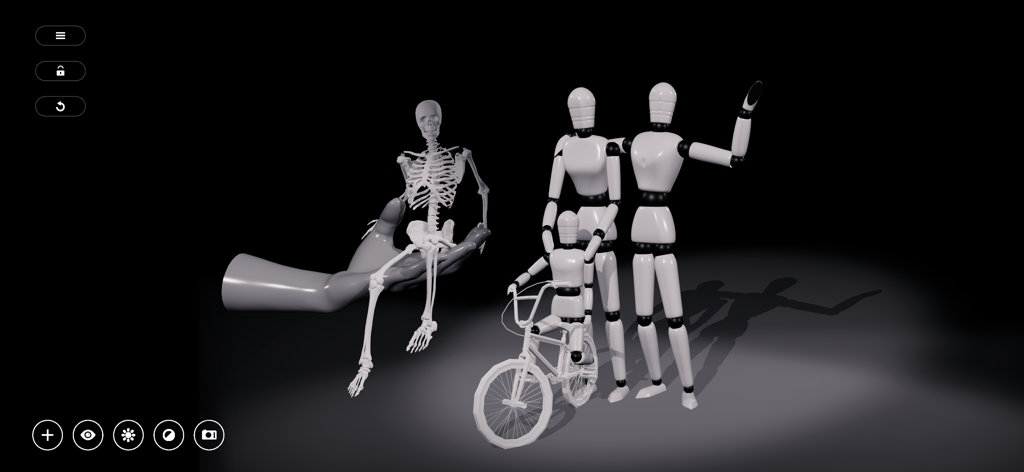
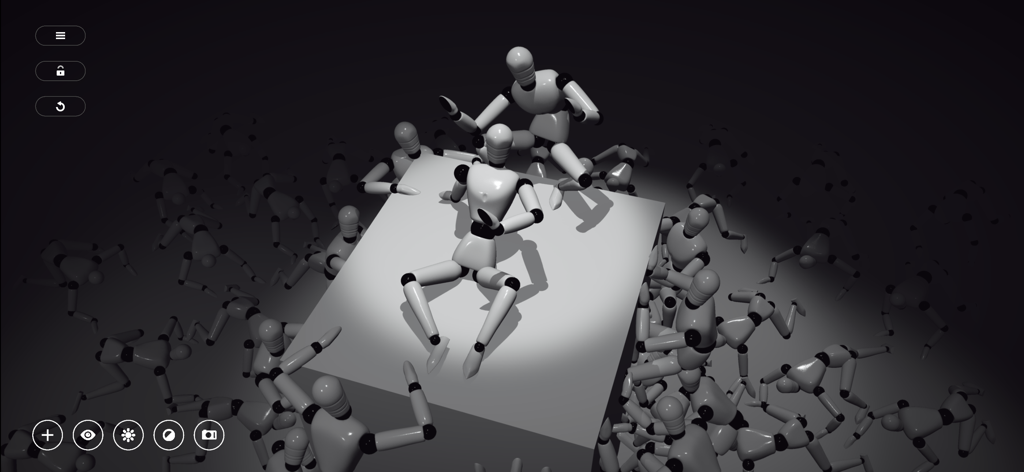
Manikin - 解剖学とライティングのリファレンスのため、スポットライトの下で様々なポーズをとる複数の3Dマネキンのシーン
解剖学とライティングのリファレンスのため、スポットライトの下で様々なポーズをとる複数の3Dマネキンのシーン

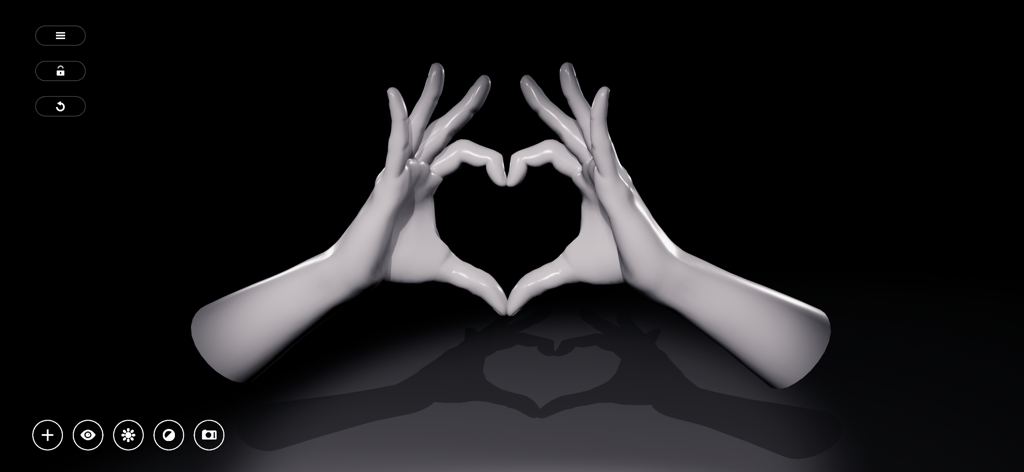
Manikin - リアルなライティングと影でハートの形を作る2つの3Dマネキンの手

リアルなライティングと影でハートの形を作る2つの3Dマネキンの手

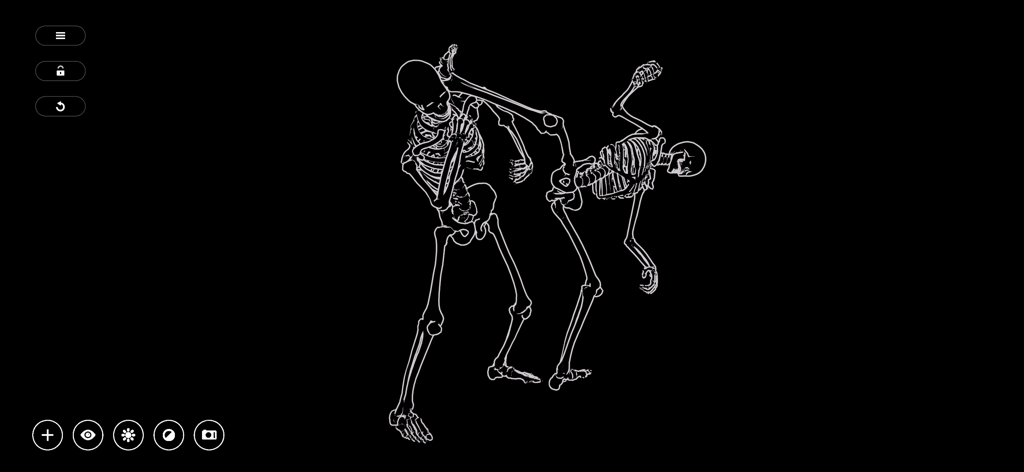
Manikin - 黒い背景にダイナミックな戦闘ポーズをとる2体の白い輪郭の骸骨

黒い背景にダイナミックな戦闘ポーズをとる2体の白い輪郭の骸骨

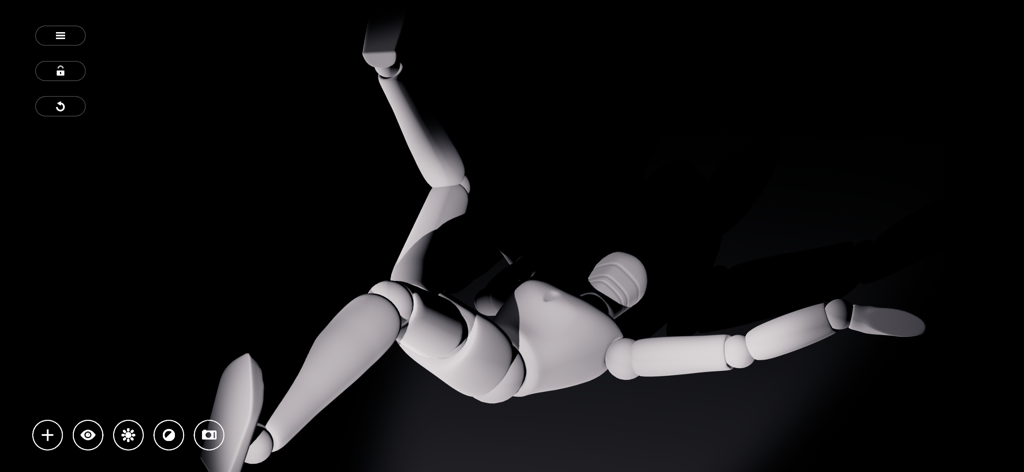
Manikin - アートリファレンス用のドラマチックなライティングが施されたダイナミックなポーズの3Dマネキン

アートリファレンス用のドラマチックなライティングが施されたダイナミックなポーズの3Dマネキン

説明

Sketch fast with MANIKIN a 3D posing tool containing a collection of models and tools aimed to help professional artists and amateurs alike in drawing anatomically correct figures with respect to light & perspective. Create scenes with multiple characters or manipulate simple 3D shapes to quickly visualize the outlines of your sketches, generate storyboards with screenshots or frame your comic book illustrations and mangas. ARTISTS MANNEQUIN The mannequin was born out of the need for an interactive human anatomy reference to tackle problems like foreshortening, proportion and depth. We expand upon the wooden mannequin for figure drawing with various 3D models and tools to help you with shape recognition, shading, perspective and stance. POSE FAST Moving things in 3D often involves a lot of interaction for even the simplest of goals. This is why we wanted posing to be as intuitive and simple as possible with a bare minimum in menu diving and without losing complexity. A straightforward and intuitive design keeps all functionality close without drowning you in options. Our goal is to let you spend more time drawing and less time preparing. APPLY ANIMATIONS Even for the most hardened artists it’s not easy to imagine how the body moves. In MANIKIN all animations can be viewed in detail. Use them to get faster to your desired stance or as use them as a figure study for motion. CAMERA & LIGHT We also give full control over camera & light. Use 360 mode to work and use "point of view mode" to get the exact camera angle you had in mind. To ease your shading needs you have up to 4 fully adjustable lights at your disposal to create dynamic drop shadows and realistic depth. SCREENSHOTS FOR DIGITAL PAINTERS MANIKIN also features cutout screenshots so you can immediately use them in Photoshop, Coreldraw, Procreate, Paper or whatever digital drawing software you use. No more hassle with editing screenshots. FEATURES * View character animations in detail. * A straightforward and intuitive design. * Various tools and effects such as outline, cut-out, grid, ... * Dynamic light with up to 4 fully adjustable lights * Freelook camera * Screenshots without background. * Share your creations on any platform and much more …

Download

ダウンロード: App Store

このページはアプリまたはその開発者の公式ページではなく、情報提供および論評を目的として作成された独立した編集出版物です。明示的に別段の記載がない限り、アプリおよびその開発者は、MWM、Apple、Google Play、アプリのパブリッシャー、またはアプリの開発者と提携、承認、後援、認可、またはその他の公式的な関係はなく、このページのいかなる内容も、アプリがMWMのサービスを使用して開発されたことを意味するものではありません。すべての商標、ロゴ、スクリーンショット、その他のコンテンツはそれぞれの所有者の財産です。