
このページはアプリまたはその開発者の公式ページではなく、情報提供および論評を目的として作成された独立した編集出版物です。明示的に別段の記載がない限り、アプリおよびその開発者は、MWM、Apple、Google Play、アプリのパブリッシャー、またはアプリの開発者と提携、承認、後援、認可、またはその他の公式的な関係はなく、このページのいかなる内容も、アプリがMWMのサービスを使用して開発されたことを意味するものではありません。すべての商標、ロゴ、スクリーンショット、その他のコンテンツはそれぞれの所有者の財産です。


Previs Pro - Storyboard Fast
棒人間を描くのをやめて、技術的な精度でビジョンを視覚化しましょう。3Dセットを作成し、ARを現場で試して、iPhoneまたはiPadから直接プロのショットリストをエクスポートします。
ダウンロード
111K+ユーザー評価
評価数
2K+開発元
カテゴリ
Photo & Video対応言語
11最新バージョン
3.3.0サイズ
761.3 MBリリース日
2020年2月5日ビジョンを、より速く視覚化する
棒人間を描くのをやめて、監督を始めましょう。Previs Proは、思考のスピードで作業する必要がある映画製作者のために設計された、ポケットに入るハリウッドグレードの3Dスタジオを提供します。
描画スキルは不要
簡単なジェスチャーで数秒で複雑な3Dセットを構築します。ポーズ可能なキャラクターと何百もの小道具でシーンを埋め込み、ビジョンを絶対的な明確さで伝えます。
ARロケーションスカウティング
拡張現実を使用して、仮想の俳優や小道具を現実世界の環境に配置します。クルーがセットに到着する前に、場所を偵察し、ショットをロックします。
よくある質問
について知っておくべきこと Previs Pro - Storyboard Fast
Previs Pro - Storyboard Fastとは何ですか?
Previs Pro - Storyboard Fastは、3Dストーリーボードを作成するためのiPadおよびiPhone用アプリです。映画制作者やビデオクリエイターがショットやシーンを事前視覚化し、3Dセットを構築し、リアルタイムでカメラアングルを試すことができます。
Previs Proで3Dストーリーボードを作成できますか?
はい、Previs Proは3Dストーリーボードを作成します。ユーザーは建物、小道具、キャラクターで3Dセットを構築し、カメラとライトを配置してアプリ内でショットを効果的にデザインします。
Previs Proはどのデバイスでサポートされていますか?
Previs ProはiPhone、iPad、Macデバイスをサポートしています。このアプリにより、ユーザーはこれらのプラットフォームで3Dストーリーボードを作成できます。
Previs Proにはさまざまな価格オプションがありますか?
はい、Previs Proは年間サブスクリプション(月額15米ドル未満)と生涯購入オプションを提供しています。ユーザーはアプリを永久に所有するか、年単位でサブスクライブするかを選択できます。
Previs ProはFinal Draftからスクリプトをインポートできますか?
はい、Previs ProはFinal Draftスクリプトからすべてのシーンとキャラクターを直接インポートし、Final Draft 12をサポートしています。この統合により、コンテンツが自動的に入力され、ストーリーボード作成プロセスが合理化されます。
Previs Proで利用可能なエクスポートオプションは何ですか?
Previs Proは、ストーリーボードを印刷可能なPDFまたは共有可能なグラフィックファイルとしてエクスポートします。ユーザーは、必要に応じて、カメラビュー、ショットリスト、カメラタイプ、レンズ、アスペクト比などの豊富なデータを含めます。
Previs Proには拡張現実(A/R)機能が含まれていますか?
はい、Previs ProにはA/R機能が含まれています。これにより、ユーザーは仮想の小道具やキャラクターを実際の場所に配置して、撮影する場所で直接ショットを構築できます。
Previs Proでキャラクターをカスタマイズできますか?
はい、Previs Proはポーズ可能な編集可能なキャラクターを提供しています。ユーザーは身長、性別、体型、髪、肌、目、服の色を調整できます。また、50以上のポーズからカスタムの表情を設定することもできます。
Previs Proで利用可能な小道具の種類は何ですか?
Previs Proは、家具、建物、自然、車両などのカテゴリに数百の小道具を提供しています。ユーザーはSketchfabのようなライブラリから3D小道具をインポートしたり、基本的な形状やカスタム画像を使用したりできます。
Previs Proはファイル管理とセキュリティ機能を提供していますか?
はい、Previs Proは安全なファイル管理を提供しています。ユーザーはiCloud、Dropbox、またはローカルにプロジェクトを保存します。また、Previs Proファイルを他の信頼できるユーザーとアプリケーション内で直接共有します。
Previs Proは他の制作サービスと統合できますか?
はい、Previs Proは制作サービスと統合しています。Final Draftスクリプトをインポートし、Studio BinderやCeltxなどのプラットフォームにストーリーボード画像をエクスポートします。
Previs Proはストーリーボードのアニメーションをサポートしていますか?
はい、Previs Proはストーリーボードのアニメーションをサポートしています。このアプリにより、ユーザーはストーリーボードシーケンスをアニメーション化し、動きを視覚化できます。
Previs ProにはAI機能がありますか?
はい、Previs Proには高度なAI機能が含まれています。これらの機能はストーリーボード作成プロセスを強化し、アプリ内でユーザーに洗練されたツールを提供します。
Previs Proは無料で利用できますか?
はい、Previs Proは無料で使用でき、より多くの機能のためのアップグレードオプションがあります。これにより、ユーザーは高度な機能やフルアクセスを購入する前にアプリを試すことができます。
以下のスクリーンショットと説明は、アプリの公式ストアリスティングから直接取得されたものであり、アプリ開発者の所有物です。
アプリストア
スクリーンショット
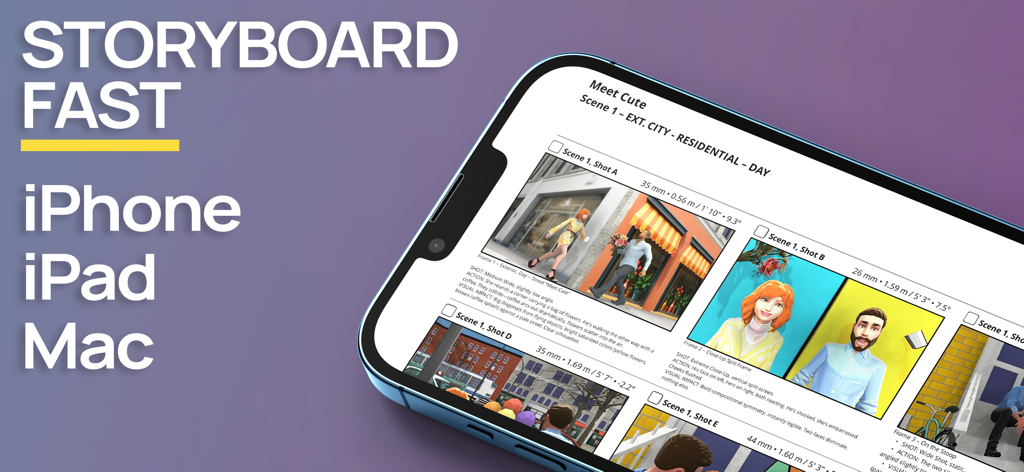
Previs ProストーリーボードアプリのインターフェースがiPhoneに表示され、3D映画のシーンが表示されています
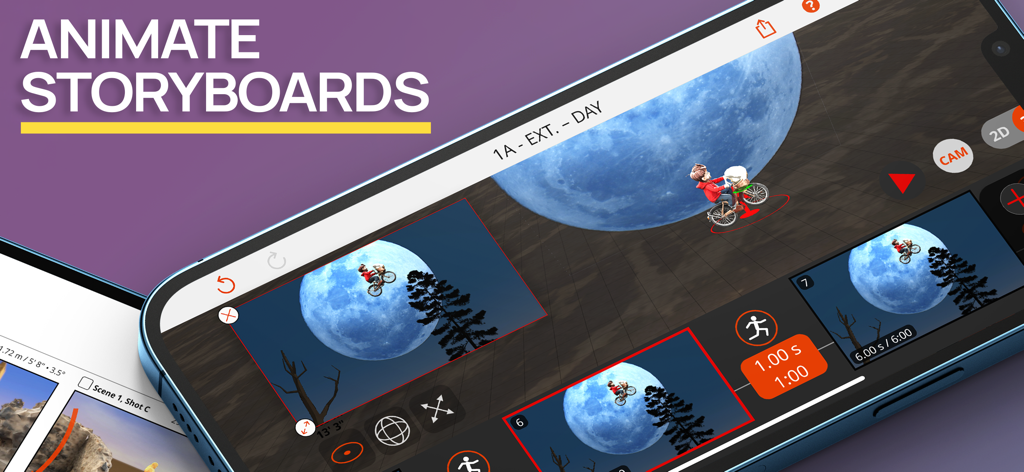
Previs Proアプリのインターフェースで、映画のような月のシーンの3Dストーリーボードアニメーションが表示されています
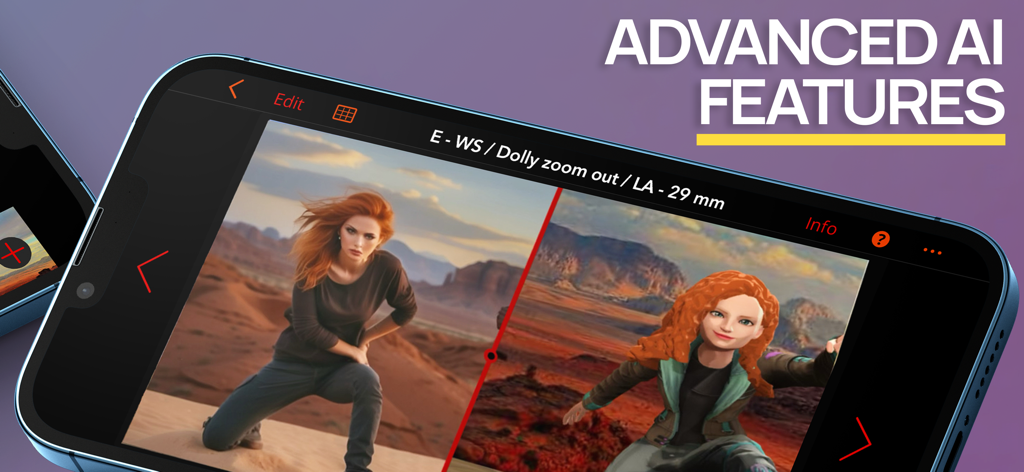
スマートフォンに表示されているPrevis Proアプリは、リアルな画像とAI機能を使用した3Dストーリーボードモデルとの分割画面比較を表示しています。
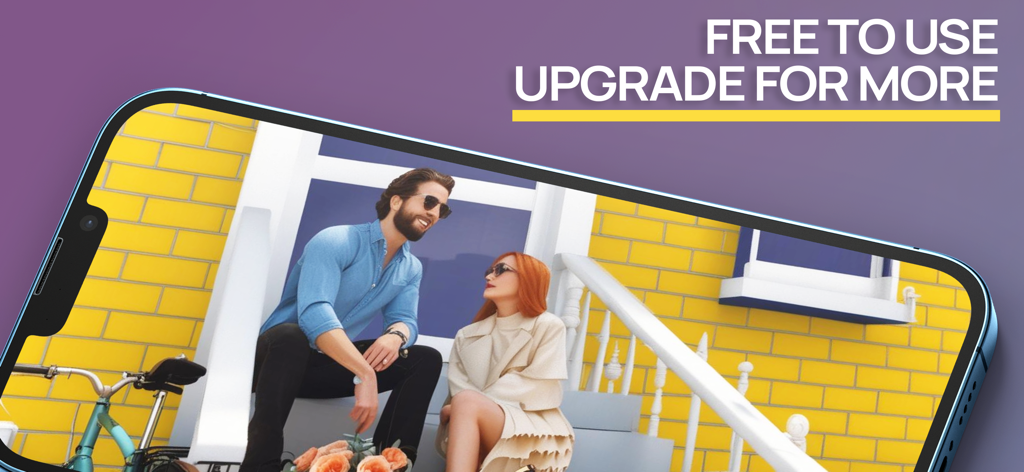
ポーチに座っている2人のキャラクターの3Dストーリーボードシーンを表示しているスマートフォン
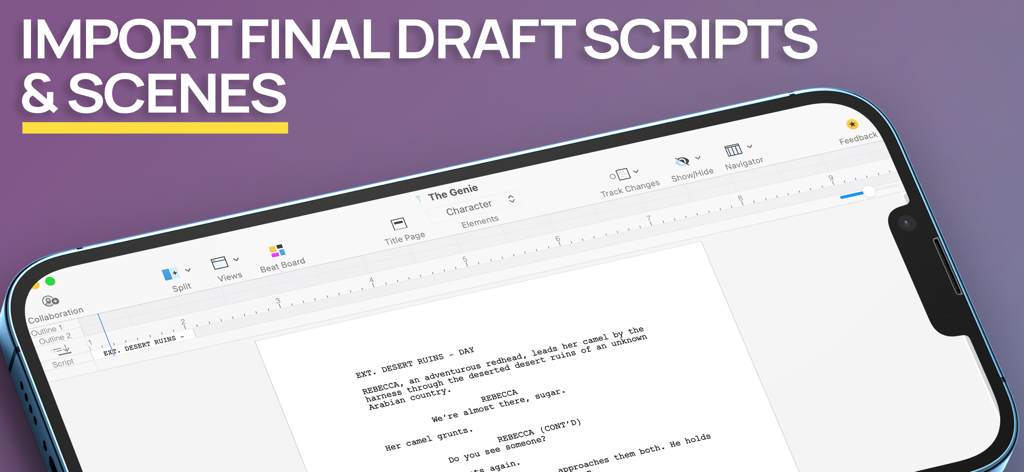
Previs Proアプリのスクリーンショットで、モバイルデバイスの画面にFinal Draftスクリプトとシーンのインポートが表示されています
説明
Download
類似アプリ
似た機能とユーザー体験を持つアプリ
Handy Art Reference Tool
Scott McKie

Moblo - 3D furniture modeling
MYTIforge

Head Model Studio - Art Study
Wes Castain

Manikin
UNSH VOF

Magic Poser - Art Pose Tool
Wombat Studio, Inc.

ArtPose
shawn ogle

ArtPose Female Edition
shawn ogle

Pose Croquis
Kazuaki Matsuda

Easy Pose -Best Posing App
Park Kiyoung
このページはアプリまたはその開発者の公式ページではなく、情報提供および論評を目的として作成された独立した編集出版物です。明示的に別段の記載がない限り、アプリおよびその開発者は、MWM、Apple、Google Play、アプリのパブリッシャー、またはアプリの開発者と提携、承認、後援、認可、またはその他の公式的な関係はなく、このページのいかなる内容も、アプリがMWMのサービスを使用して開発されたことを意味するものではありません。すべての商標、ロゴ、スクリーンショット、その他のコンテンツはそれぞれの所有者の財産です。