MBH Bank App
MBH Bank App
ダウンロード: App Store

このページはアプリまたはその開発者の公式ページではなく、情報提供および論評を目的として作成された独立した編集出版物です。明示的に別段の記載がない限り、アプリおよびその開発者は、MWM、Apple、Google Play、アプリのパブリッシャー、またはアプリの開発者と提携、承認、後援、認可、またはその他の公式的な関係はなく、このページのいかなる内容も、アプリがMWMのサービスを使用して開発されたことを意味するものではありません。すべての商標、ロゴ、スクリーンショット、その他のコンテンツはそれぞれの所有者の財産です。

ロゴ: MBH Bank App
ダウンロード: App Store

MBH Bank App

グローバル市民のための究極の金融の架け橋。口座管理、HUF送金、カード設定を英語またはハンガリー語で。すべて生体認証による安全な環境で操作可能です。

主要数値

ダウンロード

299K+

ユーザー評価

4.2/5

評価数

48K+

開発元

MKB Bank Zrt.

カテゴリ

Finance

対応言語

2

最新バージョン

3.8.0

サイズ

234.8 MB

リリース日

2017年2月8日
機能

米国から管理する、あなたのハンガリーの資産

MBH Bankアプリは距離を縮め、グローバルなライフスタイルが求めるスピード、セキュリティ、利便性をもって、ハンガリーの口座を完全にコントロールできるようにします。

シームレスな国境を越えた送金

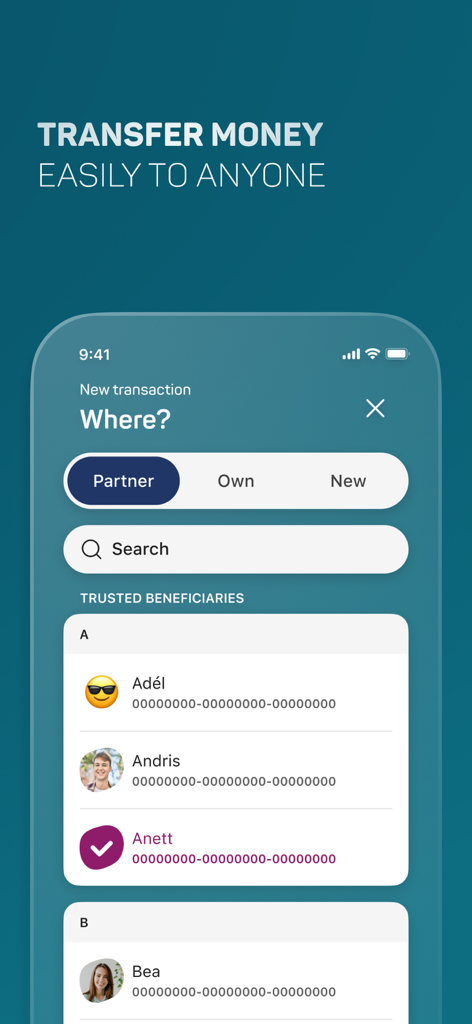
パートナーへの送金や自身の口座間のHUF送金を即座に実行。時差を気にすることなく、リアルタイムで残高を監視し、履歴を追跡できます。

即時のカード&セキュリティ管理

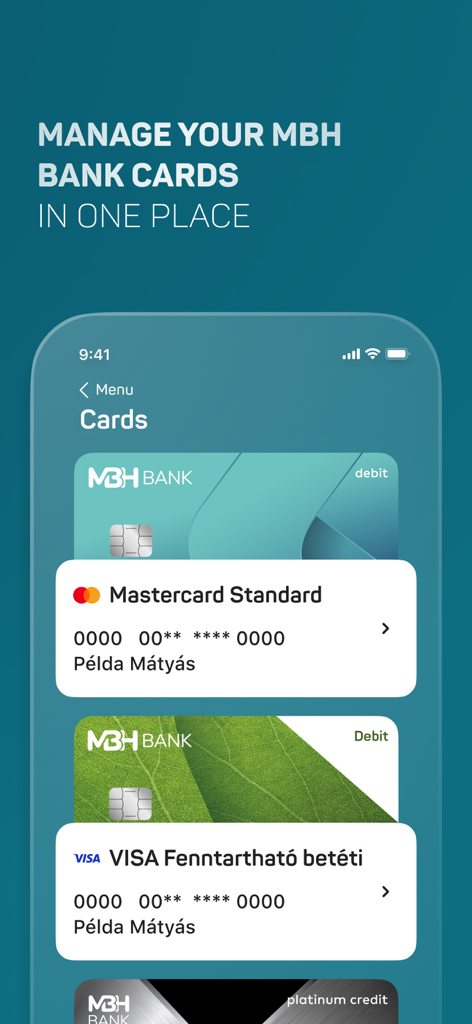
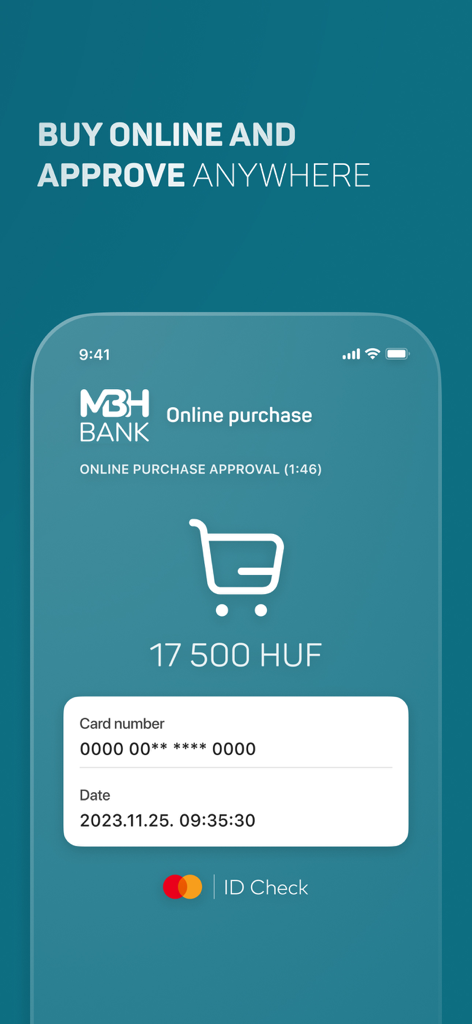
国際電話は不要。引き出し限度額の調整、カードの有効化、停止を即座に行えます。3DSecureのプッシュ通知ですべての取引を安全に保護します。

以下のスクリーンショットと説明は、アプリの公式ストアリスティングから直接取得されたものであり、アプリ開発者の所有物です。

アプリストア

スクリーンショット
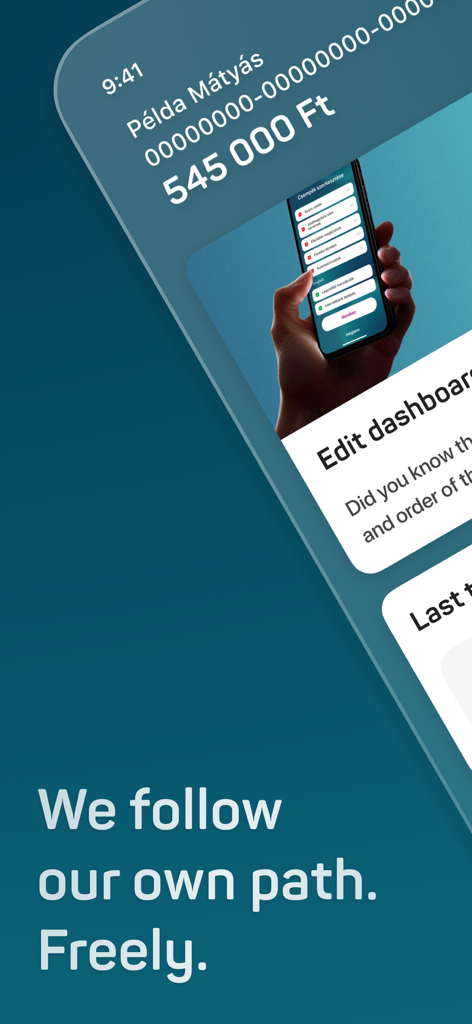
MBH Bank App - 口座残高とダッシュボードのカスタマイズオプションが表示されたMBH Bankモバイルアプリのホーム画面
口座残高とダッシュボードのカスタマイズオプションが表示されたMBH Bankモバイルアプリのホーム画面

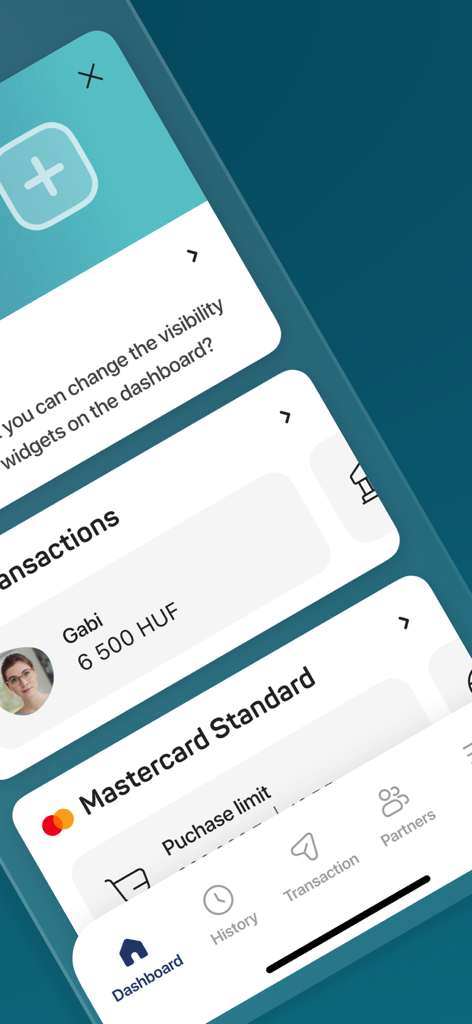
MBH Bank App - ダッシュボードウィジェット、HUFでの取引履歴、Mastercardの購入限度額が表示されたMBH Bankアプリのインターフェース。
ダッシュボードウィジェット、HUFでの取引履歴、Mastercardの購入限度額が表示されたMBH Bankアプリのインターフェース。

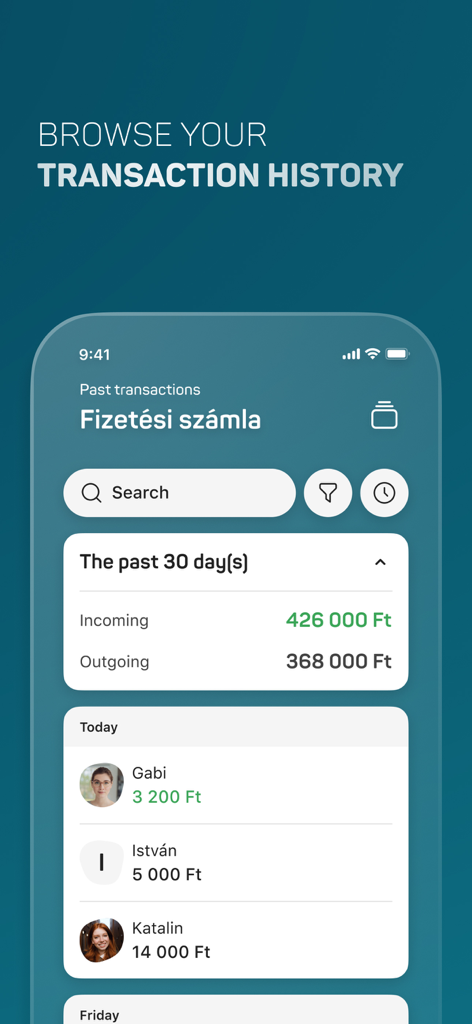
MBH Bank App - 最近の支払いと口座サマリーが表示されたMBH Bankアプリの取引履歴画面。
最近の支払いと口座サマリーが表示されたMBH Bankアプリの取引履歴画面。

MBH Bank App - 信頼できる受取人リストが表示された、MBH Bankアプリの送金画面のモバイルインターフェース
信頼できる受取人リストが表示された、MBH Bankアプリの送金画面のモバイルインターフェース

MBH Bank App - 管理されているデビットカードとクレジットカードのリストが表示されたMBH Bankアプリのインターフェース
管理されているデビットカードとクレジットカードのリストが表示されたMBH Bankアプリのインターフェース

MBH Bank App - 17,500 HUFの取引詳細が表示された、3DSecureオンライン購入承認用のMBH Bankアプリモバイルインターフェース
17,500 HUFの取引詳細が表示された、3DSecureオンライン購入承認用のMBH Bankアプリモバイルインターフェース

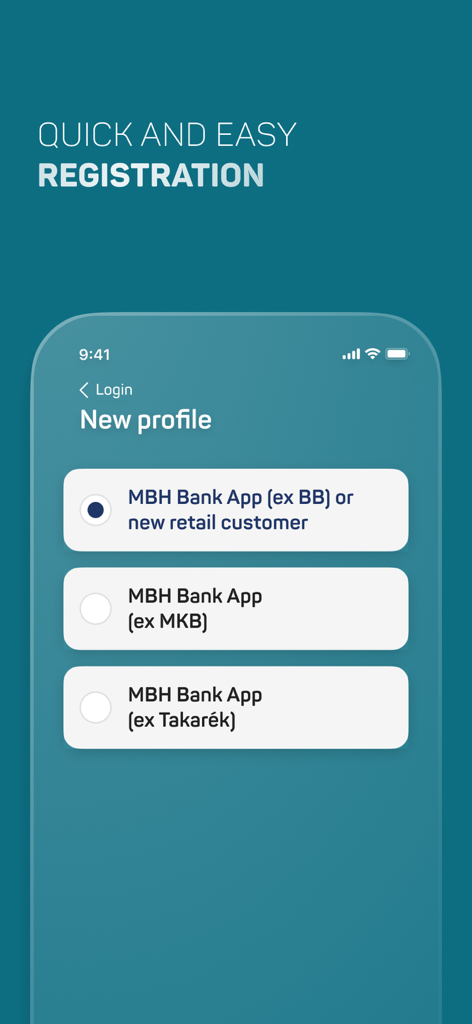
MBH Bank App - 新規および既存顧客向けのプロファイル選択が表示されたMBH Bankアプリの登録画面

新規および既存顧客向けのプロファイル選択が表示されたMBH Bankアプリの登録画面

説明

If you have any predecessor MBH Netbank contract, manage your daily finances from anywhere, at any time, comfortably on the unified mobile application service, the MBH Bank App. Please never share your bank login details and passwords with anyone, and never access the netbank via a link or from an internet search engine. Main functions: • Add Customers and switch between them • View account balance • HUF transfer to partners and new partners • Transfer between HUF accounts • Biometric authentication • Travel insurance • Add card to Apple Wallet • View account history (with history filter) • Account information • Hidden account balances • Change of account user • Credit and debit card information, activation and suspension • Adjustment of credit and debit card cash withdrawal limits, purchases limits and online limits • Set of online payment password • Change of language (English, Hungarian) • List of direct debits and standing orders • Login to the internetbank with QR code or Push • Manage secondary account identifiers • Account statements • Cancellation of future HUF transfers • Third parties (OpenAPI) Mobil App push notifications: • Internetbank transactions, • Online purchases (3DSecure), • Transfers received from third parties (OpenAPI) Important! The availability of the listed features is different in the customer profiles. You can view the grouping of the functions in our user manual, which is available from our website. ----------------------- How to activate the application? • Download and launch the application. • As a first step, please provide the first 8 digits of your card or account number to identify which customer you would like to log into the application • Next, please provide your ID and password used in the MBH Netbank. • You will receive a one-time password to your phone number set in the MBH Netbank. You will need this password when the application requires you to provide the password sent in text message. 101 Bank ID: if you are a new user and have not loged in the Internetbank before, you will need to change your initial password on the next screen. • When logging in to the application, please provide a unique ID (mPIN) consisting of six digits. You will use this mPIN to access the application thereafter. • The activation of the application ends upon the confirmation of your mPIN and you will enter the application for the first time. • During the sign in process, you have the option to enable the Touch ID / Face ID authentication. ------------------------ Your opinion is important to us. We will constantly extend the available services based on the received feedback. Please help us and share your opinion and suggestions at app@mbhbank.hu. Please note that the maximum amount of HUF transfer per day in the appliaction for retail customers differs from which Customer you use in the application, for details, please check the user manual, which is available from our website. We here by inform you, that the comments written in the Apple Store are not handled as official complaints. In case of complaints, please contact us at app@mbhbank.hu e-mail address or call our customer support on + 36-1-373-3399 phone number. ------------------------ Technical conditions: • At least iOS 13.0 version • The use of the application on devices with Jailbreaked operating systems is not supported in order to protect our clients, as, in this case, the risks of accessing data regarding their bank accounts escalate. • The existence of one of MBH Netbank service is a prerequisite for the use of MBH Bank App.

Download

ダウンロード: App Store

このページはアプリまたはその開発者の公式ページではなく、情報提供および論評を目的として作成された独立した編集出版物です。明示的に別段の記載がない限り、アプリおよびその開発者は、MWM、Apple、Google Play、アプリのパブリッシャー、またはアプリの開発者と提携、承認、後援、認可、またはその他の公式的な関係はなく、このページのいかなる内容も、アプリがMWMのサービスを使用して開発されたことを意味するものではありません。すべての商標、ロゴ、スクリーンショット、その他のコンテンツはそれぞれの所有者の財産です。








