Melody Scanner
Melody Scanner
ダウンロード: App Store

このページはアプリまたはその開発者の公式ページではなく、情報提供および論評を目的として作成された独立した編集出版物です。明示的に別段の記載がない限り、アプリおよびその開発者は、MWM、Apple、Google Play、アプリのパブリッシャー、またはアプリの開発者と提携、承認、後援、認可、またはその他の公式的な関係はなく、このページのいかなる内容も、アプリがMWMのサービスを使用して開発されたことを意味するものではありません。すべての商標、ロゴ、スクリーンショット、その他のコンテンツはそれぞれの所有者の財産です。


ロゴ: Melody Scanner
ダウンロード: App Store

Melody Scanner

YouTube動画、マイク録音、MP3をプロ仕様の楽譜、MIDIファイル、ギタータブに変換。あなたはピアノの生徒でも、ベッドルームプロデューサーでも、AI駆動の書き起こし機能で全ての音符を捉えましょう。

主要数値

ダウンロード

53K+

ユーザー評価

3.5/5

評価数

200

開発元

Klangio GmbH

カテゴリ

Music

対応言語

1

最新バージョン

3.0.1

サイズ

26.6 MB

リリース日

2024年1月25日
機能

演奏する全ての音符を解き放つ

Melody Scannerは、高度なAIを使用して演奏と記譜のギャップを埋め、ミュージシャンが作品を書き起こし、編集し、共有することを容易にします。

YouTubeを楽譜に変換

お気に入りの曲やカバーのリンクを貼り付けるだけで、すぐに演奏可能な楽譜、MIDI、ギタータブを生成できます。

あなたの作曲をキャプチャ

ライブのピアノ、フルート、ギターのセッションをマイクから直接録音し、プロ仕様の記譜に変換されるのを見てください。

以下のスクリーンショットと説明は、アプリの公式ストアリスティングから直接取得されたものであり、アプリ開発者の所有物です。

アプリストア

スクリーンショット
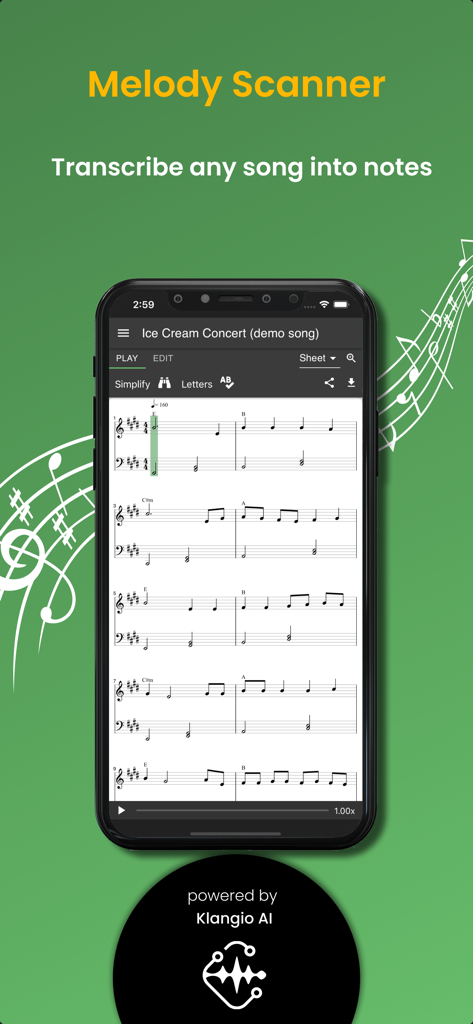
Melody Scanner - スマートフォン画面に、Melody Scannerアプリが曲をピアノの楽譜に書き起こしている様子を表示
スマートフォン画面に、Melody Scannerアプリが曲をピアノの楽譜に書き起こしている様子を表示

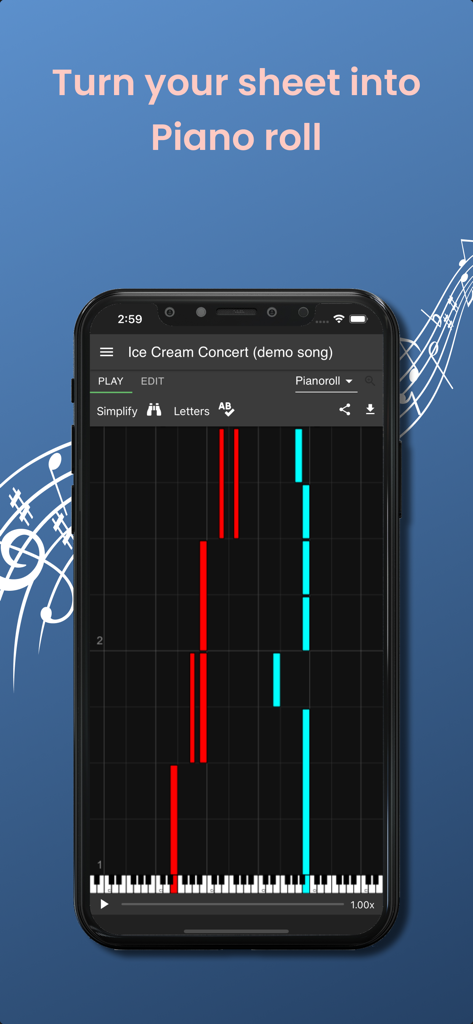
Melody Scanner - Melody Scannerアプリのインターフェースに、スマートフォンの画面に音符が表示されたピアノロールを表示
Melody Scannerアプリのインターフェースに、スマートフォンの画面に音符が表示されたピアノロールを表示

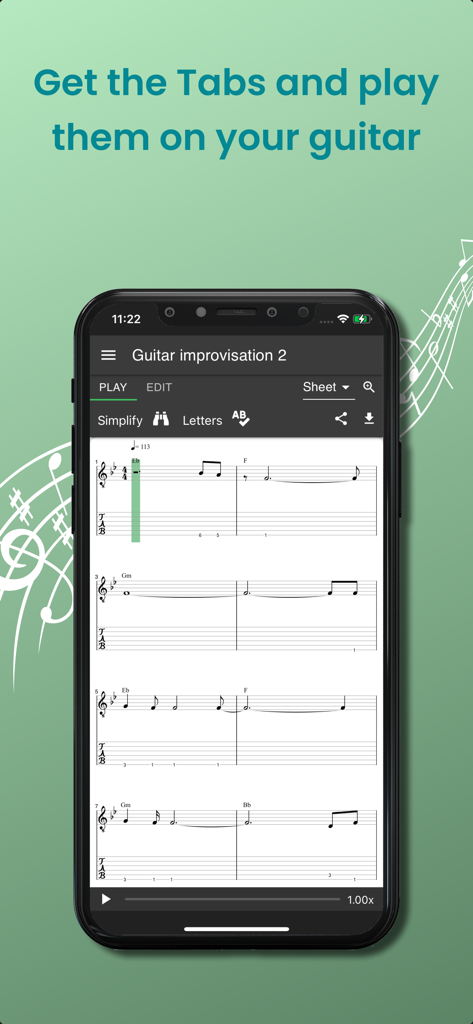
Melody Scanner - スマートフォンに、Melody Scannerで録音から生成されたギタータブと楽譜を表示
スマートフォンに、Melody Scannerで録音から生成されたギタータブと楽譜を表示

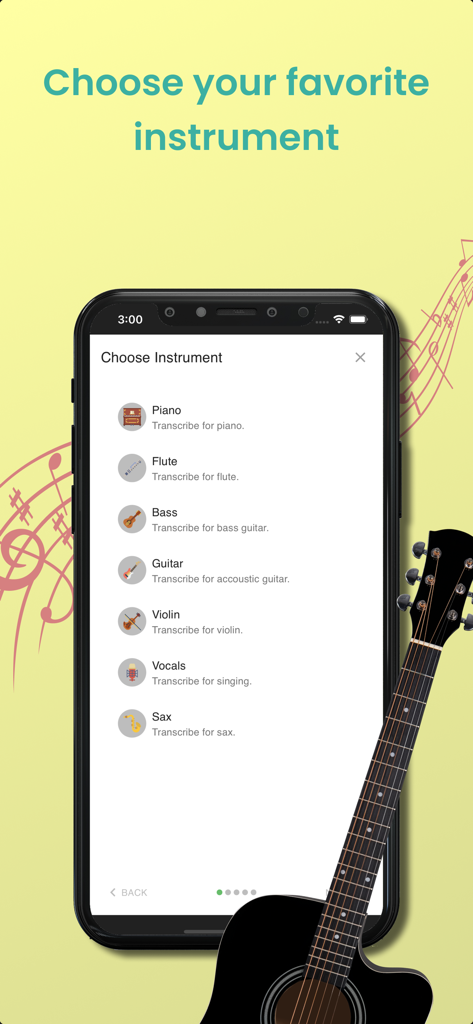
Melody Scanner - Melody Scannerアプリの、ピアノ、フルート、ギター、バイオリンなどの楽器を選択する画面
Melody Scannerアプリの、ピアノ、フルート、ギター、バイオリンなどの楽器を選択する画面

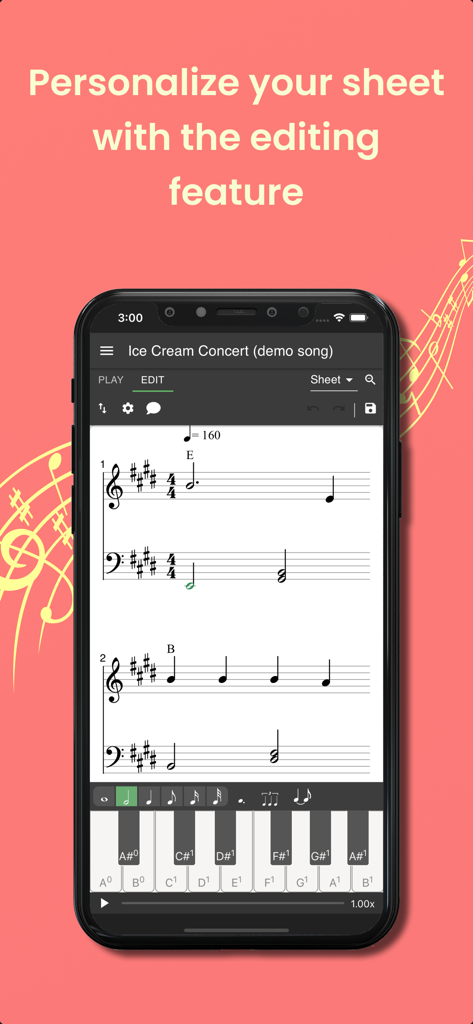
Melody Scanner - Melody Scannerアプリの、スマートフォン画面での楽譜編集機能を表示
Melody Scannerアプリの、スマートフォン画面での楽譜編集機能を表示

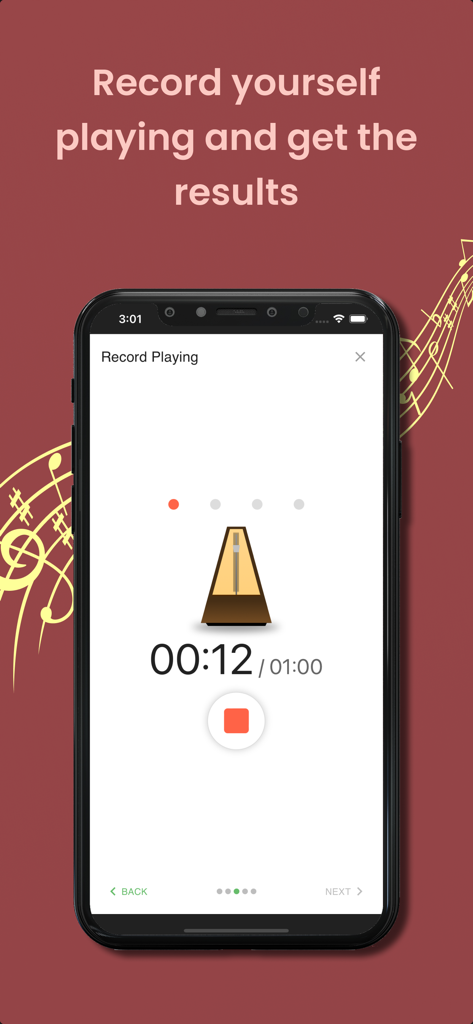
Melody Scanner - Melody Scannerアプリのインターフェースに、メトロノームと12秒のオーディオ書き起こしタイマーが表示された録音再生画面を表示

Melody Scannerアプリのインターフェースに、メトロノームと12秒のオーディオ書き起こしタイマーが表示された録音再生画面を表示

説明

Transcribe piano music recordings to scores and edit them online. SUPPORTED INSTRUMENTS: Piano, Flute, Violin (beta), Accoustic Guitar (beta) Currently only solo instruments are supported, no bands or orchestras. FUNCTIONS » Transcribe YouTube song covers, microphone recordings and audio files to sheet music » View the transcribed music as classical score, piano roll or guitar tab » Playback the sheet music and listen to the result » Download sheet as PDF, MIDI, or MusicXML » Share your compositions with your friends » Synchronize with the desktop version WHAT THIS APP DOESN'T OFFER » Separation of multiple instruments: The note recognition can't separate multiple instruments. If you record multiple instruments playing simultaneously you will get bad transcription results! » Live note recognition: This app is not able to show you live note recognition results. Instead, it will take some time to perform the frequency analysis and show you the results. » 100% match percentage: This app won't detect 100% of the played notes and there will also be wrong detections. But depending on the quality of the input signal, it will give you useful suggests! WHY DO I NEED AN ACCOUNT? You create an account to ensure that only you can access your created sheet music! A lot of computing power is necessary to generate the scores from the audio, so it needs to run on a powerful server in the cloud. Also, you can access your sheets from the desktop version, too, by signing in using the same account. FREE AND PREMIUM » Transcribing audio to sheet music is a computation expensive process and needs to be run on a powerful server in the cloud. Your PREMIUM purchase supports us paying our checks and developing new features for the app. » The FREE version of this app covers Microphone and YouTube transcriptions. Uploading your own files is a PREMIUM feature. » In the FREE version sheets are limited to 40 bars (about 2 minutes). Upgrading to PREMIUM will unlock the full sheet. » PREMIUM subscriptions can be cancelled at any time and you will continue to use PREMIUM features until the end of the subscription period. » All with PREMIUM transcribed songs will stay unlocked forever. REQUIREMENTS » Internet: active internet connection for server connectivity » Microphone (optional) DESKTOP VERSION » There is a desktop version of this app available, which you can access in your browser. » The desktop version covers even more features like editing your sheets, since there is more space available on a bigger screen » You can login with the same account and synchronize your scores between multiple devices Give music your personal note! SUMMARY Transcribe music recordings from YouTube, MP3 or microphone to sheet music and edit them online. With the Melody Scanner App you can create on-the-go recordings of your instrument. Those are uploaded to your personal cloud songbook and transcribed to score. You can record your instrument, import YouTube videos or upload MP3 files. It has never been so easy to create sheet music! CONTACT US  We're always happy to hear from you. No matter what comes to your mind, we want to hear it. Would you like another feature? Does something not work as expected? Send us an e-mail at: support@melodyscanner.com This app is actively developed and there are updates on a regular base The Apple Terms of Use apply: https://www.apple.com/legal/internet-services/itunes/dev/stdeula/

Download

ダウンロード: App Store

このページはアプリまたはその開発者の公式ページではなく、情報提供および論評を目的として作成された独立した編集出版物です。明示的に別段の記載がない限り、アプリおよびその開発者は、MWM、Apple、Google Play、アプリのパブリッシャー、またはアプリの開発者と提携、承認、後援、認可、またはその他の公式的な関係はなく、このページのいかなる内容も、アプリがMWMのサービスを使用して開発されたことを意味するものではありません。すべての商標、ロゴ、スクリーンショット、その他のコンテンツはそれぞれの所有者の財産です。








