Mergin Maps: QGIS in pocket
ダウンロード: App Store

このページはアプリまたはその開発者の公式ページではなく、情報提供および論評を目的として作成された独立した編集出版物です。明示的に別段の記載がない限り、アプリおよびその開発者は、MWM、Apple、Google Play、アプリのパブリッシャー、またはアプリの開発者と提携、承認、後援、認可、またはその他の公式的な関係はなく、このページのいかなる内容も、アプリがMWMのサービスを使用して開発されたことを意味するものではありません。すべての商標、ロゴ、スクリーンショット、その他のコンテンツはそれぞれの所有者の財産です。


ロゴ: Mergin Maps: QGIS in pocket
ダウンロード: App Store

Mergin Maps: QGIS in pocket

モバイルデバイスをプロフェッショナルな測量ツールに変えましょう。正確なGPSデータとインテリジェントなフォームをオフラインでキャプチャし、数秒でQGISデスクトップに直接同期します。

主要数値

ダウンロード

13K+

ユーザー評価

4.4/5

評価数

0

開発元

LUTRA CONSULTING LIMITED

カテゴリ

Utilities

対応言語

22

最新バージョン

2025.8.0

サイズ

130.0 MB

リリース日

2019年11月16日
機能

フィールドワークフローを効率化

モバイルデバイスから直接、プロフェッショナルグレードのGISデータを簡単にキャプチャ、同期、管理し、QGIS環境と完全に統合します。

シームレスなQGIS統合

モバイルマップレイヤーは、デスクトップQGISプロジェクトと全く同じように表示され、動作します。ケーブルや複雑な変換は不要—直接、手間のかからない同期だけです。

信頼性の高いオフラインデータキャプチャ

セルサービスのない遠隔地でも作業できます。GPSデータ、写真、メモをオフラインでキャプチャし、数秒でオフィスに同期します。

以下のスクリーンショットと説明は、アプリの公式ストアリスティングから直接取得されたものであり、アプリ開発者の所有物です。

アプリストア

スクリーンショット
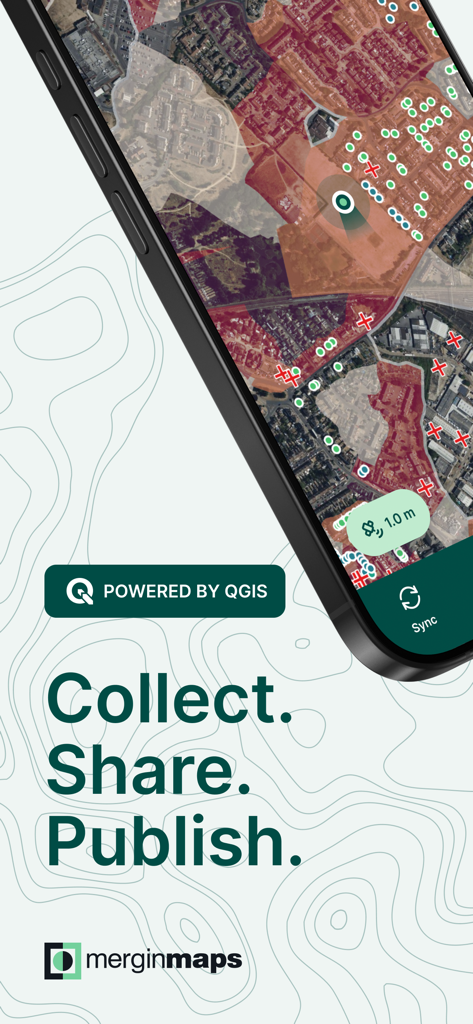
Mergin Maps: QGIS in pocket - Mergin Mapsアプリ画面、地形マッピングとフィールドデータ収集を表示
Mergin Mapsアプリ画面、地形マッピングとフィールドデータ収集を表示

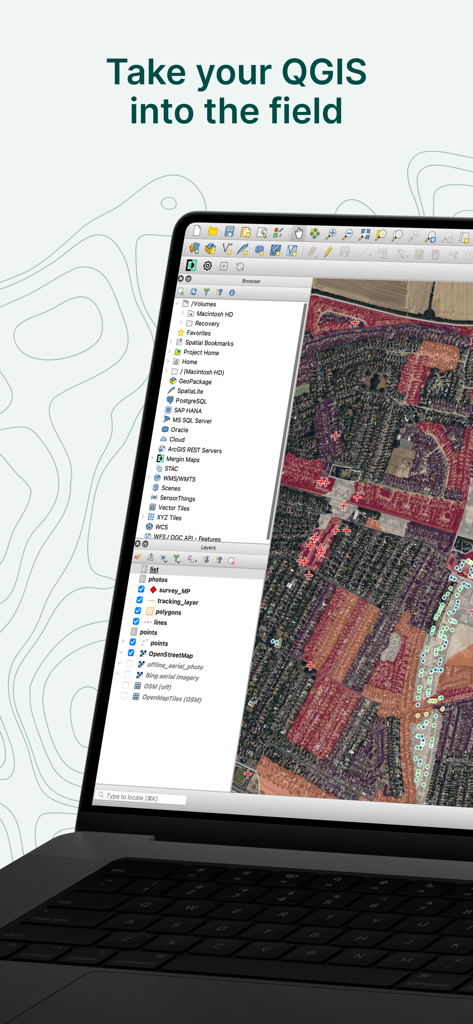
Mergin Maps: QGIS in pocket - QGISデスクトップソフトウェアインターフェースを表示するラップトップ、詳細な衛星マップと地理レイヤー、「Take your QGIS into the field」という見出しの下に表示
QGISデスクトップソフトウェアインターフェースを表示するラップトップ、詳細な衛星マップと地理レイヤー、「Take your QGIS into the field」という見出しの下に表示

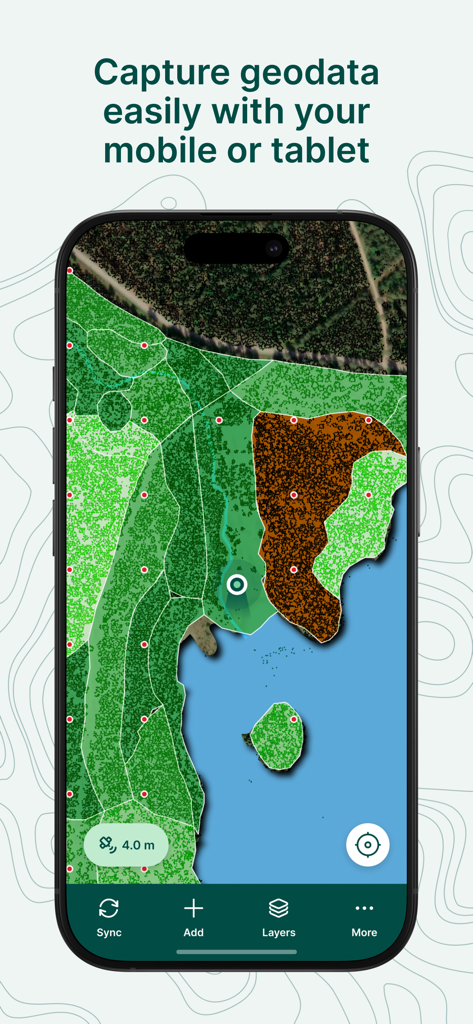
Mergin Maps: QGIS in pocket - Mergin Mapsモバイルアプリ、土地被覆レイヤーとデータキャプチャインターフェースを備えた詳細なGISマップを表示
Mergin Mapsモバイルアプリ、土地被覆レイヤーとデータキャプチャインターフェースを備えた詳細なGISマップを表示

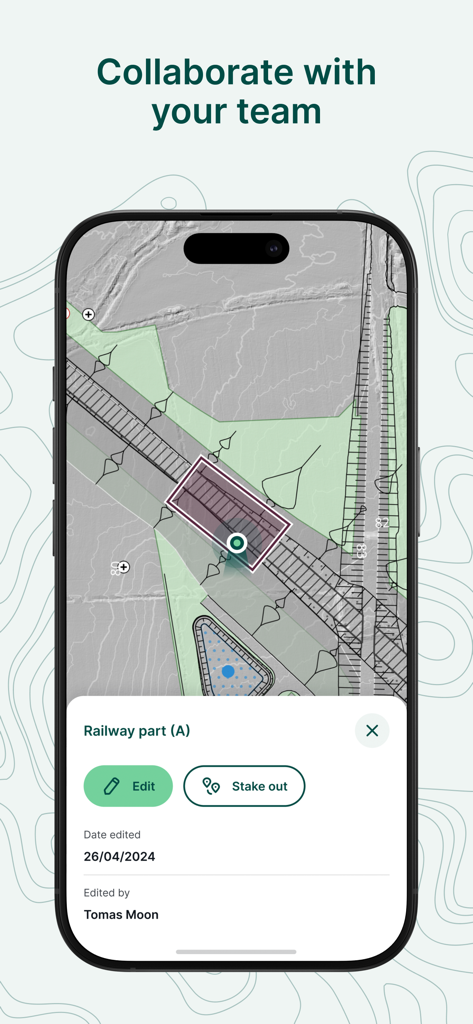
Mergin Maps: QGIS in pocket - Mergin Mapsモバイルアプリインターフェース、鉄道プロジェクトのための共同フィールドデータ収集と編集を表示
Mergin Mapsモバイルアプリインターフェース、鉄道プロジェクトのための共同フィールドデータ収集と編集を表示

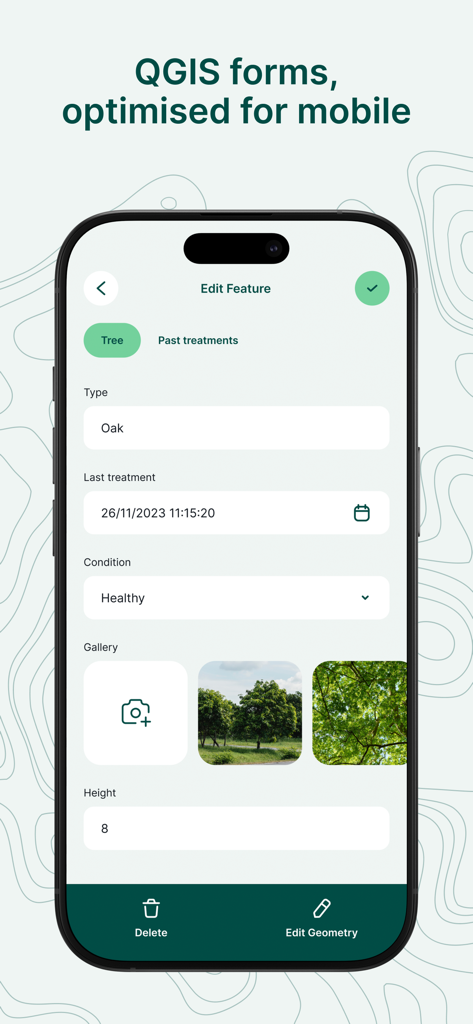
Mergin Maps: QGIS in pocket - Mergin Mapsのモバイルインターフェース、樹種や状態のデータ入力フィールドを備えたプロフェッショナルフィールド調査フォームを表示
Mergin Mapsのモバイルインターフェース、樹種や状態のデータ入力フィールドを備えたプロフェッショナルフィールド調査フォームを表示

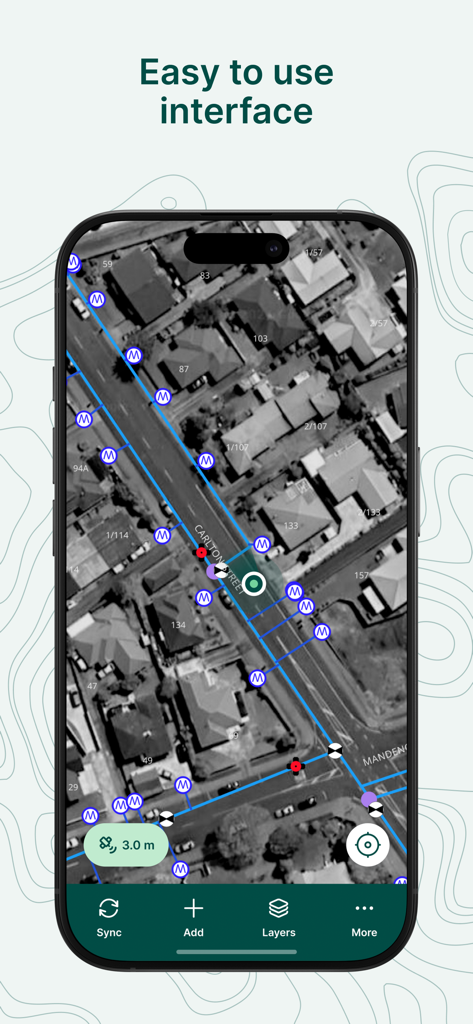
Mergin Maps: QGIS in pocket - Mergin Mapsモバイルアプリのスクリーンショット、プロフェッショナルGIS調査マーカーとデータラインを備えた使いやすい衛星マップインターフェースを表示
Mergin Mapsモバイルアプリのスクリーンショット、プロフェッショナルGIS調査マーカーとデータラインを備えた使いやすい衛星マップインターフェースを表示

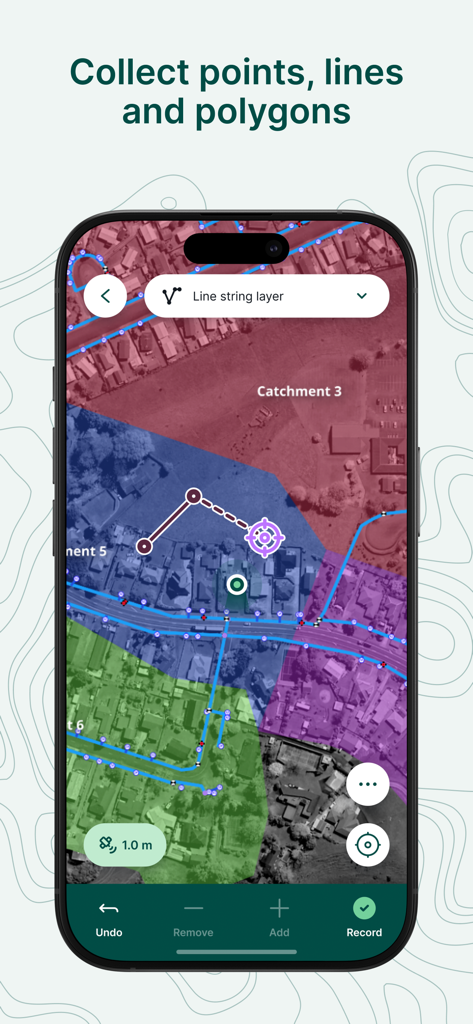
Mergin Maps: QGIS in pocket - モバイルアプリ画面、プロフェッショナルフィールド測量とデータ収集のための幾何学的オーバーレイを備えた衛星マップを表示
モバイルアプリ画面、プロフェッショナルフィールド測量とデータ収集のための幾何学的オーバーレイを備えた衛星マップを表示

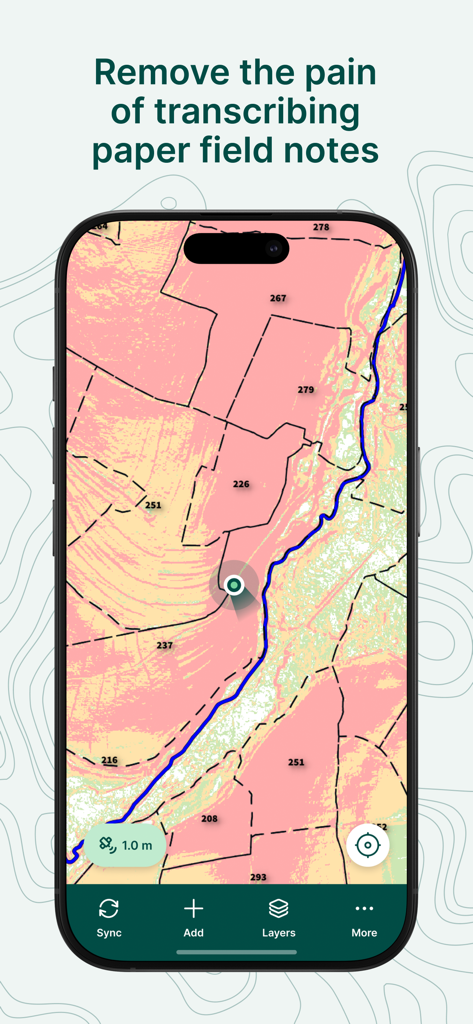
Mergin Maps: QGIS in pocket - Mergin Mapsアプリ、スマートフォン画面に区画データを持つプロフェッショナルGISマップを表示
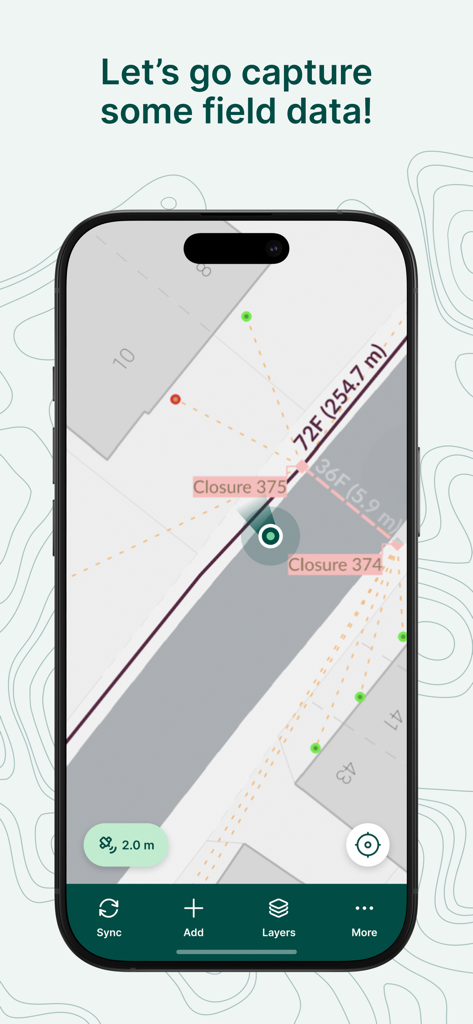
Mergin Mapsアプリ、スマートフォン画面に区画データを持つプロフェッショナルGISマップを表示

Mergin Maps: QGIS in pocket - Mergin Mapsアプリインターフェース、マップ上にフィールドデータキャプチャと測量測定を表示
Mergin Mapsアプリインターフェース、マップ上にフィールドデータキャプチャと測量測定を表示

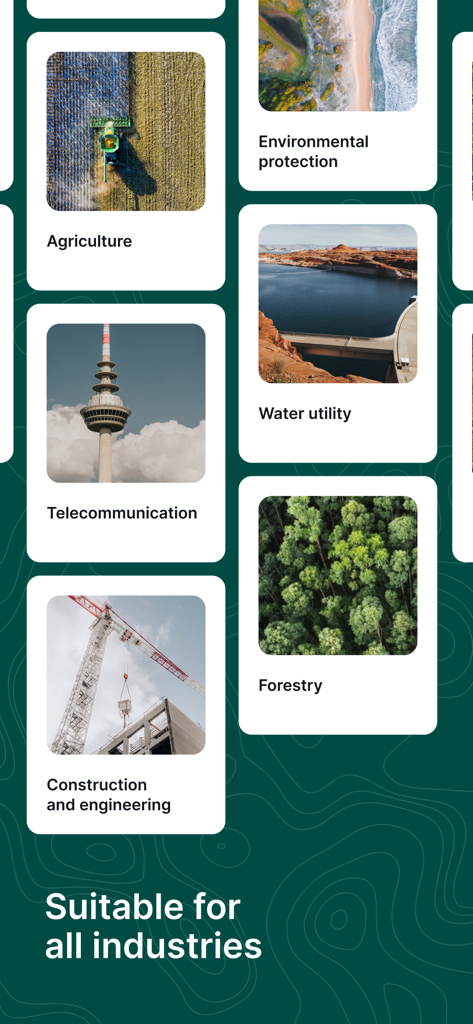
Mergin Maps: QGIS in pocket - Mergin Mapsインターフェース、農業、林業、建設業を含む様々な産業での適合性を示す

Mergin Mapsインターフェース、農業、林業、建設業を含む様々な産業での適合性を示す

説明

Simplify your field survey by capturing GPS field data on your mobile or tablet. Create mobile forms with the fields you require and invite your survey teams to complete them on their phones or tablets. Captured data, along with their location can be surveyed offline, then synced back to the QGIS in seconds. Enter your data once, with ease, in the field. Mergin Maps aims to remove the pain of transcribing paper field notes, manually georeferencing photos and transcribing GPS coordinates. The data you capture in the field survey is shown on a map and can be exported to a wide variety of formats including CSV, Microsoft Excel, ESRI Shapefile, Mapinfo, GeoPackage, PostGIS, AutoCAD DXF, KML and many more. Mergin Maps Input is an extension of the free and open source GIS software QGIS. It allows you to open, interrogate and edit your QGIS projects on your mobile. Map layers look the same as in QGIS desktop and you can sync your data back and forward with QGIS desktop using the Mergin Maps QGIS plugin. Mergin Maps supports offline field data capture and can be configured to use either offline or web-based background maps and contextual layers. Perks of the Mergin Maps sync system: - No need for cables to get your data on/off your device - Share projects with others for collaborative working - Safely work together on the same datasets, even offline - Updates from different surveyors are intelligently merged - Push data back from the field in real time - Version history and cloud-based backup - Fine-grained access control - Sync with your PostGIS datasets Supported field types for forms are: - Text (single or multi-line) - Numeric (plain, with +/- buttons or with slider) - Date / time (with calendar picker) - Photo - Checkbox (yes/no values) - Drop-down with predefined values - Drop-down with values from another table Forms can even be configured to perform data validation using custom rules. Works with device internal GPS receiver and third-party Bluetooth GPS receivers. Supported field types for forms are: - Text (single or multi-line) - Numeric (plain, with +/- buttons or with slider) - Date / time (with calendar picker) - Photo - Checkbox (yes/no values) - Drop-down with predefined values - Drop-down with values from another table Forms can even be configured to perform data validation using custom rules. Works with device internal GPS receiver and third-party Bluetooth GPS receivers.

Download

ダウンロード: App Store

このページはアプリまたはその開発者の公式ページではなく、情報提供および論評を目的として作成された独立した編集出版物です。明示的に別段の記載がない限り、アプリおよびその開発者は、MWM、Apple、Google Play、アプリのパブリッシャー、またはアプリの開発者と提携、承認、後援、認可、またはその他の公式的な関係はなく、このページのいかなる内容も、アプリがMWMのサービスを使用して開発されたことを意味するものではありません。すべての商標、ロゴ、スクリーンショット、その他のコンテンツはそれぞれの所有者の財産です。








