
このページはアプリまたはその開発者の公式ページではなく、情報提供および論評を目的として作成された独立した編集出版物です。明示的に別段の記載がない限り、アプリおよびその開発者は、MWM、Apple、Google Play、アプリのパブリッシャー、またはアプリの開発者と提携、承認、後援、認可、またはその他の公式的な関係はなく、このページのいかなる内容も、アプリがMWMのサービスを使用して開発されたことを意味するものではありません。すべての商標、ロゴ、スクリーンショット、その他のコンテンツはそれぞれの所有者の財産です。

Messages
青い吹き出しのパワーを体験してください。送信したテキストの編集、衛星経由での共有、友人との共同作業など、業界をリードするプライバシーにより、iPhone、Mac、Apple Watch間でシームレスにつながり続けることができます。
ダウンロード
36K+ユーザー評価
評価数
65K+開発元
カテゴリ
Social Networking対応言語
33最新バージョン
3.0サイズ
5.3 MBリリース日
2021年10月25日単なるテキスト以上のもの
すべてのデバイスで、深い表現、完全なプライバシー、シームレスな接続のために設計されたツールで、コミュニケーションのゴールドスタンダードを体験してください。
本質的に表現豊か
あなたの個性をあらゆるメッセージに輝かせる、あなたの個性をあらゆるメッセージに輝かせる、絵文字、ステッカー、フルスクリーンエフェクトで、あらゆるチャットに命を吹き込みましょう。
安全と安心
自動安否確認でサークルに最新情報を提供し、衛星経由のメッセージングでセルサービスがなくても連絡可能になります。
よくある質問
について知っておくべきこと Messages
メッセージアプリとは何ですか?
メッセージアプリは、iMessageを介して、またはRCS、SMS、MMSを介して、iOS、iPadOS、macOS、watchOS、またはvisionOSデバイスに無制限のテキスト、写真、ビデオ、ドキュメントを送信するためのコミュニケーションプラットフォームです。
メッセージアプリで携帯電話またはWi-Fiなしでメッセージを送信できますか?
はい、メッセージアプリは衛星経由のメッセージ送信をサポートしており、携帯電話またはWi-Fiが利用できない場合でも接続を維持できます。この機能の利用可能性は地域によって異なります。
メッセージアプリは受信したテキストを翻訳しますか?
はい、メッセージアプリはグループメッセージを含む受信したテキストを自動的に翻訳できます。この機能は、アプリのApple Watchバージョンにも拡張されています。
メッセージアプリはスパムをどのように処理しますか?
メッセージアプリは、会話からスパムをフィルタリングするためのオンデバイスのスパム検出機能を備えています。ユーザーは、不明な送信者からのメッセージをスクリーニングするオプションを選択して、プライバシーを強化することもできます。
メッセージアプリで送信後にメッセージを編集できますか?
はい、メッセージアプリでは、送信後最大15分間、メッセージを編集できます。受信者には、メッセージに加えられたすべての編集の記録が表示されます。
メッセージアプリでメッセージを送信取消しすることは可能ですか?
はい、メッセージアプリでは、送信後最大2分間、メッセージを送信取消しできます。これにより、誤って送信されたテキストを撤回するための短い期間が提供されます。
メッセージアプリでメッセージを後で送信するようにスケジュールできますか?
はい、メッセージアプリでは、「後で送信」機能を使用して、指定した時間にメッセージを送信するようにスケジュールできます。これにより、計画的なコミュニケーションに役立ちます。
メッセージアプリのパーソナライズ機能にはどのようなものがありますか?
メッセージアプリは、名前、写真、またはMemojiの共有などのパーソナライズ機能を提供します。メッセージにエフェクトを追加したり、グループ会話を名前や写真でカスタマイズしたりすることもできます。
メッセージアプリでグループ会話を管理するにはどうすればよいですか?
メッセージアプリは、グループに名前を付けたり、写真を追加したり、メンションを使用してメッセージを宛先に届けたり、インライン返信を使用して特定のメッセージに返信したりできるようにすることで、グループ会話の管理を支援します。
メッセージアプリは他のAppleサービスと統合されていますか?
はい、メッセージアプリはiMessageアプリ、Apple Cash、同期アクティビティ用のSharePlay、および他のAppleアプリからのコンテンツ用の「共有」機能と統合されています。
Apple Watchでメッセージアプリを使用できますか?
はい、メッセージアプリはApple Watchで利用できます。すばやく読み取りと返信、スマート返信、音声入力、オーディオメッセージ、およびSeries 7以降のQWERTYキーボードを可能にします。
メッセージアプリは投票をサポートしていますか?
はい、メッセージアプリでは、ユーザーは会話内で投票を作成して送信できます。この機能により、チャットインターフェイス内で直接意見を収集したり、決定を下したりすることができます。
メッセージアプリでメッセージをフィルタリングできますか?
はい、メッセージアプリはメッセージフィルタを提供しており、会話を分類できます。「メッセージ」、「不明な送信者」、「スパム」、「最近削除した」、「下書き」でフィルタリングできます。
「チェックイン」機能はメッセージでどのように機能しますか?
メッセージの「チェックイン」機能を使用すると、目的地に到着したとき、または指定された時間が経過したときに、友人や家族に自動的に通知でき、個人の安全とコミュニケーションを強化します。
iCloudのメッセージは、デバイス間でメッセージ履歴を更新しますか?
はい、iCloudのメッセージは、完全なメッセージ履歴を最新の状態に保ち、iPhone、iPad、Mac、Apple Watch、Apple Vision Pro全体でアクセスできるようにします。新しいデバイスでも利用できます。
以下のスクリーンショットと説明は、アプリの公式ストアリスティングから直接取得されたものであり、アプリ開発者の所有物です。
アプリストア
スクリーンショット
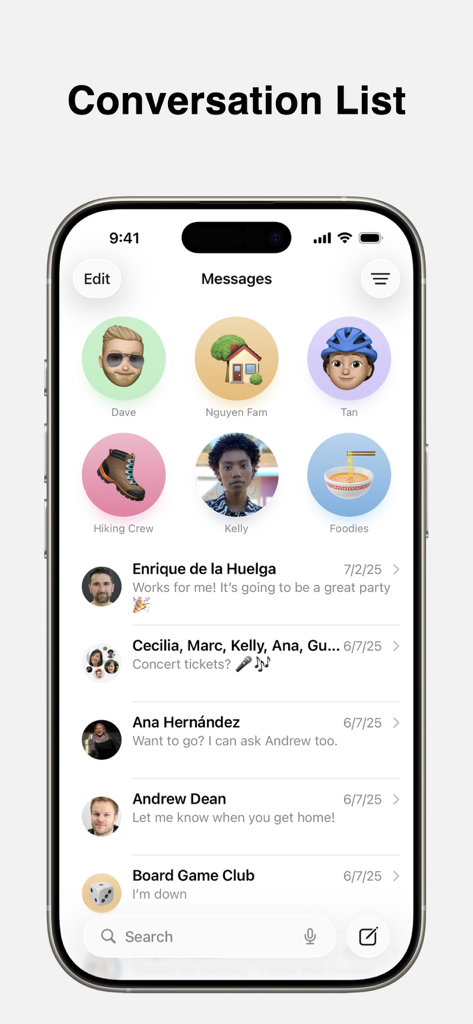
iPhone画面に、ピン留めされた連絡先が表示されたApple Messagesアプリの会話リストが表示されています
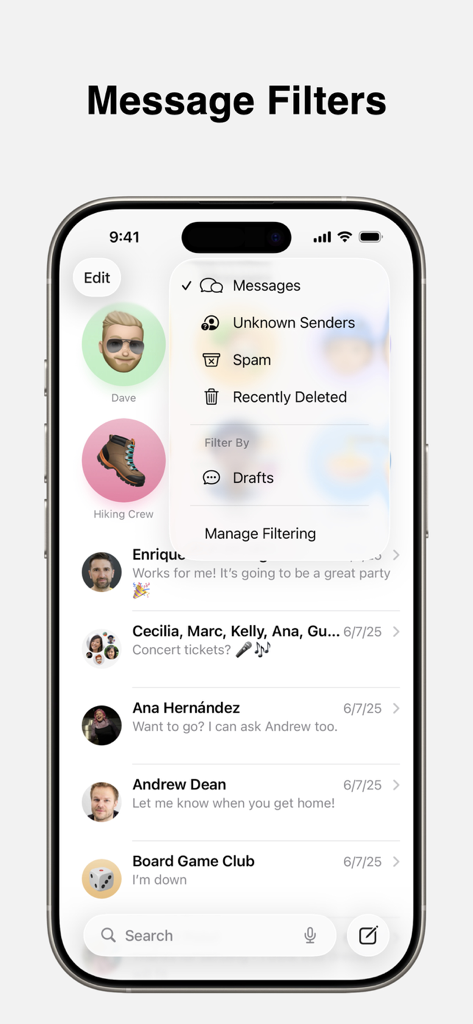
iPhoneのApple Messagesアプリに、未知の送信者とスパムのメッセージフィルタリングオプションが表示されています
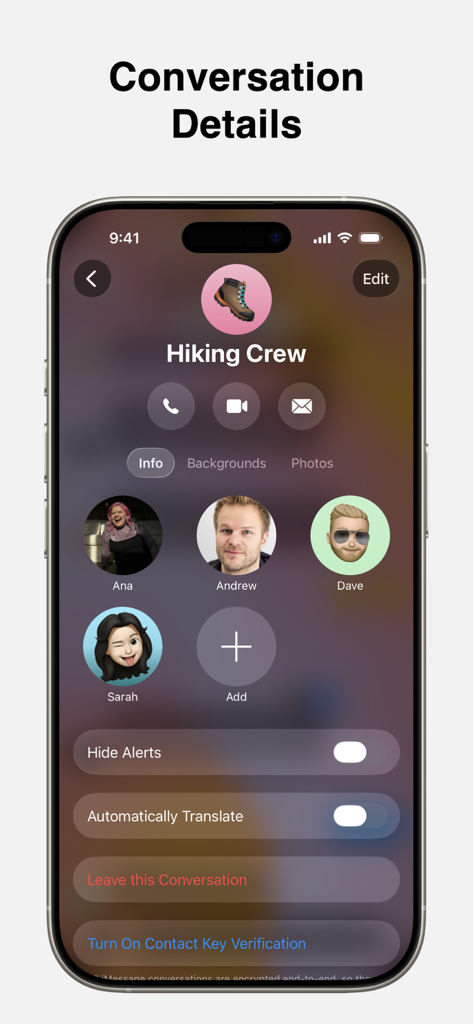
Apple Messagesアプリのグループチャット「ハイキングクルー」の会話詳細ページが表示されたiPhone画面。
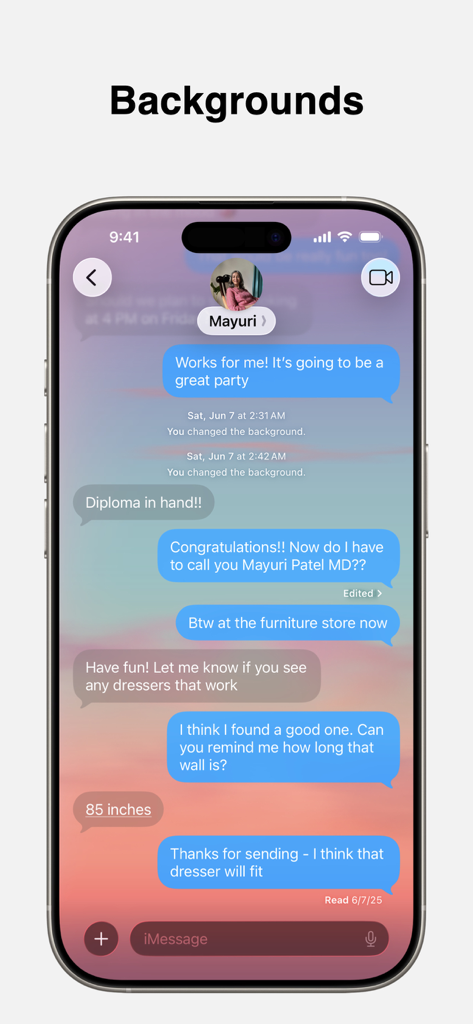
カスタムの夕焼けチャット背景が表示されたMessagesアプリのiPhone画面
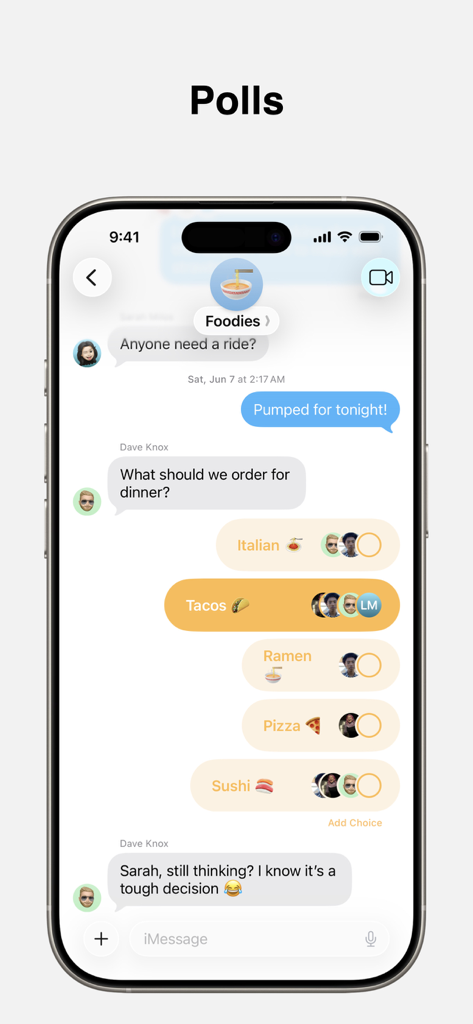
Apple Messagesアプリのグループチャットに、タコスや寿司などのいくつかの夕食オプションが表示された投票が表示されています
説明
Download
類似アプリ
同じカテゴリのトップランクアプリ

Threads
Instagram, Inc.

Telegram Messenger
Telegram FZ-LLC

WhatsApp Messenger
WhatsApp Inc.

Meta Platforms, Inc.

Messenger
Meta Platforms, Inc.
Google Meet
Google LLC

Discord - Talk, Play, Hang Out
Discord Inc.

rednote
Xingin Information Technology (Shanghai) Co., Ltd

Tencent Technology (Shenzhen) Company Limited
このページはアプリまたはその開発者の公式ページではなく、情報提供および論評を目的として作成された独立した編集出版物です。明示的に別段の記載がない限り、アプリおよびその開発者は、MWM、Apple、Google Play、アプリのパブリッシャー、またはアプリの開発者と提携、承認、後援、認可、またはその他の公式的な関係はなく、このページのいかなる内容も、アプリがMWMのサービスを使用して開発されたことを意味するものではありません。すべての商標、ロゴ、スクリーンショット、その他のコンテンツはそれぞれの所有者の財産です。