
このページはアプリまたはその開発者の公式ページではなく、情報提供および論評を目的として作成された独立した編集出版物です。明示的に別段の記載がない限り、アプリおよびその開発者は、MWM、Apple、Google Play、アプリのパブリッシャー、またはアプリの開発者と提携、承認、後援、認可、またはその他の公式的な関係はなく、このページのいかなる内容も、アプリがMWMのサービスを使用して開発されたことを意味するものではありません。すべての商標、ロゴ、スクリーンショット、その他のコンテンツはそれぞれの所有者の財産です。


Microsoft OneDrive
データの散逸から解放し、どのデバイスからも瞬時にファイルを引き出す能力を授ける。これによりユーザーは、あらゆる場所から自身のデジタル資産を掌握する。
ダウンロード
100M+ユーザー評価
評価数
2.3M開発元
カテゴリ
Productivity対応言語
33最新バージョン
16.36.4サイズ
308.1 MBリリース日
2011年12月13日Microsoft OneDrive アプリの主要機能分析
デジタルデータの保護、整理、共有を重視するユーザーに向けた包括的なクラウドストレージソリューション
Microsoft 365とのシームレスな連携
Word、Excel、PowerPointなどのMicrosoft Officeアプリと連携し、ドキュメントのバックアップ、表示、リアルタイムでの共同編集、オフラインでの作業継続が可能です。
強力なセキュリティ機能とデータ保護
個人用VaultによるID認証での重要ファイル保護、すべてのファイルのバージョン履歴からの復元、ランサムウェアの検出と回復機能により、ユーザーのデジタル資産が安全に保たれます。
自動写真・動画バックアップ
カメラアップロード機能を有効にすることで、スマートフォン内の写真や動画が自動的にバックアップされ、スマートフォン、コンピューター、Webブラウザーなどあらゆるデバイスから閲覧できます。
柔軟なファイル共有と管理
ファイル、写真、ビデオを友人や家族と簡単に共有でき、共有ドキュメントが編集された際には通知が届きます。また、パスワード保護や期限付き共有リンク設定により、セキュアな共有が実現します。
複数デバイスからのユニバーサルアクセス
バックアップされた写真、ビデオ、ファイルは、すべてのデバイスで同期され、いつでもどこからでもアクセスできます。これにより、場所やデバイスに縛られずに作業を継続することが可能です。
ドキュメントスキャンとモバイル編集
ドキュメント、名刺、レシートなどをスキャンしてデジタル保存し、OneDriveモバイルアプリから直接マークアップ、署名、送信が可能です。これにより、ペーパーレス化と外出先での作業効率が向上します。
よくある質問
について知っておくべきこと Microsoft OneDrive
Does Microsoft OneDrive automatically back up photos and videos?
Yes, Microsoft OneDrive offers automatic photo and video backup when users activate the Camera Upload feature. This ensures media is protected and accessible across devices.
Is there free storage available with Microsoft OneDrive?
Microsoft OneDrive provides 5 GB of free cloud storage to all users upon starting. Additional storage is available through various Microsoft 365 subscriptions.
What is the Personal Vault feature in Microsoft OneDrive?
The Personal Vault feature in Microsoft OneDrive protects important files with identity verification. It offers an extra layer of security for sensitive documents within the app.
Can I share files and photos using Microsoft OneDrive?
Yes, Microsoft OneDrive enables users to share files, photos, videos, and albums with friends and family. It also offers advanced sharing options with a Microsoft 365 subscription.
What types of documents can be scanned with the Microsoft OneDrive app?
The Microsoft OneDrive app allows users to scan and save documents, business cards, receipts, and whiteboards directly. Users can also mark up, sign, and send scanned documents.
How much storage comes with a Microsoft 365 subscription for OneDrive?
A Microsoft 365 Personal or Family subscription provides 1 TB of storage. The Family subscription offers 1 TB per person for up to six people.
Can I edit Microsoft Office documents within Microsoft OneDrive?
Yes, Microsoft OneDrive integrates with Word, Excel, PowerPoint, OneNote, and Outlook. Users can back up, view, save, edit, and collaborate on these files in real time.
Does Microsoft OneDrive support offline access to files?
Yes, Microsoft OneDrive allows access to entire folders within the app even without an internet connection. This feature requires a Microsoft 365 Personal or Family subscription.
How do I upgrade my storage plan in the Microsoft OneDrive app?
To upgrade storage in the Microsoft OneDrive app, users tap the 'Me' tab, then select 'Get More Storage' or the 'Go Premium' diamond icon. Subscriptions start at $1.99 monthly.
Does Microsoft OneDrive protect against ransomware?
Yes, Microsoft OneDrive provides ransomware detection and recovery as a premium feature. This functionality is included with a Microsoft 365 Personal or Family subscription.
以下のスクリーンショットと説明は、アプリの公式ストアリスティングから直接取得されたものであり、アプリ開発者の所有物です。
アプリストア
スクリーンショット

写真を整理
このアプリは、写真のホーム画面で「Moments」や「On This Day」などの機能を提供し、思い出を効率的に整理し、閲覧を容易にします。

ファイルを安全に保護
このアプリは、ユーザーの重要なファイルを「Personal Vault」で安全に保管し、様々なファイルやフォルダー(例: "Resumes"や"Documents")の自動バックアップを提供することで、データ保護を強化します。

思い出を共有
ユーザーは、選択した写真(例: "IMG_120123")を友人や家族と簡単に共有でき、OutlookやMessageなどの複数の共有オプションを通じて手軽に送付することが可能です。
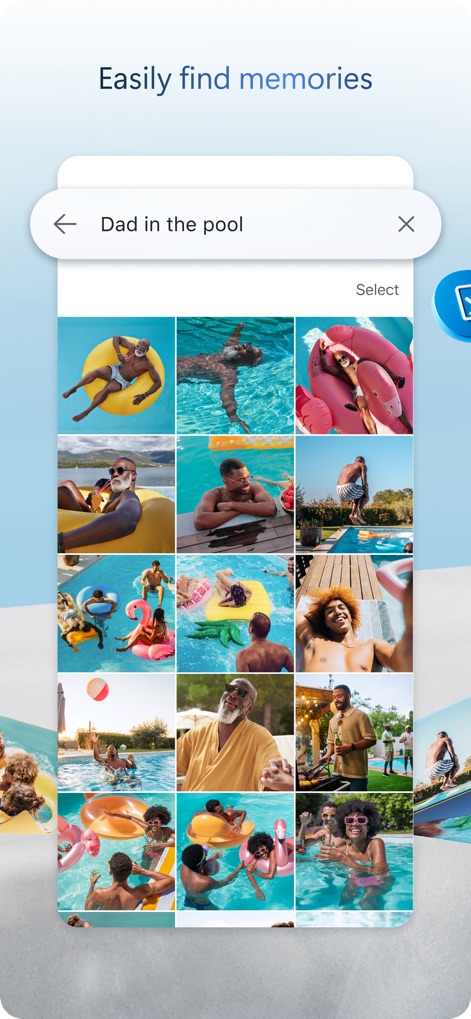
瞬時に思い出検索
このツールは、強力な検索機能(例: "Dad in the pool")により、ユーザーが特定の思い出の写真を素早く見つけ出し、関連する写真がグリッド形式で表示されることで効率的な閲覧を可能にします。
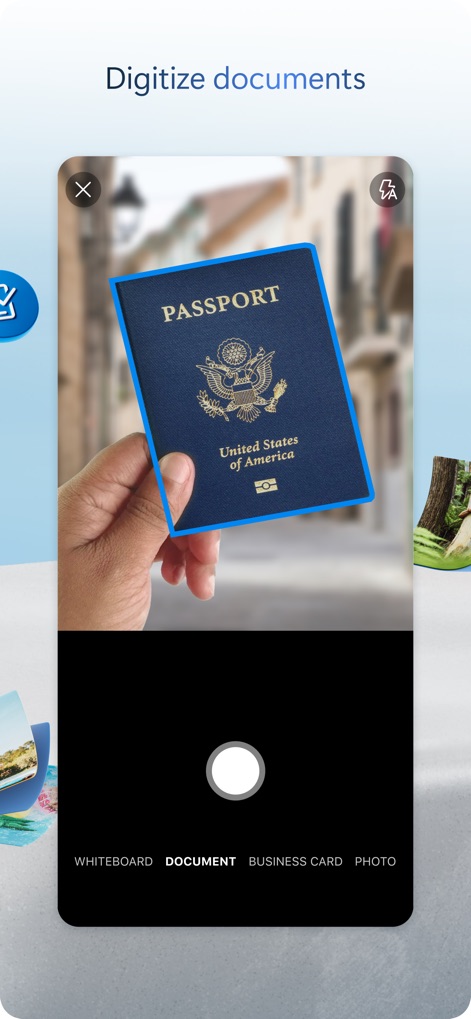
ドキュメントをデジタル化
このアプリのスキャン機能は、パスポートなどの物理的なドキュメントを簡単にデジタル化し、「DOCUMENT」モードを選択することで、書類の正確なキャプチャと保存を支援します。
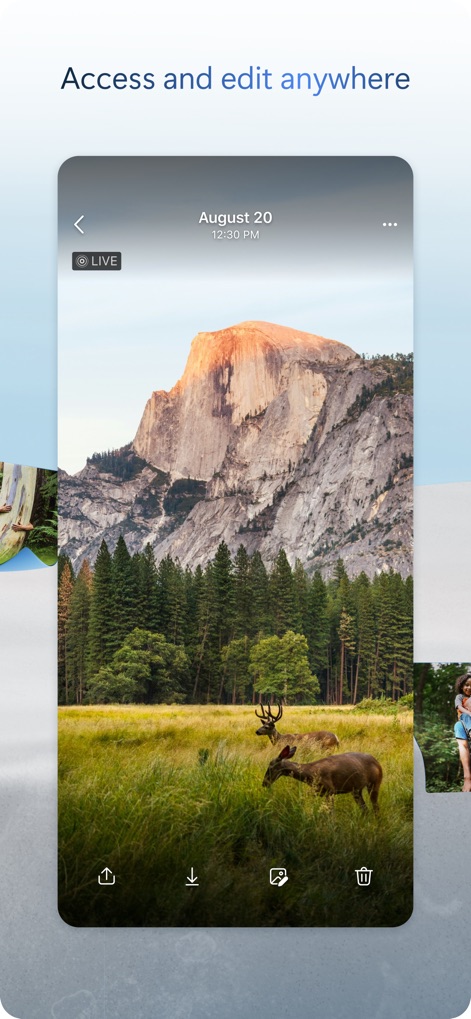
いつでもどこでもアクセス
ユーザーは、OneDriveに保存された写真やファイルを任意のデバイスから「ダウンロード」または「共有」することができ、いつでもどこでもアクセスして編集や管理を容易に行えます。
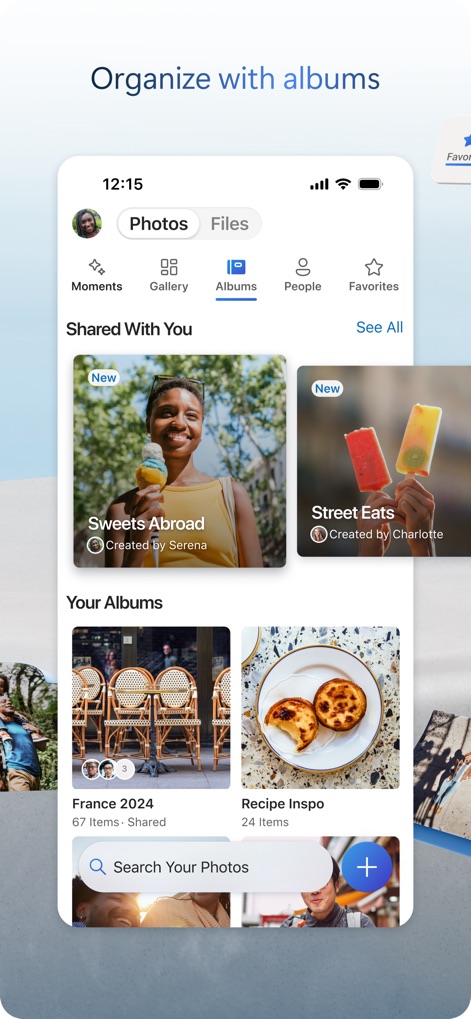
アルバムで整理
このアプリは、「Shared With You」セクションで共有されたアルバム(例: "Sweets Abroad")を表示し、「Your Albums」で作成された個人アルバム(例: "France 2024")を通じて、写真を体系的に整理する機能を提供します。
強化された保護機能
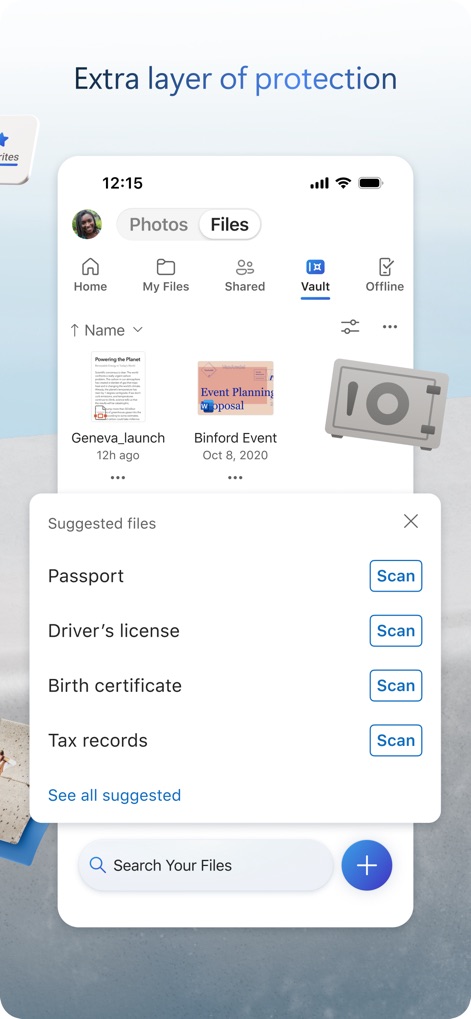
このツールは、「Vault」機能で重要なファイルに「Scan」オプション付きの「Passport」や「Driver's license」などの個人情報を安全に保管し、追加のセキュリティ層を提供します。
説明
Download
類似アプリ
似た機能とユーザー体験を持つアプリ

Google Drive
Google LLC

Яндекс Диск - Облако для фото
DIRECT CURSUS COMPUTER SYSTEMS TRADING LLC

Cloud: 1 drive - more storage
V Kontakte OOO

Nutstore-Cloud Storage&Backup
Yicun Network Technology Co. Ltd.

Dropbox: Cloud Storage Backup
Dropbox, Inc.

Google One
Google LLC

Cloud Storage: Cloud Drive App
Fazcon PTY LTD

Lifebox: Storage & Backup
LIFECELL BULUT COZUMLERI ANONIM SIRKETI

JioAICloud - Storage & Photos
JIO PLATFORMS LIMITED
このページはアプリまたはその開発者の公式ページではなく、情報提供および論評を目的として作成された独立した編集出版物です。明示的に別段の記載がない限り、アプリおよびその開発者は、MWM、Apple、Google Play、アプリのパブリッシャー、またはアプリの開発者と提携、承認、後援、認可、またはその他の公式的な関係はなく、このページのいかなる内容も、アプリがMWMのサービスを使用して開発されたことを意味するものではありません。すべての商標、ロゴ、スクリーンショット、その他のコンテンツはそれぞれの所有者の財産です。