
このページはアプリまたはその開発者の公式ページではなく、情報提供および論評を目的として作成された独立した編集出版物です。明示的に別段の記載がない限り、アプリおよびその開発者は、MWM、Apple、Google Play、アプリのパブリッシャー、またはアプリの開発者と提携、承認、後援、認可、またはその他の公式的な関係はなく、このページのいかなる内容も、アプリがMWMのサービスを使用して開発されたことを意味するものではありません。すべての商標、ロゴ、スクリーンショット、その他のコンテンツはそれぞれの所有者の財産です。


ダウンロード
250k+ユーザー評価
評価数
1.3K開発元
カテゴリ
Photo & Video対応言語
5最新バージョン
2.1.2サイズ
90.2 MBリリース日
2023年4月4日カジュアルから中程度の技術レベルを持つiPhoneおよびiPadユーザー向けの主要機能レビュー
Miracast Screen Mirroring . アプリ分析
大画面ミラーリング
ユーザーは、iPhoneやiPadの画面をテレビにワイヤレスで表示し、大画面での視聴体験を可能にします。
高画質大画面エンターテイメント
ユーザーは、Roku TVなどのスマートTVで動画や映画を拡大して視聴でき、小さな携帯電話の画面から目を保護することができます。
高品質ストリーミング
本アプリは、画面キャストの流暢さと動画の高画質を最適化しており、ユーザーは途切れのないクリアな映像を楽しむことができます。
直感的な操作性
ユーザーは非常にシンプルな操作でアプリを利用でき、手間なくコンテンツをテレビにキャストできます。
スマートリモコン機能
本アプリは多機能な電話リモートコントロールとしても機能し、物理的なリモコンを紛失した場合にユーザーをサポートします。
Instagram動画保存
ユーザーはInstagramの動画をダウンロードし、オフラインで視聴したり、個人的なコレクションに追加したりすることが可能です。
よくある質問
について知っておくべきこと Miracast Screen Mirroring .
What is Miracast Screen Mirroring and what does it do?
Miracast Screen Mirroring is a practical tool for casting content from an iPhone or iPad to a TV. It optimizes screen casting fluidity and supports high-definition video projection, offering a simple user experience.
Can Miracast Screen Mirroring enlarge videos for viewing on a Roku TV?
Yes, Miracast Screen Mirroring enlarges videos or movies for viewing on your smart Roku TV. This feature helps protect your eyes by reducing strain from tiny phone screens.
Is Miracast Screen Mirroring compatible with multiple TV brands?
Yes, Miracast Screen Mirroring is compatible with many TV brands. These include Samsung, VIZIO, LG, TCL, Fire TV, Hisense, Sony, Chromecast, Android TV, and Philips, as displayed in the app.
What are the key features of the Miracast Screen Mirroring application?
The Miracast Screen Mirroring app features real-time screen mirroring, video casting, IPTV, web, photo, and Ins casting. It also includes a private album function and a universal remote control.
Does Miracast Screen Mirroring function as a universal remote control?
Yes, Miracast Screen Mirroring includes a multifunctional phone remote control. This feature provides assistance if your physical remote control is lost, enhancing user convenience.
How do I cancel an automatic subscription for Miracast Screen Mirroring on iOS?
To cancel, navigate to Apple Settings > 'iTunes Store and App Store' > Apple ID > 'Account Settings' > 'Subscription,' then select and cancel. Cancellation must occur at least 24 hours before the renewal period.
Where can I find the Privacy Policy for Miracast Screen Mirroring?
The Privacy Policy for Miracast Screen Mirroring is located at https://lmiaoapp.github.io/ScreenMirror/ScreenMirror/PrivacyPolicy/index.html. This document outlines how the application handles user data.
Does Miracast Screen Mirroring allow downloading Ins videos or protecting private media?
Yes, Miracast Screen Mirroring allows downloading Ins videos. It also provides functionality to protect secret videos or photos in a private album within the application.
以下のスクリーンショットと説明は、アプリの公式ストアリスティングから直接取得されたものであり、アプリ開発者の所有物です。
アプリストア
スクリーンショット
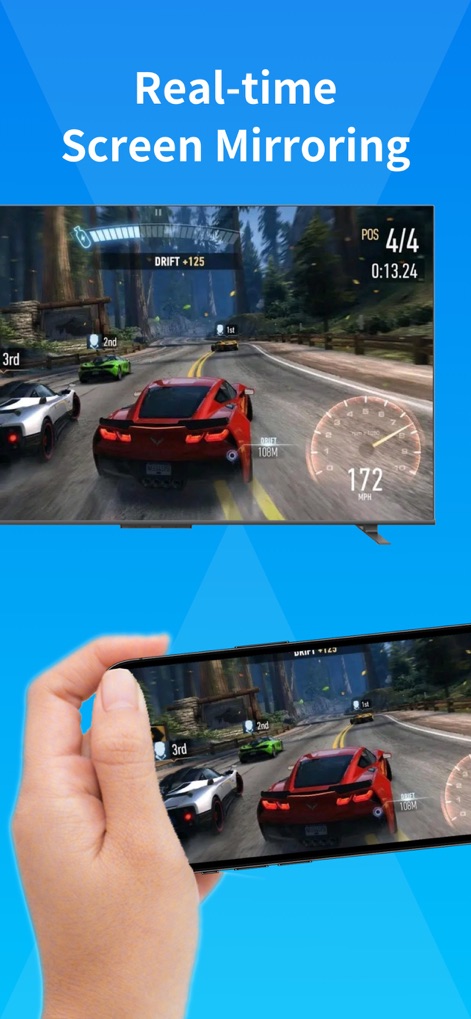
スマートフォンでのゲームプレイがテレビの大画面にリアルタイムで同期され、臨場感あふれるゲーム体験を実現します。
リアルタイム同期
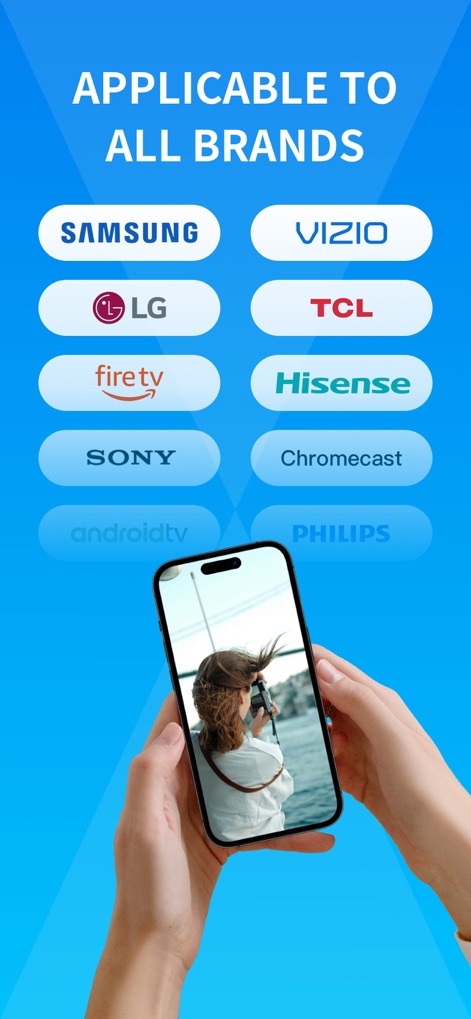
主要なテレビブランドすべてに対応しており、ユーザーは様々なデバイスにスマートフォンからのコンテンツを簡単に表示できます。
幅広い互換性
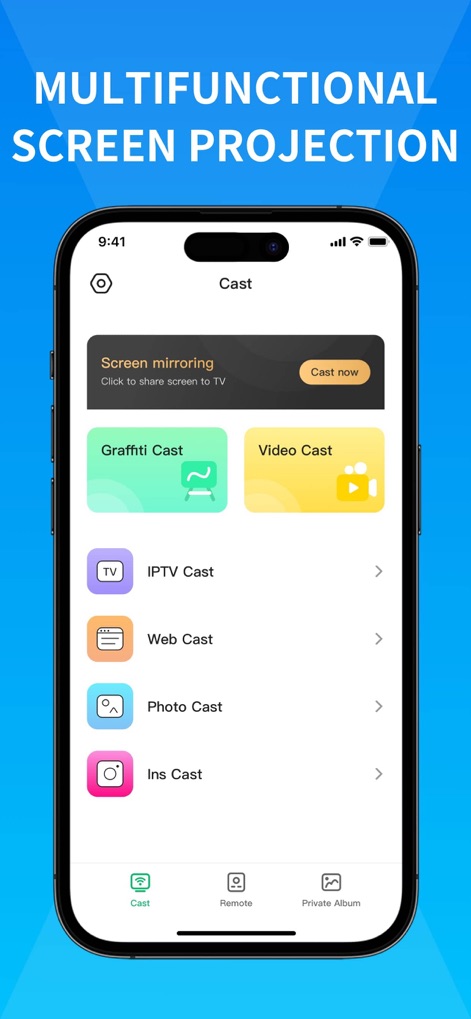
スクリーンミラーリングから写真・動画のキャストまで、直感的なインターフェースで多様なコンテンツをテレビに投影できます。
多機能キャスト

スマートフォンで再生中の動画をテレビに高画質でストリーミングし、大画面でもクリアな映像を楽しめます。
高画質配信

紛失したリモコンの代わりとして、電源オン/オフからチャンネル切り替えまで、スマートフォンからテレビを完全に操作できます。
万能リモコン
説明
Download
類似アプリ
似た機能とユーザー体験を持つアプリ

Web Video Cast | Browser to TV
InstantBits Inc

PigeonCast:Send by Google Cast
Sichuan FalconAI Technology Co., Ltd.

Screen Mirroring • Smart TV
Mihkel Pikk

Screen Mirroring | Cast to TV
Ozuna Limited

Screen Mirroring・Smart View TV
TOGGLE APPS SP Z O O

UbeCast: Music Streamer & PiP
AER SOFTWARE COMPANY LIMITED

AirDroid Cast-screen mirroring
SAND STUDIO CORPORATION LIMITED

Miracast: Screen Mirroring TV
Hainan Delta Software Co., Ltd

Screen Mirroring・Air Cast TV
Dalma Innovation Solutions d.o.o.
このページはアプリまたはその開発者の公式ページではなく、情報提供および論評を目的として作成された独立した編集出版物です。明示的に別段の記載がない限り、アプリおよびその開発者は、MWM、Apple、Google Play、アプリのパブリッシャー、またはアプリの開発者と提携、承認、後援、認可、またはその他の公式的な関係はなく、このページのいかなる内容も、アプリがMWMのサービスを使用して開発されたことを意味するものではありません。すべての商標、ロゴ、スクリーンショット、その他のコンテンツはそれぞれの所有者の財産です。