Mobile IDE for Claude Code
ダウンロード: App Store

このページはアプリまたはその開発者の公式ページではなく、情報提供および論評を目的として作成された独立した編集出版物です。明示的に別段の記載がない限り、アプリおよびその開発者は、MWM、Apple、Google Play、アプリのパブリッシャー、またはアプリの開発者と提携、承認、後援、認可、またはその他の公式的な関係はなく、このページのいかなる内容も、アプリがMWMのサービスを使用して開発されたことを意味するものではありません。すべての商標、ロゴ、スクリーンショット、その他のコンテンツはそれぞれの所有者の財産です。


ロゴ: Mobile IDE for Claude Code
ダウンロード: App Store

Mobile IDE for Claude Code

デスクを離れてもAIの脳は止まらない。このアプリは、あなたの思考をコードに変える。

主要数値

ダウンロード

10k+

ユーザー評価

3.1/5

評価数

31

開発元

Andrei Ramaniuk

カテゴリ

Developer Tools

対応言語

7

最新バージョン

1.0.3

サイズ

23.5 MB

リリース日

2026年1月23日
機能

プロフェッショナルな開発者のワークフローを強化する主要機能分析

Mobile IDE for Claude Codeの技術的評価

Mac連携リアルタイム実行

ユーザーのデバイスから送られたプロンプトはMac上で瞬時に処理され、結果とチャット履歴がリアルタイムで同期されるため、シームレスな作業フローが実現します。

プロジェクト認識型AI処理

macOSエージェントが、設定されたプロジェクトディレクトリ内でプロンプトを即座に実行するため、AIがプロジェクトのコンテキストを正確に理解し、関連性の高い応答を生成できます。

モバイルAIアシスト

ユーザーは場所を選ばずにAIによるコードレビュー、デバッグ、アーキテクチャ議論を継続でき、柔軟な開発環境を享受できます。

以下のスクリーンショットと説明は、アプリの公式ストアリスティングから直接取得されたものであり、アプリ開発者の所有物です。

アプリストア

スクリーンショット
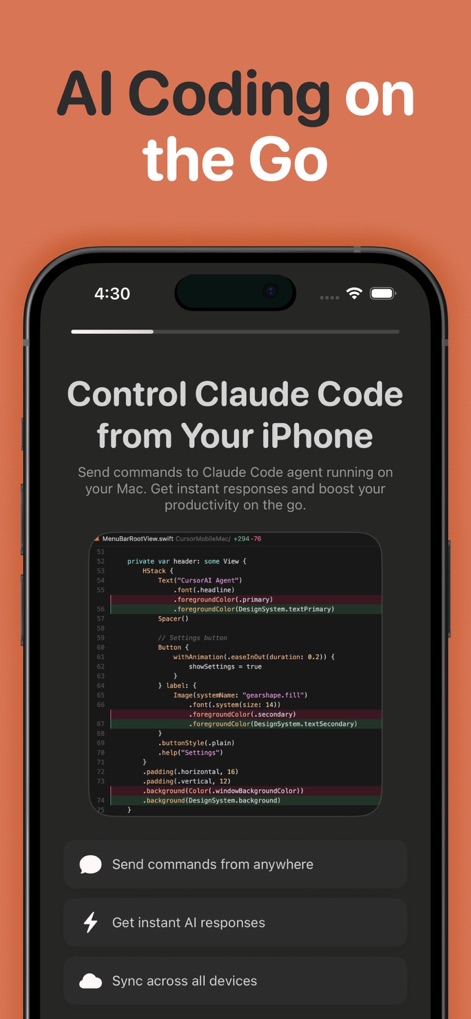
Mobile IDE for Claude Code - 本アプリはiPhoneからClaude Code CLIを完全に制御し、Mac上で即座にコマンドを実行します。ユーザーは「どこからでもコマンドを送信」でき、「全デバイス間で同期」機能を利用できます。

本アプリはiPhoneからClaude Code CLIを完全に制御し、Mac上で即座にコマンドを実行します。ユーザーは「どこからでもコマンドを送信」でき、「全デバイス間で同期」機能を利用できます。

iPhoneで完全制御
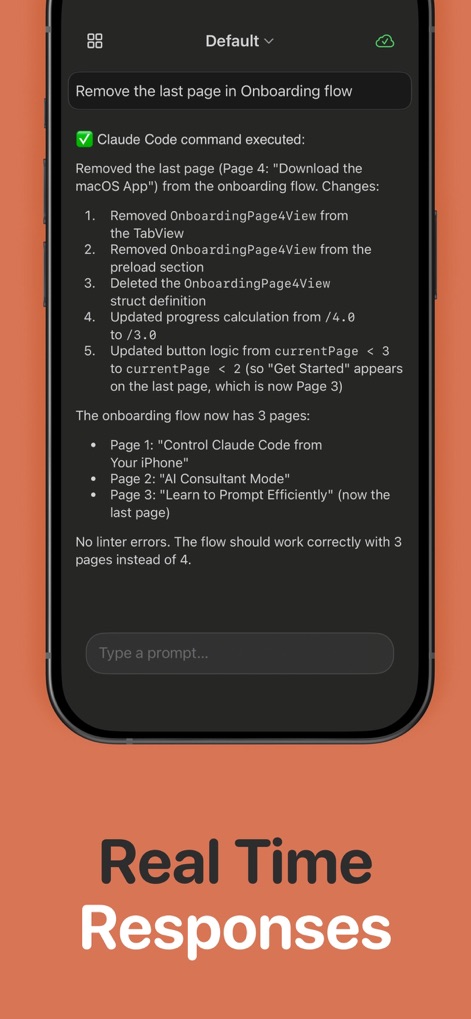
Mobile IDE for Claude Code - コマンド実行後、本アプリはMacからの結果を即座に表示します。ユーザーは詳細な変更内容説明や、コード実行による変更の「結果フィードバック」を確認できます。

コマンド実行後、本アプリはMacからの結果を即座に表示します。ユーザーは詳細な変更内容説明や、コード実行による変更の「結果フィードバック」を確認できます。

リアルタイム応答
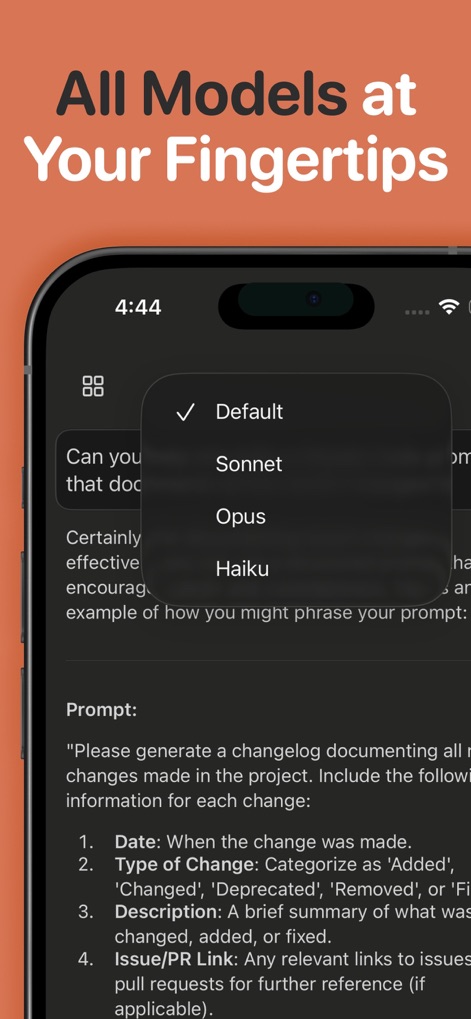
Mobile IDE for Claude Code - 本アプリでは、Sonnet、Opus、Haikuといった主要なClaude AIモデルを選択できます。ユーザーは「Default」オプションを選択して最適なモデルを自動で選択させることも可能です。

本アプリでは、Sonnet、Opus、Haikuといった主要なClaude AIモデルを選択できます。ユーザーは「Default」オプションを選択して最適なモデルを自動で選択させることも可能です。

全AIモデルに対応
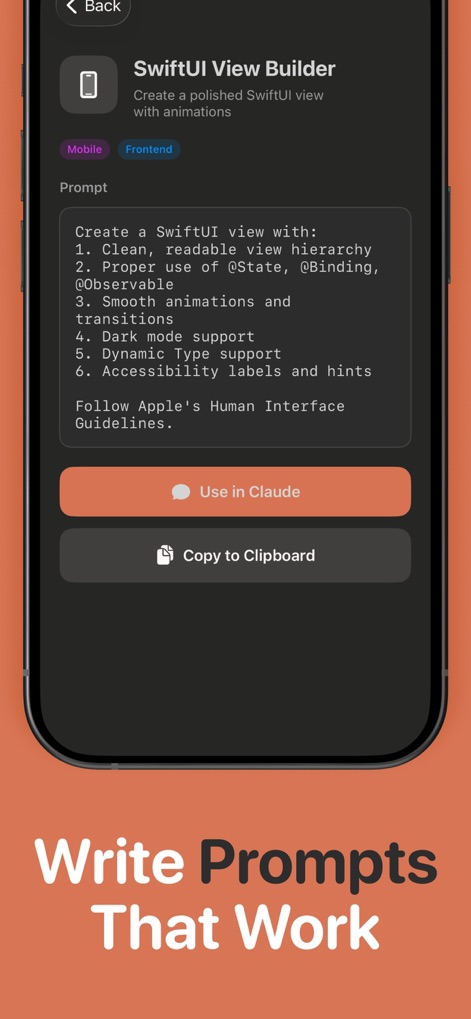
Mobile IDE for Claude Code - プロンプトハブは、構造化された「SwiftUI View Builder」テンプレートを提供し、効率的なプロンプト作成を支援します。ユーザーはこれらのテンプレートを「Claudeで使用」したり「クリップボードにコピー」できます。

プロンプトハブは、構造化された「SwiftUI View Builder」テンプレートを提供し、効率的なプロンプト作成を支援します。ユーザーはこれらのテンプレートを「Claudeで使用」したり「クリップボードにコピー」できます。

効果的なプロンプト作成
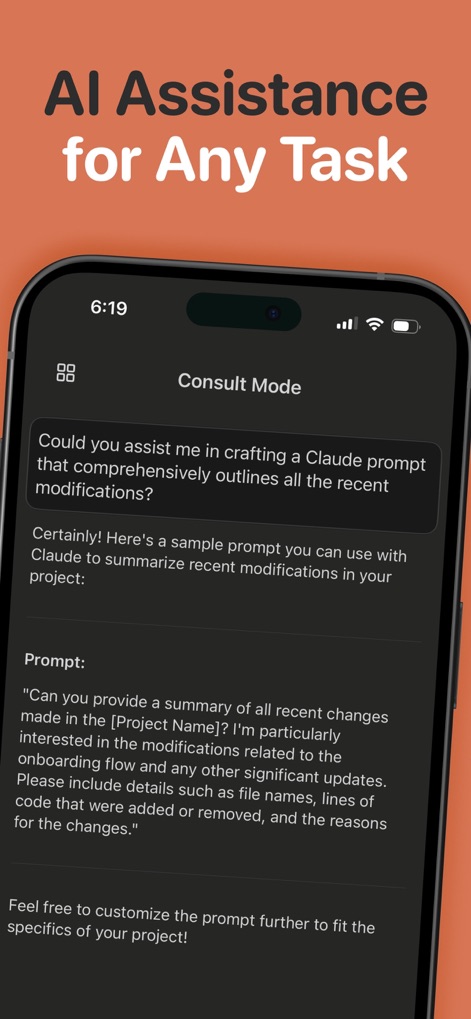
Mobile IDE for Claude Code - 「コンサルティングモード」を通じて、ユーザーはAIにプロンプト作成や技術的な質問の支援を求めることができます。本機能は、プロジェクトの変更概要を作成するための「サンプルプロンプト」を生成します。

「コンサルティングモード」を通じて、ユーザーはAIにプロンプト作成や技術的な質問の支援を求めることができます。本機能は、プロジェクトの変更概要を作成するための「サンプルプロンプト」を生成します。

AIアシスタンス

説明

Access your AI coding assistant anywhere with Mobile IDE for Claude Code - the companion app for Claude Code on iPhone and iPad. Send prompts from your device that run instantly on your Mac through the Claude Code CLI, with results and chat history syncing back in real time for a continuous workflow. Stay connected to your AI assistant wherever you are. Every message you send becomes a prompt processed by Claude Code’s AI-powered development environment, letting you review code, debug issues, or continue architectural discussions even when away from your desk. Your conversations sync securely across devices, so you always pick up right where you left off. Choose from Claude AI models including Sonnet, Opus, and Haiku. Select the best model for planning, reviewing, or generating code - or use Default to let Claude Code automatically choose the optimal model. Claude Code Mobile IDE is built with modern Apple technologies for a smooth and reliable experience. SwiftUI and SwiftData ensure fast local performance, while CloudKit keeps your iOS and macOS devices in sync. A lightweight macOS menu bar agent receives prompts via push notifications and executes them immediately inside your configured project directory. The app works offline as well - prompts created without connectivity sync automatically once you’re online. The macOS agent manages authentication, project access, and prompt execution after a quick one-time setup. Designed for developers using Claude Code, this app is ideal for professionals who need mobile access to AI-assisted coding. Review suggestions, ask technical questions, request code snippets, or maintain ongoing conversations while on the move. Claude Code Mobile IDE offers one free prompt per day, with premium subscriptions providing unlimited usage. Monthly and annual plans include a free trial, and all billing is managed securely through your Apple ID. What makes Claude Code Mobile IDE unique is its deep integration with Claude Code. Chat history, project context, and AI interactions stay perfectly aligned across devices. Real-time syncing ensures prompts are processed within seconds and executed exactly once with clear feedback. Features • Instant prompt execution on your Mac through Claude Code CLI • Real-time syncing of results and chat history • Support for Claude AI models: Sonnet, Opus, and Haiku • Project-aware processing within your configured project directory • CloudKit-powered syncing across iOS and macOS • Offline prompt creation with automatic syncing • Haptic feedback for key interactions • One free daily prompt, with premium unlimited access • Built-in Prompt Hub with curated developer prompts, Claude Code tips, and customizable prompt templates Requirements iOS 17.0 or later and macOS 14.0 or later. Both devices must use the same Apple ID with iCloud enabled. Claude Code CLI installation and Full Disk Access on macOS are required for processing prompts within your project directory. Terms of Use: https://www.apple.com/legal/internet-services/itunes/dev/stdeula/ Privacy Policy: https://appmeta.xyz/d/54049371-c034-4eb9-a300-824d9debd889 This app is an independent companion tool and is not affiliated with, endorsed by, or sponsored by Anthropic or Claude.

Download

ダウンロード: App Store

このページはアプリまたはその開発者の公式ページではなく、情報提供および論評を目的として作成された独立した編集出版物です。明示的に別段の記載がない限り、アプリおよびその開発者は、MWM、Apple、Google Play、アプリのパブリッシャー、またはアプリの開発者と提携、承認、後援、認可、またはその他の公式的な関係はなく、このページのいかなる内容も、アプリがMWMのサービスを使用して開発されたことを意味するものではありません。すべての商標、ロゴ、スクリーンショット、その他のコンテンツはそれぞれの所有者の財産です。








