Montessori Numbers for Kids
ダウンロード: App Store

このページはアプリまたはその開発者の公式ページではなく、情報提供および論評を目的として作成された独立した編集出版物です。明示的に別段の記載がない限り、アプリおよびその開発者は、MWM、Apple、Google Play、アプリのパブリッシャー、またはアプリの開発者と提携、承認、後援、認可、またはその他の公式的な関係はなく、このページのいかなる内容も、アプリがMWMのサービスを使用して開発されたことを意味するものではありません。すべての商標、ロゴ、スクリーンショット、その他のコンテンツはそれぞれの所有者の財産です。

ロゴ: Montessori Numbers for Kids
ダウンロード: App Store

Montessori Numbers for Kids

何千もの学校で信頼され、Common Core基準に準拠した、受賞歴のあるアプリがiPadを触覚的なモンテッソーリ教室に変えます。広告なしで罪悪感なく、教育的なスクリーンタイムを通じて、お子様が数字、数量、小数システムをマスターするのを支援します。

主要数値

ダウンロード

263K+

ユーザー評価

4.1/5

評価数

200

開発元

Pierre Abel

カテゴリ

Education

対応言語

1

最新バージョン

3.1.1

サイズ

106.9 MB

リリース日

2012年8月15日
機能

数学への深い理解を育む

丸暗記を超え、専門家がデザインしたアクティビティを通じて、お子様が数量を視覚化し、数の関係をマスターするのを支援します。

数量の視覚的関連付け

デジタルモンテッソーリビーズ、棒、正方形を使用して、数字と実際の物理的な数量を結びつけることで、抽象的なものと具体的なものとの間のギャップを埋めます。

位取りと小数のマスター

Common Core基準に準拠した直感的な実践的な操作を通じて、0から1000までの数字を構築することで、小数システムのような複雑な概念を簡略化します。

以下のスクリーンショットと説明は、アプリの公式ストアリスティングから直接取得されたものであり、アプリ開発者の所有物です。

アプリストア

スクリーンショット
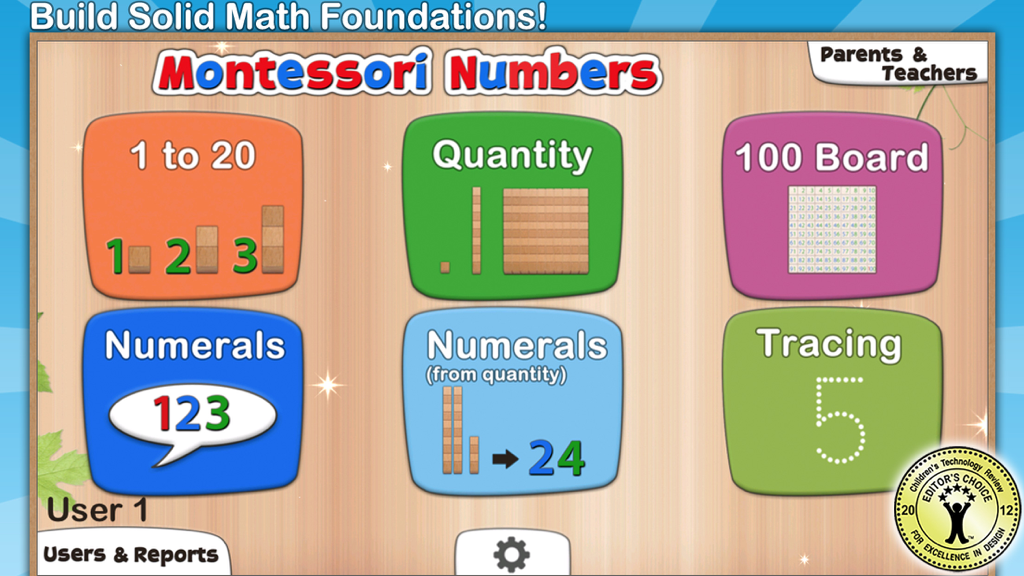
Montessori Numbers for Kids - Montessori Numbers for Kidsアプリのメインダッシュボード。数え方やなぞり書きなど、さまざまな数学学習アクティビティを表示しています。
Montessori Numbers for Kidsアプリのメインダッシュボード。数え方やなぞり書きなど、さまざまな数学学習アクティビティを表示しています。

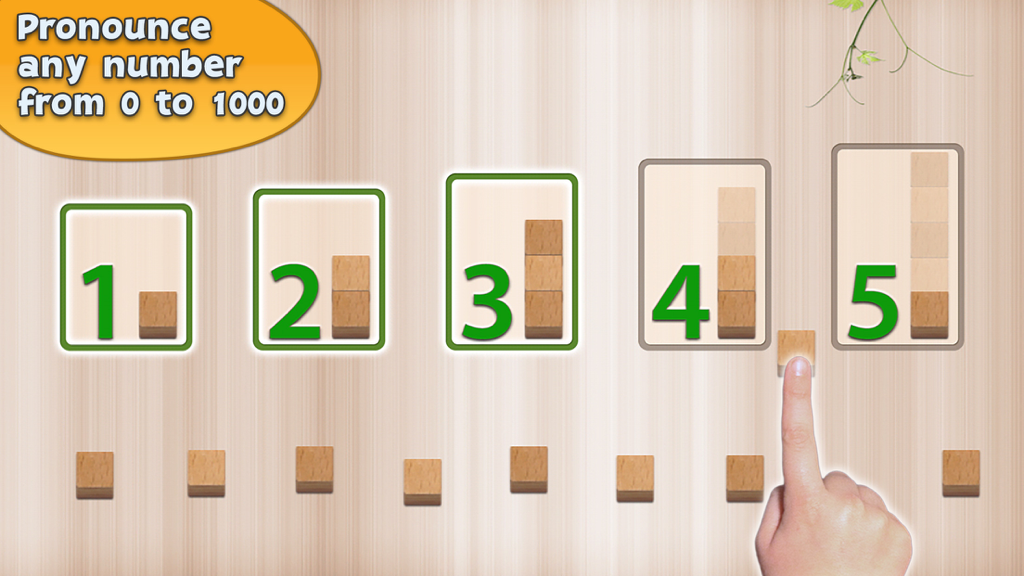
Montessori Numbers for Kids - 数え方の練習のための数字と木製ブロックを示す教育インターフェース

数え方の練習のための数字と木製ブロックを示す教育インターフェース

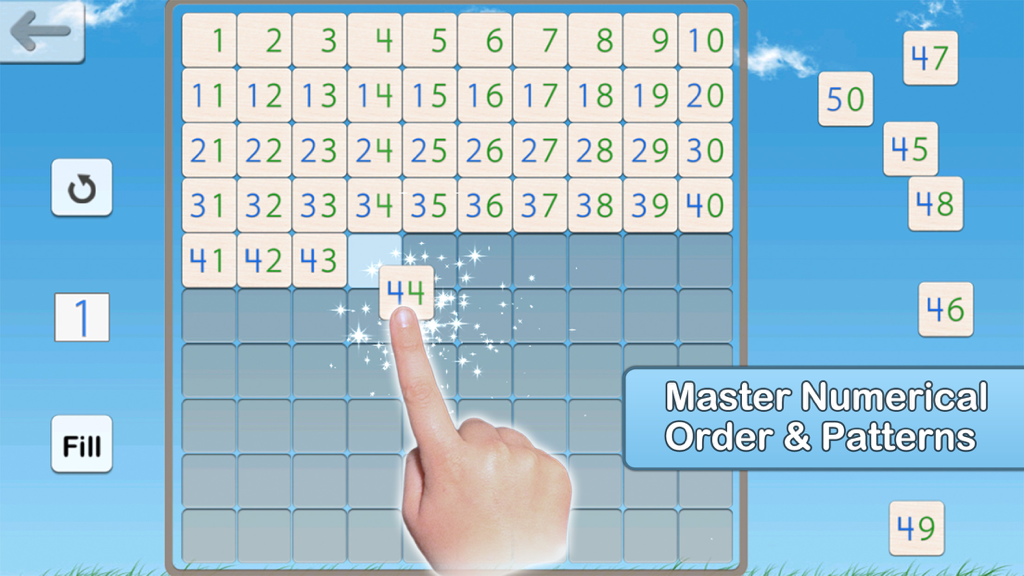
Montessori Numbers for Kids - 子供がモンテッソーリ数字アプリで数字の順序を学ぶために、100ボードのグリッドを完成させています。
子供がモンテッソーリ数字アプリで数字の順序を学ぶために、100ボードのグリッドを完成させています。

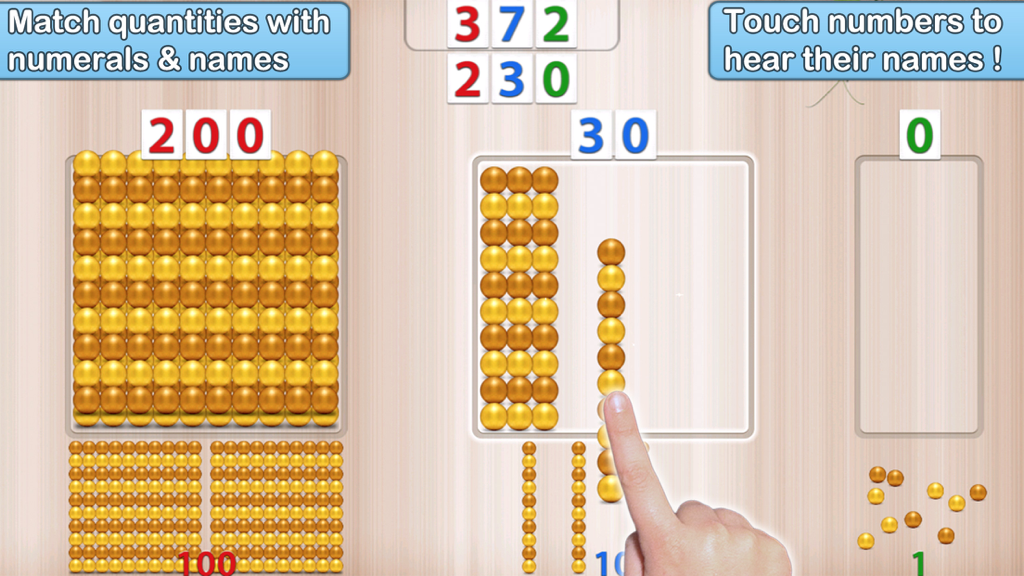
Montessori Numbers for Kids - 子供がMontessori Numbersアプリを使用して、金色のビーズの数量と数字を一致させ、位取りを学んでいます。
子供がMontessori Numbersアプリを使用して、金色のビーズの数量と数字を一致させ、位取りを学んでいます。

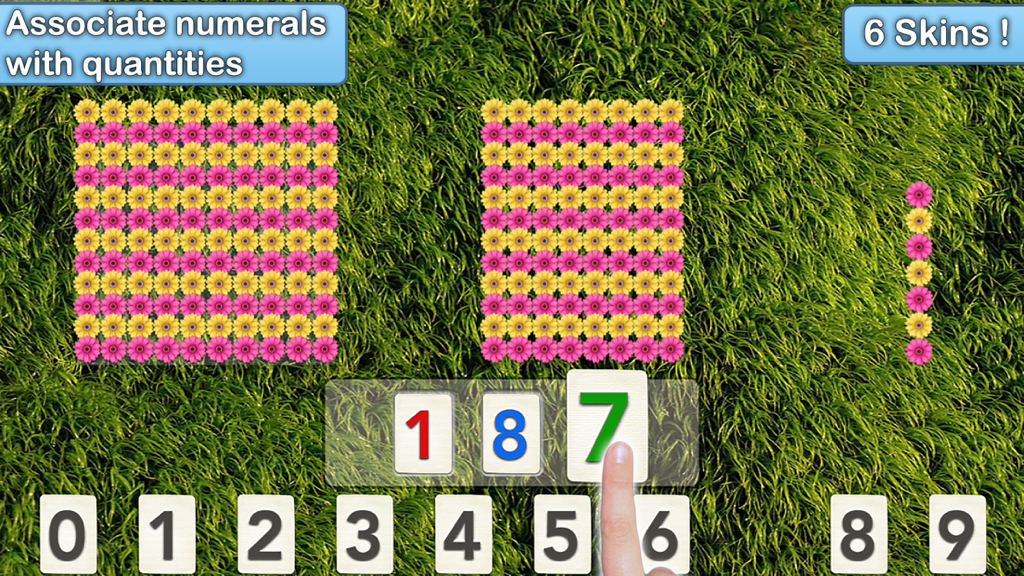
Montessori Numbers for Kids - 子供がモンテッソーリ数学ゲームで、数字と花の数量を関連付けています。

子供がモンテッソーリ数学ゲームで、数字と花の数量を関連付けています。
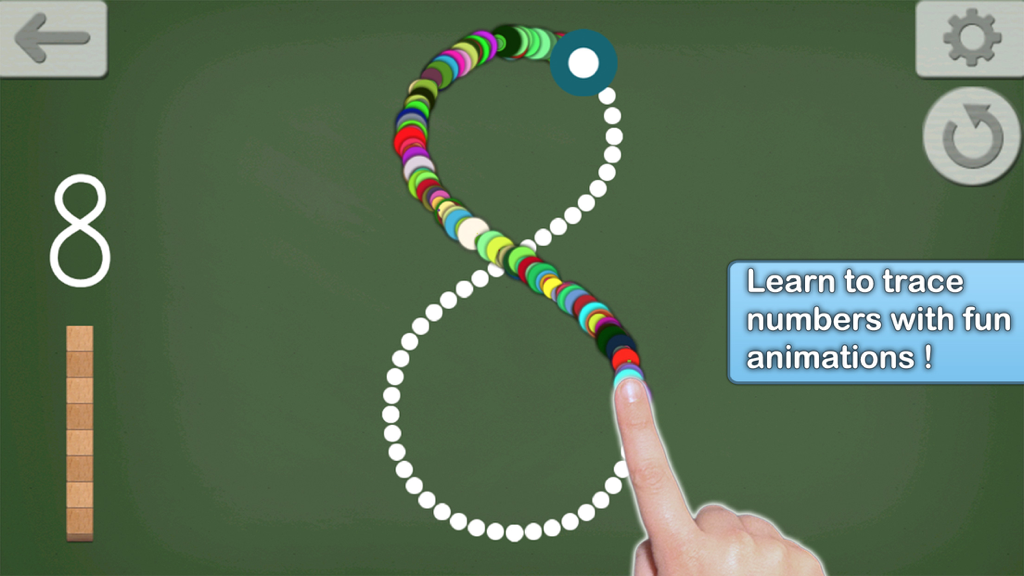
Montessori Numbers for Kids - 子供が黒板の背景にカラフルなアニメーションで数字の8をなぞり書きしています。

子供が黒板の背景にカラフルなアニメーションで数字の8をなぞり書きしています。

説明

• "This is a must-have app, for any early learning setting" - Editor's Choice - 4.8 stars out of 5 -Children's Technology Review • "A fantastic app for helping the young students understand the relationship between numbers and the quantity they stand for” - NBCNews.com • Featured by Apple as "Best for Ages 5 and under" & as 'New and Noteworthy' (Education) • 26,000 units sold to US schools ! _____ Montessori Numbers is designed to help build sound mathematical foundations in children aged 3-7 by using a concrete, visually significant material inspired from the Montessori methodology. Montessori Numbers offers a sequence of guided activities that gradually help children reinforce their skills. Each activity offers several levels of increasing complexity. • Learn to count up to 999 • Experiment with quantities and learn their names • Learn the numerals and their names • Understand the relationship between numbers and quantities • Understand the decimal system and place value • Master the numerical order • Learn to trace numbers Montessori Numbers builds on the iPad’s touch feature, and uses verbal feedback for more efficient learning. The app can pronounce any number between 0 and 1009 (American, British and Australian voices available). ___________ Common Core State Standard ___________ This app will help your child in learning the following Common Core State Standards domains: • Counting and Cardinality (K.CC) • Operations and Algebraic Thinking (K.OA, 1.OA.1/2/5) • Number & Operations in Base Ten (K.BNT,1.NBT.1/2/4/5/6, 2.NBT.1/2/3/5/8/9, 3.NBT.1/2). The app is great to deal with place value. ___________ Activities ___________ • Hundred Board A great activity to help your child master the numerical order of 1-1000, and to introduce numerical patterns. The hundred board displays 100 numbers in a square. The first number (1,101,201,...) can be chosen so it can customized for each child • 1 to 20 This activity is designed to introduce numbers. 3 levels of difficulty: 0 to 5, 0 to 10 and 11 to 20. • Quantity In this activity, kids associate quantities to numbers by manipulating units, bars of 10, and squares of 100 to match a given number which is pronounced and optionally displayed. Levels of difficulty: 0 to 9, 10 to 99, 100 to 999 or custom • Numerals In this activity, number names are to be associated with numerals. As a number name is pronounced, kids are invited to build the corresponding numeral. Kids can freely experiment with numerals and hear the names associated with each numeral they build. The quantity representing the numbers built is also displayed to reinforce the association between quantity and numerals. Levels of difficulty: 0 to 9, 10 to 99, 100 to 999 or custom • Numerals (from Quantity) In this activity, a quantity is to be associated with a given numeral. The child must build the number that matches the quantity displayed. This is the most complex activity because the child must count the quantity displayed, and then build the number using the numerals. Levels of difficulty: 0 to 9, 10 to 99, 100 to 999 or custom • Number Tracing Learn to trace numbers with animations that follow the child's touch. Several options (size, difficulty, tracing style, show/hide model) are available to tailor the activity to your needs. • Building Block Game: A game can be started at the end of each activity (availability can be modified in settings). There is no “real” goal to this game - kids can play freely with the materials, thus becoming more familiar with them. ___________ More Accolades ! ___________ • "Overall, Montessori Numbers is a great way to expose kids to math in a meaningful way." CommonSenseMedia.com • Wired's GeekDad Approved • "Montessori Numbers is among the best educational apps for young children I've seen. The verbal feedback is very supportive. " Mary Ellin Logue, Ed.D, Early Childhood Education, University of Maine • Rated 5 stars on BestKidsApps.com and MindLeap.com

Download

ダウンロード: App Store

このページはアプリまたはその開発者の公式ページではなく、情報提供および論評を目的として作成された独立した編集出版物です。明示的に別段の記載がない限り、アプリおよびその開発者は、MWM、Apple、Google Play、アプリのパブリッシャー、またはアプリの開発者と提携、承認、後援、認可、またはその他の公式的な関係はなく、このページのいかなる内容も、アプリがMWMのサービスを使用して開発されたことを意味するものではありません。すべての商標、ロゴ、スクリーンショット、その他のコンテンツはそれぞれの所有者の財産です。