Morse Chat: Chat in Morse Code
ダウンロード: App Store

このページはアプリまたはその開発者の公式ページではなく、情報提供および論評を目的として作成された独立した編集出版物です。明示的に別段の記載がない限り、アプリおよびその開発者は、MWM、Apple、Google Play、アプリのパブリッシャー、またはアプリの開発者と提携、承認、後援、認可、またはその他の公式的な関係はなく、このページのいかなる内容も、アプリがMWMのサービスを使用して開発されたことを意味するものではありません。すべての商標、ロゴ、スクリーンショット、その他のコンテンツはそれぞれの所有者の財産です。


ロゴ: Morse Chat: Chat in Morse Code
ダウンロード: App Store

Morse Chat: Chat in Morse Code

アマチュア無線愛好家やレトロデジタルホビイストの世界的なコミュニティに参加しましょう。WPM別のルームから広告なしのプライベートなインナーサークルまで、モールス信号のスキルと伝統を大切にする仲間と繋がりましょう。

主要数値

ダウンロード

28K+

ユーザー評価

4.7/5

評価数

900

開発元

Xiang Dong

カテゴリ

Social Networking

対応言語

1

最新バージョン

3.4.5

サイズ

42.5 MB

リリース日

2021年9月21日
機能

モールスの芸術をマスターする

分散しない環境で練習、チャット、スキルの向上を目的とした、現代の電信技士のために設計されたグローバルな愛好家コミュニティに参加しましょう。

スピードをレベルアップ

10 WPMの初心者から20 WPM以上のエキスパートまで、自分のペースで練習できるWPM別に分類された公開ルームに参加しましょう。

チャットしながら学ぶ

ライブ自動翻訳と専用プレイグラウンドでギャップを埋め、リアルタイムの会話で送信スキルを磨きましょう。

以下のスクリーンショットと説明は、アプリの公式ストアリスティングから直接取得されたものであり、アプリ開発者の所有物です。

アプリストア

スクリーンショット
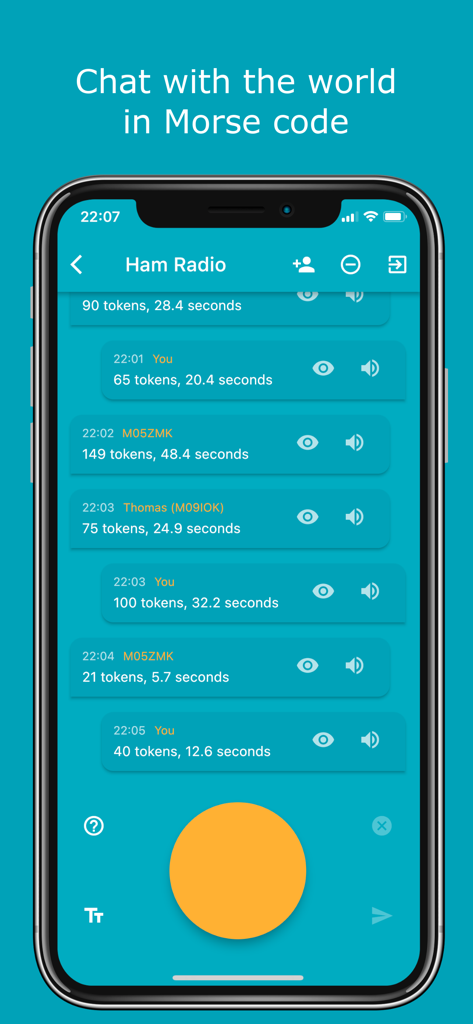
Morse Chat: Chat in Morse Code - モールスチャットアプリのインターフェースが、モールス信号入力をするための大きな黄色のタップボタンを備えたアマチュア無線公開ルーム内に表示されている様子を示すモバイル画面。
モールスチャットアプリのインターフェースが、モールス信号入力をするための大きな黄色のタップボタンを備えたアマチュア無線公開ルーム内に表示されている様子を示すモバイル画面。

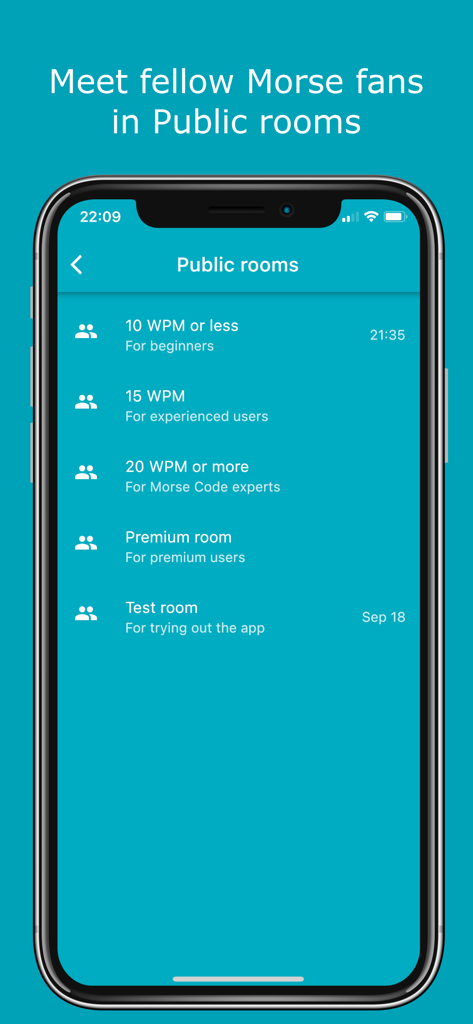
Morse Chat: Chat in Morse Code - 初心者とエキスパート向けのモールス信号速度レベル別に分類された公開チャットルームを示すモールスチャットアプリのインターフェース
初心者とエキスパート向けのモールス信号速度レベル別に分類された公開チャットルームを示すモールスチャットアプリのインターフェース

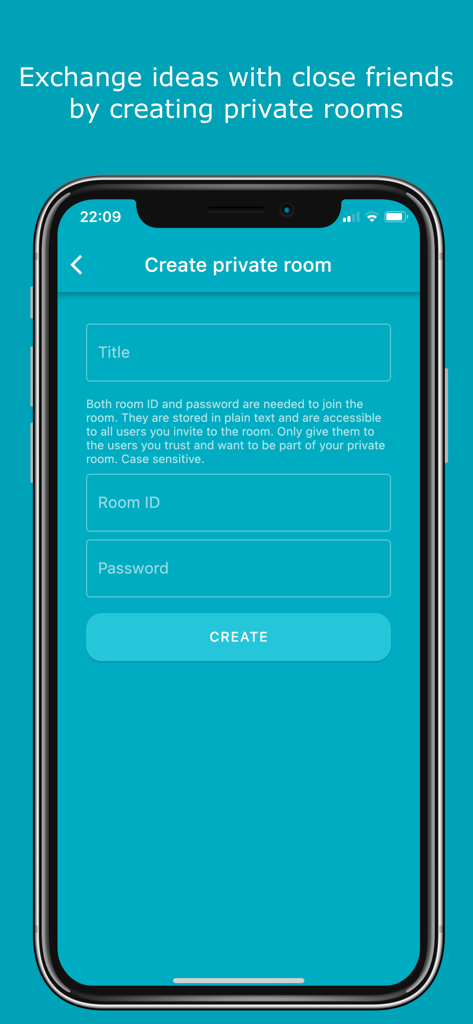
Morse Chat: Chat in Morse Code - モールスチャットアプリで安全なプライベートチャットルームを作成するためのインターフェース
モールスチャットアプリで安全なプライベートチャットルームを作成するためのインターフェース

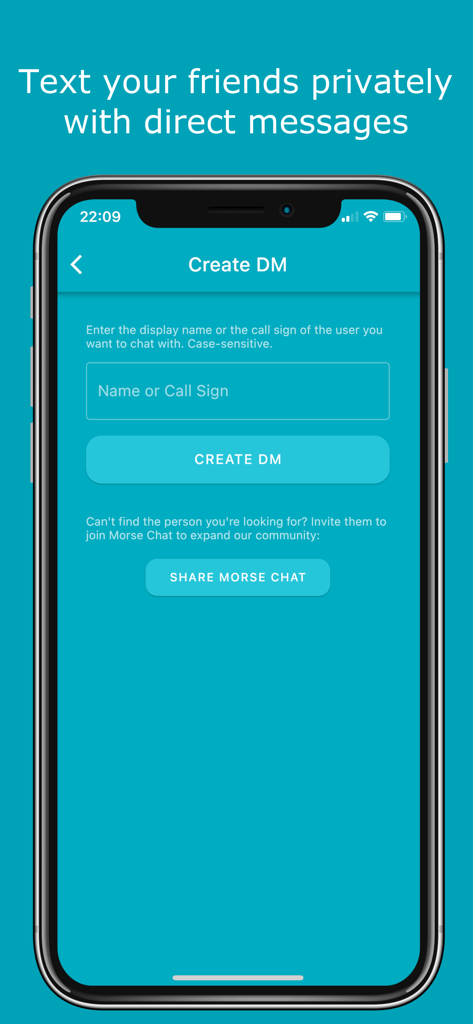
Morse Chat: Chat in Morse Code - 名前またはコールサインの入力を示すモールスチャットアプリのダイレクトメッセージ作成画面
名前またはコールサインの入力を示すモールスチャットアプリのダイレクトメッセージ作成画面

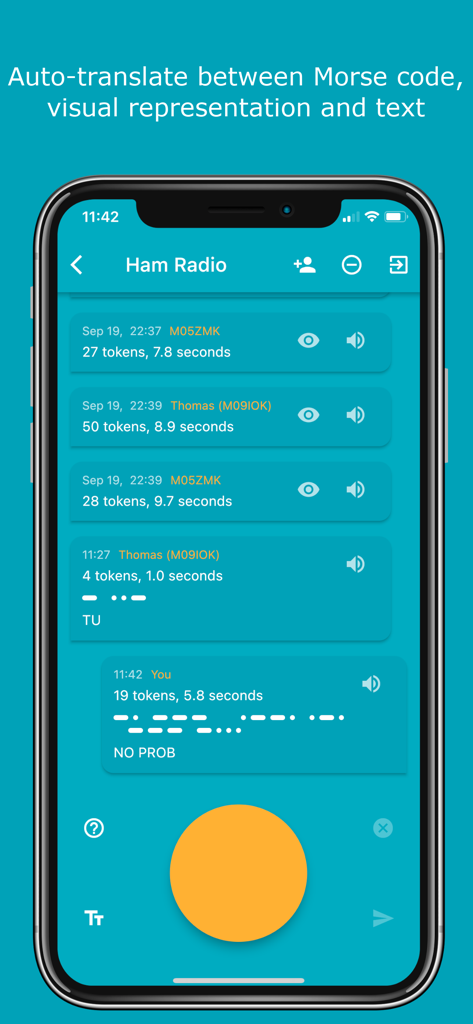
Morse Chat: Chat in Morse Code - アマチュア無線チャットルームで、モールス信号のドットとテキスト間の自動翻訳を示すモールスチャットアプリのスクリーンショット。
アマチュア無線チャットルームで、モールス信号のドットとテキスト間の自動翻訳を示すモールスチャットアプリのスクリーンショット。

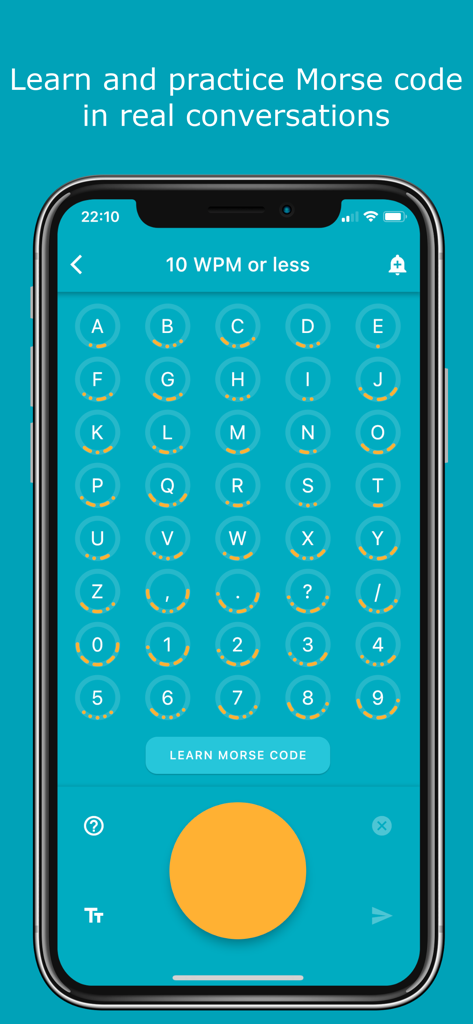
Morse Chat: Chat in Morse Code - 対応するモールス信号のドットとダッシュを持つ文字と記号のグリッドを示すモールスチャットアプリのインターフェース
対応するモールス信号のドットとダッシュを持つ文字と記号のグリッドを示すモールスチャットアプリのインターフェース

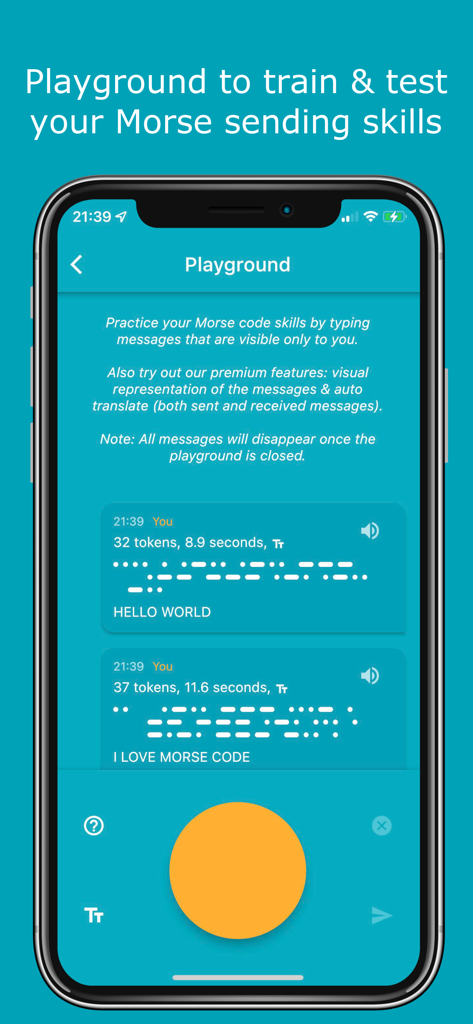
Morse Chat: Chat in Morse Code - 練習メッセージとモールス信号をタップするための大きなオレンジ色のボタンが表示されたモールスチャットアプリのプレイグラウンド画面
練習メッセージとモールス信号をタップするための大きなオレンジ色のボタンが表示されたモールスチャットアプリのプレイグラウンド画面

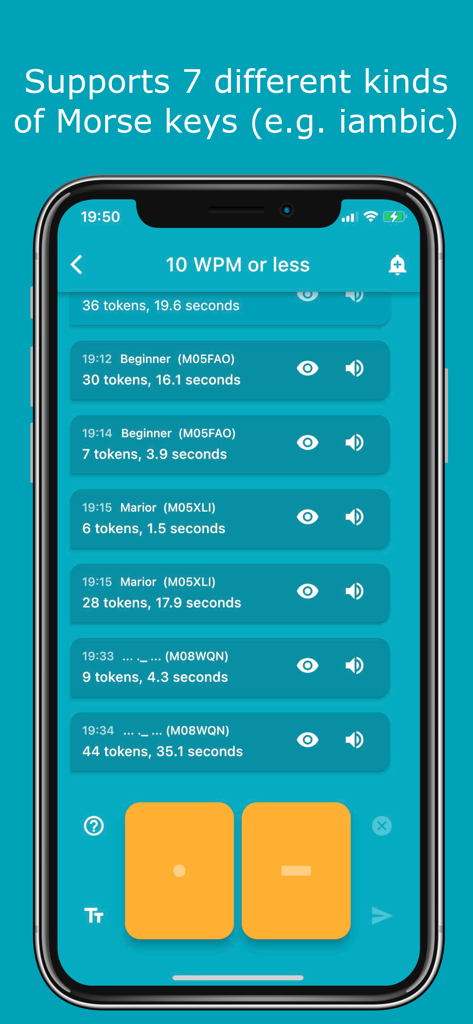
Morse Chat: Chat in Morse Code - ドットとダッシュの入力ボタンがある10 WPMチャットルームを示すモールスチャットアプリのインターフェース
ドットとダッシュの入力ボタンがある10 WPMチャットルームを示すモールスチャットアプリのインターフェース

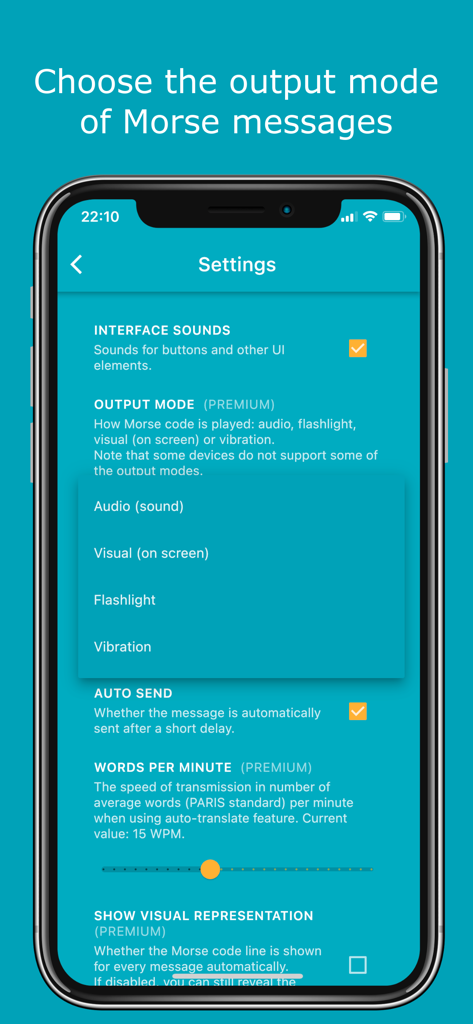
Morse Chat: Chat in Morse Code - オーディオ、フラッシュライト、バイブレーションの出力モードオプションを表示するモールスチャット設定画面
オーディオ、フラッシュライト、バイブレーションの出力モードオプションを表示するモールスチャット設定画面

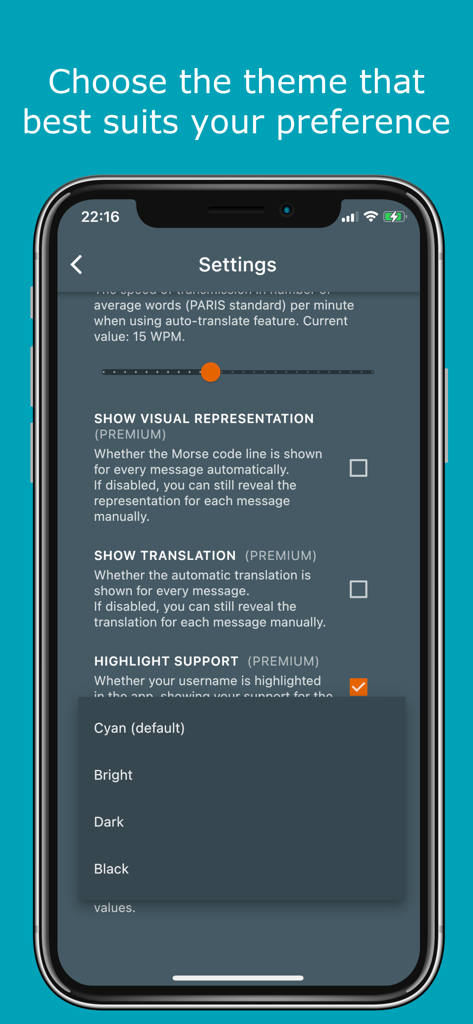
Morse Chat: Chat in Morse Code - ダークまたはブラックのようなテーマを選択するためのメニューを示すモールスチャットアプリの設定

ダークまたはブラックのようなテーマを選択するためのメニューを示すモールスチャットアプリの設定

説明

Features: - Communicate with fellow Morse enthusiasts from far and near simply by tapping dots and dashes. - Meet new friends in a number of public rooms (10 WPM or less, 15 WPM, 20 WPM or more, Test room and so on). - Share and exchange ideas with your Inner Circle by creating private rooms. - In private rooms, the owner can modify room details (room ID & name) and remove members. - Text your friends privately with direct messages. - 7 types of Morse keys to choose from (e.g. iambic). - NEW! “Playground” to test and train your Morse code sending skills. - Support for external keyboard. - Easily subscribe and unsubscribe to notifications by clicking the bell icon at the upper right corner. - Learn and practice Morse code in real conversations (click on the question mark icon in any chat screen to see Morse representations and the most common Morse abbreviations). - Auto-translate between Morse code, Morse representation and text while receiving or sending messages. You decide what to show and in which order in Settings. - Option to show live translation while typing the Morse code. - Try the app out as a guest or sign in with your Apple ID, Google account or Facebook account. - Completely adjust the app according to your preferences: 1. Choose the frequency and output mode of the Morse messages (audio, blinking light, flashlight, vibration or audio + blinking light). 2. Adjust the transmission speed when using auto-translate. 3. Change the theme (Cyan, Bright, Dark, Black). 4. Enable/disable auto-send, auto-translation and more. - Absolutely no ads. - Easily block annoying users. - Blog posts and the info screen provide detailed instructions on how to use the app. Morse Code Morse code is a communication system that uses a series of short signals (also known as dots or dits) and long signals (also known as dashes or dahs) to transmit characters. The initial version of it was developed by Samuel F. B. Morse as a method to transmit natural language through the telegraph in the mid-19th century. Morse Chat Morse Chat is an app that allows users to communicate with others using Morse code. Once you sign in, you’ll see 3 big buttons which correspond to 3 main ways of chatting. - Public Rooms. A number of rooms (10 WPM or less, 15 WPM, 20 WPM or more, Test room and so on) has been created to allow chatting with fellow Morse code enthusiasts. These rooms are open to everyone. Contact us if you have an idea for a new public room. - Private Rooms. These can be created by premium users, and joined by any user (premium or not) who gets the room ID and password (case sensitive) or is invited by an existing room member. - Direct Messages (DMs). These are private messages between two participants. Simply create a DM by searching the other user’s display name or call sign. Download Morse Chat now and say “Hello” to the world in Morse code! Privacy Policy: https://www.dong.digital/morsechat/privacy/ Terms of Use: https://www.dong.digital/morsechat/tos/

Download

ダウンロード: App Store

このページはアプリまたはその開発者の公式ページではなく、情報提供および論評を目的として作成された独立した編集出版物です。明示的に別段の記載がない限り、アプリおよびその開発者は、MWM、Apple、Google Play、アプリのパブリッシャー、またはアプリの開発者と提携、承認、後援、認可、またはその他の公式的な関係はなく、このページのいかなる内容も、アプリがMWMのサービスを使用して開発されたことを意味するものではありません。すべての商標、ロゴ、スクリーンショット、その他のコンテンツはそれぞれの所有者の財産です。








