
このページはアプリまたはその開発者の公式ページではなく、情報提供および論評を目的として作成された独立した編集出版物です。明示的に別段の記載がない限り、アプリおよびその開発者は、MWM、Apple、Google Play、アプリのパブリッシャー、またはアプリの開発者と提携、承認、後援、認可、またはその他の公式的な関係はなく、このページのいかなる内容も、アプリがMWMのサービスを使用して開発されたことを意味するものではありません。すべての商標、ロゴ、スクリーンショット、その他のコンテンツはそれぞれの所有者の財産です。


Morse Mania: Learn Morse Code
アマチュア無線愛好家やホビイストのための究極のゲーミフィケーションされたトレーニング。科学に基づいた270レベルのレッスンで、送受信を学びましょう。100%オフライン、広告なし、そして真剣な習得のために作られています。
ダウンロード
100K+ユーザー評価
評価数
9K+開発元
カテゴリ
Education対応言語
1最新バージョン
9.5.0サイズ
28.8 MBリリース日
2020年5月7日モールスの技術をマスターする
真剣なアマチュア無線愛好家や緊急時対応のために設計された、最も包括的で広告なしのプラットフォームで10万人以上のユーザーに加わりましょう。
プロフェッショナル・ファーンズワース・トレーニング
ファーンズワース方式で正しく学びましょう。文字の速度と間隔を個別に調整して、停滞することなく高速コピー能力を構築します。
スマート・アダプティブ・カリキュラム
最近の間違いを優先する270以上のレベルをマスターしましょう。基本的な文字から複雑なQコードやコールサインまで、アプリはあなたのスキルレベルに合わせて進化します。
よくある質問
について知っておくべきこと Morse Mania: Learn Morse Code
How does Morse Mania teach Morse code?
Morse Mania teaches Morse code by starting with the easiest letters (E and T) and progressing to more complex ones, numbers, symbols, Prosigns, Q-codes, abbreviations, words, Callsigns, phrases, and sentences.
Does Morse Mania offer both receiving and sending practice?
Yes, Morse Mania offers practice for both receiving and sending Morse code. It features 135 levels for recognizing characters and another 135 levels for sending Morse code.
What output modes are available in the Morse Mania app?
The Morse Mania app supports five output modes: audio (default), blinking light, flashlight, vibration, and light + sound. These modes enhance the learning experience for users.
Can users customize their practice levels in Morse Mania?
Yes, users can create custom levels in Morse Mania. This feature allows practicing specific symbols of choice and saving personalized symbol lists for future use.
Does Morse Mania include a practice area for sending Morse code?
Yes, Morse Mania features a "Playground" mode specifically designed to test and train users' Morse code sending skills in an interactive environment.
Are there ads in the Morse Mania application?
No, the Morse Mania application contains absolutely no ads, ensuring an uninterrupted learning experience for users focused on mastering Morse code.
Can Morse Mania be used without an internet connection?
Yes, Morse Mania functions completely offline. An internet connection is not required to use the app and learn Morse code from any location.
How many Morse code sending keys does Morse Mania offer?
Morse Mania offers 7 different keys for sending Morse code, including the iambic key. This variety allows users to choose their preferred sending method for practice.
Can I adjust the Morse code speed in Morse Mania?
Yes, Morse Mania allows users to adjust the speed from 5 to 45 Words Per Minute (WPM). The app recommends speeds less than 20 WPM are not ideal for actual language learning.
Does Morse Mania support external keyboards?
Yes, Morse Mania provides support for external keyboards. This feature allows users to practice sending Morse code using their preferred external input device.
What types of content does Morse Mania teach besides letters?
Beyond letters, Morse Mania teaches numbers, 18 punctuation marks, 20 non-Latin extensions, prosigns, Q-codes, popular abbreviations, words, callsigns, phrases, and sentences.
Does Morse Mania offer hints for learners?
Yes, Morse Mania offers free hints when users require assistance during their learning process. This feature helps learners overcome difficulties and progress.
How many keyboard layouts does Morse Mania support?
Morse Mania supports 9 different keyboard layouts including QWERTY, AZERTY, QWERTZ, ABCDEF, Dvorak, Colemak, Maltron, Workman, and Halmak, offering diverse input options.
以下のスクリーンショットと説明は、アプリの公式ストアリスティングから直接取得されたものであり、アプリ開発者の所有物です。
アプリストア
スクリーンショット
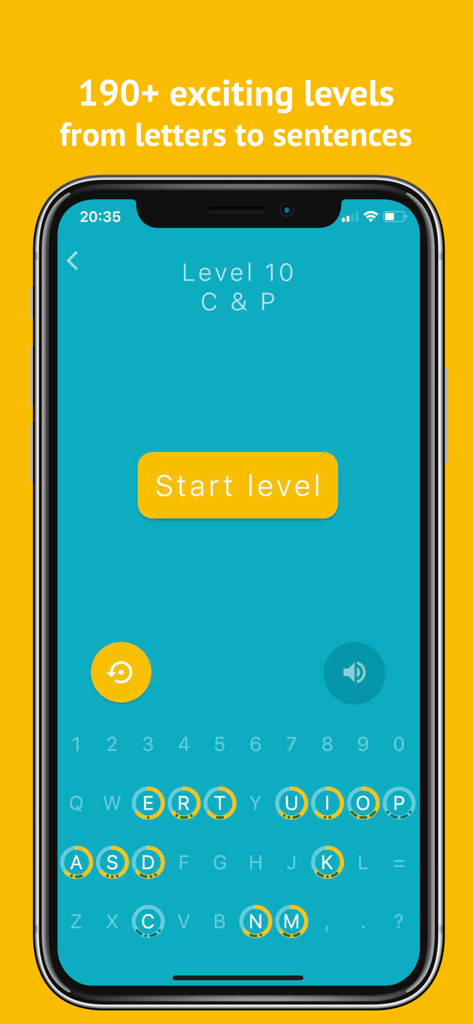
モールス・マニアのアプリインターフェース。レベル10を表示し、キーボードと文字の進捗インジケーターが表示されています。
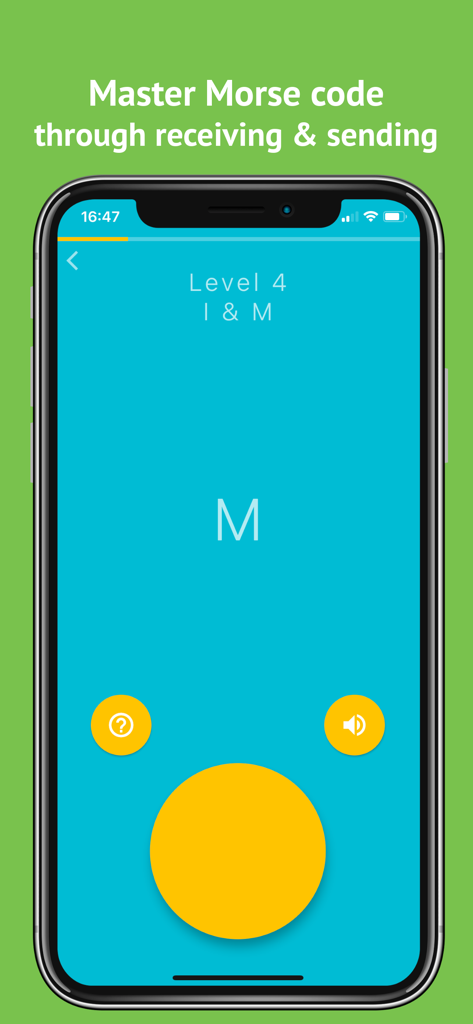
モールス・マニアのアプリインターフェース。レベル4の文字IとMの学習を表示しています。
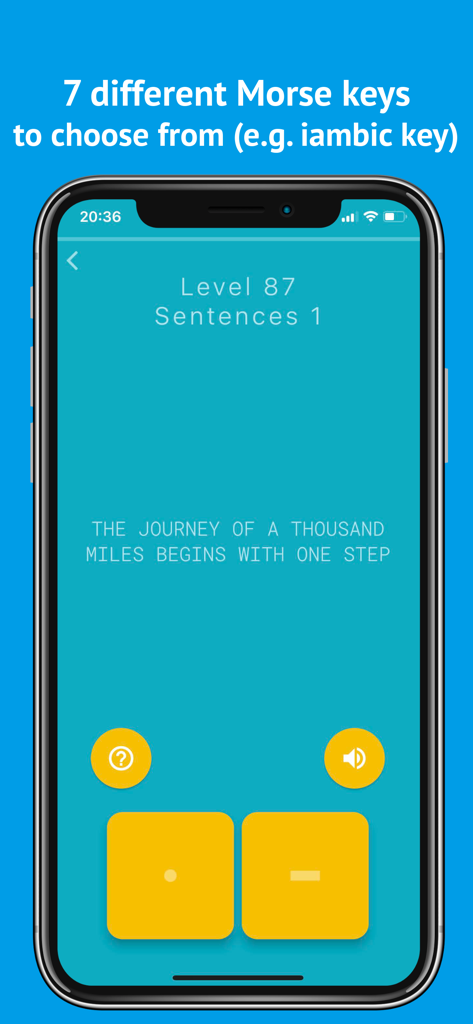
モールス・マニアのアプリインターフェース。ユーザーがドットとダッシュボタンを使用して文章の送信を練習するレベル87を表示しています。
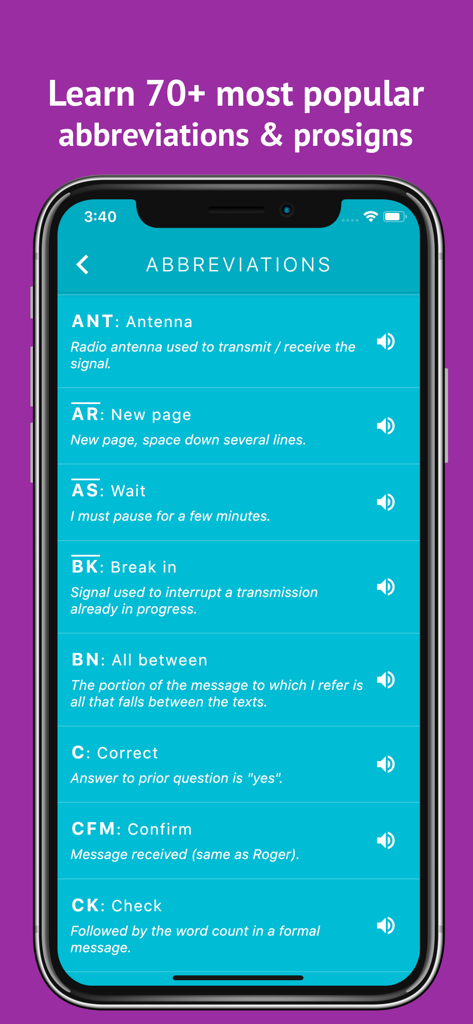
一般的なモールス信号の略語とプロサインのリスト。アプリ内の定義も含まれています。
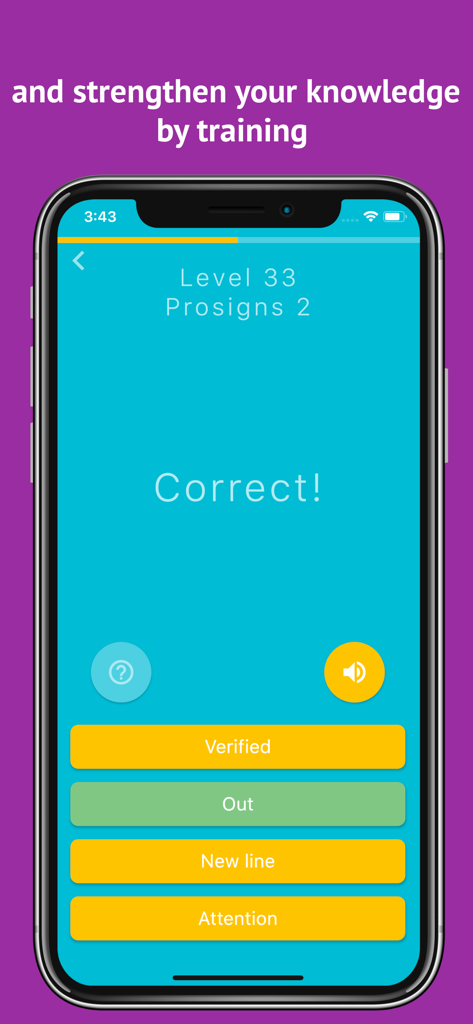
モールス・マニアアプリのモバイル画面。プロサイントレーニングレベルの正解を表示しています。
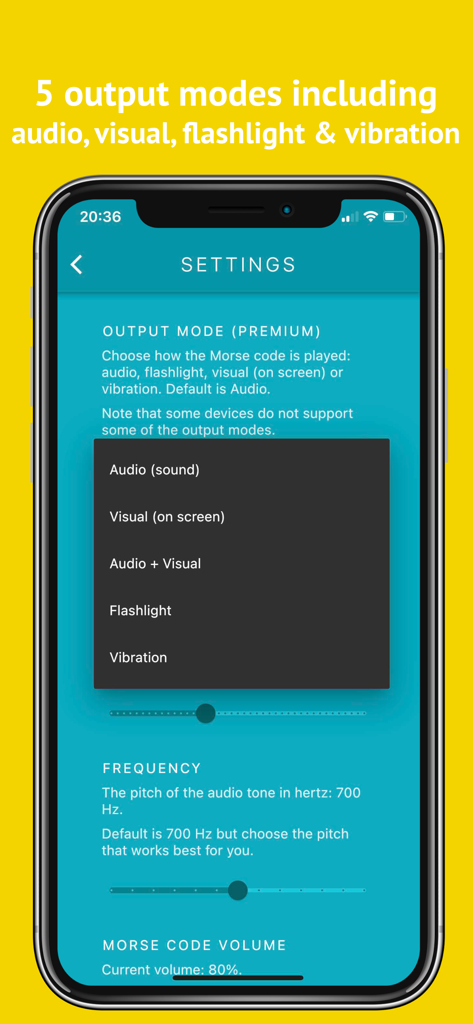
モールス・マニアアプリの設定画面。オーディオ、ビジュアル、懐中電灯、振動の出力モードのオプションを表示しています。
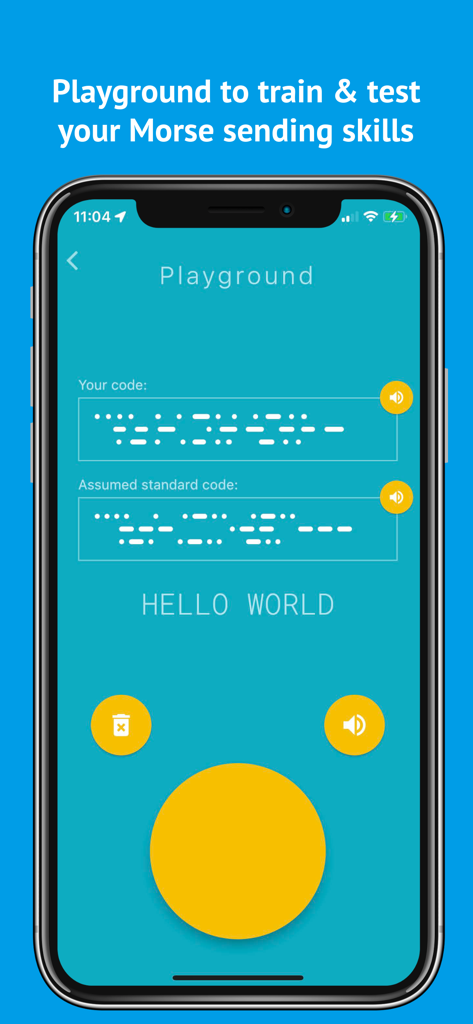
モールス・マニアアプリのプレイグラウンド画面。Hello Worldの例でモールス信号の送信スキルをトレーニングおよびテストします。
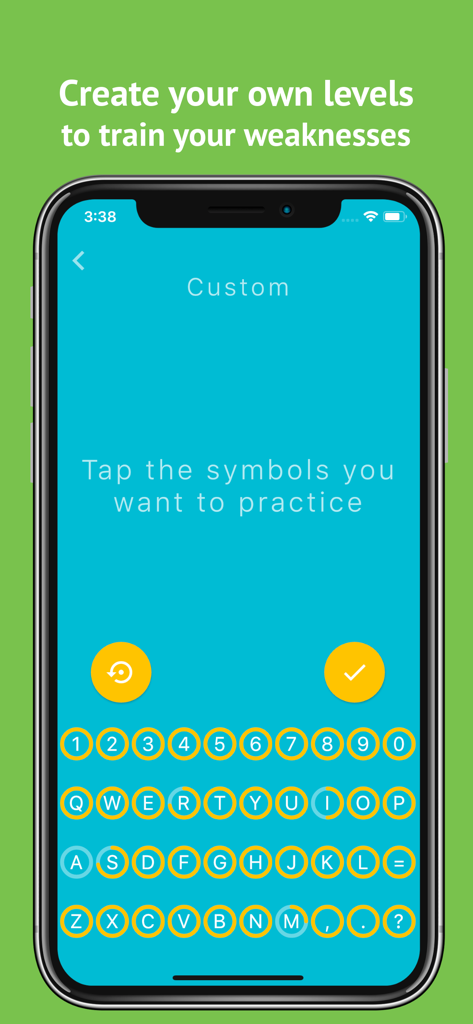
モールス・マニアアプリのインターフェース。特定の文字や数字を練習するためのカスタムレベル選択画面を表示しています。
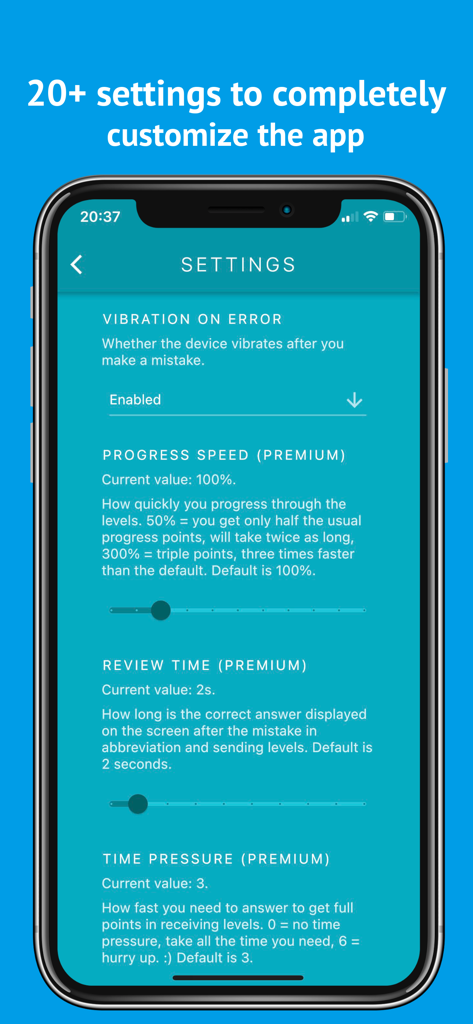
モールス・マニアアプリの設定画面。モールス信号学習のための高度なカスタマイズオプションを表示しています。
説明
Download
類似アプリ
同じカテゴリのトップランクアプリ

Duolingo - Language Lessons
Duolingo, Inc

Speak & Learn English: Learna
DEEP FLOW SOFTWARE SERVICES - FZCO

驾考宝典-科一科四驾驶证考试驾考通
Wuhan Jiakaobaodian Information Service Co., Ltd.

Toca Boca World
Toca Boca AB

Google Classroom
Google LLC

作业帮-中小学家长作业检查和辅导工具
Guangzhou Polar Future Culture Technology Co., Ltd

学信网
Student Information Consultation Service Co., Ltd.

Gauth: AI Study Companion
GAUTHTECH PTE. LTD.

ArtWorkout: Learn How to Draw
Aleksandr Ulitin
このページはアプリまたはその開発者の公式ページではなく、情報提供および論評を目的として作成された独立した編集出版物です。明示的に別段の記載がない限り、アプリおよびその開発者は、MWM、Apple、Google Play、アプリのパブリッシャー、またはアプリの開発者と提携、承認、後援、認可、またはその他の公式的な関係はなく、このページのいかなる内容も、アプリがMWMのサービスを使用して開発されたことを意味するものではありません。すべての商標、ロゴ、スクリーンショット、その他のコンテンツはそれぞれの所有者の財産です。