
このページはアプリまたはその開発者の公式ページではなく、情報提供および論評を目的として作成された独立した編集出版物です。明示的に別段の記載がない限り、アプリおよびその開発者は、MWM、Apple、Google Play、アプリのパブリッシャー、またはアプリの開発者と提携、承認、後援、認可、またはその他の公式的な関係はなく、このページのいかなる内容も、アプリがMWMのサービスを使用して開発されたことを意味するものではありません。すべての商標、ロゴ、スクリーンショット、その他のコンテンツはそれぞれの所有者の財産です。

Music Studio Lite
Steinbergの伝説的なオーディオエンジンで、11種類のスタジオ録音楽器と127トラックシーケンサーをマスターしましょう。今日からiPadやiPhoneでデスクトップ品質の制作と低レイテンシーパフォーマンスを体験してください。
ダウンロード
1M+ユーザー評価
評価数
10K+開発元
カテゴリ
Music対応言語
2最新バージョン
2.11.1サイズ
86.0 MBリリース日
2010年6月26日どこでもプロレベルの制作
デスクトップグレードのオーディオエンジニアリングのパワーと精度で、iPadやiPhoneを高性能レコーディングスタジオに変えましょう。
本物のスタジオサウンド
演奏するすべてのメロディーにプロレベルのリアリズムをもたらす、細心の注意を払ってサンプリングされた16ビット楽器11種類にアクセスしましょう。
ゼロラグパフォーマンス
プロレベルのポリフォニーと信頼性のために設計された高度に最適化されたオーディオエンジンで、瞬時の応答性を体験してください。
よくある質問
について知っておくべきこと Music Studio Lite
Music Studio Lite アプリにはどのような機能が含まれていますか?
Music Studio Liteは、60鍵のピアノキーボード、11種類の楽器、ノート編集、リバーブ、リアルタイムエフェクトを備えた127トラックシーケンサーを提供します。音楽制作のためにマイク録音、オーディオインポート、CoreMIDIをサポートしています。
Music Studio Lite バージョンでプロジェクトを保存できますか?
いいえ、Music Studio Liteでは保存、エクスポート、共有機能が無効になっています。ユーザーは一度に1つの楽曲プロジェクトのみを作成し、作業できます。
Music Studio Lite はいくつの楽器を提供していますか?
Music Studio Liteは、スタジオ録音された11種類の楽器を提供します。Music Studioのフルバージョンは、ユーザー向けに124種類の楽器の拡張セレクションを提供します。
Music Studio Lite はマルチトラックシーケンスをサポートしていますか?
はい、Music Studio Liteは完全に機能する127トラックシーケンサーを備えています。ユーザーは、各トラックのテンポ、拍子、ミュート、ソロ、パン、ボリュームを調整でき、広範なノート編集が可能です。
Music Studio Lite では MIDI 互換性はありますか?
はい、Music Studio LiteはCoreMIDI(入出力)、Virtual MIDI、MIDIハードウェアをサポートしています。ただし、MIDIのインポートおよびエクスポート機能はこのLiteバージョンでは無効になっています。
Music Studio Lite にはどのようなオーディオ録音オプションがありますか?
Music Studio Liteは、マイク録音、AudioCopy & AudioPaste、iPodライブラリまたはさまざまなファイル形式からのオーディオインポートをサポートしています。波形およびオーディオリージョンの編集も提供します。
Music Studio Lite アプリにはどのようなエフェクトが含まれていますか?
Music Studio Liteには、高品質なリバーブ、共鳴フィルター、コンプレッサー、リミッターが含まれています。ディレイ、EQ、アンプ、フェイザー、ビットクラッシャー、ステレオワイドナーなどの追加エフェクトは、フルバージョン限定です。
Music Studio Lite のキーボードのオクターブ範囲はどのくらいですか?
Music Studio Liteは、5オクターブに制限された設定可能なキーボードを提供します。Music Studioのフルバージョンは、85鍵で7オクターブの拡張範囲を提供します。
Music Studio Lite とフルバージョンでは、利用可能なドラムループにどのような違いがありますか?
Music Studio Liteには10個のドラムループが含まれています。フルバージョンは、より広範なリズム作成のために、この提供数を100個のドラムループに大幅に拡張します。
Music Studio Lite はリアルタイムエフェクト処理を提供していますか?
はい、Music Studio Liteはリアルタイムエフェクトをサポートしています。これには、音楽制作中に適用できる高品質なリバーブ、共鳴フィルター、コンプレッサー、リミッターが含まれます。
以下のスクリーンショットと説明は、アプリの公式ストアリスティングから直接取得されたものであり、アプリ開発者の所有物です。
アプリストア
スクリーンショット
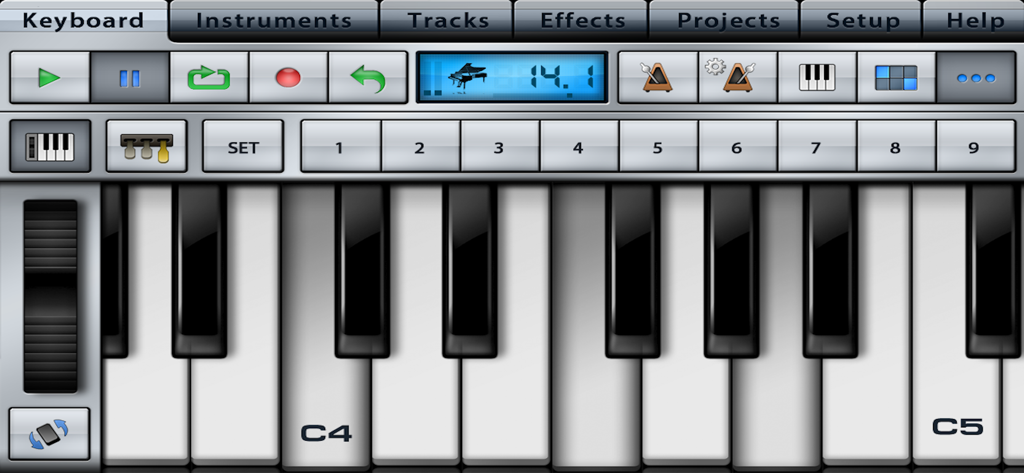
Music Studio Liteのスタジオコントロールを備えたフォトリアルなピアノキーボードインターフェース
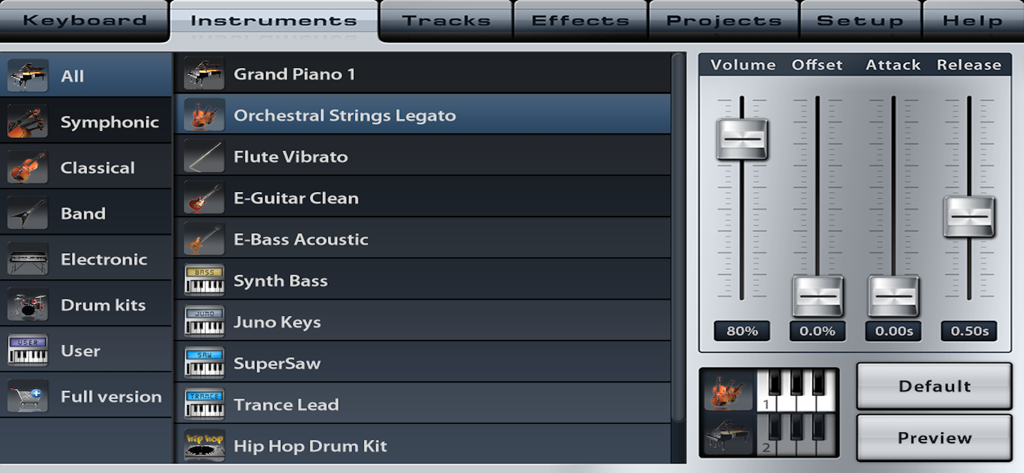
ボリューム、アタック、リリースなどのサウンドパラメータスライダーを備えたMusic Studio Liteの楽器選択メニュー。
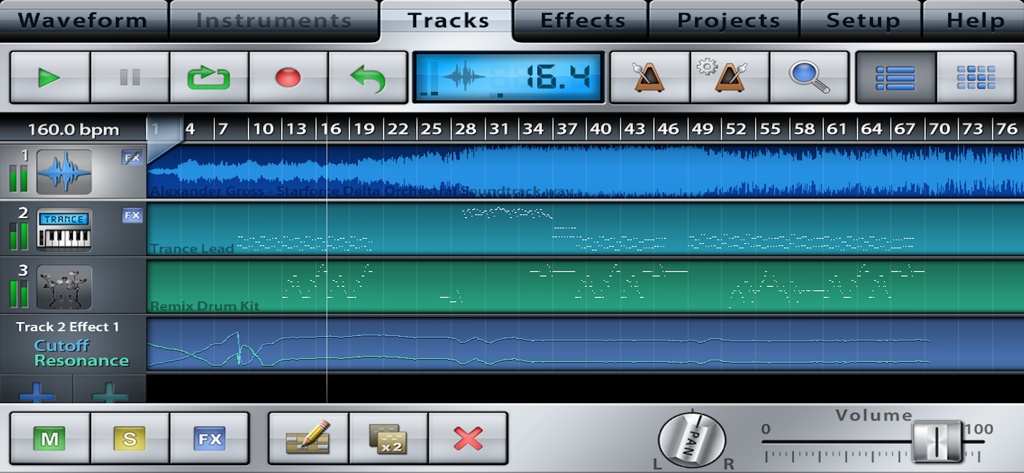
オーディオおよびインストゥルメントシーケンスを備えたマルチトラックシーケンサーを示すMusic Studio Liteのインターフェース
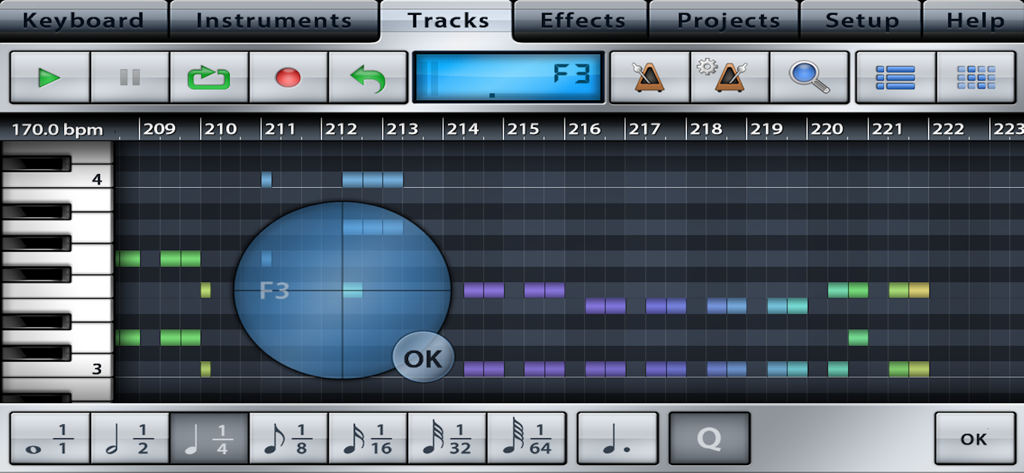
Music Studio LiteのMIDIシーケンサーおよびトラック編集インターフェース
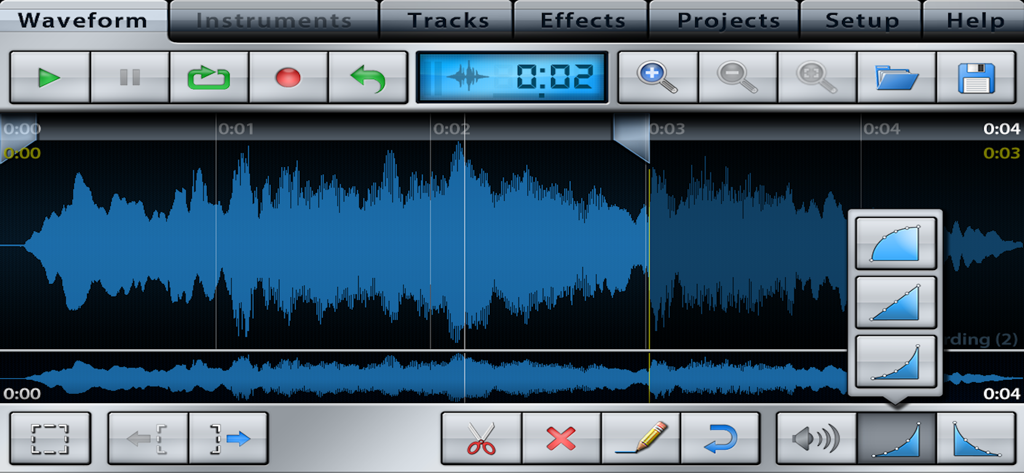
トラックコントロールと編集ツールを備えたオーディオ波形編集画面、Music Studio Lite
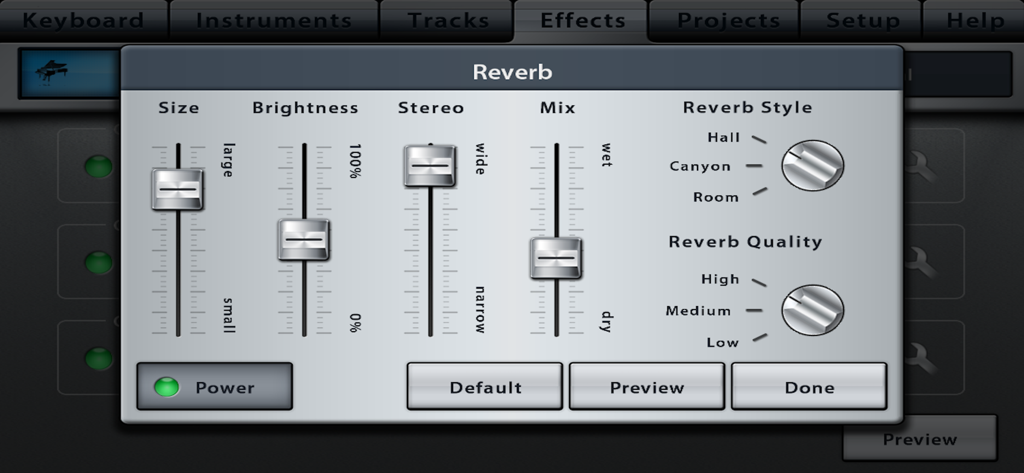
スライダーとスタイルの選択を備えたMusic Studio Liteのリバーブエフェクトインターフェース
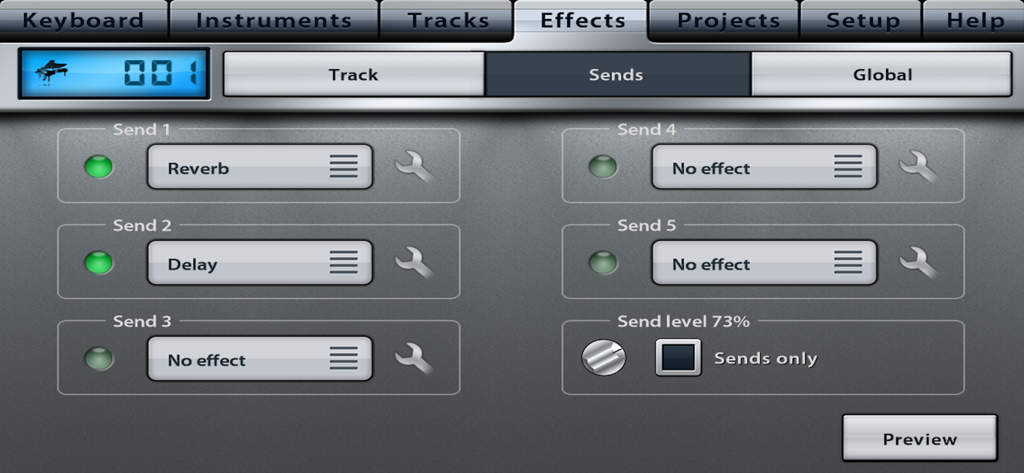
リバーブとディレイオプションを備えたエフェクトセンドタブを表示するMusic Studio Liteのインターフェース。
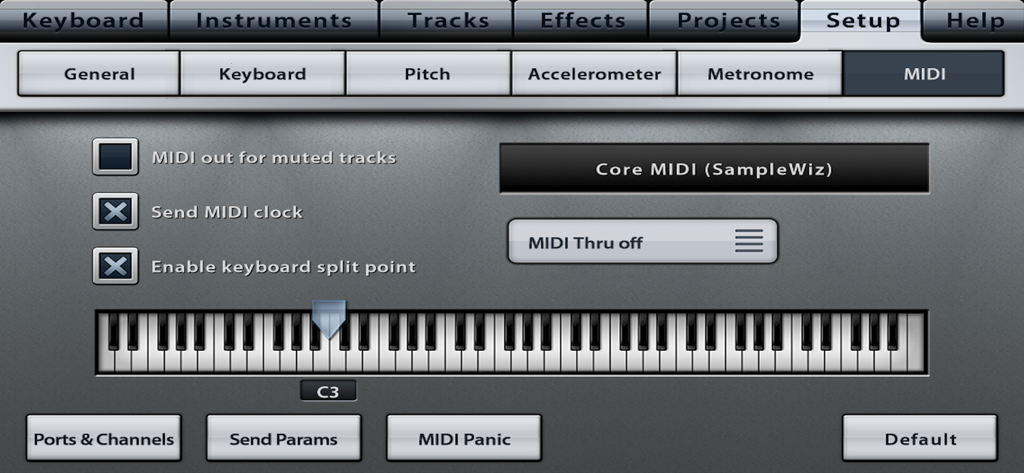
キーボード分割ポイント設定を備えたMusic Studio LiteアプリMIDI構成画面
説明
Download
類似アプリ
似た機能とユーザー体験を持つアプリ

Loopy Pro: Looper DAW Sampler
A Tasty Pixel

AUM - Audio Mixer
Kymatica AB

Drambo
Jaroslaw Jacek

Groove Rider 2
Dmitrij Pavlov

BandLab – Music Maker & Beats
BandLab Singapore Pte Ltd

Medly
Medly Labs Inc.

Cubasis 3 - DAW & Music Studio
Steinberg Media Technologies GmbH

KORG Gadget 3
KORG INC.
iMPC Pro 2 for iPhone
Akai Professional
このページはアプリまたはその開発者の公式ページではなく、情報提供および論評を目的として作成された独立した編集出版物です。明示的に別段の記載がない限り、アプリおよびその開発者は、MWM、Apple、Google Play、アプリのパブリッシャー、またはアプリの開発者と提携、承認、後援、認可、またはその他の公式的な関係はなく、このページのいかなる内容も、アプリがMWMのサービスを使用して開発されたことを意味するものではありません。すべての商標、ロゴ、スクリーンショット、その他のコンテンツはそれぞれの所有者の財産です。