
このページはアプリまたはその開発者の公式ページではなく、情報提供および論評を目的として作成された独立した編集出版物です。明示的に別段の記載がない限り、アプリおよびその開発者は、MWM、Apple、Google Play、アプリのパブリッシャー、またはアプリの開発者と提携、承認、後援、認可、またはその他の公式的な関係はなく、このページのいかなる内容も、アプリがMWMのサービスを使用して開発されたことを意味するものではありません。すべての商標、ロゴ、スクリーンショット、その他のコンテンツはそれぞれの所有者の財産です。


Music X - Best Music Player FM
月額サブスクリプションにお金を払うのはもうやめましょう。Google Drive、Dropbox、iCloudから個人のライブラリをシームレスに同期して、Wi-Fiやデータ通信なしでお気に入りの曲をどこでも楽しめます。
ダウンロード
328K+ユーザー評価
評価数
0開発元
カテゴリ
Lifestyle対応言語
1最新バージョン
2.2サイズ
28.8 MBリリース日
2016年10月8日音楽のコントロールを取り戻す
コレクションを所有するキュレーターのための究極のプレイヤー。お気に入りのクラウドサービスから直接ストリーミング、またはオフラインで楽しむためにダウンロード。月額料金も制限もありません。
シームレスなクラウド統合
Google Drive、Dropbox、iCloudアカウントを即座に連携。スマートフォンのストレージを圧迫することなく、レアなトラックやミックステープのライブラリ全体にアクセスできます。
信頼性の高いオフライン再生
通勤や旅行に最適。お気に入りのアルバムをデバイスにダウンロードすれば、Wi-Fiやモバイルデータ通信がなくても、途切れることなく高品質なオーディオを楽しめます。
以下のスクリーンショットと説明は、アプリの公式ストアリスティングから直接取得されたものであり、アプリ開発者の所有物です。
アプリストア
スクリーンショット
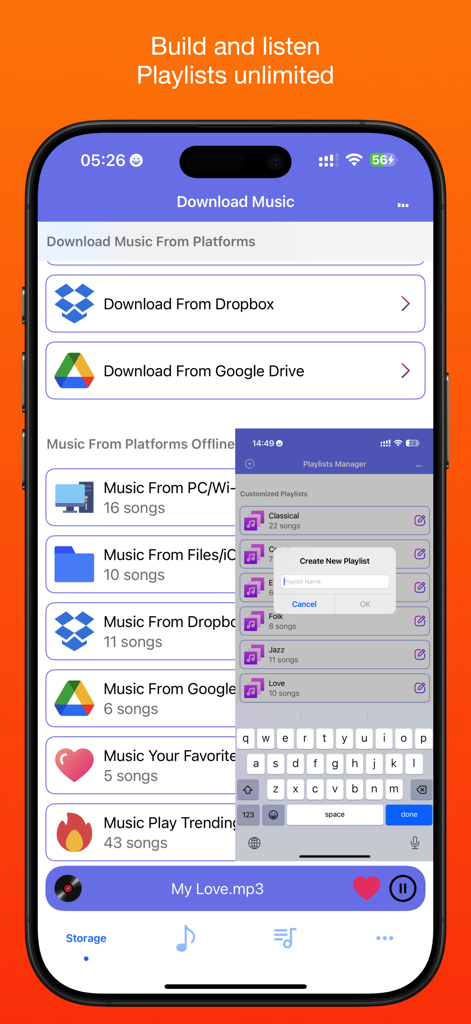
クラウドダウンロードオプションとプレイリスト作成ポップアップが表示されたMusic Xアプリのインターフェース
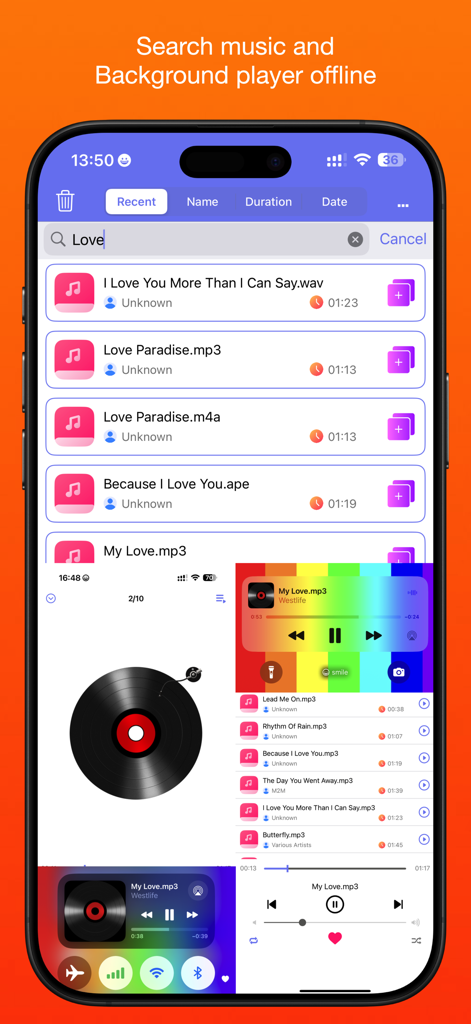
Music Xアプリでの音楽検索結果とバックグラウンド再生インターフェース
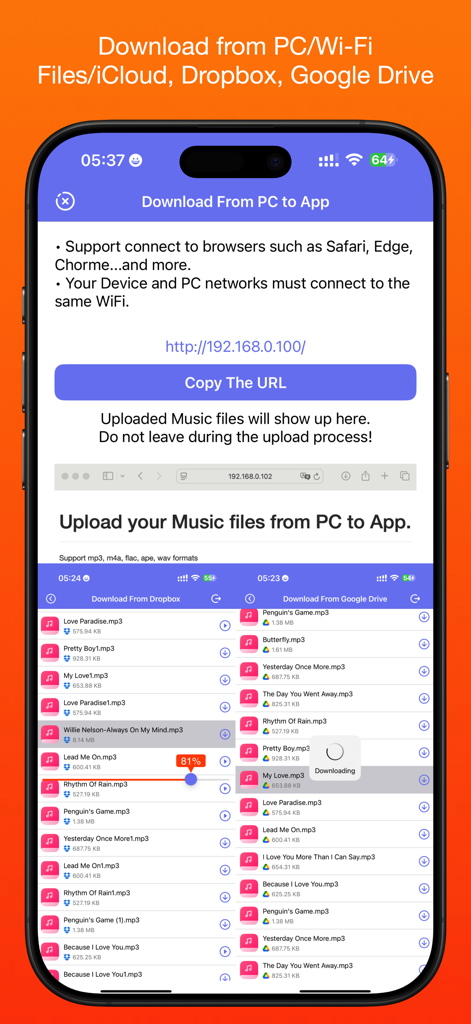
PC、Wi-Fi、Dropbox、Google Driveからのダウンロードオプションが表示されたMusic Xアプリのインターフェース
説明
Download
類似アプリ
同じカテゴリのトップランクアプリ

Pinterest, Inc.

Alipay - Simplify Your Life
Alipay (Hangzhou) Technology Co., Ltd.

Dianping: Discover Good Places
Hanhai Information Technology (Shanghai) Co.Ltd

美团-美好生活小帮手
Sankuai Technology Co., Ltd.

Lemon8 - Lifestyle Community
TIKTOK PTE. LTD.

Xiaomi Home
Beijing Xiaomi Co., Ltd

Tinder Dating App: Date & Chat
Tinder LLC

SmartThings
Samsung Electronics Co., Ltd.

VNeTraffic
GLOBAL TECHNOLOGY - TELECOMMUNICATIONS CORPORATION
このページはアプリまたはその開発者の公式ページではなく、情報提供および論評を目的として作成された独立した編集出版物です。明示的に別段の記載がない限り、アプリおよびその開発者は、MWM、Apple、Google Play、アプリのパブリッシャー、またはアプリの開発者と提携、承認、後援、認可、またはその他の公式的な関係はなく、このページのいかなる内容も、アプリがMWMのサービスを使用して開発されたことを意味するものではありません。すべての商標、ロゴ、スクリーンショット、その他のコンテンツはそれぞれの所有者の財産です。