My Widgets
My Widgets
ダウンロード: App Store

このページはアプリまたはその開発者の公式ページではなく、情報提供および論評を目的として作成された独立した編集出版物です。明示的に別段の記載がない限り、アプリおよびその開発者は、MWM、Apple、Google Play、アプリのパブリッシャー、またはアプリの開発者と提携、承認、後援、認可、またはその他の公式的な関係はなく、このページのいかなる内容も、アプリがMWMのサービスを使用して開発されたことを意味するものではありません。すべての商標、ロゴ、スクリーンショット、その他のコンテンツはそれぞれの所有者の財産です。

ロゴ: My Widgets
ダウンロード: App Store

My Widgets

美的センスのあるキュレーターや生産性向上プロフェッショナル向けのオールインワンウィジェットハブ。カスタムカレンダーや写真グリッドから、クイックメモ、星占いまで、あなただけのダッシュボードをデザインしましょう。

主要数値

ダウンロード

933K+

ユーザー評価

3.8/5

評価数

3K+

開発元

Francis Bonnin

カテゴリ

Utilities

対応言語

8

最新バージョン

6.2

サイズ

25.5 MB

リリース日

2014年10月11日
機能

ホーム画面にパワーを

整理整頓され、インスピレーションを得るために必要なすべてが、スワイプ一つでアクセスできます。

あなただけの美学をキュレーション

パーソナル写真とカスタムウィジェットを組み合わせて、デバイスをあなたの個性を美しく反映するものに変えましょう。

効率を最大化

カレンダー、メモ、世界時計を前面に表示して、複数のアプリを切り替える手間なく忙しい生活を管理しましょう。

以下のスクリーンショットと説明は、アプリの公式ストアリスティングから直接取得されたものであり、アプリ開発者の所有物です。

アプリストア

スクリーンショット
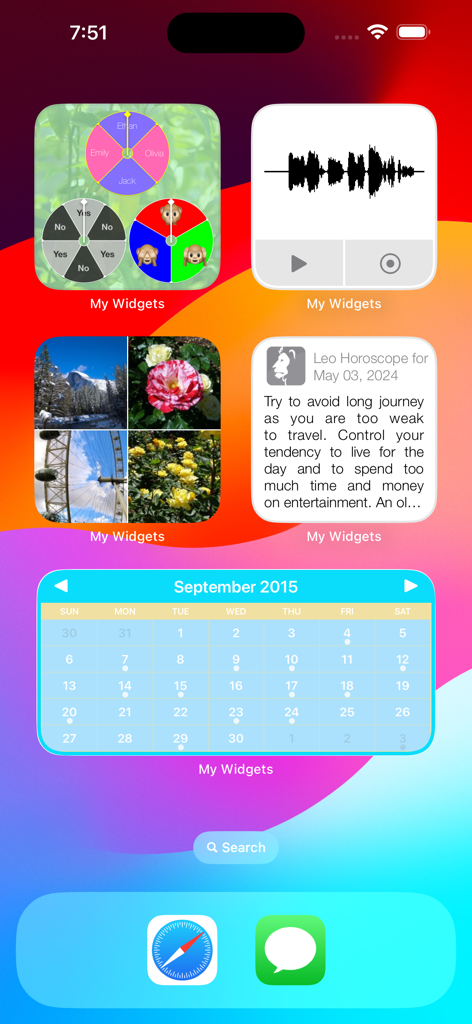
My Widgets - カレンダー、写真、星占い、オーディオメモのカスタムウィジェットが表示されたiPhoneホーム画面
カレンダー、写真、星占い、オーディオメモのカスタムウィジェットが表示されたiPhoneホーム画面

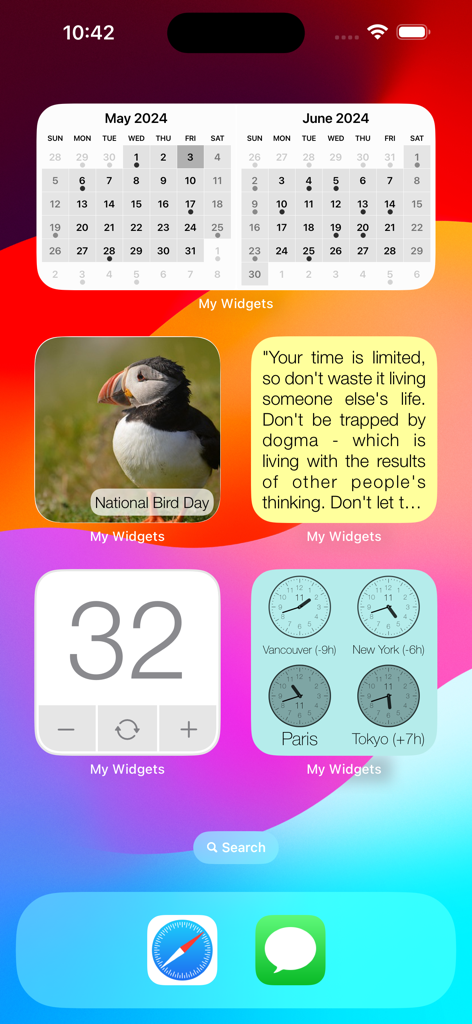
My Widgets - カレンダー、写真、引用、世界時計ウィジェットを備えたカスタマイズされたiOSホーム画面
カレンダー、写真、引用、世界時計ウィジェットを備えたカスタマイズされたiOSホーム画面

My Widgets - カレンダー、自然の写真、数値カウンターを備えたカスタムiOSウィジェットの表示
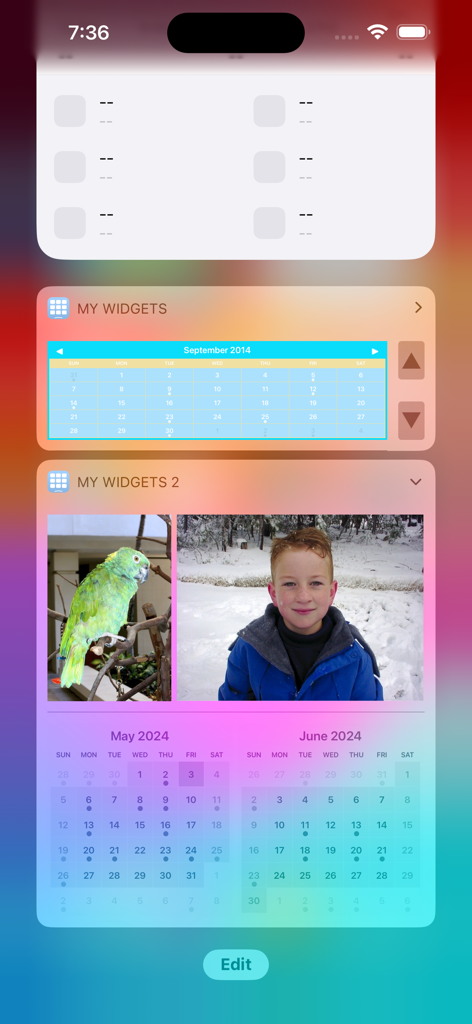
カレンダー、自然の写真、数値カウンターを備えたカスタムiOSウィジェットの表示

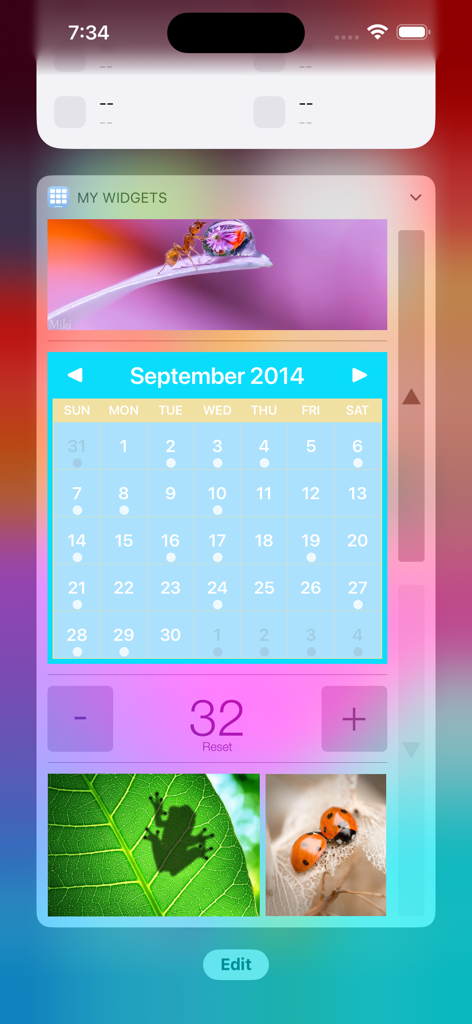
My Widgets - My Widgetsアプリからのカスタムカレンダーと写真ウィジェットが表示されたiPhone画面
My Widgetsアプリからのカスタムカレンダーと写真ウィジェットが表示されたiPhone画面

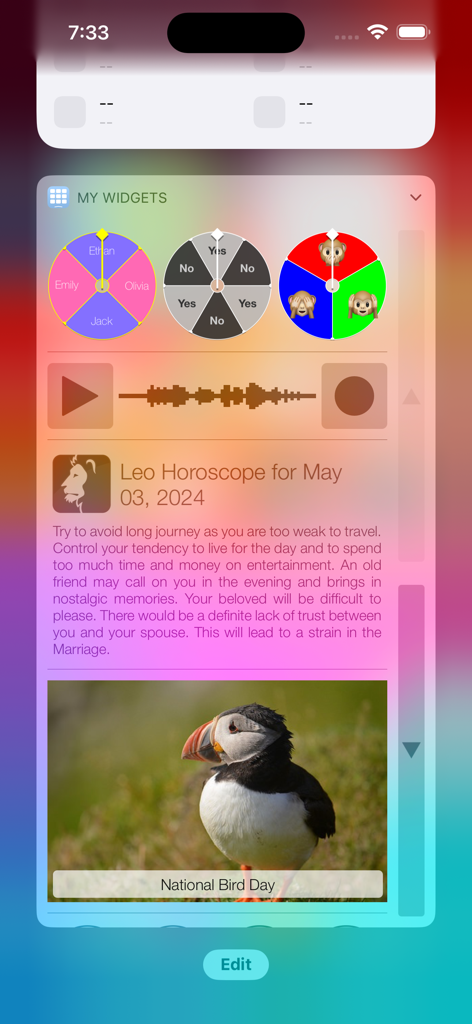
My Widgets - My Widgetsアプリの星占いと意思決定ホイールを含むカスタムiOSウィジェット
My Widgetsアプリの星占いと意思決定ホイールを含むカスタムiOSウィジェット

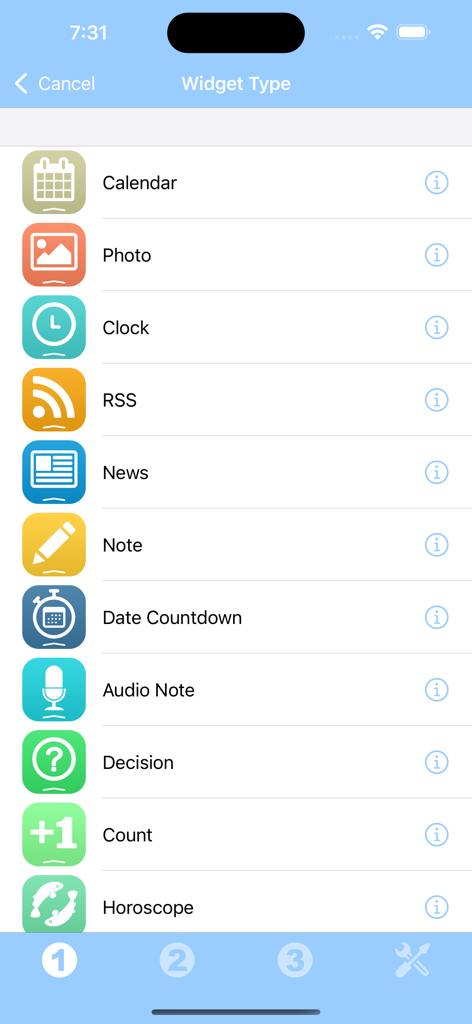
My Widgets - カレンダー、写真、時計、メモなど、My Widgetsアプリで利用可能なさまざまなウィジェットタイプのリスト
カレンダー、写真、時計、メモなど、My Widgetsアプリで利用可能なさまざまなウィジェットタイプのリスト

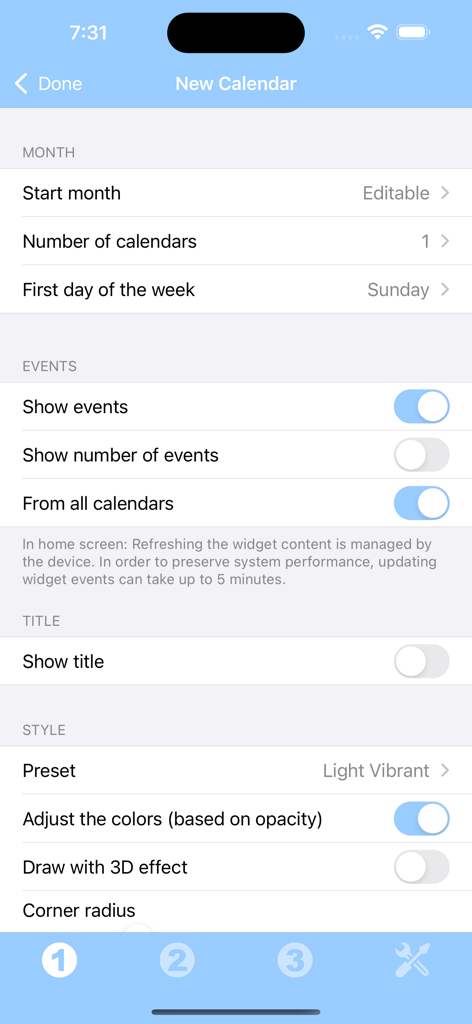
My Widgets - 月レイアウト、イベント表示、視覚スタイルなどのオプションを表示するカスタムカレンダーウィジェットの設定画面
月レイアウト、イベント表示、視覚スタイルなどのオプションを表示するカスタムカレンダーウィジェットの設定画面

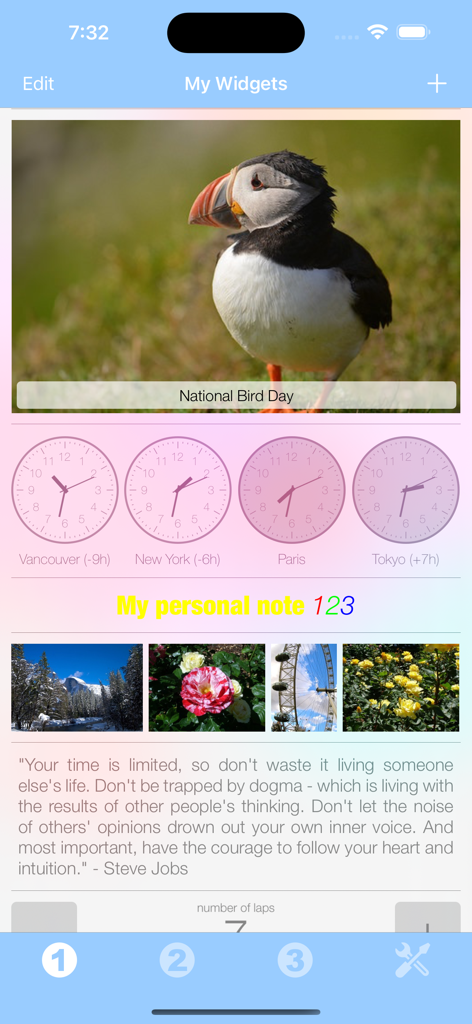
My Widgets - 写真ウィジェット、世界時計、パーソナライズされたテキストメモを表示するMy Widgetsのモバイルアプリインターフェース

写真ウィジェット、世界時計、パーソナライズされたテキストメモを表示するMy Widgetsのモバイルアプリインターフェース

説明

Thanks to this application (and the other Widget apps from PacoLabs), you can now customize the Home screen and the Today view of your device, by adding custom widgets for some specific purposes. From anywhere in your device, you'll have access to your own information and actions. Add various widgets for your different needs. You can, for instance, add a calendar that will display the current month and the busy days. You can add your favorite photos of your beloved family and friends. You can add your horoscope, a photo of the day (from the internet), some audio notes, some world clocks and more... The application contains some free widgets like the Note widget allowing you to quickly view and edit some text notes and reminders and the Decision widget allowing you to randomly choose one item among several choices. Each other widget type can be tried and can be unlocked separately. You can also unlock all the current and future widget types at once, if you are a widget addict ! Those Widgets are compatible with the new iOS 14 Home Screen Widgets. The application is really easy to use and is adapted to the fresh look of your device. Dark mode of iOS13 is supported. In Today view: You can add as many widgets as you want and they will be displayed in up to 3 different lists. Those same lists will be available in the Today view and in the application (although it is possible, if you want, to hide some widgets in the Today view). To avoid overloading the Today view, when too many widgets are displayed, an intuitive control will allow you to navigate from one widget to another. Even if the main purpose of the app is to view the widgets in the Today view, it can also be very handy to view them directly in the application (a long press on a widget in the Today view will open it directly in the main application).

Download

ダウンロード: App Store

このページはアプリまたはその開発者の公式ページではなく、情報提供および論評を目的として作成された独立した編集出版物です。明示的に別段の記載がない限り、アプリおよびその開発者は、MWM、Apple、Google Play、アプリのパブリッシャー、またはアプリの開発者と提携、承認、後援、認可、またはその他の公式的な関係はなく、このページのいかなる内容も、アプリがMWMのサービスを使用して開発されたことを意味するものではありません。すべての商標、ロゴ、スクリーンショット、その他のコンテンツはそれぞれの所有者の財産です。








