myCal PRO Planner
myCal PRO Planner
ダウンロード: App Store

このページはアプリまたはその開発者の公式ページではなく、情報提供および論評を目的として作成された独立した編集出版物です。明示的に別段の記載がない限り、アプリおよびその開発者は、MWM、Apple、Google Play、アプリのパブリッシャー、またはアプリの開発者と提携、承認、後援、認可、またはその他の公式的な関係はなく、このページのいかなる内容も、アプリがMWMのサービスを使用して開発されたことを意味するものではありません。すべての商標、ロゴ、スクリーンショット、その他のコンテンツはそれぞれの所有者の財産です。

ロゴ: myCal PRO Planner
ダウンロード: App Store

myCal PRO Planner

タップをやめて、見ることから始めましょう。忙しいプロフェッショナルや、完全なスケジュール可視性を必要とする家族のために設計された、ネイティブiOSカレンダーの強力でカラーコーディングされた代替品です。

主要数値

ダウンロード

82K+

ユーザー評価

4.6/5

評価数

3K+

開発元

John Hair

カテゴリ

Utilities

対応言語

4

最新バージョン

5.3.6

サイズ

58.0 MB

リリース日

2012年6月29日
機能

推測なしでスケジュールをマスター

ドットをタップするのはやめましょう。myCal PROは、複雑なキャリアや忙しい家庭を管理する人々向けに設計された、高密度でカラーコーディングされた生活の概要を提供します。

ドットではなくイベントを確認

強化された月表示と週表示で、即座に明確になります。隠された詳細のフラストレーションなしに、一目で完全なイベントタイトルと複数日のスケジュールを読み取ります。

ビジュアルカラーコーディング

仕事、家族、趣味を即座に区別します。さまざまなカレンダーにカスタムカラーを割り当てて、優先順位を視覚化し、週を簡単にバランスさせます。

以下のスクリーンショットと説明は、アプリの公式ストアリスティングから直接取得されたものであり、アプリ開発者の所有物です。

アプリストア

スクリーンショット
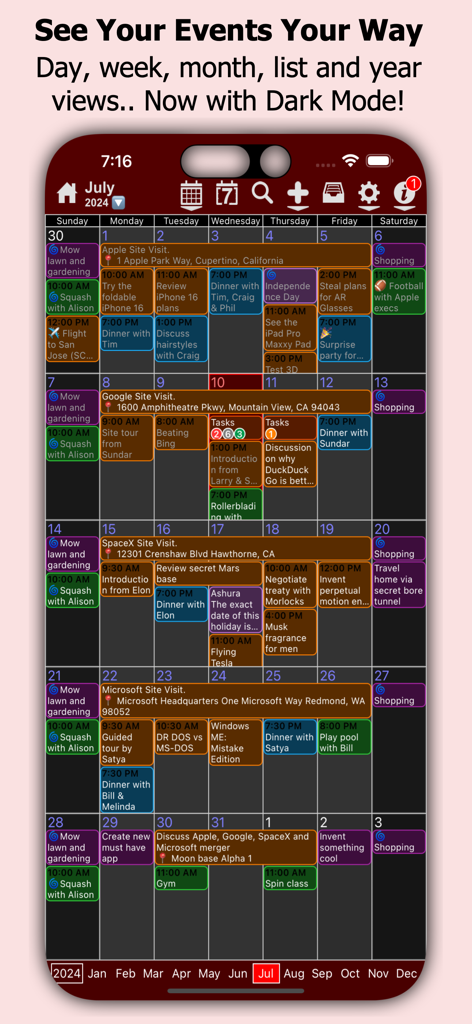
myCal PRO Planner - myCal PRO Plannerアプリが、ダークモードでテキストイベントを表示するカラーコーディングされた月間カレンダービューを示しています
myCal PRO Plannerアプリが、ダークモードでテキストイベントを表示するカラーコーディングされた月間カレンダービューを示しています

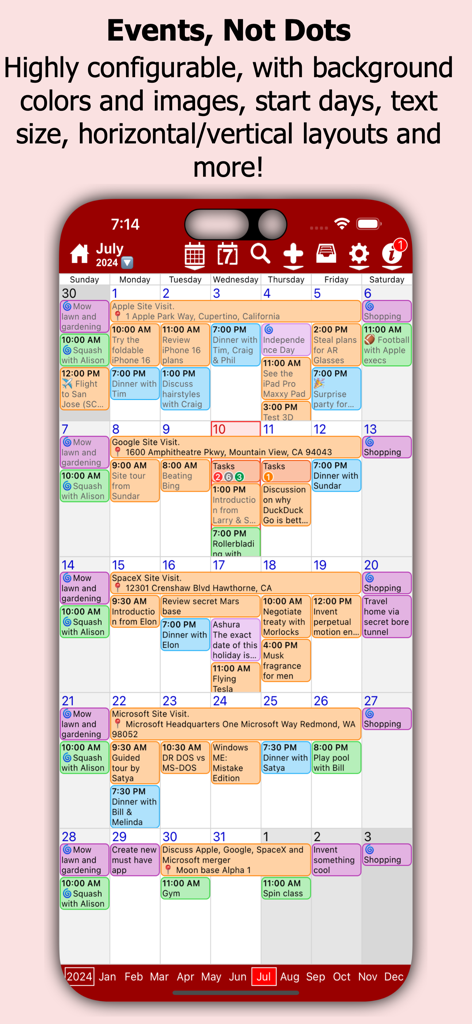
myCal PRO Planner - myCal PRO Plannerの詳細な月間ビューで、ドットの代わりにテキストの説明が付いたカラーコーディングされたカレンダーイベントが表示されています。
myCal PRO Plannerの詳細な月間ビューで、ドットの代わりにテキストの説明が付いたカラーコーディングされたカレンダーイベントが表示されています。

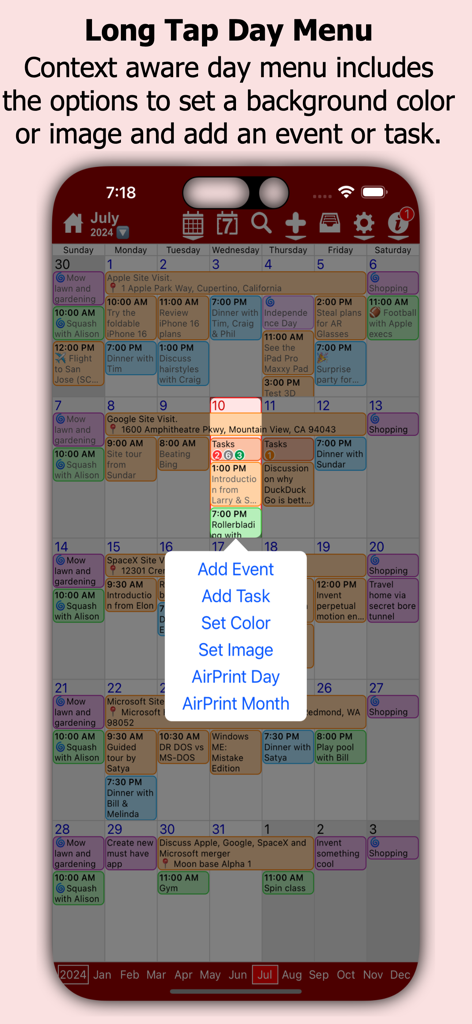
myCal PRO Planner - イベントやタスクを追加するオプションを示すmyCal PRO Plannerの長押し日間メニュー
イベントやタスクを追加するオプションを示すmyCal PRO Plannerの長押し日間メニュー

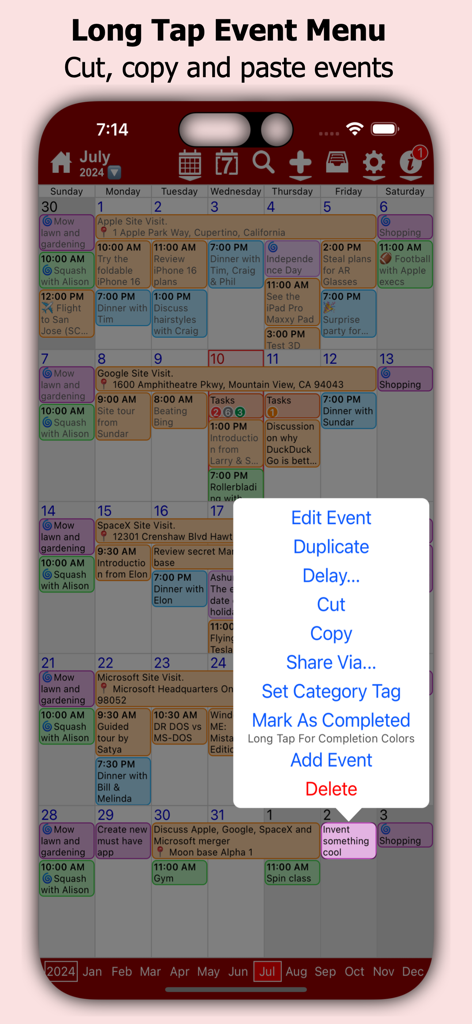
myCal PRO Planner - イベント管理ポップアップメニューが表示されたmyCal PRO Plannerアプリの月間ビュー
イベント管理ポップアップメニューが表示されたmyCal PRO Plannerアプリの月間ビュー

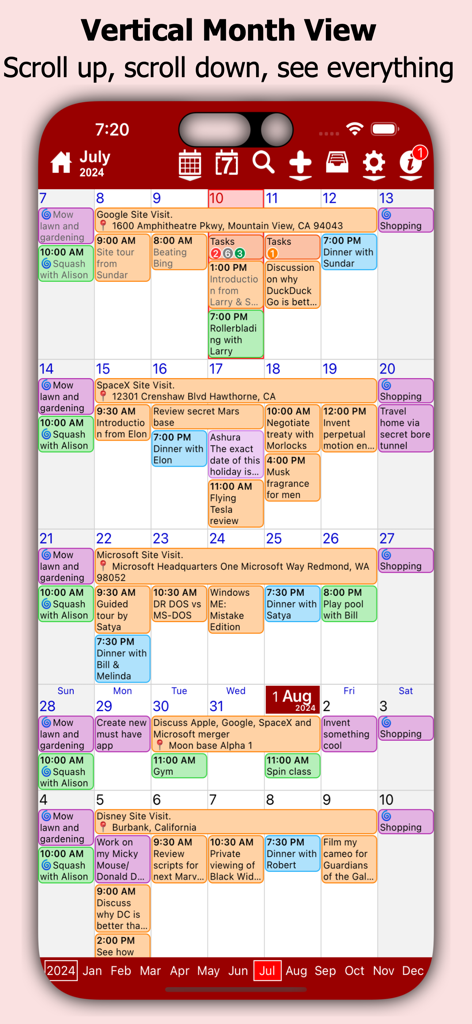
myCal PRO Planner - カラーコーディングされたカレンダーイベントが表示されたmyCal PRO Plannerアプリの縦型月間ビュー
カラーコーディングされたカレンダーイベントが表示されたmyCal PRO Plannerアプリの縦型月間ビュー

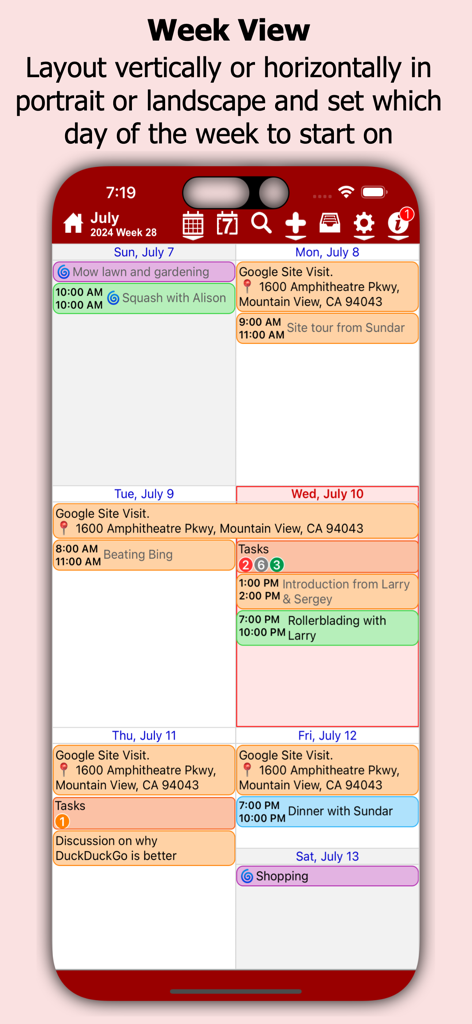
myCal PRO Planner - カラーコーディングされたカレンダーイベントとラベルが表示されたiPhoneのmyCal PRO Plannerアプリの週表示
カラーコーディングされたカレンダーイベントとラベルが表示されたiPhoneのmyCal PRO Plannerアプリの週表示

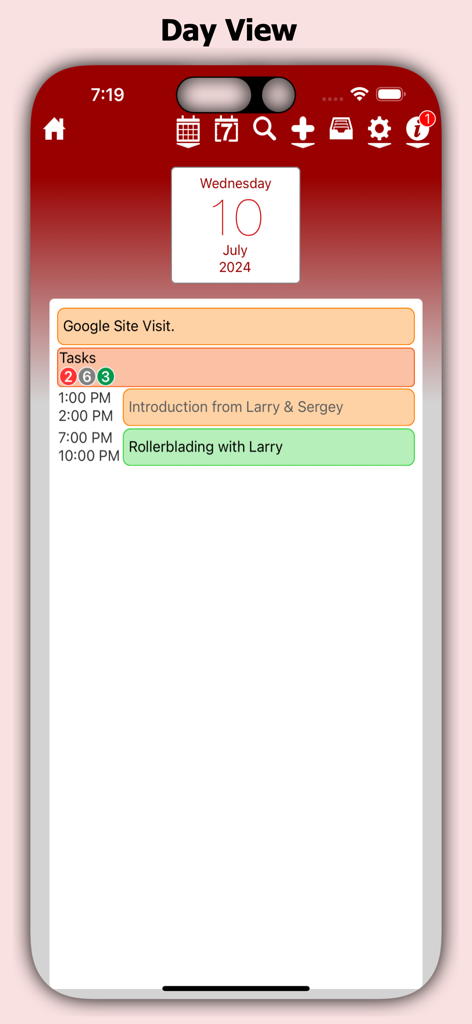
myCal PRO Planner - カラーコーディングされたイベントとタスクが表示されたmyCal PRO Plannerアプリの日間スケジュールビュー
カラーコーディングされたイベントとタスクが表示されたmyCal PRO Plannerアプリの日間スケジュールビュー

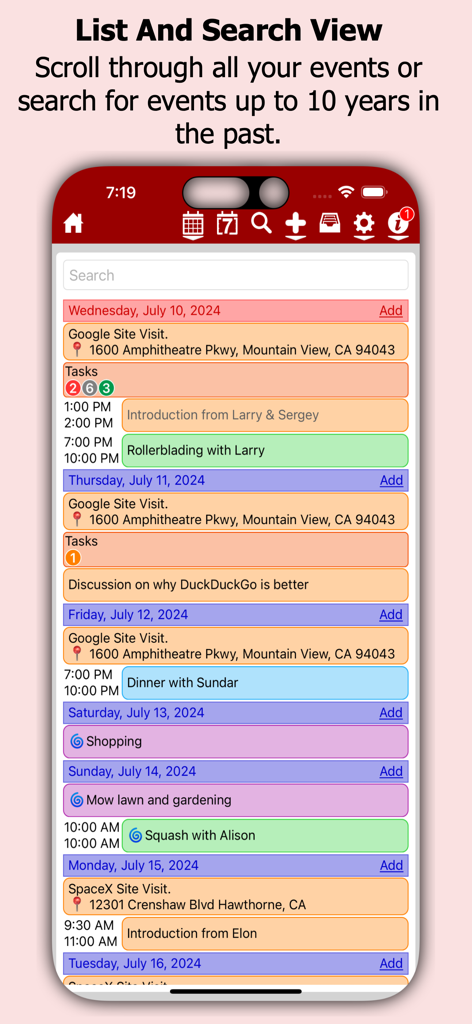
myCal PRO Planner - myCal PROアプリのインターフェースに、検索バーが付いたカラーコーディングされたカレンダーイベントのリストが表示されています
myCal PROアプリのインターフェースに、検索バーが付いたカラーコーディングされたカレンダーイベントのリストが表示されています

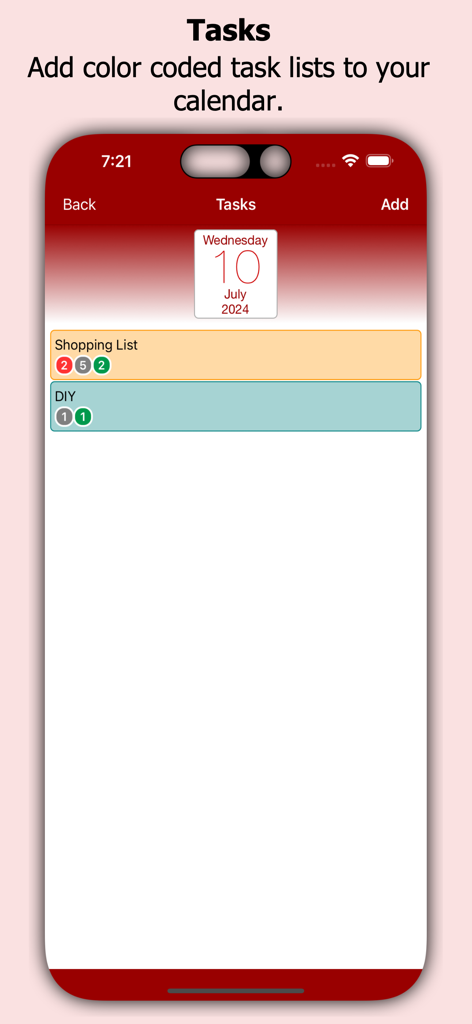
myCal PRO Planner - myCal PRO Plannerアプリのカラーコーディングされたタスクリスト

myCal PRO Plannerアプリのカラーコーディングされたタスクリスト

説明

No more dots in your calendar! myCal PRO displays what you need to see, your events! myCal PRO is THE BEST replacement for the internal iDevice calendar app! myCal PRO displays the meetings and appointments that are stored on the device, including any calendars you have synced (like Google, Yahoo, Exchange etc). With myCal PRO you can add more calendars *and* set the color you want your events to be displayed in! For example: add new calendars for Work, Home, and Sports and optionally set the colors to Red, Green and Blue respectively. Simples! ● NEW: We now have Calendar Widgets! Add the myCalPRO widget to your Home Screen to see the events you have now, next and more! ● NEW: Better Facebook event support. You can now hide declined events! ● Compensation for Time Zones! ● Cut, Copy and Paste options!! ● List View!! ● Powerful scrolling week view! ● Invitee support! ● Additional contact dates can appear as events! Create beautiful calendars just like these screenshots! * Day background colors or images requires an InApp purchase. Event background colors is included, no InApp purchase required. Check out the feedback we have been getting from the AppStore reviews: "Best scheduling tool I've used so far! Great app and support. Highly recommended!" "Love this on my iphone4s, ipod4, and ipad. Perfect and easy to read. This is the PERFECT replacement for the useless calendar on the iPhone & iPod. This is what Apple should have used." "they added the Week view. I didn't know I needed it and now it's my most used view! Thanks guys" Also myCal PRO has been reviewed at thesmartphoneappreview.com, given a whopping 91% and is 'Highly recommended'! Supports iOS4.3 and above, iPhone 3GS/iPod Touch 3rd Gen and better, and all versions of the iPad! • Powerful event repeat options, any number of days weeks, months or years. Second Thursday of every 3rd Month for example! • AirPrint support! 2 finger swipe down the screen on any event view! Print in portrait or landscape, depending on the device orientation! • Support for additional contact dates! see anniversaries etc that have been added to a contact as read only annually repeating events! • Enhanced Month View that displays actual events (all day, multi day and timed) • Enhanced scrolling Week View with horizontal or vertical day layout and the option to display multiple lines for an event • Invitee support, you can now receive and acknowledge invitations, as well as send your own (iCloud and GMail calendars) • Enhanced Day View that displays much more detail including title, location, calendar name with hyperlink, reminder, birthday and repeat icons • Supports both Landscape and Portrait, with full screen options for each • Uses the internal calendar as its database, no additional syncing required. Any iCal subscriptions already created will be visible in myCal PRO Multi day events In the Month and Week Views are drawn across multiple days allowing you to see much more of the detail. We are constantly working to improve myCal PRO so feel free to drop by the support forum to post questions and suggestions! Visit www.johnhair.com for support, questions and the user guide. The myCal PRO Support Team

Download

ダウンロード: App Store

このページはアプリまたはその開発者の公式ページではなく、情報提供および論評を目的として作成された独立した編集出版物です。明示的に別段の記載がない限り、アプリおよびその開発者は、MWM、Apple、Google Play、アプリのパブリッシャー、またはアプリの開発者と提携、承認、後援、認可、またはその他の公式的な関係はなく、このページのいかなる内容も、アプリがMWMのサービスを使用して開発されたことを意味するものではありません。すべての商標、ロゴ、スクリーンショット、その他のコンテンツはそれぞれの所有者の財産です。








