MyKeyboard - Custom Keyboard

MyKeyboard - Custom Keyboard

ダウンロード: App Store
ロゴ: MyKeyboard - Custom Keyboard

MyKeyboard:究極のカスタムレイアウトと美的フォントをデザイン

標準のiOS体験を超えましょう。簡単なドラッグアンドドロップで完璧なレイアウトを構築し、ユニークなフォントでソーシャルメディアで目立ち、あなたらしさに合わせたカスタムアクションキーとテーマで生産性を向上させましょう。

ダウンロード: App Store

開発元

FiveSheep OU

カテゴリ

Utilities

ダウンロード

5K+

ユーザー評価

3.7/5

評価数

200

対応言語

7

あなたのキー、あなたのルール

このインターフェースを利用する 5K+ 人のユーザー.

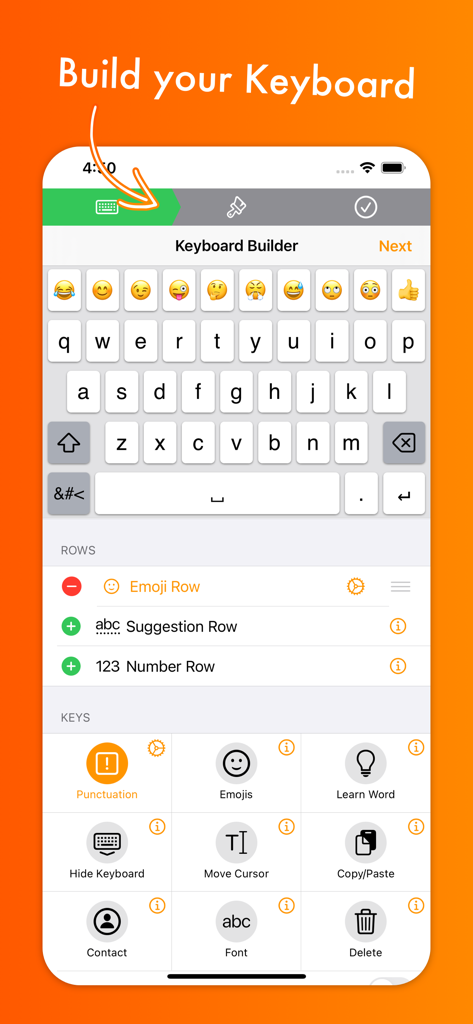
MyKeyboardアプリのインターフェース。iOS用の行とキーをカスタマイズするオプションが表示されたキーボードビルダーが表示されています。
MyKeyboardアプリのインターフェース。iOS用の行とキーをカスタマイズするオプションが表示されたキーボードビルダーが表示されています。

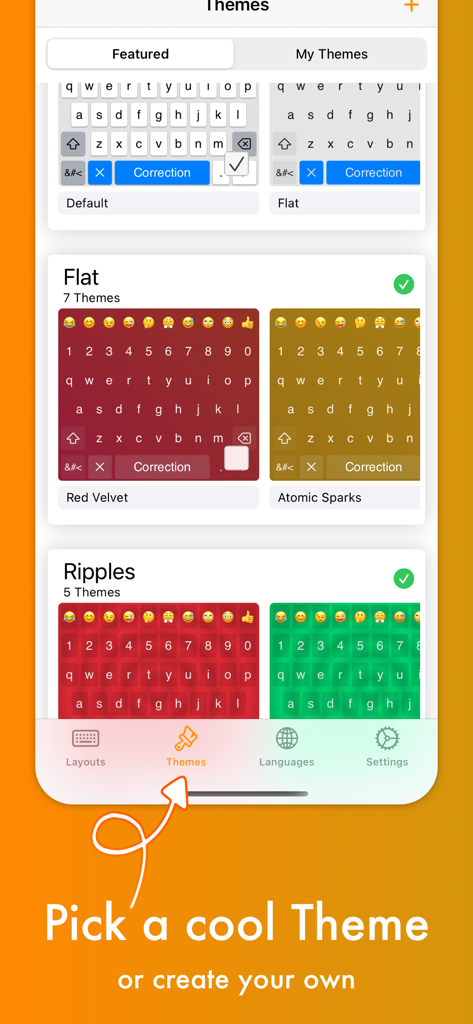
アプリ内で、Red VelvetやAtomic Sparksのような様々なカラフルなキーボードテーマが表示されている画面。
アプリ内で、Red VelvetやAtomic Sparksのような様々なカラフルなキーボードテーマが表示されている画面。

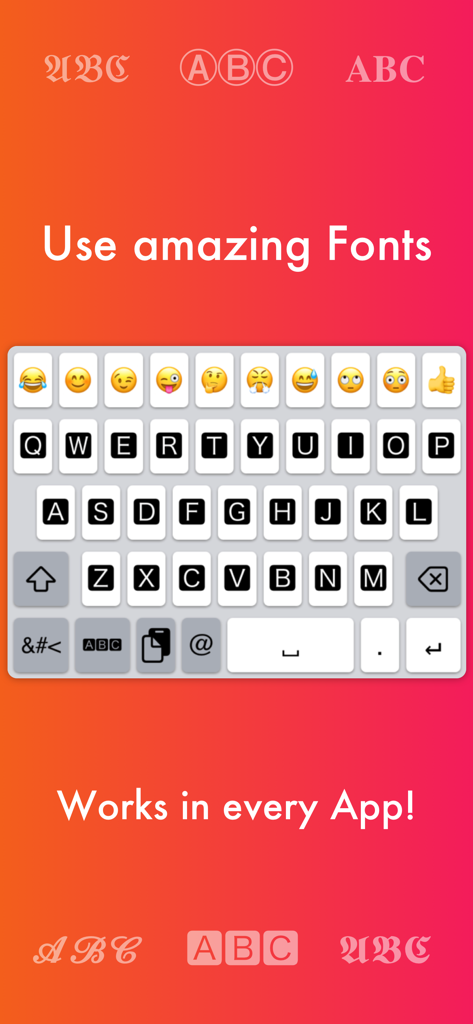
iOS用の様々なフォントスタイルと絵文字オプションが表示されているカスタムキーボードインターフェース。
iOS用の様々なフォントスタイルと絵文字オプションが表示されているカスタムキーボードインターフェース。

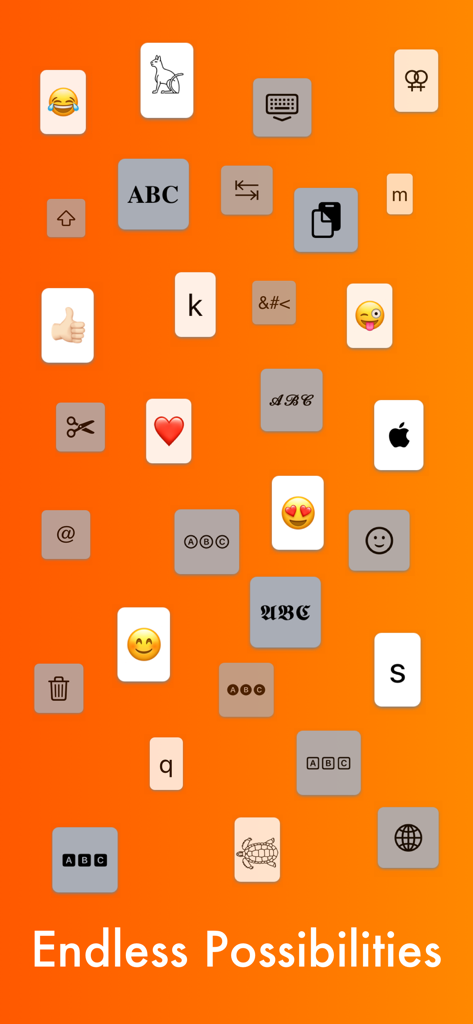
無限の可能性というテキストと共に、オレンジ色の背景に絵文字、フォント、ユーティリティアイコンを含む様々なキーボードキー。
無限の可能性というテキストと共に、オレンジ色の背景に絵文字、フォント、ユーティリティアイコンを含む様々なキーボードキー。

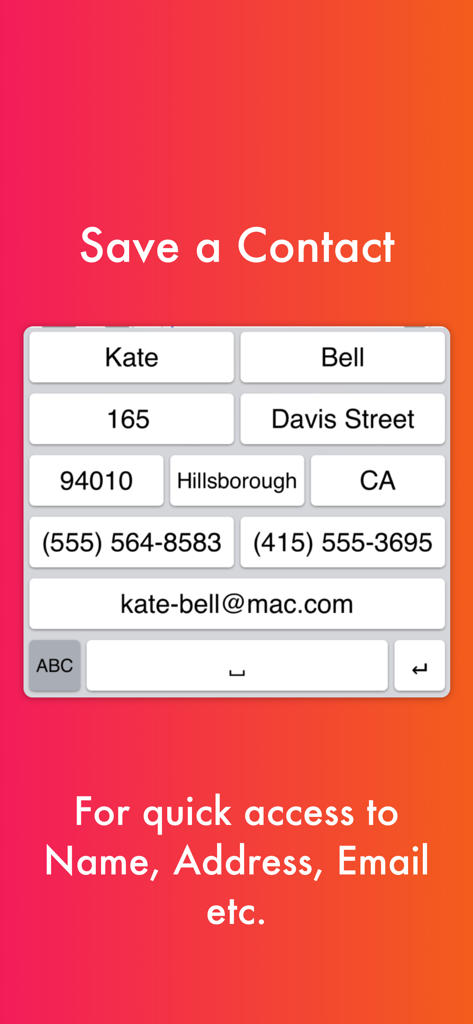
名前、住所、メールアドレスなどの連絡先情報にすばやくアクセスするためのショートカットキーを備えたカスタムキーボードレイアウト。
名前、住所、メールアドレスなどの連絡先情報にすばやくアクセスするためのショートカットキーを備えたカスタムキーボードレイアウト。

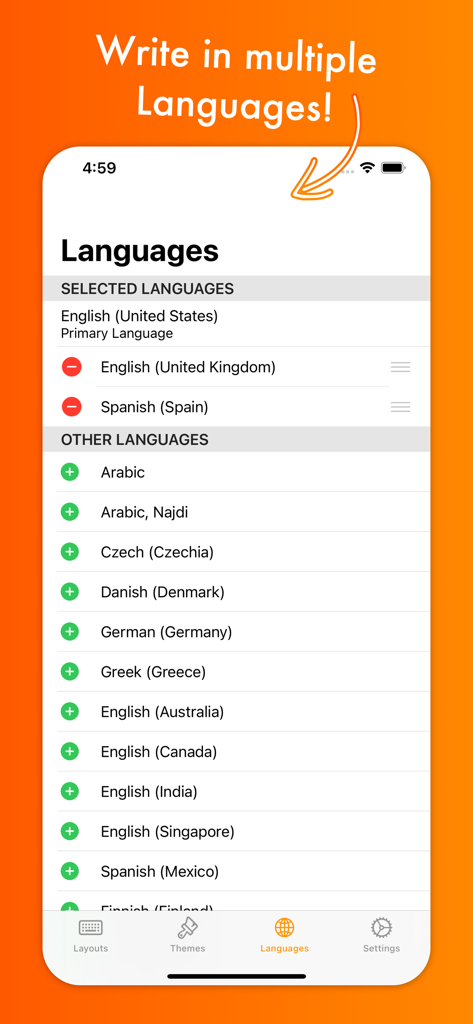
複数の国際キーボード言語と方言のオプションが表示されているMyKeyboardアプリの言語選択画面。
複数の国際キーボード言語と方言のオプションが表示されているMyKeyboardアプリの言語選択画面。

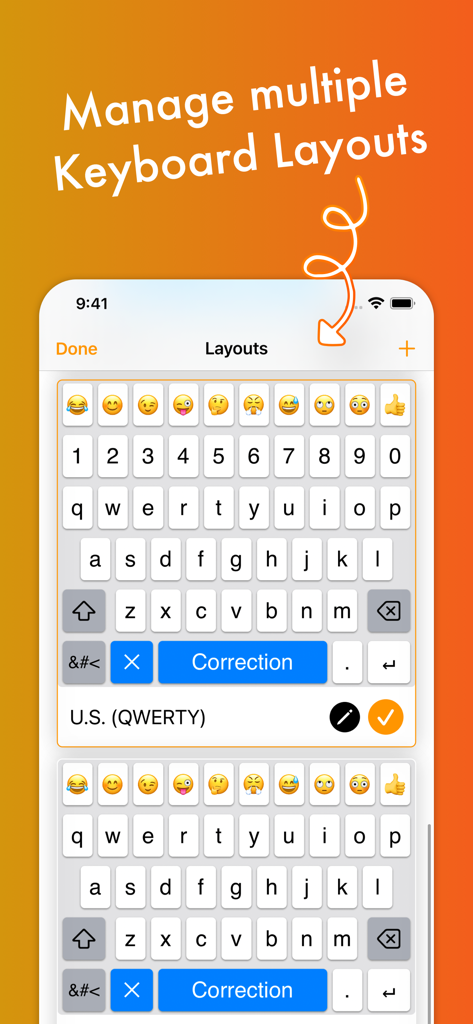
絵文字と数字の行を持つ複数のカスタムキーボードレイアウトを管理する方法を示すインターフェース。

絵文字と数字の行を持つ複数のカスタムキーボードレイアウトを管理する方法を示すインターフェース。

タイピングゲームをレベルアップ

このアプリを際立たせるツール、 5K+ 人のユーザーが選択.

🚀

プロの生産性向上ショートカット

コピー、ペースト、トラックパッドモード用のカスタム行とワンタップキーを追加して、数秒でタスクを完了しましょう。

あらゆる場所での美的フォント

Instagram、TikTok、WhatsAppで直接機能するユニークなフォントで、ソーシャルメディアで目立ちましょう。

🎨

無限のテーマスタイリング

写真の背景からキーの形状や色まで、すべてをカスタマイズして、あなただけのバイブに合わせましょう。

アプリについて

について知っておくべきこと MyKeyboard - Custom Keyboard.

説明

Customize virtually anything about your iOS keyboard, with simple drag and drop. Add or remove keys or rows, customize the way keys look and behave, change the duration until subkeys (the keys that pop up when holding on a key) pop up, add and remove subkeys and add keys with custom actions. MyKeyboard is beloved by its users for its ease of use and endless possibilities. For example, the emoji row is a standard feature of the custom Keyboard and can be changed to contain all of your favorite emoji. These emoji keys then automatically contain subkeys with similar emoji which you can personalize. By default, a number row is also in the keyboard, providing you fast access to these often-used keys. Another amazing feature of MyKeyboard is the switchable fonts. MyKeyboard contains 19 amazing fonts that can be used across almost all apps, including WhatsApp, Instagram, Facebook and iMessage. You can add a font key to your keyboard and switch to the font by tapping on it. Custom key actions include: - Insert Appearance - Insert - Replace Word With Appearance - Show Subkeys - Shift - Caps Lock - Cut - Copy - Paste - Accept Correction - Dismiss Correction - Learn Current Word - Switch Keyboard - Switch To Main Keyboard - Hide Keyboard - Next Input Mode - Delete Last Character - Activate Deletion Mode - Clear - Clear Left - Clear Left Word - Clear Right - Clear Right Word - Clear Word - Switch to Emoji Board (Switches you to the emoji keyboard; Learn more about this when you google emoji keyboard) These actions can be triggered on tap and hold. When no hold action is set for a specific key, the keyboard goes into trackpad mode, allowing you to shift the insertion point around by swiping. The deletion mode is similar and allows you to delete by swiping left and retract from it by swiping right. By default, it is the hold/press action on the delete key. You can also increase or decrease the key hold time until these actions are triggered, but you will have to perform swift key gestures when setting it very low. ~~ Keyboard Builder ~~ Use the keyboard builder for creating a fully customized keyboard layout in less than a minute. Your own keyboard layout is called “My Keyboard” and can be configured in every imaginable way. You can even add a copy, cut or paste key, a font key, an emoji key, a move cursor key, a “delete all” key and so much more. You can also create your own keys, for example for inserting copypasta or using copy/paste keys to perform these actions faster. We have made keyboard customization very accessible and it's easily doable for everyone. And it is customizable in every extend. For example, by adding a lot of g keys to a keyboard you could essentially create your own g board, or by adding multiple font switching keys to one, you can create your own font keyboard. ~~ Themes ~~ You can choose from a variety of free and paid themes, or go ahead and create your own customized keyboard theme. Theme customization can be used to change every aspect of your keyboard: background and foreground colors, shadow and border sizes and their colors, key corner radius and you can even set a custom height for your keys! Even a custom keyboard background image is configurable with your own photo. In the section “my themes”, you can see and manage all of your customized themes. Themes can even be shared with your friends who also use MyKeyboard!

最新バージョン

3.7.11

サイズ

22.3 MB

リリース日

2019年11月30日

夢のキーボード構築を始めましょう

デフォルトを捨てた何千人ものiOSパワーユーザーに加わりましょう。レイアウトをカスタマイズし、19種類以上のユニークなフォントをアンロックし、あなた自身のカスタムアクションでより速くタイピングしましょう。

ダウンロード: App Store

App information, icons, screenshots, and descriptions displayed on this page are sourced from the Apple App Store and are the property of their respective developers. Download estimates and rankings are based on MWM's proprietary models and may not reflect actual figures. This page is provided for informational and analytical purposes only.

Believe this page infringes your intellectual property? File a dispute