MyKeyboard Pro
MyKeyboard Pro
ダウンロード: App Store

このページはアプリまたはその開発者の公式ページではなく、情報提供および論評を目的として作成された独立した編集出版物です。明示的に別段の記載がない限り、アプリおよびその開発者は、MWM、Apple、Google Play、アプリのパブリッシャー、またはアプリの開発者と提携、承認、後援、認可、またはその他の公式的な関係はなく、このページのいかなる内容も、アプリがMWMのサービスを使用して開発されたことを意味するものではありません。すべての商標、ロゴ、スクリーンショット、その他のコンテンツはそれぞれの所有者の財産です。

ロゴ: MyKeyboard Pro
ダウンロード: App Store

MyKeyboard Pro

標準キーボードの制約から解放されよう。すべてのキーをカスタマイズし、19種類以上の美しいフォントから選択し、あなた独自のスタイルに合わせたカスタムマクロやテーマで生産性を向上させましょう。

主要数値

ダウンロード

2K+

ユーザー評価

4.0/5

評価数

0

開発元

FiveSheep OU

カテゴリ

Utilities

対応言語

7

最新バージョン

3.7.10

サイズ

20.8 MB

リリース日

2021年4月8日
機能

あなたのキーボード、あなたのルール

標準キーボードで妥協するのはやめましょう。MyKeyboard Proは、すべてのタップ、フォント、ショートカットをカスタマイズする自由を与え、真にパーソナルなモバイル体験を提供します。

あなた独自のスタイルを表現

カスタム背景写真、19種類の美しいフォント、調整可能なキー形状で、あなたの美学に合った完璧な外観を作りましょう。

プロレベルの生産性

専用の数字行と、コピー、ペースト、すべて選択のためのカスタムキーで、より速くタイピング。メールやテキストを半分の時間で処理しましょう。

究極のレイアウトビルダー

ドラッグ&ドロップでキーを追加・削除。タップとホールドのカスタムアクションを設定し、内蔵トラックパッドモードで正確な編集を行いましょう。

以下のスクリーンショットと説明は、アプリの公式ストアリスティングから直接取得されたものであり、アプリ開発者の所有物です。

アプリストア

スクリーンショット
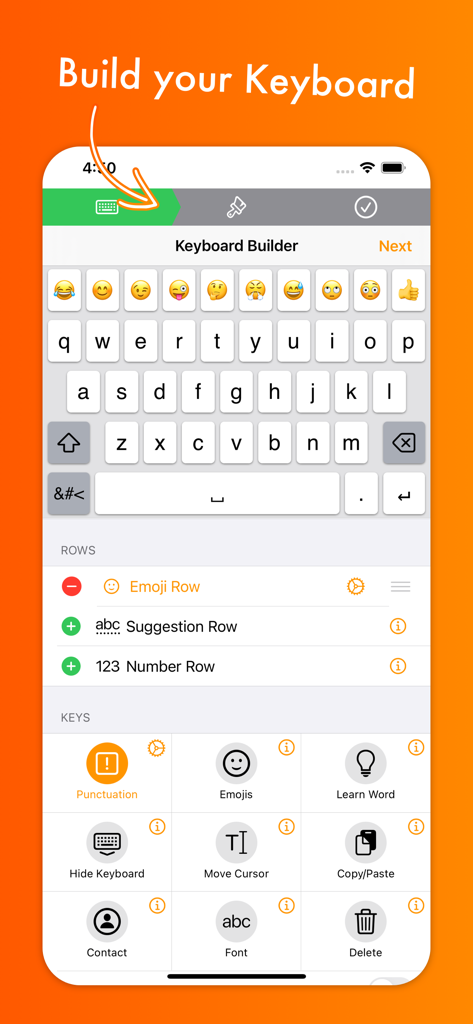
MyKeyboard Pro - MyKeyboard Proインターフェース。キーボード行とコピー&ペーストなどの機能キーをカスタマイズするオプションを表示
MyKeyboard Proインターフェース。キーボード行とコピー&ペーストなどの機能キーをカスタマイズするオプションを表示

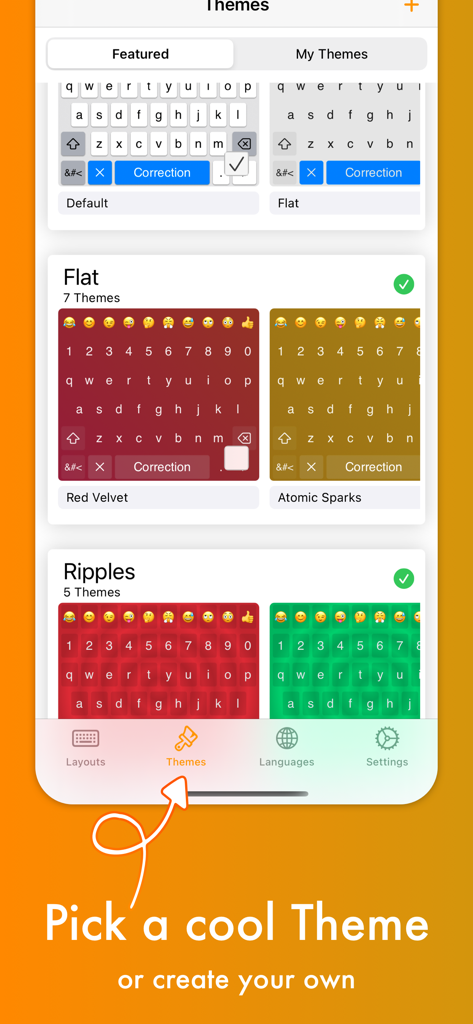
MyKeyboard Pro - MyKeyboard Proアプリの画面。レッドベルベットやアトミックスパークスのような、さまざまなキーボードテーマと色を表示
MyKeyboard Proアプリの画面。レッドベルベットやアトミックスパークスのような、さまざまなキーボードテーマと色を表示

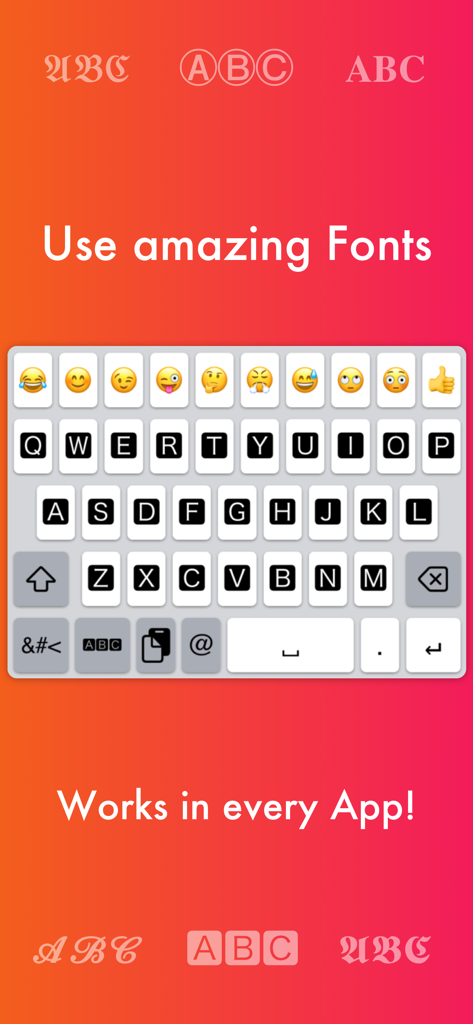
MyKeyboard Pro - MyKeyboard Proアプリのスクリーンショット。カスタムフォントとiOSアプリ用のキーボードレイアウトを強調表示
MyKeyboard Proアプリのスクリーンショット。カスタムフォントとiOSアプリ用のキーボードレイアウトを強調表示

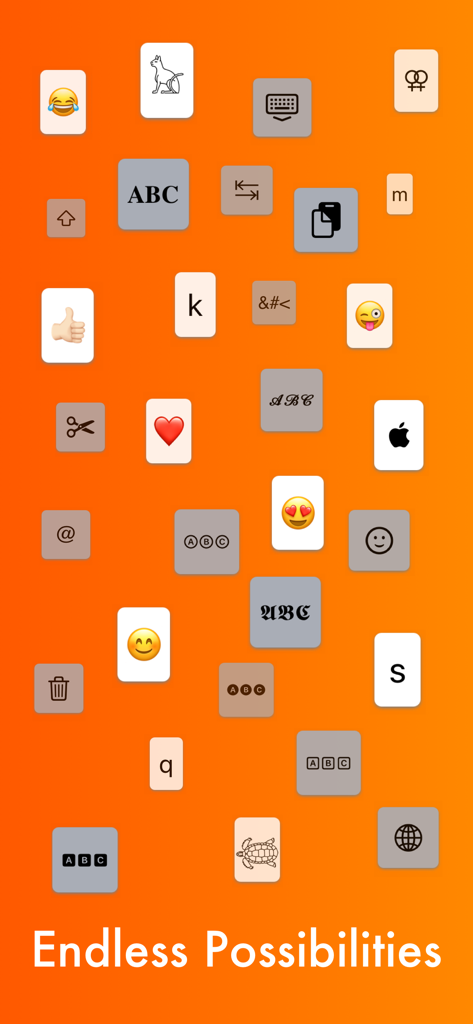
MyKeyboard Pro - さまざまなフォントとアイコンでカスタマイズ可能なキーボードキーの多様性を示すグラフィック
さまざまなフォントとアイコンでカスタマイズ可能なキーボードキーの多様性を示すグラフィック

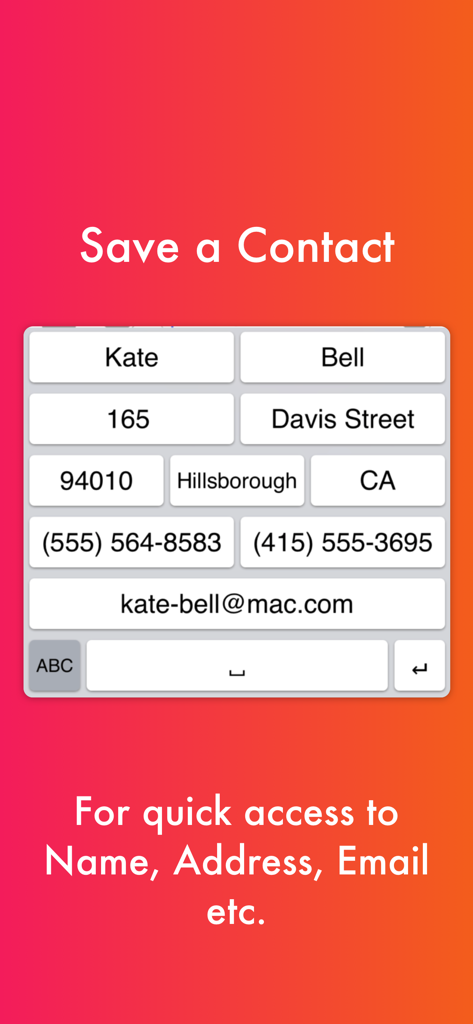
MyKeyboard Pro - 名前やメールアドレスなどの連絡先情報にすばやくアクセスするためのショートカットキーを備えたカスタムキーボードレイアウト
名前やメールアドレスなどの連絡先情報にすばやくアクセスするためのショートカットキーを備えたカスタムキーボードレイアウト

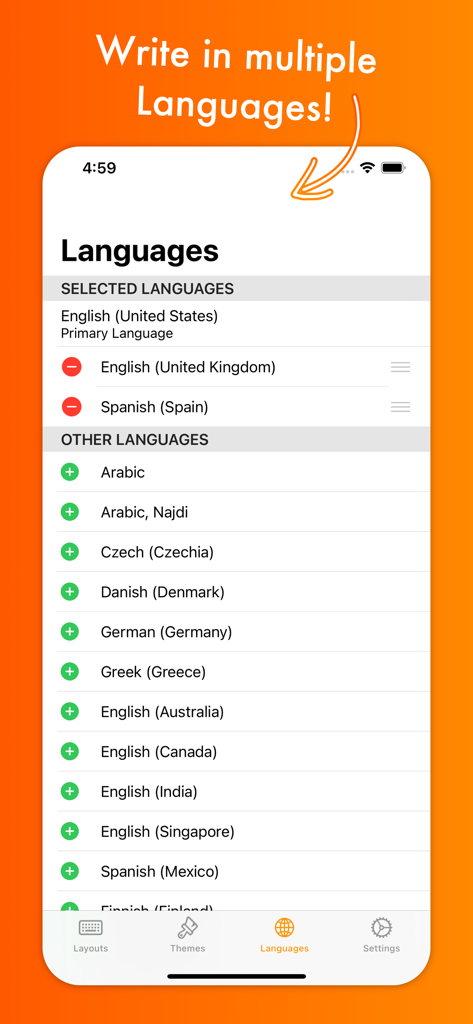
MyKeyboard Pro - MyKeyboard Proの言語選択インターフェース。英語、スペイン語、アラビア語など、複数の言語オプションを表示
MyKeyboard Proの言語選択インターフェース。英語、スペイン語、アラビア語など、複数の言語オプションを表示

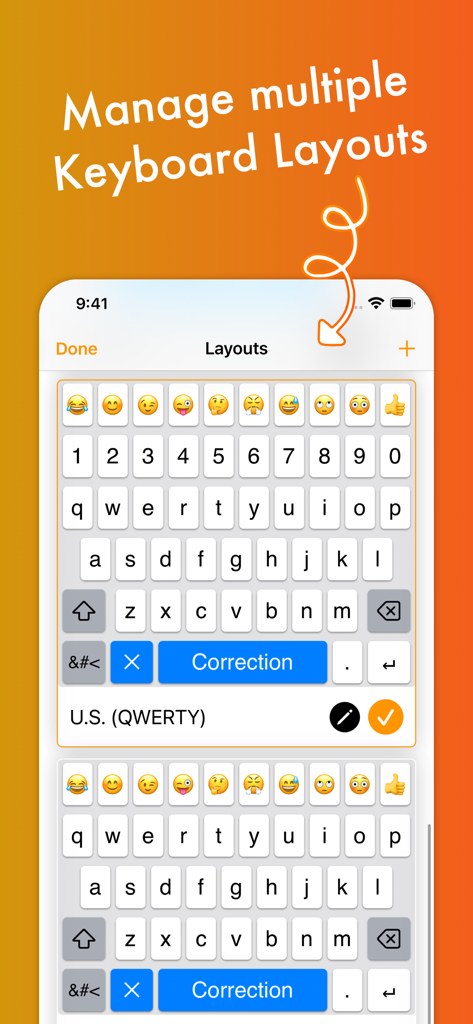
MyKeyboard Pro - MyKeyboard Proで複数のカスタムキーボードレイアウトを管理するためのインターフェース
MyKeyboard Proで複数のカスタムキーボードレイアウトを管理するためのインターフェース

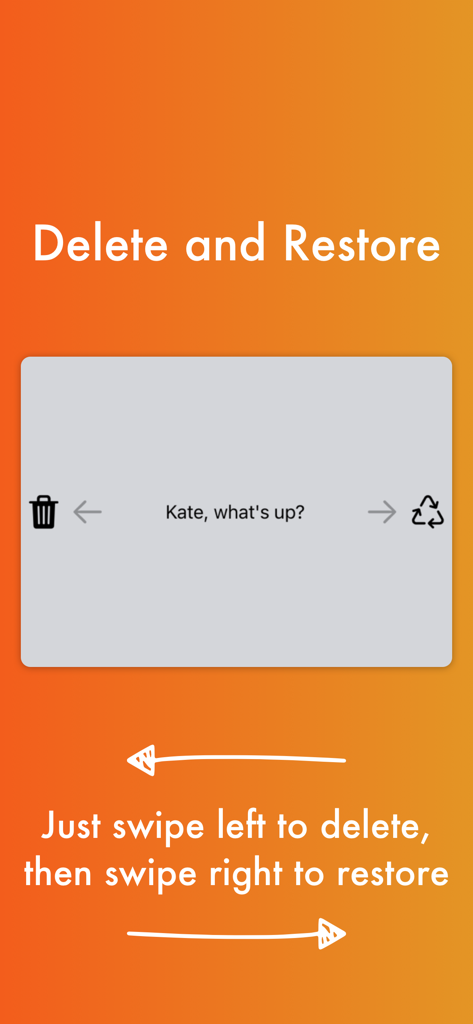
MyKeyboard Pro - キーボードでのスワイプ左で削除、スワイプ右で復元テキスト機能のデモンストレーション

キーボードでのスワイプ左で削除、スワイプ右で復元テキスト機能のデモンストレーション

説明

Customize virtually anything about your iOS keyboard, with simple drag and drop. Add or remove keys or rows, customize the way keys look and behave, change the duration until subkeys (the keys that pop up when holding on a key) pop up, add and remove subkeys and add keys with custom actions. MyKeyboard is beloved by its users for its ease of use and endless possibilities. For example, the emoji row is a standard feature of the custom Keyboard and can be changed to contain all of your favorite emoji. These emoji keys then automatically contain subkeys with similar emoji which you can personalize. By default, a number row is also in the keyboard, providing you fast access to these often-used keys. Another amazing feature of MyKeyboard is the switchable fonts. MyKeyboard contains 19 amazing fonts that can be used across almost all apps, including WhatsApp, Instagram, Facebook and iMessage. You can add a font key to your keyboard and switch to the font by tapping on it. Custom key actions include: - Insert Appearance - Insert - Replace Word With Appearance - Show Subkeys - Shift - Caps Lock - Cut - Copy - Paste - Accept Correction - Dismiss Correction - Learn Current Word - Switch Keyboard - Switch To Main Keyboard - Hide Keyboard - Next Input Mode - Delete Last Character - Activate Deletion Mode - Clear - Clear Left - Clear Left Word - Clear Right - Clear Right Word - Clear Word - Switch to Emoji Board (Switches you to the emoji keyboard; Learn more about this when you google emoji keyboard) These actions can be triggered on tap and hold. When no hold action is set for a specific key, the keyboard goes into trackpad mode, allowing you to shift the insertion point around by swiping. The deletion mode is similar and allows you to delete by swiping left and retract from it by swiping right. By default, it is the hold/press action on the delete key. You can also increase or decrease the key hold time until these actions are triggered, but you will have to perform swift key gestures when setting it very low. ~~ Keyboard Builder ~~ Use the keyboard builder for creating a fully customized keyboard layout in less than a minute. Your own keyboard layout is called “My Keyboard” and can be configured in every imaginable way. You can even add a copy, cut or paste key, a font key, an emoji key, a move cursor key, a “delete all” key and so much more. You can also create your own keys, for example for inserting copypasta or using copy/paste keys to perform these actions faster. We have made keyboard customization very accessible and it's easily doable for everyone. And it is customizable in every extend. For example, by adding a lot of g keys to a keyboard you could essentially create your own g board, or by adding multiple font switching keys to one, you can create your own font keyboard. ~~ Themes ~~ You can choose from a variety of free and paid themes, or go ahead and create your own customized keyboard theme. Theme customization can be used to change every aspect of your keyboard: background and foreground colors, shadow and border sizes and their colors, key corner radius and you can even set a custom height for your keys! Even a custom keyboard background image is configurable with your own photo. In the section “my themes”, you can see and manage all of your customized themes. Themes can even be shared with your friends who also use MyKeyboard!

Download

ダウンロード: App Store

このページはアプリまたはその開発者の公式ページではなく、情報提供および論評を目的として作成された独立した編集出版物です。明示的に別段の記載がない限り、アプリおよびその開発者は、MWM、Apple、Google Play、アプリのパブリッシャー、またはアプリの開発者と提携、承認、後援、認可、またはその他の公式的な関係はなく、このページのいかなる内容も、アプリがMWMのサービスを使用して開発されたことを意味するものではありません。すべての商標、ロゴ、スクリーンショット、その他のコンテンツはそれぞれの所有者の財産です。








