
このページはアプリまたはその開発者の公式ページではなく、情報提供および論評を目的として作成された独立した編集出版物です。明示的に別段の記載がない限り、アプリおよびその開発者は、MWM、Apple、Google Play、アプリのパブリッシャー、またはアプリの開発者と提携、承認、後援、認可、またはその他の公式的な関係はなく、このページのいかなる内容も、アプリがMWMのサービスを使用して開発されたことを意味するものではありません。すべての商標、ロゴ、スクリーンショット、その他のコンテンツはそれぞれの所有者の財産です。


Narrator's Voice
退屈なテキストに命を吹き込む。AIの力で、あなたのコンテンツはもはや読まれるだけでなく、聞かれるものとなる。
ダウンロード
2.5M+ユーザー評価
評価数
37.1K開発元
カテゴリ
Productivity対応言語
3最新バージョン
15.0.40サイズ
115.8 MBリリース日
2015年11月30日デジタルコンテンツクリエイター向けの高機能音声合成ツール
Narrator's Voice アプリ主要機能分析
YouTube・TikTok動画向けボイスオーバー作成
このアプリは、YouTubeやTikTok動画に簡単にボイスオーバーを追加する機能を提供し、クリエイターがコンテンツの魅力を高めるのを支援します。
超リアルAI音声とプロ品質の吹き替え
このアプリは、プロフェッショナルな吹き替え品質を備えた超リアルなAI音声を提供し、コンテンツの質を大幅に向上させます。
ElevenLabs連携による人間らしいナレーション
本ツールはElevenLabsとの連携により、より人間らしい自然なナレーション生成を実現し、聴衆のエンゲージメントを高めます。
インスタント音声クローン機能
ユーザーは瞬時に自身の音声をクローン作成でき、パーソナライズされたナレーションを生成することが可能です。
テキストからMP3/MP4への変換とソーシャル共有
ユーザーはテキストをMP3オーディオファイルまたはMP4ビデオファイルに変換し、各種ソーシャルネットワークで直接共有できます。
高度なテキスト読み上げ(TTS)機能
このアプリは、入力されたテキストを自然でリアルな音声で読み上げる高度なテキスト読み上げ(TTS)機能を提供します。
多言語対応と豊富な高品質音声
本ツールは幅広い言語に対応し、信頼性が高く心地よい響きの音声を提供するため、様々なコンテンツ制作に利用可能です。
直感的でシンプルなインターフェース
本ツールは、直感的でシンプルなインターフェースを備えており、ユーザーはわずか数秒で高品質なオーディオを作成することが可能です。
再構築された高速・軽量・安定したアプリ
このアプリは完全に再構築され、より高速で軽量、かつ安定したパフォーマンスを提供するため、ユーザーはストレスなく作業を進めることができます。
音声保存後のオフライン利用
ユーザーは音声を保存した後、オフライン環境でも利用できるため、インターネット接続がない場所でもコンテンツを制作できます。
よくある質問
について知っておくべきこと Narrator's Voice
What is the Narrator's Voice app?
The Narrator's Voice app is a text-to-speech converter that transforms any text into professional-quality voice using AI. Users create and share messages with chosen narrators, languages, and special effects.
Does Narrator's Voice use AI voices?
Yes, Narrator's Voice utilizes ultra-realistic AI voices with professional dubbing quality, including ElevenLabs integration. It provides access to advanced AI voices for natural and realistic narrations.
Can I use Narrator's Voice to create content for YouTube or TikTok?
Yes, Narrator's Voice is ideal for creating voiceovers for YouTube and TikTok videos. Many users employ it to add audio, commentary, or clarification to their video projects.
Can Narrator's Voice convert text to audio and video files?
Yes, Narrator's Voice converts text into audio files (MP3) or video files (MP4). Users can then share these creations on social networks or save them directly from the app.
Is there a character limit for text input in Narrator's Voice?
No, Narrator's Voice does not impose a character limit for text input. Users can create audio from extensive texts without any restrictions within the application.
Does Narrator's Voice offer different voice effects?
Yes, Narrator's Voice allows users to apply various effects to voices. These include volume, compressor, distortion, and reverb to customize the audio output.
Can Narrator's Voice be used offline?
Yes, Narrator's Voice functions offline after audio files are saved. Users can access and listen to their created audios without an internet connection.
Does Narrator's Voice support multiple languages?
Yes, Narrator's Voice supports a wide range of languages. It provides many voices with effects available across various languages, offering diverse narration options.
What are some specific voices available in Narrator's Voice?
Narrator's Voice includes specific voices such as pinksheep voice, MLG voice - Daniel UK, and CORTANA voice. It also features other expressive and natural-sounding voices.
Can Narrator's Voice convert images into text?
Yes, Narrator's Voice can convert images into text. This feature allows users to extract text content directly from images for further use within the app.
以下のスクリーンショットと説明は、アプリの公式ストアリスティングから直接取得されたものであり、アプリ開発者の所有物です。
アプリストア
スクリーンショット
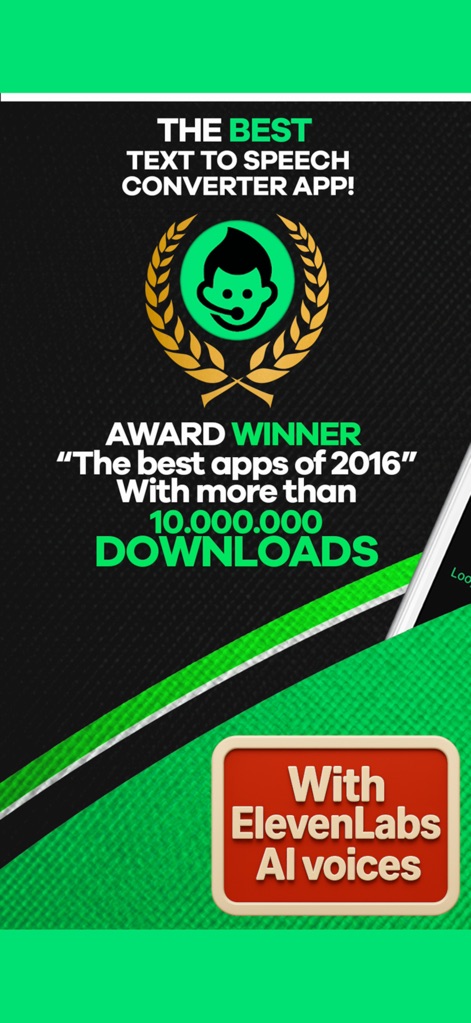
このアプリは、数々の受賞歴を示すトロフィーアイコンと、先進的なElevenLabs AI音声の統合により、業界をリードするテキスト読み上げソリューションを提供します。
最先端のAI音声技術
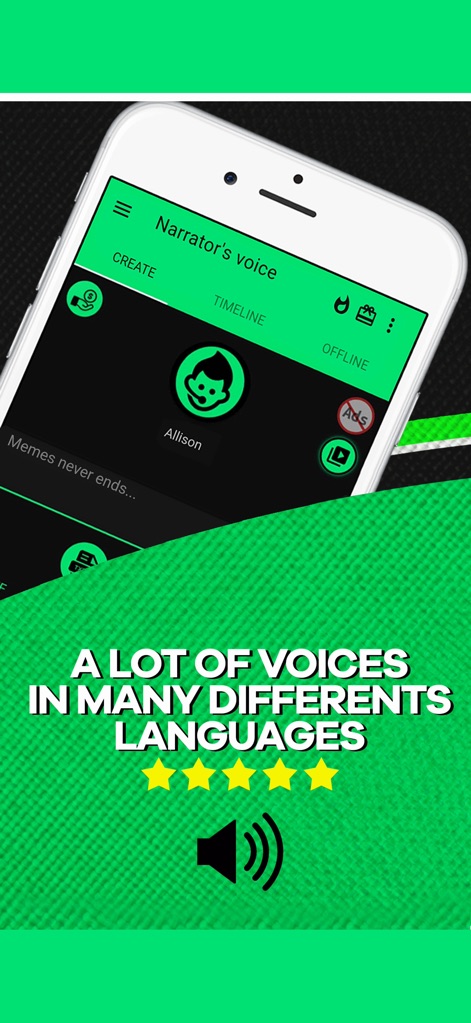
アプリ上部には「CREATE」「TIMELINE」「OFFLINE」といった直感的な操作タブが配置され、「A LOT OF VOICES IN MANY DIFFERENT LANGUAGES」の表示が示すように、多様な言語と豊富な音声オプションを提供します。
多彩な音声、多言語対応
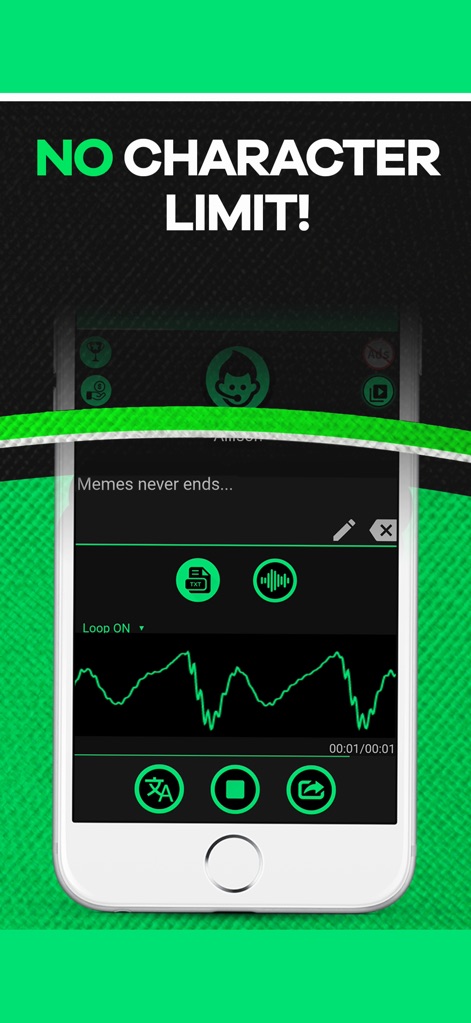
ユーザーは「NO CHARACTER LIMIT!」の表示通り文字数制限なくテキストを入力でき、入力されたテキストはリアルタイムで音声波形として視覚的に表示され、精密な編集が可能です。
文字数無制限入力
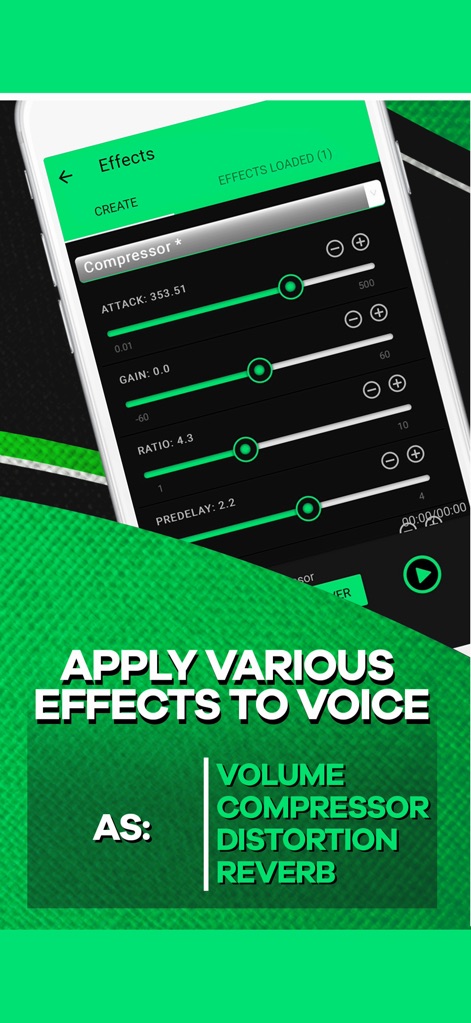
「Effects」画面では、コンプレッサーの詳細な設定スライダーを介して音声を調整でき、ボリューム、ディストーション、リバーブなど多様な音声エフェクトを適用してプロフェッショナルなサウンドを実現します。
高度な音声エフェクト

本アプリは、「IDEAL APP FOR YOUTUBERS TO MAKE VIDEOS」と明示されており、YouTubeロゴが示すように、動画クリエイターがコンテンツに高品質なナレーションを簡単に統合できるよう設計されています。
YouTube動画に最適
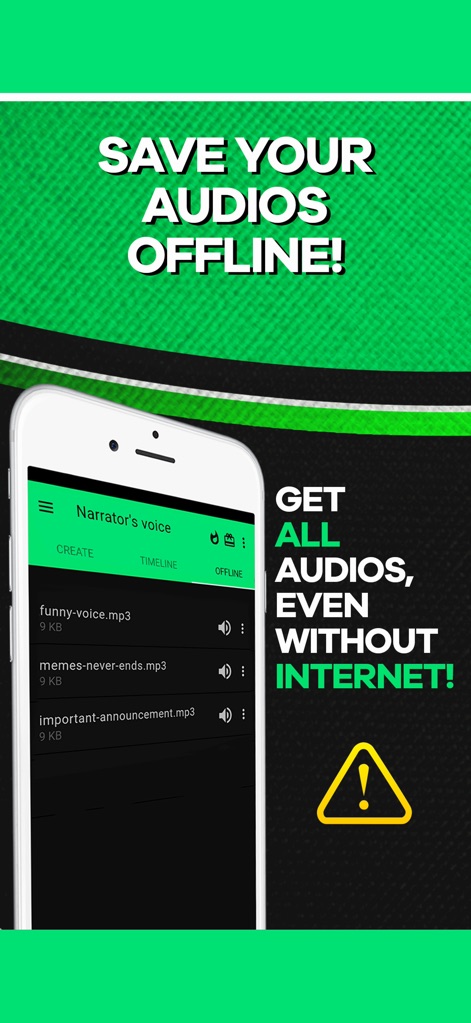
「SAVE YOUR AUDIOS OFFLINE!」の機能により、生成された音声ファイルはアプリ内にリスト表示され、ユーザーは「GET ALL AUDIOS, EVEN WITHOUT INTERNET!」の通り、インターネット接続なしでいつでもそれらにアクセスできます。
オフライン音声保存
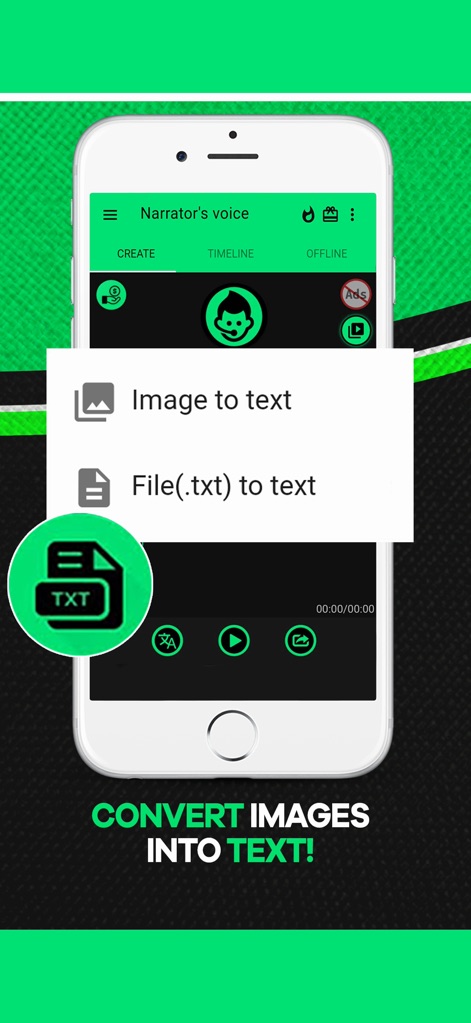
本アプリは、ポップアップメニューから「Image to text」を選択することで画像からテキストを抽出し、「File(.txt) to text」オプションで既存のテキストファイルをインポートできるため、コンテンツ作成を効率化します。
テキスト抽出と入力
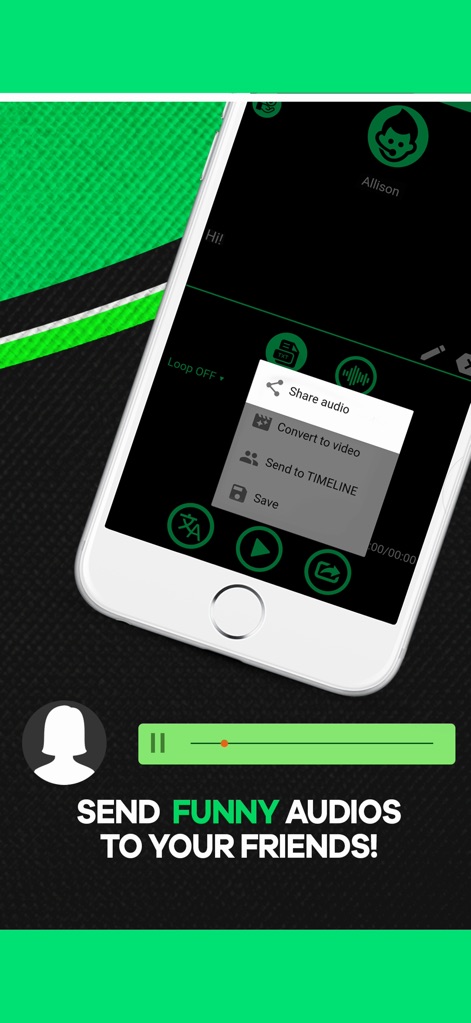
ポップアップメニューから「Share audio」を選択することで生成された音声を友人と簡単に共有でき、「Convert to video」オプションを通じて視覚コンテンツとしてエクスポートし、ソーシャルメディアでの発信を強化します。
音声の簡単共有
説明
Download
類似アプリ
似た機能とユーザー体験を持つアプリ

文字转语音助手-声音克隆与AI配音软件
苗花 郭

ElevenLabs-AI Voice Generator
Vladyslav Kravchenko

ずんだボイス「ずんだもん読み上げアプリ」
Toraichi Igarashi

Speech synthesis assistant
喜春 雷

Vbee AIVoice - Text To Speech
VBEE SERVICES AND DATA PROCESSING SOLUTIONS JOINT STOCK COMPANY

클로바더빙 - AI 더빙 만들기
NAVER Corp.
AI Podcast Maker - PODLM
Omer Erdem Aydemir
このページはアプリまたはその開発者の公式ページではなく、情報提供および論評を目的として作成された独立した編集出版物です。明示的に別段の記載がない限り、アプリおよびその開発者は、MWM、Apple、Google Play、アプリのパブリッシャー、またはアプリの開発者と提携、承認、後援、認可、またはその他の公式的な関係はなく、このページのいかなる内容も、アプリがMWMのサービスを使用して開発されたことを意味するものではありません。すべての商標、ロゴ、スクリーンショット、その他のコンテンツはそれぞれの所有者の財産です。