Network Utility Pro
Network Utility Pro
ダウンロード: App Store

このページはアプリまたはその開発者の公式ページではなく、情報提供および論評を目的として作成された独立した編集出版物です。明示的に別段の記載がない限り、アプリおよびその開発者は、MWM、Apple、Google Play、アプリのパブリッシャー、またはアプリの開発者と提携、承認、後援、認可、またはその他の公式的な関係はなく、このページのいかなる内容も、アプリがMWMのサービスを使用して開発されたことを意味するものではありません。すべての商標、ロゴ、スクリーンショット、その他のコンテンツはそれぞれの所有者の財産です。


ロゴ: Network Utility Pro
ダウンロード: App Store

Network Utility Pro

接続を完全にコントロール。LANスキャニングからデータ使用量の監視、高度なDNSルックアップまで、デスクトップ級の診断機能を手のひらの中に。

主要数値

ダウンロード

155K+

ユーザー評価

4.6/5

評価数

600

開発元

Fausto Ristagno

カテゴリ

Utilities

対応言語

5

最新バージョン

9.10.3

サイズ

13.3 MB

リリース日

2016年3月3日
機能

プロ級のツールでネットワークをマスター

接続の完全なコントロールを求めるITプロフェッショナルやパワーユーザーのために設計された、包括的な診断ユーティリティスイート。

高度なLANスキャナー

ネットワーク上のすべてのデバイスを即座に特定し、不正アクセスを検知して環境の安全を保ちます。

リアルタイムPing & 統計

グラフィカルなデータと高度な設定でレイテンシを監視し、重要なタスクのために接続の安定性を確保します。

以下のスクリーンショットと説明は、アプリの公式ストアリスティングから直接取得されたものであり、アプリ開発者の所有物です。

アプリストア

スクリーンショット
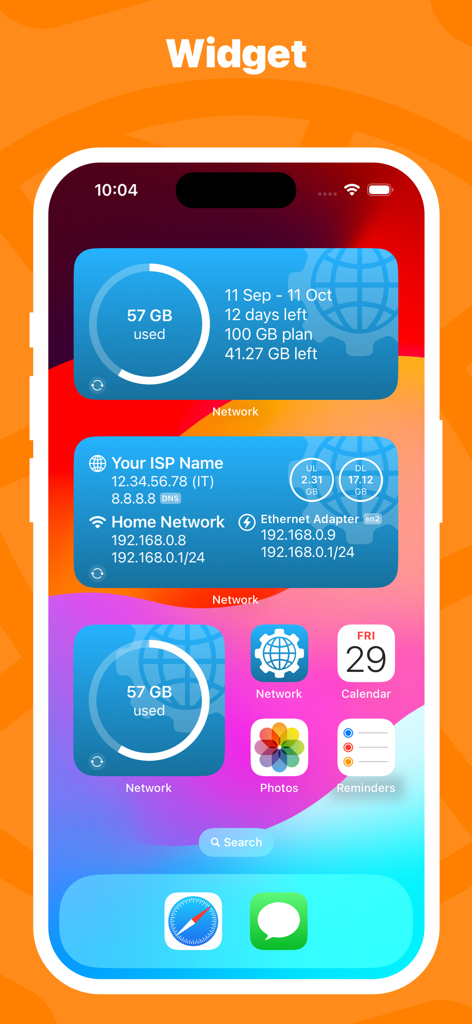
Network Utility Pro - モバイルデータ使用量とネットワーク接続情報を表示するNetwork Utility ProのiOSホーム画面ウィジェット
モバイルデータ使用量とネットワーク接続情報を表示するNetwork Utility ProのiOSホーム画面ウィジェット

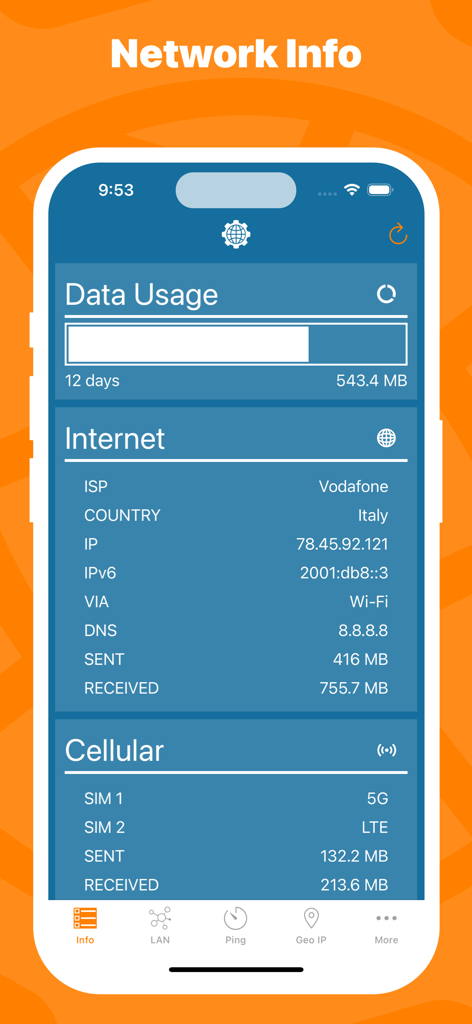
Network Utility Pro - データ使用量の統計、ISPの詳細、モバイルネットワークの状態を含むネットワーク情報を表示するモバイルアプリのインターフェース。
データ使用量の統計、ISPの詳細、モバイルネットワークの状態を含むネットワーク情報を表示するモバイルアプリのインターフェース。

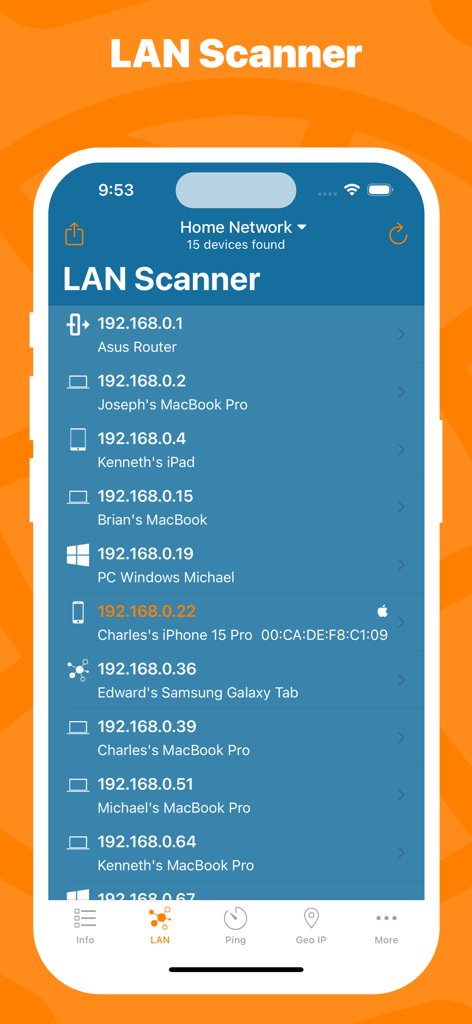
Network Utility Pro - ホームネットワーク上の接続デバイスとIPアドレスの一覧が表示されたNetwork Utility ProアプリのLANスキャナー画面
ホームネットワーク上の接続デバイスとIPアドレスの一覧が表示されたNetwork Utility ProアプリのLANスキャナー画面

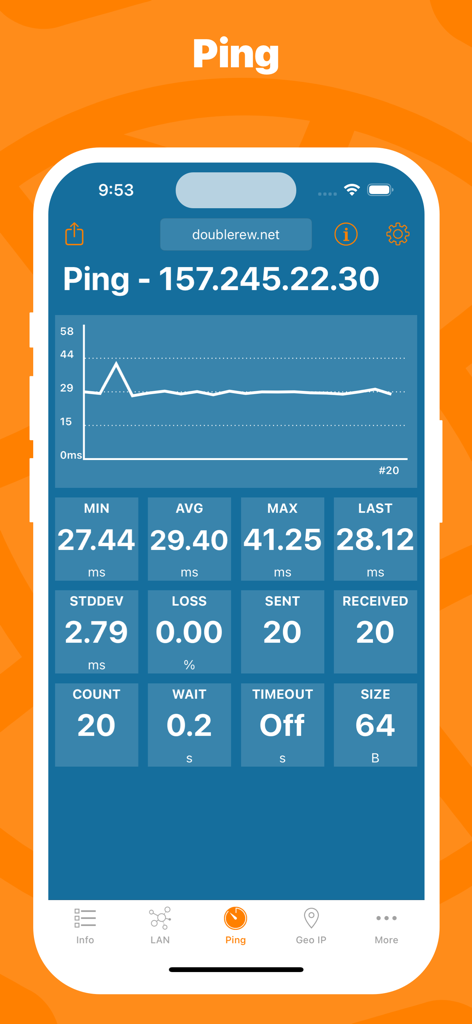
Network Utility Pro - サーバーのリアルタイムPing統計とレイテンシグラフを表示するNetwork Utility Proアプリ

サーバーのリアルタイムPing統計とレイテンシグラフを表示するNetwork Utility Proアプリ

Network Utility Pro - ネットワークIP情報とモバイルデータ使用量を表示するiPhoneロック画面上のNetwork Utility Proウィジェット
ネットワークIP情報とモバイルデータ使用量を表示するiPhoneロック画面上のNetwork Utility Proウィジェット

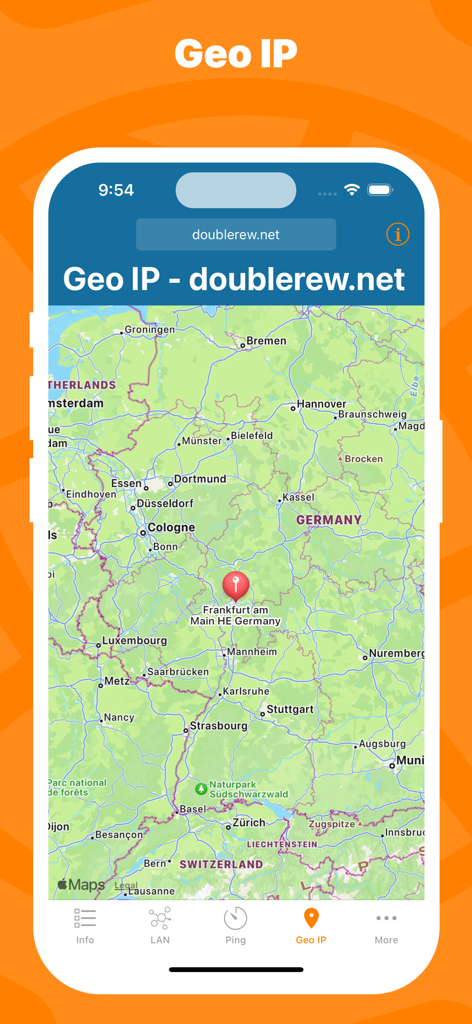
Network Utility Pro - ドイツの地図上の位置マーカーを表示するNetwork Utility ProのGeo IPツールのインターフェース。
ドイツの地図上の位置マーカーを表示するNetwork Utility ProのGeo IPツールのインターフェース。

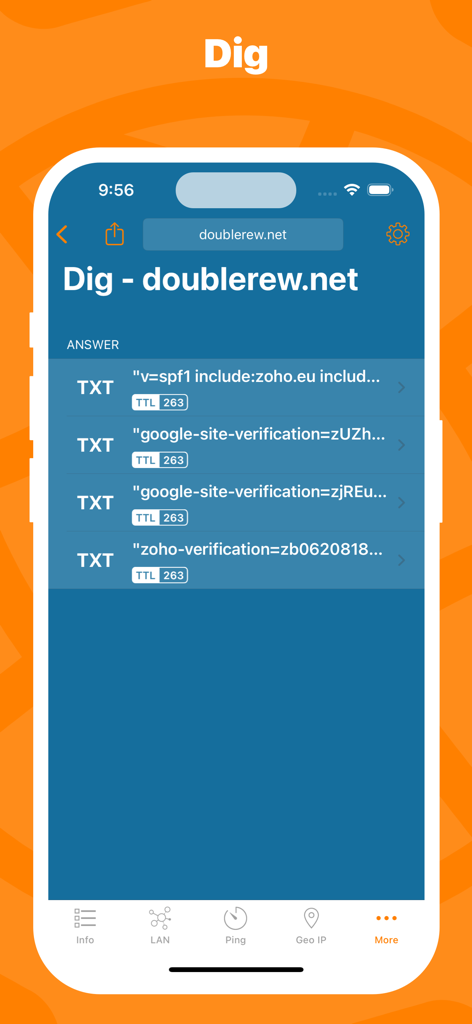
Network Utility Pro - ドメインのTXTレコードとTTLデータを表示するNetwork Utility ProのDig DNSルックアップツール。
ドメインのTXTレコードとTTLデータを表示するNetwork Utility ProのDig DNSルックアップツール。

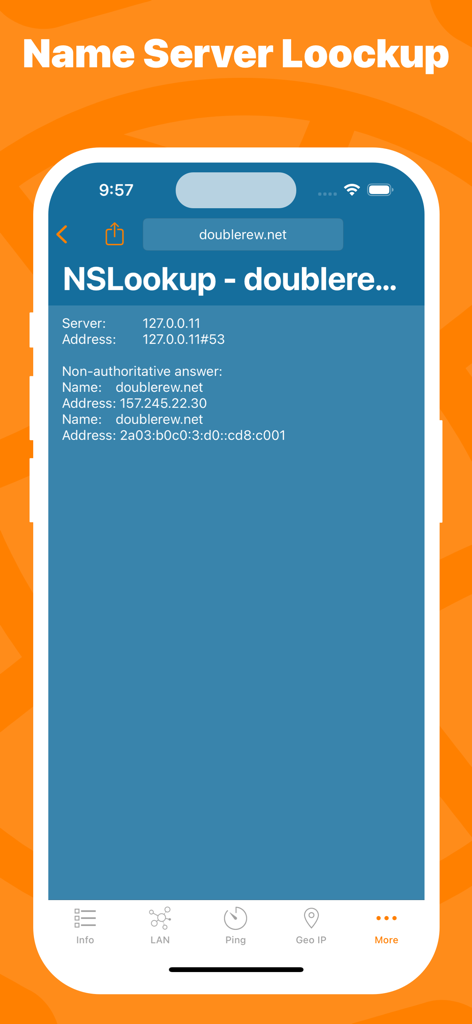
Network Utility Pro - ドメインのNSLookupツールの結果を表示するNetwork Utility Proアプリのスクリーンショット
ドメインのNSLookupツールの結果を表示するNetwork Utility Proアプリのスクリーンショット

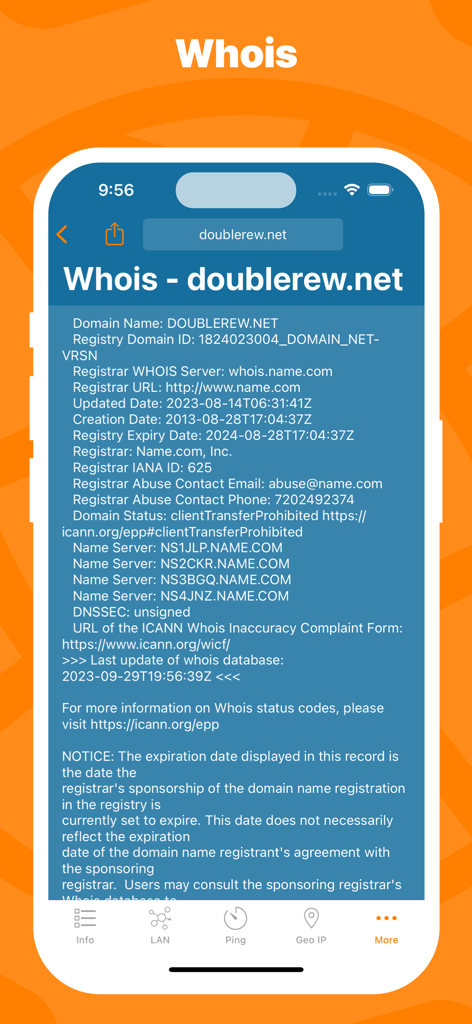
Network Utility Pro - Network Utility ProアプリのWhoisドメイン登録ルックアップインターフェース
Network Utility ProアプリのWhoisドメイン登録ルックアップインターフェース

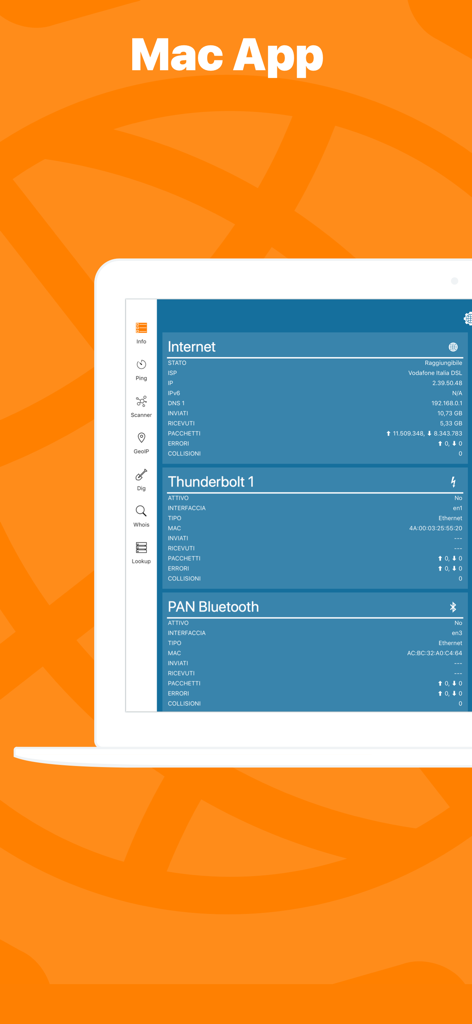
Network Utility Pro - ネットワークの状態と診断を表示するMacノートPC上のNetwork Kit Xアプリケーションインターフェース

ネットワークの状態と診断を表示するMacノートPC上のNetwork Kit Xアプリケーションインターフェース

説明

Keep under control your network with Network Utility, an user friendly set of network tools that will help you to analyze your LAN, and not only that. ► NETWORK INFO A complete and easy to understand report of your device's network interfaces. In that tab you'll find information like the IP, IPv6, other addresses or the data usage statistics about your Wi-Fi, Internet or Cellular connection (if any). ► CELLULAR DATA MONITOR Don't lose sight of your data usage, with four taps you'll have a data monitor configured and ready to use. The following data usage plans' period are supported: - Daily - Weekly - Monthly - 28 days - 30 days - 90 days ► LAN SCANNER Analyze your Wi-Fi with the LAN Scanner tool. Discovering who is connected to your network and Ping it, is a matter of two taps. Easily manage custom subnets to scan only a portion of your LAN. ► PING Ping a LAN device, Ping a server, ping whatever you want. IPv6 addresses are supported too and advanced options like packet size, timeouts, intervals, etc.. are available and easily configurable. The results of your Ping are available numerically in the aggregated stats, graphically in the real time graph or listed, a row per ICMP response received. ► GEO IP Have you ever wondered where a server or any other IP is located? That's the tool for you, show the location on a map and get additional details like the ISP or the ASN in the details pane. ► DIG A DNS lookup utility made simple. A list clearly shows the result of your query and the advanced options allow you to customize your request from the type of query to the DNS server. ► WHOIS Find any information about a domain name and it's owner e.g. the status, creation date, registrant email and address and many more. ► NSLOOKUP A no-frills textual DNS lookup utility. ► WIDGET * Network Utility comes with an useful widget that brings network informations and the cellular data usage into your notification center, home screen e lock screen. ► EXPORT RESULTS ANYWHERE Every utility has an export button that allows you to export the result of your task to the File app, to the Notes app and many other apps or simply copy the raw textual result. ► MAC APP Network Utility is also available on the Mac App Store as Network Kit X, the same app but tuned to take advantage of macOS. Start a tool on your iPhone/iPad a continue it on your Mac thanks to Handoff and Continuity. !! N.B. - Cellular data monitor is available only on iPhone or iPad with Cellular. - LAN Scanner on iOS 11 and upper due to a limitation of the OS can't display the MAC address of the discovered devices. Hostname resolution is available only if you don't use an external DNS. - Widgets on iOS 14 are updated only at scheduled intervals (e.g. every 5 minutes), so they can show outdated info. Open the app to get info updated in real time.

Download

ダウンロード: App Store

このページはアプリまたはその開発者の公式ページではなく、情報提供および論評を目的として作成された独立した編集出版物です。明示的に別段の記載がない限り、アプリおよびその開発者は、MWM、Apple、Google Play、アプリのパブリッシャー、またはアプリの開発者と提携、承認、後援、認可、またはその他の公式的な関係はなく、このページのいかなる内容も、アプリがMWMのサービスを使用して開発されたことを意味するものではありません。すべての商標、ロゴ、スクリーンショット、その他のコンテンツはそれぞれの所有者の財産です。








