Norton Password Manager

Norton Password Manager

ダウンロード: App Store
ロゴ: Norton Password Manager

ノートン パスワードマネージャー:シンプル、安全、信頼の保護

複雑なパスワードの記憶の苦労はやめましょう。暗号化されたボルトに認証情報を安全に保存し、Face IDを使用したワンタップログイン、そしてすべてのデバイス間でデータを無料で同期しましょう。

開発元

Gen Digital Inc.

カテゴリ

Utilities

ダウンロード

1M+

ユーザー評価

4.4/5

評価数

67K+

対応言語

14

あなたのデジタルボルトを公開

このインターフェースを利用する 1M+ 人のユーザー.

ノートン パスワードマネージャーのロゴとスローガンが表示されたスマートフォンを使用している笑顔の女性
ノートン パスワードマネージャーのロゴとスローガンが表示されたスマートフォンを使用している笑顔の女性

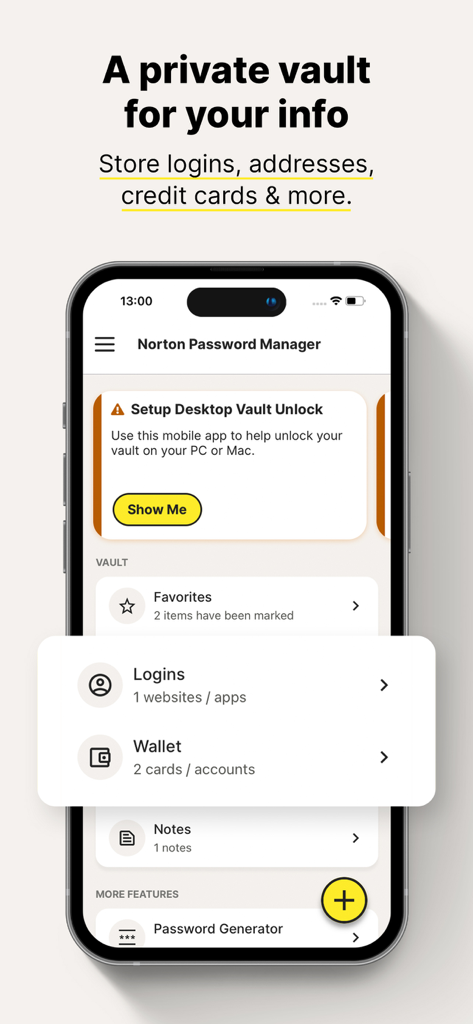
ログイン情報やウォレット情報を保存するためのプライベートボルトを示すノートン パスワードマネージャーのインターフェース
ログイン情報やウォレット情報を保存するためのプライベートボルトを示すノートン パスワードマネージャーのインターフェース

女性が買い物をしているノートン パスワードマネージャーのワンタップログイン機能
女性が買い物をしているノートン パスワードマネージャーのワンタップログイン機能

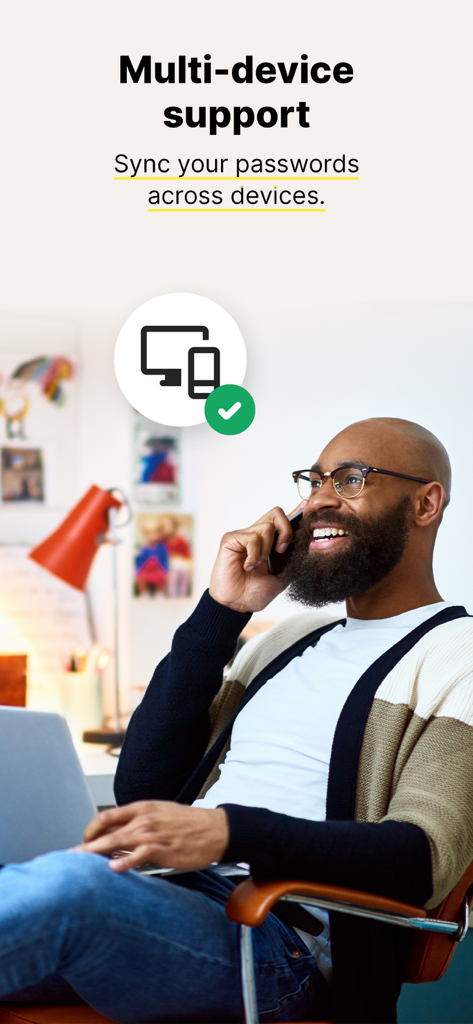
ノートン パスワードマネージャーのマルチデバイス同期を表すスマートフォンとラップトップを使用している男性
ノートン パスワードマネージャーのマルチデバイス同期を表すスマートフォンとラップトップを使用している男性

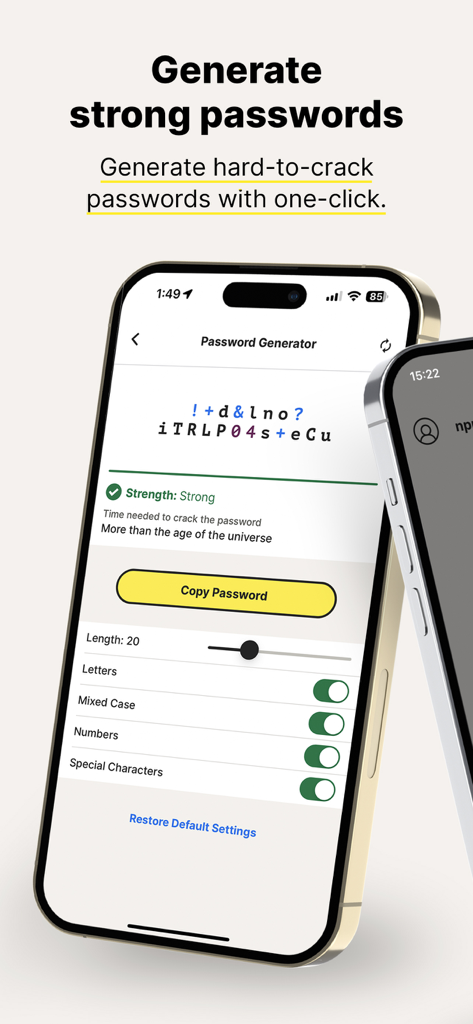
カスタム設定で強力なパスワードジェネレーターインターフェースを表示するノートン パスワードマネージャーアプリ
カスタム設定で強力なパスワードジェネレーターインターフェースを表示するノートン パスワードマネージャーアプリ

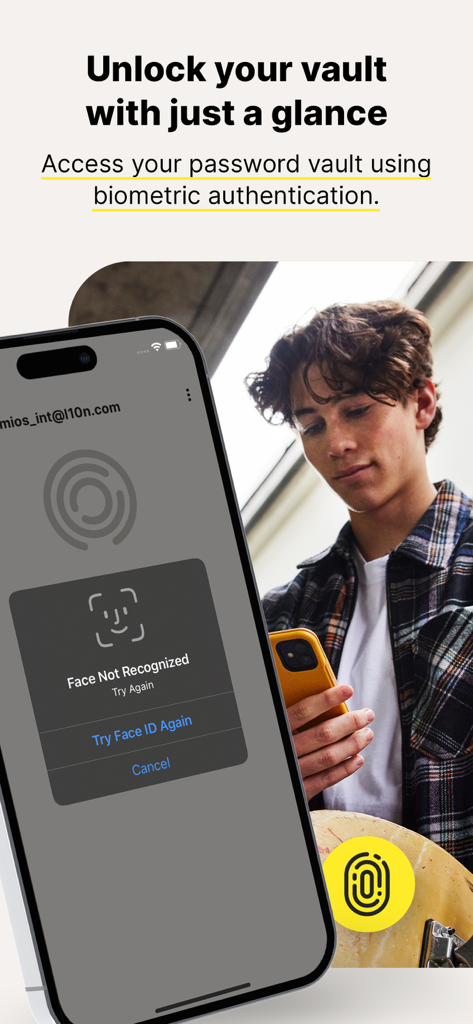
iPhoneのFace IDでノートン パスワードマネージャーの生体認証ボルトロック解除機能を表示
iPhoneのFace IDでノートン パスワードマネージャーの生体認証ボルトロック解除機能を表示

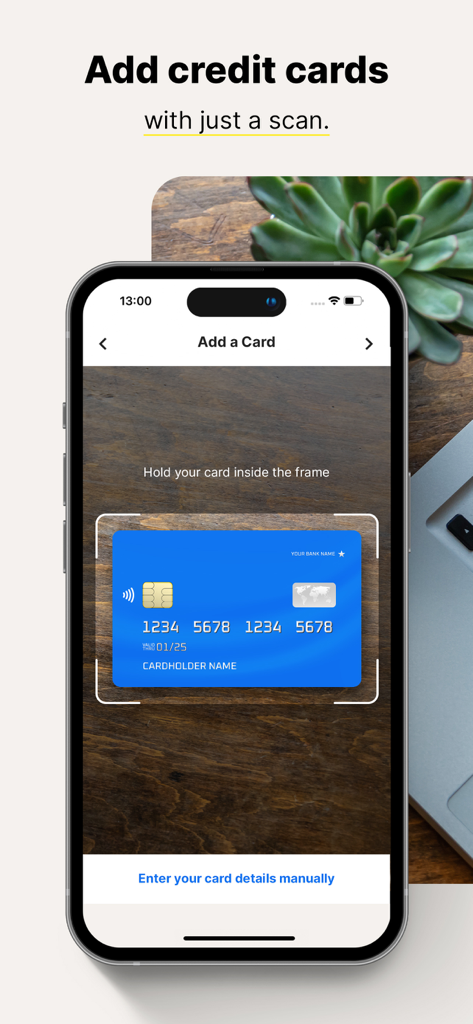
ノートン パスワードマネージャーアプリを使用してスマートフォンがデジタルボルトにクレジットカードを追加する様子
ノートン パスワードマネージャーアプリを使用してスマートフォンがデジタルボルトにクレジットカードを追加する様子

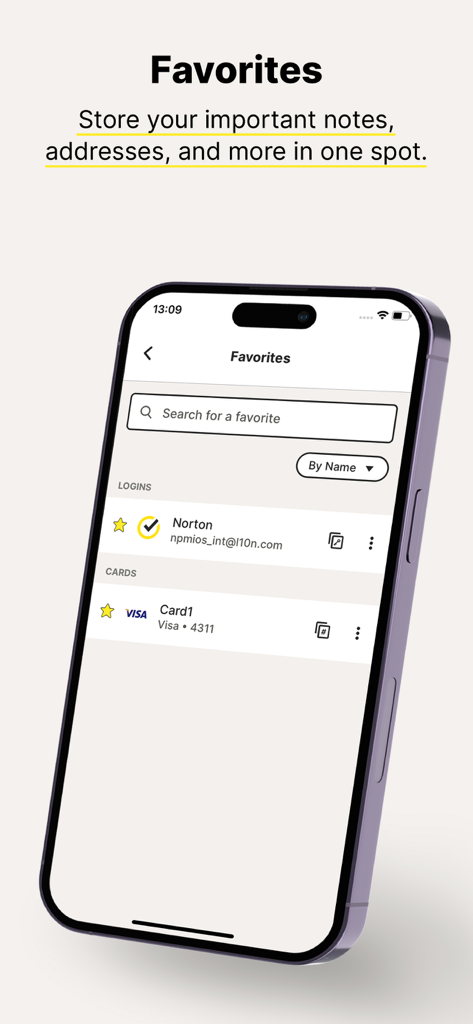
安全なデジタルボルトに保存されたログイン認証情報とクレジットカード情報が表示されたノートン パスワードマネージャーのお気に入り画面。

安全なデジタルボルトに保存されたログイン認証情報とクレジットカード情報が表示されたノートン パスワードマネージャーのお気に入り画面。

デジタルライフを楽にするセキュリティ

このアプリを際立たせるツール、 1M+ 人のユーザーが選択.

🔒

信頼できる銀行レベルのセキュリティ

ゼロ知識暗号化と二要素認証で安心してください。あなたのデータは、ノートンでさえアクセスできないほど安全です。

ワンタップログインとチェックアウト

「パスワードを忘れました」のループのフラストレーションをやめましょう。Face IDまたはTouch IDを使用して、ログイン情報とクレジットカード情報を完全に簡単に自動入力できます。

🛡️

プロアクティブなパスワード保護

パスワード評価ツールは、弱い認証情報を特定し、数秒で複雑でハッキング不可能なパスワードに置き換えるのに役立ちます。

アプリについて

について知っておくべきこと Norton Password Manager.

説明

Want a free, powerful password manager? Norton Password Manager is a single solution to help manage your unique passwords in multiple ways. Memorizing complex passwords with symbols, numbers, capital letters, and more, is difficult but using strong passwords is important to help keep your personal information secure. With Norton Password Manager, your information is encrypted, helping keep it secure, yet still available across your devices so you can access it anywhere. Best of all, it’s free!* Why Norton Password Manager • Passwords filled in a single tap When you log in to websites and apps, it’s a smoother, quicker, and more convenient experience. Your passwords are stored in an online vault, which can be used to auto fill online login information with a single tap.¹ • Encrypted With zero knowledge encryption and two-factor authentication, only you control access to your password vault–not even Norton can access it. These security measures help keep your data safer from cybercriminals and hacking attempts. • Free* Norton Password Manager is free and accessible to anyone and works on devices including computers, tablets, and phones. • Sync passwords¹ Your entire password vault can be synced and accessed across your devices. Your logins and credit card credentials can be auto filled. • Biometric unlock² There’s no need to even type in your vault password. Access your vault faster or recover your vault password³ using Apple’s Touch ID® or Face ID®. • Password Assessment Check if your passwords are strong and easily create new passwords or change weak passwords to strong ones that are more difficult to crack. Your information stays private even from us because it’s encrypted using zero-knowledge encryption before being stored in your cloud-based vault. Your passwords and other personal information can be even more secure by enabling two-factor authentication, plus you can use Apple’s Touch ID® or Face ID® so you can access your vault even faster. Creating and remembering complex passwords doesn’t have to be difficult. Norton Password Manager helps you safeguard your personal information by making recommendations to strengthen passwords, adding more security to your online, digital life. * With the free version of Norton Password Manager, we reserve the right to limit the number of entries (like passwords) at any time. This limitation won’t affect any existing entries in your vault. ¹ Requires your device to have an Internet/data plan and be turned on. ² Only available on iOS devices with Fingerprint Authentication or Touch ID/Face ID activated. ³ Vault Password Reset can only be initiated on an iOS smartphone. To work, your smartphone must have the Norton Password Manager mobile app installed, set up, and connected to your Norton account, plus the Biometric Authentication (fingerprint, or Touch ID/Face ID) activated, beforehand. PRIVACY POLICY Norton respects the privacy of our users and carefully safeguards personal data. For more information: https://www.norton.com/privacy

最新バージョン

8.8.5

サイズ

229.5 MB

リリース日

2012年4月20日

信頼するブランドでデジタルな未来を安全に

プロフェッショナルグレードの暗号化による安心感を体験してください。ノートン パスワードマネージャーを無料でダウンロードし、今日のワンタップアクセスでオンラインライフを簡素化しましょう。

ダウンロード: App Store

App information, icons, screenshots, and descriptions displayed on this page are sourced from the Apple App Store and are the property of their respective developers. Download estimates and rankings are based on MWM's proprietary models and may not reflect actual figures. This page is provided for informational and analytical purposes only.

Believe this page infringes your intellectual property? File a dispute