NotePad++ - Pro

NotePad++ - Pro

ダウンロード: App Store
ロゴ: NotePad++ - Pro

NotePad++ - Pro:スマートなメモとプロフェッショナルなPDF管理のための安全なハブ

忙しいプロフェッショナルのための究極の生産性ツール。カスタマイズ可能なメモで考えを整理し、外出先でPDFに署名・編集し、生体認証セキュリティでデータをプライベートに保ちます。

ダウンロード: App Store

開発元

Hiren Merja

カテゴリ

Utilities

ダウンロード

11K+

ユーザー評価

1.8/5

評価数

0

対応言語

1

シームレスな生産性を体験

このインターフェースを利用する 11K+ 人のユーザー.

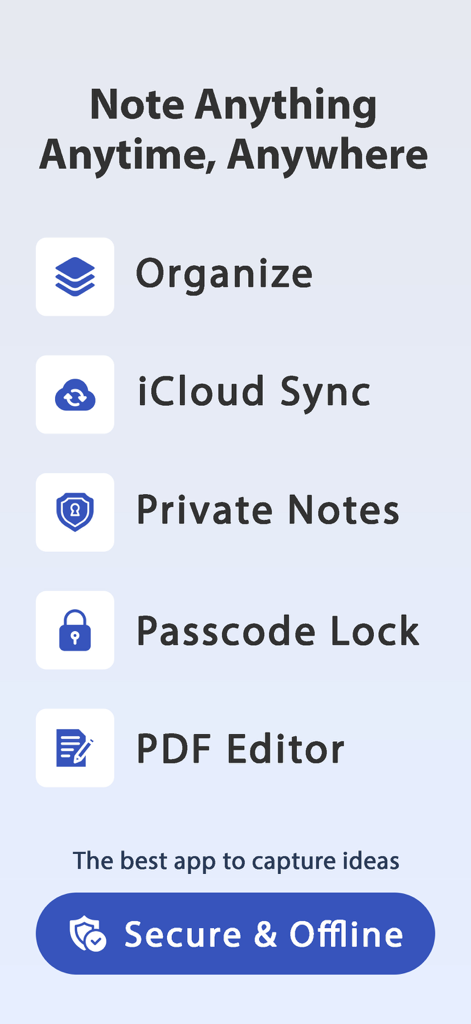
iCloud同期、プライベートメモ、パスコードロック、PDFエディターを含むNotePad Proアプリの機能リスト
iCloud同期、プライベートメモ、パスコードロック、PDFエディターを含むNotePad Proアプリの機能リスト

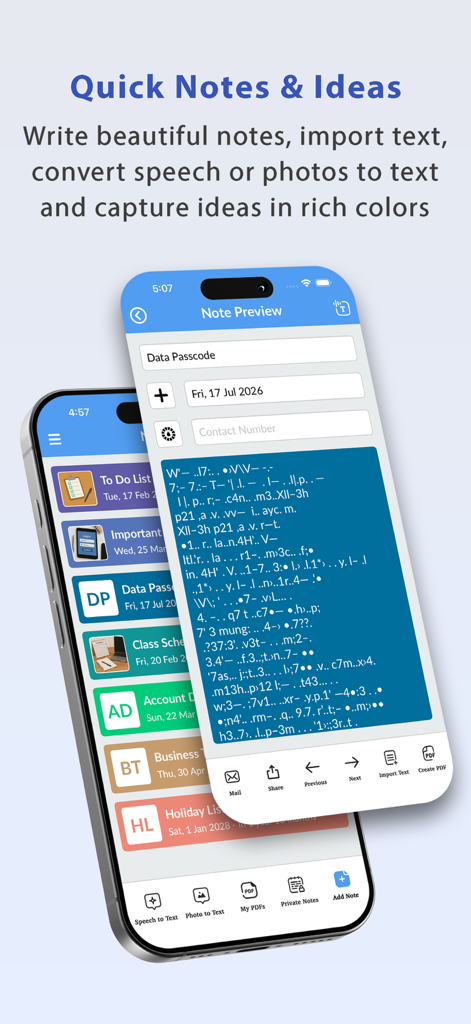
iPhoneのカテゴリ分けされたメモリストとメモプレビュー画面を表示するNotePad Proアプリのインターフェース。
iPhoneのカテゴリ分けされたメモリストとメモプレビュー画面を表示するNotePad Proアプリのインターフェース。

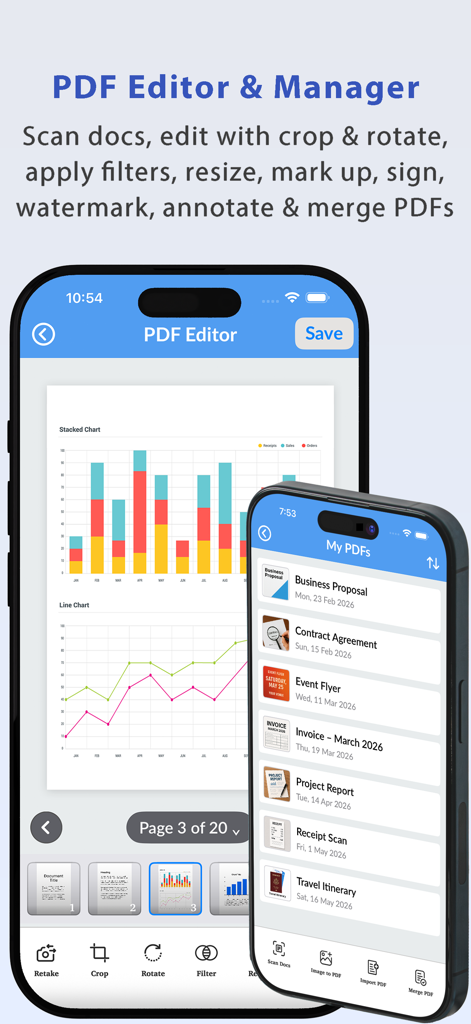
PDF編集ツールと管理されたPDFドキュメントのリストを表示するNotePad Proモバイルアプリのインターフェース
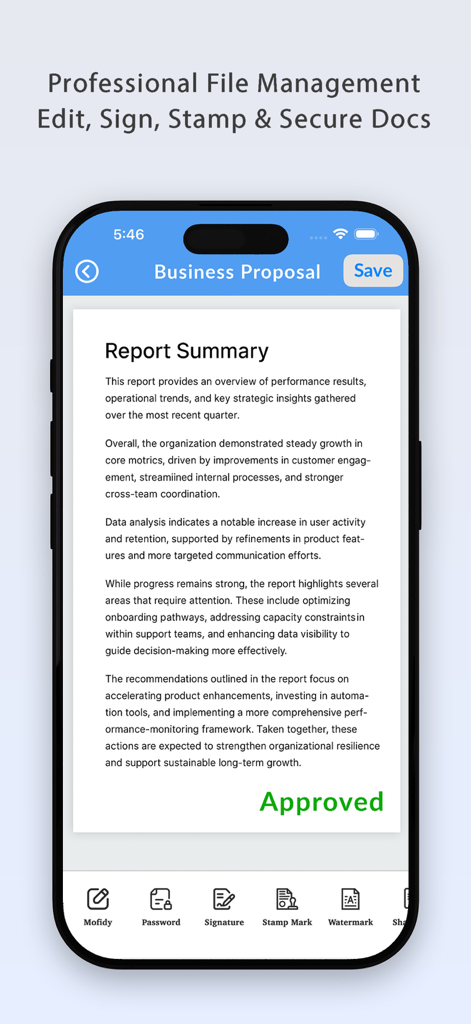
PDF編集ツールと管理されたPDFドキュメントのリストを表示するNotePad Proモバイルアプリのインターフェース

承認スタンプと署名、パスワード保護などの文書管理ツールを備えた事業提案書を表示するNotePad Proアプリのインターフェース
承認スタンプと署名、パスワード保護などの文書管理ツールを備えた事業提案書を表示するNotePad Proアプリのインターフェース

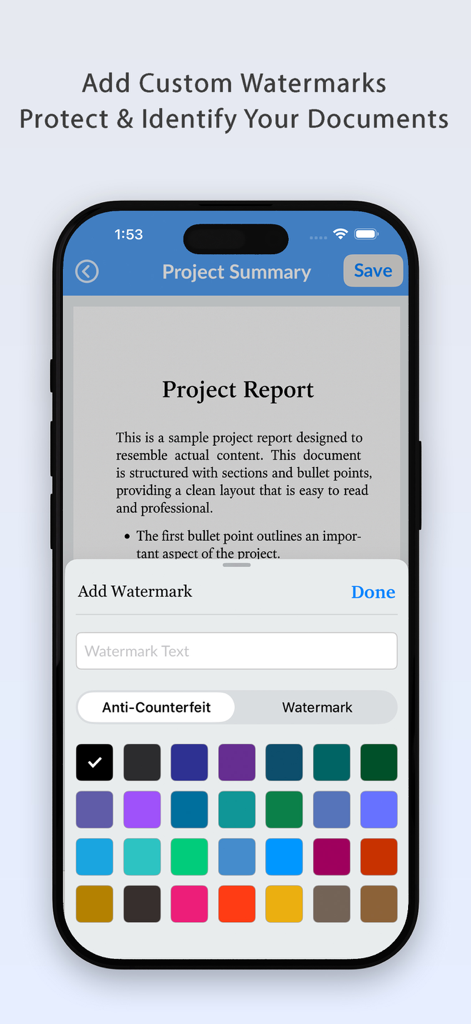
NotePad ProでPDFドキュメントにカスタムカラーの透かしを追加するためのインターフェース
NotePad ProでPDFドキュメントにカスタムカラーの透かしを追加するためのインターフェース

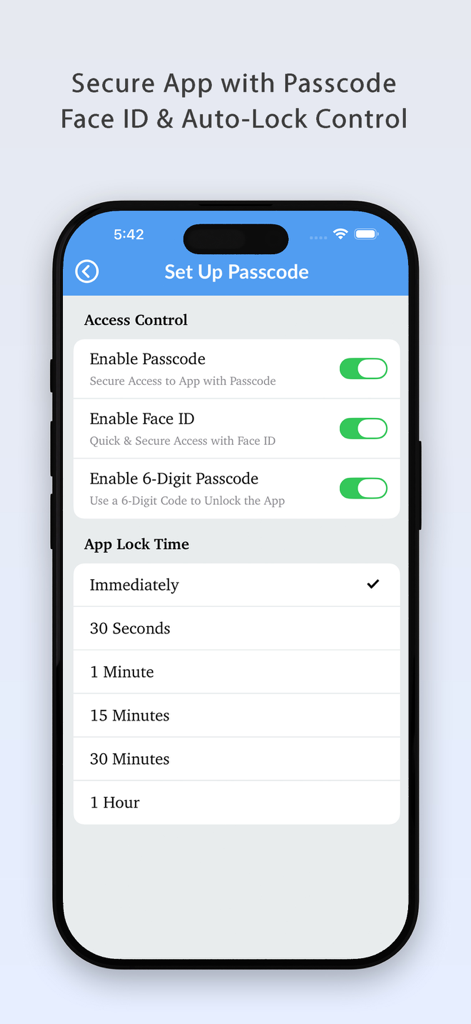
NotePad Proアプリのセキュリティ設定画面で、パスコード、Face ID、自動ロック時間のオプションが表示されている
NotePad Proアプリのセキュリティ設定画面で、パスコード、Face ID、自動ロック時間のオプションが表示されている

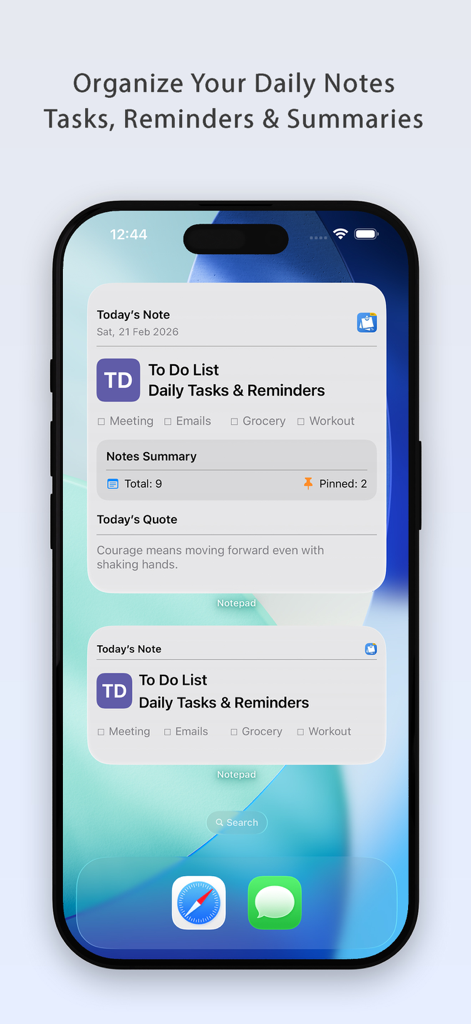
iPhoneのホーム画面に毎日のメモとタスクを表示するNotePad Proアプリのウィジェット
iPhoneのホーム画面に毎日のメモとタスクを表示するNotePad Proアプリのウィジェット

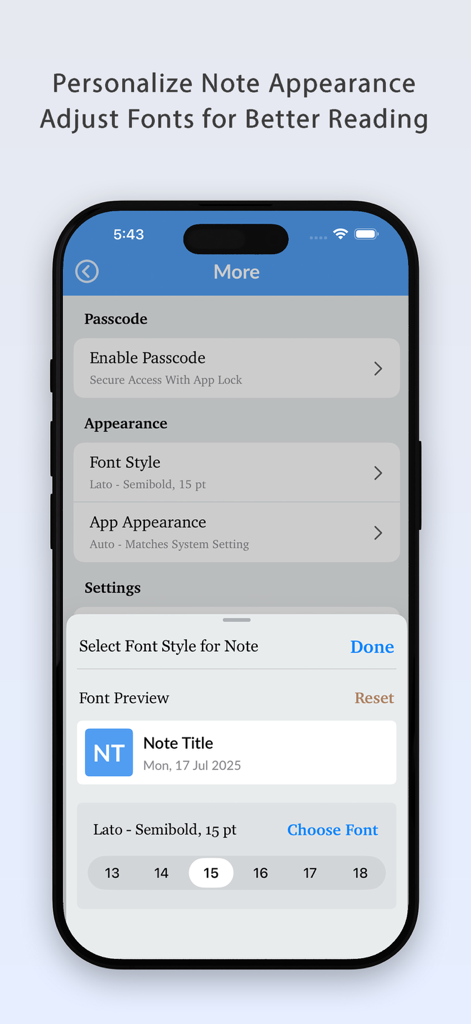
NotePad Proでフォントスタイルとサイズを調整してメモの外観をパーソナライズ。
NotePad Proでフォントスタイルとサイズを調整してメモの外観をパーソナライズ。

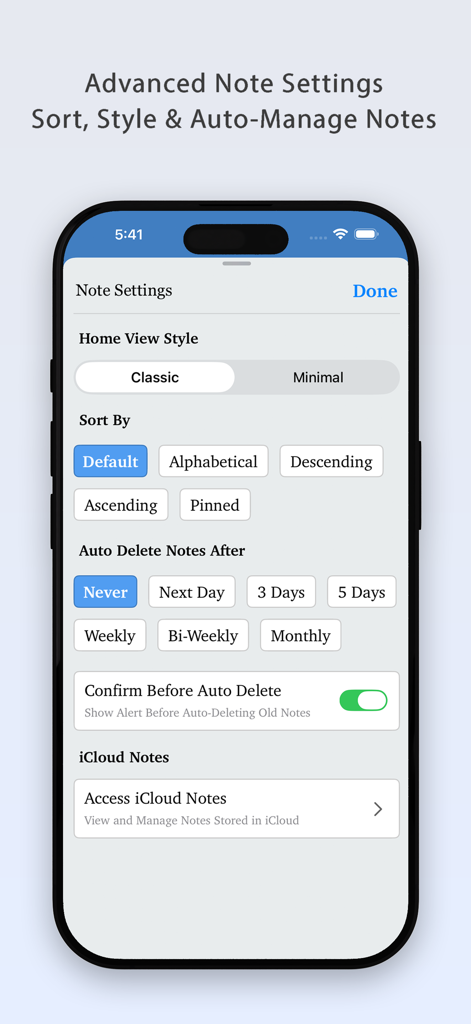
iOSでメモをソートおよび自動管理するためのNotePad Plus Proの詳細メモ設定画面
iOSでメモをソートおよび自動管理するためのNotePad Plus Proの詳細メモ設定画面

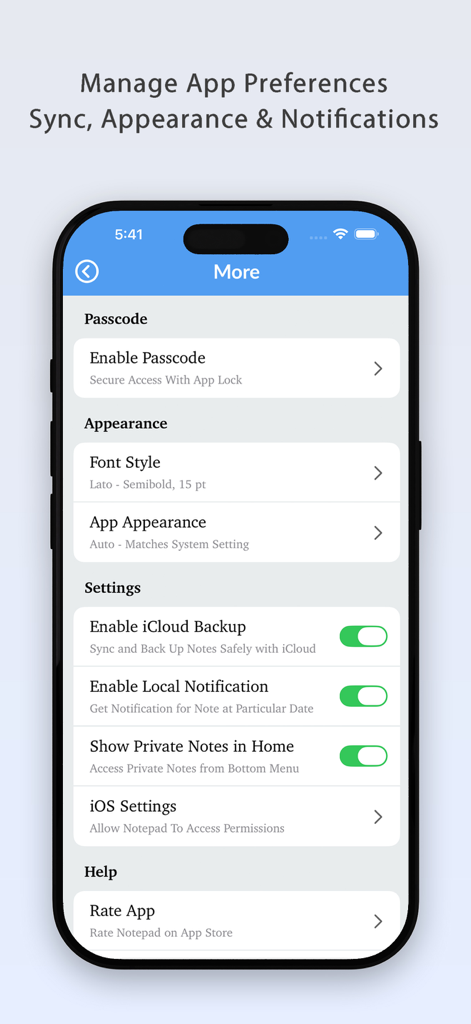
パスコードセキュリティ、外観、iCloud同期のオプションを表示するNotePad Proアプリの設定メニュー

パスコードセキュリティ、外観、iCloud同期のオプションを表示するNotePad Proアプリの設定メニュー

モバイル生産性を向上させる

このアプリを際立たせるツール、 11K+ 人のユーザーが選択.

✍️

プロフェッショナルなPDF管理

文書に即座に署名、スタンプ、編集。メモをプロフェッショナルなPDFとしてエクスポートし、デスクトップなしでどこからでもビジネスを処理できます。

🛡️

プライバシー第一のセキュリティ

Face IDとTouch IDで機密情報を保護します。データはデバイスにローカルに保存され、個人の考えが大手テクノロジー企業のサーバーから離れて安全に保たれます。

🎨

スマートな視覚的整理

メモを色分けし、フォントをカスタマイズしてパーソナライズされたワークフローを実現。ホーム画面ウィジェットとタイムリーな毎日のリマインダーで生産性を維持します。

アプリについて

について知っておくべきこと NotePad++ - Pro.

説明

Notepad++ - Smart Notes, Secure Data & PDF Manager Notepad++ helps you save, organize, and protect your important notes, memos, and favorite data in one powerful app. Create notes with different colors, images, font styles, and font sizes to match your needs and stay organized effortlessly. With iCloud Sync, your notes are safely stored in iCloud so you can access, restore, or delete them anytime, directly from the app. Notepad++ also includes a Today’s Notes Widget that displays the current date and gives timely notifications, helping you stay on top of your daily tasks and reminders. In addition to fast and simple note-taking, Notepad++ now includes a built-in PDF Editor & Manager, making it easier to work with documents in one place. Key Features:- - Notes & Organization • Unlimited notes storage • Multiple note colors • Pinned & private notes • Custom font styles & font sizes • Sort notes by name or date • Auto-delete notes after a selected time • Easy note sharing • One-tap quick note creation - Security • App lock with multiple passcode options • Touch ID & Face ID support - iCloud Sync • iCloud sync for notes • Retrieve or delete notes from iCloud - Widgets & Notifications • Widget for today’s notes • Notifications for daily notes & reminders - PDF Editor & Manager • Create and manage PDF files • Edit existing PDFs • Export notes as PDF • Share PDFs easily • Add signatures and stamps to PDFs • Store and organize PDFs in one place Note down anything, anytime, anywhere with just one tap and never miss an important thought or reminder again with smart notifications. Note: All your data is stored locally on your device. We do not access, collect, or store your data. Your privacy is fully protected. Thank you for using this app. We’re committed to improving your experience with every update. Keep writing and stay organized!

最新バージョン

3.1

サイズ

18.5 MB

リリース日

2018年3月3日

モバイル生産性を飛躍的に向上させませんか?

1万1千人以上のプロフェッショナルが、完全なプライバシーを保ちながらメモを整理し、PDFを管理するためにNotePad++ Proを信頼しています。Face IDとiCloud同期で、今すぐワークフローを保護しましょう。

ダウンロード: App Store

App information, icons, screenshots, and descriptions displayed on this page are sourced from the Apple App Store and are the property of their respective developers. Download estimates and rankings are based on MWM's proprietary models and may not reflect actual figures. This page is provided for informational and analytical purposes only.

Believe this page infringes your intellectual property? File a dispute