
このページはアプリまたはその開発者の公式ページではなく、情報提供および論評を目的として作成された独立した編集出版物です。明示的に別段の記載がない限り、アプリおよびその開発者は、MWM、Apple、Google Play、アプリのパブリッシャー、またはアプリの開発者と提携、承認、後援、認可、またはその他の公式的な関係はなく、このページのいかなる内容も、アプリがMWMのサービスを使用して開発されたことを意味するものではありません。すべての商標、ロゴ、スクリーンショット、その他のコンテンツはそれぞれの所有者の財産です。


Notta Transcribe Voice to Text
耳で聞いたことを、瞬時にテキストへ。あなたはもう聞き漏らさない。
ダウンロード
2.5M+ユーザー評価
評価数
26.9K開発元
カテゴリ
Productivity対応言語
21最新バージョン
6.69.13サイズ
180.4 MBリリース日
2019年12月19日高精度と効率性を追求するAI音声認識の核心
Notta Transcribe Voice to Textの主要機能分析
高精度文字起こし
このアプリは、98.86%という非常に高い精度で音声をテキストに変換します。これにより、ユーザーは手動での修正作業を大幅に削減し、信頼性の高い記録を得ることが可能です。
高度なセキュリティ認証
本ツールは、SOC 2 Type IIおよびISO/IEC 27001:2013の認証を取得しており、ユーザーの機密データが最高レベルで保護されることを保証します。
AIによる要約機能
このアプリはAIを活用して、会議や講義、インタビューなどの長時間の音声から重要なポイントを自動的に抽出します。これにより、ユーザーは内容を迅速に把握し、時間の節約が可能です。
リアルタイム多言語文字起こし
ユーザーは58言語でのリアルタイム音声文字起こし機能を利用できます。これにより、多言語環境での会議やコミュニケーションが円滑に行われ、即座に記録を残すことが可能です。
Web会議自動文字起こし
本ツールは、Zoom、Teams、Meet、Webexといった主要なWeb会議プラットフォームからの音声を自動で文字起こしします。リモートワークやオンライン学習において、ユーザーは会議の内容を効率的に記録できます。
テキスト翻訳機能
ユーザーは文字起こしされたテキストを42言語に翻訳することが可能です。これは、国際的なコミュニケーションや多様な言語での情報共有に貢献します。
効率的な編集と検索
このアプリは、文字起こし中にブックマークを追加したり、キーワード検索で特定の箇所を素早く見つけたりする機能を提供します。ユーザーはトランスクリプトの管理と情報検索を効率的に行えます。
デバイス間自動同期
全てのデバイス間でデータが自動的に同期されるため、ユーザーはどこからでも自分の文字起こしデータにアクセスし、作業を中断することなく継続できます。
AIによるノイズ除去
AIが背景ノイズを除去することで、音声の明瞭度を高め、より正確な文字起こし結果が得られます。ユーザーはクリアなオーディオ品質を享受できます。
多様なファイル形式対応
本ツールは、様々な形式のオーディオおよびビデオファイルをインポート・エクスポートできるため、ユーザーは異なるソースのメディアを柔軟に扱えます。
よくある質問
について知っておくべきこと Notta Transcribe Voice to Text
What is Notta?
Notta is an intelligent AI note taker that transforms speech into text with high precision and speed. It simplifies the transcription of meetings, interviews, and conversations in real time, focusing on accuracy for various audio inputs.
How accurate is Notta's transcription?
Notta boasts a 98.86% transcription accuracy. This high precision applies to transforming speech into text for meetings, interviews, and conversations, ensuring reliable conversion of audio input.
Does Notta offer real-time transcription?
Yes, Notta supports real-time audio transcription in 58 languages. It instantly converts audio to text, allowing users to focus on the conversation. This feature is available for live audio and web meetings.
Can Notta summarize transcribed content?
Yes, Notta provides AI-powered summarization for instant insights. This feature extracts key points from meetings, lectures, and interviews, which is beneficial for reviewing transcribed content quickly.
What security certifications does Notta hold?
Notta holds SOC 2 Type II and ISO/IEC 27001:2013 security certifications. These certifications reinforce the reliability and security of Notta's transcription services, ensuring data protection and compliance.
What languages does Notta support for transcription and translation?
Notta supports real-time audio transcription in 58 languages. Additionally, it can translate transcribed text into 42 languages, making it suitable for global teams and multilingual users.
Does Notta have a free plan?
Yes, Notta offers a Free Plan. This plan includes 3 minutes of real-time transcription per recording and 3 minutes for auto-transcription of web meetings. It also allows viewing the first 3 minutes of imported audio.
What file formats does Notta support for import?
Notta supports multiple file formats for transcription. Users can import audio and video files for automatic processing, ensuring compatibility with various media sources for transcription.
Can Notta transcribe video calls from platforms like Zoom or Google Meet?
Yes, Notta can transcribe video calls from platforms including Zoom, Teams, Meet, and Webex. It offers auto-transcription for these web meetings, with the Free Plan providing 3 minutes of this service.
Does Notta sync across different devices?
Yes, Notta features auto-sync across all devices. This ensures a seamless workflow, allowing users to access and manage their transcriptions from both mobile and web platforms.
What export options are available for Notta transcriptions?
Notta allows users to export transcriptions in various formats. These include TXT, DOCX, Excel, PDF, or SRT, with the option to include timestamps or share via a secure link.
Who is the Notta app designed for?
Notta is for salespeople, consultants, remote workers, journalists, writers, interviewers, content creators, multilingual speakers, and students. It serves professionals needing efficient AI meeting notes, dictation, and voice-to-text support.
Does Notta help remove background noise from audio?
Yes, Notta's AI removes noise for clear, high-quality audio. This feature enhances the accuracy of transcriptions by processing cleaner audio input.
以下のスクリーンショットと説明は、アプリの公式ストアリスティングから直接取得されたものであり、アプリ開発者の所有物です。
アプリストア
スクリーンショット
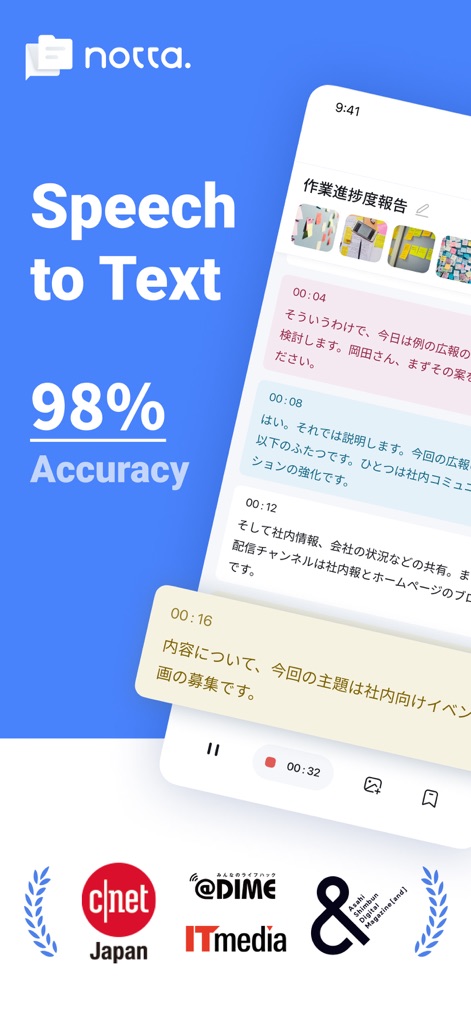
本アプリは、リアルタイムでの文字起こし機能と98%という高い精度で、重要な会話を逃しません。
高精度文字起こし
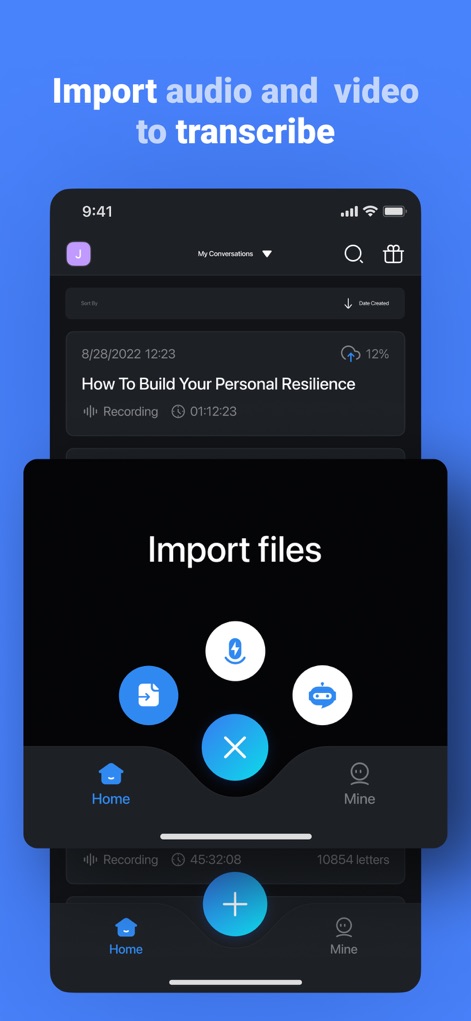
音声やビデオファイルを簡単に取り込み、複数のファイル形式に対応したスムーズな文字起こしプロセスを開始できます。
ファイル簡単インポート

音声をリアルタイムで自動的に文字に変換し、波形表示と再生コントロールで文字起こしプロセスを直感的に操作できます。
リアルタイム文字起こし

講演者ラベルで誰が話したかを明確にし、キーポイント、To-Dos、プロジェクトといったカテゴリで重要な情報をブックマークできます。
重要メッセージを記録
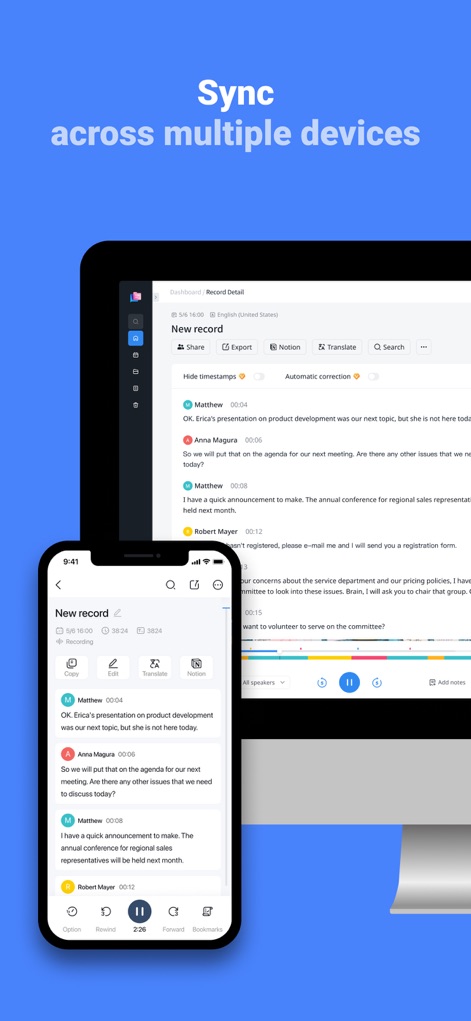
ユーザーはスマートフォンとデスクトップの両方で同じ文字起こしセッションをシームレスに表示し、デバイス間での自動同期により作業を継続できます。
デバイス間を同期

このアプリは、スマートフォンからウェブインターフェースへのスムーズな移行を可能にし、デバイスをまたいで効率的な編集体験を提供します。
シームレスな連携
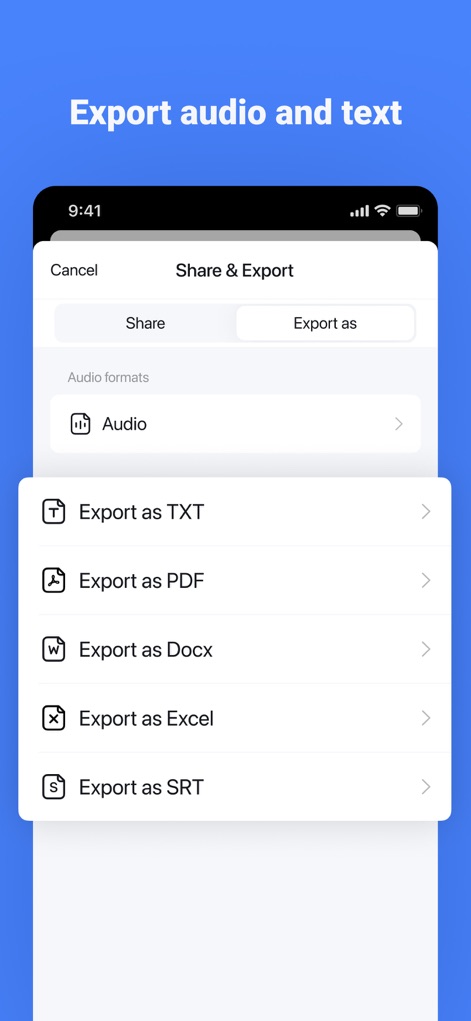
ユーザーは文字起こしデータをPDFやDOCXなど多様な形式でエクスポートでき、音声ファイルも一緒に共有することが可能です。
豊富なエクスポート形式

Zoom、Google Meet、Microsoft Teamsなどの主要なビデオ会議プラットフォームに対応し、URLを貼り付けるだけで会議のリアルタイム文字起こしを開始できます。
ビデオ通話も文字起こし

AIによる自動要約機能が会議の主要なポイントを瞬時に抽出し、記録された文字起こしから重要な情報を簡単に把握できます。
AIが自動要約
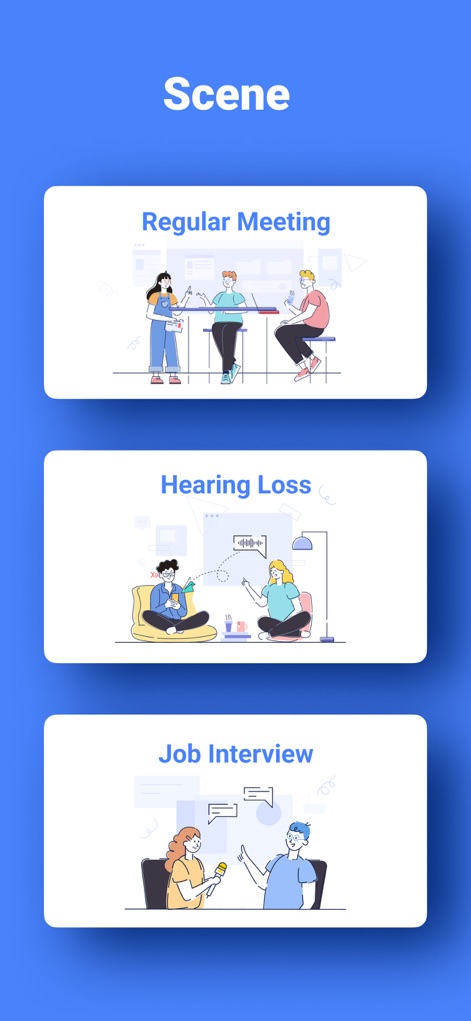
このアプリは、通常の会議や聴覚障害を持つ方へのサポート、就職面接など、幅広いシナリオで音声の文字起こしと理解を支援します。
多様な利用シーン
説明
Download
類似アプリ
似た機能とユーザー体験を持つアプリ

Plaud: AI Note Taker
PLAUD LLC

Notee: AI Note Taker
GM UniverseApps Limited

클로바노트 - 음성 그 이상의 기록
NAVER Corp.

录音专家-专业录音转文字助手
Chongqing Yeyuegua Technology Co., Ltd

听脑AI - 实时录音转文字总结助手
Shanghai Xiuyu Network Technology Co., Ltd

Granola - AI Meeting Notes
Granola inc

Transkriptor - Speech to Text
Textintel FZE

Minutes: AI Meeting Note Taker
Minutes AI, LLC

Fireflies: AI notetaker
FIREFLIES.AI CORP.
このページはアプリまたはその開発者の公式ページではなく、情報提供および論評を目的として作成された独立した編集出版物です。明示的に別段の記載がない限り、アプリおよびその開発者は、MWM、Apple、Google Play、アプリのパブリッシャー、またはアプリの開発者と提携、承認、後援、認可、またはその他の公式的な関係はなく、このページのいかなる内容も、アプリがMWMのサービスを使用して開発されたことを意味するものではありません。すべての商標、ロゴ、スクリーンショット、その他のコンテンツはそれぞれの所有者の財産です。