Numly AI: Smart Tally Counter
ダウンロード: App Store

このページはアプリまたはその開発者の公式ページではなく、情報提供および論評を目的として作成された独立した編集出版物です。明示的に別段の記載がない限り、アプリおよびその開発者は、MWM、Apple、Google Play、アプリのパブリッシャー、またはアプリの開発者と提携、承認、後援、認可、またはその他の公式的な関係はなく、このページのいかなる内容も、アプリがMWMのサービスを使用して開発されたことを意味するものではありません。すべての商標、ロゴ、スクリーンショット、その他のコンテンツはそれぞれの所有者の財産です。

ロゴ: Numly AI: Smart Tally Counter
ダウンロード: App Store

Numly AI: Smart Tally Counter

あなたの進捗を視覚的な傑作に変えましょう。20種類以上の美しいカスタムスタイル、満足感のあるハプティックフィードバック、リアルタイムの習慣統計で、水分摂取量からワークアウトのセット数まで、あらゆるものを記録できます。

主要数値

ダウンロード

0

ユーザー評価

1.0/5

評価数

0

開発元

Roxwin Vietnam Technologies Company Limited

カテゴリ

Utilities

対応言語

16

最新バージョン

1.2.8

サイズ

22.6 MB

リリース日

2025年6月4日
機能

あなたのスタイルで、あらゆる成果を記録する

退屈なユーティリティアプリにさよならを。Numlyは、強力な習慣トラッキングとプレミアムな美学を組み合わせ、進捗を視覚化し、満足感のあるタップでモチベーションを維持するのに役立ちます。

おしゃれなパーソナライゼーション

モダンなiPhoneのためにデザインされた、ネオン、ガラス、レトロなどの20種類以上のユニークなスタイルで、あなたの気分やホーム画面の設定に合わせましょう。

満足感のある触覚フィードバック

目標達成をゲームのように感じさせるハプティック応答と効果音で、記録することの「デジタル禅」を体験してください。

以下のスクリーンショットと説明は、アプリの公式ストアリスティングから直接取得されたものであり、アプリ開発者の所有物です。

アプリストア

スクリーンショット
Numly AI: Smart Tally Counter - Numly AIアプリのアイコンとスローガン「Count Anything Anytime」が黒い背景に表示されています
Numly AIアプリのアイコンとスローガン「Count Anything Anytime」が黒い背景に表示されています

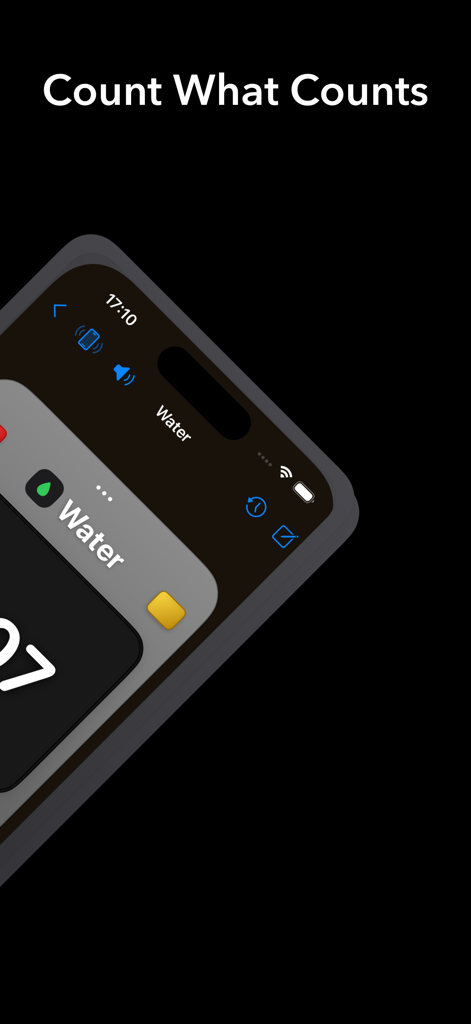
Numly AI: Smart Tally Counter - ミニマリストデザインのウォータートラッカーを表示する、Numly AI記録カウンターのおしゃれなiPhoneインターフェース
ミニマリストデザインのウォータートラッカーを表示する、Numly AI記録カウンターのおしゃれなiPhoneインターフェース

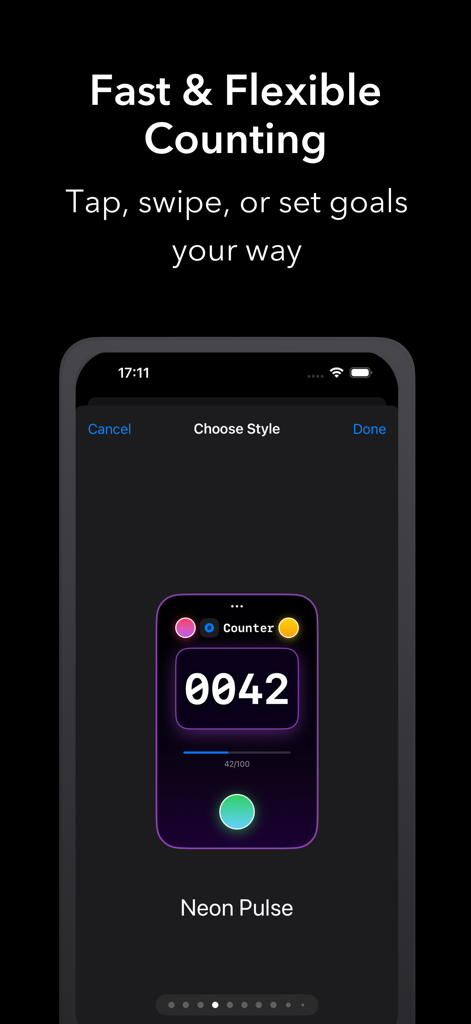
Numly AI: Smart Tally Counter - 目標の進捗とカスタマイズ可能なスタイルのオプションを示す、ネオンパープルの記録カウンターインターフェースを表示するスマートフォン画面
目標の進捗とカスタマイズ可能なスタイルのオプションを示す、ネオンパープルの記録カウンターインターフェースを表示するスマートフォン画面

Numly AI: Smart Tally Counter - iPhoneのホーム画面にカスタマイズ可能なウォータートラッカーウィジェットを表示するNumly AIアプリのスクリーンショット
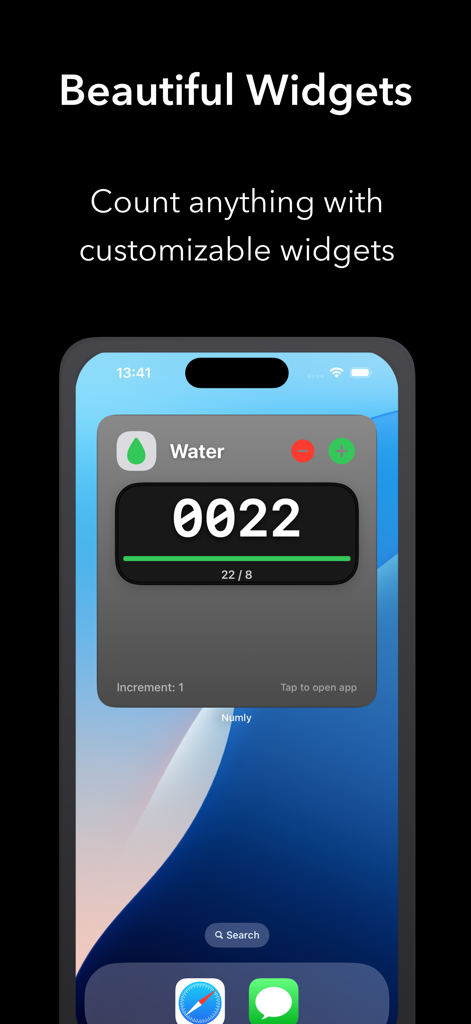
iPhoneのホーム画面にカスタマイズ可能なウォータートラッカーウィジェットを表示するNumly AIアプリのスクリーンショット

Numly AI: Smart Tally Counter - プログレスバーとダークモードテーマを備えた、ミニマリストの読書記録カウンターを表示するNumly AIアプリのインターフェース
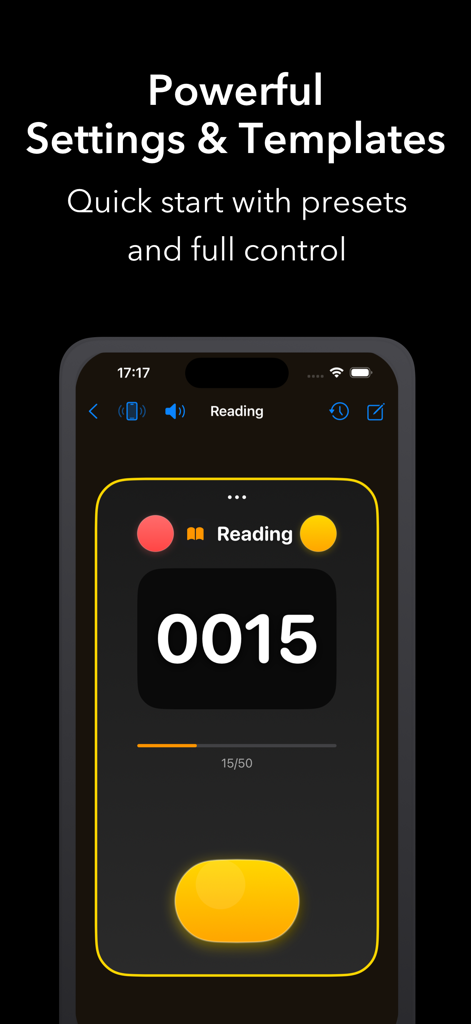
プログレスバーとダークモードテーマを備えた、ミニマリストの読書記録カウンターを表示するNumly AIアプリのインターフェース

Numly AI: Smart Tally Counter - Numly AIアプリでのカウンターのビジュアルスタイルとグラデーションをカスタマイズするためのインターフェース
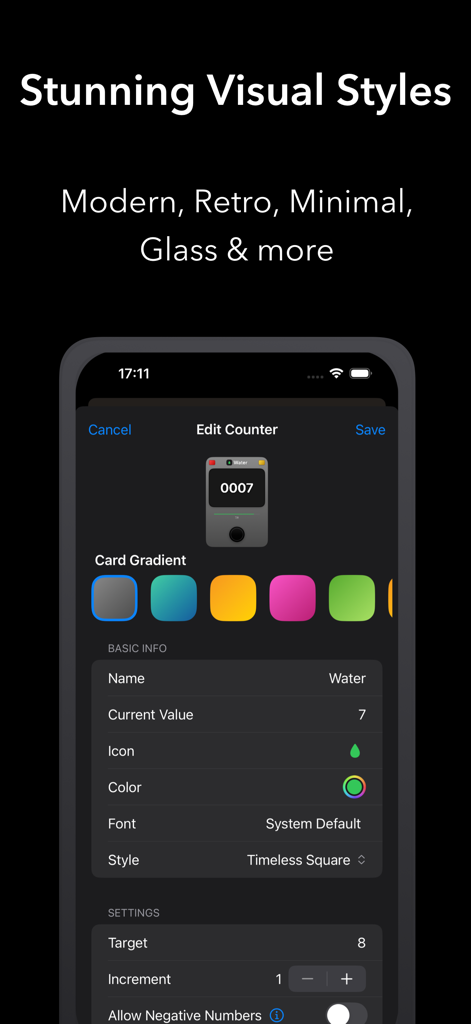
Numly AIアプリでのカウンターのビジュアルスタイルとグラデーションをカスタマイズするためのインターフェース

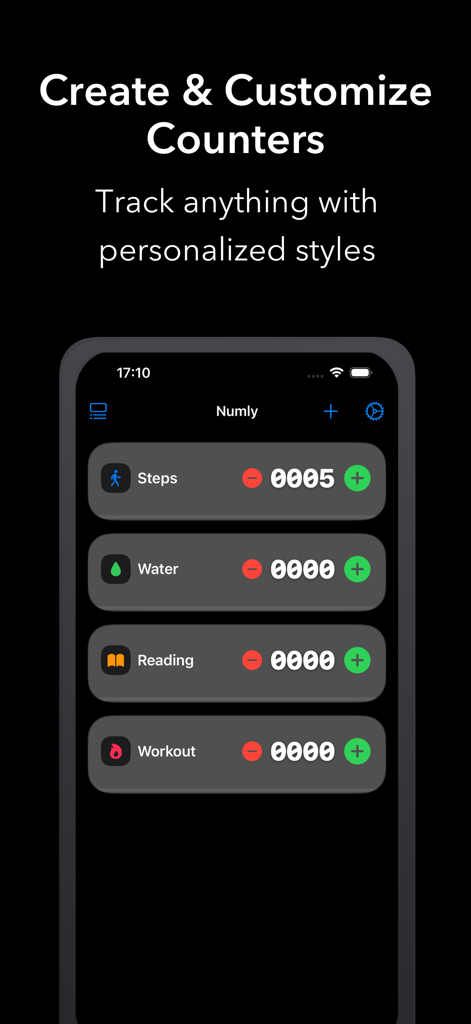
Numly AI: Smart Tally Counter - 歩数、水分、読書、ワークアウトのNumly AI習慣トラッキングカウンターを表示するスマートフォンのディスプレイ
歩数、水分、読書、ワークアウトのNumly AI習慣トラッキングカウンターを表示するスマートフォンのディスプレイ

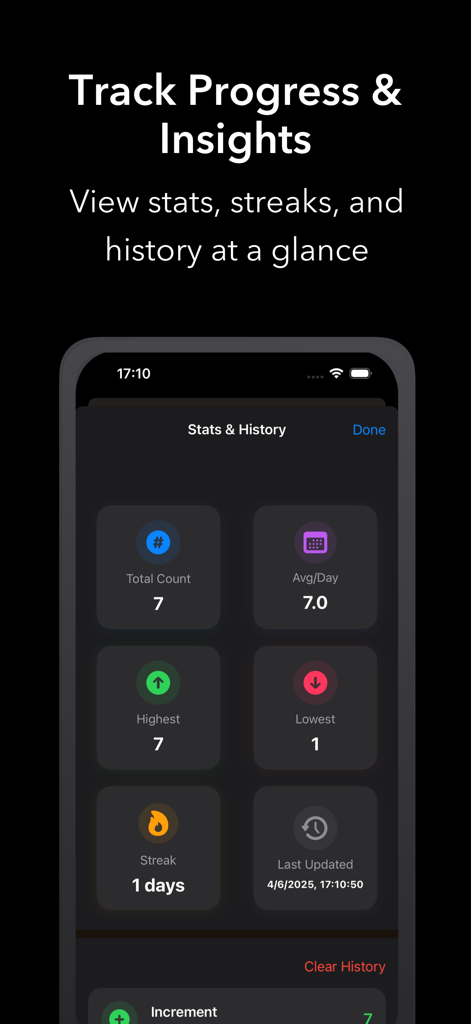
Numly AI: Smart Tally Counter - 合計カウント、1日あたりの平均、ストリークを表示するNumly AIアプリの統計と履歴ダッシュボード

合計カウント、1日あたりの平均、ストリークを表示するNumly AIアプリの統計と履歴ダッシュボード

説明

Numly Counter – The Ultimate Customizable Counter Numly Counter is a powerful, beautifully designed, and highly customizable counting tool that helps you track anything in your life — steps, water intake, books read, workouts, savings, and more. Explore the advanced features below: Key Features Create & Manage Unlimited Counters • Add as many counters as you want, each with its own name, icon, color, style, and target. • Edit or delete counters at any time. Stunning Visual Styles • Choose from over 20 unique counter card styles: Modern, Classic, Glass, Neon, Minimal, Retro, and more. • Each style includes gradients, shadows, and custom shapes for a premium look. Live Preview & Customization • Instantly preview your counter as you customize its name, icon, color, font, style, and gradient. • See exactly how your counter will appear before saving. Gradient & Color Personalization • Select from 24+ curated gradients for your counter background. • Use default style gradients or customize for each counter individually. Flexible Counting Logic • Set custom increment values and optional target goals. • Enable or disable negative values to suit your counting preferences. Quick Actions & Gestures • Tap to increment, decrement, or reset instantly. • Swipe left or right on the counter value for fast counting (if enabled). Templates for Instant Setup • Get started quickly with pre-designed templates for common activities like water tracking, reading, workouts, and more. • Tap any template to create a ready-to-use counter. Progress Tracking & Stats • Visual progress bars for counters with target goals. • View detailed statistics: total count, daily average, highest/lowest values, streaks, and last update time. History & Undo • Access full history of actions: increment, decrement, reset, and manual adjustments. • Option to clear history for individual counters. Modern UI/UX • Clean, responsive layout across all screen sizes. • Thoughtful empty state design with onboarding tips and quick template access. • Smooth navigation and style selection with intuitive paging. System Integration • Optional haptic feedback and sound effects for a more engaging experience. • Full support for Light and Dark Mode with high-contrast, adaptive themes. • Accent colors and backgrounds adjust to match your system settings. Advanced Settings • Set default icon, color, and increment values for new counters. • Global toggles for quick count mode, haptics, and sounds. Numly Counter is the perfect tool for anyone who wants to track, motivate, and visualize progress in any area of life — with style and flexibility. Start counting your way, your style.

Download

ダウンロード: App Store

このページはアプリまたはその開発者の公式ページではなく、情報提供および論評を目的として作成された独立した編集出版物です。明示的に別段の記載がない限り、アプリおよびその開発者は、MWM、Apple、Google Play、アプリのパブリッシャー、またはアプリの開発者と提携、承認、後援、認可、またはその他の公式的な関係はなく、このページのいかなる内容も、アプリがMWMのサービスを使用して開発されたことを意味するものではありません。すべての商標、ロゴ、スクリーンショット、その他のコンテンツはそれぞれの所有者の財産です。








