NZBClient for NZBGet
ダウンロード: App Store

このページはアプリまたはその開発者の公式ページではなく、情報提供および論評を目的として作成された独立した編集出版物です。明示的に別段の記載がない限り、アプリおよびその開発者は、MWM、Apple、Google Play、アプリのパブリッシャー、またはアプリの開発者と提携、承認、後援、認可、またはその他の公式的な関係はなく、このページのいかなる内容も、アプリがMWMのサービスを使用して開発されたことを意味するものではありません。すべての商標、ロゴ、スクリーンショット、その他のコンテンツはそれぞれの所有者の財産です。


ロゴ: NZBClient for NZBGet
ダウンロード: App Store

NZBClient for NZBGet

iPhoneまたはiPadからUsenetダウンロードを完全に制御できます。キューを監視し、複数のサーバーを管理し、リアルタイムでE2E暗号化された通知を受け取ります。

主要数値

ダウンロード

31K+

ユーザー評価

4.5/5

評価数

300

開発元

Digital Tools Ltd

カテゴリ

Utilities

対応言語

1

最新バージョン

2025.6

サイズ

27.8 MB

リリース日

2016年12月6日
機能

どこからでもUsenetキューをマスターする

iPhoneまたはiPadをNZBGetの強力なコマンドセンターに変え、パワーユーザー向けに設計されたネイティブでモバイルファーストの体験でホームサーバーを完全に制御できます。

詳細なキュー管理

ダウンロードを精密に一時停止、再開、並べ替えできます。ホームラボを最高の効率で稼働させるために、オンザフライで速度制限を調整し、ファイルを分類します。

安全なE2E通知

エンドツーエンドで暗号化されたプッシュアラートで常に情報を把握できます。タスクが完了または失敗したときに即座に更新を受け取り、プライバシーを損なうことなくサーバーの状態を常に把握できるようにします。

以下のスクリーンショットと説明は、アプリの公式ストアリスティングから直接取得されたものであり、アプリ開発者の所有物です。

アプリストア

スクリーンショット
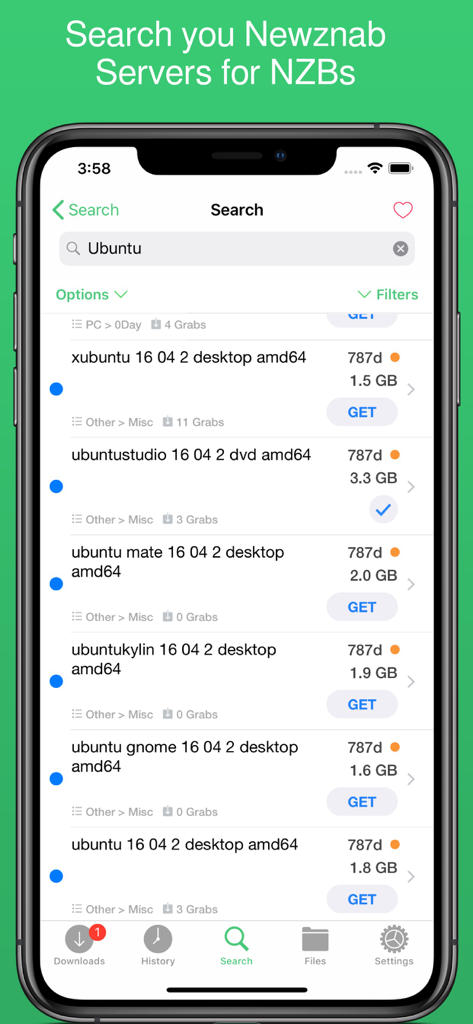
NZBClient for NZBGet - NZBClientアプリの検索画面。NewznabサーバーからのUbuntuのNZB結果を表示しています。
NZBClientアプリの検索画面。NewznabサーバーからのUbuntuのNZB結果を表示しています。

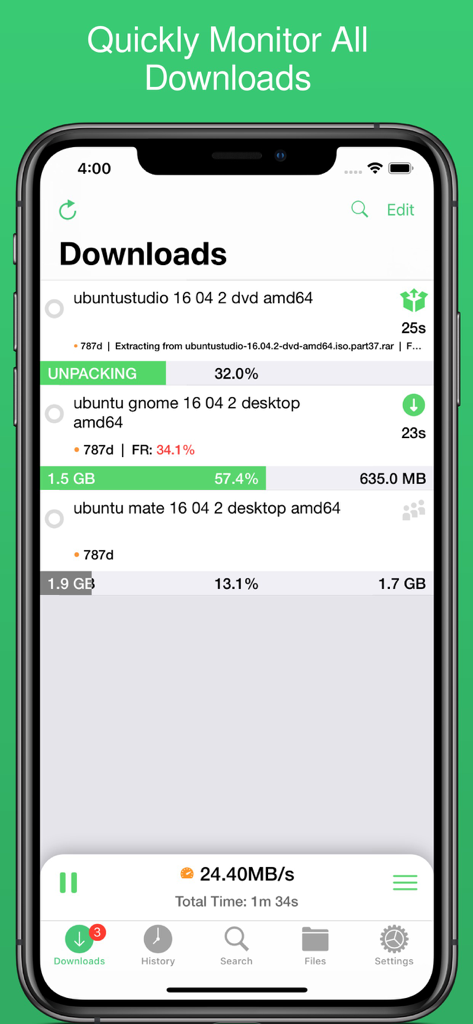
NZBClient for NZBGet - NZBClientインターフェース。アクティブなダウンロードの進捗状況とサーバー速度を表示しています。
NZBClientインターフェース。アクティブなダウンロードの進捗状況とサーバー速度を表示しています。

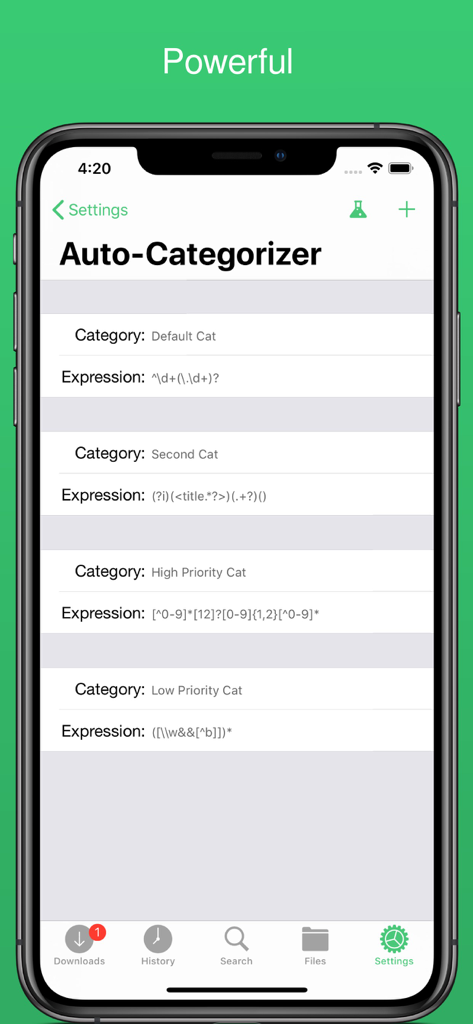
NZBClient for NZBGet - NZBClientの自動分類設定画面。ダウンロードの整理のためのカスタムルールを表示しています。
NZBClientの自動分類設定画面。ダウンロードの整理のためのカスタムルールを表示しています。

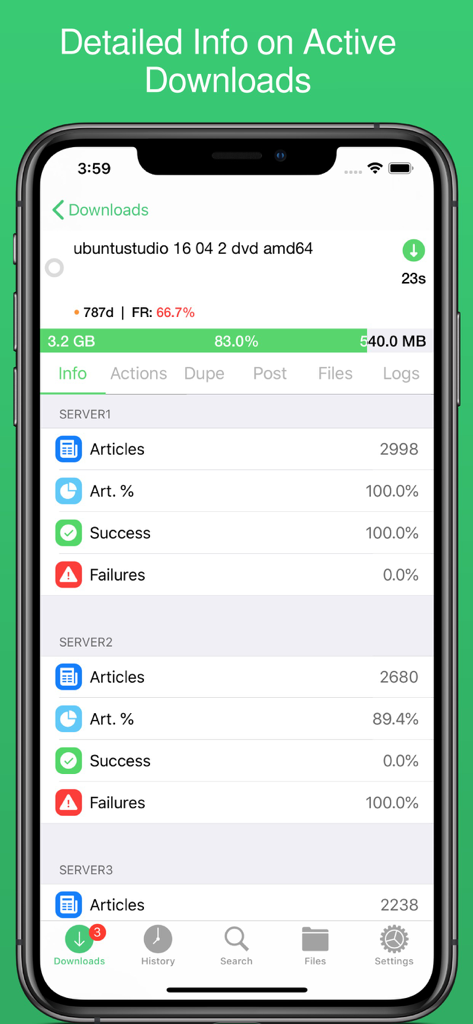
NZBClient for NZBGet - NZBClientの詳細なアクティブダウンロード画面。進捗状況とサーバーの成功率を表示しています。
NZBClientの詳細なアクティブダウンロード画面。進捗状況とサーバーの成功率を表示しています。

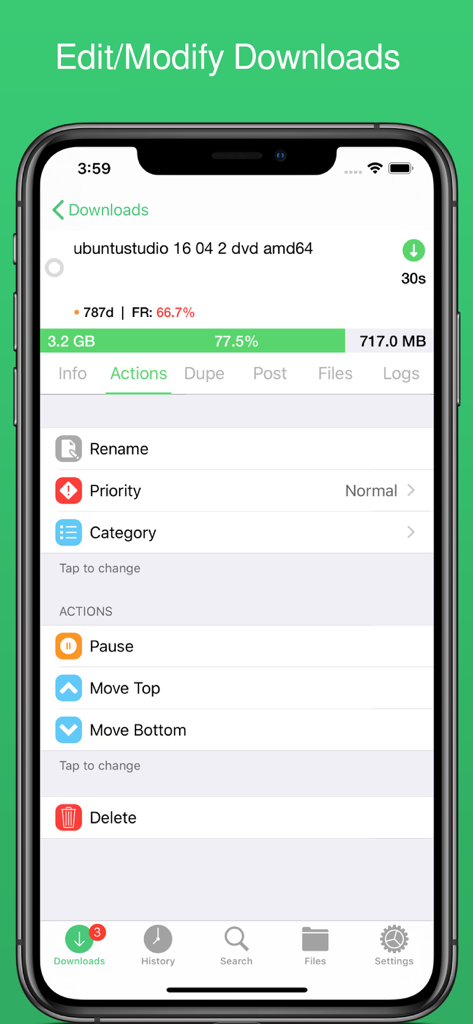
NZBClient for NZBGet - NZBClientモバイルアプリのインターフェース。名前変更や優先度など、アクティブなNZBGetダウンロードを管理するためのアクションメニューを表示しています。
NZBClientモバイルアプリのインターフェース。名前変更や優先度など、アクティブなNZBGetダウンロードを管理するためのアクションメニューを表示しています。

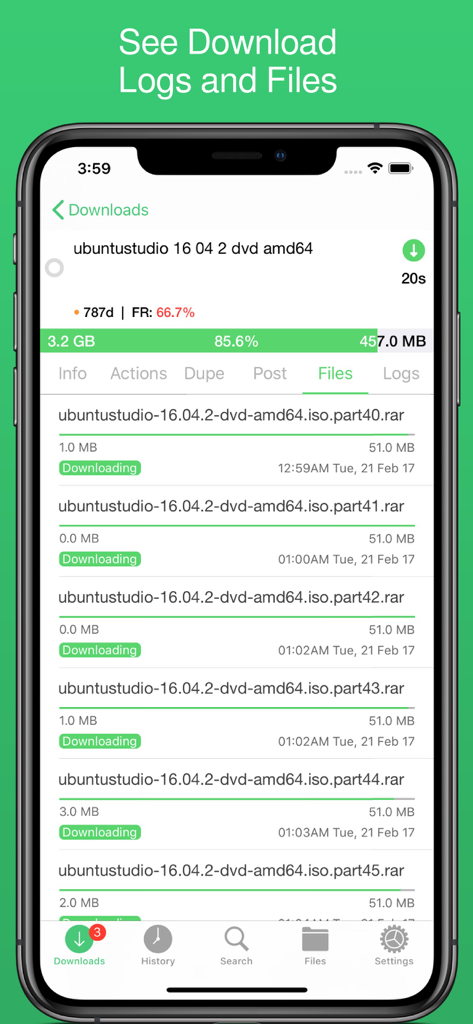
NZBClient for NZBGet - NZBClientのモバイルインターフェース。進行中のダウンロードの個々のファイル部分と進捗状況を表示しています。
NZBClientのモバイルインターフェース。進行中のダウンロードの個々のファイル部分と進捗状況を表示しています。

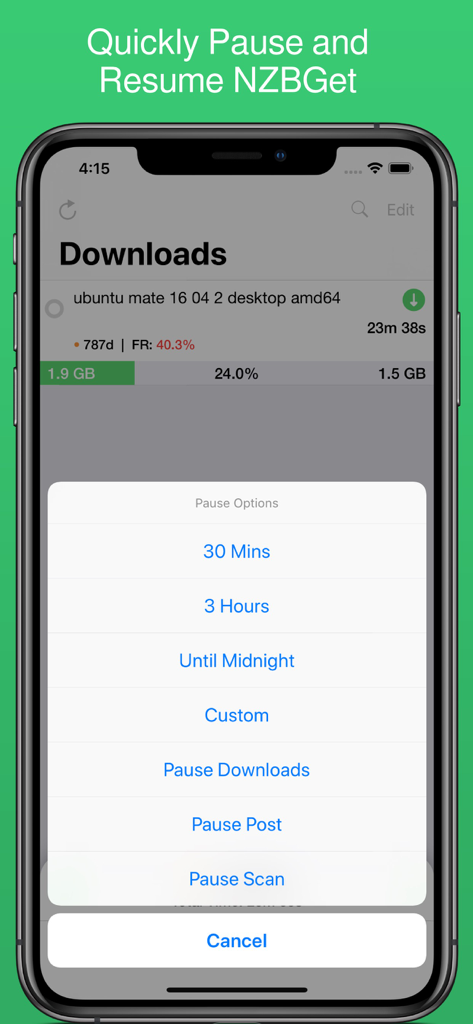
NZBClient for NZBGet - NZBClientモバイルアプリのスクリーンショット。ダウンロードの進捗状況と、NZBGetの timed intervals を含む一時停止オプションメニューを表示しています。

NZBClientモバイルアプリのスクリーンショット。ダウンロードの進捗状況と、NZBGetの timed intervals を含む一時停止オプションメニューを表示しています。
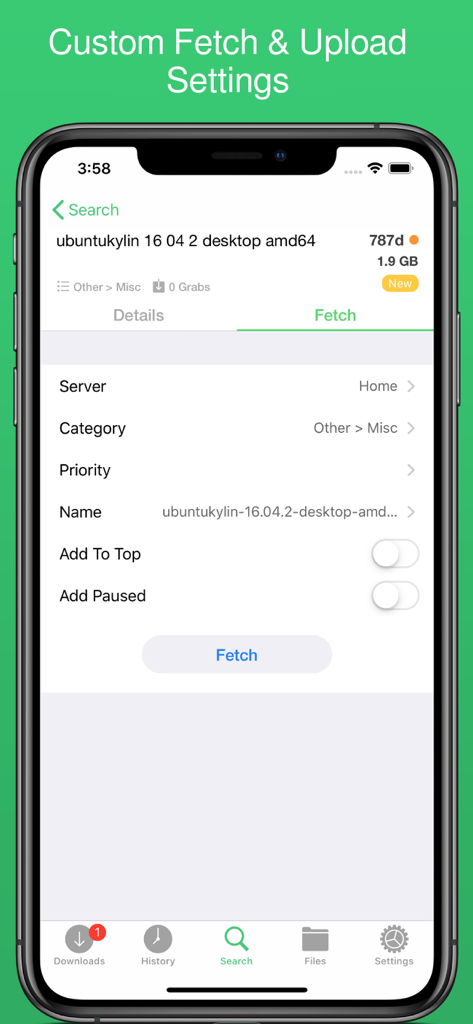
NZBClient for NZBGet - NZBClientアプリのインターフェース。ダウンロードファイルの取得およびアップロード設定をカスタマイズするためのものです。

NZBClientアプリのインターフェース。ダウンロードファイルの取得およびアップロード設定をカスタマイズするためのものです。

説明

Use NZBClient to manage your NZBGet Server on your iPhone or iPad. This app works as a client or front-end for your NZBGet server v13+. Monitor, delete and edit current downloads and items in your history. Including support for multiple servers with fast switching, great for local/remote access setups. Search or Browse Newznab based servers for new NZB's, then fetch or save them. Create custom searches then automatically search and fetch results. Get push notifications from NZBGet or any other service, when new NZB's are added to queue, deleted, fail, or downloaded. With custom settings and menus you can fully customisable the app to suit your needs. Features include: - Search, Browse & Fetch from Newznab servers, - Pause, Resume downloads - Push Notifications - E2E Encrypted Push Notifications - Delete history or active downloads - Upload .NZB files - Multiple Servers - HTTPS/SSL - Set Speed limit - Pause queue for set time, - Set Category when uploading - Set Priority when uploading - Add to top when uploading - Add paused when uploading - Change priority of NZB in queue, - Change category of NZB in Queue, - Pause resume single NZB file in queue, - Save NZB files locally on device - Re-upload local NZB files - Set Default server - View History - View Log files - Edit and delete Servers - Set Refresh time - See detailed overview of each active download - Mark History items as good/bad - Re-download and Re-Postprocess history items - View Hidden items in history - View server log - Open and Uncompress .zip files - Group upload NZB files - Set unpack password - RSS fetching - Search and filter Downloads and History - Full App customisation Note: Some features require a one-time in-app purchase or a monthly/yearly subscription to use, this helps support independent development. You need to have a Laptop, NAS or PC running NZBGet v13+ to use this app. NZBClient is a free download and offers a limited feature set for free forever! If you would like to unlock the full potential of the app and support independent development, you can purchase a one-time purchase of Premium to access some extra features, or subscribe (monthly or yearly) to Ultra to access all features. NZBClient has monthly and yearly subscription options available that unlock all features. Subscriptions can be canceled at any time at least 24 hours before the next billing cycle. Privacy policy: https://nzbclient.app/privacy Terms of use: https://nzbclient.app/terms

Download

ダウンロード: App Store

このページはアプリまたはその開発者の公式ページではなく、情報提供および論評を目的として作成された独立した編集出版物です。明示的に別段の記載がない限り、アプリおよびその開発者は、MWM、Apple、Google Play、アプリのパブリッシャー、またはアプリの開発者と提携、承認、後援、認可、またはその他の公式的な関係はなく、このページのいかなる内容も、アプリがMWMのサービスを使用して開発されたことを意味するものではありません。すべての商標、ロゴ、スクリーンショット、その他のコンテンツはそれぞれの所有者の財産です。