Optiway Multi Stop Planner

Optiway Multi Stop Planner

ダウンロード: App Store
ロゴ: Optiway Multi Stop Planner

Optiway マルチストッププランナー:ルートをより速く完了するための最もスマートな方法

プロフェッショナルなルート最適化で、時間と燃料を最大30%節約。200以上の停止地点を数秒で計画し、正確な到着予定時刻を取得して、日々の収益を最大化します。

ダウンロード: App Store

開発元

Ihor Nosach

カテゴリ

Navigation

ダウンロード

118K+

ユーザー評価

4.7/5

評価数

800

対応言語

8

効率を実際に確認

このインターフェースを利用する 118K+ 人のユーザー.

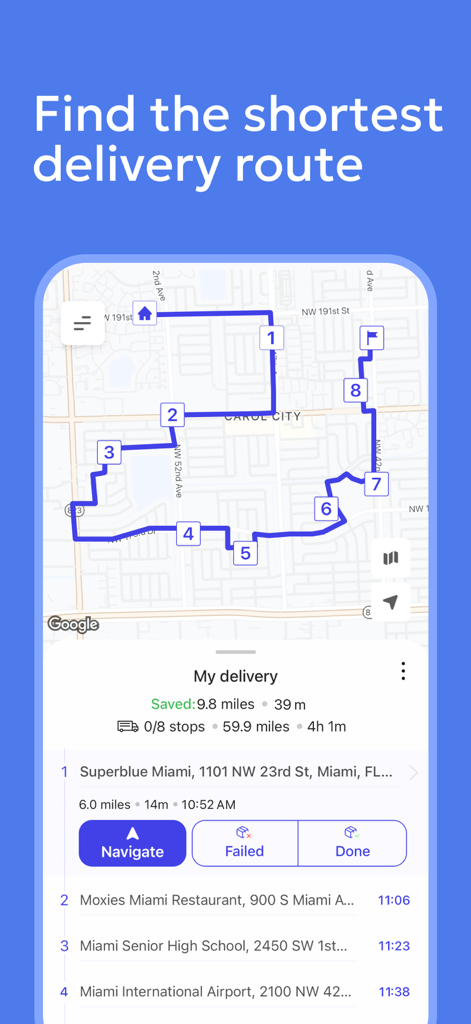
最適化されたマルチストップ配達ルートとナビゲーション停止地点が表示された地図のOptiwayアプリ
最適化されたマルチストップ配達ルートとナビゲーション停止地点が表示された地図のOptiwayアプリ

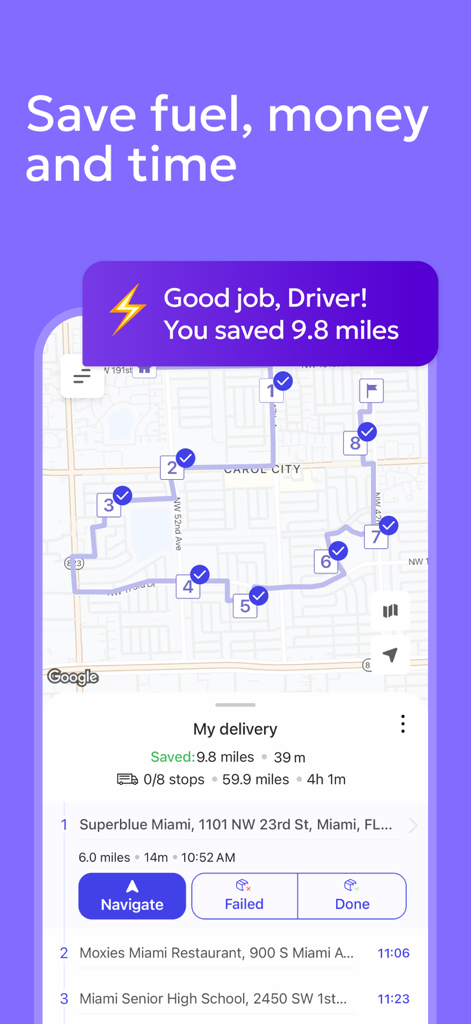
複数の停止地点と走行距離の節約が表示された最適化された配達ルートのOptiwayアプリ
複数の停止地点と走行距離の節約が表示された最適化された配達ルートのOptiwayアプリ

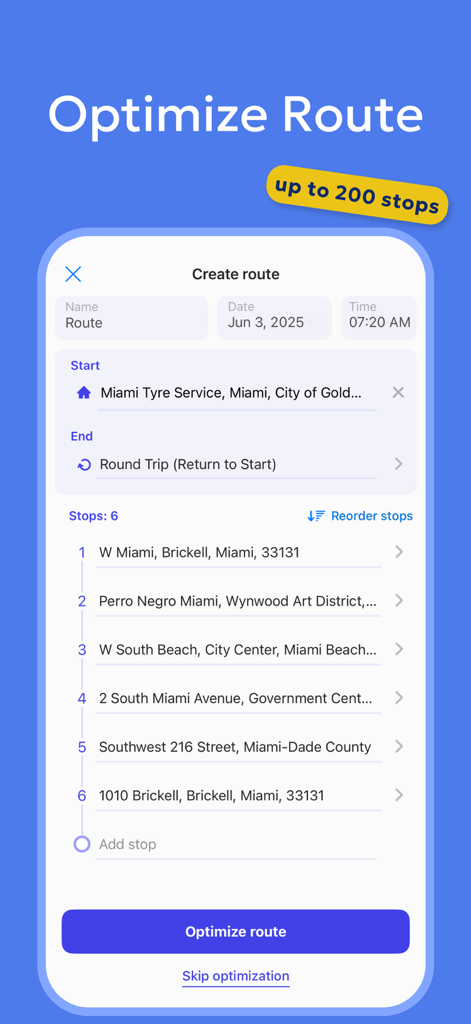
配達停止地点のリストと最適化ルートボタンが表示されたOptiwayアプリのスクリーンショット。
配達停止地点のリストと最適化ルートボタンが表示されたOptiwayアプリのスクリーンショット。

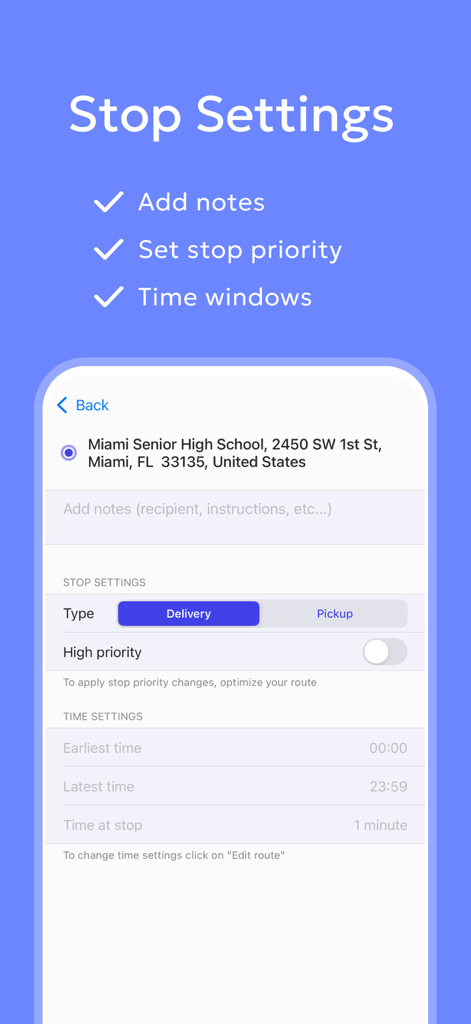
Optiwayマルチストッププランナーのインターフェイス。優先順位や時間枠を含む停止設定を表示。
Optiwayマルチストッププランナーのインターフェイス。優先順位や時間枠を含む停止設定を表示。

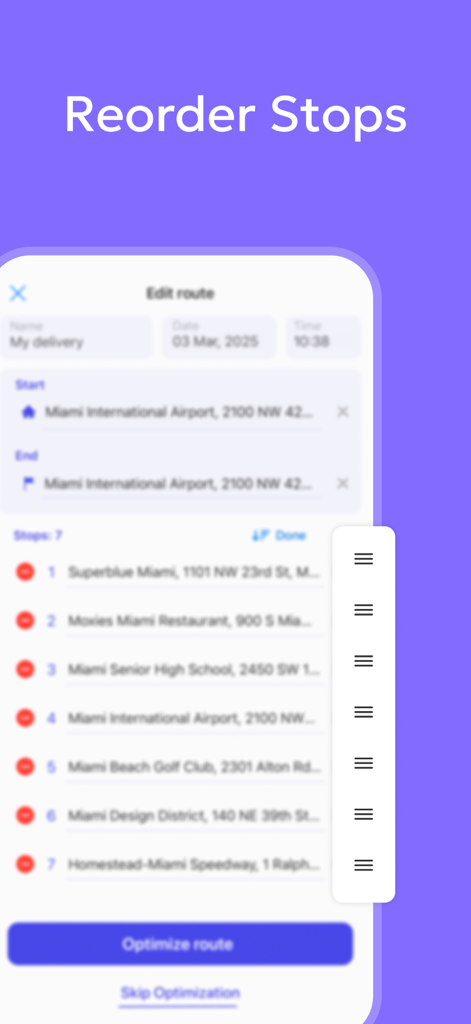
Optiwayマルチストップルートプランナーアプリで停止地点を手動で並べ替える方法を示すインターフェイス。
Optiwayマルチストップルートプランナーアプリで停止地点を手動で並べ替える方法を示すインターフェイス。

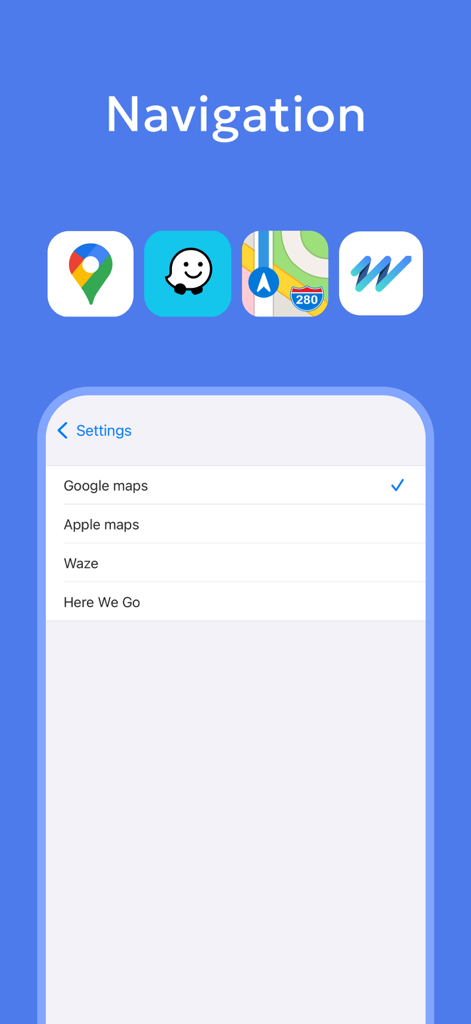
OptiwayでGoogleマップやWazeなどの優先ナビゲーションアプリを選択する画面

OptiwayでGoogleマップやWazeなどの優先ナビゲーションアプリを選択する画面

効率を最大化するために一日を最適化

このアプリを際立たせるツール、 118K+ 人のユーザーが選択.

超高速マルチストッププランニング

数秒で多数の停止地点を追加し、最も効率的なルートを即座に生成して、運転時間を最大30%短縮します。

🗺️

お気に入りのマップと連携

Waze、Googleマップ、またはAppleマップとシームレスに同期し、最適化されたOptiwayパスをたどりながらリアルタイムの交通アラートを取得します。

🕒

プロフェッショナルな配達ツール

優先停止地点や厳格な時間枠を簡単に管理し、最も重要な顧客に常に時間通りに到着できるようにします。

アプリについて

について知っておくべきこと Optiway Multi Stop Planner.

説明

Optiway Route Planner for Multi-Stop Deliveries Optiway is the smart multistop Route Planner designed to optimize your delivery routes and build the most efficient routes. Whether you're a delivery driver, courier, field service agent, or a business owner, Optiway Route Planner ensures the fastest, most efficient routes for your deliveries. Why Choose Optiway Route Planner? 1. Fast & Easy multi-stop Route Planner – Add stops in seconds and get the best optimized multistop delivery route. 2. ETA for Stops – Get real-time estimated arrival times for stops in your multistop Optiway Route Planner. 3. Import Routes from XLSX/TXT files – Easily upload delivery routes from your files directly into your multistop Optiway Route Planner. 4. Export Routes – Share optimized delivery routes with your team or clients. 5. Time Windows & Priority Stops – Set delivery time windows and priority levels for specific stops with your Optiway Route Planner. 6. Works with navigation Apps – Use Google Maps, Apple Maps, Waze, or HERE WeGo with your Optiway Route Planner. How Optiway Route Planner Helps Delivery Drivers Save up to 30% in Time & Money? - Avoid Traffic & Delays – Optiway multi-stop delivery route planner maps the fastest paths, so you spend less time on the road. - Make Last-Minute Changes – Easily adjust your delivery route while on the go. - Set Priority Stops – Prioritize specific stops in your delivery route to improve efficiency. - Customize Stop Durations – Set stop times manually in your multi-stop route planner for maximum delivery efficiency. - Real-Time ETAs & Navigation – Get accurate arrival times for every stop with Optiway route planner. Who Uses Optiway Route Planner? 1. Delivery Drivers & Couriers – Optimize your delivery route planner to complete more stops in less time. 2. Field Service Agents, – Plan efficient service routes with Optiway route planner. 3. Business Owners – Organize multistop deliveries and client visits with Optiway route planner. 4. Sales, Insurance agents, Cleaning services, Landscapers, Food delivery, Realtors and more others… "I've tried multiple route planners, but Optiway saves me the most time on deliveries. It's easy to use, fast, and helps me complete my delivery routes more efficiently." – John, USA Start optimizing your delivery routes today with Optiway Route Planner! Free vs. Paying Optiway subscription plan • Optiway Route Planner Free Plan: Plan delivery routes with up to 5 stops per route, unlimited number of routes. • Optiway Route Planner Subscription Plan: Plan delivery routes with up to 200 stops per route, unlimited number of routes. The following plans are available for the user: Monthly The pass is valid for 1 month from the date of purchase. Annual The pass is valid for the 1 year from the date of purchase. The pass auto-renews at the end of the subscription period for the same duration until cancelled. The pass should be canceled 24 hours before the renewal for the renewal not to take effect. Your subscription will be charged to your iTunes account at confirmation of purchase and will automatically renew (at the duration selected) unless auto-renew is turned off at least 24 hours before the end of the current period. Pricing varies by country, and the exact cost will be displayed before checkout. Current subscription may not be cancelled during the active subscription period. However, you can manage your subscription and/or turn off auto-renewal by visiting your iTunes Account Settings after purchase. FAQ: Can I create multiple routes with Optiway Route Planner? Absolutely! Optiway Route Planner lets you generate unlimited delivery routes, regardless of whether you’re using the free version or a subscription plan. Still have questions? Contact our support team directly through Optiway Route Planner: support@optiway-app.com Privacy policy: https://optiway-app.com/Privacy_Policy/ Terms of use: https://optiway-app.com/terms/

最新バージョン

1.75

サイズ

85.6 MB

リリース日

2023年1月4日

ルートを30%速く完了する準備はできましたか?

毎日時間と燃料を節約している118,000人以上の配達員やフィールドプロフェッショナルに加わりましょう。今すぐOptiwayをダウンロードして、マルチストッププランニングのストレスを解消しましょう。

ダウンロード: App Store
FAQ

よくある質問

について知っておくべきこと Optiway Multi Stop Planner

Optiway Route Plannerとは何ですか?

Optiway Route Plannerは、配送ドライバー、配達員、企業向けに設計された複数箇所経由ルート最適化アプリです。時間とお金を節約するために、最も速く効率的な配送ルートを作成します。

Optiway Route Plannerはどのように配送ルートを最適化しますか?

Optiway Route Plannerは、最も速い経路をマッピングし、交通渋滞を回避し、直前の変更を可能にすることでルートを最適化します。また、最大の効率を得るために、優先度の高い停止地点の設定や停止時間のカスタマイズもサポートしています。

Optiway Route Plannerはどのナビゲーションアプリをサポートしていますか?

Optiway Route Plannerは、Google Maps、Apple Maps、Waze、HERE WeGoなどの人気ナビゲーションアプリと連携します。ユーザーはアプリ内で好みのナビゲーションサービスを選択できます。

Optiway Route Plannerで配達の時間枠を設定できますか?

はい、Optiway Route Plannerでは、個々の停止地点に特定の配達時間枠と優先度を設定できます。この機能は、スケジュールされた配達を効率的に管理するのに役立ちます。

Optiway Route Plannerの無料版では、ルートごとに何件の停止地点を処理できますか?

Optiway Route Plannerの無料プランでは、ユーザーはルートごとに最大5件の停止地点を含む配送ルートを計画できます。合計ルート数は無制限でサポートしています。

Optiway Route Plannerのサブスクリプションでは、ルートごとの停止地点の最大数はいくつですか?

Optiway Route Plannerのサブスクリプションプランでは、ユーザーはルートごとに最大200件の停止地点を含む配送ルートを計画できます。このプランでは、ルート数も無制限で提供されます。

既存の配送ルートをOptiway Route Plannerにインポートできますか?

はい、Optiway Route Plannerは配送ルートのインポートをサポートしています。ユーザーはXLSXまたはTXTファイルからルートを簡単にアップロードして、複数箇所経由ルートプランナーに直接取り込むことができます。

Optiway Route Plannerは、停止地点の到着予定時刻(ETA)を提供しますか?

はい、Optiway Route Plannerは、複数箇所経由配送ルートの各停止地点のリアルタイム到着予定時刻(ETA)を提供します。これは、ドライバーがスケジュール通りに進むのに役立ちます。

通常、Optiway Route Plannerは誰が使用しますか?

Optiway Route Plannerは、配送ドライバー、配達員、フィールドサービス担当者、企業オーナー、営業担当者、および最適化された複数箇所経由ルートを必要とするその他のさまざまな専門家によって利用されています。

Optiway Route Plannerのサブスクリプションをキャンセルするにはどうすればよいですか?

現在の期間が終了する少なくとも24時間前までに自動更新をオフにする必要があります。購入後、iTunesアカウント設定にアクセスして、サブスクリプションと自動更新の設定を管理してください。

Optiway Route Plannerはルートの停止地点を並べ替えることができますか?

はい、Optiway Route Plannerでは、停止地点を手動で並べ替えることができます。この機能により、必要に応じて配達または集荷の順序を調整する柔軟性が得られます。

Optiway Route Plannerで各停止地点の所要時間をカスタマイズできますか?

はい、Optiway Route Plannerでは、停止地点の所要時間を手動で設定できます。このカスタマイズにより、各場所でのサービス時間の変動を考慮し、最大の配送効率を確保できます。

App information, icons, screenshots, and descriptions displayed on this page are sourced from the Apple App Store and are the property of their respective developers. Download estimates and rankings are based on MWM's proprietary models and may not reflect actual figures. This page is provided for informational and analytical purposes only.

Believe this page infringes your intellectual property? File a dispute