PACSonWEB
PACSonWEB
ダウンロード: App Store

このページはアプリまたはその開発者の公式ページではなく、情報提供および論評を目的として作成された独立した編集出版物です。明示的に別段の記載がない限り、アプリおよびその開発者は、MWM、Apple、Google Play、アプリのパブリッシャー、またはアプリの開発者と提携、承認、後援、認可、またはその他の公式的な関係はなく、このページのいかなる内容も、アプリがMWMのサービスを使用して開発されたことを意味するものではありません。すべての商標、ロゴ、スクリーンショット、その他のコンテンツはそれぞれの所有者の財産です。


ロゴ: PACSonWEB
ダウンロード: App Store

PACSonWEB

VPNや複雑なCitrix設定はもう不要。ワンタップ2FAでアカウントを保護し、iPhoneを高性能音声入力ツールに変え、リアルタイム音声認識でシームレスな在宅読影を実現します。

主要数値

ダウンロード

6K+

ユーザー評価

1.0/5

評価数

0

開発元

DC.SYSTEMS BVBA

カテゴリ

Medical

対応言語

7

最新バージョン

3.2.14

サイズ

66.3 MB

リリース日

2019年8月11日
機能

読影室を超えた放射線科医のエンパワーメント

VPN不要の安全な2FA、リアルタイム音声入力、シームレスなリモートレポート作成で、摩擦のない診断環境を体験してください。

インスタント2FA認証

煩わしいSMSコードはスキップ。信頼できるデバイスでのワンタップでDU PACSonWEBログインを安全に認証し、HIPAA準拠のセキュリティを最大限に高めます。

スマートモバイル音声入力

スマートフォンをプロ仕様のマイクに変えましょう。組み込みの音声認識を使用して、ワークステーションブラウザにリアルタイムで表示されるレポートを音声入力します。

以下のスクリーンショットと説明は、アプリの公式ストアリスティングから直接取得されたものであり、アプリ開発者の所有物です。

アプリストア

スクリーンショット
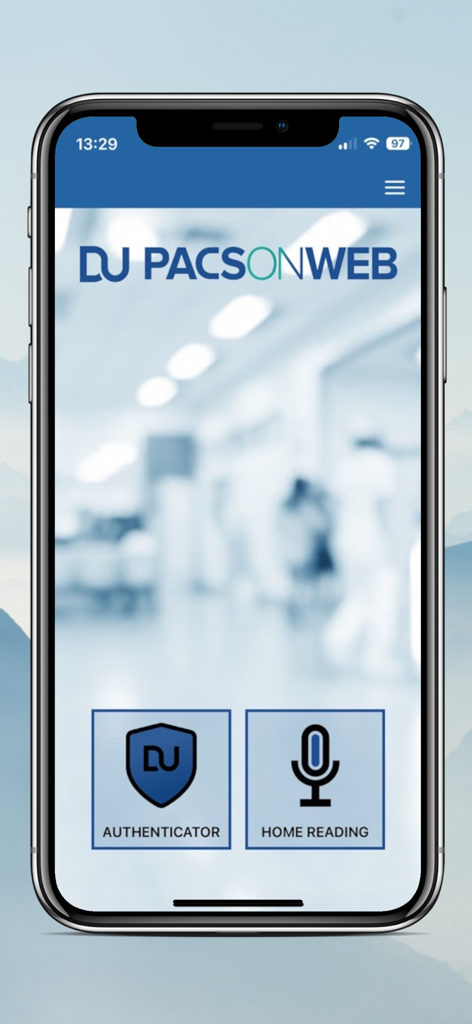
PACSonWEB - PACSonWEBアプリのメインメニュー、認証と在宅読影オプションを表示

PACSonWEBアプリのメインメニュー、認証と在宅読影オプションを表示

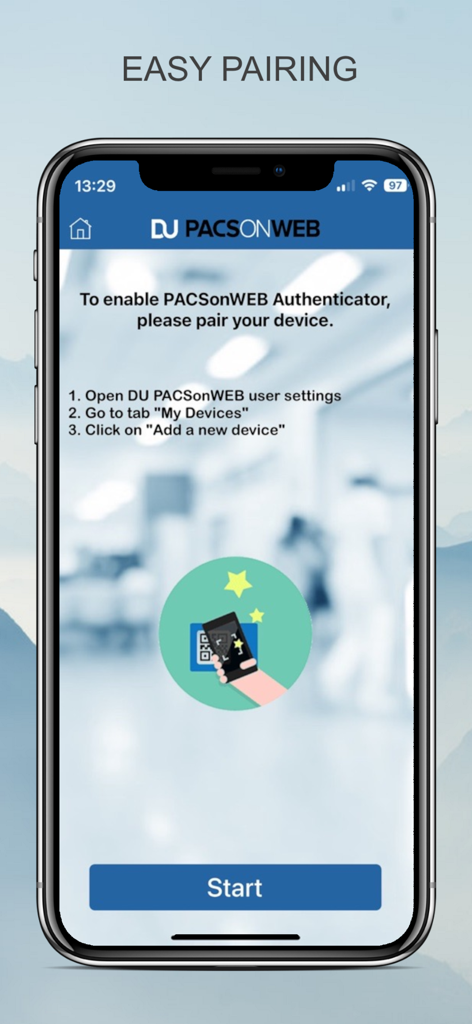
PACSonWEB - 放射線科医向けのPACSonWEB医療アプリでの簡単なデバイスペアリング画面、セットアップ手順を表示
放射線科医向けのPACSonWEB医療アプリでの簡単なデバイスペアリング画面、セットアップ手順を表示

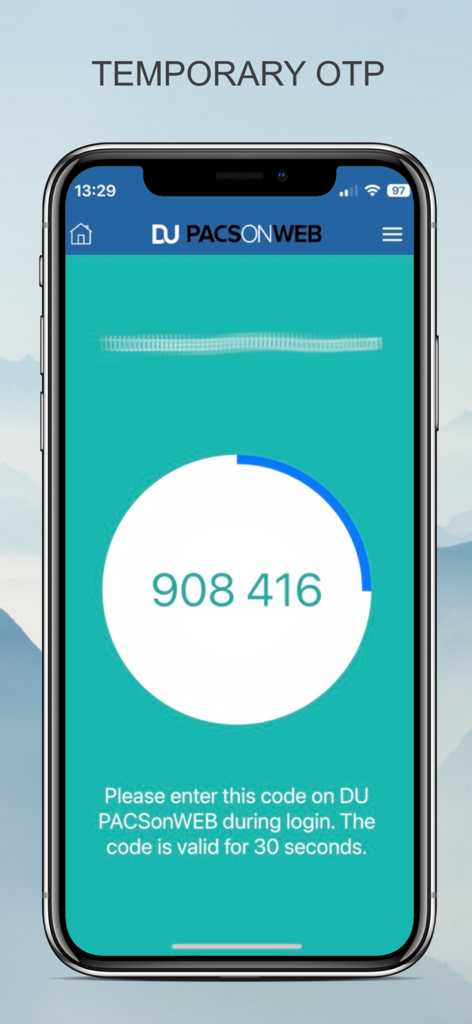
PACSonWEB - PACSonWEBモバイルアプリのインターフェース、医療専門家ログイン用の一時的なワンタイムパスコードを表示
PACSonWEBモバイルアプリのインターフェース、医療専門家ログイン用の一時的なワンタイムパスコードを表示

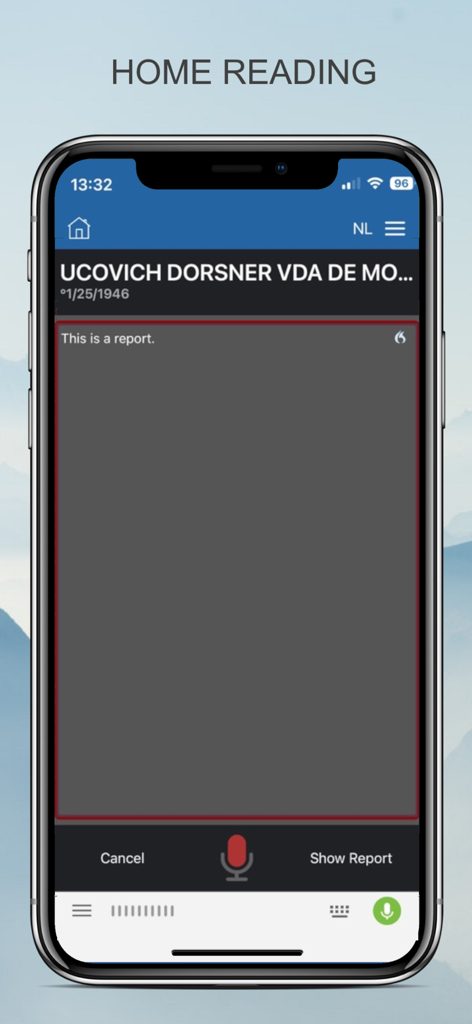
PACSonWEB - PACSonWEB在宅読影インターフェースを示し、音声認識による医療レポート音声入力を可能にするスマートフォンの画面

PACSonWEB在宅読影インターフェースを示し、音声認識による医療レポート音声入力を可能にするスマートフォンの画面

説明

The DeepUnity PACSonWEB App offers a secure and user-friendly solution for securing your account. The App replaces two-factor authentication via SMS by sending a notification to the app. You can then identify yourself and login on DU PACSonWEB with one simple tap in the app. You can connect one or more devices (maximum 5) that function as a trusted device for your account. Connecting is made easy by simply scanning a QR code on your device. This is possible in the app itself, in the camera app of your device or any third party authenticator app. How does it work: 1. Connect your device with your DU PACSonWEB Account 2. On your DU PACSonWEB Account, choose two-factor authentication type "TOTP" 3. With each login attempt you will get a notification and be able to login with one click on the app. With DU PACSonWEB Home Reading, a radiologist can easily report an exam outside the walls of the hospital using embedded speech recognition. There are no complex VPN or Citrix implementations nor any remote PACS or RIS client installations needed. The radiologist can dictate the report on the iPhone or iPad while judging the imagery on any computer or tablet using a web browser. Image and report are always linked in real-time and the dictated text appears simultaneously on the screen. This unique innovation makes it possible for any doctor to make a report using nothing more than a browser and smartphone - for example during on call -. The report is subsequently tunneled back to the regular workflow within the hospital, e.g. as a preliminary report that has to be validated, or a full report that goes directly to the RIS / HIS / EPR. This unique system saves the radiologist time, support for specialization or workload balancing during service hours and allows for more flexible scheduling for the radiologists. How does it work: 1. The radiologist access the exam via the DU PACSonWEB platform. 2. Through this app, he scans the displayed QR code in DU PACSonWEB and his account is linked. He can make a (preliminary) report of any exam using real-time speech recognition on the smartphone. 3. The report is made available to the requesting physician and is send into the regular workflow of medical imaging. 4. If it concerns a preliminary report, the radiologist validates his report during his normal workflow at the hospital.

Download

ダウンロード: App Store

このページはアプリまたはその開発者の公式ページではなく、情報提供および論評を目的として作成された独立した編集出版物です。明示的に別段の記載がない限り、アプリおよびその開発者は、MWM、Apple、Google Play、アプリのパブリッシャー、またはアプリの開発者と提携、承認、後援、認可、またはその他の公式的な関係はなく、このページのいかなる内容も、アプリがMWMのサービスを使用して開発されたことを意味するものではありません。すべての商標、ロゴ、スクリーンショット、その他のコンテンツはそれぞれの所有者の財産です。