Pado
Pado
Download on App Store

This page is not an official page of the app or its developer, but an independent editorial publication created for informational and commentary purposes. Unless expressly stated otherwise, neither the app nor its developer is affiliated with, endorsed by, sponsored by, authorized by, or otherwise officially connected with MWM, Apple, Google Play, the app publisher, or the app's developer, and nothing on this page implies that the app was developed using MWM's services. Any trademarks, logos, screenshots, and other content remain the property of their respective owners.


Logo of Pado
Download on App Store

Pado

Effortlessly record your adventures, log professional time, and trigger smart home actions based on where you are. Privacy-first, Apple Watch optimized, and strictly subscription-free.

Key Figures

Downloads

0

User Rating

4.4/5

Total Ratings

0

Publisher

Alexander Clauss

Category

Health & Fitness

Locales

2

Latest Version

3.0.18

Size

20.9 MB

First Released

Jun 22, 2014
Features

Total Geo-Automation for the Quantified Self

Pado seamlessly blends high-precision tracking with powerful automation, turning every movement into actionable data and smart home triggers without the subscription fatigue.

Zero-Touch Activity Recording

Set location-based actions to automatically record hikes or log work hours. Focus on the journey while Pado handles the data in the background the moment you leave your front door.

Rich Data Sovereignty

Visualize heart rate, elevation, and photo pins on interactive maps. Export your tracks as GPX/KML and sync via iCloud or Dropbox—your data stays yours with a single one-time purchase.

The following screenshots and description are sourced directly from the app's official store listing and are the property of the app developer.

App Store

Screenshots
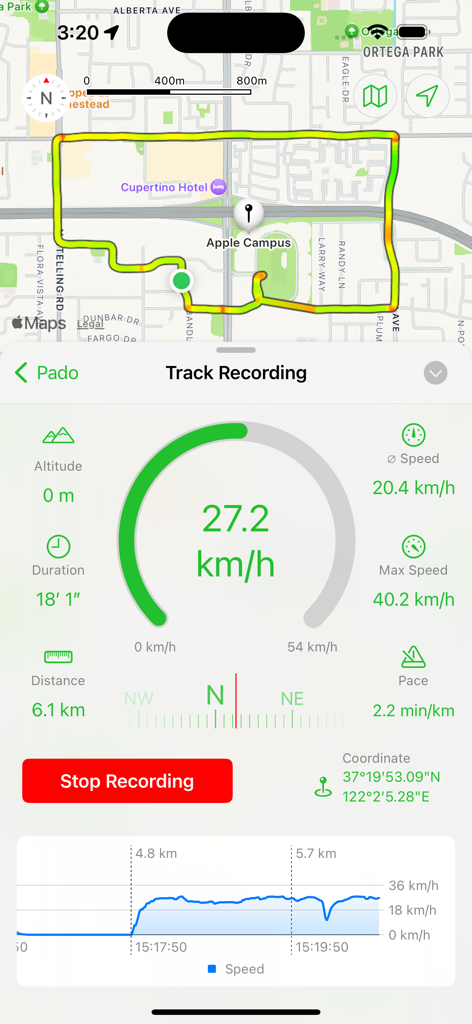
Pado - Pado app screenshot showing a map with a recorded route and real-time statistics like speed and distance
Pado app screenshot showing a map with a recorded route and real-time statistics like speed and distance

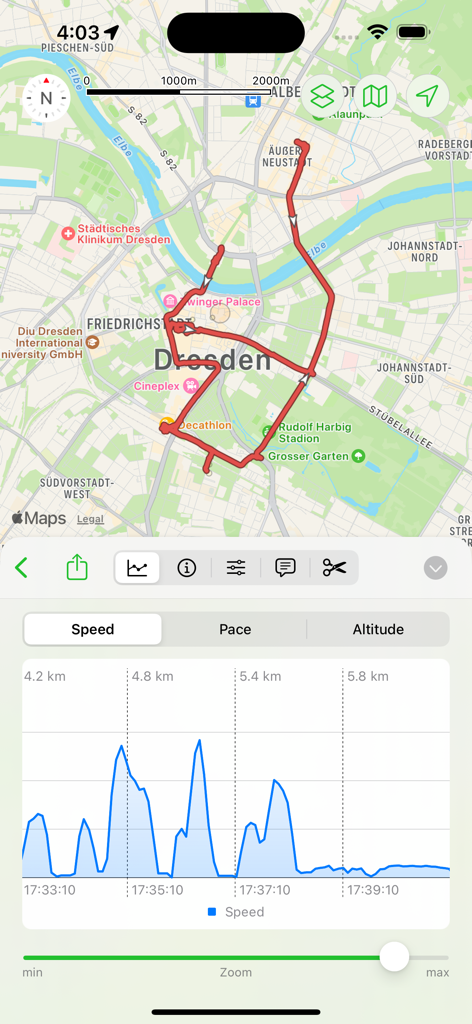
Pado - Pado app interface displaying a recorded GPS route on a map and a corresponding speed analysis graph
Pado app interface displaying a recorded GPS route on a map and a corresponding speed analysis graph

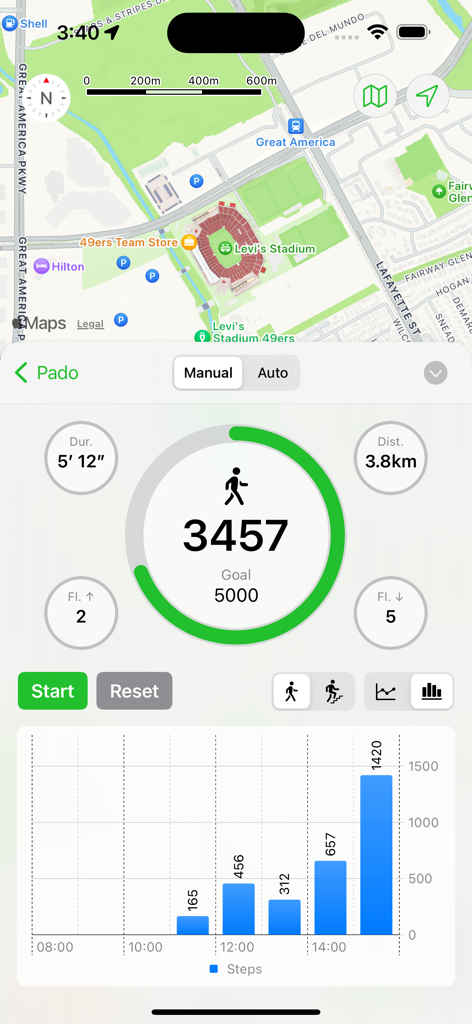
Pado - The Pado app interface displaying a step counter with daily goals, activity statistics, a bar chart of steps, and a map overview.
The Pado app interface displaying a step counter with daily goals, activity statistics, a bar chart of steps, and a map overview.

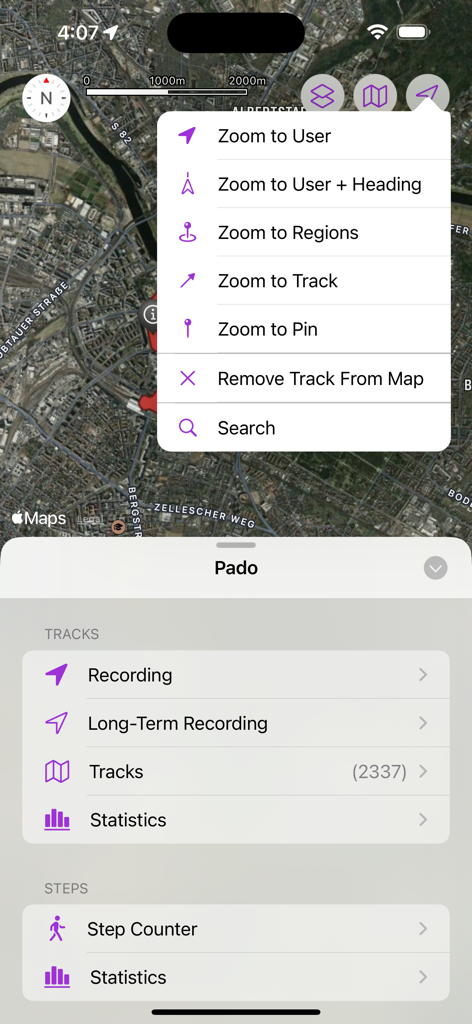
Pado - Pado app interface showing satellite map view with zoom menu options and activity tracking categories for tracks and steps.
Pado app interface showing satellite map view with zoom menu options and activity tracking categories for tracks and steps.

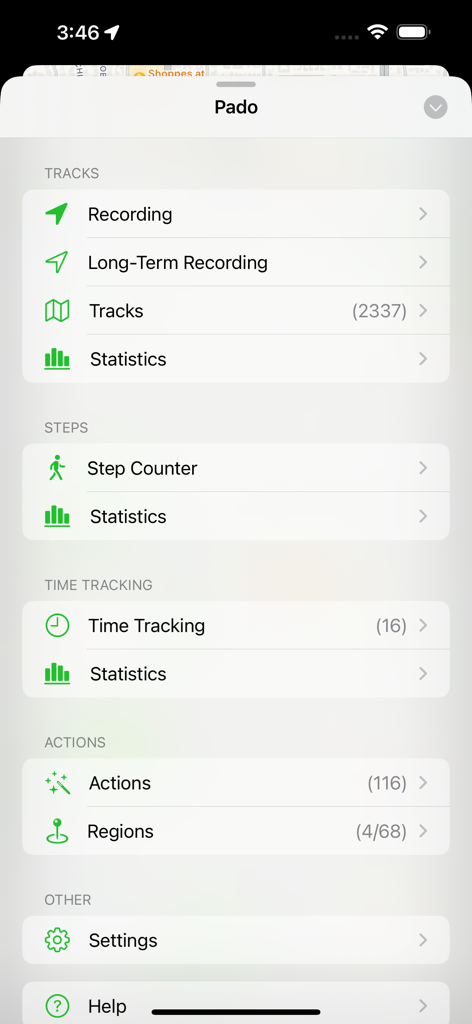
Pado - Main menu of the Pado app showing categories for tracks, steps, time tracking, and actions
Main menu of the Pado app showing categories for tracks, steps, time tracking, and actions

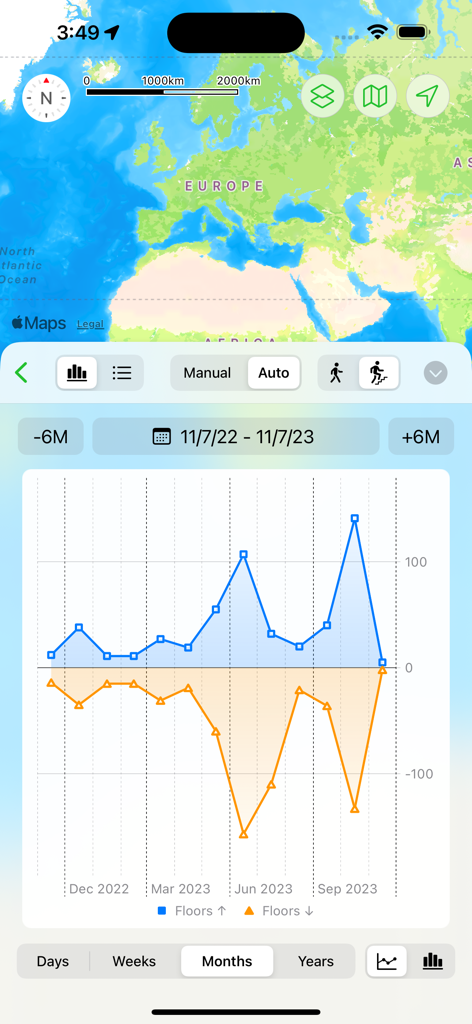
Pado - Pado app interface showing a monthly graph of floors climbed and descended with a map background
Pado app interface showing a monthly graph of floors climbed and descended with a map background

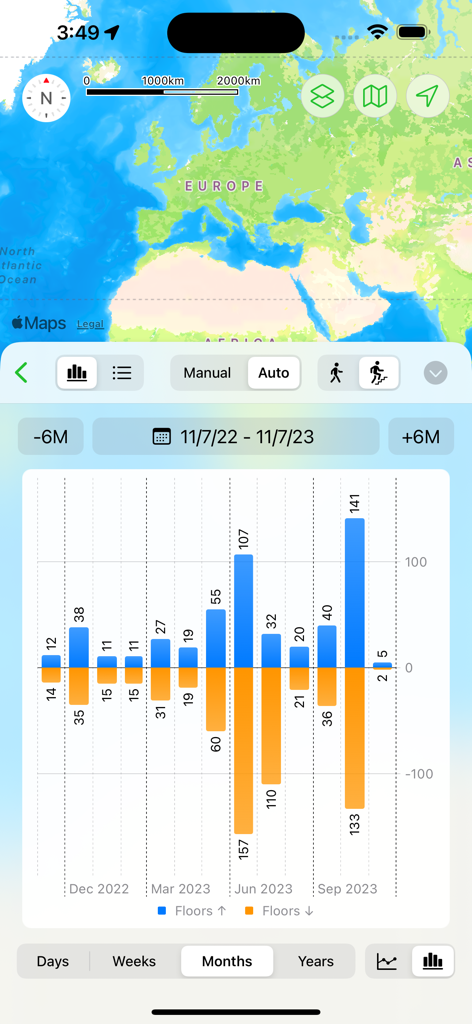
Pado - Pado app screenshot showing a map and a bar chart of floors climbed and descended over several months
Pado app screenshot showing a map and a bar chart of floors climbed and descended over several months

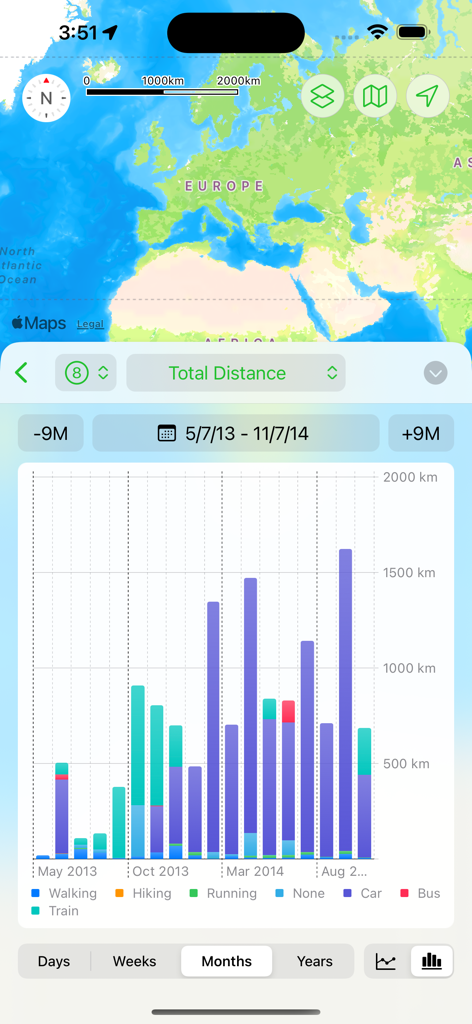
Pado - A bar chart in the Pado app displaying monthly total distance categorized by transportation modes like walking, car, and train, with a map of Europe visible at the top.
A bar chart in the Pado app displaying monthly total distance categorized by transportation modes like walking, car, and train, with a map of Europe visible at the top.

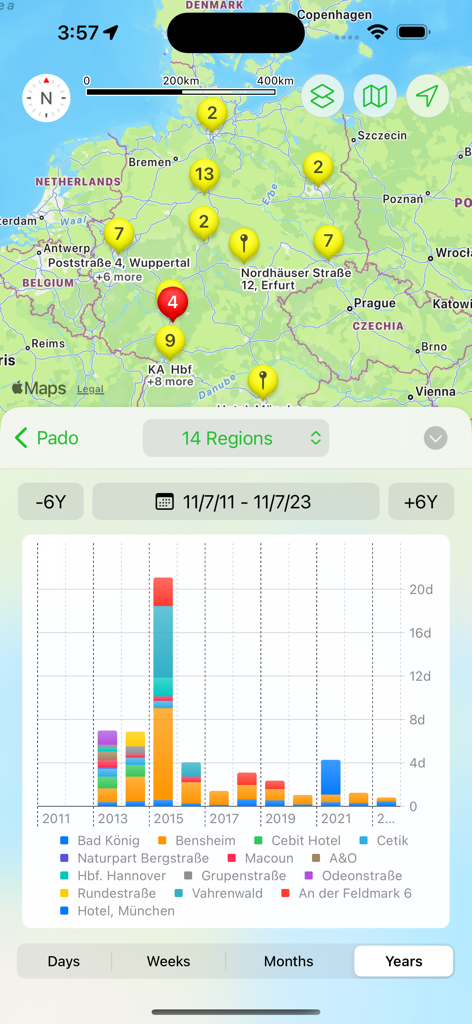
Pado - Pado app interface showing a map of location clusters in Germany and a stacked bar chart of time spent per region over several years
Pado app interface showing a map of location clusters in Germany and a stacked bar chart of time spent per region over several years

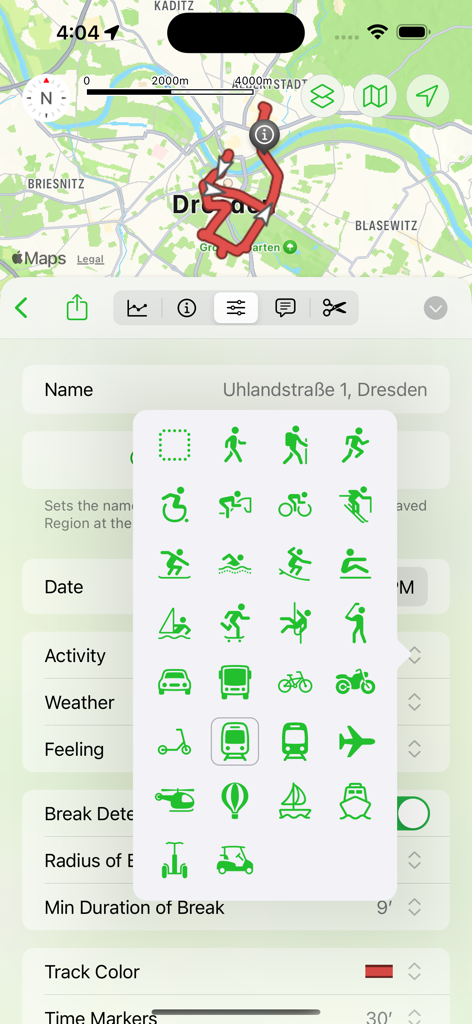
Pado - Pado app interface showing a GPS track on a map and a pop up menu with various activity icons for walking cycling and transportation

Pado app interface showing a GPS track on a map and a pop up menu with various activity icons for walking cycling and transportation

Description

Pado is all about geo-tracking. RECORD TRACKS Record the routes/tracks of your hikes, bike tours, excursions, trips or sporting activities and evaluate them on a map, via diagrams and statistics. You can do this manually and spontaneously, but also fully automatically in the background. The latter can be helpful on vacations if you want to automatically record your local activities so that you can retrace them later ("Where was that café again?"). To do this, you tell the app once that the recording should be started when you leave the hotel and stopped when you enter it again. From then on, you no longer have to worry about it, but you still have all the routes of all the activities saved in the app when you get home. Pado can display the heart rate data from Health-Kit together with the recorded tracks/routes. The photos from the album that were taken during the recording of the track can also be accessed via pins on the map. This makes it very easy to have all the data and photos directly available on the map if you want to retrace a hike. The exported/imported options as GPX or KML files allow data exchange with other apps. Especially for sporting activities, the app offers a voice output that provides status messages about the distance already covered, current speed, duration, altitude, direction, etc. during a track recording. This keeps you informed about your progress without having to look at your iPhone. STEP COUNTER The app offers a pedometer that can also count the floors climbed and shows how far you are from your daily steps goal. TIME TRACKING The "Time tracking" feature allows to automatically log when you are at which location and for how long. You simply define the locations to be monitored and the app does the rest. ACTIONS The heart of Pado are the location-based actions. You can define locations and what the app should do when you enter or leave these (the App will do this automatically in the background, it does not need to be active). The action can control track recording, the pedometer, the music player, notifications. The "WebHook" feature can be even used to carry out actions outside the iPhone. WebHook sends data to your own server, which can be used to link Pado to your own home automation system. APPLE WATCH Pado supports the Apple Watch and can record tracks/routes and steps autonomously (without having the iPhone with you). The Watch app can also remotele-control the iPhone app so that the iPhone can stay in your pocket. SYNCING OPTIONS - iCloud - Dropbox - WebDAV HARDWARE SUPPORT - Bluetooth Beacons, NFC Tags, AirTags (as trigger for actions) - WLAN positioning (in areas with good WLAN coverage) for devices without GPS hardware (some iPad models). NOTE Long-term use of GPS in the background can shorten the battery life. PAYMENT MODEL With Pado 3, the payment model has changed. The previously paid app is now offered free of charge. There are now three app levels: - Free: A maximum of 3 locations, 3 actions and 3 entries for time tracking can be created - Standard (one-time purchase): A maximum of 25 locations, 25 actions and 25 entries for time tracking can be created. - Pro (one-time purchase): Any number of locations, actions and entries for time tracking can be created. Everything else is available in all three levels without restrictions Users who have already purchased earlier versions of the app will automatically receive the Standard level free of charge. If restrictions have already been reached, existing actions/locations are not restricted. New users can now react more flexibly to their own needs and use one of the three options as required. An inexpensive update from the Standard to the Pro version is also available at any time, in case you need more than you initially thought. There is now also a tipping option for all those who value the app more than the small one-time payments and want to do something good for the developer.

Download

Download on App Store

This page is not an official page of the app or its developer, but an independent editorial publication created for informational and commentary purposes. Unless expressly stated otherwise, neither the app nor its developer is affiliated with, endorsed by, sponsored by, authorized by, or otherwise officially connected with MWM, Apple, Google Play, the app publisher, or the app's developer, and nothing on this page implies that the app was developed using MWM's services. Any trademarks, logos, screenshots, and other content remain the property of their respective owners.