Panasonic LUMIX Flow

Panasonic LUMIX Flow

ダウンロード: App Storeダウンロード: Google Play
ロゴ: Panasonic LUMIX Flow

Panasonic LUMIX Flow:ビジョンをスクリプトからスクリーンへ効率化

インディーズクリエイターのための究極のワークフローコンパニオン。スマートフォンをプログレードのモニターに変え、傑作の絵コンテを作成し、インテリジェントなクリップ整理で編集時間を半分に短縮します。

開発元

PANASONIC ENTERTAINMENT & COMMUNICATION CO., LTD.

カテゴリ

Photo & Video

ダウンロード

11K+

ユーザー評価

3.4/5

評価数

0

対応言語

11

あなたのプロダクションを可視化

このインターフェースを利用する 11K+ 人のユーザー.

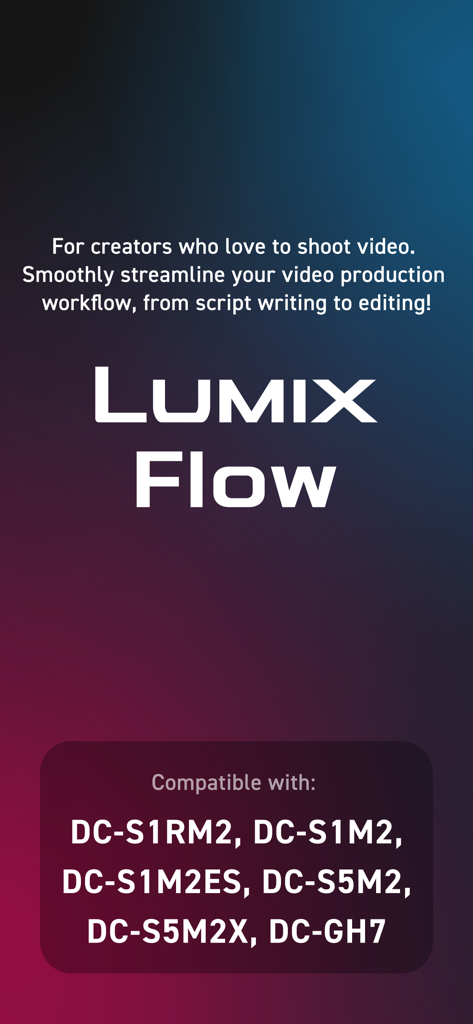
Panasonic LUMIX Flowアプリの紹介画面。ビデオ制作ワークフローと互換性のあるカメラモデルを強調表示しています。
Panasonic LUMIX Flowアプリの紹介画面。ビデオ制作ワークフローと互換性のあるカメラモデルを強調表示しています。

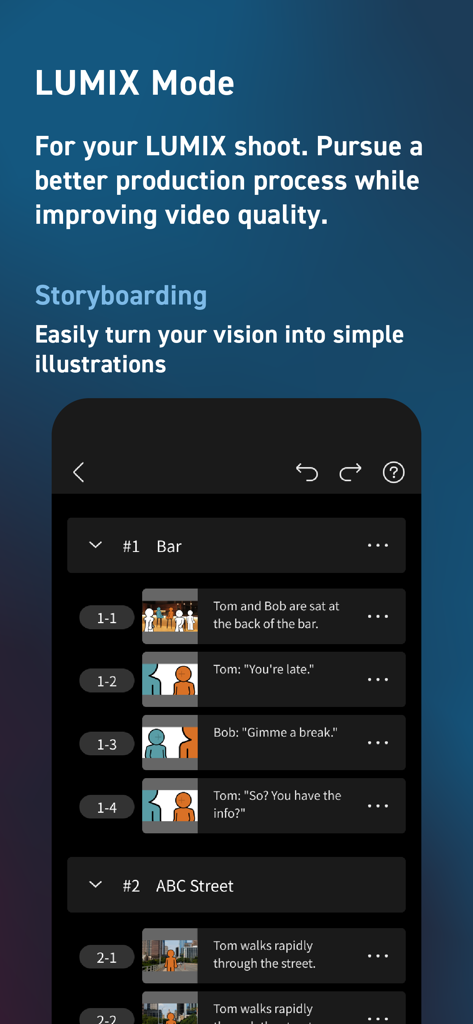
Panasonic LUMIX Flowアプリのストーリーボード画面。シーンのリスト、ショットの説明、簡単なイラストが表示されています。
Panasonic LUMIX Flowアプリのストーリーボード画面。シーンのリスト、ショットの説明、簡単なイラストが表示されています。

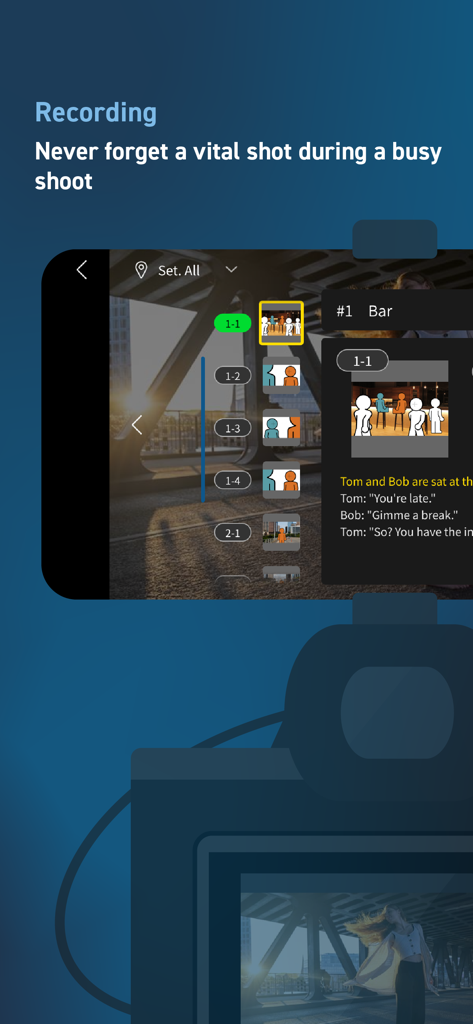
Panasonic LUMIX Flowのレコーディングインターフェース。統合されたストーリーボードとデジタルショットリストが特徴です。
Panasonic LUMIX Flowのレコーディングインターフェース。統合されたストーリーボードとデジタルショットリストが特徴です。

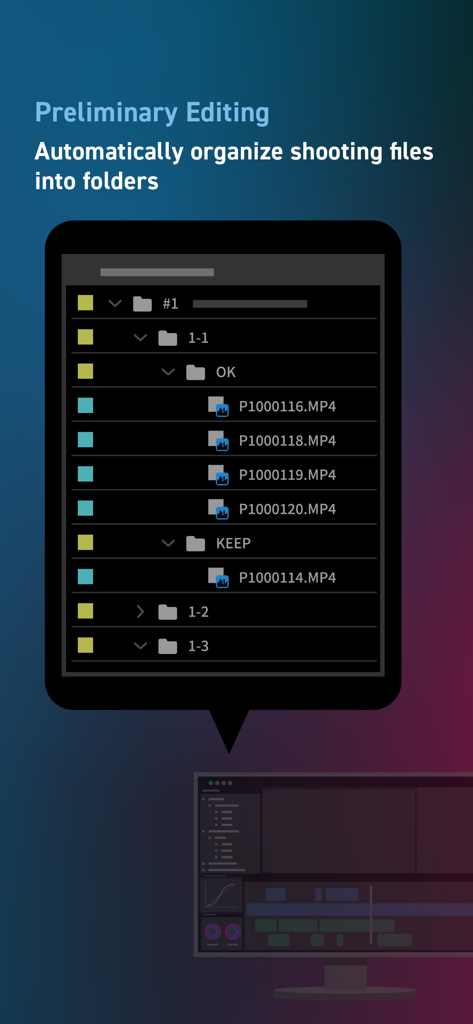
LUMIX Flowアプリのインターフェース。初期編集用にフォルダに自動整理されたビデオファイルが表示されます。
LUMIX Flowアプリのインターフェース。初期編集用にフォルダに自動整理されたビデオファイルが表示されます。

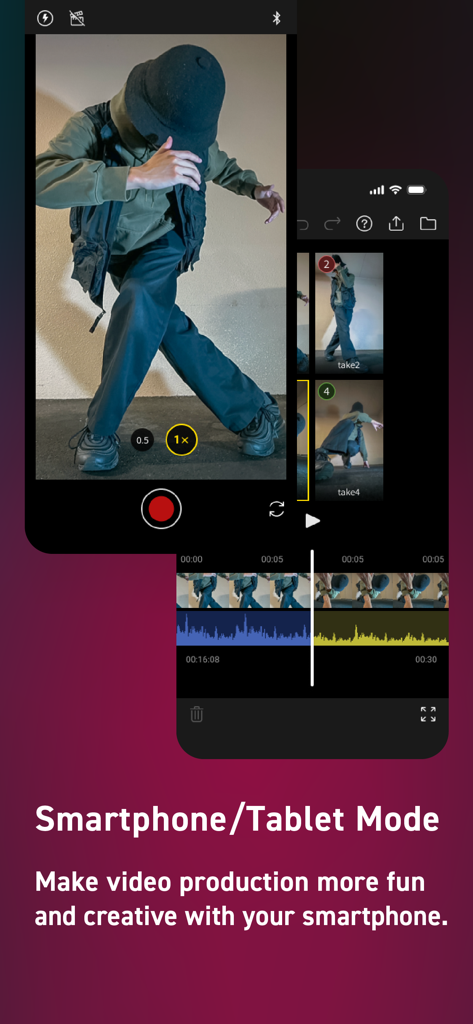
Panasonic LUMIX Flowアプリのインターフェース。モバイルビデオ録画および編集用のスマートフォンモードが表示されます。
Panasonic LUMIX Flowアプリのインターフェース。モバイルビデオ録画および編集用のスマートフォンモードが表示されます。

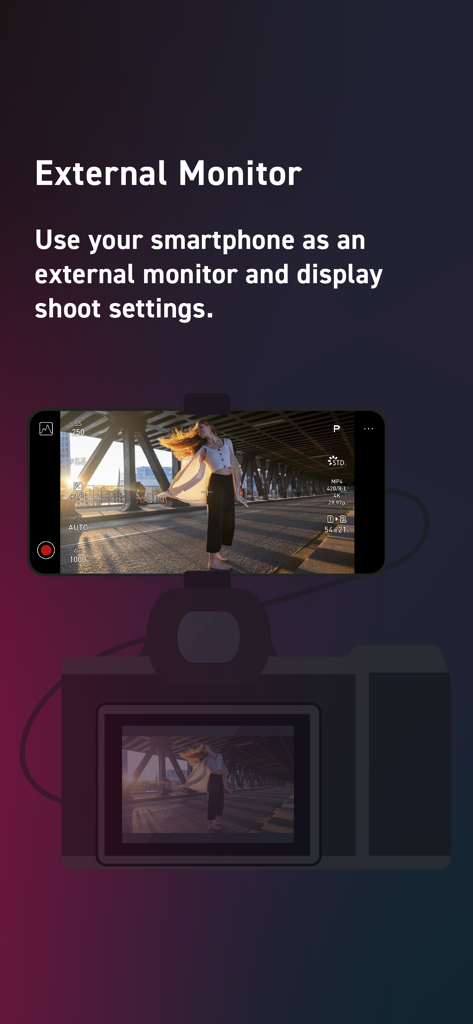
LUMIX Flowアプリを介してビデオ設定を表示する外部モニターとして機能するカメラに取り付けられたスマートフォン。

LUMIX Flowアプリを介してビデオ設定を表示する外部モニターとして機能するカメラに取り付けられたスマートフォン。

シネマティックワークフローをマスターする

このアプリを際立たせるツール、 11K+ 人のユーザーが選択.

即座のフッテージ選別

オンセットでクリップを「OK」または「BAD」に評価し、DaVinci ResolveまたはPremiere Proに直接XMLファイルをエクスポートして、手動でのソートに費やす時間を節約します。

🎬

統合された絵コンテ作成

アプリ内でスクリプトを作成し、ビジュアルストーリーボードをスケッチして、ヒーローショットが完璧に計画され、制作中に見逃されないようにします。

📱

プロレベルのフィールドモニター

スマートフォンを高解像度外部モニターに変え、高価な追加ハードウェアに投資することなく、リアルタイムでフォーカスとフレーミングを確認できます。

アプリについて

について知っておくべきこと Panasonic LUMIX Flow.

説明

For creators who love to shoot video. Smoothly streamline your video production workflow, from script writing to editing! From dramas and documentaries to music videos and dance clips in the entertainment genre, LUMIX Flow is easy to use even for beginners and supports a smooth video production process. 【LUMIX Mode】 Easily create scripts, storyboards, and shot lists. Use the app to visually sketch out scenes, illustrating your subject's position, direction, shot angle and more. Use your smartphone as an external monitor for your LUMIX camera. Check your shot list and storyboard on your smartphone while shooting. You can easily see which shots have already been taken at a glance, ensuring you never forget a key shot and allowing you to work through your shoot smoothly and efficiently. Shooting files are automatically divided into folders based on your ' OK / KEEP / BAD' rating by importing XML files from the app into your video editing software. Efficiently organize files after shooting and shorten the time you spend editing. 【Smartphone/Tablet Mode】 You can script, shoot, and edit a short drama or documentary video using just your smartphone, enjoying all the fun of filmmaking without the need for a camera or computer. 【External Monitor】 Connect your smartphone to your LUMIX camera to use it as an external monitor while shooting. Quickly check focus on-site. Compatible with: DC-S1RM2, DC-S1M2, DC-S1M2ES, DC-S5M2, DC-S5M2X, DC-GH7 OS Compatibility: iOS 15.4 or higher *Recommended for models with a USB Type-C connector. To connect with a Lightning cable, a genuine Apple 'Lightning-USB Camera Adapter' or 'Lightning-USB3 Camera Adapter' is required. [Notes] ・Be aware that when using the location information recording function, continued use of the GPS function can lead to a dramatic decrease in battery capacity. ・For information on using this app or compatible models, visit the following support page. https://panasonic.jp/support/global/cs/soft/lumix_flow/index.html ・Please understand that we will not be able to contact you directly even if you use the “Email Developer” link.

最新バージョン

1.3.0

サイズ

46.3 MB

リリース日

2025年2月25日

ワークフローをマスターする準備はできましたか?

雑然とした環境に別れを告げた何千人ものインディーズストーリーテラーに加わりましょう。今すぐLUMIX Flowをダウンロードして、カメラと最終カットの間のギャップを埋めましょう。

ダウンロード: App Storeダウンロード: Google Play

App information, icons, screenshots, and descriptions displayed on this page are sourced from the Apple App Store and are the property of their respective developers. Download estimates and rankings are based on MWM's proprietary models and may not reflect actual figures. This page is provided for informational and analytical purposes only.

Believe this page infringes your intellectual property? File a dispute