Parachute Backup Mobile
ダウンロード: App Store

このページはアプリまたはその開発者の公式ページではなく、情報提供および論評を目的として作成された独立した編集出版物です。明示的に別段の記載がない限り、アプリおよびその開発者は、MWM、Apple、Google Play、アプリのパブリッシャー、またはアプリの開発者と提携、承認、後援、認可、またはその他の公式的な関係はなく、このページのいかなる内容も、アプリがMWMのサービスを使用して開発されたことを意味するものではありません。すべての商標、ロゴ、スクリーンショット、その他のコンテンツはそれぞれの所有者の財産です。


ロゴ: Parachute Backup Mobile
ダウンロード: App Store

Parachute Backup Mobile

iCloudの同期だけに頼るのはやめましょう。買い切り型でサブスクリプションなしのツールで、高解像度の写真、RAW画像、ドキュメントをあなた自身の外付けドライブ、NAS、または好みのクラウドストレージに安全にバックアップしましょう。

主要数値

ダウンロード

9K+

ユーザー評価

4.3/5

評価数

100

開発元

Parachute Apps, LLC

カテゴリ

Utilities

対応言語

1

最新バージョン

1.3.4

サイズ

5.7 MB

リリース日

2025年8月14日
機能

デジタル遺産の完全な管理

単なる同期を超えましょう。Parachuteは、サブスクリプション料やベンダーロックインなしで、あなたの写真やファイルをあなた自身のストレージに読み取り専用でバックアップします。

あらゆるストレージに対応

NAS、外付けSSD、S3バケット、Google Driveに直接バックアップできます。保存先はあなたが選択でき、あなたの思い出が単一のエコシステムに閉じ込められることを防ぎます。

品質の妥協なし

あなたの人生を高画質で保存しましょう。フル解像度のRAW写真、4K動画、Live Photosを保護し、すべてのメタデータと編集をそのまま保持します。

以下のスクリーンショットと説明は、アプリの公式ストアリスティングから直接取得されたものであり、アプリ開発者の所有物です。

アプリストア

スクリーンショット
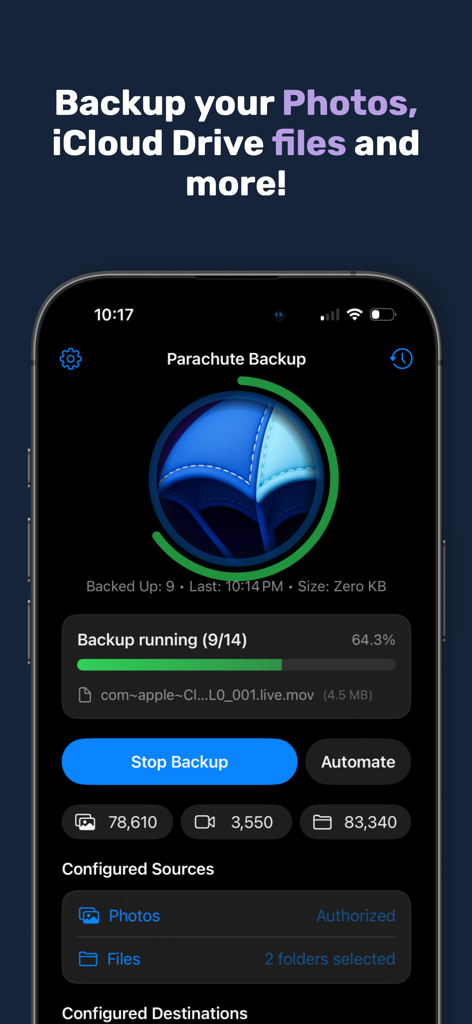
Parachute Backup Mobile - iCloud写真とファイルのバックアップが進行中のParachute Backup Mobileアプリのインターフェース、ファイルカウンター付き
iCloud写真とファイルのバックアップが進行中のParachute Backup Mobileアプリのインターフェース、ファイルカウンター付き

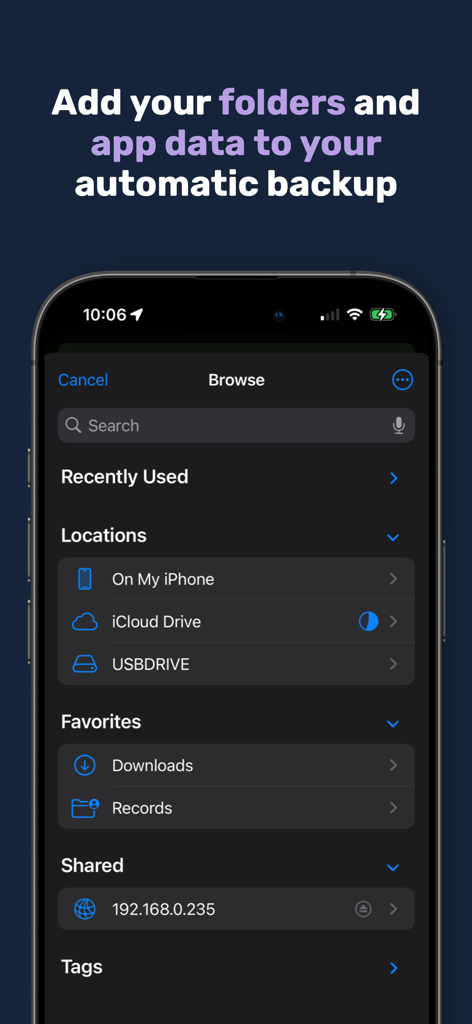
Parachute Backup Mobile - Parachuteアプリのスクリーンショットで、バックアップ用のiCloudやUSBドライブなどのさまざまなファイル場所を表示
Parachuteアプリのスクリーンショットで、バックアップ用のiCloudやUSBドライブなどのさまざまなファイル場所を表示

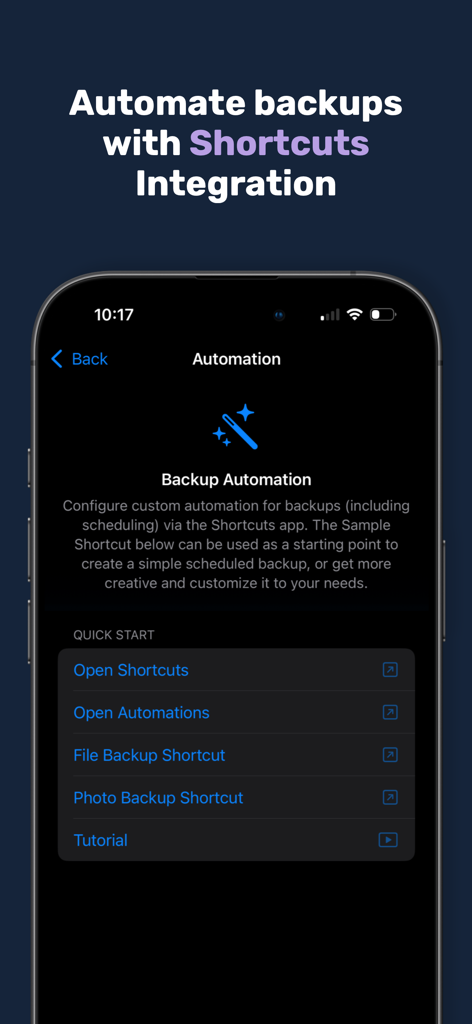
Parachute Backup Mobile - 自動写真およびファイルバックアップのためのiOSショートカット統合を示すParachute Backup Mobileアプリ画面
自動写真およびファイルバックアップのためのiOSショートカット統合を示すParachute Backup Mobileアプリ画面

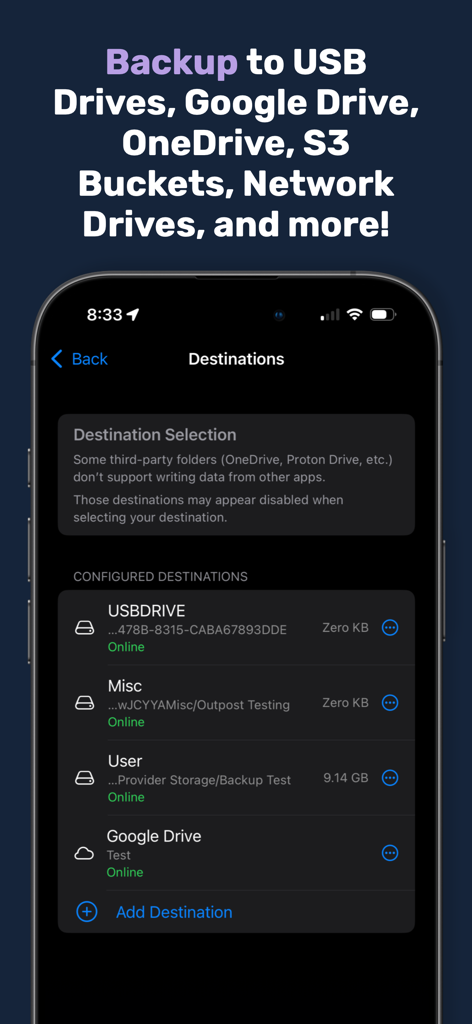
Parachute Backup Mobile - USBドライブやGoogleドライブを含む設定済みのバックアップ先をリストするモバイルアプリ画面
USBドライブやGoogleドライブを含む設定済みのバックアップ先をリストするモバイルアプリ画面

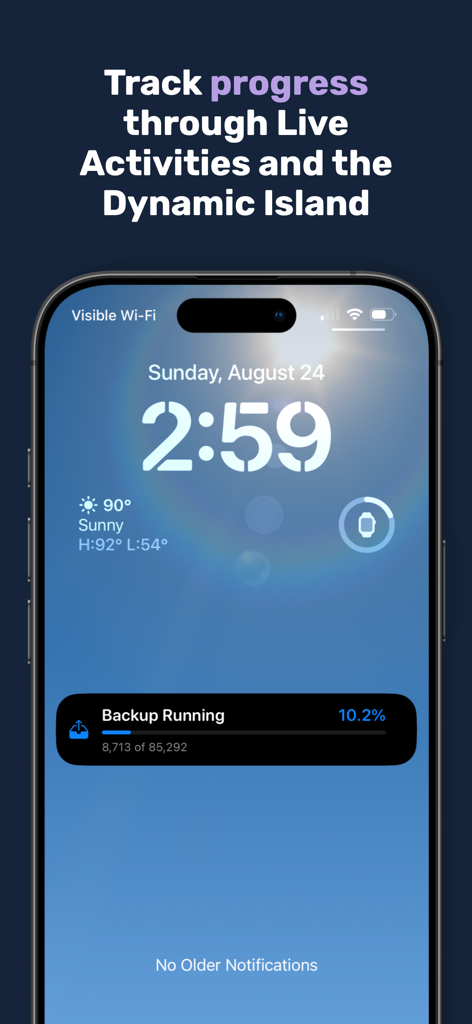
Parachute Backup Mobile - ライブアクティビティを使用したiPhoneロック画面で表示されるParachute Backupの進行状況。

ライブアクティビティを使用したiPhoneロック画面で表示されるParachute Backupの進行状況。

説明

Parachute is your backup companion for iCloud Photos and iCloud Drive. It backs up your memories — photos, videos, and documents — to storage you control, whether that’s an external drive, Google Drive, OneDrive, S3 Buckets, network drives/NAS, external hard drives and more. With Parachute, you get peace of mind and full ownership of your data, free from lock-in. Your Data, Your Way • Back up your entire iCloud Photos library (including Shared Albums) and folders from iCloud Drive. • Preserve originals in full resolution, all adjustment data, and the current edited versions. • Works with USB drives, NAS/SMB/SFTP mounts, Google Drive, S3 Buckets, OneDrive, external hard drives and more Key Features • Backups can be triggered from the main screen to any of your backup destinations • Automate backups with Shortcuts integration and Schedules • Privacy-first: transfers handled via Apple’s Files extensions — your credentials never touch our app. • Supports full-quality media: Live Photos + videos, RAW images, bursts, edits, and slow motion. Why It Matters • iCloud sync ≠ backup — deletions, expired storage, or sync errors can mean permanent loss. • Parachute safeguards your digital life from accidents and disasters. • Your files are stored in normal folders you can browse and restore from directly — no special tools needed. One time purchase. No Lock-In. • One-time purchase unlocks all backup functionality — no recurring fees. • Your data stays in your storage, not ours. • No accounts, no telemetry, no background bloat. FAQ Highlights Q: Does Parachute ever delete files from iCloud? A: Never. It’s strictly read-only. Q: Can I restore without Parachute? A: Yes. Backups are just normal folders — copy them back with Finder anytime. Q: What if a file is corrupted in iCloud? A: Parachute flags any unexportable items so you know exactly what couldn’t be saved. Q: Can it back up non-iCloud folders? A: Yes. Add any folder via the iOS/iPadOS file picker By downloading Parachute Backup, you agree to Apple's Terms of Use (https://www.apple.com/legal/internet-services/itunes/dev/stdeula/) and our Privacy Policy (https://parachuteapps.com/privacy.txt).

Download

ダウンロード: App Store

このページはアプリまたはその開発者の公式ページではなく、情報提供および論評を目的として作成された独立した編集出版物です。明示的に別段の記載がない限り、アプリおよびその開発者は、MWM、Apple、Google Play、アプリのパブリッシャー、またはアプリの開発者と提携、承認、後援、認可、またはその他の公式的な関係はなく、このページのいかなる内容も、アプリがMWMのサービスを使用して開発されたことを意味するものではありません。すべての商標、ロゴ、スクリーンショット、その他のコンテンツはそれぞれの所有者の財産です。








