Partometer - camera measure
ダウンロード: App Store

このページはアプリまたはその開発者の公式ページではなく、情報提供および論評を目的として作成された独立した編集出版物です。明示的に別段の記載がない限り、アプリおよびその開発者は、MWM、Apple、Google Play、アプリのパブリッシャー、またはアプリの開発者と提携、承認、後援、認可、またはその他の公式的な関係はなく、このページのいかなる内容も、アプリがMWMのサービスを使用して開発されたことを意味するものではありません。すべての商標、ロゴ、スクリーンショット、その他のコンテンツはそれぞれの所有者の財産です。

ロゴ: Partometer - camera measure
ダウンロード: App Store

Partometer - camera measure

iPhoneをプロ仕様の定規とメジャーに変えましょう。簡単な基準オブジェクトを使用して、正確な長さ、角度、面積を測定します。DIY愛好家、住宅所有者、精度を重視する専門家に最適です。

主要数値

ダウンロード

68K+

ユーザー評価

4.2/5

評価数

200

開発元

VisTech.Projects LLC

カテゴリ

Utilities

対応言語

1

最新バージョン

1.5.4

サイズ

24.9 MB

リリース日

2013年8月28日
機能

ポケットの中のプロ仕様の精度

推測はやめて、測定を始めましょう。カメラを、定規、メジャー、分度器をミリメートル以下の解像度で置き換える汎用性の高い高精度ツールに変えましょう。

基準ベースの精度

信頼性の低いARセンサーはスキップしてください。クレジットカードや紙のような日常的なオブジェクトを基準として使用し、実際に信頼できる正確で再現可能な測定を実現します。

高度な測定モード

単純な長さだけでなく、角度、円の寸法、不規則な面積を計算します。スパークプラグのギャップでも部屋のレイアウトでも、あらゆるプロジェクトに対応するモードがあります。

以下のスクリーンショットと説明は、アプリの公式ストアリスティングから直接取得されたものであり、アプリ開発者の所有物です。

アプリストア

スクリーンショット
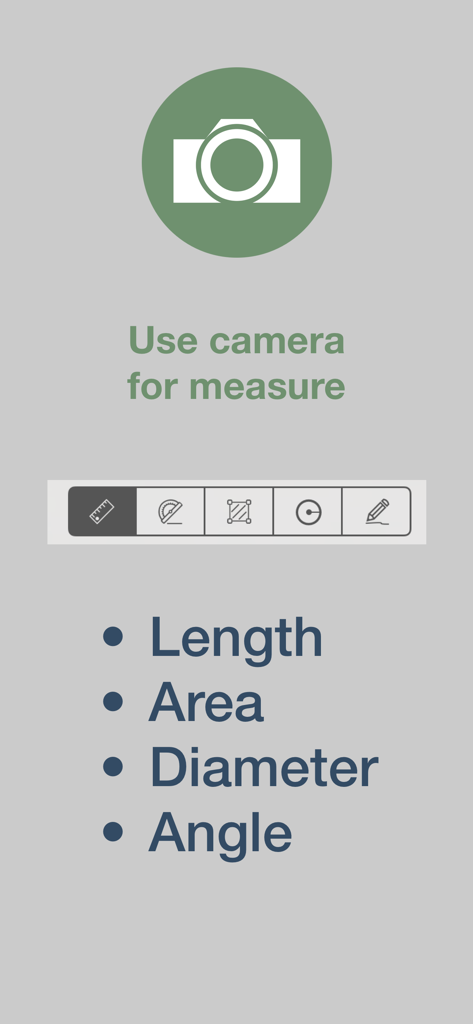
Partometer - camera measure - Partometerアプリのインターフェース。長さ、面積、直径、角度の測定モードが表示されています。
Partometerアプリのインターフェース。長さ、面積、直径、角度の測定モードが表示されています。

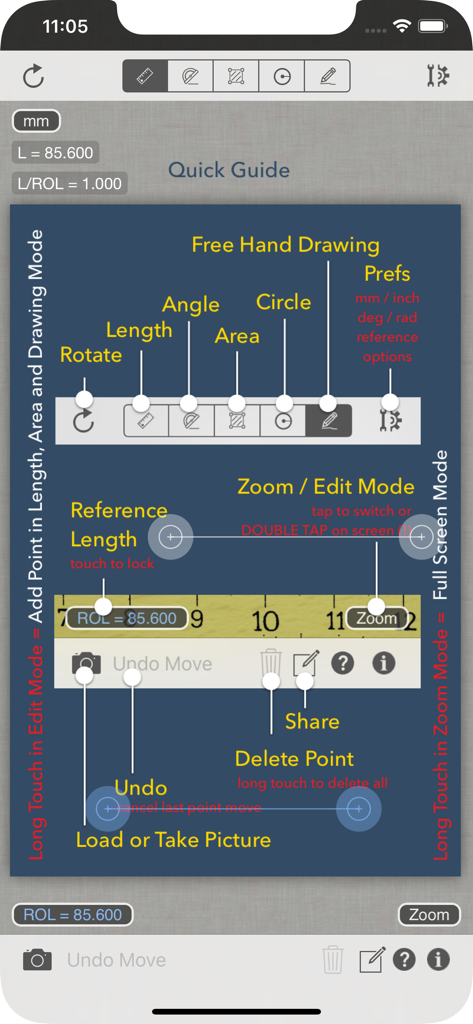
Partometer - camera measure - Partometerアプリのカメラ測定ツールのクイックガイド

Partometerアプリのカメラ測定ツールのクイックガイド

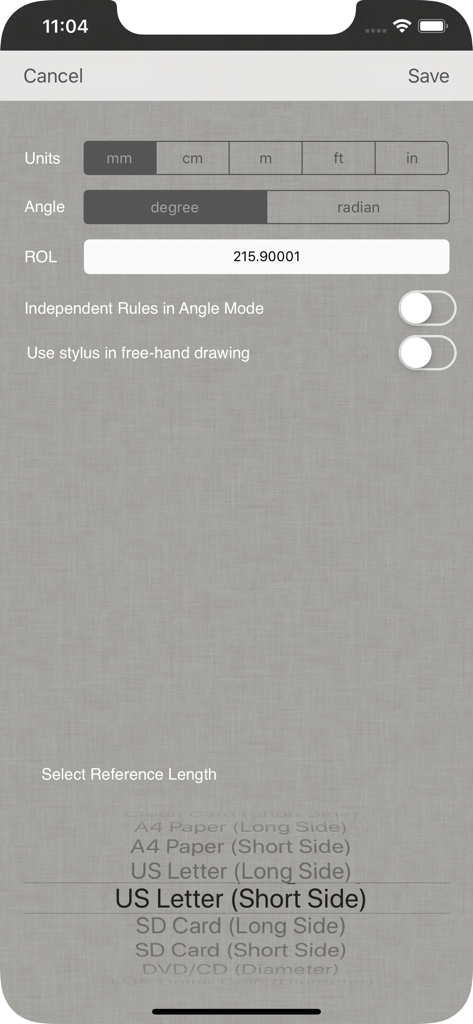
Partometer - camera measure - Partometerアプリの設定画面。測定単位や米国レター用紙などの基準オブジェクトを選択できます。

Partometerアプリの設定画面。測定単位や米国レター用紙などの基準オブジェクトを選択できます。

説明

Partometer is a useful and handy camera tool for object dimensions measurements that can be used as a ruler or tape measure on your iPhone. The App performs remote, non-contact in plane measurements. It uses the phone camera and any available object with known size as a reference. Most common objects like credit card, sheet of paper, DVD/CD, etc. are included in the application. Moreover you can use your own custom objects with known size. The user has an option to make a snapshot of the camera view and work with the image instead of live camera view. Picture upload from the picture gallery is also available. The following mode are available in the app: Length Mode: measure objects in any direction and compare parts to each other. Angle Mode: two rulers are available connected in one point to measure angle and lengths. Area Mode: area of irregular shaped objects can be calculated using this mode. Circle Mode: measurements on circle - radius, length, area The App shows measurement results in different units such as meters, millimeters, centimeters, feet, inches based on user settings. It also calculate dimensions of the object in relative units with respect to the reference object. Two editing modes Edit and Zoom help the user to align the rulers or to mark an object accurately. The App can be very useful if you need to measure bigger distances on a plane, where a simple ruler or measure tape is difficult to apply. All you need to do in this case is to place the reference object (credit card or sheet of paper) on the measurement plane, to make sure that an object of interest and reference object fit into the camera view, to take picture and do measurements. Demo videos: http://youtu.be/HPSBnIcLz8A http://youtu.be/NwZnB6sLfqI Circle Mode: http://youtu.be/vmX5kBLptg0 Partometer use cases: - measure size of your room quickly - estimate furniture size - measure baggage size - measure out some distances on objects (handcraft, woodcraft, etc.) - measure size of a big object that practically impossible to measure with a ruler or tape measure outdoor. For example, you can measure height of a house using sheet of paper as a reference object. - measure small objects with high accuracy just by placing them on A4 or Letter sheet. - measure or compare height of a person - compare objects to each other - estimate Pupilary Distance by holding credit card next to your face - measure fish size very quickly or measure all previous catch from the pictures using your own height - measure fabric or cloth area and size - measure trees - measure angles, pitch gauge - measure spark plug gap - measure area of irregular shaped objects - measure bearings, roller bearings, nuts, rings. - measure any internal feature or irregular shaped area on X-ray if you have a reference( useful for dentists) - make measurements in different units - measurements of small objects that fit within your device screen: jewelry, rings, stones, screws, bolts, buttons, nuts, knitting needles, knitting pattern, washers, insects, mosaic tile, hooks, etc. ... and many others, depending on your imagination. Depending on measurement conditions, reference object and distance to an object you can achieve sub-mm resolution.

Download

ダウンロード: App Store

このページはアプリまたはその開発者の公式ページではなく、情報提供および論評を目的として作成された独立した編集出版物です。明示的に別段の記載がない限り、アプリおよびその開発者は、MWM、Apple、Google Play、アプリのパブリッシャー、またはアプリの開発者と提携、承認、後援、認可、またはその他の公式的な関係はなく、このページのいかなる内容も、アプリがMWMのサービスを使用して開発されたことを意味するものではありません。すべての商標、ロゴ、スクリーンショット、その他のコンテンツはそれぞれの所有者の財産です。