Passport Photo: ID Photo
ダウンロード: App Store

このページはアプリまたはその開発者の公式ページではなく、情報提供および論評を目的として作成された独立した編集出版物です。明示的に別段の記載がない限り、アプリおよびその開発者は、MWM、Apple、Google Play、アプリのパブリッシャー、またはアプリの開発者と提携、承認、後援、認可、またはその他の公式的な関係はなく、このページのいかなる内容も、アプリがMWMのサービスを使用して開発されたことを意味するものではありません。すべての商標、ロゴ、スクリーンショット、その他のコンテンツはそれぞれの所有者の財産です。

ロゴ: Passport Photo: ID Photo
ダウンロード: App Store

Passport Photo: ID Photo

薬局の行列や高額な料金はもう不要。AIによる背景除去と正確な顔位置補正ガイドで、数秒で政府公認の写真を作成しましょう。

主要数値

ダウンロード

29K+

ユーザー評価

4.8/5

評価数

300

開発元

Viet Ho Duc

カテゴリ

Graphics & Design

対応言語

1

最新バージョン

1.0.5

サイズ

79.3 MB

リリース日

2023年11月27日
機能

プロ品質のID写真が簡単に作成可能

高額なスタジオ撮影は不要。スマートAIテクノロジーで、iPhoneから直接、政府公認のパスポート、ビザ、ID写真を作成できます。

AIによるコンプライアンスチェック

リアルタイムの顔位置ガイドとAIチェックで、申請不備による却下を防ぎ、すべての公式規定を満たす写真を作成します。安心してお使いください。

瞬時に背景を差し替え

白い壁がなくても問題ありません。AIが背景を瞬時に公式な色に置き換え、最終的な仕上がりを完全にコントロールできます。

以下のスクリーンショットと説明は、アプリの公式ストアリスティングから直接取得されたものであり、アプリ開発者の所有物です。

アプリストア

スクリーンショット
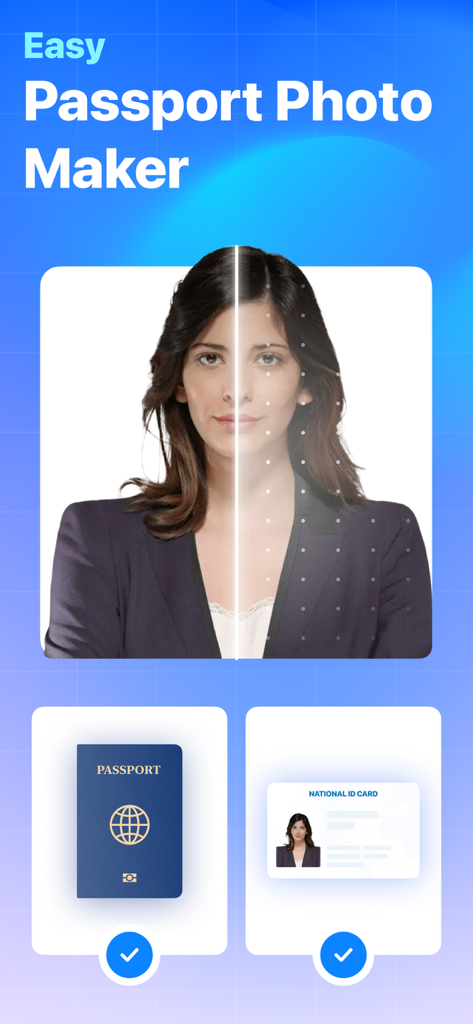
Passport Photo: ID Photo - 顔位置補正ガイドとIDカードオプションが表示された、簡単なパスポート写真メーカーアプリのインターフェース
顔位置補正ガイドとIDカードオプションが表示された、簡単なパスポート写真メーカーアプリのインターフェース

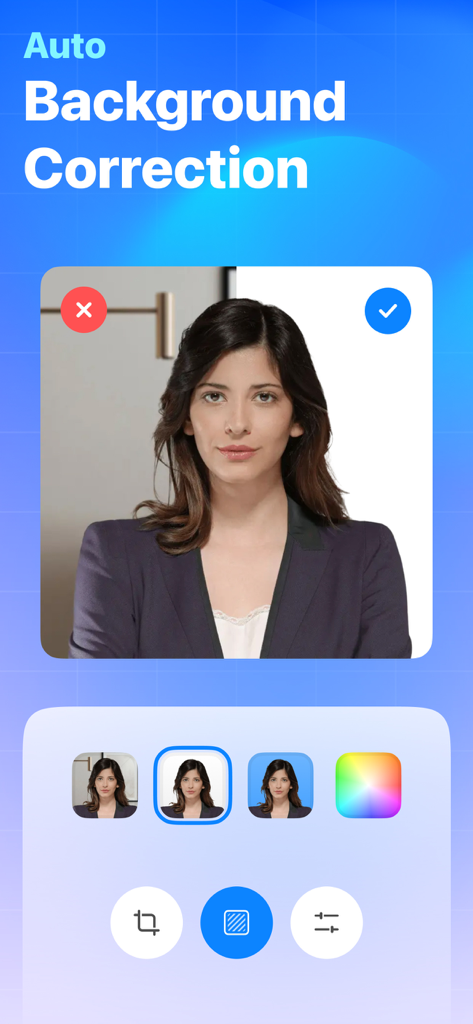
Passport Photo: ID Photo - パスポート写真アプリの自動背景修正機能が、散らかった背景をプロ仕様の白い背景に変更しているスクリーンショット
パスポート写真アプリの自動背景修正機能が、散らかった背景をプロ仕様の白い背景に変更しているスクリーンショット

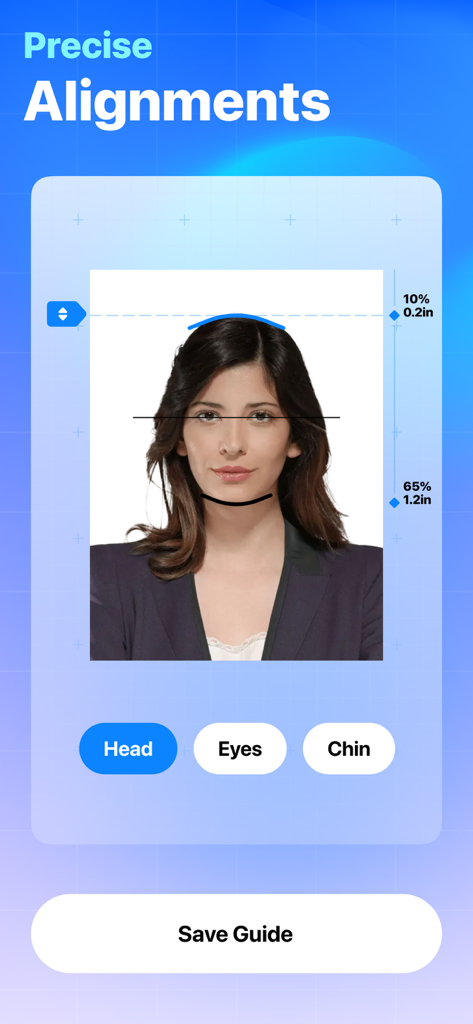
Passport Photo: ID Photo - パスポート写真アプリの、顔、目、顎の正確な顔位置補正ツールを表示するインターフェース
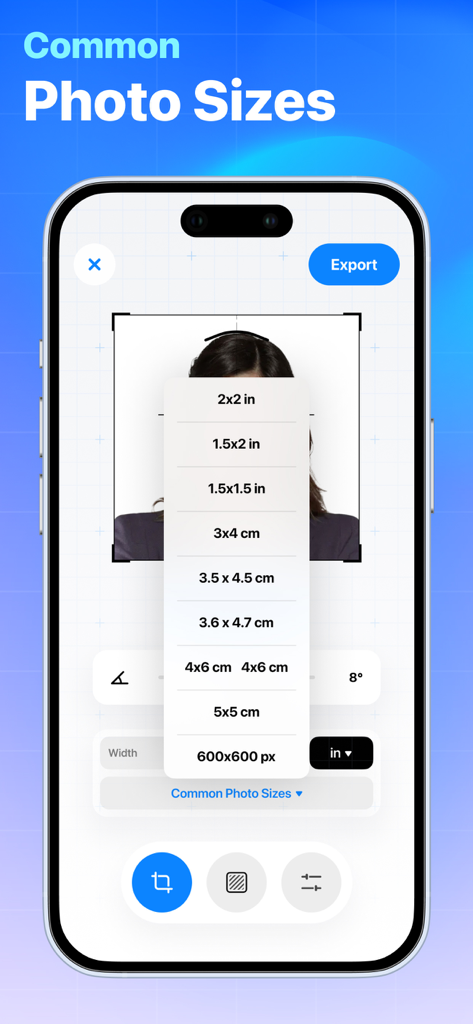
パスポート写真アプリの、顔、目、顎の正確な顔位置補正ツールを表示するインターフェース

Passport Photo: ID Photo - 一般的なパスポートおよびID写真のサイズが表示されたドロップダウンメニューを表示するモバイルアプリのインターフェース
一般的なパスポートおよびID写真のサイズが表示されたドロップダウンメニューを表示するモバイルアプリのインターフェース

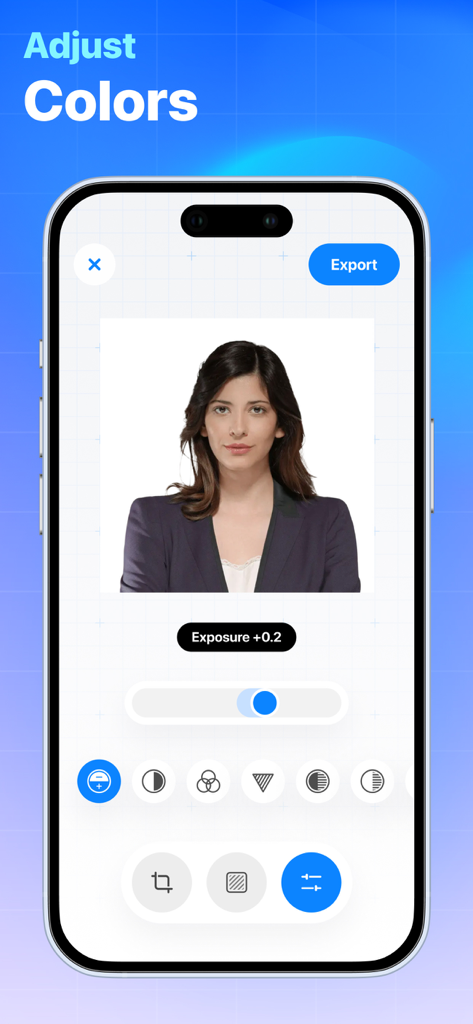
Passport Photo: ID Photo - プロ仕様のパスポート写真用の色と露出調整ツールを表示するモバイルアプリのインターフェース

プロ仕様のパスポート写真用の色と露出調整ツールを表示するモバイルアプリのインターフェース

説明

Effortlessly craft your ideal passport, ID, or visa photo with the seamless integration of AI-powered background customization and precise face alignment guidance. Key Features: Instant Capture and Crop: Take a perfect passport photo with just a few taps. The app's integrated camera allows you to capture high-resolution photos, and the intelligent cropping tool ensures that your photo meets the specific size and composition requirements of passport standards. Guidelines and Compliance Checker: Worried about meeting the stringent regulations for passport photos? The app provides real-time feedback and guidelines to help you align your photo correctly. It automatically checks for common issues such as head positioning, background color, and overall photo quality to ensure compliance with international standards. Background Customization: Choose a background color that suits your preferences or adheres to specific passport regulations. The app lets you easily switch between plain white, light blue, and other acceptable background colors, ensuring your photo meets the official criteria. Print and Share Options: Once you've created the perfect passport photo, the app allows you to save it to your device, share it digitally, or even print it directly from your phone. Say goodbye to expensive photo studios and lengthy processing times – get your passport photo in minutes. Multi-Size Support: Whether you need a standard passport photo, visa photo, or any other identification-sized photo, this app supports various sizing options. Simply select the required dimensions, and the app adjusts your photo accordingly. User-Friendly Interface: The Passport Photo Creator app is designed for users of all levels of tech-savviness. Its intuitive interface guides you through each step, making the entire process quick and stress-free.

Download

ダウンロード: App Store

このページはアプリまたはその開発者の公式ページではなく、情報提供および論評を目的として作成された独立した編集出版物です。明示的に別段の記載がない限り、アプリおよびその開発者は、MWM、Apple、Google Play、アプリのパブリッシャー、またはアプリの開発者と提携、承認、後援、認可、またはその他の公式的な関係はなく、このページのいかなる内容も、アプリがMWMのサービスを使用して開発されたことを意味するものではありません。すべての商標、ロゴ、スクリーンショット、その他のコンテンツはそれぞれの所有者の財産です。







