
このページはアプリまたはその開発者の公式ページではなく、情報提供および論評を目的として作成された独立した編集出版物です。明示的に別段の記載がない限り、アプリおよびその開発者は、MWM、Apple、Google Play、アプリのパブリッシャー、またはアプリの開発者と提携、承認、後援、認可、またはその他の公式的な関係はなく、このページのいかなる内容も、アプリがMWMのサービスを使用して開発されたことを意味するものではありません。すべての商標、ロゴ、スクリーンショット、その他のコンテンツはそれぞれの所有者の財産です。

PDF Reader - Editor & Scanner
ドキュメントはただの紙切れではありません。それは瞬時にデジタル資産へと変貌し、ユーザーの指先で完全にコントロール可能になります。PDF Reader - Editor & Scannerは、物理的な制約を打ち破り、あらゆる書類を即座に操作可能なデータへと変換する力を提供しています。
ダウンロード
250k+ユーザー評価
評価数
473開発元
カテゴリ
Utilities対応言語
15最新バージョン
8.2サイズ
105.0 MBリリース日
2025年1月21日多機能モバイルドキュメント管理ソリューションの包括的評価
「PDF Reader - Editor & Scanner」詳細分析
AIスキャンとOCRテキスト認識
このアプリは、高度なAIスキャン機能により紙の文書、領収書、名刺などを瞬時にデジタル化します。さらに、OCR(光学文字認識)によってスキャンされた画像からテキストを正確に抽出し、ユーザーがコピー、検索、編集できるようにします。
PDFの多様な形式変換
本ツールは、PDFファイルをWord、Excel、画像形式へ、またその逆方向への変換をサポートします。ユーザーは、異なるフォーマット間で文書をシームレスに変換し、多様な作業要件に対応できます。
充実したPDF編集機能とフォーム入力
このアプリは、PDFへのハイライト、下線、署名の追加、テキストの挿入、さらにはインタラクティブなフォームの直接入力といった幅広い編集機能を提供します。ユーザーは、紙に印刷することなく、デジタル文書を効率的に処理できます。
クラウドストレージ連携とファイル同期
本ツールは、Google DriveやOneDriveなどの主要なクラウドサービスとのシームレスな統合を実現します。ユーザーは、どこからでもファイルにアクセスし、編集し、安全に同期できるため、柔軟な作業環境が提供されます。
AIによる文書要約機能
このアプリは、AIを活用して文書の主要なポイントを自動的に要約します。ユーザーは、長文の資料や報告書の内容を短時間で把握し、情報収集と意思決定のプロセスを加速できます。
PDFの保護と効率化ツール
本ツールは、PDFにパスワード保護を設定することで機密文書のセキュリティを強化します。また、ファイルを圧縮してサイズを削減できるため、ストレージ容量を節約し、共有プロセスを効率化します。
高度なPDFファイル管理
このアプリは、複数のPDFファイルを結合して一つの文書にしたり、大規模なファイルを複数の小さなセクションに分割したりする機能を提供します。ユーザーは、文書の整理とカスタマイズを自由に行うことができます。
包括的なPDF閲覧と検索
本ツールは、デバイス上の全てのPDFファイルを自動的に検出し、スムーズな閲覧体験を提供します。ユーザーは、特定のページへの素早い移動や、文書内のテキスト検索を通じて、必要な情報を迅速に見つけ出すことが可能です。
よくある質問
について知っておくべきこと PDF Reader - Editor & Scanner
What is PDF Reader - Editor & Scanner?
PDF Reader - Editor & Scanner is a comprehensive app providing PDF reading, intelligent scanning, and AI-powered editing. It serves as a centralized hub for managing, converting, and annotating documents on iPhone and iPad.
Can I scan documents with PDF Reader - Editor & Scanner?
Yes, PDF Reader - Editor & Scanner features AI scanning to digitize paper files, receipts, notes, and business cards using your camera. It includes auto edge detection and image enhancement for clear scans.
Does PDF Reader - Editor & Scanner convert files to PDF?
Yes, PDF Reader - Editor & Scanner converts Word, Excel, PowerPoint, Markdown, text, and images into PDF format. It also converts PDFs back into these formats, supporting a wide range of document types.
How can I sign documents in PDF Reader - Editor & Scanner?
PDF Reader - Editor & Scanner allows you to add handwritten signatures to digital documents. You can sign documents easily using your finger or a stylus directly within the app, completing forms and agreements.
Does PDF Reader - Editor & Scanner support cloud storage?
Yes, PDF Reader - Editor & Scanner supports secure cloud backup and management. You can upload files to the app's secure cloud and access, view, and edit documents from Google Drive and OneDrive seamlessly.
Can I merge multiple PDFs with PDF Reader - Editor & Scanner?
Yes, PDF Reader - Editor & Scanner includes an advanced tool to merge multiple PDF files into a single document. This feature simplifies organization and management of various files efficiently.
Does PDF Reader - Editor & Scanner offer password protection for files?
Yes, PDF Reader - Editor & Scanner allows users to lock PDFs with password protection. This feature enhances security for sensitive documents, helping prevent unauthorized access within the app.
How do I annotate PDFs in PDF Reader - Editor & Scanner?
PDF Reader - Editor & Scanner provides practical editing features to annotate PDFs. You can highlight, underline, strikethrough text, and use various other annotation tools directly within the document for review.
Is PDF Reader - Editor & Scanner a free app?
Yes, PDF Reader - Editor & Scanner is described as a free and lightweight office app. It offers powerful features for document management and scanning without an initial cost.
What document formats can PDF Reader - Editor & Scanner view?
PDF Reader - Editor & Scanner views PDFs, Word documents (DOC, DOCX), Excel spreadsheets (XLS, XLSX), and PowerPoint presentations. It supports seamless reading across these various office document formats.
Does PDF Reader - Editor & Scanner offer an AI summary feature?
Yes, PDF Reader - Editor & Scanner includes an AI Summary feature. This allows users to quickly generate concise summaries of key points in their documents, facilitating faster review and comprehension.
Can PDF Reader - Editor & Scanner perform OCR?
Yes, PDF Reader - Editor & Scanner features OCR Recognition. This allows users to extract and copy text from scanned pages with one tap, making digitized documents editable and searchable.
Where can I find the privacy policy for PDF Reader - Editor & Scanner?
The privacy policy for PDF Reader - Editor & Scanner is available at https://getpdfreader.github.io/ipdfreader/privacypolicy.html. This link is provided directly in the app description for user access.
以下のスクリーンショットと説明は、アプリの公式ストアリスティングから直接取得されたものであり、アプリ開発者の所有物です。
アプリストア
スクリーンショット
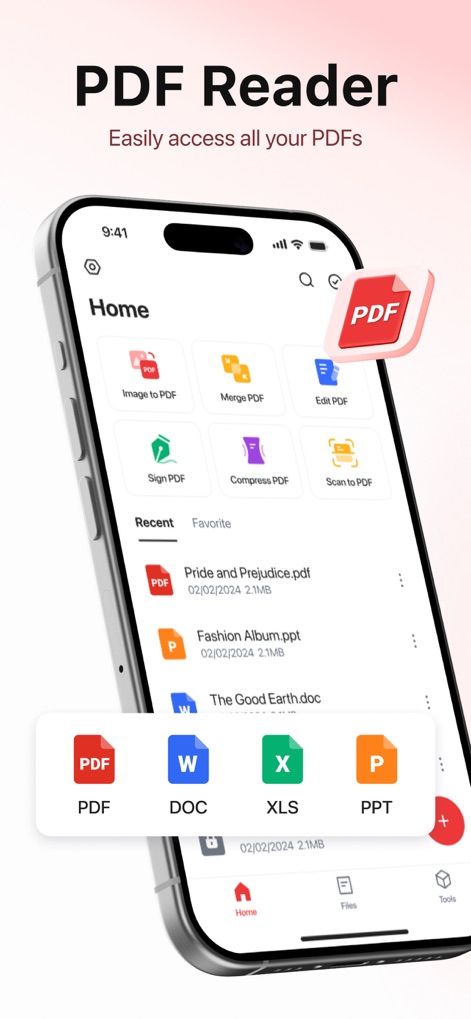
本アプリの直感的なホーム画面では、PDF変換や署名などの主要機能に素早くアクセスでき、WordやExcelファイルも直接管理できます。
PDFを簡単管理
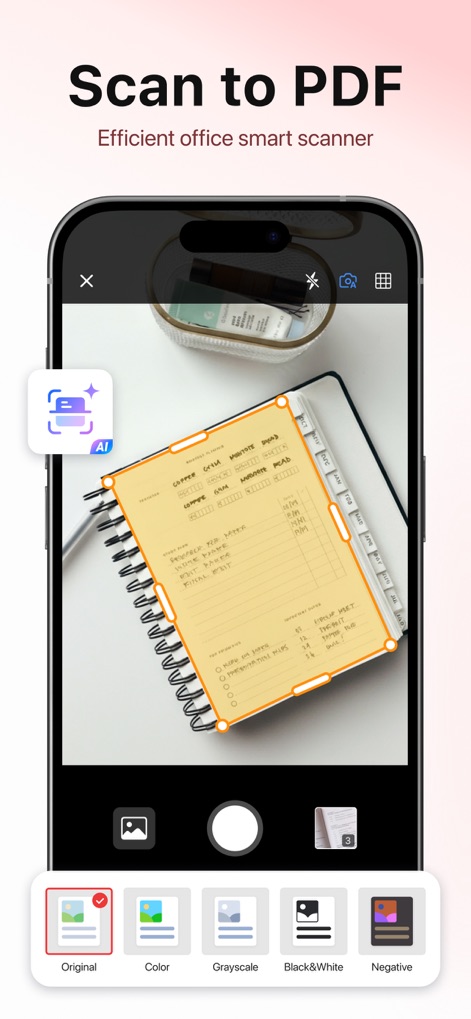
AI搭載スキャナーは、紙文書の端を自動検出して高精度にデジタル化し、複数のカラースキームで最適化された画像を生成します。
スマートスキャン機能
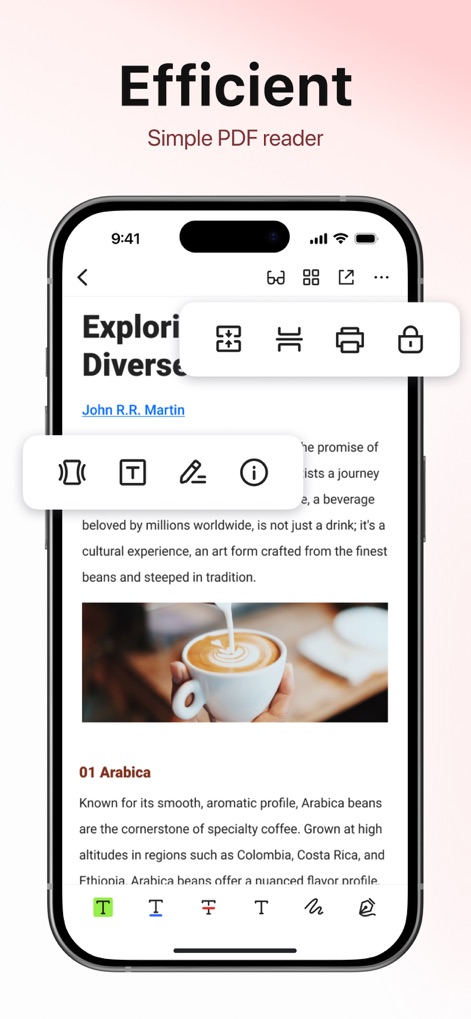
このアプリでは、PDFの内容をスムーズに閲覧できるだけでなく、キーコンテンツのハイライト表示や手書きの署名挿入が可能です。
効率的な閲覧と編集
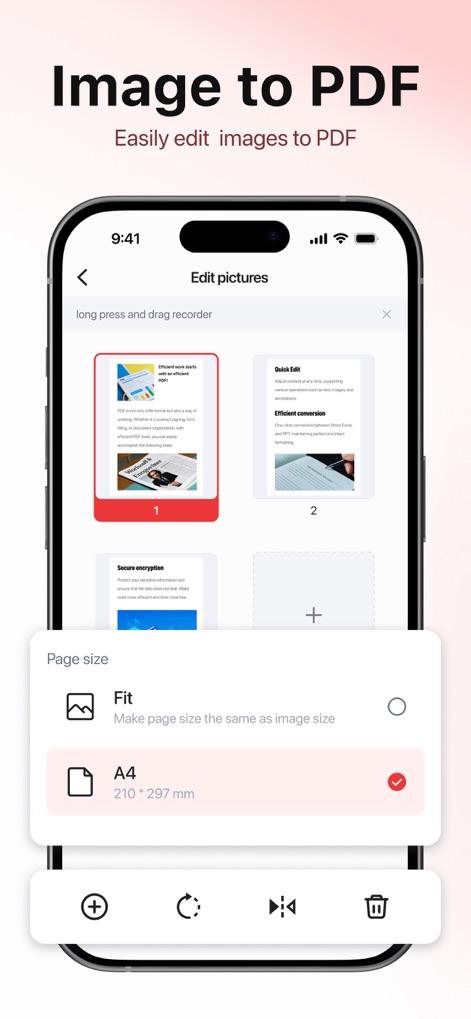
複数の画像を簡単にPDFに変換できるこの機能は、ページサイズを自由に調整でき、統一されたドキュメント作成をサポートします。
画像をPDFに
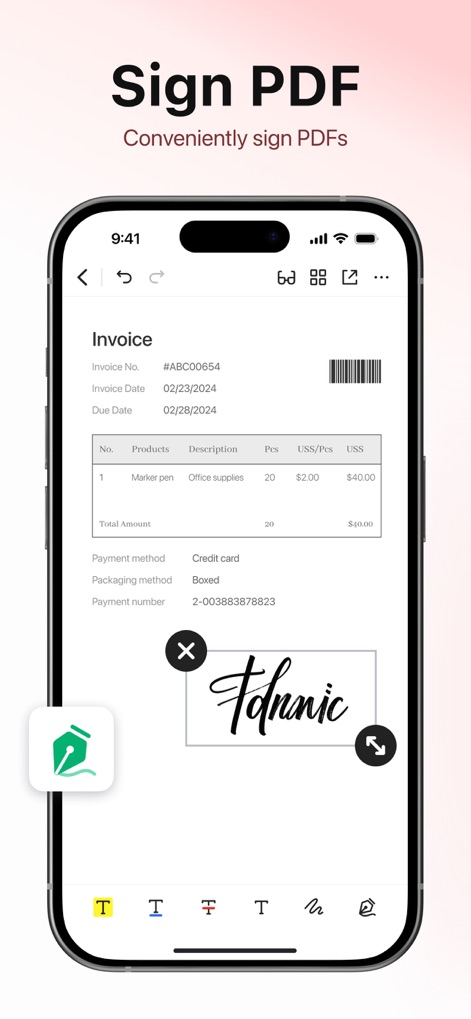
請求書などのPDF文書に直接デジタル署名を簡単に追加でき、手書きペンツールで署名のスタイルをカスタマイズできます。
PDFに署名
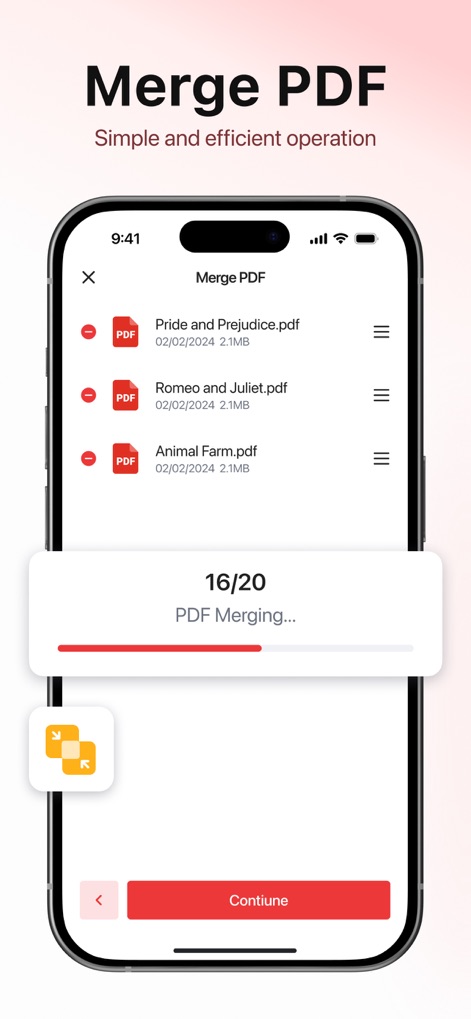
複数のPDFファイルを一つにまとめる結合機能は、進捗状況を明確に表示し、効率的なドキュメント整理を実現します。
PDFを結合
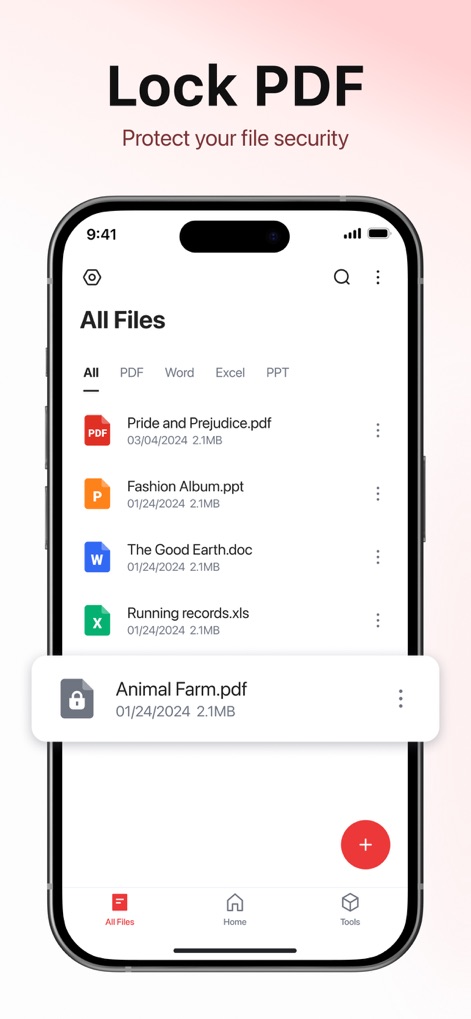
機密文書にはパスワードを設定してセキュリティを強化でき、ファイルリストから直接保護状態を確認できます。
PDFを保護
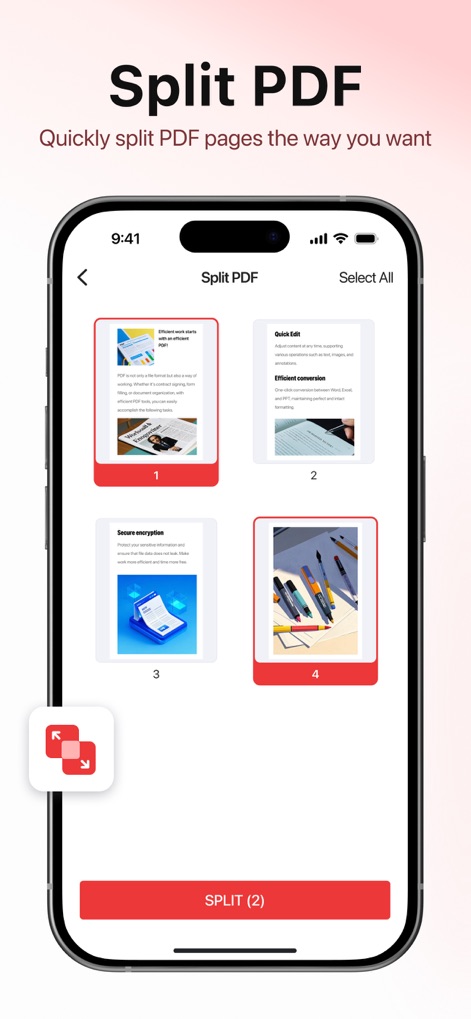
大容量のPDFドキュメントを必要なセクションに簡単に分割でき、プレビュー機能により分割するページを視覚的に選択できます。
PDFを分割
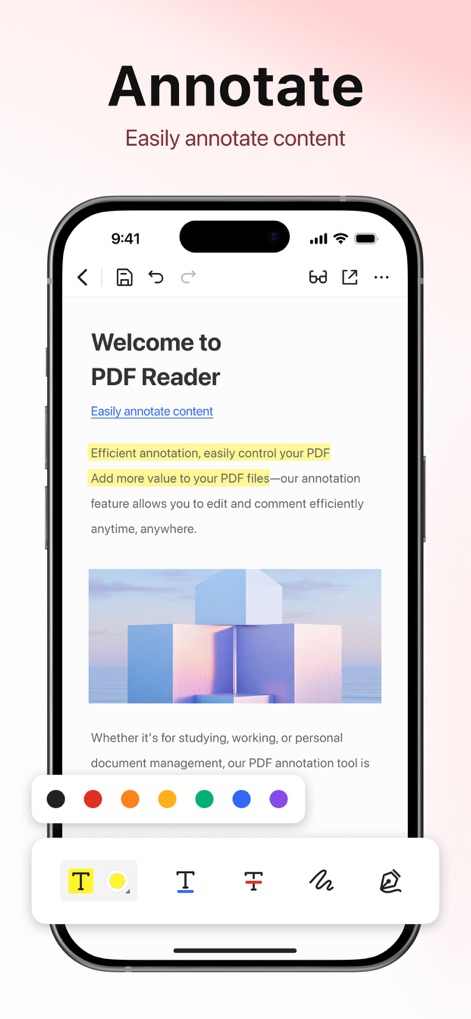
このPDF注釈機能は、豊富なカラーパレットを提供し、ハイライト、下線、テキスト追加などのツールで重要な情報を明確に表示します。
注釈で強調
説明
Download
類似アプリ
似た機能とユーザー体験を持つアプリ

Converter Files & PDF Editor
Shenzhen Miguo Qudong Technology Co., Ltd

文档手机版-word文档编辑,手机office办公软件
喜存 岳

PDF Maker - Convert to PDF
KUPERTINO BIL. YAZ. HALIL IBRAHIM KARAHAN SAFFET ARSLAN MUSTAFA AYTEN MUHAMMET YALCIN OZDEMIR K. S.

PDF Converter & PDF Creator
The Last Sunrise LLC

PDF Maker: Editor & Converter
SolveIt Inc.

PDF Editor・PDF File Converter
VISARGERD, S.L.

PDFit-AI PDF&Scanner
FAST LINE NETWORK TECHNOLOGY LIMITED

PDF Converter・Doc Scanner
Nikolai Ivanenko

PDF Editor | Files Converter
Yehor Karataiev
このページはアプリまたはその開発者の公式ページではなく、情報提供および論評を目的として作成された独立した編集出版物です。明示的に別段の記載がない限り、アプリおよびその開発者は、MWM、Apple、Google Play、アプリのパブリッシャー、またはアプリの開発者と提携、承認、後援、認可、またはその他の公式的な関係はなく、このページのいかなる内容も、アプリがMWMのサービスを使用して開発されたことを意味するものではありません。すべての商標、ロゴ、スクリーンショット、その他のコンテンツはそれぞれの所有者の財産です。