PDF: Reader, Scanner, Editor

PDF: Reader, Scanner, Editor

ダウンロード: App Store
ロゴ: PDF: Reader, Scanner, Editor

PDF: リーダー、スキャナー、エディター – オールインワンのドキュメント powerhouse

iPhoneからPDFの即時スキャン、編集、署名、変換。外出先で作業をこなす必要がある忙しい専門家や学生のために設計された究極のモバイルオフィスツール。

ダウンロード: App Store

開発元

Artem Dorozhkin

カテゴリ

Utilities

ダウンロード

100

ユーザー評価

1.0/5

評価数

0

対応言語

1

オールインワン体験

このインターフェースを利用する 100 人のユーザー.

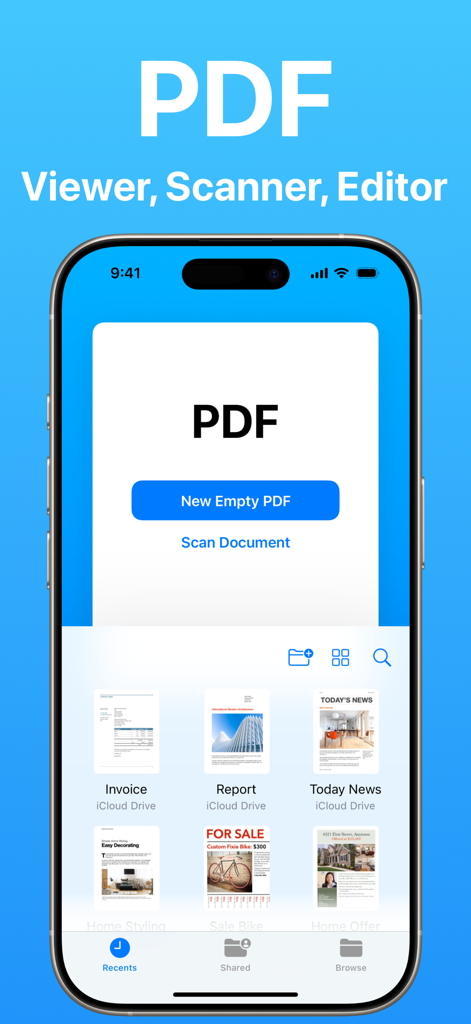
iPhone上のPDFビューアおよびスキャナーアプリのメインインターフェイス。新規PDFの作成または書類のスキャンオプションが表示されています。
iPhone上のPDFビューアおよびスキャナーアプリのメインインターフェイス。新規PDFの作成または書類のスキャンオプションが表示されています。

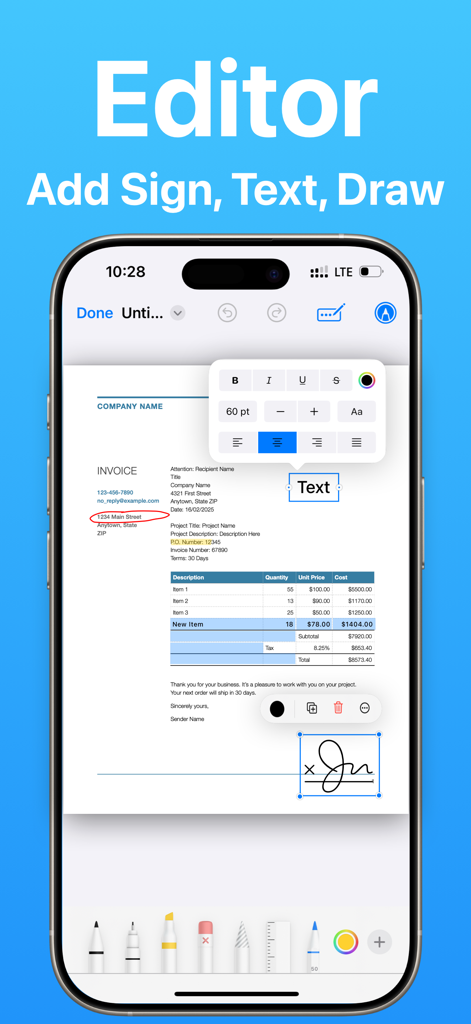
iPhone画面で、テキストやデジタル署名の追加を含むPDF編集機能を示しています。
iPhone画面で、テキストやデジタル署名の追加を含むPDF編集機能を示しています。

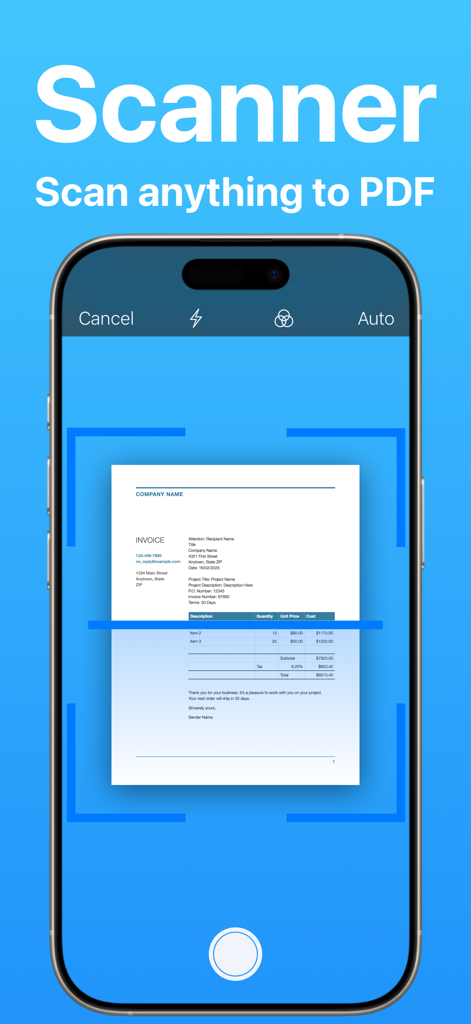
iPhoneインターフェイスに、モバイルスキャナーアプリを使用してPDFに書類をスキャンしている様子が表示されています。
iPhoneインターフェイスに、モバイルスキャナーアプリを使用してPDFに書類をスキャンしている様子が表示されています。

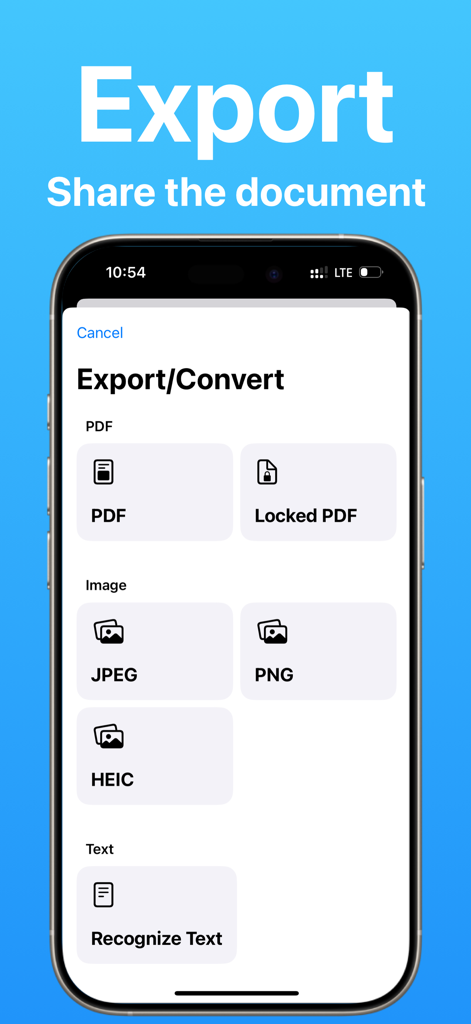
ドキュメントをPDF画像またはテキスト形式でエクスポートおよび変換するオプションを示すインターフェイス。

ドキュメントをPDF画像またはテキスト形式でエクスポートおよび変換するオプションを示すインターフェイス。

どこでも書類をマスター

このアプリを際立たせるツール、 100 人のユーザーが選択.

📸

スマートスキャンとOCR

AI技術による高精度で、あらゆる書類を即座にデジタル化し、画像を編集可能なテキストに変換します。

✍️

インスタント電子署名

外出先で契約に署名したり、複雑なフォームに記入したりできます。もうプリンターや近くのFedExを探す必要はありません。

✏️

強力なPDF編集

元のフォーマットを失うことなく、テキストの変更、メモのハイライト、またはWordやExcelへのファイルの変換が可能です。

アプリについて

について知っておくべきこと PDF: Reader, Scanner, Editor.

説明

PDF Viewer, Scanner & Editor – All-in-One PDF Tool! Key Features: - PDF Viewer & Reader – Open and read PDF files with a smooth, user-friendly interface. - PDF Editor – Add text, highlight content, draw, and make edits effortlessly. - E-Signature – Sign documents electronically and share them instantly. - PDF Scanner – Scan documents using your camera and convert them into PDFs. - OCR (Optical Character Recognition) – Extract and recognize text from scanned PDFs. - Convert PDFs – Export PDFs to Word, Excel, JPG, and more. - Annotate & Highlight – Add comments, highlight text, and mark up PDFs with ease. - Fill PDF Forms – Complete and submit PDF forms digitally. - Secure & Share – Protect PDFs with passwords and share via email or cloud services. Perfect for students, professionals, and anyone who works with PDFs daily! Easily upgrade to Pro and unlock unlimited access to measurements and more with a renewable App Store subscription. We offer auto-renewing subscription plans with the following terms: • Available durations: 1 week, 1 month, or 12 months. • Payment is charged to your App Store account upon purchase confirmation. • Subscriptions renew automatically unless canceled at least 24 hours before the end of the current billing cycle. • Your account will be charged for renewal within 24 hours before your subscription expires, with the renewal cost clearly indicated. • You can manage your subscription and turn off auto-renewal anytime in your Account Settings. • Active subscriptions cannot be canceled before the end of the billing period. • If a free trial is available, any unused portion will be forfeited upon purchasing a subscription. Terms of use(EULA): https://www.apple.com/legal/internet-services/itunes/dev/stdeula/

最新バージョン

1.0.3

サイズ

10.9 MB

リリース日

2025年2月28日

書類作成をシンプルにする準備はできましたか?

外出先でスキャン、署名、編集を行う数千人もの学生や専門家に加わりましょう。モバイルライフスタイルに合わせて設計されたオールインワンPDFツールを入手し、オフィスをどこへでも持ち運べます。

ダウンロード: App Store

App information, icons, screenshots, and descriptions displayed on this page are sourced from the Apple App Store and are the property of their respective developers. Download estimates and rankings are based on MWM's proprietary models and may not reflect actual figures. This page is provided for informational and analytical purposes only.

Believe this page infringes your intellectual property? File a dispute